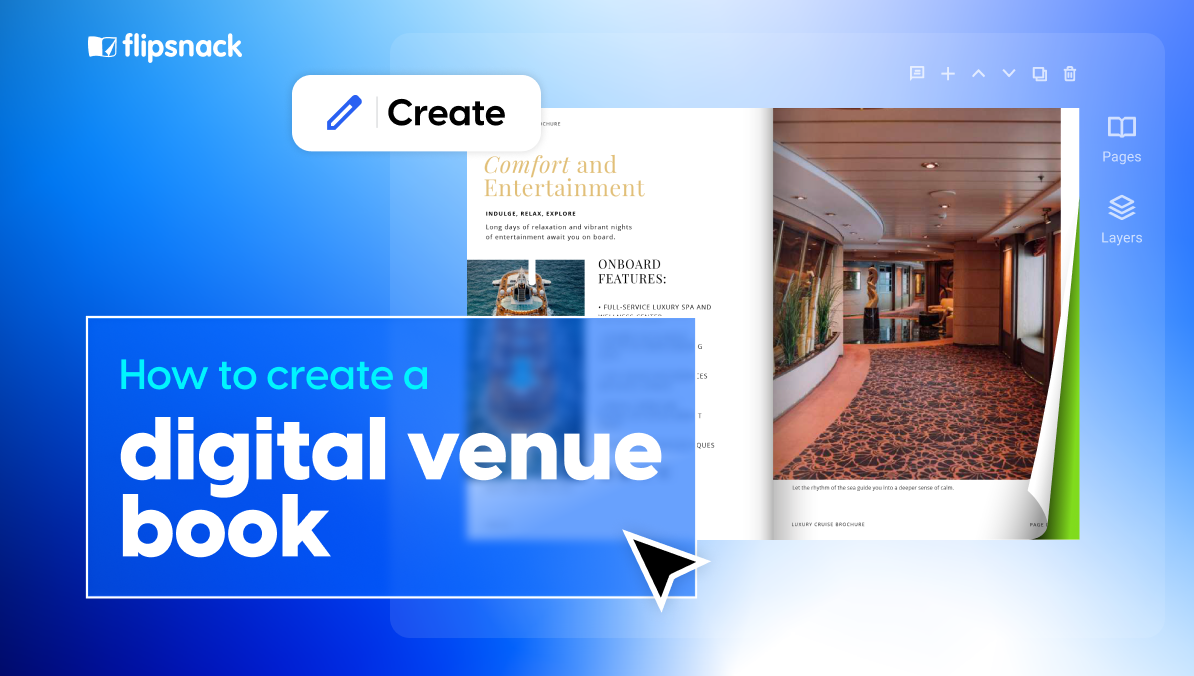
How to Create a Digital Venue Book for Hotels and Venues That Stays Current
Published on: March 3, 2026
Selling a venue is rarely about one photo or one spec sheet. Most prospects compare several spaces, share options internally, and look for fast proof that a venue fits their event.
If you send a PDF in one email, a video link in another, and floor plans as separate attachments, people miss things, and you lose control of the story.
A digital venue book solves that.
Built in a flipbook maker, it is an interactive booklet you can share as a link or QR code, and it can include videos, clickable links, and other interactive elements that help prospects explore without jumping between files.
Platforms like Flipsnack support this kind of interactive publication, including videos, hyperlinks, and tracked interactions, so your venue presentation is both engaging and measurable.
Table of contents
- What is a digital venue book?
- Why replace static PDFs with an interactive venue book
- How to plan your venue book content
- How to create a centralized digital venue book
- More templates to get you started
- Collaborate on venue books without losing brand control
- Turn your venue book into a tool your team uses every day
What is a digital venue book?
A digital venue book is a shareable online booklet that presents a venue’s highlights and the practical details buyers need to decide. Think of it as a venue brochure and sales kit combined into a page-turning experience, where readers can watch a walkthrough video, open a floor plan, click to request a quote, or jump to key sections through links and interactive hotspots.
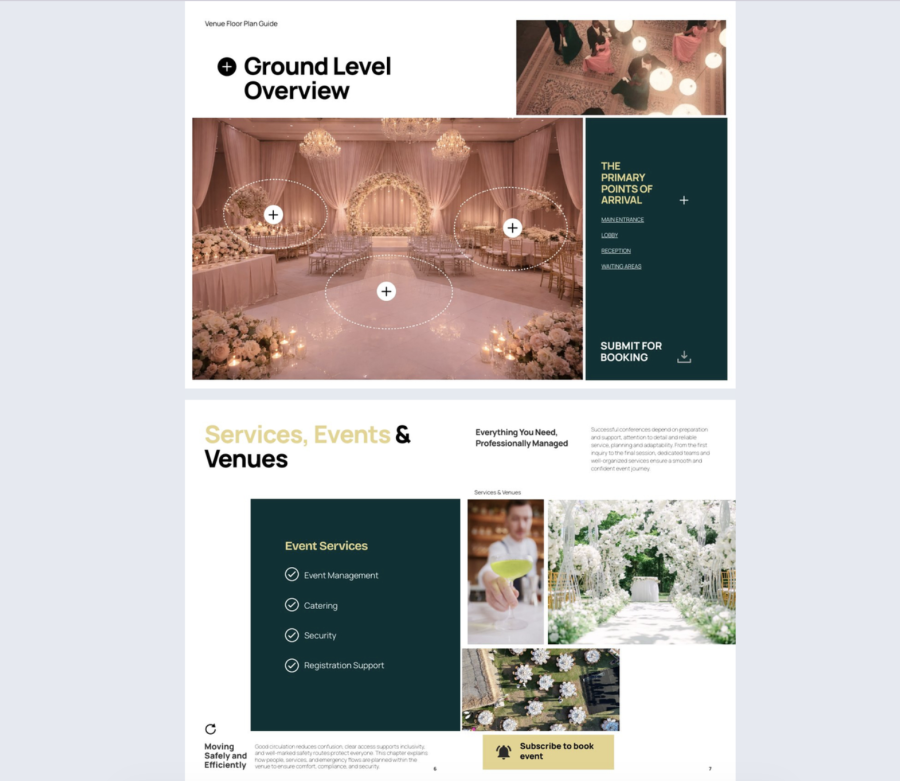

It usually includes things event planners look for early in the selection process, like:
- capacity and square footage
- floor plans and space options
- services
- technical specs
- pricing guidance
- video tours, slideshows
- contact/ CTA section
This matters because planners often collect venue brochures and share them with their clients while narrowing down options.In practical terms, a good digital venue book is easy to share via link, embed, or QR code, and easy to keep current without re-sending a new file every time you update details.
Why replace static PDFs with an interactive venue book
| What matters | Static PDF | Interactive venue book |
| Updates and version control | Old versions stay in inboxes and folders, so menus, pricing, and seasonal packages get out of date fast. | You can keep one share link and update the content as details change, so readers see the latest info. |
| Engagement insight | You usually cannot tell if it was opened, what pages were viewed, or what links got clicked. | You can track views and clicks, which helps you follow up based on real interest. |
| Mobile experience | Often slow to open and hard to read on phones, with lots of zooming and scrolling. | Built for browsing on phones, with quicker navigation and easier reading. |
| Sharing across teams | Content gets split into attachments and separate links, and it becomes hard to manage who sends what. | One link can be shared by sales, ops, and reservations, so the message stays consistent. |
| How you tell the story | Mostly static pages, so it is harder to show the venue in action. | Supports rich media like video and image galleries, so prospects can explore the space in context. |
| Planner experience | People have to jump between files to find specs, visuals, and assets. | Planners can move through highlights, specs, and assets in one guided flow, with clear calls to action. |
The problem with PDFs
PDFs are fine when the goal is printing. For venue sales, they create avoidable friction.
They break the moment details change. Menus, pricing, packages, and seasonal options change often. Once a PDF is sent, old versions keep living in inboxes and shared folders, and you end up correcting details in follow-up emails.
You get no real insight into interest. With a PDF, you usually do not know if the prospect opened it, what they cared about, or what they skipped.
The phone experience is often frustrating. PDFs can be slow to open, hard to read, and require constant zooming. Flipsnack supports layouts that adapt to screen size, including a smart view that switches to a single-page view on mobile devices.
Attachments get messy fast. Venue content is rarely one file. Teams end up sending a brochure, then a floor plan, then a video link, then an updated package list. On top of that, email attachment limits are real, which is a problem when you have videos or high-resolution assets.
What you gain with a digital venue book
One link your whole team can use. Sales, ops, and reservations can share the same venue book link, and when you update the content, you do not need to resend a new link.
Multimedia that sells the space better. You can add videos, links, slideshows, and other interactive elements so prospects can explore the venue without hunting through separate files.
A better experience for planners. A venue book that reads well on mobile and lets people jump to the details they need reduces back and forth and keeps the decision moving. The player options and responsive viewing help make that experience smoother on phones.
Trackable engagement you can act on. You can see what is being viewed and where people interact, then follow up with context instead of guessing.
How to plan your venue book content
1. Start with your audience
A venue book is not one size fits all. An event planner wants fast specs and logistics. A wedding couple wants the mood, photos, and what is included. A corporate buyer wants setup options, AV, and timing.
If you serve more than one audience, make a version for each. In Flipsnack, this is easy because you can start from a ready-made template, or save your own as a template, then reuse it for different venues or audiences.
To decide what to include, start from the questions people ask when they shortlist venues:
Capacity and room layouts, AV and WiFi, catering rules and minimums, timeline and access, and on-site support are common topics in venue checklists used by event teams.
2. Collect the essentials
Before you design pages, gather the content you will reuse across the book. This saves time and keeps the story consistent.
Here is a practical starter set:
- Venue highlights: the unique features that make the space worth a visit, like location, views, special rooms, and flexible setups.
- Specs: capacity by setup style, room dimensions, accessibility notes, noise rules, and key policies.
- Media assets: high-quality photos, short videos, and, if you have them, 360 virtual tours.
- Floor plans: clean images with labels that match your room names.
- Menus and packages: either the latest file, or a link to a version you keep updated.
- Testimonials and proof: quotes, logos, awards, and short case studies.
💡Tip that pays off: build one master venue book, then copy it for each venue and swap the details. That keeps layout and branding consistent.
3. Decide what must always be current
Some details go stale fast and cause the biggest problems when they are wrong:
- Pricing and minimum spends
- Seasonal menus and package inclusions
- Availability guidance and lead times
- Key policy changes, like curfew or vendor rules
Set a simple update process now, not later. Pick one owner, and give them a clear trigger for edits, like “any time pricing changes” plus a quick monthly check. If you publish through Flipsnack, you can edit a published flipbook, republish the update, and keep the same link, which helps you avoid old versions being shared.
How to create a centralized digital venue book
1. Start from a template or upload your existing PDF
If you already have a venue brochure PDF, upload it and convert it into a flipbook, then build on top of it with media and links. Flipsnack also lets you merge multiple PDFs into one flipbook, which is useful when your floor plans and menus live in separate files.
If you want to design it from scratch, start with a venue-focused template, then swap in your spaces, photos, and specs.
2. Build the pages around venue decisions
Before you add interactive elements, set up a flow that matches how people choose venues. Lead with quick facts, then show spaces, layouts, and logistics.
A simple structure that fits most venues:
- cover
- quick facts
- spaces overview
- capacity and setup options
- key amenities and policies
- catering packages or menus
- floor plans
- gallery
- location and access
- contact
3. Add interactivity that helps people picture the event
This is where a venue book earns its keep. Add interactive elements that answer questions without back and forth.
In Flipsnack, you can add videos and other interactive elements like buttons and links directly in the editor.
A few venue-specific ideas that work well:
- A short walkthrough video for each main space, plus a button like “Request a site visit” that links to your form or booking page.
- A virtual tour like Matterport. Matterport provides an embed option using an iframe. Or a clear, clickable link to open the tour in a new tab.
- Interactive floor plans. Upload the plan as a page, then add clickable hotspots on key areas that open photos, capacity notes, or setup examples.
- Map and directions. You can embed a map via iframe, or you can add a button that opens Google Maps.
- Forms or questions so people can reach you faster, from the same place.
4. Apply your branding and protect it across venues
Hotels and venue groups usually need brand consistency across multiple properties. Flipsnack’s brand kit lets you set up fonts, colors, logos, and typography presets so every new venue book starts on brand.
If multiple teammates will create or update venue books, use locked templates so key brand elements like logos, headers, and layout blocks cannot be moved or edited by mistake.
5. Publish and share it the way venues actually sell
For venue marketing, you usually need two sharing modes: public and private.
Public sharing works for your website, social channels, and ads. Private sharing is better for proposals, negotiated packages, or client-specific pricing.
For the venue industry, QR codes are a practical win. You can generate and download a QR code for your publication, brand it with your logo, and use it on printed brochures, table cards, event signage, or sales decks handed out during site visits.
6. Track engagement after you share it
Once your venue book is out, tracking tells you what is working and what is being ignored. It also helps you follow up with context, instead of guessing.
Start by creating trackable links for different audiences or channels. For example, one link for wedding leads, one for corporate events, and one for QR codes used during site visits. That way, you can see which channel drives real engagement, not just opens. Trackable links also support notifications, so you can react when a link is first opened or stays unopened past a date you set.
Then review the basics in Analytics. You can see views, clicks, reading time, and downloads, and you can use this to spot intent.
If someone spends time on your capacities and clicks the floor plan page, they are likely comparing layouts. If they click your catering section, expect menu questions next.
More templates to get you started
1. Conference venue brochure example
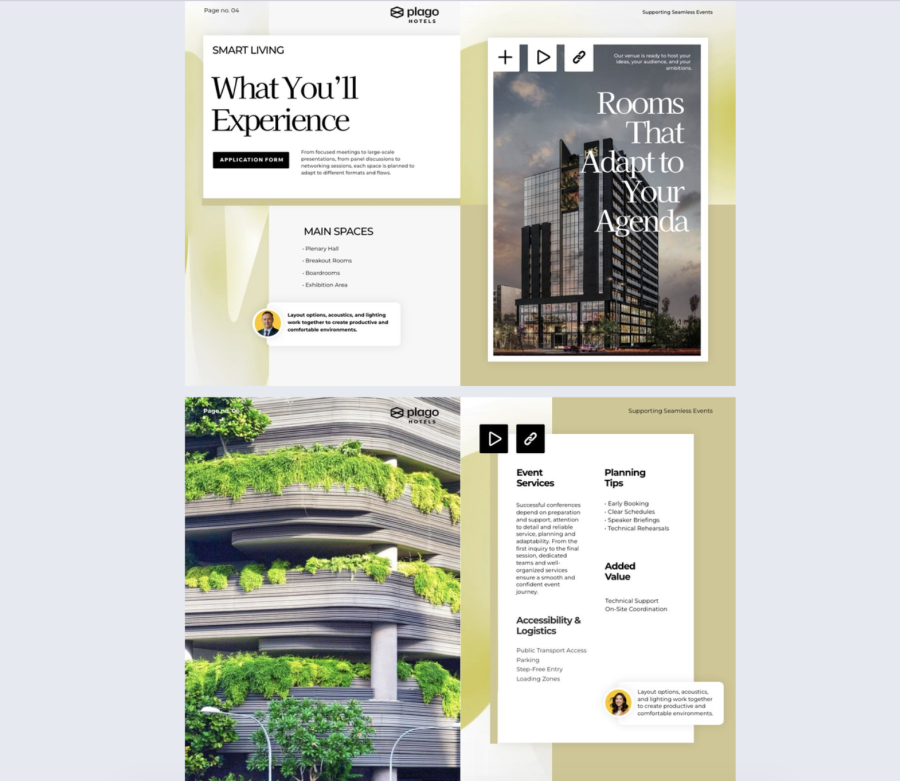
This conference venue brochure template is built to help hotels sell meeting and event spaces with fewer back and forth emails. It mixes clean layouts with interactive elements like clickable links, embedded videos, video buttons, contact forms, social media buttons, go to page navigation, captions, spotlight highlights, GIFs, and slideshows. It also supports analytics, so you can see what people actually view and click.
Best for: Hotels and venues that need to show, not just tell, what hosting an event looks like, especially when you offer different room setups and service packages. It works well if you want to highlight:
• Adaptable rooms for different agendas
• Key spaces like plenary halls, breakout rooms, boardrooms, and exhibition areas
• Event services, planning tips, and logistics details
Real-world application: Use this as a sales asset for corporate planners and event agencies. Replace the sample sections with your own meeting facilities, tech setup, catering options, capacity details, and package pricing or starting rates. Then share it by email or send a direct link in any channel. Check analytics to spot what gets attention, then update the brochure based on that data instead of guessing.
Common mistakes to avoid:
• Listing features without proof. Add photos, short video tours, and real setup examples for each room type.
• Hiding the next step. Put the contact form and booking CTA in more than one place, not only at the end.
• Overloading pages with effects. Use GIFs and slideshows where they clarify the space, not as decoration.
• Leaving out practical details. If you skip accessibility, parking, transport access, or load in zones, planners will ask later and you will lose time.
2. Wedding venue guide example
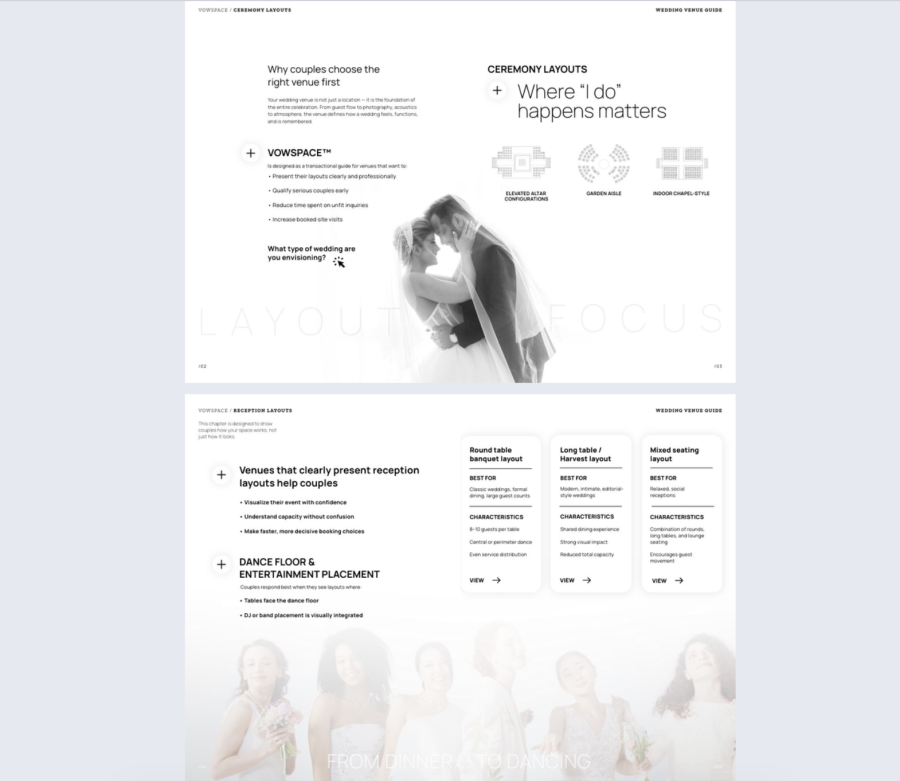
This wedding venue guide template helps you turn interest into real inquiries by showing couples how your space works. It combines clean layout pages with interactive features like clickable links, captions, embedded videos, contact forms, interactive questions, pop-up slideshows, and social media icons. The pages are set up to explain ceremony and reception layouts in a way that feels easy to understand.
Best for: Wedding venues that need to explain layout options and guest experience without long calls. It fits venues that want to highlight:
• Ceremony setups and layout variations
• Reception layouts, seating styles, and dance floor placement
• Comfort features and arrival moments that shape first impressions
Real-world application: Use it as the main guide you send after a tour request or an inquiry form submission. Swap in your own venue photos, packages, seasonal options, and key details like capacity ranges, rain plans, and what is included. Then share it by email or send a direct link through text, social media, or wedding planning platforms. Use analytics to see which pages get attention, then adjust your guide and follow ups based on what couples actually engage with.
Common mistakes to avoid:
• Focusing on vibes only. Couples still need clear answers on layouts, capacity, and flow.
• Burying the contact form. Put it near the layouts and package info, not only at the end.
• Using too many pop-ups. Keep slideshows for the spaces that need extra angles or setup examples.
• Skipping the decision triggers. Add what is included, what upgrades exist, and what the next step is, so couples know how to move forward.
3. Interactive Venue Guide Example
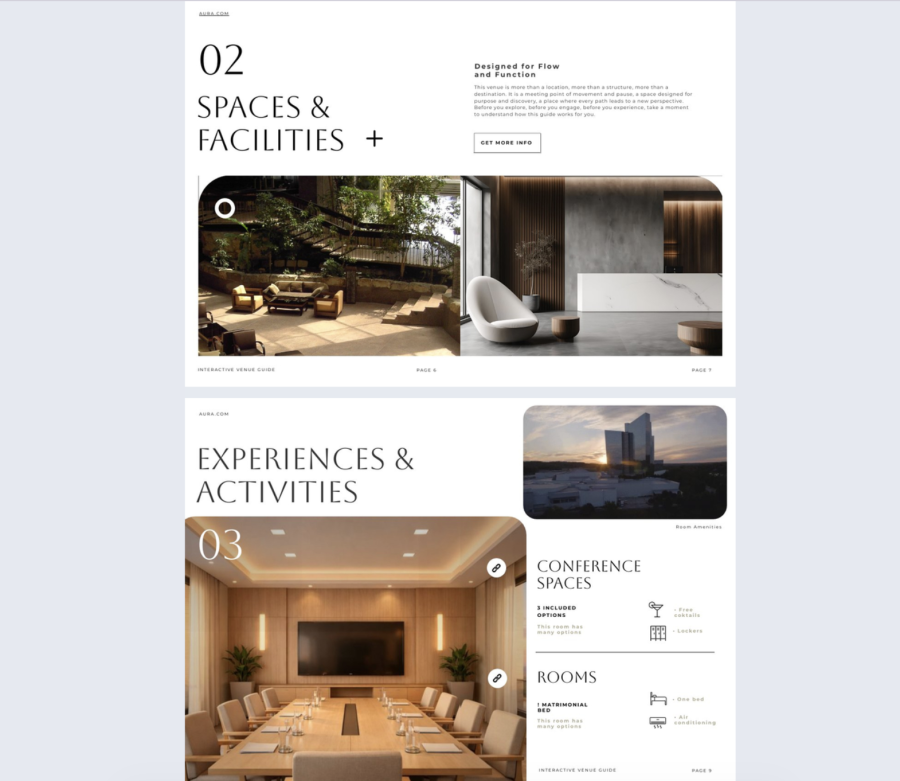
This interactive venue guide template is made for hotel sales teams that need a clear, visual way to present the property. It supports clickable links, embedded videos, video buttons, contact forms, social media buttons, go to page navigation, captions, and spotlight sections. The layout is built to walk prospects through spaces, facilities, and on site experiences without overwhelming them.
Best for: Hotels that sell meetings, retreats, and corporate stays, especially when you want to show more than just room photos. It works well if you need to highlight:
• Welcome and orientation details for groups
• Clickable maps and wayfinding info
• Spaces and facilities, including meeting rooms
• Experiences and activities that add value to the stay
Real-world application: Use it as a private sales asset you share from your Flipsnack account after a first call, or when a lead asks for a full overview. Add your best visuals, amenities, guest services, testimonials, and special packages. Then embed it on your website for qualified traffic or send it directly to planners. Use analytics to see which sections people spend time on, then adjust your guide and your follow ups to match what gets attention.
Common mistakes to avoid:
• Treating it like a brochure dump. Curate the content so each section answers one question clearly.
• Forgetting the path to inquiry. Add contact forms and clear CTAs in more than one spot.
• Adding videos that are too long or too generic. Keep clips focused on a single space or experience.
• Skipping proof. If you mention service quality, back it with testimonials, logos, or short case examples.
Collaborate on venue books without losing brand control
Venue books usually involve more than one team. Flipsnack is built for that kind of teamwork through shared workspaces and role-based access.
1. Keep work organized by venue or brand
If you manage multiple venues, you can set up separate workspaces so each property or brand has its own assets, templates, and people. That helps teams stay focused and reduces mix-ups between locations.
2. Give each team member the right level of access
Invite teammates to the workspace and assign roles with clear permissions. This is how you let sales share and duplicate venue books while limiting who can change templates or publish updates.
If you want stakeholders to review content without editing, Flipsnack also supports a reader type access that lets people view flipbooks without creating, editing, or publishing.
3. Build brand rules into the workspace
For hotels and venue groups, brand consistency is non-negotiable. Start by adding your brand kit so your team uses the same logos, colors, fonts, and text styles across venue books.
Then create a locked template for your venue book layout. Locking templates lets you protect key elements like headers, logo areas, and page structure, so teammates can update venue-specific details without breaking the design.
4. Review changes without messy email threads
Instead of sending screenshots back and forth, teammates can leave comments directly in Design Studio. Comments are tied to a specific spot in the design, which makes feedback clearer, especially for floor plans, pricing tables, and room specs.
Turn your venue book into a tool your team uses every day
A venue book should do more than look nice. It should help people decide faster, reduce repeat questions, and give your team a clear way to follow up.
If you keep it focused on what your audience needs, keep the details current, and add media that shows the space in real use, you end up with a venue book that actually supports sales. Then, when you share it through Flipsnack, you can use one link, update without chaos, and track what people care about so your next message is relevant.
The practical goal is simple. Make it easy for prospects to picture their event, and make it easy for your team to send the right info without rewriting the same email every time.