How to Measure Product Catalog Performance and Improve ROI
Published on: March 19, 2026
Creating a beautiful product catalog is only half the job. The real challenge starts after you publish it. Many marketers, ecommerce teams, and sales professionals invest heavily in a digital catalog, interactive catalog, or flipbook, but struggle to understand whether it is actually delivering results.
They can see that people opened it, but they often cannot clearly tell what happened next. Did readers interact with the products? Did they click on a CTA? Did the catalog generate leads, support sales, improve engagement, or increase conversion rate?
This is one of the biggest pain points in catalog marketing today. Without the right analytics and performance metrics, it is difficult to measure user behavior, evaluate CTR, understand time spent, track product interest by SKU, or prove ROI.
As a result, teams often keep updating the same layout, design, or distribution channel without knowing what is actually helping the catalog perform better. A catalog may look polished and on-brand, but if it is not trackable, measurable, and conversion-focused, it is much harder to turn it into a real business asset.
That is why measuring catalog performance is so important. When you know how to measure product catalog performance, you can move beyond assumptions and start making data-driven decisions.
In this article, we will show you exactly how to measure catalog performance, which e-commerce catalog KPIs to track, and which strategies to boost product catalog sales actually matter. We will also show you how Flipsnack helps you do all of this with built-in reporting, heatmap insights, shopping stats, source tracking, and engagement data that turn your catalog into a smarter performance channel.
What is digital catalog performance?
Digital catalog performance refers to how effectively a digital catalog, interactive catalog, or flipbook attracts viewers, increases engagement, and supports business goals such as generating leads, driving sales, and improving ROI. It is measured using key analytics and performance metrics like impressions, views, clicks, CTR, average time spent, conversion rate, product interest by SKU, device performance across mobile and desktop, and traffic source.
Why measuring product catalog performance is harder than it looks
At first glance, tracking a catalog may seem simple. But in practice, many teams run into the same limitations.
A static PDF can be shared, but it usually gives very little visibility into user behavior. Even when companies combine PDFs with external analytics tools, reporting often becomes fragmented. One tool shows traffic, another shows campaign data, and another holds product or lead information. That makes it difficult to get a clear, complete view of what the catalog is contributing.
This is especially challenging for transcription service providers managing high volumes of audio and video files, serving clients across multiple industries, maintaining fast turnaround times, and ensuring accuracy, consistency, and scalability. They need to measure more than opens. They need to understand product interactions, engagement quality, lead activity, and buying intent.
That is where a dedicated digital catalog platform makes a difference. Instead of stitching together disconnected data sources, companies can measure how readers interact with the catalog itself and connect those insights to the rest of their marketing, sales, and ecommerce stack.
The most important e-commerce catalog KPIs to track
If you want your catalog to perform like a measurable marketing channel, there are a few key KPIs you should monitor from the start.
1. Impressions and views
These are your visibility metrics.
Impressions tell you how often your catalog was loaded, whether through a direct link or an embed. Views go a step further and show when readers actually interacted with the catalog or stayed engaged for more than a few seconds.
This distinction matters. A high number of impressions with low views can suggest weak promotion, slow load speed, or poor relevance. A strong catalog should not only be seen. It should also be explored.
2. Clicks and CTR
Clicks help you understand whether readers are interacting with your catalog’s most important elements, like product hotspots, buttons, videos, or CTA placements.
Your CTR helps you evaluate how effective those elements are. If readers are viewing pages but not clicking, that often points to an issue with product hierarchy, messaging, visual emphasis, or clickability.
For teams focused on strategies to boost product catalog sales, this is one of the most valuable places to start.
3. Average time spent and dwell behavior
Time spent is a strong indicator of content quality and reader interest. If someone opens your interactive catalog and stays engaged, that usually means the content, layout, and media are doing their job.
Low reading time, on the other hand, can signal friction. Maybe the design feels cluttered. Maybe the experience is not mobile-friendly. Maybe the content is too generic, too long, or not relevant enough to the audience segment.
4. Device and channel performance
It is no longer enough to know that a catalog performed well overall. You need to know how it performed by device, by channel, and by viewing context.
Did more readers access it on mobile or desktop?
Did traffic come from a direct share, website embed, campaign email, or another source?
Did the same catalog perform differently across screens?
This matters because a beautiful desktop experience can still be a poor responsive experience on mobile. And if your audience mostly consumes content on smaller screens, your catalog should be designed accordingly.
5. Product interactions and shopping performance
If you have a checkout, shopping cart, the most meaningful metrics move beyond clicks and into buying intent.
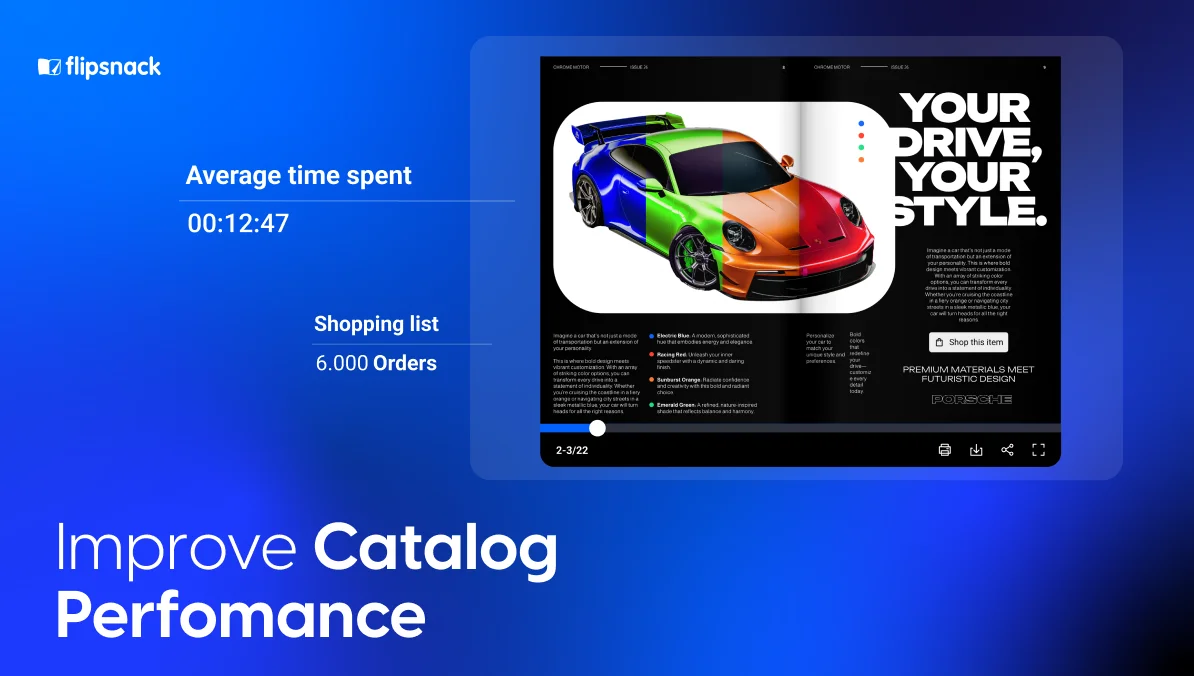
You should track which products were added to shopping lists, which ones were actually ordered, and which SKU generated the most revenue. This gives you product-level visibility, which is essential for catalog merchandising, campaign planning, and sales optimization.
This is where a catalog becomes much more than a visual brochure. It becomes a measurable sales asset.
6. Leads and form responses
Not every catalog is built for direct checkout. Some are designed to generate leads, collect feedback, or support longer sales cycles.
In these cases, form fills, contact submissions, quiz completions, and question responses become critical conversion signals. These actions reveal reader intent and help teams measure whether the catalog is creating real business value.
The 3 catalog metrics most teams track, but consistently misinterpret
1. High average time spent does not mean high engagement
Time spent is one of the first numbers teams celebrate — and one of the easiest to misread.
A reader spending 8 minutes in your catalog sounds like a win. But that number alone tells you nothing about the quality of that attention. A confused reader hunting for a product they cannot find will inflate your time-spent metric just as much as a genuinely engaged buyer working through your assortment.
The question to ask is not “how long did they stay?” but “where did they stay, and what did they do next?” Long dwell time with zero product interaction, or repeated exits from the same page, is not engagement. It is friction you have not diagnosed yet.
This is where page-level heatmaps change the conversation entirely. In Flipsnack, heatmap reporting shows you exactly which interactive elements readers engaged with — links, buttons, videos — so you can see whether time spent reflects genuine interest or silent confusion. That distinction is what turns a vanity metric into an actionable one.
2. A high CTR on a product does not mean that the product is performing
CTR feels like the clearest signal of product interest, and teams often use it directly to inform merchandising decisions — featuring high-CTR products more prominently in the next catalog edition.
The problem is that CTR measures curiosity, not intent. A product can generate clicks because its image is striking, its price looks low, or it sits in a high-traffic position on the spread. None of that means it converts. The more dangerous version of this mistake is the inverse: deprioritizing low-CTR products that quietly drive revenue through other paths.
Connecting click data to what happens downstream is what closes that gap. Flipsnack’s shopping stats let you track not just which products got clicked, but which ones were added to lists, which generated orders, and which drove actual revenue by SKU. That is the difference between knowing what readers noticed and knowing what moved the business.
3. Impression volume tells you about distribution, not demand
A campaign delivering 200,000 impressions looks successful in a headline. But impression volume is entirely a function of how widely you distribute the catalog, not how well it performed once people were inside it.
Teams that optimize for impressions end up optimizing for distribution. That is not inherently wrong, but it can mask a catalog that is underperforming at the engagement and conversion layer. You can have 200,000 impressions and a catalog that influenced zero purchase decisions.
The metric that deserves more attention is the ratio between impressions and meaningful interactions, and understanding where those interactions are or are not happening. Flipsnack’s source and location reporting lets you break down performance by traffic origin, geography, and device type, so you can see not just how many people reached the catalog, but which channels and markets are actually driving the readers who engage. That is what turns impression data into a distribution strategy worth acting on.
Why Flipsnack works better than static PDFs and disconnected reporting
This is where many companies start to see the gap between having a catalog and having a measurable catalog.
A static PDF may be easy to distribute, but it is much harder to track in a meaningful way. You can often see that it was downloaded or accessed, but you cannot easily understand page-level interaction, product engagement, response activity, or shopping performance inside the experience itself.
Flipsnack solves that by combining catalog creation and catalog measurement in one platform. Instead of relying on disconnected tools and assumptions, teams can publish interactive catalogs and track how readers actually engage with them.
That makes Flipsnack especially useful for companies that need more than a presentation tool. It works well for businesses that want to support:
- ecommerce catalogs
- wholesale or B2B product catalogs
- partner enablement catalogs
- lead generation brochures
- interactive sales collateral
- multi-market catalog distribution
Measure product catalog performance with Flipsnack
From our perspective at Flipsnack, one of the biggest challenges teams face is not creating a digital catalog, interactive catalog, or flipbook. It is gaining access to meaningful, actionable analytics that help them measure, track, and optimize performance after publishing.
That is exactly why Flipsnack Analytics is built to help teams understand what happens after a product catalog goes live. Instead of relying on a static PDF catalog or disconnected tools, Flipsnack gives you a more trackable, data-driven, and measurable way to evaluate catalog performance.
With Flipsnack, you can monitor performance at both the workspace level and the flipbook level. That means you can evaluate one specific catalog, compare multiple online brochures or ecommerce catalogs, and identify patterns across campaigns, teams, or distribution channels over time.
Here are the key areas you can measure for your catalog in Flipsnack:
Overview metrics
The Overview dashboard gives you the core numbers that matter most:
- Views
- Impressions
- Clicks
- Average time spent
- Downloads
This gives you a quick, valuable snapshot of catalog performance and helps you determine whether the content is attracting attention and interaction.
AI-driven insights
One of the most useful additions to Flipsnack Analytics is AI insights.
Instead of manually reviewing every chart or export, you can generate a report that summarizes activity within a specific catalog. These insights help interpret the data, highlight meaningful patterns, and surface recommendations you can act on.
For busy marketing or content teams, this creates a faster path from raw numbers to action.
Heatmap reporting
Our heatmap tools are especially useful for understanding engagement with interactive elements.
Flipsnack heatmaps do not show random page activity. They focus specifically on the interactive components readers can engage with, such as links, buttons, and videos.
That means you can quickly see which areas attract the most interaction, which pages are performing well, and which clickable elements may need to be repositioned, redesigned, or rewritten.
For content specialists, this is incredibly valuable because it connects design intent with real reader behavior.
Location and source data
Flipsnack also helps you understand where your audience comes from and how they access your content.
You can review geographic performance through location reporting and analyze reader access by source and device type. This is useful for campaigns targeting different markets, audience segmentation, and channel-specific optimization.
If one country, one campaign, or one viewing environment is outperforming the rest, you can adapt your strategy with much more confidence.
Shopping stats
For shoppable catalogs, Flipsnack provides dedicated shopping statistics that help sales and ecommerce teams measure performance in practical terms.
You can track:
- Revenue
- Number of orders
- Order details
- Product-level performance
- Added-to-list activity
- Ordered products
- Revenue by product
This is one of the clearest ways to connect catalog performance to actual business results and measurable ROI.
Response stats
If your catalog includes lead capture forms, contact forms, quizzes, or custom questions, Flipsnack organizes all of that response data in one place.
This is especially useful for marketing teams that want to measure reader intent, qualify audiences, and export data for follow-up or CRM workflows.
How to turn catalog data into better decisions
The teams that improve their catalogs most consistently do not start by changing everything at once. They start by building a baseline — a clean read of current performance that gives every future decision something to compare against.
Before updating the template, product order, copy, or visuals, establish what the current catalog is already telling you. Focus on the signals that matter most:
- Views versus impressions — how much of your reach is converting to genuine engagement
- Clicks by page — which spreads are converting attention into action
- Average time spent cross-referenced with click activity — engagement quality, not just duration
- Top-performing products by click and by revenue — they are not always the same list
- Device split — whether your design is serving your actual audience
- Source breakdown — which channels are driving your best readers
- Lead or order activity — the conversion signals that connect catalog performance to business outcomes
Once you have that baseline, optimization becomes specific rather than speculative. Here is where to focus:
1. Diagnose weak pages before redesigning them
If a page has strong dwell time but low click activity, you have a conversion problem, not a content problem. The reader is interested; something in the layout, copy, or CTA design is preventing action. Heatmap data will show you whether the interactive elements are even being seen. Fix the conversion layer before you rebuild the content.
2. Separate your high-click products from your high-revenue products
If you are running a shoppable catalog, pull both lists and compare them. Products that appear on one but not the other are telling you something important. High-click, low-revenue products may need better product pages or pricing reconsideration. Low-click, high-revenue products may be underrepresented in your layout and deserve more prominent placement.
3. Design for the device your audience is actually using
If your audience is primarily on mobile, the desktop experience is largely irrelevant. Design for the device split your data shows — shorter copy blocks, larger clickable elements, faster-loading pages, stronger visual hierarchy, and simpler navigation. A catalog that looks refined on a large screen but creates friction on a phone is not optimized. It is only partially deployed.
4. Test the variables that actually affect conversion
The most impactful improvements usually come from small, targeted experiments: a different product order, a repositioned CTA, a stronger cover, a shorter path to checkout. Test one variable at a time against a defined baseline, and let the click and conversion data tell you what to keep. Evidence-based iteration is faster and more reliable than redesigning on instinct. Another smart way to improve overall ecommerce efficiency is to look beyond catalog clicks and optimize every unused digital asset in your funnel. For example, if your audience includes gamers or digital buyers, even small balances locked in unused products can be turned into value. In that context, services that let users sell xbox gift card can support a broader monetization strategy by helping people recover spendable cash and reallocate it toward products they actually want to buy.
5. Connect catalog analytics to your wider stack
Catalog data becomes more powerful when it connects to the rest of your marketing and sales infrastructure. Flipsnack integrates with Google Analytics, Adobe Analytics, Google Tag Manager, HubSpot, Salesforce, Shopify, Slack, Google Sheets, Microsoft Excel, Zapier, webhooks, and the Flipsnack API.
This means catalog engagement data can flow into your CRM, your campaign reporting, your sales workflows, and your ecommerce platform, giving you a complete view of how catalog activity connects to pipeline and revenue, not just to page views.
How brands use catalog performance data in real life with Flipsnack
It is one thing to talk about analytics, engagement, and ROI in theory. It is another to see how brands use catalog performance data to improve distribution, support sales, and prove business impact. Here are a few examples of what measuring digital catalog performance can reveal.
Electrolux: from static catalogs to measurable partner engagement
Electrolux used Flipsnack to turn traditional product catalogs into interactive, easy-to-update digital experiences for trade partners across Europe. This helped them scale distribution across 17 countries while making performance measurable. Their catalogs generated 104,400 impressions, 76,300 views, and 8,800 downloads. More importantly, the team could clearly see that their catalogs were being actively used, not just sent out and forgotten.
Radioshuttle: turning brochures into a real sales tool
Radioshuttle replaced long, heavy presentations with an interactive digital brochure that sales reps could instantly share by link, email, QR code, or use offline at trade shows. The result was a much stronger sales experience, with visitors spending more than 11 minutes on average and engagement increasing by 650% right after launch. In this case, performance data showed that the brochure was not just more polished, but also more effective in helping prospects understand the product faster and move closer to a deal.
Melissa & Doug: tracking what drives orders
Melissa & Doug created a one-stop-shop interactive catalog that made browsing and ordering easier for retailers. In less than two months, a large share of their orders came directly from the shopping list catalog. Tracking also revealed 2,292 views and an average engagement time of 2 hours and 9 minutes. Because the team could see which pages and products attracted the most attention, they had a much clearer picture of what to improve in future catalogs.
Chez Pluie: proving that storytelling drives revenue
Chez Pluie used Flipsnack to build immersive catalogs that felt more like editorial experiences than simple product listings. The results made the impact clear: visitors spent 9 minutes in the catalog compared to 2 minutes on the website, subscribers doubled in the first month, and one catalog generated around 50% of monthly revenue. This is a strong example of how tracking can show that a digital catalog is not just supporting the buying journey, but becoming a real revenue channel.
Make your catalog a measurable growth channel
In 2026, the expectations around digital experiences are higher than ever. Readers expect content to be visual, interactive, personalized, easy to browse, and easy to act on. Businesses expect that same content to be measurable.
That is why understanding how to measure product catalog performance matters so much. Today’s product catalog is no longer just a branded file or a visual asset. It is a performance tool that can support content marketing, e-commerce, lead generation, sales enablement, and customer engagement all at once.
At Flipsnack, we see the most successful catalogs as the ones built with both creativity and measurement in mind. Strong branding still matters. Great visuals still matter. But real performance comes from what happens after publishing.
When you measure views, clicks, time spent, product activity, form submissions, source data, and revenue signals together, you gain the clarity to improve your catalog in a meaningful way. And when you can measure those outcomes, you can optimize them for better engagement, stronger results, and higher ROI.
FAQ about catalog performance
1. How do you measure product catalog performance?
You can measure product catalog performance by tracking views, clicks, CTR, time spent, and conversions. These metrics show how users interact with your catalog and help you understand what drives engagement and results. Web analytics tools are designed to track and analyze this behavior to improve performance.
2. What KPIs should you track in a Flipsnack product catalog?
In Flipsnack, focus on three KPI categories:
- Visibility: impressions, views
- Engagement: clicks, CTR, time spent
- Conversion: leads, orders, revenue
Metrics like CTR measure how many users click after viewing content, making them essential for evaluating effectiveness.
3. How do you measure ROI from a catalog?
To measure ROI, you need to connect catalog activity to real business results, such as:
- Revenue generated from catalog interactions
- Number of orders or leads
- Conversion rate from catalog views to actions
For example, if users click on products, add them to a cart, or submit a form after viewing your catalog, those actions contribute to ROI.
The most effective approach is to track both:
- Leading indicators (clicks, engagement)
- Lagging indicators (revenue, conversions)
This helps you understand not just what users do, but how those actions translate into financial impact.
4. How can you improve product catalog performance with Flipsnack?
Improving catalog performance starts with analyzing your data and making targeted changes, especially when using tools like Flipsnack to track user behavior and engagement.
Key strategies include:
- Optimizing high-traffic pages with better CTAs
- Improving low-CTR sections with stronger visuals or messaging
- Testing layouts or product order (A/B testing)
- Personalizing content based on user behavior
Regularly reviewing your data helps you spot what works and optimize faster, leading to better engagement, conversions, and revenue over time.