Travel Trade Sell Sheets: A 2026 Guide for Cruise Lines & Tour Operators
Cruise sales still run on travel agents. CLIA’s 2026 State of the Cruise Industry report logged a record 37.2 million cruise passengers in 2025, and three out of four of them said a travel advisor influenced their decision to book. That’s the engine. And that engine runs on documents.
Every cruise line in the world arms its agent network with the same kit: sell sheets, fact sheets, rate flyers, wave season promo packets, FAM trip invites, group amenity grids. Tour operators do the same. The travel trade sell sheet, the workhorse one-pager that gives an agent everything they need to pitch a sailing or a tour, is still how most of this collateral moves.
The problem is that it moves as a PDF. A PDF that was correct on Monday and wrong by Friday. A PDF that gets emailed, downloaded, saved to a desktop, and quoted from six months later when the fare has shifted twice and the onboard credit promo expired in March.
The fix is not a better-looking PDF. It is a live, trackable, mobile-friendly document that updates in one place and reaches every agent the moment it changes. This guide walks through what a modern travel trade sell sheet actually looks like in 2026, what to put on it, and how cruise lines and tour operators are rebuilding theirs.
A travel trade sell sheet is a one to two-page document that a cruise line, tour operator, hotel, or destination sends to its travel agent partners to give them everything they need to pitch and sell a specific product. It is a business-to-business document, not a consumer brochure. The audience is the agent behind the desk, not the family planning their next holiday.
The trade calls it different things depending on the market. In North America it is usually a sell sheet or rate flyer. In the UK and Ireland it is more often a fact sheet or trade flyer. Australian and Canadian destination marketing organizations sometimes call it a profile sheet or a flat sheet. The format and intent are the same.
A cruise line sell sheet typically arms an agent with the details of a single sailing, ship, or seasonal promotion. A tour operator sell sheet covers a specific itinerary or product. A hotel sell sheet positions the property for FIT and group bookings. In every case, the document does one job: it gives the agent enough to close the sale without picking up the phone.
What goes on a travel trade sell sheet
The exact components shift by product type, but a strong sell sheet almost always includes:
- The product summary. A short overview of the ship, itinerary, tour, or property. Two or three sentences, no marketing fluff.
- Key selling points. What makes this product different from the next one on the agent’s screen. Unusual itineraries, exclusive access, signature inclusions, awards.
- Itinerary or property details. Sailing dates and ports for cruise lines. Day-by-day for tour operators. Room types, dining options, and facilities for hotels.
- Pricing posture. Most sell sheets do not publish trade discounts on the document itself. They acknowledge that trade rates are available and invite the agent to negotiate. Tourism Nova Scotia’s trade guidance is explicit on this: the partnership is negotiated, not seller-dictated, and the agent only needs to know that you are open to talking.
- Commission and group amenities. For cruise lines, this is where commission tiers, group amenity points, and bonus override structures sit. Many cruise lines keep this on a separate trade-only version.
- Availability and blackout dates. Operating seasons, sold-out departures, blackout windows.
- Target client profile. Who the product is built for. First-time cruisers, multigenerational families, luxury repeat guests, adventure travelers.
- Booking process. How the agent actually books it. GDS codes, booking engine link, BDM phone number, reservations email.
- Trade contact. A named person, not a generic inbox. Phone, email, and the agent portal URL.
Static PDF sell sheets vs. modern interactive sell sheets
The travel trade has run on static PDFs for two decades. They were the right format when fares were stable, promos lasted a season, and agents printed everything for trade shows. None of that is true in 2026. Wave season promos shift weekly, onboard credit offers stack and expire, and agents pitch from phones between client meetings. The document needs to keep up.
Here is what changes when a cruise line or tour operator moves the sell sheet from a static PDF to a live, interactive document.
| Capability | Static PDF sell sheet | Modern interactive sell sheet |
| Updating fares and promos | Re-export, re-upload, email every agent “please discard previous version.” | Edit once. Every agent with the link sees the update instantly. |
| Version control | Agents quote from outdated PDFs saved to their desktop months ago. | One link, always current. No outdated versions in circulation. |
| Mobile experience | Pinch-to-zoom at the trade show. Tiny text, broken layouts. | Renders properly on mobile. Agent pitches from their phone without friction. |
| Interactive content | Static images and text only. | Embedded ship walkthroughs, clickable deck plans, live booking links. |
| Analytics | Zero visibility into who opened it or what they read. | Full engagement data. BDMs follow up based on actual signals, not guesswork. |
| Co-branding for agents | Needs InDesign. Most agents never bother. | Locked brand elements, editable contact fields. Agents co-brand in minutes. |
| Distribution | Email attachment subject to file size limits and bounced deliveries. | A single shareable link. Embeddable anywhere. |
What a modern travel trade sell sheet should include
The core components have not changed. What has changed is how each one performs when the document is live instead of static.
Product summary. Two or three sentences on the ship, itinerary, tour, or property. No marketing fluff. The agent should know what they are selling within five seconds of opening the document.
Key selling points. What makes this product different from the next one on the agent’s screen. Unusual itineraries, exclusive access, signature inclusions, recent awards. Three to five points, no more.
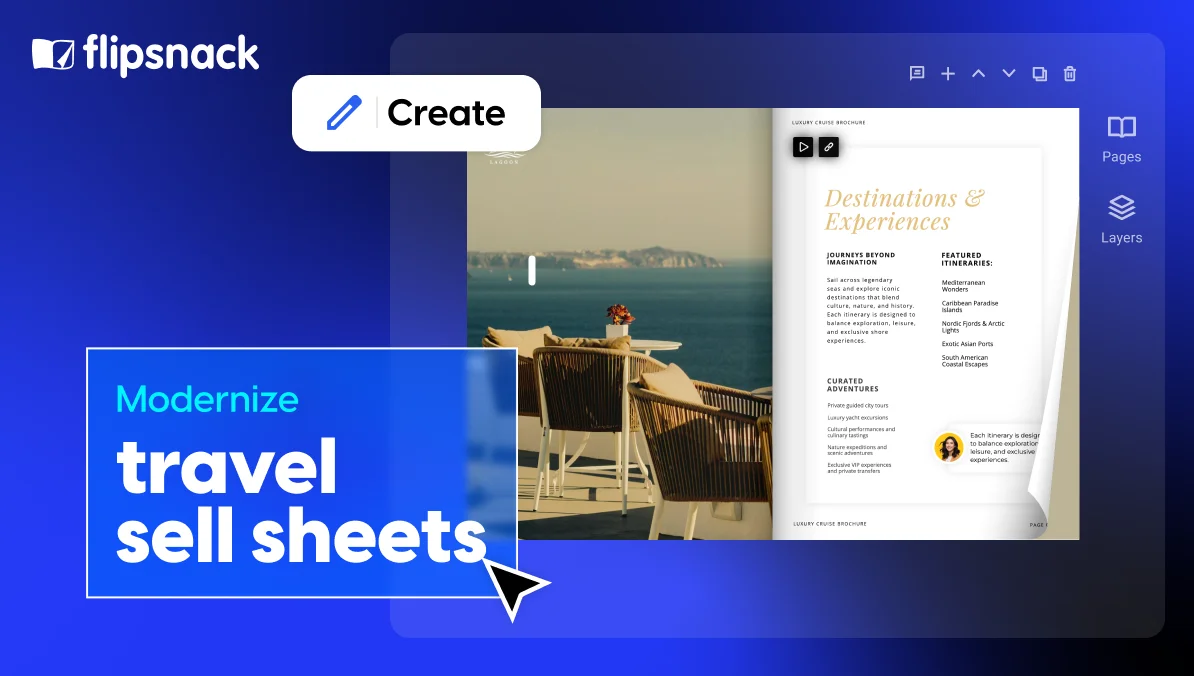
Interactive itinerary or property details. This is where the modern format pulls ahead. Sailing dates and ports become clickable maps. Day-by-day tour breakdowns become expandable sections. Room types and deck plans become galleries the agent can swipe through on a phone.
Embedded video. A 60 to 90-second ship walkthrough, drone footage of the itinerary, or a property tour. Agents who watch video collateral pitch with more confidence than those who do not, and the cruise line can see exactly which agents watched.
Commission and group amenities. Commission tiers, group amenity points, and bonus override structures. Many cruise lines keep this on a trade-only version of the sell sheet, gated behind a form so only verified agents see it.
Availability and blackout dates. Operating seasons, sold-out departures, blackout windows. On a live document, these can update automatically as inventory shifts.
Target client profile & live booking links. Who the product is built for. First-time cruisers, multigenerational families, luxury repeat guests, adventure travelers. The booking engine URL, GDS codes, and reservations email as clickable elements, not text the agent has to retype.
Trade contact card. A named BDM with phone, email, and a direct calendar booking link. Not a generic inbox.
Tracking and lead capture. Built in by default. The cruise line sees which agents opened it, how long they spent, which pages they viewed, and which links they clicked. Premium materials sit behind a short form so the marketing team knows exactly who requested what.
How to modernize your cruise line’s travel agent sell sheets
A five-step rollout that any cruise marketing team can run in a quarter.
1. Audit your current collateral
Pull every sell sheet, fact sheet, rate flyer, and promo packet in circulation. Map them by ship, itinerary, season, and audience. Most cruise lines find duplication, outdated fares, and three versions of the same Caribbean summer flyer in the field.
2. Build a master template
One template per document type: ship sell sheet, itinerary sell sheet, wave season promo sheet, group amenity sheet. Lock the brand elements. Define the editable zones. The template becomes the source of truth every BDM and marketing manager works from.
3. Migrate to a live link format
Move the master template into a platform that publishes to a single, always-current URL. Flipsnack hosts the document, tracks engagement, and lets the marketing team update fares and promos without re-exporting anything. The link stays the same. The content updates underneath it.
4. Set up tracking and integrations
Connect the document analytics to your CRM. Tag each sell sheet by itinerary, season, and campaign. BDMs now see which agents opened which sheets, and follow-up calls go to the ones already showing interest.
5. Roll out to your agent network
Update the agent portal with the new links. Replace the PDF attachments in your standard BDM email templates. Announce the change at your next trade conference or wave season kickoff. Within one promo cycle, the static PDFs stop circulating.
How to build a travel sell sheet in Flipsnack
Two starting points, four steps, one live link at the end.
1. Start from scratch or upload your existing PDF
Open the Flipsnack editor and choose your path. Build a new sell sheet from a blank canvas or a travel template, or upload your current PDF and convert it into an editable, interactive document in seconds. If you upload, every text block, image, and section stays editable.
2. Add the components that matter
Drop in your product summary, key selling points, itinerary or property details, target client profile, and trade contact card. Use the drag-and-drop Design Studio to arrange the layout, pull in your brand colors and fonts, and apply your logo across the document.
3. Make it interactive
Embed a ship walkthrough or destination video. Add clickable booking links, a live map of the itinerary, expandable cabin galleries, and a button straight to your BDM’s calendar. Turn on engagement tracking so you see which agents open the document, how long they spend, and which pages they view.
4. Publish as a live link
Hit publish and share one URL with your agent network. Update fares, promos, or sailing dates anytime and every agent sees the change instantly. No re-export, no re-upload, no “please discard previous version” emails.
Conclusion
The travel trade sell sheet is not going away. Agents still need a one-page document they can scan, pitch from, and forward to clients. What is going away is the static PDF version of it.
Cruise lines and tour operators that move to a live, trackable, mobile-friendly format stop chasing version control, stop emailing “please discard previous version” notices, and start seeing which agents actually engage with which sailings. The document becomes a touchpoint in the sales workflow, not a file that goes out and disappears.
The shift is not a redesign project. It is a format change. The components stay the same. The distribution model is what gets rebuilt.
Frequently asked questions
The two terms are used interchangeably across the trade. Some operators treat the fact sheet as the neutral, evergreen ship or property profile and the sell sheet as the campaign asset for a specific sailing or promo. If you produce both, the fact sheet is the reference, the sell sheet is the pitch.
One to two pages. Trade buyers scan, they do not read. Anything longer dilutes the selling points. If you have more to say, link out from inside the document.
No. Acknowledge that trade rates are available, do not print them. The partnership is negotiated. The agent only needs to know you are open to talking.
Yes. A live sell sheet can still be downloaded as a PDF for offline use at trade shows. Print becomes the fallback, the live link stays the default.
Every time the fare, promo, or itinerary changes. With a static PDF that is impractical. With a live link, weekly updates during wave season and monthly the rest of the year are realistic.