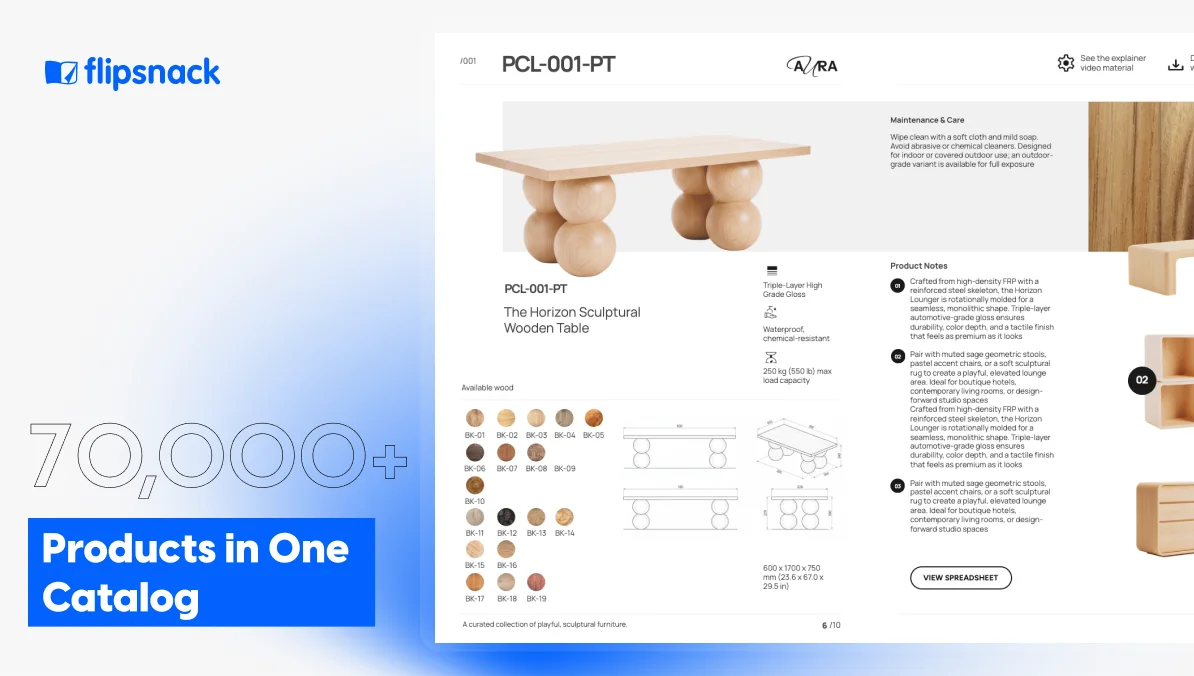
Manufacturing Product Catalogs: How to Publish 70,000 SKUs
Published on: August 27, 2026
A part number enters your ERP with half its logistics attributes blank. Somebody in marketing writes a sharper description, then saves it to the PIM instead. Pricing shifts for one regional account, so a sales manager adjusts the figure inside your CRM. Warehouse records still carry dimensions from last year.
Each of those edits made sense to whoever made it.
Then a distributor asks for your catalog, and the question stops being “what is the correct product data” and becomes “which system do we trust?”
Manufacturers rarely arrive at catalog problems through catastrophe. Product information erodes gradually, in small locally rational increments, until nobody can assemble a document they would stake a quote on.
Worth naming early: your data probably isn’t the obstacle. Companies running 50,000-row item masters usually govern them competently. What tends to be missing is a decision about what a catalog is actually for. Without that decision, default scope becomes everything, and everything cannot be produced, approved or read.
This guide covers how manufacturing teams publishing between 10,000 and 70,000 SKUs decide what makes it into a product catalog, how they generate output from data they already govern, and what they measure once buyers open it.

Table of contents
- What is a manufacturing product catalog?
- What’s the difference between a product catalog and a PIM?
- Why catalog production breaks down at scale
- How does the production workflow actually run in Flipsnack
- How do you protect pricing and control who sees what in your product catalog
- What to decide before you build anything
What is a manufacturing product catalog?
A manufacturing product catalog is a curated, published subset of a manufacturer’s product range, organized by family, market or customer group, presenting part numbers, technical specifications and pricing to distributors, dealers and procurement buyers.
The distinction from an item master matters more than it first sounds. An item master records everything a company sells, including obsolete parts, internal components and variants nobody has ordered since 2019. A catalog makes an argument about which products deserve a buyer’s attention.
Manufacturing catalogs also carry obligations consumer catalogs don’t: dimensional tolerances, material composition, load ratings, compliance certifications and cross-references to competitor part numbers.
Those obligations shape production. Specifications live in structured fields rather than in prose, so catalogs at this scale get generated from a product feed instead of laid out page by page. Flipsnack automates that step: one template per product family, populated from whatever your ERP or PIM already holds.
What’s the difference between a product catalog and a PIM?
Your PIM or ERP owns the product record. A catalog platform owns publication, distribution and measurement. Conflating both is why catalog initiatives stall inside organizations that already solved their data governance.
| Job | System of record (PIM/ERP) | Publishing layer |
| Attribute schema and validation | ✓ | ✗ |
| Enrichment and approval workflow | ✓ | ✗ |
| Cross-references and supersession logic | ✓ | ✗ |
| CAD, SDS and technical asset libraries | ✓ | ✗ |
| Segmented, branded output | ✗ | ✓ |
| Access control per customer group | ✗ | ✓ |
| Engagement data and order attribution | ✗ | ✓ |
Read the left column as prerequisites. Nothing on the right functions well when attribute quality on the left is poor, because automation reproduces faithfully whatever arrives in the feed. Teams still reconciling three conflicting descriptions per part should fix that first.
Why catalog production breaks down at scale
Ask a marketing or sales operations lead how long a product catalog takes to produce. You’ll usually hear four to eight weeks. Ask what the last one earned, and the conversation stalls.
That gap defines catalog work across manufacturing, distribution and consumer goods. Three layers create it.
- Production comes first. Building pages consumes designer hours, and each revision consumes more. Before automation can start, somebody has to design the layout that products will populate.
- Distribution follows. A static file reports nothing about who opened it, which pages held attention or where readers abandoned the document.
- Attribution compounds both. Without a connection between catalog content and buyer action, improvement becomes guesswork.
Layers reinforce each other. Slow production means infrequent publication. Infrequent publication turns the catalog into a fixed deliverable rather than a working instrument. Fixed deliverables never get measurement infrastructure built around them.
So the catalog goes invisible to the business. Not because performance is weak, but because visibility never existed.
| Capability | Manual production | Automated production |
| Delivery speed | 6 weeks on average | Under 1 week |
| Typical cycle | 4–8 weeks per catalog | 1–5 days per catalog |
| Design dependency | Designer needed for every update | Product data updates automatically |
| Catalogs published per year | 3–4 | 12–16 |
| Post-distribution visibility | None | Views, clicks, scroll depth, time on page |
| Revenue attribution | Impossible | Orders tracked per catalog, per page |
These figures come from our own platform. We tracked 120 enterprise workspaces between October 2024 and May 2026, then published the full dataset in the State of Digital Catalogs study.
The speed gain was the least interesting thing we found. Six weeks collapsing to under one week is a sixfold improvement, and every automation vendor promises some version of it. What we did not anticipate was how teams spent the hours they recovered. Almost nobody produced the same catalog more cheaply. Most produced three to four times as many.
That reframes the business case entirely. Automation gets sold as cost reduction and behaves like a distribution multiplier.
A static file stops reporting the moment it leaves. A published catalog keeps telling you what happened next.
The shopping list is very important. We can send it back via email or through an API to someone else. This is the whole process we were looking for.”
Does a catalog need to include every SKU in your item master?
Pursuing complete coverage at manufacturing scale is the most common reason catalog programs collapse under their own weight. Scope decisions are what make production, approval and measurement achievable at all.
A hardware and tools distributor supplying retail shops across Latin America, carries more than 10,000 SKUs. Across 48 automated catalogs, the company publishes 3,957 of them.
Roughly 6,000 records stay out. That’s not an oversight. Choosing what to exclude is what allowed one designer to move from maintaining a single 181-page document to operating 48 catalogs.
What publishing everything costs you
- Unreviewable volume. Nobody meaningfully approves 70,000 records, so accuracy degrades quietly.
- Dead weight. Long-tail parts selling twice a year occupy the same page real estate as revenue drivers.
- Buyer friction. A procurement manager hunting one part number through an exhaustive document gives up and calls a competitor.
- Update paralysis. Larger artifacts get regenerated less often, because regeneration feels risky.
What curation buys you
- Fast approval. A family catalog gets reviewed by whoever actually owns that family.
- Relevant assortment. Each audience sees products it plausibly buys.
- Frequent republication. Small artifacts get updated. Large ones get postponed.
- Attributable performance. Order data per catalog only means something once catalogs have defined scope.
How do you split a large product range into a catalog program?
Segment along five axes: product family, price tier, customer or dealer group, region and language, then channel or purpose. Most manufacturers need two or three of those, combined. A single governed feed supplies all of them.
1. Product family
The primary axis, and usually the only one worth building templates around. Castelltort, a craft and hobby supplier in Spain selling to retailers and makers across Europe, invested in nine custom templates before generating a single catalog: ribbons, lace, zippers, threads and buttons.
2. Price tier
Contracted pricing multiplies versions rather than complicating them. Castelltort runs five price tiers, producing five distinct catalog versions per product release, each gated to the customer group entitled to see it.
3. Customer or dealer group
Named accounts receive their own assortment behind their own access control. Buyers see contracted items at contracted rates, and see nothing else.
4. Region and language
Market-specific editions generate from the same source, which keeps localization from becoming a separate production project.
5. Channel or purpose
A full-range reference document serves a different job from a seasonal release or a trade-show line card. Splitting by purpose keeps each artifact short enough to stay current.
Nine families across five tiers doesn’t mean 45 manual builds. Nine templates plus a governed feed produce the entire matrix, which is how Castelltort now operates 39 automated catalogs against a 70,000-SKU range.
Should every product variant get its own page?
A variant earns dedicated space when variation changes the buying decision: different application, different performance rating, separate certification. A variant belongs in a table row when the difference is dimensional, a finish option or a pack size within an otherwise identical product.
Stating this plainly matters: no software makes that determination. Product owners do, once, and the template encodes the outcome.
How does the production workflow actually run in Flipsnack
Five steps, whether you’re generating one catalog or thirty-nine.
Step 1: Export your product data
Pull the fields your buyers need from your ERP or PIM: part number, description, specifications, certifications, pricing tier, minimum order quantity, unit of measure, image reference. Formats accepted are CSV, XLSX or a live Google Sheet.
Step 2: Choose or commission a template
One template per product family, designed once. Brand fonts and colors lock at this stage, so nothing drifts later regardless of who generates the next edition.
Step 3: Generate
Flipsnack’s Product Catalog Generator maps each feed column to a field in the layout and populates pages automatically. Work that previously consumed weeks of layout time resolves in minutes.
Step 4: Review and enrich
Add what data can’t supply: application photography, video, interactive product tags, a clickable table of contents. This is also where you’d animate a hero image or attach a spec sheet.
Step 5: Publish and distribute
Choose public, unlisted, password-protected or private, then share by link or embed the catalog on your dealer portal. Print-ready PDF export stays available for trade-show handouts and procurement systems that still require a file.
How do you protect pricing and control who sees what in your product catalog
Contracted pricing leaking into the wrong hands is a commercial problem, not an IT preference.
Four share controls cover most manufacturing scenarios that you can have in Flipsnack:
- Private publishing. Catalogs visible only to signed-in members of your workspace.
- Unlisted links. Reachable by anybody holding the URL, invisible to search engines.
- Password or passcode. A shared credential per dealer group, or a single-use code per recipient.
- Customer-group gating. Each price tier published as its own edition, accessible only to accounts entitled to it.
Combining the last two options covers most contracted-pricing scenarios: publish one edition per tier, then gate each to the accounts entitled to it.
What that changes is sharing. Access sits inside the catalog rather than inside a process, so nobody checks which document to send. Reps forward links during shop visits without verifying the recipient first, because whichever version a buyer opens already carries the correct rates.
Sharing stops being the risky step. Send the link, embed it on a dealer portal, pass it to a procurement contact, and pricing stays protected however far the catalog travels.
How manufacturers run catalog programs at scale
Castelltort: 70,000 SKUs, 43 salespeople, 39 automated catalogs
Castelltort supplies ribbons, lace, zippers, threads and buttons to retailers and makers across Europe from a base in Spain, with 43 salespeople covering the territory. Their catalog isn’t marketing collateral. Sales operations run on it.
Before: every catalog built individually in Photoshop, product family by product family. Templates couldn’t be reused systematically. Salespeople carried physical sample books into shops. No ordering path existed, no engagement was measured and no mechanism connected catalog activity to orders.
“We are making a huge transformation, moving 50 catalogs, all these references in Photoshop and design. It’s a lot of massive, massive work.” Mireia Rosas, Castelltort
What they built: nine custom templates, one per product family, commissioned before any generation began. Five price tiers producing five catalog versions per release, each behind private access controls for the entitled customer group. An API integration with their IBM AS/400 that carries product data out and shopping-list submissions back in as orders. Salespeople now work paired tablets during shop visits, the customer browsing on one device while the representative processes the order on another.
Results:
- 39 automated catalogs covering a 70,000-SKU range
- 9 reusable templates replacing 50-plus manual builds
- 5 catalog versions generated per product release
- 97 orders and €7,520 tracked so far, from a deployment still being finalized
That revenue figure is early. Infrastructure capable of operating at 70,000 SKUs is the result worth noting.
Ferretera Kimura: one designer, 10,000 SKUs, €502,374 attributed
Ferretera Kimura distributes hardware and tools to retail shops across Latin America, spanning thousands of product lines from power tools to fasteners.
Before: a 181-page catalog assembled manually, product by product, image by image. With more than 10,000 SKUs and no connection between the product database and the document, every price change required reopening the design file. The catalog aged the moment it published, and nothing indicated whether buyers had opened it.
“It’s a waste of time. We are making one by one item. I did it by myself. It was horrible.” Harumi Shibata, Designer, Ferretera Kimura
What they built: the Flipsnack design team used her existing 181-page catalog as the brief and built one custom template in a week. After that, upload a feed, pick the template, generate. Each catalog is shoppable, so buyers select products and submit orders without leaving the page.
Results:
- 48 auto-generated catalogs
- 3,957 SKUs published from a 10,000-plus range
- €502,374 in orders tracked directly through catalogs
- One designer, moved from production work onto sales support
Cose Nuove: five people, 1,500 SKUs, prices moving fortnightly
Not every manufacturing catalog program requires an enterprise team. Cose Nuove is a five-person wholesale importer in Minnesota bringing Scandinavian home goods to 700 to 800 US retailers.
Before: prices shifted every couple of weeks, and each shift meant re-uploading the entire PDF. Because shoppable product data lived separately from the visual file, every update rebuilt both.
“I spend a good amount of time, January, February, March, getting the print catalog ready. InDesign. Lots of room for human error. It’s a bit too cumbersome. There’s too much duplicative work.” Brian Thoes, Owner, Cose Nuove
What they built: a direct product data feed into Catalog Generator, carrying minimum order quantities through automatically. Price updates now take one sync. Orders route to a pre-configured inbox, with conditional routing sending them to the correct regional team.
Results:
- 1,500-SKU range published from a single feed
- 69 orders and €74,550 in attributed revenue
- Price updates reduced from a full rebuild to one synchronization
All figures above come from Flipsnack’s State of Digital Catalogs study, covering October 2024 through May 2026.
What to decide before you build anything
Manufacturing catalog programs stall for a reason that looks technical and isn’t. Item masters keep growing. Catalog scope keeps matching them. Production keeps slowing until publication becomes an annual event nobody can evaluate.
Curation breaks that cycle. Nine templates beat fifty manual builds. Thirty-nine focused editions outperform one exhaustive document, because focused editions actually get updated.
Two questions settle the approach, and both come before software.
What is each catalog for? Answer per audience rather than per product line. Segmentation axes fall out of that answer almost automatically, and template count follows from the axes.
Is your product data governed well enough to publish? If attributes still conflict between systems, address that first. Automation reproduces faithfully whatever the feed contains, and a publishing layer will distribute an inconsistency faster than any manual process ever managed.
Get both right and the return arrives as publication frequency rather than as a cheaper first build.
Every quarter you don’t publish is a quarter of buyer behavior you’ll never get to see.
Frequently asked questions about manufacturing product catalogs
How many SKUs should one product catalog contain?
Few enough that somebody can review it and buyers can navigate it, which in practice means hundreds rather than tens of thousands. Ferretera Kimura publishes 3,957 SKUs across 48 catalogs, averaging roughly 80 per edition. Castelltort covers a 70,000-SKU range through 39 catalogs organized by product family. Segment first, then let each catalog’s size follow from its scope.
Can you generate a product catalog automatically from an ERP?
Yes. Two routes exist: export product data as CSV, XLSX or a synchronized Google Sheet, or connect your ERP through an API. Castelltort integrated Flipsnack with an IBM AS/400 system, which supplies product data to catalogs and receives submitted shopping lists back as orders. Spreadsheet synchronization suits teams wanting results before involving IT.
Do manufacturers still need printed catalogs?
Often, yes. Trade shows, field sales and procurement systems that require a file all still favor print. Digital publication doesn’t replace that obligation, it adds distribution and measurement alongside it. Print-ready PDF export from a digital catalog means one source produces both, so the printed version can’t drift out of sync with the live one.
How do you handle discontinued or superseded products in a catalog?
Manage supersession in your PIM or ERP, where the relationships between old and replacement part numbers can be governed properly. A feed-driven catalog then reflects those decisions on the next synchronization, without anybody editing pages. Publishing platforms consume cross-reference data. They shouldn’t be asked to maintain it.
Can you create different catalog versions for different customers?
Yes, and for manufacturers with contracted pricing this is usually the main reason to automate. Castelltort generates five versions per product release, one per price tier, each restricted to the customer group entitled to see it. Versions come from the same template and the same feed, so producing five costs barely more than producing one.
How long does it take to produce a manufacturing product catalog?
Manual production averages six weeks, within a typical four-to-eight-week range. Automated production delivers in under a week, and often within one to five days once a template exists. Those figures come from 120 enterprise workspaces documented between October 2024 and May 2026. The larger change is frequency: automated teams publish 12 to 16 catalogs annually against three or four manually.
Is a catalog platform a replacement for a PIM?
No, and treating one as the other causes most of the disappointment in this category. A PIM governs attributes, validation, enrichment workflow and cross-references. A catalog platform publishes, distributes, controls access and measures engagement. Manufacturers at scale need both, and the publishing layer is only as accurate as the data feeding it.