Click, Customize, Enroll: Smart Enrollment Guide Templates for Every Need
Published on: May 23, 2025
Last updated: March 19, 2026
What is an enrollment guide?
An enrollment guide is a structured document that walks people through a sign-up, registration, or onboarding process step by step. It outlines what’s available, what’s required, and what happens next — so the reader can make informed decisions without needing to ask for help at every turn.
Enrollment guides are used across industries. HR teams use them for employee benefits. Universities use them for student admissions. Healthcare organizations use them for plan selection and compliance onboarding. The format changes, but the goal is the same: reduce confusion and make the process easier to complete.
Find how to build enrollment guides that actually work
Clear enrollment communication is harder to get right than it looks. According to SHRM’s 2024 Employee Benefits Survey, only 40% of employees were satisfied with their benefits packages — a number that reflects not just the benefits themselves, but how poorly they’re often communicated during enrollment.
And we, at Flipsnack, can see this reflected in how HR teams and enrollment coordinators use our platform. But most enrollment guides fail not because the information is wrong, but because it’s buried in static PDFs that nobody reads past the first page — which means decisions get made without the full picture, or not made at all.
The difference between a guide that gets ignored and one that drives enrollment lies in how clearly it’s structured, how easy it is to navigate, and whether it meets people where they are. On any device, at any stage of the process.
In this article, you’ll find enrollment guide templates covering employee benefits, healthcare, community programs, and college admissions. Each fully customizable in Flipsnack and designed to make the enrollment process easier for everyone involved.
Table of contents
- What is an enrollment guide?
- Find how to build enrollment guides that actually work
- Quick comparison: Choose your ideal enrollment guide template
- The best enrollment guide templates to streamline onboarding & benefits
- 1. Employee Enrollment Guide Template
- 2. Community Enrollment Guide Template
- 3. HIPAA Compliance Enrollment Guide Template
- 4. Employee Benefits Enrollment Guide Template
- 5. Interactive Medical Guide Template
- 6. Digital Company Enrollment Guide Template
- 7. Digital Enrollment Guide Template
- 8. Enrollment Journey Guide Template
- 9. Benefits Enrollment Guide Template
- 10. College Enrollment Guide Example
- How to create a digital enrollment guide with Flipsnack
- Why Flipsnack is the smartest way to create enrollment guides
- Frequently asked questions
Quick comparison: Choose your ideal enrollment guide template
| Template Name | Primary User | Best For (Organization Size) | Main Focus | Key Benefits |
|---|---|---|---|---|
| Employee Enrollment Guide | HR Teams | All sizes (10–500+ employees) | Employee onboarding, benefits sign-up, deadline communication | Clean branded layout; trackable via analytics; embeddable links to portals and forms. |
| Community Enrollment Guide | Nonprofits, Municipal Departments | All sizes (5–200+ members) | Community program sign-ups, public outreach | Approachable design; supports maps and contact sections; easy to navigate on any device. |
| HIPAA Compliance Enrollment Guide | Compliance Officers, HR | All sizes (10–500+ employees) | Regulated enrollment, compliance onboarding | Step-by-step structure; embeddable quizzes; audit-ready engagement tracking. |
| Employee Benefits Enrollment Guide | HR Teams | All sizes (20–500+ employees) | Benefits communication, open enrollment seasons | Supports plan comparison charts and video explainers; analytics to refine messaging each cycle. |
| Interactive Medical Guide | HR, Healthcare Providers | All sizes (20–500+ employees) | Medical plan selection, coverage explanation | Interactive navigation buttons; embeddable definitions and videos; reduces repetitive questions. |
| Digital Company Enrollment Guide | HR Teams | All sizes (10–500+ employees) | Remote and hybrid onboarding, company policies and tools | Mobile-friendly; real-time updates without resending files; trackable per employee. |
| Digital Enrollment Guide | HR, Program Coordinators | All sizes (5–500+ employees) | General enrollment, program and training sign-ups | Flexible framework; drag-and-drop editing; works across multiple use cases and audiences. |
| Enrollment Journey Guide | HR, Communications Teams | All sizes (10–500+ employees) | Milestone-based onboarding, program progression storytelling | Supports checklists and success stories; builds confidence through structured progression. |
| Benefits Enrollment Guide | HR Teams | All sizes (20–500+ employees) | Insurance, retirement, and wellness benefits communication | Interactive comparison tables; analytics show which benefits sections get most attention. |
| College Enrollment Guide | Admissions, Orientation Teams | Higher education institutions | Student onboarding, tuition, housing, and registration guidance | Links to portals and forms; supports advisor scheduling; scalable across digital channels. |
The best enrollment guide templates to streamline onboarding & benefits
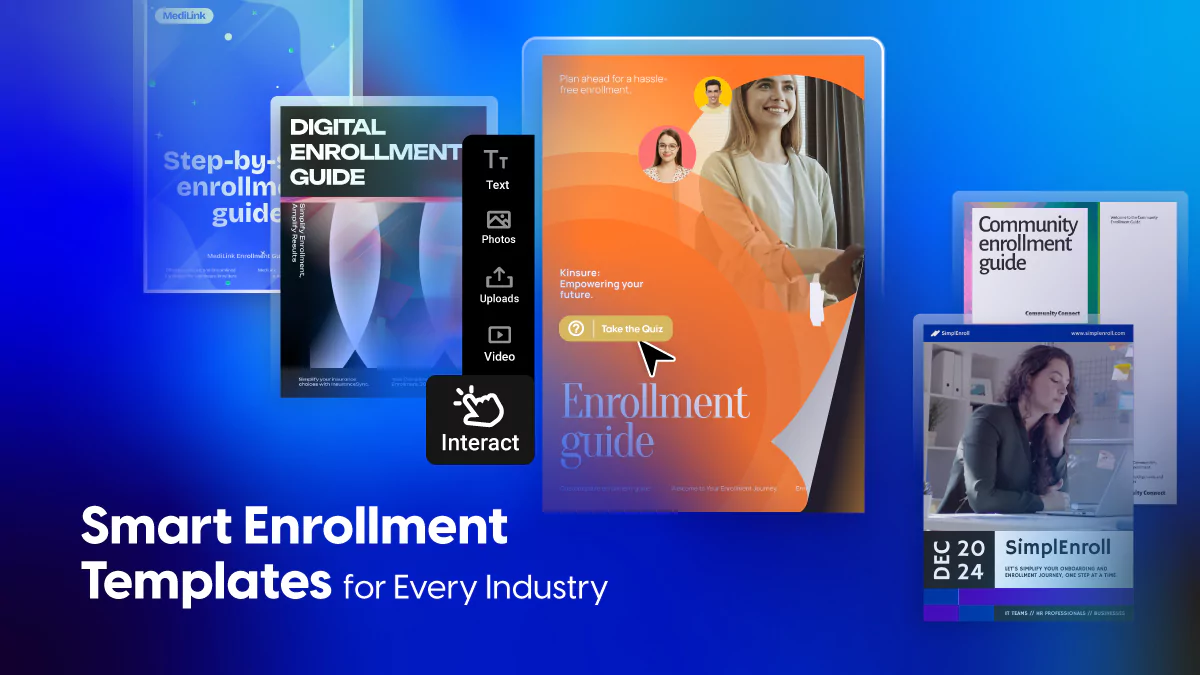
Enrollment doesn’t have to mean dull PDFs and overwhelmed readers. With Flipsnack’s professionally designed templates, you can turn once-static documents into immersive, interactive digital experiences. Each guide is customizable, measurable, and responsive—ready to engage employees, inform communities, and simplify complex decisions.
Below, we’re showcasing a curated selection of templates designed for the modern enrollment journey. From welcoming new hires to guiding residents through local initiatives, these tools do more than inform—they convert, clarify, and connect.
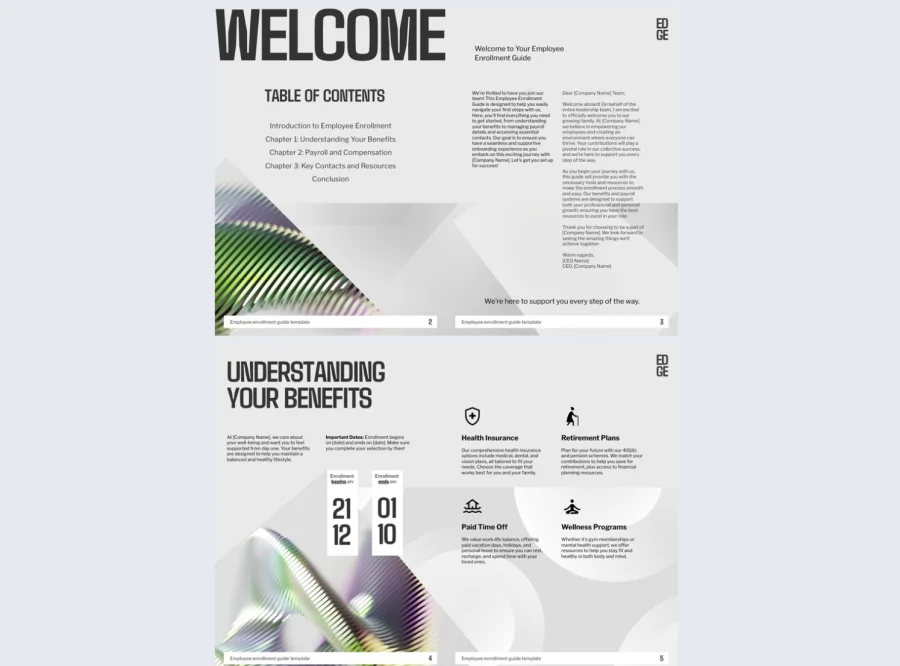
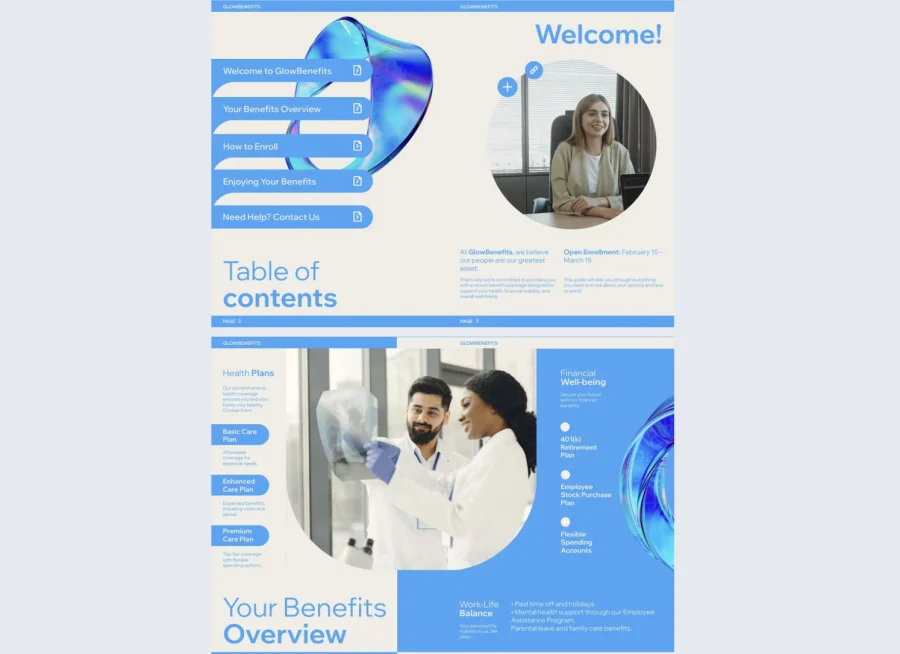
1. Employee Enrollment Guide Template
Starting a new job comes with a lot of decisions. Benefits, policies, deadlines, portals — all at once, before someone has had time to settle in. The employee enrollment guide template gives HR teams a clean, organized format for presenting everything a new hire needs to complete enrollment without getting lost or missing a step.
Best for: HR teams at organizations of any size managing employee onboarding and benefits sign-up. Especially useful when enrollment involves multiple plans, deadlines, or document submissions that are easy to overlook in a long email or PDF packet.
Real-world application: An HR coordinator at a 180-person technology company used this template to replace a 12-page benefits PDF that new hires rarely read in full. By restructuring the content into a navigable digital guide with clickable links to each plan portal and a clear deadline timeline, they reduced benefits-related support requests in the first month of employment by a significant margin.
The template is fully editable in Flipsnack’s online design tool. Update it with your company’s benefits, deadlines, and contact details. Add links to intranet portals, embed a short welcome video, or include a checklist so new hires can track their progress. Use Flipsnack’s analytics to see which sections get the most attention and where people drop off.
Common mistake to avoid: Don’t send this guide on day one and assume it’s been read. Enrollment decisions take time. Share it a week before the start date when possible, and use engagement data to follow up with anyone who hasn’t opened it before the deadline.

2. Community Enrollment Guide Template
Community programs often struggle with low sign-up rates not because people aren’t interested, but because the enrollment process feels confusing or inaccessible. The community enrollment guide template gives nonprofits, schools, and municipal departments a clear, welcoming format for presenting program information and guiding people through the sign-up process from start to finish.
Best for: Nonprofits, local government teams, and community organizations of any size that need to communicate enrollment information to a broad, mixed audience. Particularly useful when participants have varying levels of digital literacy and the guide needs to work for everyone.
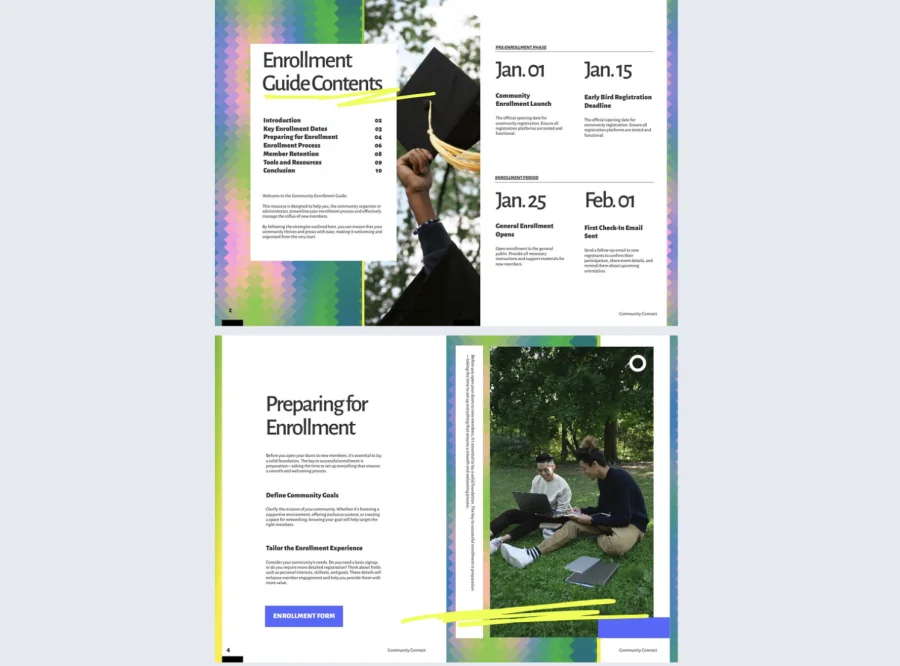
Real-world application: A program coordinator at a mid-sized nonprofit used this template to promote enrollment for a new community health initiative. The previous sign-up process involved a printed flyer and a phone number. After switching to a digital guide with embedded maps, a contact form, and a step-by-step overview of how to join, enrollment inquiries doubled in the first two weeks.
The template supports maps, contact sections, social media buttons, and program highlights. Keep the language simple and the layout uncluttered. Share it via a public link, embed it on your organization’s website, or distribute it through community channels so it reaches people wherever they are.
Common mistake to avoid: Don’t assume everyone reading this guide already knows what your program does. Start with a short, plain-language overview before getting into eligibility or steps. If someone has to search for the answer to “what is this?” they will likely leave before they enroll.
3. HIPAA Compliance Enrollment Guide Template
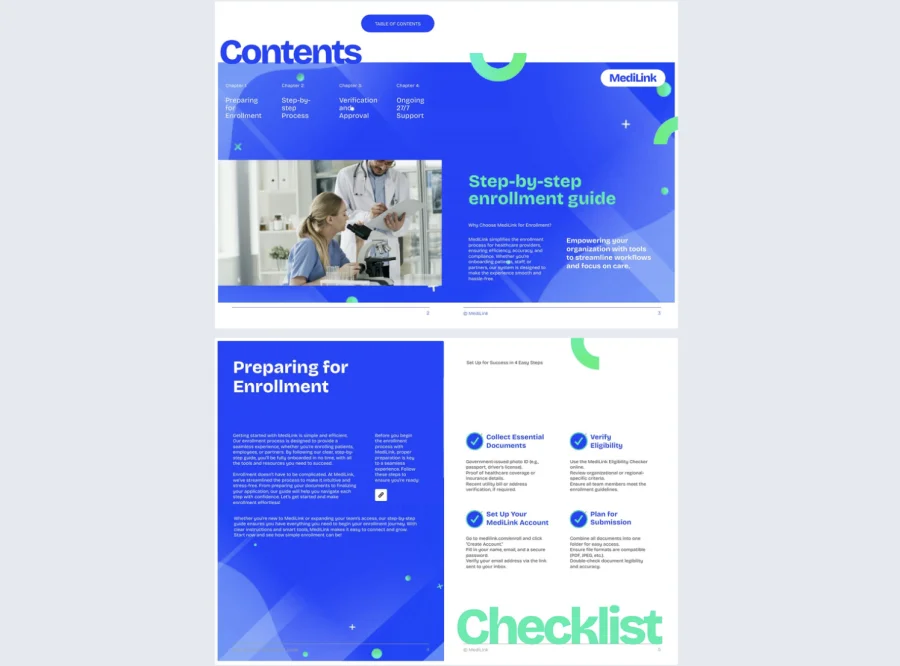
Some enrollment processes involve more than a simple sign-up. When the process includes policy acknowledgments, compliance checkpoints, or protected health information, the documentation needs to be both clear and verifiable. The HIPAA compliance enrollment guide template gives compliance officers and HR teams a structured format for walking staff through regulated enrollment step by step, in a way that’s easy to follow and audit-ready.
Best for: Healthcare organizations and regulated institutions of any size that need enrollment documentation to meet HIPAA requirements. Particularly useful when the process includes mandatory acknowledgments, certifications, or access approvals that must be tracked per individual.
Real-world application: A compliance coordinator at a 220-person outpatient clinic used this template to standardize the enrollment process for staff accessing a new patient records system. By adding embedded acknowledgment forms and quizzes at key checkpoints, they could confirm each employee had reviewed the required policies before being granted access. The engagement data served as a verifiable record during their next internal audit.
Each step in the guide can include visuals, embedded forms, and clickable prompts to keep people moving through the process without confusion. Share via password-protected link to ensure only authorized recipients can access the content, and use Flipsnack’s analytics to confirm completion before each enrollment deadline.
Common mistake to avoid: Don’t present all compliance requirements at once. Break the process into clearly labeled stages. A guide that front-loads dense policy text loses people before they reach the acknowledgment step, which is the one that actually matters for your records.
4. Employee Benefits Enrollment Guide Template
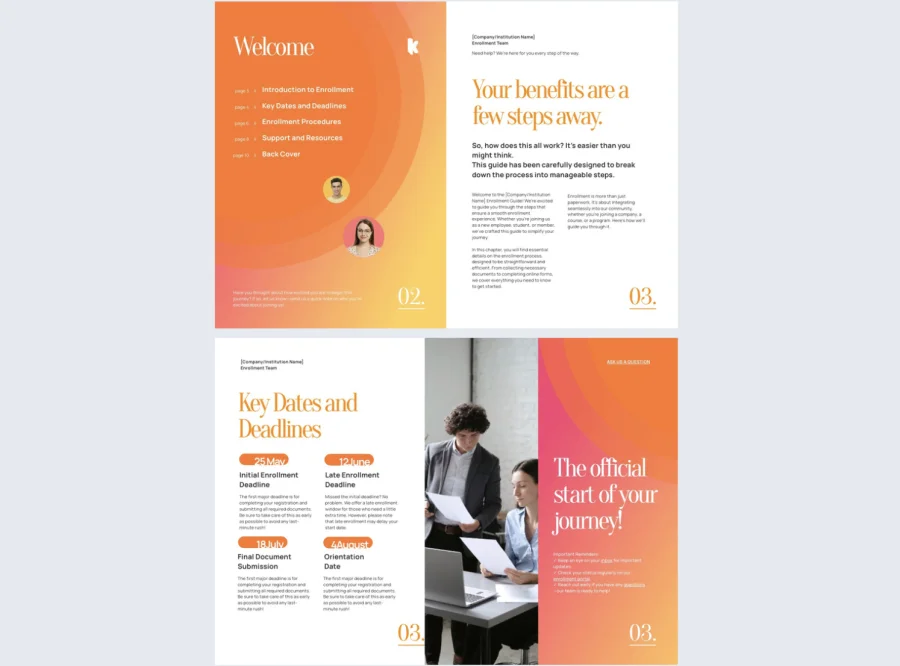
Open enrollment is one of the most high-stakes communication moments in the HR calendar. Employees are asked to make decisions that affect their health, finances, and families, often with limited time and limited context. The employee benefits enrollment guide template gives HR teams a structured, visually clear format for presenting coverage options, costs, and key deadlines in a way employees can actually act on.
Best for: HR teams at organizations of any size managing annual or mid-year open enrollment periods. Especially valuable when the benefits package includes multiple plan tiers, provider options, or add-ons that are difficult to compare in a traditional document format.
Real-world application: An HR manager at a 300-person professional services firm used this template to redesign their open enrollment communication after an employee survey revealed that fewer than half of staff felt confident they had chosen the right benefits plan. Adding a visual plan comparison chart and a short explainer video for each coverage tier led to a measurable increase in employees selecting plans that matched their actual needs, and a significant drop in post-enrollment questions to the HR team.
Customize the template with your plan options, cost breakdowns, and enrollment deadlines. Embed a short video walkthrough for complex coverage decisions, add a clickable FAQ section, and use Flipsnack’s collaboration features to get sign-off from legal and benefits providers before publishing.
Common mistake to avoid: Don’t use the same guide for every employee demographic. A recent graduate and a parent of three have very different priorities during open enrollment. Where possible, create separate versions or use clearly labeled sections so each employee can find what’s relevant to them quickly.
5. Interactive Medical Guide Template
Medical enrollment is one of the most confusing processes people face at work. Coverage tiers, co-pays, deductibles, provider networks, claim procedures, all in one document, with a deadline attached. The interactive medical guide template gives HR teams and healthcare providers a format that breaks this complexity down into sections people can actually navigate, rather than a wall of text they scroll past.
Best for: HR teams and healthcare organizations of any size that need to communicate medical plan options clearly to employees or patients. Particularly useful when the plan involves multiple coverage levels or providers that are genuinely difficult to compare without visual support.
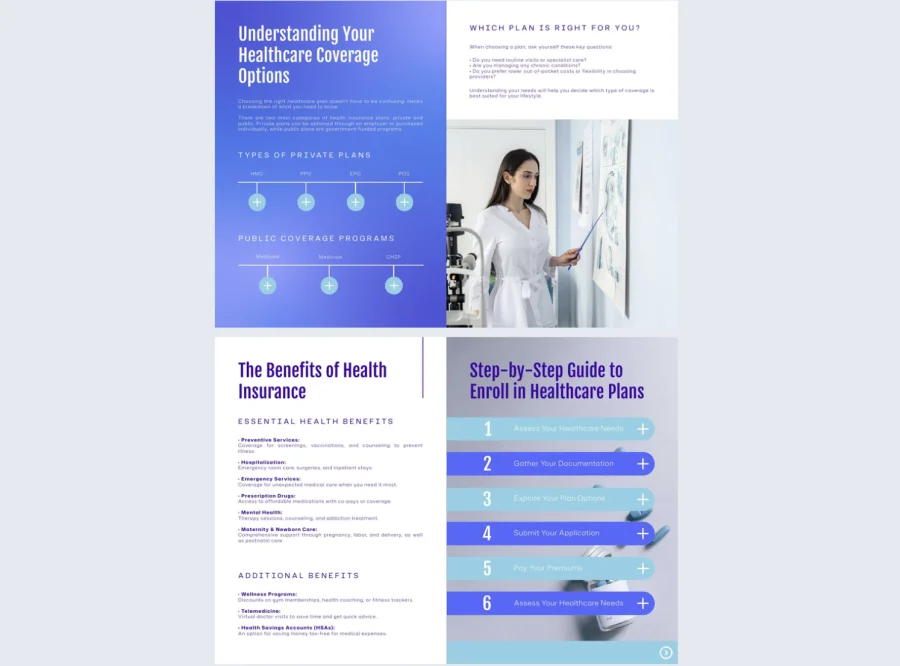
Real-world application: A benefits administrator at a 250-person manufacturing company used this template to redesign their annual medical plan guide after repeatedly fielding the same five questions from employees every enrollment season. Embedding short video explanations for each coverage tier and adding go-to-page buttons for quick navigation reduced inbound HR questions during the enrollment period by a noticeable amount and increased on-time enrollment completion.
Add embedded definitions for terms employees consistently misunderstand, use interactive elements like clickable plan comparison sections, and include a clear next-steps prompt at the end of each coverage section so people always know what to do after reading.
Common mistake to avoid: Don’t bury the most important information in the middle of the guide. Premiums, deadlines, and how to actually enroll should be visible and easy to find. If someone has to read the whole document to answer one basic question, the format is working against you.
6. Digital Company Enrollment Guide Template
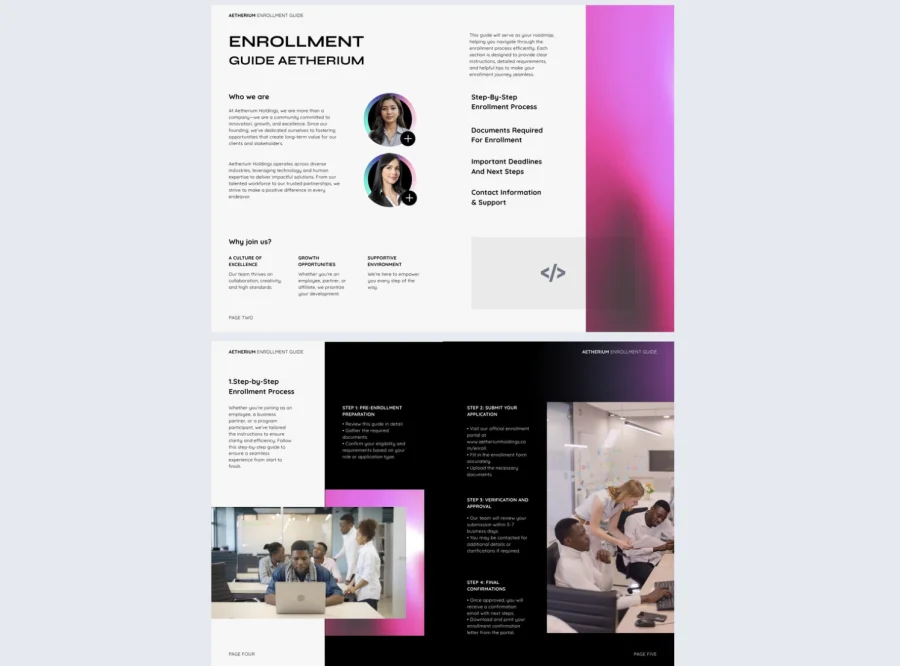
Remote and hybrid onboarding creates a specific problem. New hires need to absorb a lot of information without the benefit of walking up to someone’s desk and asking a question. The digital company enrollment guide template gives HR teams a single, organized resource that covers everything a new employee needs to know — company policies, tools, team structure, and benefits — in a format that works on any device and doesn’t require a printer.
Best for: HR teams at organizations of any size onboarding remote or hybrid employees. Particularly useful when new hires are spread across locations or time zones and need access to consistent information without relying on a manager to walk them through everything manually.
Real-world application: An HR lead at a 130-person fully remote software company used this template to replace a folder of onboarding documents shared via email. Consolidating everything into one trackable digital guide meant new hires spent less time hunting for information and HR spent less time answering the same questions repeatedly. Flipsnack’s analytics showed which sections were revisited most, giving the team a clear signal for where to add more detail in the next update.
The template is mobile-friendly and easy to update in real time. When a policy changes or a new tool gets added to the stack, update the guide once and the change is live for everyone. No need to resend files or chase down old versions. Use Flipsnack’s branding and customization options to make the guide feel like an official company resource from the first page.
Common mistake to avoid: Don’t try to include everything. A company enrollment guide that runs to 60 pages stops being useful and starts being overwhelming. Prioritize what a new hire genuinely needs in their first two weeks. Link out to deeper resources for everything else rather than embedding it all in one document.
7. Digital Enrollment Guide Template
Not every enrollment process fits neatly into a specific category. Some organizations need a format that works across multiple use cases without requiring a full redesign each time. The digital enrollment guide template offers a flexible, modern layout that can be adapted for employee onboarding, program sign-ups, corporate training enrollment, or community initiatives with minimal effort.
Best for: HR teams, program coordinators, and operations managers at organizations of any size that run multiple enrollment processes throughout the year and need a consistent format that works across different audiences and contexts.
Real-world application: An operations manager at a mid-sized professional training organization used this template as a base for three different enrollment guides — one for corporate clients, one for individual learners, and one for internal staff training. Starting from the same template each time saved hours of setup and kept the visual experience consistent across all three audiences, even though the content was entirely different.
The layout is straightforward to customize in Flipsnack’s drag-and-drop editor. Swap in your content, add navigation buttons for longer guides, and embed links to registration forms or external portals. Duplicate the template at the start of each new enrollment cycle and update only what has changed.
Common mistake to avoid: Don’t let flexibility become an excuse for vagueness. A guide that tries to speak to every possible audience at once ends up speaking clearly to none of them. Even when using the same template, tailor the language and examples to the specific audience reading each version.
8. Enrollment Journey Guide Template
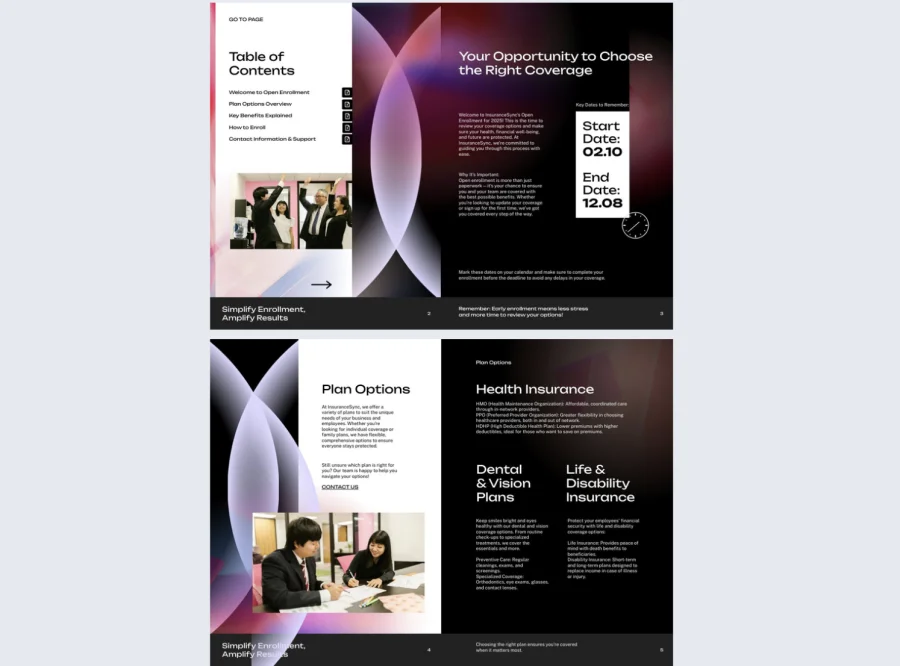
Some enrollment processes are not just administrative. They mark a transition. A new job, a new program, a new chapter. The enrollment journey guide template is built for organizations that want their enrollment communication to reflect that. Rather than presenting a checklist, it walks readers through a structured progression with milestones, context, and a clear sense of what comes next.
Best for: HR teams, L&D coordinators, and program managers at organizations of any size where the enrollment process is the beginning of a longer journey. Particularly effective for leadership programs, mentorship initiatives, or structured onboarding experiences where engagement and buy-in matter from day one.
Real-world application: A learning and development coordinator at a 400-person retail group used this template to redesign the enrollment guide for their internal management development program. Previous guides had focused entirely on logistics. The new version framed enrollment as the first step in a six-month journey, included a timeline of milestones, and featured short messages from previous program participants. Applications for the next cohort increased noticeably after the redesign.
Structure the guide around clear stages rather than a flat list of steps. Use Flipsnack’s statistics to see how far people read before dropping off, and use that data to decide where to add more context or a stronger call to action.
Common mistake to avoid: Don’t let the narrative format slow down the practical information. People still need to know what to do and when. Make sure deadlines, next steps, and contact details are easy to find even within a story-driven layout.
9. Benefits Enrollment Guide Template
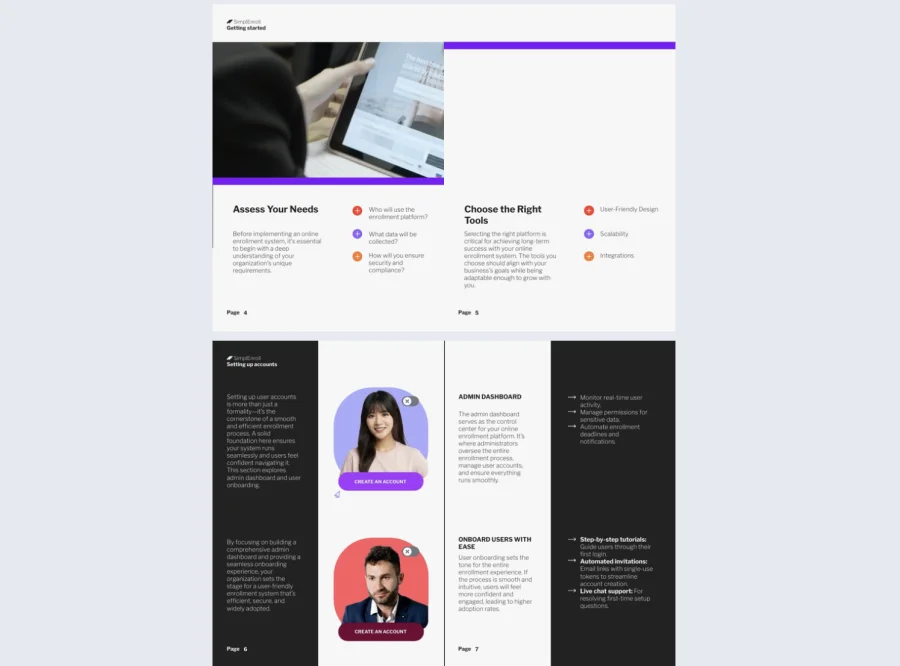
Benefits communication tends to suffer from one of two problems. Either it is too brief and leaves employees guessing, or it is too long and nobody reads past the first section. The benefits enrollment guide template gives HR teams a format that threads that needle. It presents insurance plans, retirement options, wellness perks, and legal information in a structured, scannable layout that guides employees toward a decision without overwhelming them.
Best for: HR teams at organizations of any size that manage a broad benefits package with multiple options across health, financial, and lifestyle categories. Especially useful when the benefits offering has changed significantly from the previous year and employees need help understanding what is new or different.
Real-world application: A total rewards manager at a 350-person logistics company used this template to communicate a major benefits restructure that included three new plan tiers and two new wellness programs. Rather than sending a PDF summary and hoping employees would read it, they built an interactive guide with a visual comparison table for each benefit category and embedded short explainers for the new additions. Enrollment rates for the new wellness programs exceeded targets in the first open enrollment cycle.
Add interactive comparison tables for plan options, use clickable sections to separate benefit categories, and include a short FAQ at the end to address the questions HR receives every year without fail. Use Flipsnack’s sharing options to distribute the guide via a direct link, embedded on your intranet, or through your HR platform.
Common mistake to avoid: Don’t present all benefits as equally important. Employees have limited attention and limited time. Lead with the decisions that require the most thought, such as health plan selection, and place supplementary benefits further in the guide so the most critical choices get the attention they deserve.
10. College Enrollment Guide Example
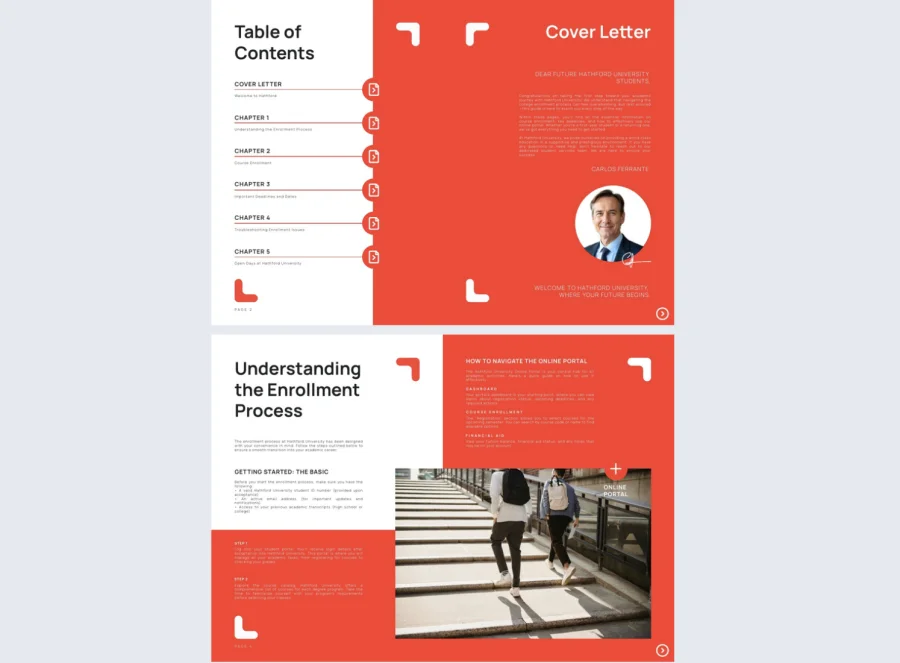
Starting university involves more logistical steps than most incoming students expect. Tuition payment, housing applications, class registration, orientation sign-ups, student ID, parking permits. Each process has its own portal, its own deadline, and its own set of requirements. The college enrollment guide example gives admissions teams and orientation coordinators a clear, organized format for bringing all of this together in one place.
Best for: Admissions departments, orientation teams, and student services offices at colleges and universities of any size. Particularly useful during peak intake periods when staff are managing hundreds of new students simultaneously and need a resource that answers the most common questions without requiring individual follow-up.
Real-world application: An admissions coordinator at a mid-sized university used this template to create a digital enrollment guide for incoming first-year students. The previous process relied on a printed booklet mailed to students weeks before arrival. Switching to a digital guide with clickable links to each registration portal, an embedded advisor scheduling tool, and a deadline checklist reduced orientation-related support emails by a significant amount in the first semester it was used.
Link directly to student portals, registration systems, and advising booking tools from within the guide. Use SSO authentication to restrict access to enrolled students only, and update the guide each intake cycle by duplicating the previous version and refreshing the dates and links.
Common mistake to avoid: Don’t assume students will read the guide in order. Most will jump straight to the section most relevant to their immediate problem. Use clear section headers, a navigable table of contents, and go-to-page buttons so students can find what they need in under 30 seconds.
How to create a digital enrollment guide with Flipsnack
Creating an interactive, branded enrollment guide doesn’t require a design degree or weeks of production time. With Flipsnack, the process is fast, flexible, and designed for real-world teams. Whether you’re building from scratch or starting with a template, the platform makes it easy to produce polished results in minutes.
1. Choose a template that fits your purpose
Start by selecting a template that aligns with your audience and goals. From the employee enrollment guide template to the college enrollment guide example, each design offers built-in structure, visuals, and placeholders that guide you through content creation.
Templates are grouped by use case, so you can quickly filter for employee onboarding, community outreach, healthcare, or education-focused designs.
2. Brand & customize the content in just a few clicks
Once you’ve selected your base, it’s time to make it yours. Use Flipsnack’s drag-and-drop editor to personalize text, swap in your brand colors, upload your own fonts, and insert logos or photos. You can also embed videos, hyperlinks, forms, or navigation buttons to make the experience dynamic and user-friendly.
Want to include a plan comparison table, timeline, or benefits breakdown? It’s easy to insert or rearrange elements without disrupting the design.
3. Share the enrollment guide instantly—anywhere
When your guide is ready, publish it digitally and share it via link, email, or even embed it on your intranet or website. No bulky attachments or printing costs. You can make real-time updates without needing to resend anything—every change is instantly reflected in the live guide.
For private or internal use, Flipsnack also lets you set password protection or restrict access by email domain.
4. Track engagement and improve over time
One of Flipsnack’s most valuable features is built-in analytics. See how many people viewed your guide, how long they stayed on each page, and which sections received the most engagement. This data helps you optimize future enrollment materials and understand what resonates with your audience.
You can even duplicate and adapt the same template for multiple departments, seasons, or teams—saving hours of manual work each time.
Why Flipsnack is the smartest way to create enrollment guides
Across industries, clear communication during enrollment is essential. Whether you’re guiding employees through benefits selection, welcoming students to campus, or helping residents sign up for community programs, the materials you provide shape the entire experience.
Using Flipsnack’s ready-made templates, you gain more than just beautiful design. You get a full publishing platform that allows you to customize content, track engagement, update in real-time, and eliminate the usual bottlenecks of static documents or reprints.
These templates aren’t just efficient—they’re powerful. They support interactivity, brand consistency, and mobile access, which are must-haves for modern organizations. Instead of sending out dry PDFs that get skimmed or lost, you’re delivering a professional digital experience that informs, guides, and connects.
Start with a template, and finish with a guide that works. With Flipsnack, enrollment becomes clearer, faster, and far more impactful—for you and your audience.
Frequently asked questions
An enrollment guide explains the options, process, and context. It helps people understand what they are signing up for and what they need to do. An enrollment form is the document they complete to actually sign up. The two work together: a good guide reduces the number of questions people bring to the form.
It depends on the complexity of the process. A simple program sign-up can be covered in 5 to 8 pages. A full employee benefits guide covering multiple plan tiers may need 15 to 20 pages. The right length is the shortest version that answers every question a reader is likely to have before they can confidently complete enrollment. If a section is not helping someone make a decision or take a step, it probably does not need to be there.
You can use the same template, but the content should be tailored to each audience. What a new graduate needs to know during benefits enrollment is different from what a senior employee needs. What a community program participant needs is different from what a regulated healthcare employee needs. Start from one template, then adjust the language, examples, and structure to fit each group specifically.
At minimum, review it before each enrollment cycle. Update deadlines, plan details, and contact information every time. Do a fuller review annually — check whether the structure still reflects how your process actually works, whether any sections are generating more support questions than they should, and whether the format is still appropriate for how your audience is accessing it.