How to Host a Booklet Online (Free, Secure & Trackable)
Published on: February 18, 2026
You’ve created the booklet. Whether it’s an employee handbook, training manual, product guide, or membership program overview, the content is ready. The design is finalized. Stakeholders have signed off.
Now comes the distribution problem.
You could email it as a PDF attachment and watch it get lost in inboxes, blocked by file size limits, or forwarded endlessly without any visibility into who’s actually reading it. You could upload it to a file-sharing service and lose control the moment someone downloads it. Or you could print copies and deal with the cost, logistics, and inevitable outdated versions sitting in storage.
None of these options give you what you actually need: secure access, real-time updates, engagement tracking, and the ability to share your booklet professionally without losing control.
With platforms like Flipsnack, you can host booklets online for free or upgrade to enterprise-level security and analytics. You upload once, then manage everything centrally: who can access it, how they view it, and what they do with it.
In this guide, you’ll learn what booklet hosting actually means, how to host PDF booklets online securely, when free hosting works versus when you need premium features, and how to turn your static booklet into a trackable, updateable, and professional digital experience.
What does hosting a booklet online mean?
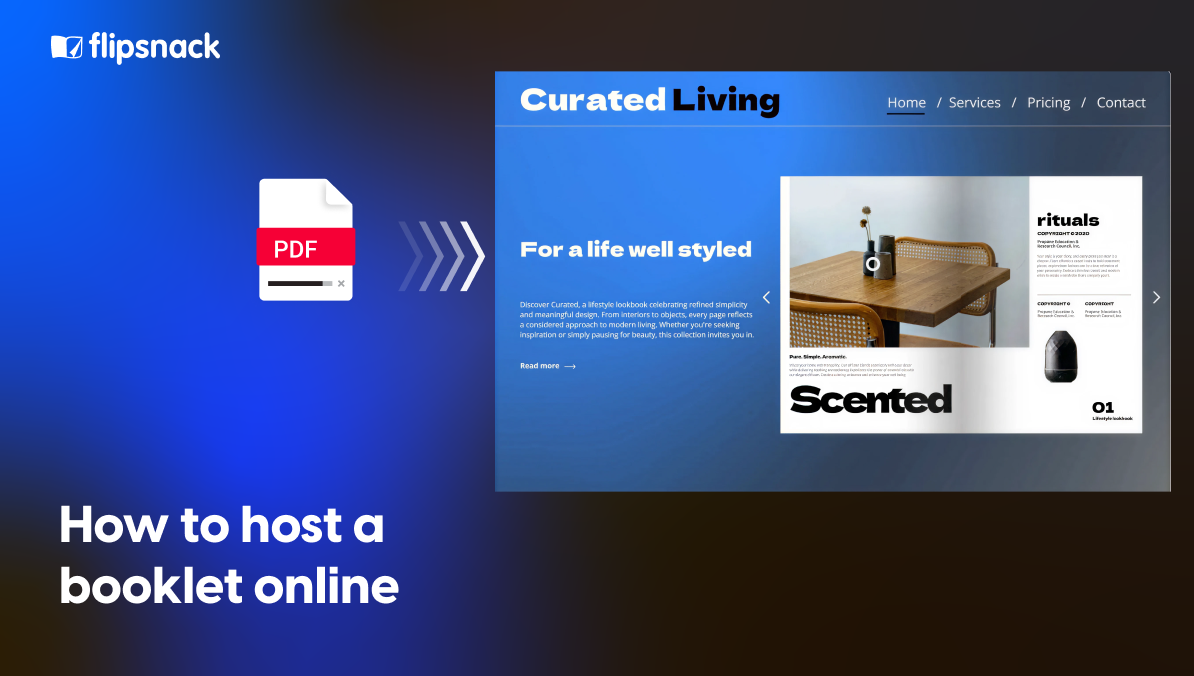
Hosting a booklet online means publishing your digital booklet on a cloud-based platform where it’s accessible via a secure link, not distributed as a downloadable file attachment.
Instead of emailing a static PDF booklet that gets saved to someone’s device, forwarded without your knowledge, or becomes outdated the moment you hit send, a hosted booklet lives in a web environment you control. You upload it once, set your access permissions, and share a link that remains active and current even when you update the content behind it.
For your organization, hosting booklets online means:
- Instant web-based viewing with no file size limit concerns
- Free or premium hosting options depending on your security level needs
- Password-protected access, private links, or public sharing
- Mobile compatibility across all devices without formatting issues
- Direct website integration through embed options
- Custom branding with your logo, colors, and domain
- Real-time content updates with complete update flexibility
- Analytics availability to track views, engagement, and reading behavior
- Faster loading speed compared to large PDF downloads
- Multiple export format options when downloads are needed
When you host a booklet online using a platform like Flipsnack, you’re not just storing a file. You’re creating a managed digital asset. You control who sees it through access permissions, where it appears through embed options, how it looks through custom branding, and whether readers can download it or only view it online.
The best way to publish a booklet online is through a dedicated booklet hosting platform that handles the technical infrastructure, security level requirements, and hosting cost efficiency while giving you the distribution flexibility and tracking capabilities that email attachments and basic file sharing simply can’t provide.
In short, hosting transforms your PDF booklet into an interactive, secure, and scalable digital booklet that you can share confidently, update instantly, and measure accurately.
Why organizations are moving to hosted booklets
Across industries, organizations are rethinking how they distribute booklets. What used to be printed and mailed or sent as static email attachments is now expected to be digital, accessible, measurable, and secure.
From real implementation needs and form submissions we’ve received, the key benefits of hosting booklets online include:
- Eliminating file size limit issues No more bounced emails or compression workarounds. Host PDF booklets on websites or platforms without worrying about attachment restrictions that block delivery.
- Reducing hosting cost while improving access Free booklet hosting platforms can handle basic distribution needs, while paid options add security level features and analytics availability without the expense of custom development.
- Tracking who actually reads your content See which team members opened the employee handbook, how long they spent on the training booklet, and which sections got the most attention. Insights you’ll never get from email attachments.
- Updating content without redistributing files With complete update flexibility, you can correct information, add pages, or refresh branding instantly. The link stays the same, but the content evolves.
- Controlling access to sensitive information Host digital booklets for business with password protection, private links, or restricted viewer lists. Your access permissions determine who sees what.
- Creating professional, branded experiences Custom branding options let you match your booklet viewer to your organization’s identity. Add your logo, choose colors, and even use custom domain support for a fully branded URL.
- Making booklets mobile-friendly automatically Mobile compatibility is built in. Whether someone opens your booklet on a phone, tablet, or desktop, the experience adapts without additional work.
- Embedding directly where people already are Strong embed options mean you can place booklets on your intranet, learning management system, website, or member portal instead of forcing people to download files.
In short, organizations are moving to hosted booklets because they need more than distribution. They need control, visibility, and a professional digital experience that works across devices, updates easily, and provides the security level their content requires.
Hosting booklets vs. emailing PDF files
| Criteria | Email PDF Attachment | Hosted Digital Booklet |
| File delivery | File size limit restrictions | No file size limit concerns |
| Tracking capability | No analytics availability | Track booklet views online |
| Access control | Uncontrolled forwarding | Managed access permissions |
| Viewing experience | Large file downloads | Fast loading speed, web viewing |
| Content updates | No version control | Complete update flexibility |
| Interactivity | Static, no interactivity | Convert booklet to flipbook |
| Branding | Generic presentation | Custom branding options |
| Device compatibility | Desktop-focused | Full mobile compatibility |
| Website integration | Can’t embed | Direct embed options |
| Security | Basic or no security | Adjustable security level controls |
How to host a booklet online using Flipsnack
Hosting your booklet in Flipsnack is straightforward, whether you’re distributing training materials, employee handbooks, product guides, or membership booklets. Here’s the best way to publish a booklet online:
- Upload your PDF booklet & customize
Upload your existing PDF, and Flipsnack automatically converts it into a digital booklet. There’s no file size limit, so even comprehensive training manuals or detailed product booklets upload smoothly. You can also create a booklet from scratch using customizable templates.
Apply custom branding by adding your logo, selecting brand colors, and adjusting the viewer background. With custom domain support on premium plans, your booklet can be hosted on your own branded URL.
- Choose your sharing settings
Set your access permissions based on who needs to see your booklet. Make it public, protect it with a password, restrict it to specific viewers, or keep it completely private. You control the security level.
- Share or embed your booklet
Once published, you get a permanent link that stays active even when you update content. You can share this link directly or use embed options to host the PDF booklet on your website, intranet, or portal with full mobile compatibility.
Free booklet hosting vs. premium features
One of the most practical aspects of hosting booklets online is the flexibility to start free and upgrade only when you need advanced capabilities. Not every booklet requires enterprise-level security or detailed analytics, but knowing when to invest in premium features helps you match your hosting cost to your actual needs.
Free booklet hosting platforms: What you get
Flipsnack offers free booklet hosting that covers essential distribution needs without upfront investment. With a free account, you can:
- Upload and host PDF booklets online with reasonable file size limits
- Share via public links with basic access permissions
- Benefit from mobile compatibility and responsive viewing
- Convert booklets to flipbook format for better engagement
- Use standard embed options to place booklets on websites
- Access basic viewing statistics
Free hosting works well for public-facing booklets like product catalogs, event programs, welcome guides, or marketing materials where reach matters more than detailed tracking or brand customization.
Premium features: When to upgrade
As your booklet hosting needs grow, premium plans unlock capabilities that matter for internal operations, compliance-sensitive content, and professional brand presentation:
- Enhanced security level controls including password protection, private links, SSO integration, and viewer-specific access permissions for confidential employee handbooks, training materials, or member-only content
- Full custom branding with logo placement, color customization, background options, and custom domain support for a completely branded experience
- Advanced analytics availability with detailed engagement tracking, page-level heatmaps, individual viewer insights, and export options for reporting
- Greater update flexibility with unlimited revisions, scheduled publishing, and content versioning for documents that change frequently
- Priority embed options including white-label viewing, advanced iframe controls, and integration support for enterprise systems
- Faster loading speed through optimized hosting infrastructure and CDN delivery for large, media-rich booklets
- Multiple export format options giving you control over whether readers can download, print, or only view online
Premium hosting makes sense when you need secure booklet sharing options for HR documents, compliance materials, internal training, or any content where tracking, branding, and access control directly impact business outcomes.
The best way to publish a booklet online depends on your audience, content sensitivity, and measurement needs. Start with free hosting to test distribution and engagement, then upgrade when analytics, security, or branding become critical to your goals.
Controlling access for teams and viewers
When hosting booklets internally or for specific audiences, you need structured control over who can edit, publish, and view your content. Whether you’re managing employee handbooks, training materials, or member resources, Flipsnack allows you to set clear access permissions through role-based collaboration.
With Flipsnack, you can configure:
- Role-based permissions so designers, content managers, department heads, and executives each have appropriate access levels without compromising governance
- Admin-level controls to oversee team members, manage content libraries, and configure platform settings across your organization
- Publishing approval workflows that prevent booklets from going live without proper review, ensuring compliance and quality standards are met
- Viewer access restrictions to control who can see specific booklets based on department, role, or individual permissions
- Team-level organization ideal for companies managing multiple departments, brands, or regional offices with separate booklet libraries
This structure allows organizations to maintain oversight and security level requirements while still empowering marketing, HR, and training teams to update and distribute booklets efficiently.
For enterprise environments managing sensitive content like employee handbooks, compliance training, or confidential product guides, these collaboration controls ensure that the right people have editing access while maintaining strict viewer access permissions for the final published booklets.
The result is secure booklet sharing options that balance operational efficiency with the access control your organization requires.
Public vs. private booklet hosting: Choosing the right distribution model
When you host booklets online, one of the most important decisions is how your content will be distributed. Not every booklet should be treated the same way. A marketing booklet designed for lead generation has very different requirements than an employee handbook or training manual shared internally.
Flipsnack allows you to host digital booklets for business using flexible, permission-based distribution models that give you full control over access, visibility, and security level.
Public booklet hosting (for marketing and external sharing)
Public hosting is ideal when your goal is reach, visibility, and engagement. In this model, your digital booklet is published online with a secure, shareable link that can be distributed across multiple channels.
With public hosting, you can:
- Share your booklet via a custom URL or branded link
- Use embed options to host the PDF booklet on your website or landing page
- Distribute it through email campaigns and social media
- Enable fast loading speed through optimized cloud hosting for digital booklets
- Make it accessible to anyone without login requirements
Because Flipsnack provides cloud hosting infrastructure with SSL encryption, your booklet remains secure and mobile-friendly while being easy to access publicly.
Public hosting works well for:
- Product catalogs and lookbooks
- Event programs and conference guides
- Membership welcome booklets
- Marketing materials and lead magnets
- Educational resources and how-to guides
You can even add lead capture forms or track booklet views online to convert readers into prospects, making your booklet not just shareable but conversion-optimized through analytics availability.
Private booklet hosting (for internal or restricted access)
Not every booklet should be fully public. Many organizations need secure booklet sharing options for internal distribution, sensitive training materials, employee handbooks, or member-only content.
Flipsnack allows you to host booklets online with advanced access permissions, including:
- Password-protected access for specific groups
- Private links that aren’t publicly indexed
- Restricted viewer invitations by email
- Permission-based sharing controlled by administrators
- Single Sign-On (SSO) integration for enterprise environments
This ensures your hosted booklet remains encrypted, secure, and visible only to authorized viewers. For organizations with strict security level requirements, private vs public booklet hosting is a critical decision that affects compliance, confidentiality, and content control.
Private hosting is essential for:
- Employee handbooks and HR policies
- Internal training materials and SOPs
- Confidential product documentation
- Member-only resources and benefits guides
- Board materials and executive briefings
With private booklet hosting, you maintain complete control over who accesses your content, how long they can view it, and whether they can download or only view online. This makes Flipsnack a practical solution for organizations that need secure booklet sharing options without sacrificing the professional experience and analytics availability that drive better content performance.
Enterprise-ready security for hosting your booklets
When you host booklets online, you need more than file storage. You need a secure, reliable platform that can handle sensitive information, confidential training materials, and business-critical documents while meeting both operational and IT security standards.
Flipsnack is SOC 2 Type I compliant, aligned with ISO 27001, and fully GDPR compliant, ensuring our security practices are independently reviewed and verified. Your booklets are hosted on secure AWS infrastructure with strong uptime reliability, protected by SSL encryption, strict access permissions, and continuous monitoring.
This enterprise-grade security level means:
- Data encryption in transit and at rest protecting your content from unauthorized access
- Compliance with international data protection standards including GDPR for European users and SOC 2 for enterprise clients
- Role-based access controls ensuring only authorized users can edit, publish, or view specific booklets
- Audit logs and activity tracking providing visibility into who accessed what content and when
- Reliable cloud hosting infrastructure with 99.9% uptime and automatic backups
- Secure authentication options including SSO integration for enterprise identity management
Whether you’re sharing a public marketing booklet or hosting sensitive employee handbooks with private access permissions, Flipsnack provides cloud hosting for digital booklets with the reliability and security level that modern organizations require.
For businesses managing confidential training materials, HR documents, or compliance-sensitive content, this infrastructure ensures your booklets remain secure without compromising on loading speed, mobile compatibility, or the analytics availability needed to measure engagement.
Host your booklets the right way with Flipsnack
Hosting booklets online today means more than uploading a file and hoping people can access it. It means choosing a platform that gives you control over access permissions, visibility into engagement through analytics availability, and the security level your content requires. Whether you’re sharing public marketing materials or private employee handbooks, you need infrastructure that balances ease of distribution with professional presentation and reliable performance.
Flipsnack brings these elements together in one cloud-based platform built for organizations that need both flexibility and control. Start with free booklet hosting to test distribution and engagement, then upgrade when advanced features like custom branding, password protection, and detailed analytics become essential to your goals. The best way to publish a booklet online is through a platform that works for both your marketing team’s distribution needs and your IT team’s security requirements.
Stop sending booklet attachments that disappear into downloads folders or get blocked by file size limits. Host your booklets online with Flipsnack and turn static PDFs into trackable, updateable, and professionally presented digital assets that you can share confidently across any audience.
Frequently asked questions about hosting booklets online
Yes. You can edit your booklet anytime without changing the published link. When you update the content in Flipsnack, changes appear instantly for anyone who accesses it. The URL stays the same, so you never need to resend links or worry about outdated versions circulating.
You decide. Flipsnack lets you control download permissions through your access permissions settings. Allow downloads for public marketing booklets, or restrict to view-only access for confidential content like employee handbooks. You can also disable printing entirely when needed.
Flipsnack accepts PDF as the primary format. You can also upload JPG or PNG images, which convert into booklet format automatically. For other formats like Word or PowerPoint, export them as PDF first before uploading to ensure consistent formatting and mobile compatibility.
Yes. Flipsnack handles large files without the file size limit issues that block email attachments. Free accounts support standard-sized booklets, while premium plans handle comprehensive training manuals and media-rich catalogs with no practical restrictions. The platform optimizes loading speed automatically.
Your booklets remain accessible via their original links. However, premium features like advanced analytics availability, custom branding, password protection, and custom domain support will no longer be available. Access permissions may revert to public-only sharing, and custom branding will be replaced with standard Flipsnack branding.