How to Make a Media Kit for Business Events
Published on: January 30, 2026
You’re at a major industry conference when a journalist from a leading trade publication stops by your booth. They’re interested in your new product launch and ask if you can send your media kit. You have brochures, business cards, and product specs scattered across files, but no organized media kit ready to go. It’s a missed opportunity that happens more often than you’d think—and one that could cost you valuable media coverage.
A media kit (also called a press kit) is a collection of promotional materials that tells your company’s story in a ready-to-use format. It includes everything a journalist, partner, or stakeholder needs to write about your business: company background, executive bios, high-quality images, press releases, and contact information.
For business events like trade shows, conferences, and product launches, media kits are essential. They help you capitalize on every media opportunity, secure sponsorships, and build partnerships. Without one, you risk losing coverage and connections that could elevate your brand.
In this guide, you’ll learn how to create a media kit that gets results. We’ll cover what to include, design best practices, format choices, and distribution strategies that work at any business event.
A media kit is a collection of promotional materials that communicates your company’s story, products, and key information in a format that’s ready to use. Also called a press kit, it serves as a one-stop resource for anyone who needs to write about, partner with, or promote your business.
The primary purpose is simple: provide journalists, partners, and stakeholders with everything they need without requiring back-and-forth emails or research. A well-prepared media kit includes your company background, executive bios, high-resolution images, press releases, and contact details. This saves time for busy journalists working on tight deadlines and ensures your brand is represented accurately.
Essential components of an event media kit
A comprehensive event media kit includes several core elements that journalists, partners, and stakeholders expect to find. Here’s what to include:
Company information:
- Company overview and fact sheet: A one-page summary with your mission, founding date, location, key milestones, and what makes you unique
- Boilerplate text: A 50-100 word standard company description that journalists can use directly in articles
- Executive bios and headshots: Brief bios (100-200 words) of key spokespeople with high-resolution professional photos
Event-specific details:
- Booth location and speaking schedule: Make it easy for attendees to find you during the event
- Product demos and announcements: Information about what you’re showcasing or launching
- Press releases: Recent announcements relevant to the event audience
Visual assets:
- High-resolution logos: Multiple formats (PNG, SVG) and variations (color, black, white)
- Product images and specifications: Professional photos that media can publish, along with technical details
- Brand guidelines: Color codes and usage rules for proper brand representation
Contact information:
- Media contact details with direct phone and email
- Social media handles across all platforms
- Website and relevant landing page links
Prioritizing content based on event type
Not every media kit needs everything. Tailor your content to your event goals. For trade shows, emphasize product specs and booth information. For conferences where you’re speaking, highlight executive bios and thought leadership. For product launches, focus on high-quality product images and technical documentation.
Event sponsorship media kit additions
If you’re pitching sponsors, include additional data-driven content:
- Audience demographics (age, industry, job titles, income levels)
- Reach metrics (website traffic, social media followers, email list size)
- Sponsorship package tiers with pricing and benefits
- Previous sponsor testimonials or case studies
- Media impressions from past events
This targeted information helps potential sponsors evaluate ROI and make faster decisions.
How to create a media kit for business events
Creating an effective media kit doesn’t have to be complicated. Follow this step-by-step process to build one that gets results at your next business event.
Step 1: Audit existing content and assets
Start by gathering what you already have. Look through your company files for press releases, product images, executive headshots, logos, fact sheets, and previous media coverage. This audit shows you what’s ready to use and what needs to be created from scratch. You might be surprised at how much usable material already exists—it just needs to be organized.
Step 2: Identify your target audience
Who will receive your media kit? The answer shapes everything. If you’re targeting journalists, prioritize press releases and quotable executive bios. For potential sponsors, emphasize audience demographics and reach metrics. For partnership opportunities, highlight your market position and customer base. Understanding your audience helps you focus on the content that matters most to them.
Step 3: Write journalist-friendly copy & collect high-quality visual assets
Write clear, concise copy that journalists can use directly in their articles. Avoid marketing jargon and focus on facts, benefits, and newsworthy information. Keep sentences short and paragraphs scannable.
For visual assets, quality matters. Collect high-resolution images (at least 300 DPI for print, 1920×1080 for digital). Include multiple logo variations, product photos from different angles, executive headshots with professional lighting, and any infographics or data visualizations that support your story. Poor-quality images reflect poorly on your brand and limit media usage.
Step 4: Choose your format and design approach
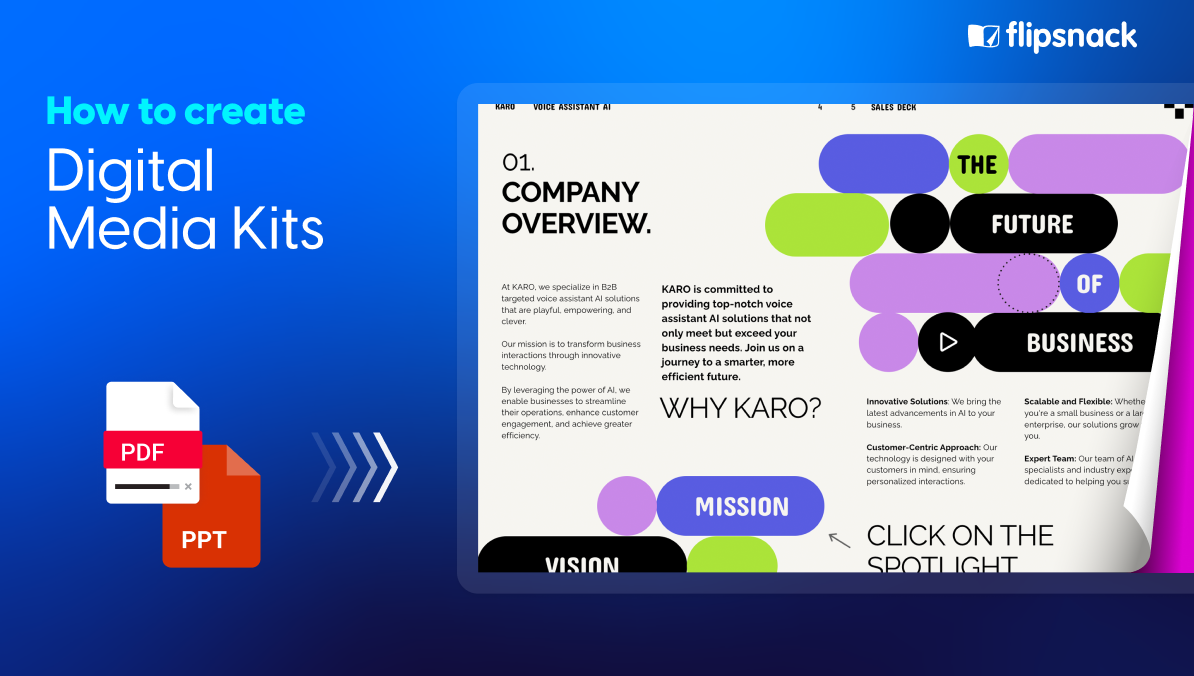
This is where your media kit comes to life. While you could create a static PDF, modern media kits benefit from interactive digital formats that engage readers and provide better functionality.
Flipsnack is an excellent media kit tool for this purpose. It converts your PDF documents into interactive digital publications that feel more like browsing a website than reading a document. The platform offers two viewing modes that make your media kit stand out:
- Flipbook mode: Creates realistic page-turning effects that add a premium, magazine-like feel to your content
- Scroll mode: Displays your media kit as a continuous vertical scroll, similar to a modern website. This format feels natural and intuitive, especially on mobile devices where users are accustomed to scrolling through content
The scroll effect is particularly valuable for business events because it creates a seamless, web-like experience without requiring you to build an actual website. Journalists and partners can quickly scan through your entire media kit with familiar scrolling gestures, making it easier to find specific information.
Beyond viewing modes, Flipsnack lets you embed videos, add clickable links, and include interactive buttons throughout your media kit. The platform also offers professional design templates specifically for press kits and corporate materials, making it easy to create a cohesive, branded look even without design experience. You can customize colors, fonts, and layouts to match your brand guidelines.
Step 5: Make the media kit interactive and share easily
One of Flipsnack’s strongest features is its sharing capabilities. Once your media kit is ready, you can share it multiple ways:
- Public links: Generate a shareable URL that works on any device—no downloads or special software required
- Embed codes: Add your media kit directly to your website’s press page
- QR codes: Perfect for trade show booths—attendees scan and instantly access your digital media kit on their phones
- Email integration: Send your media kit through email campaigns to media contacts before or after events
- Social media sharing: Share directly to LinkedIn, Twitter, or Facebook to expand reach
These flexible sharing options mean you can distribute your media kit before the event (to drum up interest), during the event (at your booth or via QR codes), and after the event (in follow-up communications). The digital format also makes updates easy—if something changes, you edit once and everyone accessing the link sees the updated version.
Step 6: Track performance using built-in analytics
Unlike printed media kits or static PDFs sent via email, digital media kits created with Flipsnack include analytics that show you what’s working. You can track:
- How many people viewed your media kit
- Which pages they spent the most time on
- Where your viewers are located geographically
- Which links they clicked
- How they found your media kit
This data is invaluable for refining your approach. If people aren’t reading your executive bios, maybe they’re too long. If everyone clicks through to your product demo video, that’s content worth featuring more prominently. Analytics turn your media kit from a static document into a tool you can continuously improve based on real engagement data.
Creating media kits for product launch events: Specific considerations
Product launches require specialized media kit content. In addition to your standard components, include:
- Detailed product specifications: Technical details, dimensions, pricing, availability dates
- High-quality product photography: Multiple angles, lifestyle shots showing the product in use, comparison images if replacing an older version
- Problem-solution narrative: Clearly explain what problem your product solves and for whom
- Launch timeline: Key dates for availability, pre-orders, or beta access
- Demo video or product tour: Embedded video that shows the product in action
- Early review quotes: If you’ve provided review units to select media, include their quotes and coverage links
- Target audience information: Who is this product for? Include use cases and customer profiles
For product launches, timing is everything. Distribute your media kit to key journalists and influencers under embargo before the public announcement. This gives them time to prepare coverage that goes live when you launch, creating immediate buzz.
Media kit design best practices
Good design elevates your media kit from informative to impressive. Follow these principles to create a media kit that reflects your brand’s professionalism.
1. Visual consistency with brand guidelines
Your media kit should feel like a natural extension of your brand. Use your official color palette, typography, and logo variations consistently throughout. This visual coherence reinforces brand recognition and shows attention to detail. If you have brand guidelines, follow them strictly—inconsistent design undermines credibility.
2. Layout considerations for readability
White space is your friend. Don’t cram too much information onto a single page. Use clear headings, short paragraphs, and bullet points to break up text. Journalists scanning your media kit should be able to locate key information quickly. Organize content logically with sections clearly labeled. Consider a table of contents for longer media kits that helps readers navigate directly to what they need.
3. File organization and naming conventions
Structure matters beyond design. If you’re providing downloadable assets, organize files into clearly labeled folders: “Logos,” “Product Images,” “Press Releases,” “Executive Bios.” Use descriptive file names that indicate content and date: “CompanyName_Logo_Color_2024.png” rather than “logo_final_v3.png.” This professionalism makes journalists more likely to use your materials.
4. Accessibility considerations
Design for everyone. Use sufficient color contrast between text and background (minimum 4.5:1 ratio for body text). Include alt text for images if creating an online media kit. Choose readable fonts—avoid decorative typefaces for body copy. Ensure clickable links are clearly identifiable. These considerations aren’t just good practice; they expand your potential audience. Flipsnack understands that and helps you create accessible content that passes the WCAG guidelines.
5. Design differences between physical and digital kits
Physical media kits require print-ready specifications: high-resolution images (300 DPI), CMYK color mode, and consideration of paper weight and finish. They’re tangible and memorable but expensive to produce and difficult to update.
Digital media kits offer more flexibility. You can use RGB colors, include embedded videos, add clickable navigation, and update content instantly. The scroll format in tools like Flipsnack creates a website-like experience that feels modern and engaging. Digital kits also eliminate printing costs while reaching unlimited recipients. For most business events today, digital formats deliver better ROI and user experience.
Digital vs PDF media kits
While both digital and PDF formats serve their purpose, interactive digital media kits offer significant advantages for business events. Here’s how they compare:
| Criteria | Static PDF | Interactive Digital Media Kit |
Viewing experience | Linear, document-style reading | Website-like scroll or flipbook mode with page-turning effects |
| Interactivity | Limited to clickable links | Embedded videos, interactive buttons, clickable elements, smooth navigation |
Mobile experience & File size | Often requires zooming and pinching File size can be large | Optimized for mobile with responsive design & is cloud-hosted |
| Sharing options | Email attachment only | Public links, QR codes, website embeds, social media sharing, email |
| Analytics | No tracking capability | Track views, time spent, geographic location, link clicks, engagement patterns |
| Distribution at events | Requires USB drives or email collection | QR codes for instant smartphone/tablet access |
The verdict: For business events where you need to make a strong impression, reach multiple audiences, and track engagement, interactive digital media kits created with tools like Flipsnack deliver superior results. They combine the professionalism of traditional press kits with the functionality and flexibility that modern business demands.
Conclusion
A well-crafted media kit is one of the most powerful tools you can bring to any business event. It transforms brief encounters into lasting opportunities by giving journalists, partners, and sponsors everything they need to take action immediately.
The key to success is preparation. Audit your existing materials, organize them strategically, and present them in a format that’s both professional and accessible. Interactive digital media kits created with tools like Flipsnack offer the best of both worlds—they deliver the polished credibility of traditional press kits with modern functionality that static PDFs can’t match.
Whether you’re exhibiting at a trade show, launching a new product, or pitching potential sponsors, your media kit does the heavy lifting. It tells your story consistently, saves time for busy media contacts, and positions your brand as professional and prepared.
Don’t wait until a journalist asks for your media kit to realize you need one. Start building yours today. With the right content, thoughtful design, and smart distribution strategy, your media kit becomes a competitive advantage that helps you stand out at every business event.
Ready to create an interactive media kit that makes an impact? Try Flipsnack to transform your content into an engaging digital experience that captures attention and drives results.
Frequently asked questions about media kits
The terms are often used interchangeably, but there’s a subtle distinction. A press kit traditionally refers to materials designed specifically for journalists and media outlets. A media kit has a broader scope—it can target journalists, but also sponsors, partners, investors, and event organizers. For business events, most professionals use “media kit” as the umbrella term that covers all these audiences.
An EPK, or electronic press kit, is the digital evolution of the traditional printed press kit. Instead of physical folders with printed documents, an EPK is distributed as a PDF, a downloadable zip file, or an interactive digital publication. EPKs are particularly valuable for virtual events and remote media outreach.
They can include embedded videos, clickable links, and downloadable assets—features that printed kits can’t offer. Many companies now create EPKs as their primary format because they’re easier to update, distribute, and track.
Trade shows offer multiple distribution opportunities. The most effective approach combines digital and physical methods:
Digital distribution:
QR codes: Display them prominently at your booth so attendees can scan and access your media kit instantly on their phones
Email: Collect email addresses at your booth and send the media kit link immediately
Pre-event outreach: Email your media kit to registered media contacts before the show starts
Event apps: Add your media kit link to your company profile in official trade show apps
Physical distribution:
Printed one-pagers with QR codes: Hand out single-page summaries that link to your full digital media kit
Business cards: Include your media kit URL so every contact can access detailed information later
USB drives: For key contacts who prefer physical copies (less common now but still effective)
There’s no universal length, but aim for 8-12 pages for a comprehensive business event media kit. The key is including everything necessary without overwhelming your audience.
Core principles:
– Quality over quantity: Every page should serve a clear purpose
– One topic per page: Company overview on one page, executive bios on another, product specs on a third
– Scannable format: Use headings, bullet points, and white space so people can find information quickly
What matters more than length: Focus on organization and accessibility. A well-structured 10-page media kit with clear navigation is far more effective than a 30-page document where journalists can’t find what they need. Digital formats like Flipsnack’s scroll mode make longer media kits easier to navigate since readers can quickly scroll to relevant sections.