How to Make a Digital Zine: A Student-Friendly Guide to Creating & Sharing Your Own Online Publication
Last updated: November 25th, 2025
Zines have always been a space for creativity, self-expression, and unconventional storytelling. Traditionally handmade and distributed in small batches, they’ve evolved into a digital format that keeps the spirit of zine culture alive—while making creation and sharing easier than ever.
Digital zines allow creators to blend visuals, text, and multimedia in a format that’s accessible, cost-effective, and built for online audiences.
With Flipsnack, anyone can turn an idea into a polished digital zine in minutes. Whether you’re a student showcasing a project, a club promoting an event, or a department sharing updates with your community, digital zines offer a flexible way to communicate with style.
This guide walks you through the full process—from choosing your format to customizing, publishing, and sharing your final zine—so you can bring your stories to life and reach readers anywhere.
A traditional zine is a handcrafted, printed booklet—often made by cutting, pasting, photocopying, and stapling pages together. A digital zine keeps the same creative spirit but removes the production barriers.
Instead of printing and manually distributing copies, you design and publish your zine online, making it easy to share with a link, embed on a website, or access via QR code. Digital zines can also include multimedia elements like videos, GIFs, links, and interactive pages, offering more flexibility and reach than the classic paper version.
A zine is a small, independent publication created to express ideas, creativity, or personal perspectives. It’s typically informal, experimental, and made by individuals or small groups. A magazine, on the other hand, is a professionally produced publication with structured sections, consistent branding, and a broader, more formal audience. While magazines aim for polished, commercial-quality content, zines celebrate freedom, originality, and DIY expression—making them a perfect medium for students, artists, and creators who want full creative control.
Traditional vs digital zine comparison
| Feature | Traditional zine | Digital zine |
|---|---|---|
| Format | Printed booklet, handmade | Online flipbook or digital publication |
| Creation process | Cut, paste, photocopy, staple | Upload or design digitally in an editor |
| Cost | Requires printing materials | No printing costs |
| Distribution | Hand-delivered or mailed | Shareable via link, embed, email, or QR code |
| Reach | Local or limited | Global, instant |
| Multimedia | Text + images only | Videos, GIFs, links, slideshows, animations |
| Editing | Hard & expensive to revise once printed | Easy to update anytime |
| Storage | Physical copies | Accessible on any device |
Step-by-step: How to create your digital zine
Creating a digital zine doesn’t require advanced design skills or special software. With Flipsnack, the entire process is intuitive, quick, and flexible—whether you’re starting from a blank page or transforming an existing project into a polished flipbook.
1. Start from a template or build from scratch
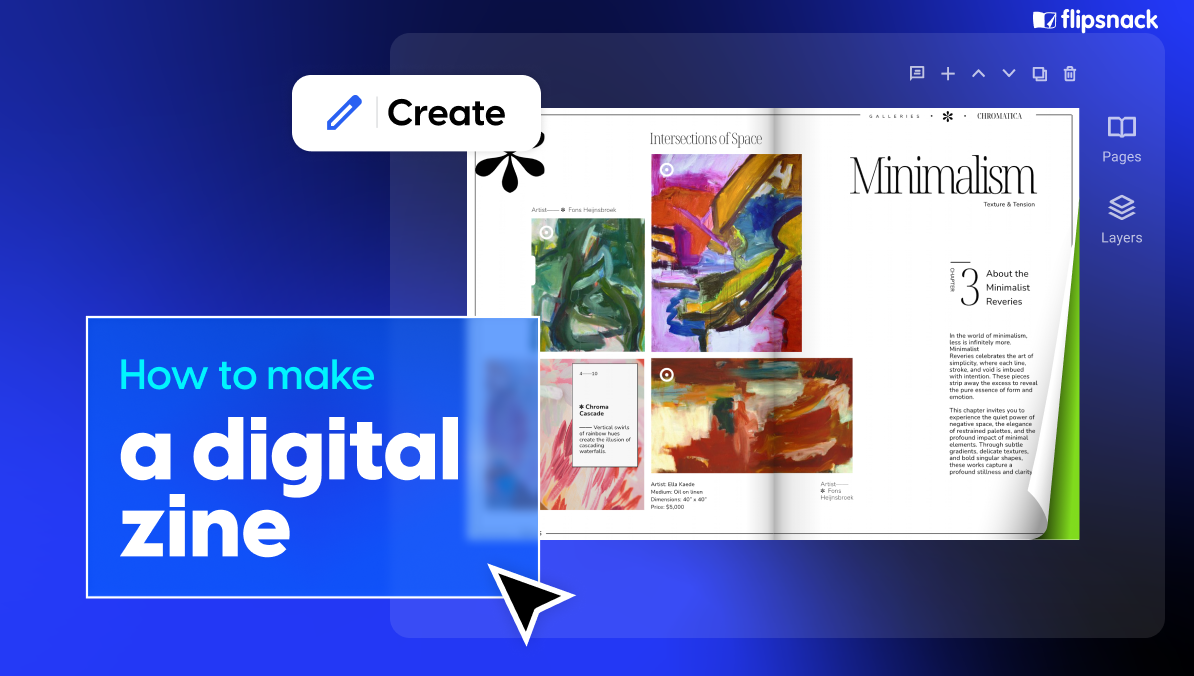
Flipsnack’s Design Studio offers plenty of editing options to build from scrach and make your digital zine unique and interactive. Alternatively, you can choose from zine-style templates that give you a ready-made visual foundation to customize.
2. Add personality
Add photos, illustrations, GIFs, links, videos, or even interactive elements like buttons and slideshows. Adjust fonts, colors, and layouts to match your tone—whether it’s artsy, quirky, academic, or bold. There’s a stock library full of different visual elements you can easily drag and drop into your design.
3. Publish and share anywhere
Once you’re happy with your zine, publish it as a flipbook. You can share it with a direct link, embed it in a website or blog, post it on social media, or even generate a QR code for easy distribution on posters, flyers, or campus events.
4. Track engagement and improve future editions
After sharing, you can check analytics to see who viewed your zine, how long they spent reading, and which pages they interacted with most. This feedback helps you refine your next issue or project.
Why students and departments should make digital zines
1. A creative way for students to express ideas
Digital zines let students move beyond standard essays or slide decks. With a mix of visuals, text, and multimedia, they can create publications that reflect their personality, interests, and voice—making projects feel more meaningful and engaging.
2. Easy to share and showcase
Because digital zines are published online, students can share them instantly with classmates, professors, or even potential employers. They make great additions to portfolios, applications, or social media posts, helping students highlight their strengths and creativity.
3. Useful for clubs, events, and campus storytelling
Student organizations can use digital zines to recap events, promote activities, or share updates with their communities. They’re a fun way to build visibility and keep members engaged without needing design software or printing budgets.
4. A modern communication tool for academic departments
Departments can use digital zines to publish program highlights, research spotlights, newsletters, or event summaries. It’s an engaging alternative to traditional PDFs and helps information stand out.
5. Builds real-world digital skills
Creating a digital zine helps students practice layout, visual storytelling, branding, and interactive content design. These are valuable skills for careers in marketing, communications, media, education, and more.
Templates to jump-start your digital zine creation
Pick a design that fits your style, topic or audience—and customize it to make it your own. Whether you’re creating a personal project, a club publication or a student portfolio, these ready-to-use zine layouts allow you to focus on your content while maintaining a sleek, professional look.
1. Colorful zine template
This vibrant and eye-catching template is built to help you stand out. With bold colors, strong visuals and space for large photos or bold headlines, it’s ideal if you want your zine to feel energetic—perfect for student magazines, event recaps or creative showcases.

2. Interactive zine layout template
Designed for travel, exploration or multi-topic storytelling, this layout uses full-page visuals and interactive features that let you embed links or videos. It’s great for students who want a more immersive zine experience that goes beyond text and still remains easy to edit.
3. Interactive food zine template
Designed for food-, lifestyle- or club-based projects, this template emphasizes bold imagery, step-by-step visuals and interactive content like embedded videos or GIFs. Ideal for culinary clubs, recipe publications or any project where visuals drive the story.
4. Fashion zine template
Perfect for fashion, design or visual-arts student work, this template features clean structure with bold image displays, creative styling and room for interactive elements (links, video, lookbooks). Use it to present your collection, highlight trends or showcase your style.
5. Artistic zine template
Tailored for creative expression, art students or personal portfolios, this layout encourages experimentation with shapes, color, imagery and interactivity. It gives you the freedom to break the rules and showcase your unique voice while retaining polish.
Best practices and pitfalls to avoid
Creating a digital zine gives you plenty of creative freedom, but thoughtful choices can make the difference between a project that feels polished and one that feels unfinished. Below are the most important practices to keep in mind—along with common mistakes to avoid.
Best practices for zines that hit the mark
1. Keep your pages focused and easy to skim
A great zine balances creativity with clarity. Try to keep each page centered around a single idea, story, or visual moment. Break up text with headings, quotes, or image sections to help readers move through your zine without feeling overwhelmed. This structure makes your content more inviting—especially when your audience is reading on a phone or laptop.
2. Use high-quality visuals that strengthen your message
Images are often the heart of a zine. Whether you’re including photos, illustrations, scanned artwork, or graphic elements, make sure they’re sharp and well-lit. Avoid blurry screenshots or low-resolution uploads—they can make the entire zine feel less professional. When possible, use original visuals or royalty-free assets that match your theme.
3. Choose a cohesive style and stick to it
Even the most creative zines benefit from consistency. Pick one or two fonts, a handful of colors, and a general layout style that fits your theme. A cohesive visual identity helps your publication feel intentional and carefully crafted. It also makes it easier for your reader to focus on the content rather than the design choices.
4. Create a natural flow from start to finish
Think of your zine as a journey. Consider how your reader will experience the story or theme as they flip from page to page. Introduce ideas gradually, group similar content together, and leave space for transitions or visual breathing room. A clear narrative or logical structure helps your zine feel complete and satisfying.
5. Add interactivity where it enhances the experience
Digital zines allow for multimedia—links, videos, slideshows, audio, and more. Use these elements intentionally. For example, add a video to show something that static images can’t capture, or include hyperlinks to external resources, artist portfolios, recipes, event registrations, or social media pages. Interactivity should support the content, not distract from it.
Pitfalls to avoid when making a digital zine
1. Overloading pages with too much information
When every inch of the page is filled with text, graphics, stickers, or interactivity, the result can feel overwhelming. Readers may not know where to look first, and important details get lost. Leave whitespace, simplify layouts, and highlight only your most important ideas.
2. Mixing too many fonts, colors, or design styles
Using a new font or color on every page might seem creative, but it can make the zine feel chaotic or amateurish. Stick to a small visual toolkit to maintain balance and readability. Consistency helps your content shine.
3. Ignoring accessibility and readability
Even creative projects should be readable by everyone. Avoid tiny text, extremely decorative fonts, or low-contrast color combinations (like light gray text on white). Make sure links stand out, and keep a clear hierarchy for headings and body text. A readable zine is a shareable zine.
4. Skipping the proofreading step
A quick final check can save your project from small mistakes that undermine the overall quality. Look for typos, broken links, formatting issues, or pages that feel out of order. Have a friend review it too—fresh eyes can spot what you might miss.
5. Forgetting who you’re creating for
The best zines have a clear sense of audience. Think about who you want to reach—classmates, club members, professors, potential employers—and adjust your tone and design accordingly. A zine for a poetry class will look different from one promoting a campus event or showcasing a photography portfolio.
Conclusion: Bring your ideas to life with a digital zine
Digital zines give you the freedom to share your ideas in a format that’s creative, personal, and easy to distribute. Whether you’re documenting a project, promoting a club, telling a story, or building your portfolio, a digital zine lets you express yourself in a way that feels polished and completely your own.
With simple tools and customizable templates, you can focus on your message—not the technical details—and create something you’re proud to share.
Zines have always been about voice, individuality, and community. Moving them into a digital format doesn’t change that—it just removes barriers. No printing costs, no design headaches, no limitations on how far your work can travel. Just your ideas, presented in a way that’s modern, accessible, and built for today’s readers.