Digital Brochure Templates & Examples: Complete Design Guide
Published on: August 14, 2024
Last updated: April 21, 2026
The brochure has come a long way from its print origins. Modern digital brochures are interactive experiences, with embedded videos, clickable calls-to-action, product galleries, contact forms, and real-time analytics that turn passive readers into active participants.
Whether you’re a small business owner creating your first product brochure, a marketing professional looking to elevate your campaigns, or an enterprise team managing collateral across multiple regions, digital brochures offer flexibility and functionality that print simply can’t match.
In this guide, you’ll find templates organized by industry and use case, interactive features worth using, and a step-by-step walkthrough for creating and publishing your own digital brochure in Flipsnack.
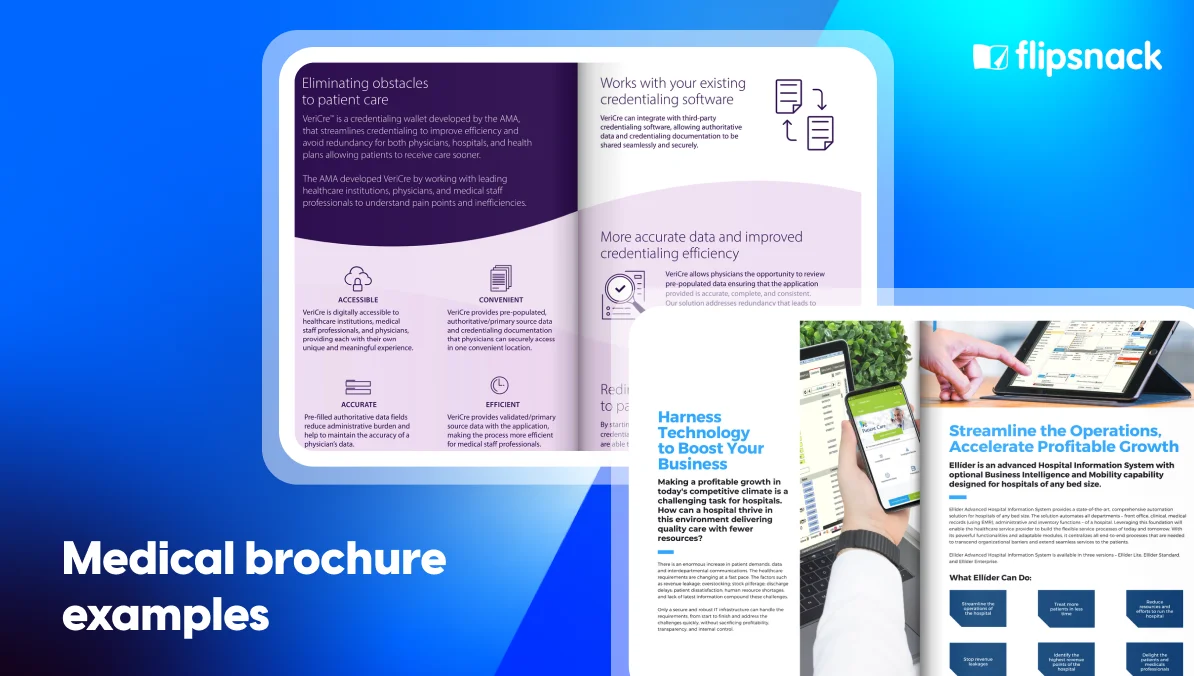
A digital brochure is an online version of a traditional printed brochure that can be viewed on any device. Unlike static PDFs, digital brochures are interactive publications that include clickable links, embedded videos, animations, and multimedia elements that engage readers in ways print never could.
The key advantages are straightforward: instant distribution via email, website, or social media, zero printing costs, and built-in analytics that show who opened your brochure, which pages they viewed, and which links they clicked. Whether you’re showcasing products, promoting services, or sharing company information, digital brochures offer a more flexible and measurable way to communicate than anything print can provide.
Types of digital brochures by format
Choosing the right format depends on how much content you have and how you want readers to move through it.
- Bi-fold brochures fold a single sheet in half to create four panels. This is the most straightforward format — best for concise messaging like product launches, event invitations, or company introductions where you want a clean, uncluttered presentation.
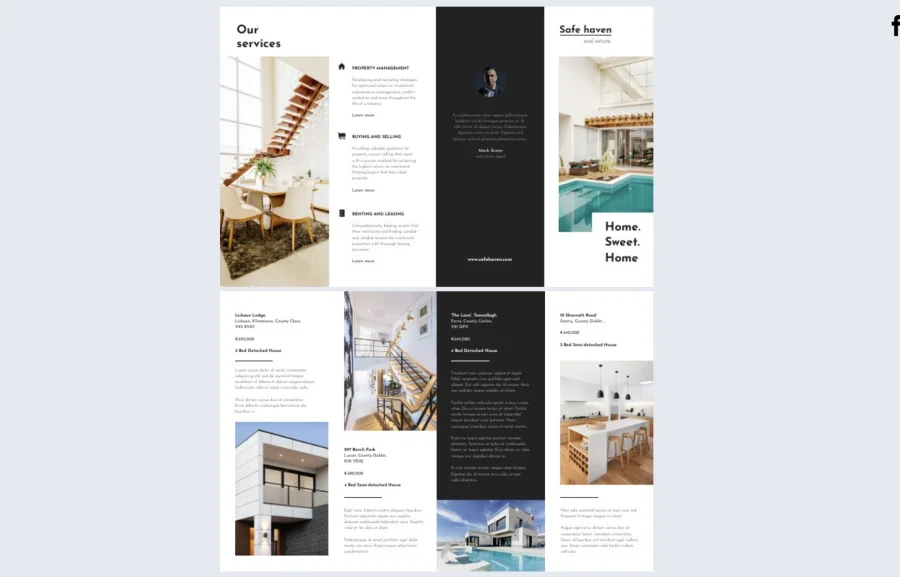
- Tri-fold brochures fold twice to create six panels, offering more space while keeping content organized. The panels naturally guide readers through information in sequence, making this format well suited for product catalogs, service menus, pricing sheets, and tourist guides.
- Z-fold brochures fold in a zigzag pattern, also creating six panels, but with the option to open fully into a panoramic view. The format works particularly well for timelines, sequential processes, and content that tells a story with a clear beginning, middle, and end.
- Gate-fold brochures feature two outer panels that open from the center, revealing a larger inner spread. The reveal creates anticipation, making this a premium format for high-impact content — luxury products, real estate listings, annual reports, or any situation where a dramatic first impression matters.
Quick comparison: Choose your ideal digital brochure template
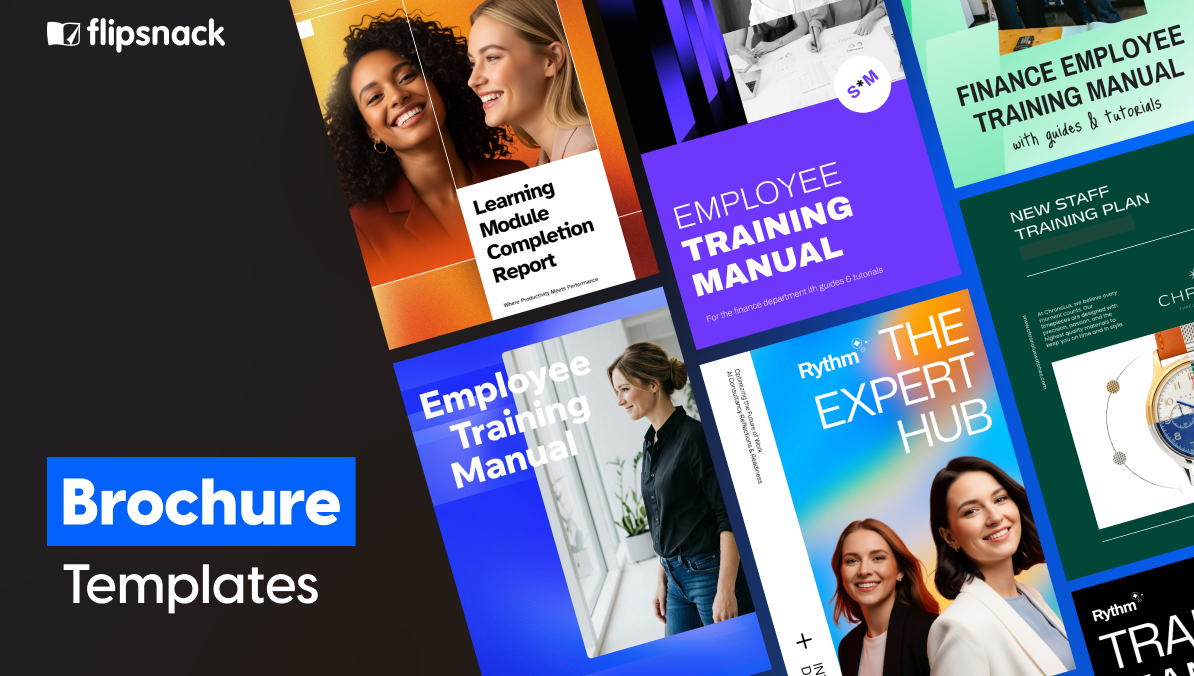
With templates spanning industries and use cases, the table below highlights the ten most versatile options to help you find the right starting point.
| Template name | Best for | Main focus | Key benefits |
|---|---|---|---|
| Digital Sales Playbook | Sales managers and enablement teams | Sales strategies, scripts, engagement steps | Embedded videos and CTAs; trackable per-rep links; analytics to monitor engagement |
| Business Services Brochure | SaaS providers, agencies, consulting firms | Service overview, bundled solutions, lead generation | Customizable service blocks; quick-link buttons to quote forms; full brand styling |
| Interactive Employee Benefits Brochure | HR departments and benefits brokers | Benefits packages, perks, wellness programs | Photo slideshows; secure private sharing; analytics to track section engagement |
| Editable Recruiting Brochure | Recruiters and employer branding teams | Company values, open roles, candidate experience | Embedded videos and contact forms; adaptable per hiring event; brand consistent |
| Online Product Brochure | Retailers, manufacturers, e-commerce brands | Product features, specifications, purchasing options | Bold visual layout; portfolio and case study sections; strong CTA structure |
| Real Estate Property Brochure | Real estate agents and brokerages | Property details, neighborhood highlights, key selling points | Large photography layout; organized specs; professional and approachable design |
| Online Hotel Event Brochure | Hotel sales and marketing teams | Event spaces, capacities, service packages | Matterport virtual tours; pop-up image galleries; analytics for prospect follow-up |
| Gate Fold Conference Brochure | Conference and event organizers | Keynote speakers, schedules, venue layouts | Premium gate-fold reveal; maximum visual impact; ideal for high-caliber events |
| Online Graduate University Brochure | Universities marketing graduate programs | Program details, faculty credentials, career outcomes | Professional layout; clear program pathways; appeals to discerning candidates |
| Simple Primary School Brochure | Primary schools and early education centers | Curriculum, extracurriculars, enrollment details | Warm approachable design; easy to navigate; resonates with parents |
Prefer a quick visual overview? This video highlights 10 digital brochure templates and shows how businesses can move beyond static PDFs.
Digital brochure templates by industry & use case
The right brochure template depends on your industry and specific goals. Here are professionally designed templates organized by use case, ready to customize for your business needs.
1. Corporate/business brochures
Corporate brochures establish credibility and communicate your company’s value proposition to clients, partners, and investors. They should balance professionalism with visual appeal while clearly articulating what sets your business apart.
Key elements to include: Company overview, services or capabilities, team credentials, client testimonials, case studies, contact information
Design considerations: Clean layouts, professional color schemes aligned with brand identity, high-quality imagery, clear hierarchy that guides readers through your story
Digital sales playbook template
When sales processes are complex or vary by team member, it’s easy for strategies to become inconsistent, especially in hybrid or remote environments.
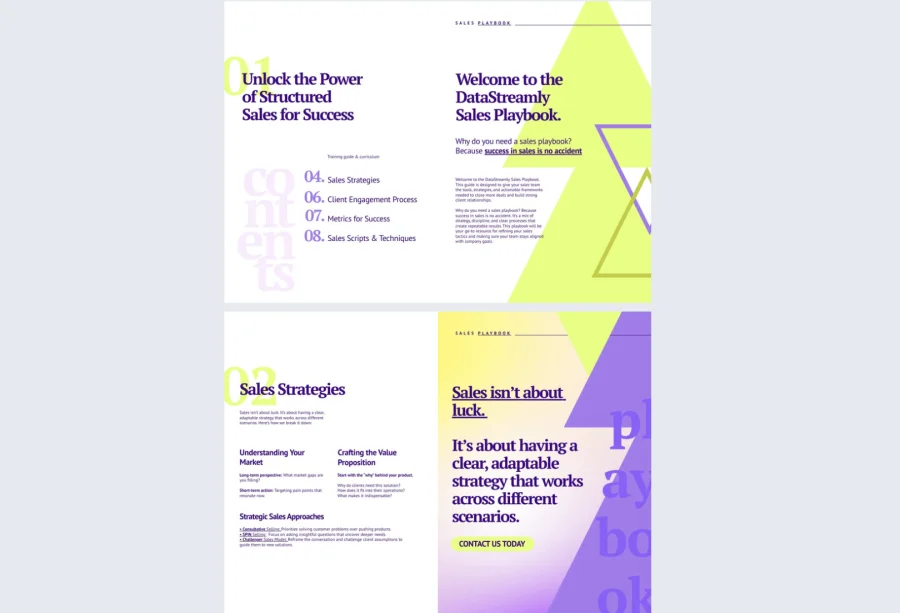

The digital sales playbook template from Flipsnack helps sales managers and teams centralize and clarify their approach with a sleek, interactive format. It’s designed to walk reps through sales strategies, engagement steps, and customizable scripts, ensuring every client touchpoint is intentional and on-brand.
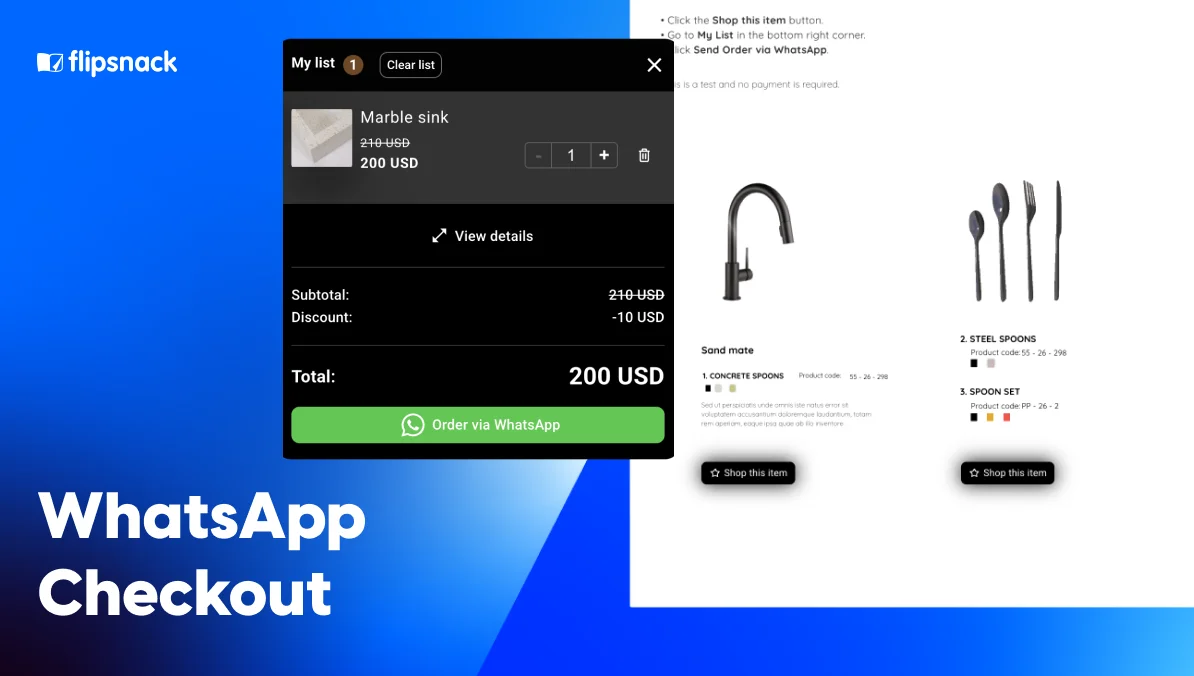
Interactive elements like embedded videos, dynamic buttons (e.g., “Start Deal Flow” or “Book a Demo”), and product tags allow you to create a truly engaging experience. You can personalize the playbook for different teams or territories and even track engagement via built-in analytics.
Perfect for onboarding new reps, standardizing processes, or aligning cross-functional sales efforts, this template helps teams sell smarter and faster.
Business services brochure template
When your company offers a wide range of services, the challenge isn’t having too little to say; it’s making your offering easy to understand.
The company’s business services brochure template helps simplify complex service structures into digestible, compelling sections. It’s especially useful for firms that need to explain bundled solutions or tiered service options without overwhelming potential clients.
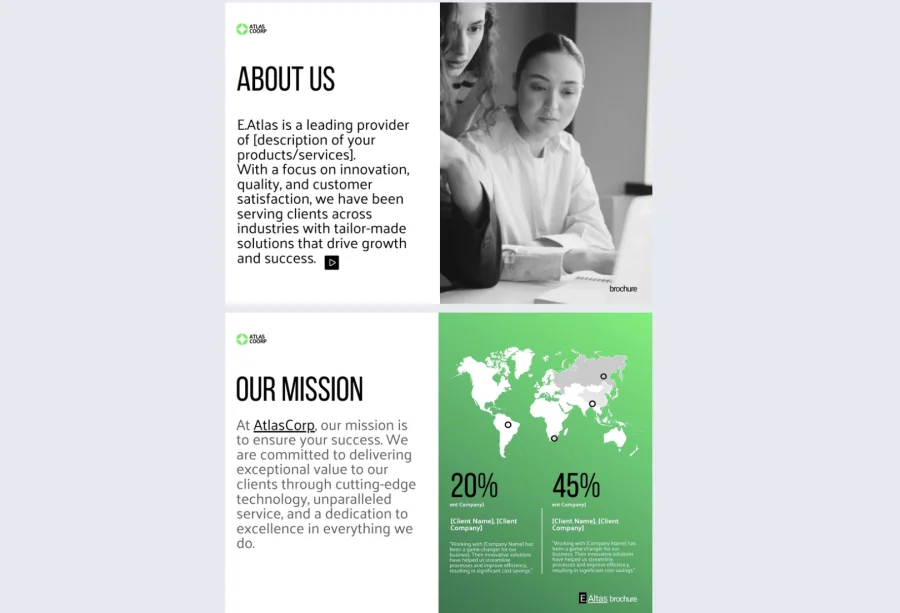

With Flipsnack’s Design Studio, you can customize each service block with icons, visuals, and concise text, while embedding videos or walk-throughs for added depth. Quick-link buttons lead readers to quote request forms, live chat, or pricing calculators, guiding them directly into your funnel.
And since the template supports full brand styling, every page looks like a natural extension of your company. It’s best suited for SaaS providers, consulting agencies, and professional service firms looking to communicate their expertise clearly and convert more leads.
Interactive employee benefits brochure template
Make it easier than ever to communicate compensation packages in a compelling and accessible way. Traditional benefits brochures tend to be overwhelming, making it hard for employees or clients to grasp what’s being offered.
This interactive employee benefits brochure template transforms that experience with photo slideshows that highlight various perks like dental plans and wellness programs, along with slow-paced GIFs and well-organized internal and external links. HR teams can personalize the brochure for different employee groups and distribute it securely through a private link or a full-view experience.
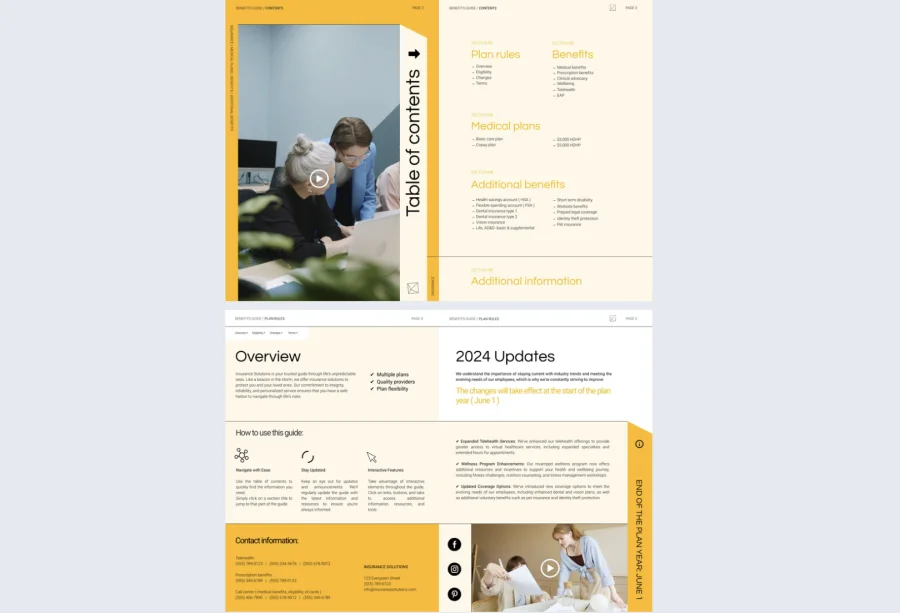
With Flipsnack’s analytics, you’ll know exactly what sections people are engaging with, helping you refine future communication. It’s a must-have for HR departments and brokers who want to enhance benefits education and increase satisfaction.
Editable recruiting brochure template
Designed for job fairs, open houses, and digital recruitment campaigns. Handing out static flyers is no longer enough; today’s candidates expect more immersive, digital-first experiences. This editable recruiting brochure template empowers recruiters to stand out with embedded videos, team photos, role overviews, and even contact forms that allow prospects to express interest immediately.
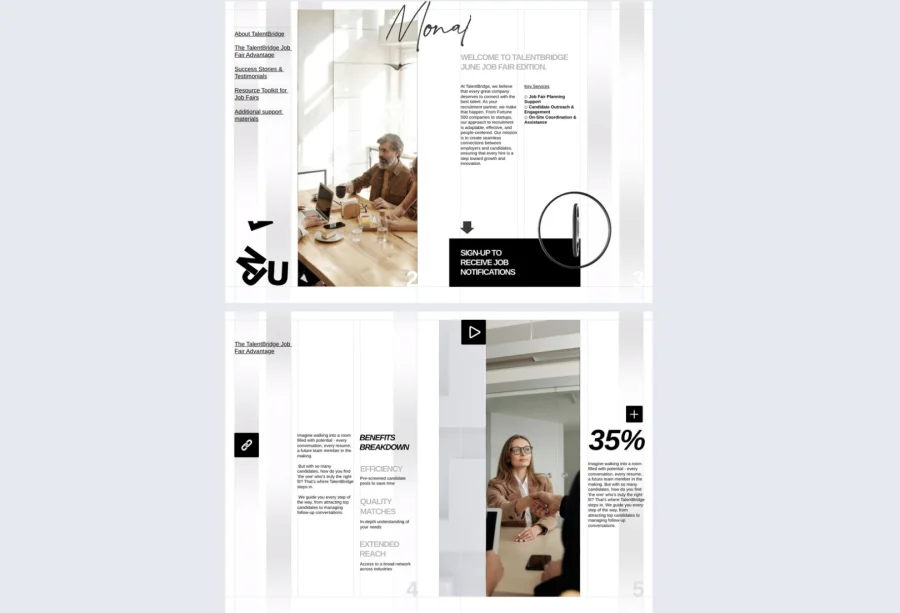

Organized sections help promote company values, benefits, and open positions in a professional yet visually appealing format. Fully editable in Flipsnack’s Design Studio, the brochure can be tailored to different hiring events or job roles while maintaining brand consistency. For recruiters and employer branding specialists, it’s a dynamic tool that turns interest into action and builds strong candidate connections.
Editable marketing report template
Reporting on campaign performance often involves bulky slide decks or overwhelming spreadsheets that get ignored. The Editable Marketing Report Template helps you change that. Instead of static documents, this template lets you present campaign results in an engaging, interactive format ideal for stakeholders who want insights without digging through raw data.
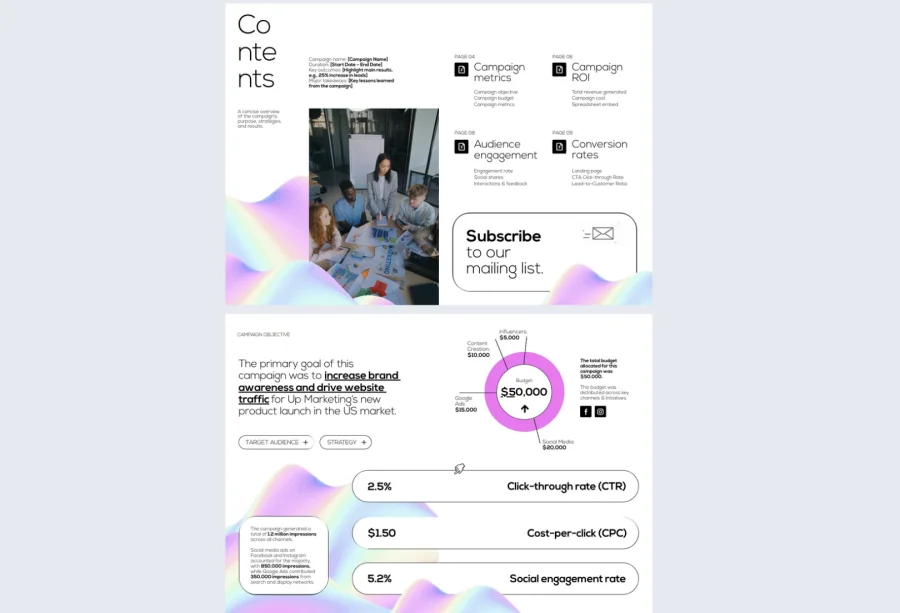
With dedicated sections for KPIs, ROI, audience behavior, and conversion rates, you can paint a full picture of marketing effectiveness while embedding multimedia like explainer videos, charts, and links to landing pages. Customizable in minutes with your branding and visuals, this report isn’t just informative, it’s also presentation-ready.
Use Flipsnack’s sharing features to send it to your leadership team, clients, or internal departments securely, and track engagement to see what data sparks interest. It’s perfect for quarterly reviews, performance wrap-ups, or client reporting that actually gets read.
Product brochure templates
Product brochures showcase your offerings with detailed specifications, benefits, and compelling visuals that help prospects make purchasing decisions. They work equally well for physical products and software solutions.
Key elements to include: Product images, features and specifications, pricing options, use cases, customer reviews, purchasing information
Design considerations: High-quality product photography, clear feature callouts, comparison charts when relevant, strong calls-to-action
Online product brochure template
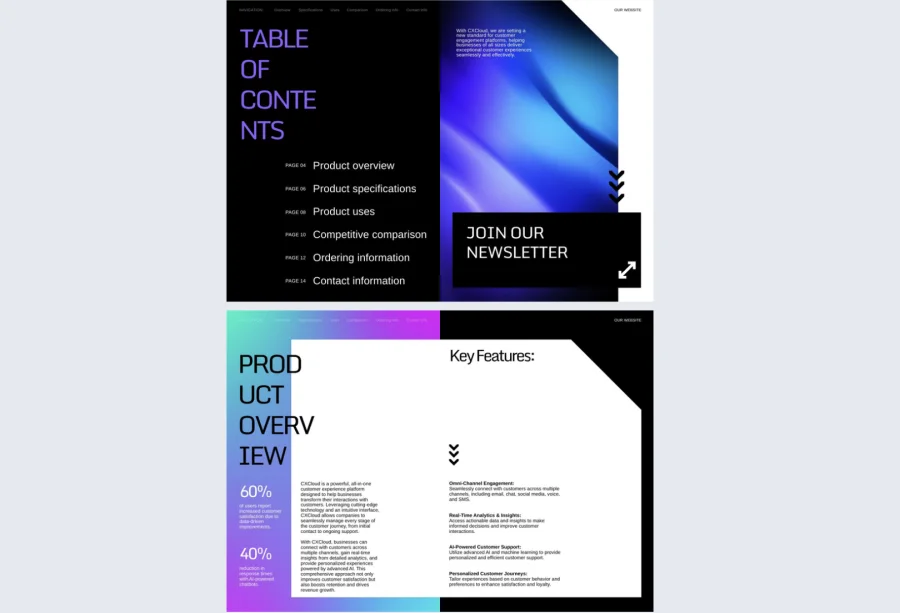

Capture attention with this vibrant, contemporary brochure design that puts your agency’s creativity front and center. The bold layout features dedicated sections for showcasing your portfolio, outlining services, and presenting successful case studies with clear impact metrics.
Dynamic color blocks and modern typography create visual interest while maintaining a professional edge. Perfect for creative agencies, marketing firms, and consultancies looking to demonstrate their expertise and win new clients through compelling brand storytelling.
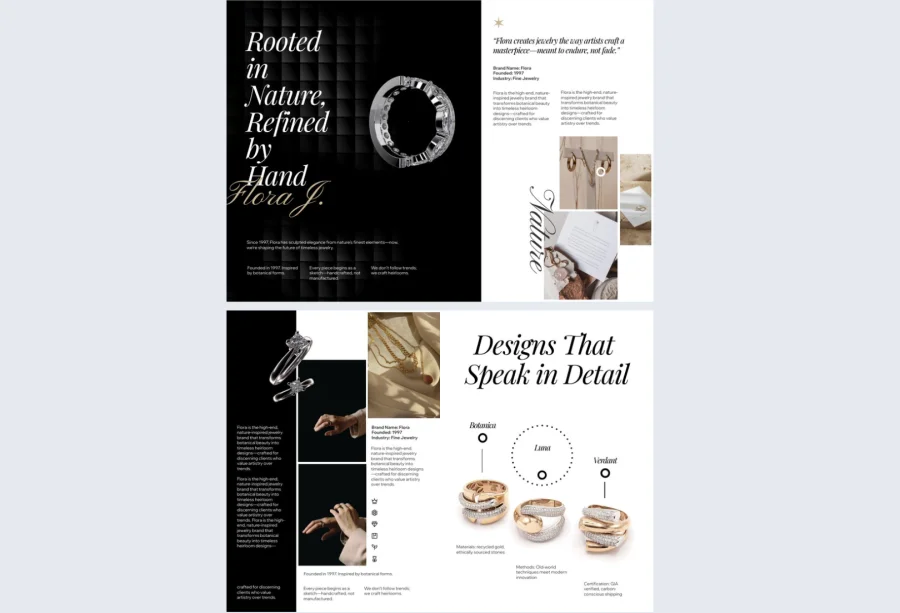
Jewelry company brochure example
Showcase your jewelry collection with this sophisticated brochure that balances luxury aesthetics with clean product presentation. The refined layout features elegant typography, ample white space, and carefully structured sections that let your pieces shine without visual competition.
High-contrast backgrounds enhance product photography while maintaining an upscale feel throughout. Ideal for jewelry retailers, boutique brands, and luxury accessory companies looking to present their collections with the polish and prestige they deserve.
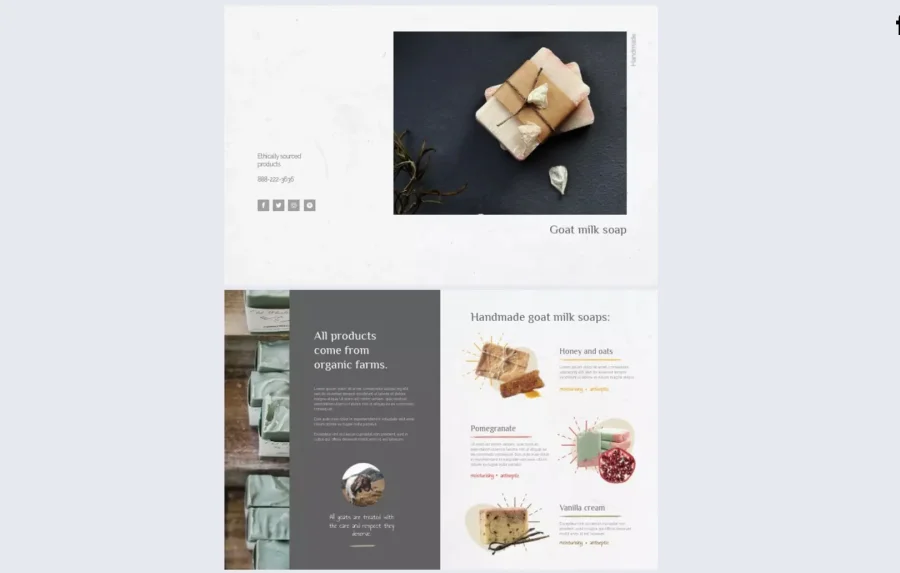
Professional product bi-fold brochure template
Present your products with clarity and impact using this streamlined bifold design that maximizes visual appeal within a compact format. The clean layout balances striking product imagery with concise feature descriptions, making it easy for customers to grasp key benefits at a glance. Organized sections guide readers naturally from product overview to specifications and purchasing options. Perfect for retailers, manufacturers, and e-commerce brands needing a focused, professional way to showcase product lines without overwhelming potential buyers.

Real estate brochure templates
Real estate brochures highlight properties with stunning visuals and comprehensive details that help potential buyers or renters envision themselves in the space. Digital formats allow for virtual tours and interactive floor plans.
Key elements to include: Property photos, floor plans, location maps, neighborhood amenities, pricing and financing options, agent contact information
Design considerations: Large, high-resolution images, clean typography that doesn’t compete with visuals, organized layout of property details, professional yet inviting aesthetic
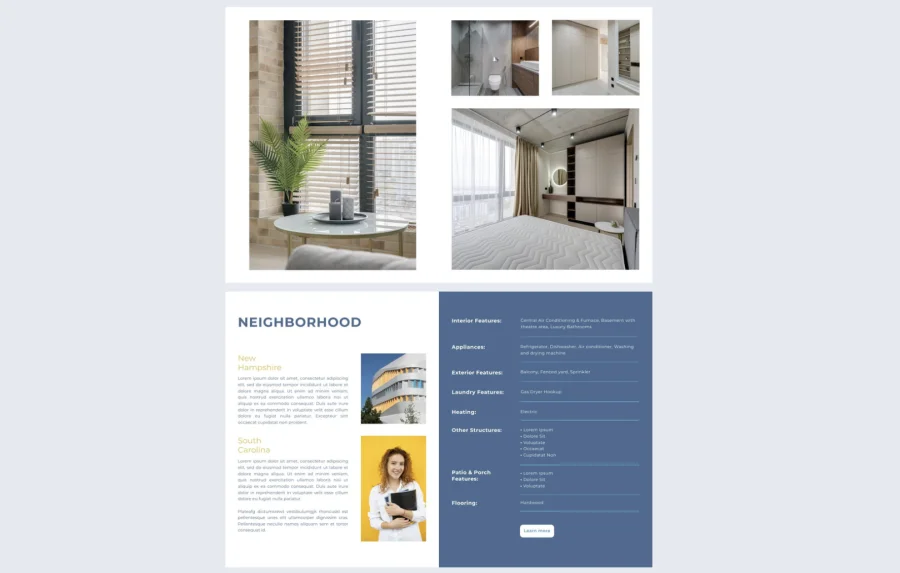
Real estate property brochure template
Elevate your property listings with this polished brochure designed to highlight homes at their best. The sophisticated layout combines large, impactful photography with organized sections for property details, neighborhood amenities, and key selling points. Clean lines and strategic white space ensure information remains digestible while maintaining visual appeal. Ideal for real estate agents, property developers, and brokerages looking to present listings in a professional, compelling format that helps potential buyers envision their future home.
MLS compatible real estate brochure template
Streamline your property marketing with this professionally structured brochure that meets MLS standards while delivering visual impact. The practical layout accommodates all essential listing information—property specifications, room dimensions, features, and pricing—in an organized, easy-to-scan format. Clean design elements and strategic photo placement ensure your listings look polished across all marketing channels. Perfect for real estate professionals who need MLS-compliant materials that maintain brand consistency and present properties with the professionalism buyers expect.
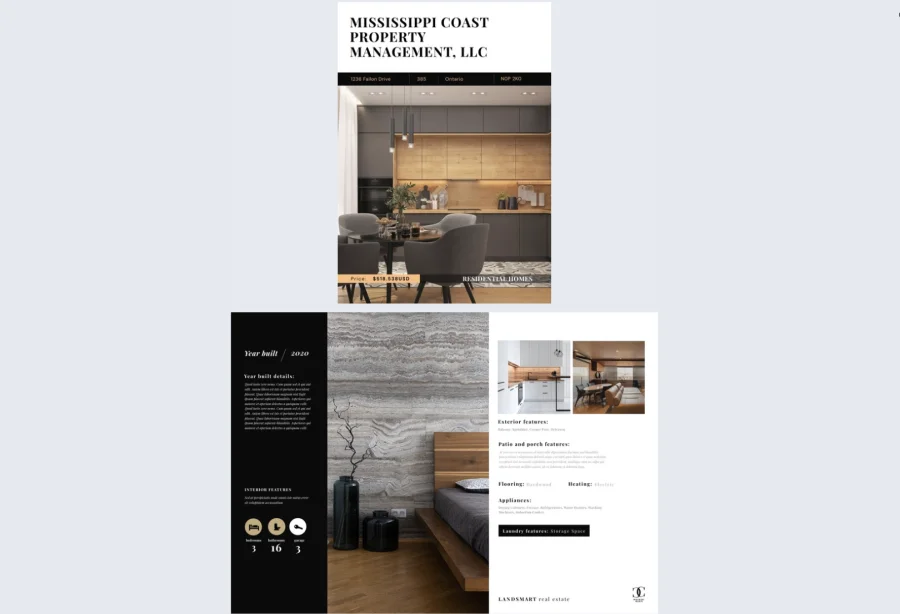
Gate fold real estate brochure design
Create an unforgettable first impression with this premium gate-fold format that builds anticipation as it reveals your featured property. The dramatic opening mechanism showcases a stunning centerpiece image—perfect for highlighting architectural beauty, breathtaking views, or luxurious interiors.
The outer panels tease key property highlights while the expansive center spread delivers full visual impact. Ideal for high-end listings, luxury properties, and exclusive developments where presentation quality directly reflects property value and helps justify premium pricing.
Travel & tourism brochure templates
Travel brochures inspire wanderlust while providing practical information about destinations, accommodations, and experiences. They should transport readers visually while answering logistical questions.
Key elements to include: Destination photography, itinerary options, accommodation details, activity highlights, pricing packages, booking information
Design considerations: Vibrant, inspiring imagery, easy-to-scan itineraries, clear pricing breakdowns, mobile-friendly design for on-the-go planning
Online hotel event brochure template
Static PDF proposals for events don’t show the scale, flexibility, or ambiance of your hotel’s spaces. The online hotel event brochure template addresses this by transforming event marketing into an interactive experience. Ideal for hotel sales and marketing teams, this brochure lets you showcase floor plans, capacities, and service packages alongside embedded videos, Matterport virtual tours, pop-up image galleries, and even shopping lists for event add-ons.
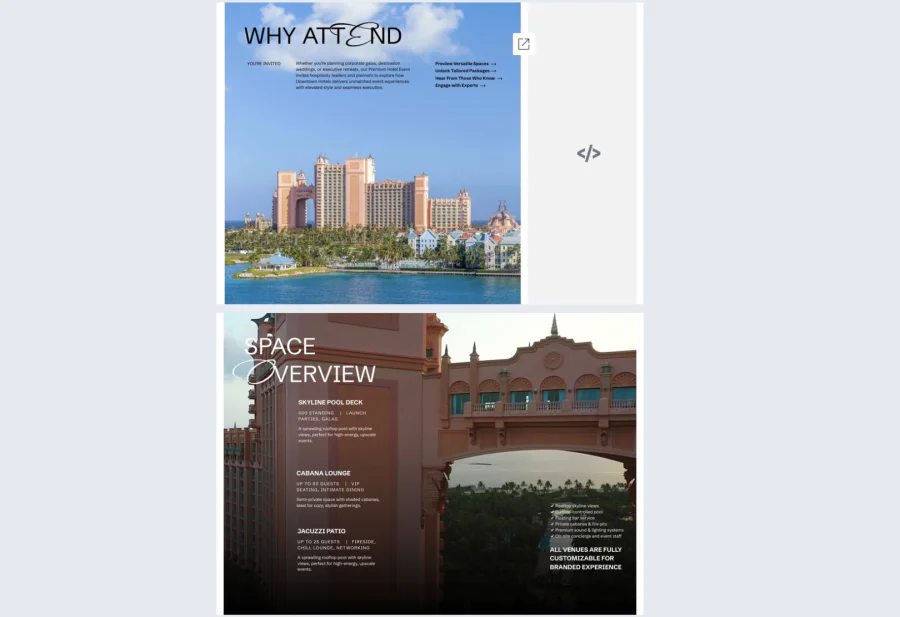
Whether it’s a rooftop venue or a corporate ballroom, you can present your offerings with professionalism and depth. With Flipsnack’s analytics, you can track interest and tailor follow-ups to the most engaged prospects, perfect for winning over event planners, agencies, and conference organizers.
Interactive hotel promotional brochure template
Promoting seasonal packages or exclusive hotel deals through generic flyers often results in missed opportunities. The interactive hotel promotional brochure template helps hotels and resorts create visually engaging, interactive brochures that highlight special offers, limited-time deals, and exclusive booking perks.
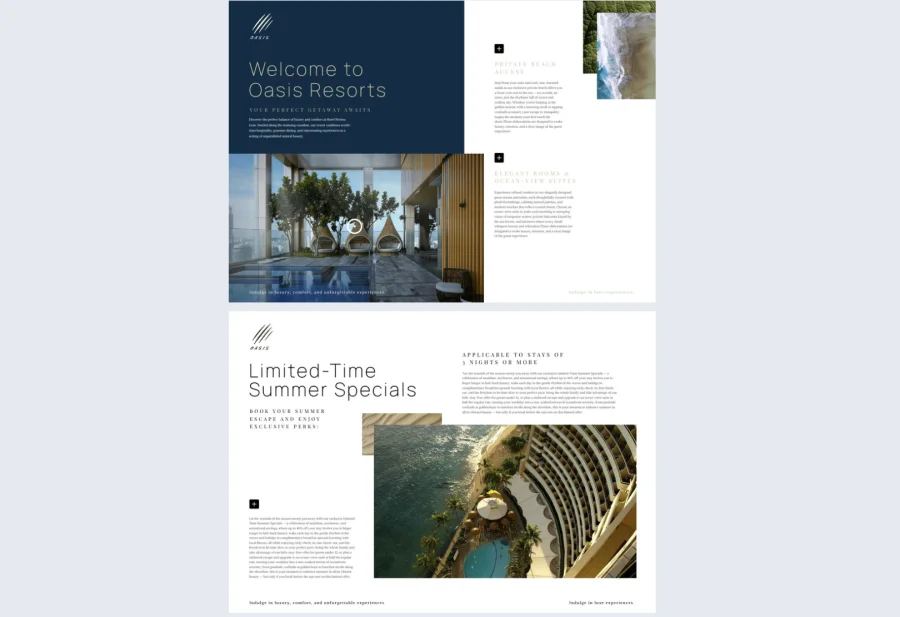
Built for front desk teams, marketing departments, and sales reps, this template includes sections for promo headlines, offer details, expiration timelines, and booking CTAs. With slideshows, embedded videos, and animated captions, your deals are not only seen, they’re remembered. Everything is brand-customizable and easy to share across digital channels, helping drive direct bookings and reduce third-party commission costs.
Interactive hotel loyalty program brochure template
Loyalty programs are powerful but only when guests understand the value. The interactive hotel loyalty program brochure template solves that by clearly outlining benefits, tiers, and perks in an interactive, user-friendly format. Guests can explore slideshows of member perks, watch embedded explainer videos, and click sign-up buttons or embedded contact forms, all within the same brochure.
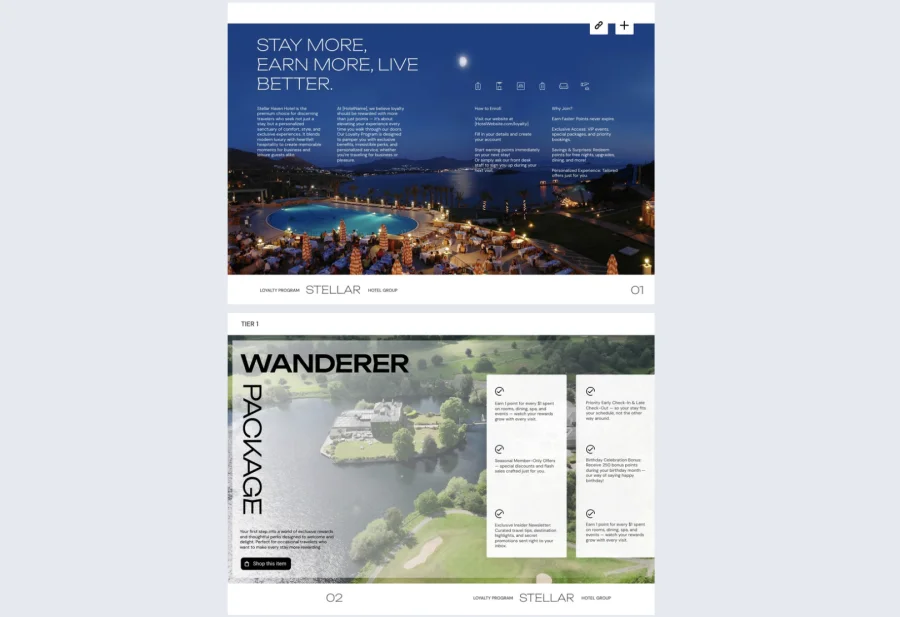
Whether distributed via email or at check-in, this template helps drive enrollment and guest retention. And with Flipsnack’s analytics, marketing teams can see which benefits spark the most engagement and optimize messaging accordingly.
Hotel seasonal offer brochure
Seasonal promotions deserve standout presentation, and that’s exactly what this hotel brochure delivers. Designed for hotel marketing teams, concierge staff, and front desk agents, the Hotel Seasonal Offer Brochure template helps turn limited-time deals into high-converting experiences. This interactive format is perfect for showcasing themed packages, holiday getaways, or off-peak specials.
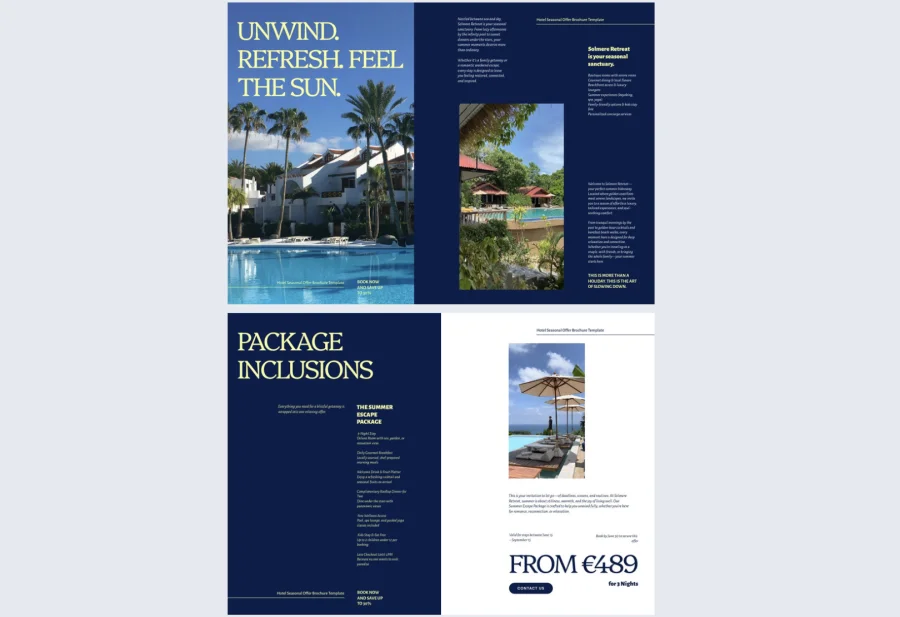
Even better, Flipsnack’s AI-powered translation tool ensures your seasonal offer brochure is accessible in multiple languages, an essential feature for international travelers. This digital format can be embedded in QR codes, emailed to potential guests, or displayed on in-room tablets, making it easy to promote timely offers and upsell experiences from the moment guests check in.
Event brochure templates
Event brochures promote conferences, trade shows, concerts, or special occasions by providing essential details and generating excitement. They serve as both promotional materials and reference guides for attendees.
Key elements to include: Event schedule, speaker or performer bios, venue information, ticket pricing, sponsors, registration details
Design considerations: Eye-catching visuals that reflect event theme, scannable schedules, clear hierarchy for time-sensitive information, branded elements
Digital hotel wedding brochure template
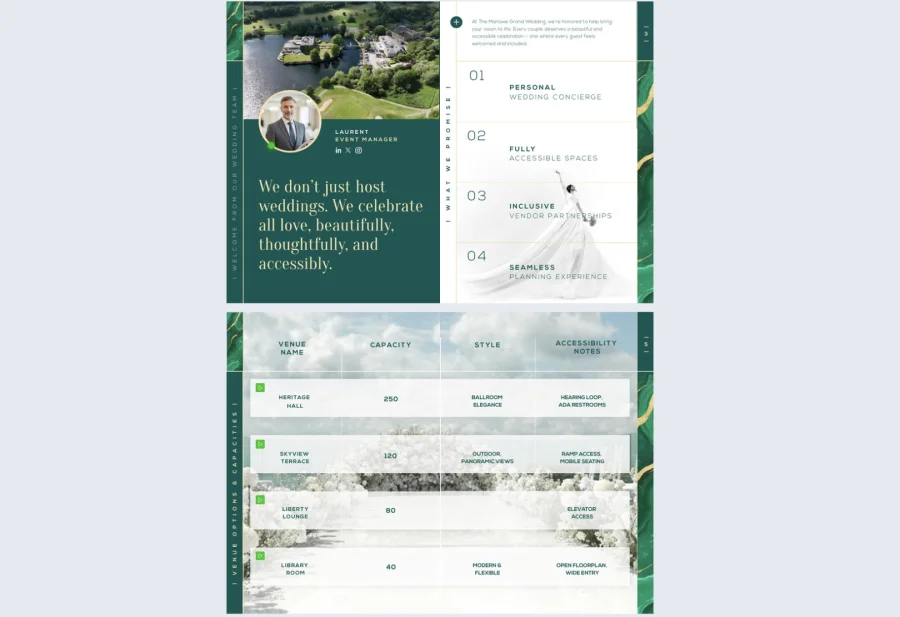
Help couples envision their dream wedding day with this elegant brochure showcasing your venue’s romantic potential and comprehensive wedding services. The refined layout features space for stunning ceremony and reception photos, detailed package information, catering options, and accommodation details for guests.
Sophisticated design elements create an upscale feel while maintaining clarity for important logistics like capacity, pricing, and booking procedures. For many couples, the way information is presented plays a key role in narrowing down venue options. Research shows that around 60% of couples prefer wedding brochures that are easy to read when evaluating venues and packages. This means clarity is not just a design choice but a conversion factor in the decision process.
A well-structured digital brochure can quietly influence whether a venue makes the shortlist or gets skipped. Perfect for hotels, resorts, and event venues looking to attract wedding clients with polished, professional marketing materials that reflect the quality of their special day experience.
Professional brochure event template
Promote your event with confidence using this polished brochure that balances essential logistics with visual appeal. The structured layout provides clear sections for event schedules, speaker or performer information, venue details, and registration instructions—ensuring attendees have everything they need at their fingertips. Ideal for conferences, trade shows, corporate events, and professional gatherings where clear communication and organized presentation reflect your event’s quality and professionalism.
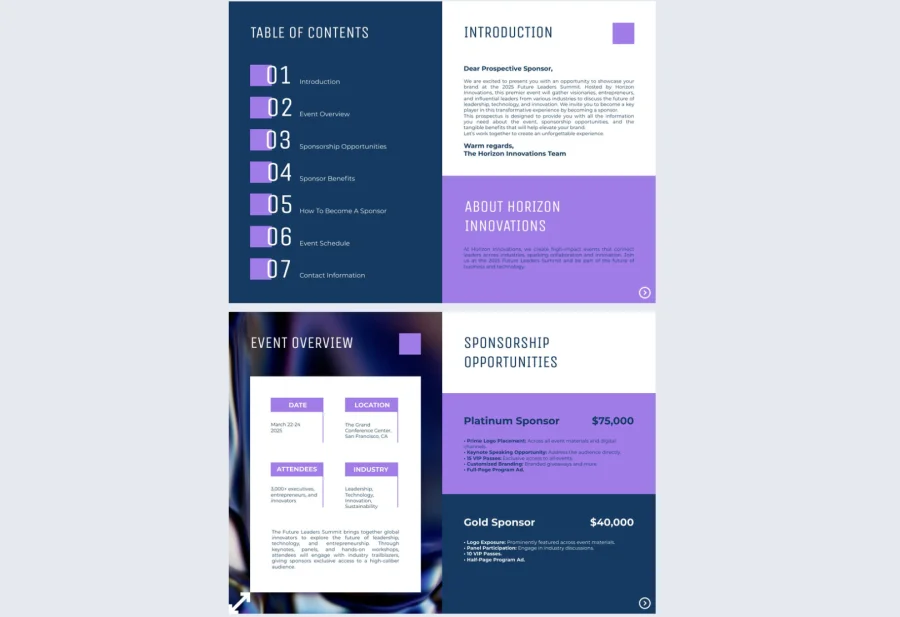
Gate fold conference brochure template
Make your conference stand out with this premium gate-fold format that unveils your event’s full scope dramatically. The opening reveal is perfect for showcasing keynote speakers, comprehensive schedules, or expansive venue layouts. Outer panels highlight key details while the center spread delivers maximum visual impact. Ideal for major conferences, summits, and industry events where presentation quality matches the caliber of your programming.
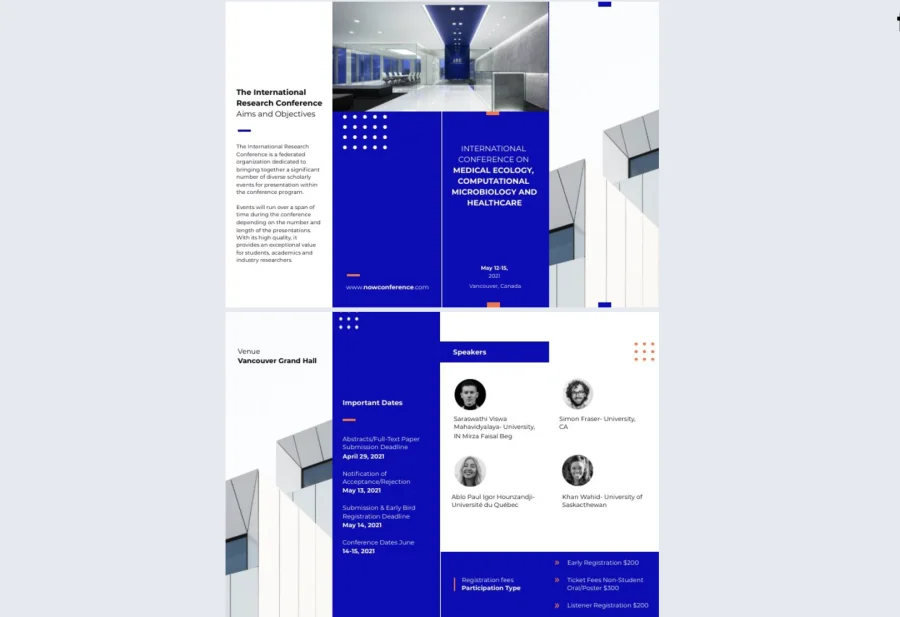
Educational brochures
Educational brochures promote schools, universities, training programs, or courses by highlighting academic excellence, facilities, student life, and outcomes. They help prospective students and parents make informed enrollment decisions.
Key elements to include: Program offerings, faculty credentials, campus facilities, student testimonials, admissions requirements, tuition and financial aid information
Design considerations: Professional yet approachable design, diverse student representation, clear program pathways, organized information architecture
Online Graduate University Brochure Template
Attract prospective graduate students with this sophisticated brochure that highlights your advanced programs and academic excellence. The professional layout features sections for program details, faculty credentials, research opportunities, and career outcomes. Clean design conveys the prestige of graduate education while keeping complex information accessible. Perfect for universities and colleges marketing master’s and doctoral programs to discerning candidates.
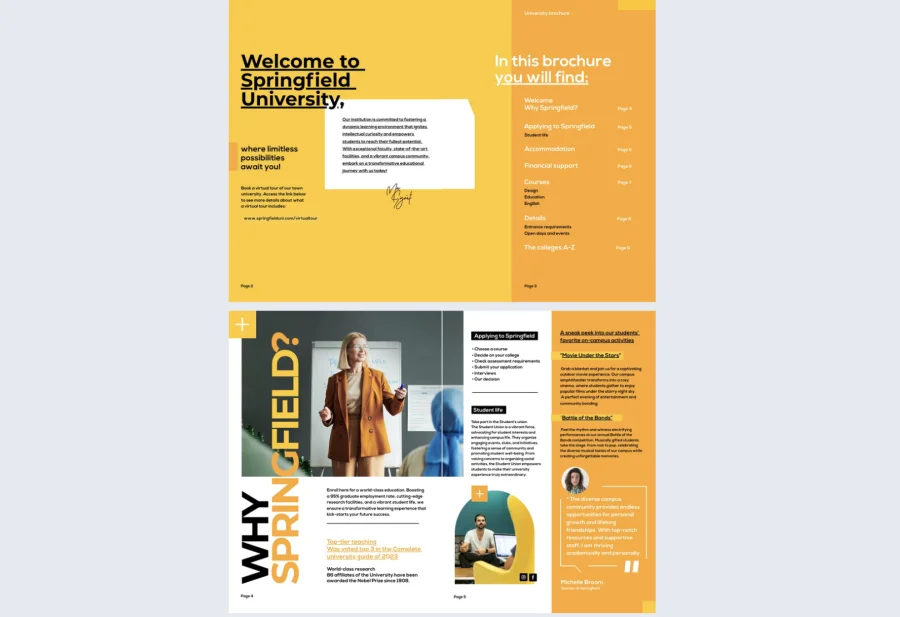

Interactive Campus Recruitment Brochure Template
Draw prospective students with this engaging brochure that brings your campus experience to life. The inviting layout showcases student life, academic programs, facilities, and campus culture through vibrant imagery and organized content sections. Modern design appeals to today’s students while clearly communicating what makes your institution unique. Ideal for colleges and universities looking to stand out during recruitment season and enrollment periods.
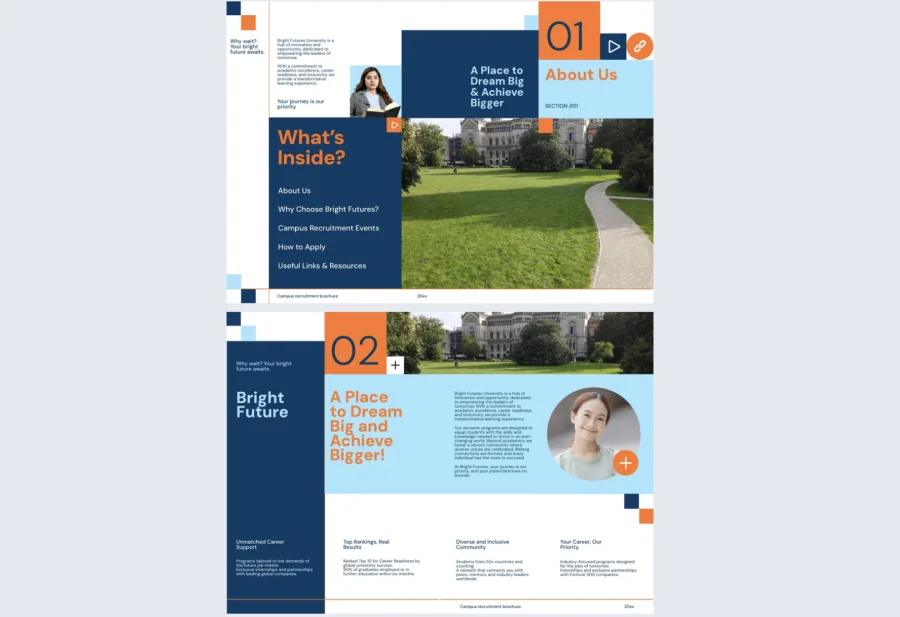
Simple primary school brochure template
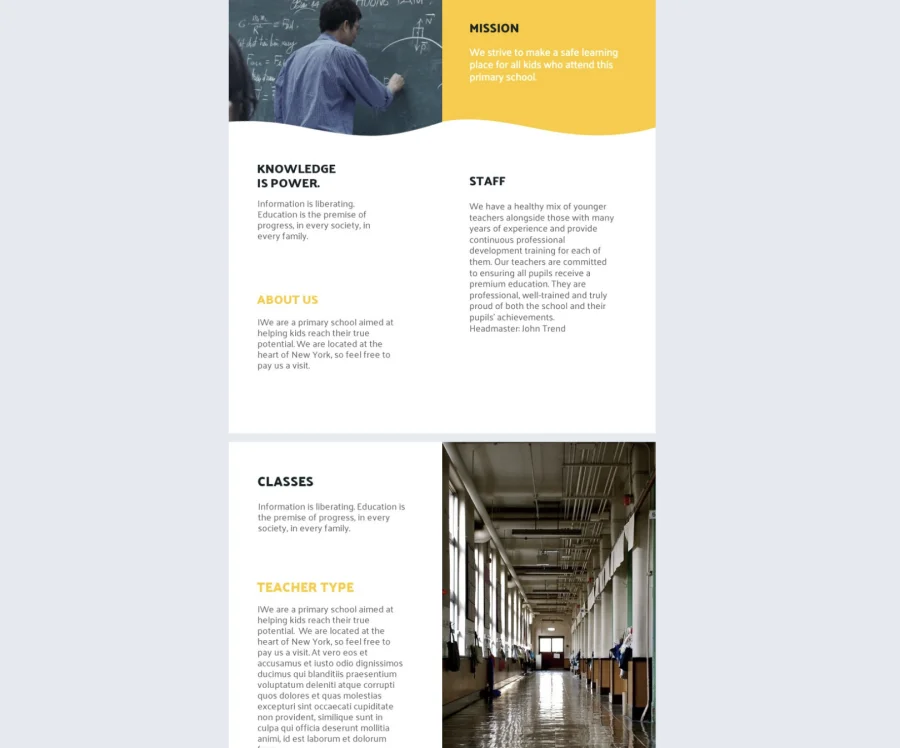
Welcome families with this friendly, approachable brochure designed for elementary education. The clear layout presents curriculum highlights, extracurricular activities, faculty information, and enrollment details in an easy-to-navigate format. Warm, inviting design creates a welcoming feel that resonates with parents. Perfect for primary schools, elementary programs, and early education centers seeking to communicate their nurturing learning environment effectively.
Digital brochure design best practices
Good design is what separates a brochure people read from one they close after two seconds. These five principles make the biggest practical difference.
1. Use the 60-30-10 color rule. 60% of your design should use a dominant neutral color, 30% your primary brand color, and 10% an accent for calls-to-action and key elements. This creates visual balance without requiring a design background to execute well.
2. Make your typography hierarchy obvious. Readers should instantly distinguish headlines from subheadings from body text without thinking about it. Use at least a 4-6 point size difference between levels and stick to two font families maximum — one for headlines, one for body text.
3. Design for the F-pattern. Eye-tracking research shows readers scan digital content across the top, down the left side, then across again. Put your most important content and calls-to-action along this path — not buried in the bottom right corner where almost nobody looks.
4. Optimize images for screens, not print. 72-150 DPI is sufficient for digital viewing. Keep individual image files under 500KB to avoid slow load times. Use JPEG for photos and PNG for graphics with text or transparent backgrounds.
5. Design mobile-first. Over 60% of digital brochures are viewed on mobile. Use a minimum 14pt body font size, make buttons at least 44×44 pixels, and test on an actual phone before publishing. If anything requires pinch-zooming to read, it needs fixing.
Interactive features for digital brochures
The true power of digital brochures lies in their interactivity. These features transform static content into engaging experiences that capture attention, provide value, and drive measurable actions. Here’s how to use each interactive element effectively.
1. Embedded videos
Videos bring your content to life by showing rather than telling. A 30-second product demonstration can communicate more than paragraphs of text, while maintaining viewer attention. Videos keep readers engaged longer and help explain complex products or services visually.
Best uses: Product demonstrations, customer testimonials, behind-the-scenes factory tours, CEO welcome messages, tutorial content
Common mistake to avoid: Auto-playing videos. Let readers choose when to watch. Auto-play annoys users, drains mobile data, and often causes readers to immediately close your brochure.
2. Clickable buttons and links
Buttons turn interest into action by providing clear next steps. Unlike print brochures where readers must remember to visit your website later, digital buttons enable immediate response while motivation is highest.
Best uses: “Request a quote,” “Schedule a demo,” “Download price list,” “Get directions,” “Visit product page,” “Contact sales”
Common mistake to avoid: Using vague button copy like “Click Here” or “Learn More.” Action-oriented copy that tells users exactly what happens—”Download Free Guide” or “Get Your Quote”—converts significantly better.
3. Photo slideshows and galleries
Slideshows let readers explore multiple images without cluttering your layout. They’re essential for products that need to be shown from various angles or in different contexts, giving viewers control over what they examine closely.
Best uses: Product variants (colors, sizes, styles), before/after comparisons, portfolio showcases, property listings with multiple rooms, event photo collections
Common mistake to avoid: Adding too many images without clear navigation. If users must click through 30+ images sequentially to find what they want, they’ll give up. Keep slideshows focused with 5-10 high-quality images maximum.
4. Embedded contact forms
Forms capture leads directly within your brochure, eliminating the friction of redirecting readers to external websites. The fewer steps between interest and conversion, the higher your response rate.
Best uses: Demo requests, quote inquiries, event registrations, consultation bookings, newsletter signups, downloadable resource requests
Common mistake to avoid: Asking for too much information upfront. Every additional field decreases completion rates by roughly 10%. Keep forms to 3-5 essential fields and gather additional details later in the sales process.
5. Product tags and hotspots
Product tags let you make images shoppable by adding clickable hotspots that reveal product details, prices, or purchase links. This turns your brochure into an interactive catalog where readers can explore items at their own pace.
Best uses: Fashion lookbooks, furniture catalogs, retail product showcases, equipment brochures, menu items with detailed descriptions
Common mistake to avoid: Overloading images with too many tags. If an image has 15+ hotspots, it becomes cluttered and overwhelming. Focus on highlighting 3-5 key products per image for maximum impact.
How to create a digital brochure with Flipsnack
Creating a professional digital brochure with Flipsnack is straightforward, whether you’re starting from scratch or working with existing content. Here’s how to go from concept to published brochure.
Step 1: Choose your starting point
Flipsnack offers three ways to begin your brochure:
- Templates: Browse pre-designed layouts by industry or use case. Perfect when you need professional results quickly and prefer working with established formats.
- PDF upload: Convert existing designs from InDesign, Canva, or PowerPoint into interactive digital brochures while preserving your original layout.
- Design Studio: Build completely custom layouts from scratch when you need unique branding or specialized formats.
Select the approach that matches your timeline, design skills, and content readiness.
Step 2: Customize your design
Open your chosen template in Flipsnack’s Design Studio and replace placeholder content with your own. Upload your logo, apply your brand colors, swap in your photography, and adjust fonts to match your visual identity. Everything is drag-and-drop, so no design experience is required.
If you’re working with a PDF upload, you can make text edits and design adjustments directly within Flipsnack without returning to your original file.
Step 3: Add interactive elements
This is where your brochure transforms from static content into an engaging experience. Click the “Add” menu to access interactive features:
- Videos: Upload files or embed YouTube/Vimeo links for product demos, testimonials, or company overviews
- Buttons and links: Create clickable CTAs like “Request a Quote” or “Schedule a Demo” that link to external websites, email addresses, or specific pages
- Forms: Embed contact forms to capture leads directly with customized fields for your business needs
- Product tags: Make catalog images shoppable by adding clickable hotspots with product information and pricing
- Photo slideshows: Convert multiple related images into interactive galleries readers can browse
Step 4: Configure privacy and sharing settings
Before publishing, configure your brochure settings to control access and discoverability. Add a descriptive title and meta description for SEO purposes—this helps people find your brochure through search engines.
Set privacy controls based on who should access your brochure:
- Public: Anyone with the link can view and share
- Private: Password-protected access for sensitive content
- Unlisted: Hidden from search engines but accessible via direct link
Enable or disable download options depending on whether you want readers to save PDF copies. Lead generation brochures might require form submission before download, while promotional materials benefit from easy sharing. Don’t forget to enable analytics tracking to monitor reader engagement and behavior.
Step 5: Publish and distribute
Once published, Flipsnack generates a unique URL you can share via email, social media, or messaging. Embed the brochure directly on your website using the embed code, generate a QR code for print materials or trade show displays, or distribute via Flipsnack’s email sharing feature. Choose the channels where your audience is most active.
Step 6: Monitor performance and iterate
After distribution, check your analytics dashboard regularly to understand reader behavior. Review metrics like total views, average reading time, page engagement, and click-through rates on interactive elements.
Use this data to improve future versions:
- If certain pages have low engagement, restructure content or add more visual interest
- If CTAs receive few clicks, test different button copy, colors, or placement
- If readers drop off early, consider moving your most compelling content forward
Digital brochures have a major advantage over print—you can update them anytime. If pricing changes, new products launch, or you spot a typo, make edits and republish. The same URL stays active, so everyone who has your link automatically sees the updated version.
Ready to design your digital brochure?
Digital brochures have transformed how businesses communicate with their audiences. What once required printing costs, physical distribution, and guesswork about effectiveness now offers instant sharing, real-time updates, and measurable engagement—all while providing richer, more interactive experiences than print ever could.
Whether you’re showcasing products, promoting services, attracting students, or sharing your company story, digital brochures give you the flexibility to reach audiences wherever they are. The templates, formats, and interactive features we’ve covered provide everything you need to create professional brochures that inform, engage, and convert.
The best part? You don’t need design expertise or a large budget to get started. Choose a template that fits your industry, customize it with your content, add interactive elements that encourage action, and publish. Then use analytics to understand what works and continuously improve your approach.
Frequently asked questions
A standard PDF is a static document that readers scroll through or download. A digital brochure is an interactive publication with page-turning effects, embedded videos, clickable buttons, forms, and analytics tracking. PDFs are essentially digital copies of print materials, while digital brochures are designed specifically for online engagement with features that enhance the reading experience and provide measurable results.
The most common sizes are Letter (8.5 x 11 inches) for US business brochures, A4 (210 x 297 mm) for international standard, and Square format (8 x 8 or 10 x 10 inches) for catalogs and lookbooks. Unlike print, you don’t need 300 DPI resolution—72-150 DPI is sufficient for screens and keeps file sizes manageable for fast loading.
Yes. Export your original design file as a PDF and upload it to a digital publishing platform like Flipsnack. If you only have printed copies, scan them at high resolution (300 DPI minimum), save as PDF, and upload. After conversion, you can add interactive elements like links, videos, and forms on top of your existing design.
Canva excels at graphic design and creating beautiful static brochure layouts, but outputs primarily static PDFs. Flipsnack is built specifically for interactive digital publishing with page-turning effects, embedded videos, product tags, forms, and analytics tracking. Many businesses use both—design in Canva, then upload to Flipsnack to add interactivity and engagement features.
Yes, platforms like Flipsnack offer free template libraries across various industries. Free plans typically include basic features like template access, page-turning effects, and public sharing, but have limitations like branding watermarks, restricted publications, and limited analytics. Paid plans remove these restrictions and unlock advanced capabilities like password protection, custom domains, and detailed engagement tracking.