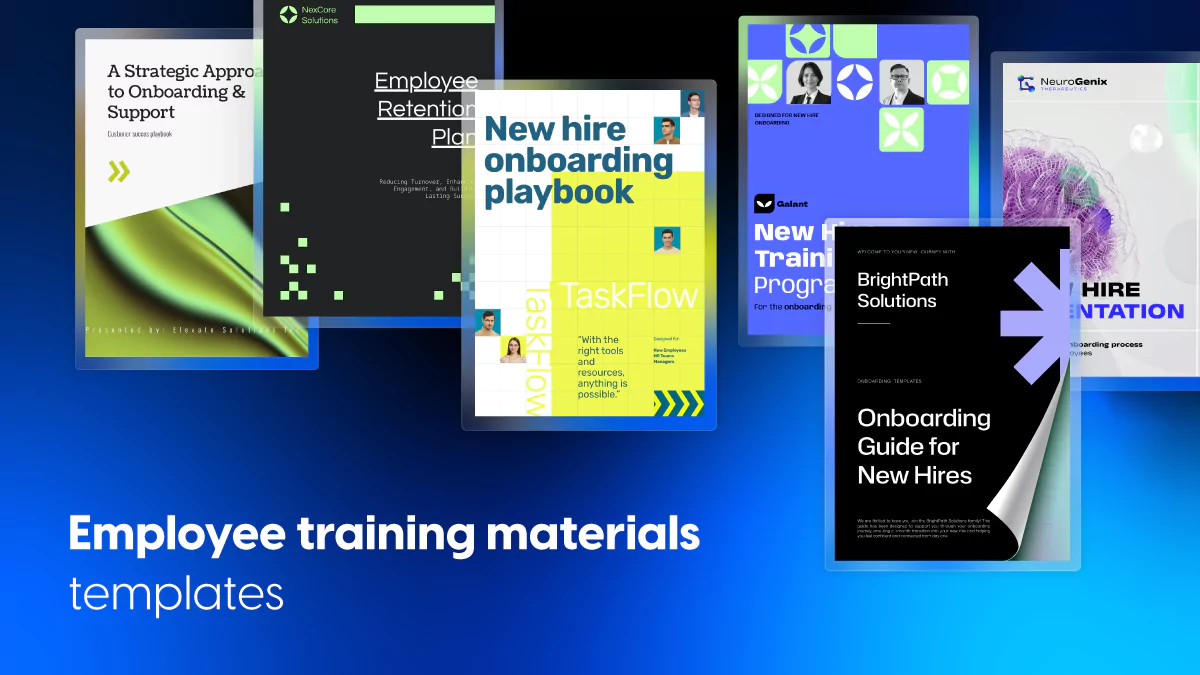
Employee Training Materials Templates to Elevate Your Training Program
Published on: April 1, 2025
Last updated: April 20, 2026
What are employee training materials?
Employee training materials are the documents, guides, and resources organizations use to transfer knowledge, build skills, and set expectations across their teams. They cover everything from new hire onboarding and compliance training to sales enablement and long-term professional development — giving employees a clear, structured path from their first day to full productivity.
Unlike informal knowledge sharing, well-designed training materials are consistent, repeatable, and measurable. They ensure every employee gets the same quality of information regardless of who trained them or when they joined.
Table of contents
- What are employee training materials?
- Find how to build training materials that actually get used
- Quick comparison: Choose your ideal training template
- The ultimate employee training toolkit: templates that save time & elevate impact
- 1. Employee Training Needs Assessment Template
- 2. Sales Training Plan Template
- 3. Interactive New Hire Training Plan Template
- 4. New Staff Training Plan Template
- 5. New Hire Training Program Template
- 6. Professional Online Training Guide Template
- 7. New Employee Training Program Template
- 8. New Employee Training Plan Template
- 9. Professional Training Guide Template
- 10. Professional Training Document Example
- 11. Employee Training Manual Template
- 12. Employee Training Manual Guide Template
- How to build a professional staff training plan with Flipsnack
- Why Flipsnack is the smartest way to deliver staff training
- Frequently asked questions
Find how to build training materials that actually get used
According to Gallup, companies that invest in structured employee training see an average of 11% higher profitability. And we, at Flipsnack, can confirm that with our own data. Yet most teams are still building training programs on a foundation of scattered PDFs, outdated slide decks, and documents nobody can find when they need them.
The difference between training materials that drive results and ones that collect dust comes down to structure, accessibility, and whether they can be updated without starting from scratch. In this guide, you’ll find 12 professionally designed training templates covering everything from needs assessments and onboarding plans to full training manuals, each fully customizable in Flipsnack.
Quick comparison: Choose your ideal training template
| Template name | Best for | Main focus | Key benefits |
|---|---|---|---|
| Training Needs Assessment | L&D and HR teams planning training programs | Skill gap identification, learning objectives | Structured prompts; segmentable by department or role; analytics integration |
| Sales Training Plan | Sales managers and enablement teams | Product knowledge, sales methodology, objection handling | Modular format; supports embedded pitch recordings; ideal for distributed teams |
| Interactive New Hire Training Plan | HR and onboarding teams in remote or hybrid orgs | Role-specific onboarding, culture, first-week goals | Clickable checklists; embedded videos; measurable completion tracking |
| New Staff Training Plan | HR teams onboarding multiple hires across departments | Daily agendas, learning checkpoints, orientation goals | Scalable structure; real-time updates; version controlled |
| New Hire Training Program | Companies formalizing onboarding at scale | Team objectives, tools, core responsibilities | Flexible for cohorts or individuals; supports videos and org charts |
| Professional Online Training Guide | Remote and hybrid teams, compliance and technical training | Self-paced learning, chapter breakdowns, key takeaways | Interactive menus; progress indicators; works across learning formats |
| New Employee Training Program | Organizations onboarding across departments or regions | Training timelines, checkpoints, HR policies | Adaptable to role or region; real-time updates; engagement analytics |
| New Employee Training Plan | Growing companies building repeatable onboarding | Day-by-day or week-by-week structure, learning goals | Minimalist design; fast to duplicate; tracks engagement per version |
| Professional Training Guide | Leadership programs, certification tracks, upskilling | Program objectives, module breakdowns, assessments | Fully brandable; supports external learning platforms; narrative-driven flow |
| Professional Training Document | Compliance, operational standards, procedural documentation | Process documentation, role-specific guidelines | Clean headers; visual diagrams; automatic version control |
| Employee Training Manual | Teams relying on standardized processes | Workflows, SOPs, procedural documentation | Supports embedded SOPs and tutorial videos; evolves with process changes |
| Employee Training Manual Guide | Global or multi-department organizations | End-to-end training, role-specific guidelines, FAQs | Single source of truth; easy to localize; built-in analytics |
The ultimate employee training toolkit: templates that save time & elevate impact
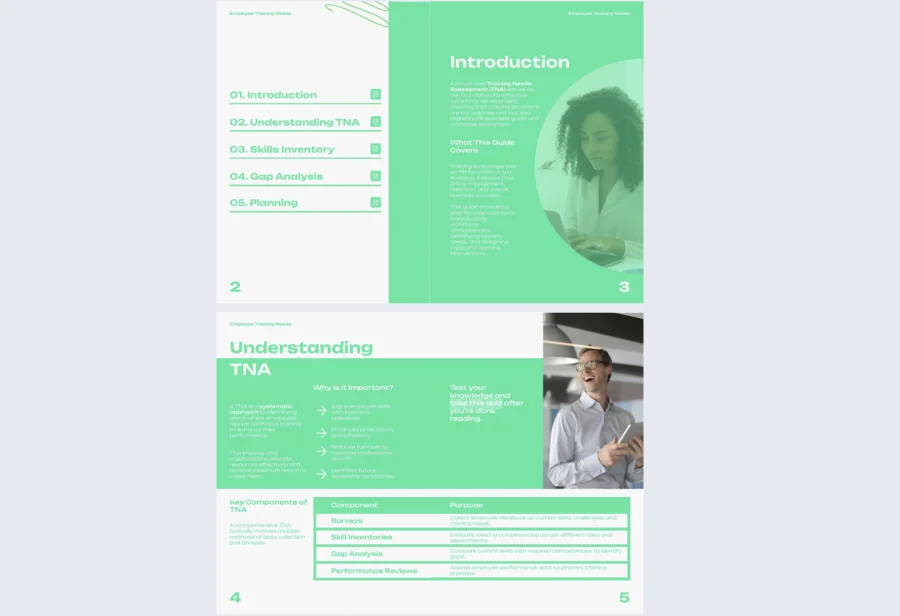
1. Employee Training Needs Assessment Template
Before building any training program, you need to know where the gaps actually are. This employee training needs assessment template gives managers a structured way to identify skill gaps by department, seniority level, or training category, without relying on guesswork or spreadsheets that go stale.
Best for: L&D and HR teams at any size organization that need a consistent framework for evaluating training needs before committing resources to building a program.
Real-world application: One of the latest Flipsnack customers is an L&D lead at a 250-person company who used this template to run a training needs assessment across four departments simultaneously. Sharing it as a private flipbook with department heads and collecting responses through an embedded form gave the team a consolidated picture of skill gaps in under a week, replacing a process that had previously taken a month of back-and-forth emails.
Add interactive forms to collect input directly inside the document, segment sections by team or role, and use Flipsnack’s analytics to see who has engaged with the assessment and where additional prompting is needed.
Common mistake to avoid: Don’t build a training program before completing the assessment. Starting with content before understanding the actual gaps leads to materials that feel generic and miss what teams genuinely need.

2. Sales Training Plan Template
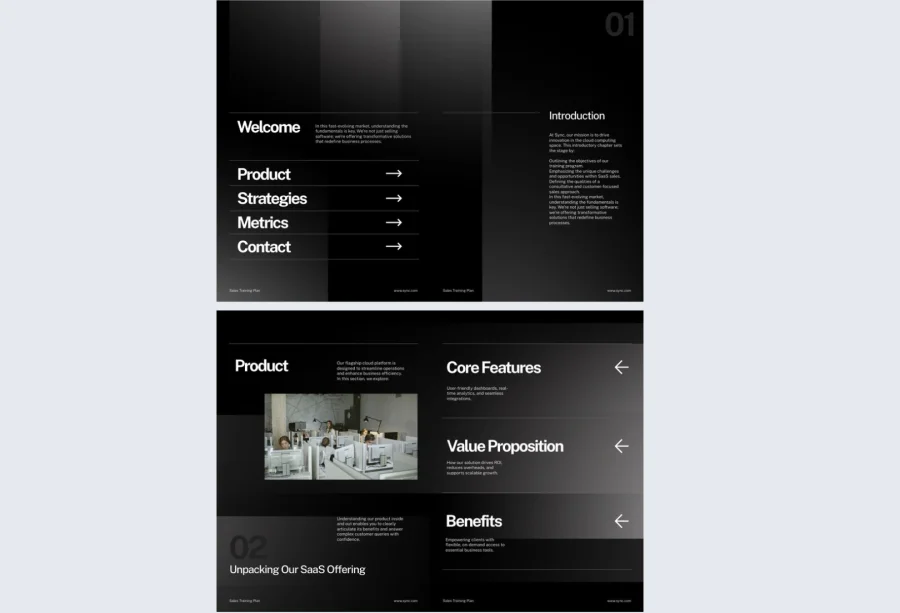
Sales teams need clarity, structure, and easy access to the right information at the right moment. This sales training plan template covers product knowledge, sales methodology, CRM workflows, and objection handling in a clean, modular layout that works for new reps and experienced ones being upskilled.
Best for: Sales managers and enablement teams at B2B companies that need one central training resource reps will actually return to before big meetings, not just read once during onboarding.
Real-world application: One of the latest Flipsnack customers is a sales enablement manager at a 80-person SaaS company who used this template to consolidate training materials that had previously lived across four different tools. Ramp time for new reps shortened by three weeks, and the team used engagement data to identify that the objection handling section had the highest repeat view rate, prompting a dedicated live session on that topic.
Embed pitch recordings, product demo videos, and call scripts directly inside the document. Use Flipsnack’s privacy options to share securely with distributed teams while keeping sensitive methodology details internal.
Common mistake to avoid: Don’t build the sales training plan in isolation. Involve your top performers in defining what goes in it. Materials built without their input tend to reflect theory rather than what actually closes deals.
3. Interactive New Hire Training Plan Template
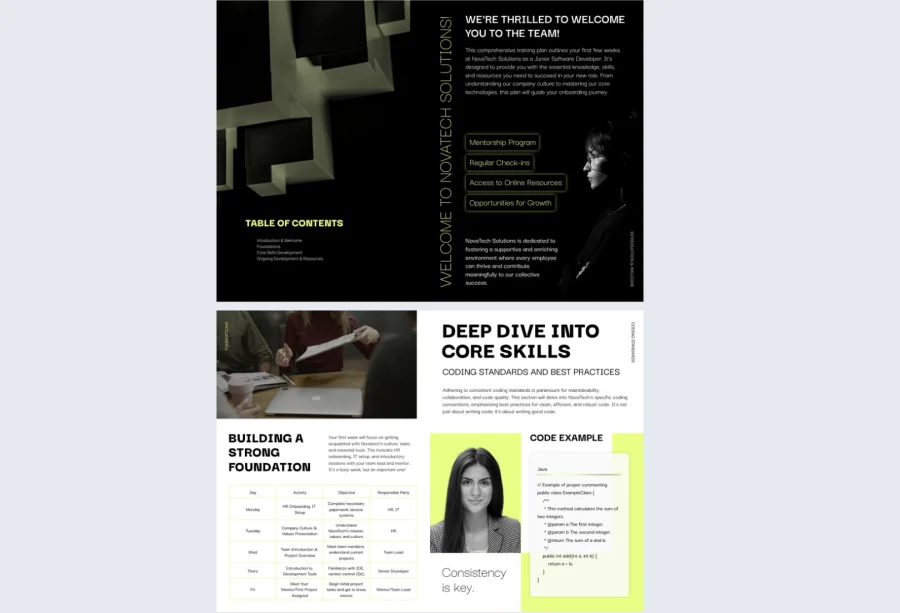
The first few weeks in a new role shape everything that follows. This interactive new hire training plan template turns static orientation content into a dynamic experience with clickable checklists, embedded videos, and editable modules that new hires can navigate at their own pace.
Best for: HR and onboarding teams at remote or hybrid organizations where new hires need a self-sufficient training resource that guides them through their first weeks without constant manager intervention.
Real-world application: One of the latest Flipsnack customers is an HR team at a fully remote company that used this template to replace a PDF and a series of Slack messages that had been serving as their onboarding process. New hires reported feeling significantly more prepared on day one, and the HR team could track completion progress without scheduling check-in calls for every new joiner.
Customize sections for specific roles or departments, embed welcome videos from team leads, and use Flipsnack’s engagement interactions to add knowledge check quizzes directly inside the document.
Common mistake to avoid: Don’t make the training plan so comprehensive that it overwhelms. Structure it in phases — what a new hire needs in week one is very different from what they need in week four. Build progression into the format.
4. New Staff Training Plan Template
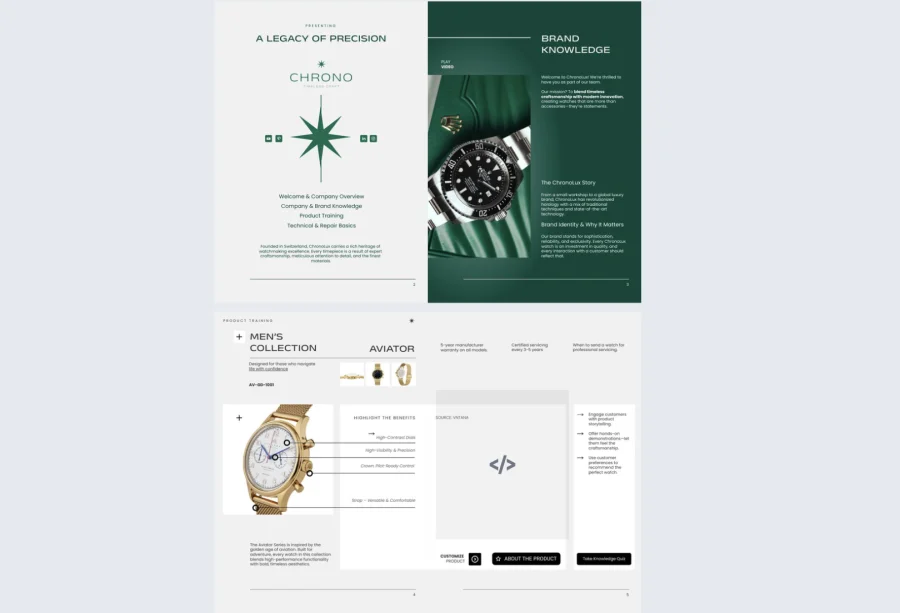
When multiple people join at once across different teams, consistency becomes the hardest thing to maintain. This new staff training plan template gives HR teams a scalable framework with pre-filled sections for daily agendas, learning checkpoints, and orientation goals that can be adapted quickly for each cohort.
Best for: HR teams managing batch hiring across departments who need a repeatable structure they can duplicate and adjust without rebuilding from scratch for every new group.
Real-world application: One of the latest Flipsnack customers is an HR coordinator at a retail company that onboards 20 to 30 staff every quarter who used this template to standardize their process across three store locations. Having one approved format that managers could localize independently reduced the coordination burden on the central HR team significantly.
Add department-specific expectations, embed team intro videos, and update the document in real time so every version reflects current information. Flipsnack’s collaboration tools let multiple managers contribute their sections without disrupting the overall structure.
Common mistake to avoid: Don’t create a separate template for every single department. Build one strong master version and use it as the base for all variations, keeping the structure consistent and only adapting the content that genuinely differs.
5. New Hire Training Program Template
A training program is broader than a plan — it defines the full arc of a new hire’s development from orientation through to independent contribution. This new hire training program template gives organizations a structured foundation for building scalable onboarding without reinventing the format for every role.
Best for: Companies formalizing their onboarding process for the first time, or those looking to replace a patchwork of separate documents with one cohesive program structure.
Real-world application: One of the latest Flipsnack customers is a people operations team at a 120-person tech company that used this template to build their first formal onboarding program. Consolidating team objectives, tool introductions, and core responsibilities into one interactive document reduced the number of onboarding-related questions new hires directed to their managers in the first two weeks.
Add welcome videos, link to policy documents, and embed org charts to give new hires full context from day one. Because updates go live instantly, HR never has to worry about someone following an outdated version of the program.
Common mistake to avoid: Don’t confuse breadth with effectiveness. A training program that tries to cover everything at once leaves new hires overwhelmed. Prioritize what matters most in the first 30 days and build depth into later stages.
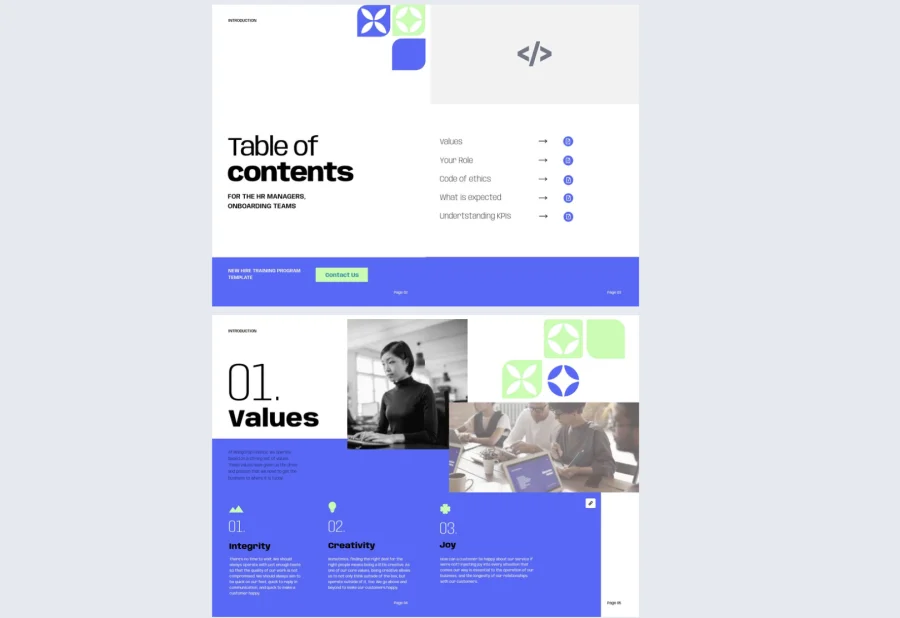
6. Professional Online Training Guide Template
Self-paced learning only works when the material is structured well enough to stand alone. This professional online training guide template is built for exactly that, offering a logical flow through chapter breakdowns, key takeaways, and embedded course materials for remote, hybrid, or async training programs.
Best for: L&D teams delivering compliance modules, technical onboarding, or professional development content to distributed teams who need a polished, self-sufficient resource.
Real-world application: One of the latest Flipsnack customers is a training manager at a professional services firm that used this template to deliver a compliance program to 180 employees across four countries. Tracking completion through Flipsnack’s statistics gave the team their first clear view of who had actually finished the program and where people were dropping off, replacing a manual sign-off process that had been unreliable.
Use interactive navigation menus, embed external learning platform links, and add progress indicators to help learners orient themselves within longer content.
Common mistake to avoid: Don’t present self-paced content in long unbroken sections. Chunk information into short, clearly labeled modules so learners can pause, return, and find their place without losing context.
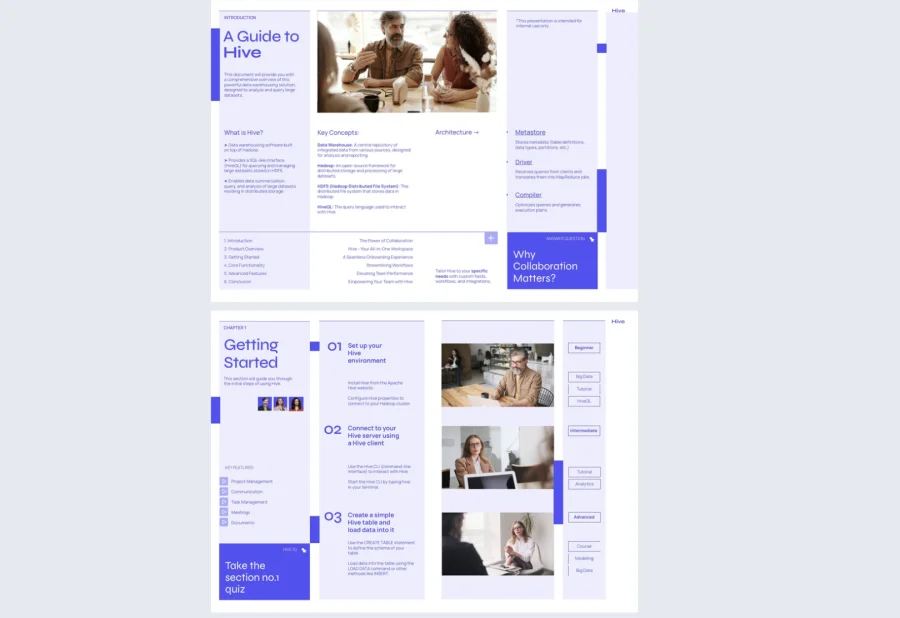
7. New Employee Training Program Template
For organizations onboarding across multiple departments or regions, one of the hardest things to maintain is a consistent experience for every new hire. This new employee training program template provides a flexible core framework that can be adapted for different roles, offices, or cultures without losing its structure.
Best for: Mid-size to large organizations with multiple departments or locations that need a training program format adaptable enough to serve different contexts while remaining consistent in quality.
Real-world application: One of the latest Flipsnack customers is an HR director at a company with offices in five cities who used this template to build a unified onboarding program for the first time. Regional HR leads could adapt content for their location while the core structure stayed consistent, and engagement analytics gave leadership a company-wide view of how onboarding was landing across all sites.
Add timelines, training checkpoints, and team-specific sections without disrupting the overall layout. Use Flipsnack’s branding customization to ensure every regional version looks and feels like the same organization.
Common mistake to avoid: Don’t let regional variations drift so far from the master that new hires in different locations have fundamentally different onboarding experiences. Localize the content, not the structure.
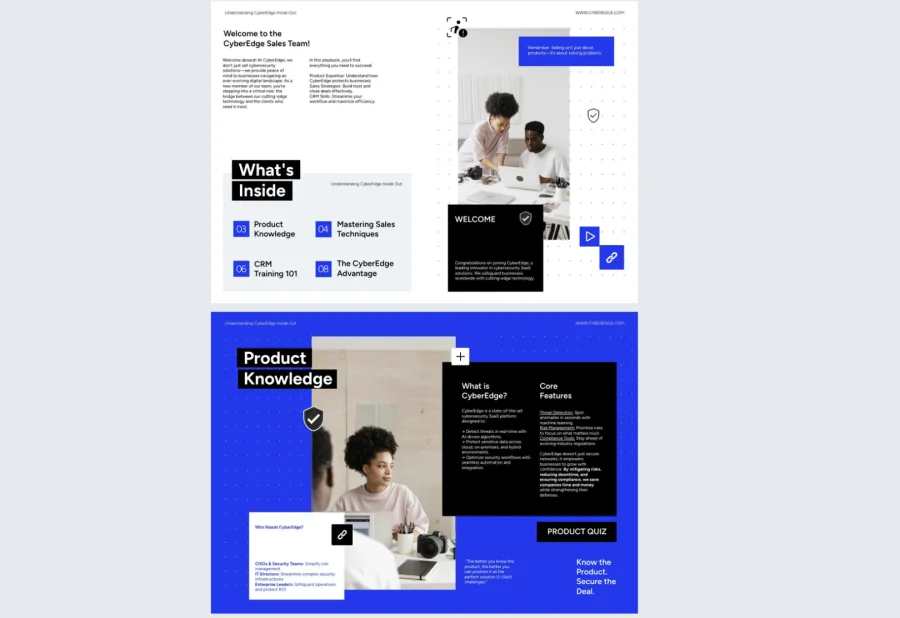
8. New Employee Training Plan Template
A training plan gives both the new hire and their manager a shared map of the first weeks — who does what, when, and to what standard. This new employee training plan template offers a day-by-day or week-by-week layout that keeps both parties aligned without requiring constant check-ins.
Best for: Managers and HR teams at growing companies who need a repeatable plan format they can update quickly as roles evolve and teams scale.
Real-world application: One of the latest Flipsnack customers is a team lead at a 50-person startup who used this template to build training plans for three new hires joining in the same week. Having a structured, shareable document meant each person knew exactly what was expected of them through their first month, and the lead spent significantly less time answering ad hoc questions.
The minimalist design keeps the focus on content rather than formatting. Duplicate the master for each new hire, adjust the role-specific details, and publish instantly so the plan is ready before day one.
Common mistake to avoid: Don’t build the training plan after the new hire starts. It should be ready and shared at least a few days before the start date so both the employee and their manager can review it and align on expectations in advance.
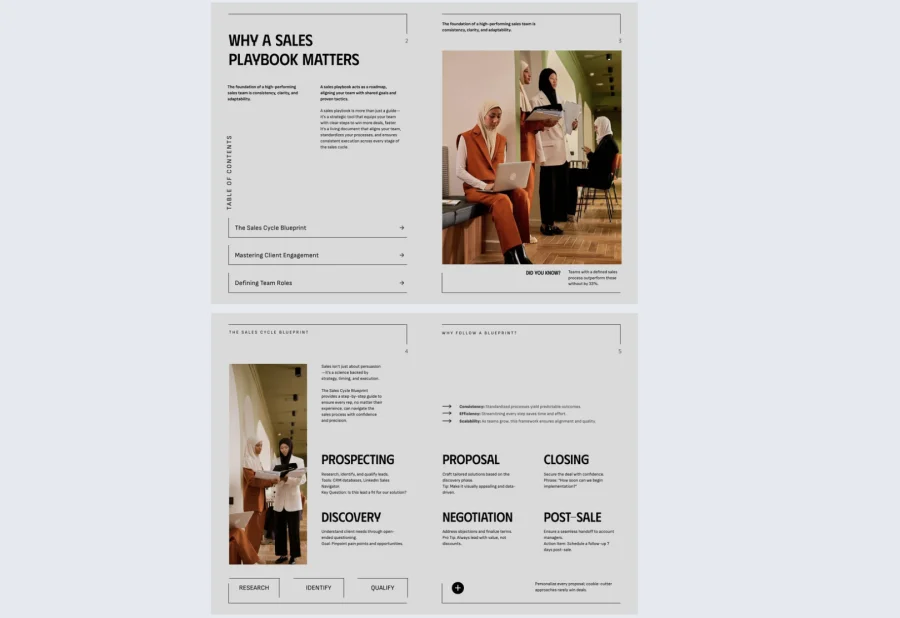
9. Professional Training Guide Template
For leadership development programs, certification tracks, or advanced upskilling, the training document needs to feel as credible as the content it contains. This professional training guide template delivers a publication-quality format with logical flow from program objectives through to module breakdowns, assessments, and follow-up resources.
Best for: L&D teams building structured development programs for mid-senior employees where design quality and narrative coherence are as important as the content itself.
Real-world application: One of the latest Flipsnack customers is a learning team at a financial services company that used this template to build a leadership development guide for a cohort of 25 managers. The polished format gave the program credibility from the start, and embedding external assessment links and feedback forms inside the guide kept the entire experience contained within one document.
Apply your full brand identity, add real-world case studies, and link to external learning platforms directly inside the guide. The design supports both technical and soft skills content without the format feeling mismatched for either.
Common mistake to avoid: Don’t let the production quality become the focus. A beautifully designed training guide that lacks substance or practical application will impress once and disappoint on every return visit.
10. Professional Training Document Example
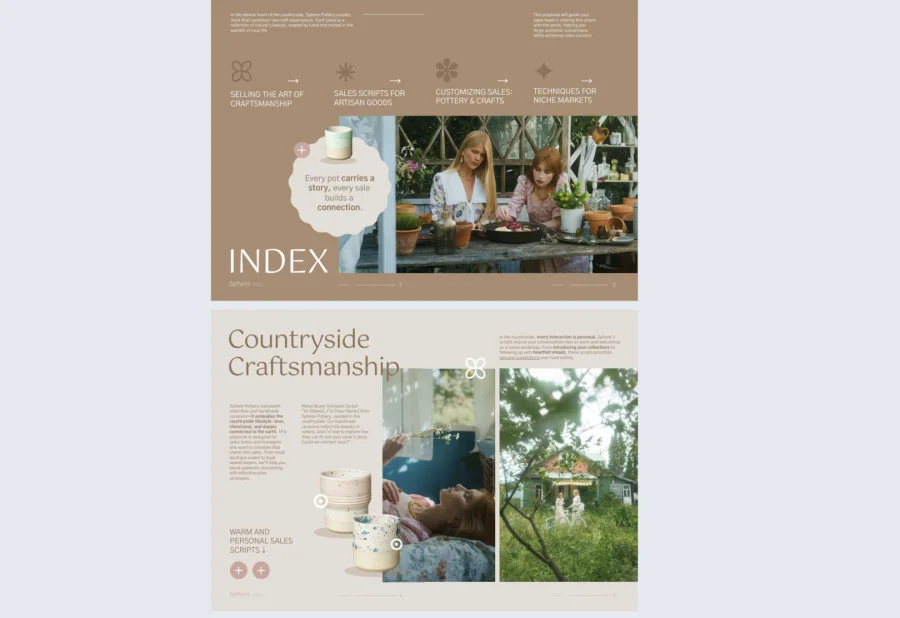
Some training content needs to be formal without being inaccessible. This professional training document template is built for compliance requirements, operational standards, and procedural documentation where clarity and consistency are non-negotiable, but the document still needs to be readable.
Best for: Operations, compliance, and HR teams producing documentation that needs to hold up under audit scrutiny while remaining practical for day-to-day employee reference.
Real-world application: One of the latest Flipsnack customers is a compliance team at a healthcare organization that used this template to standardize their procedural documentation across two sites. Switching from Word documents to a Flipsnack flipbook meant both sites were always working from the same version, and the team could confirm who had accessed the document through Flipsnack’s statistics.
Include visual process diagrams, scenario-based examples, and role-specific guidelines within a consistent structure that makes even technical content approachable.
Common mistake to avoid: Don’t write compliance documentation as if the goal is legal protection rather than employee understanding. If the people following the procedures can’t easily extract what they need to do, the document has failed regardless of how thorough it is.
11. Employee Training Manual Template
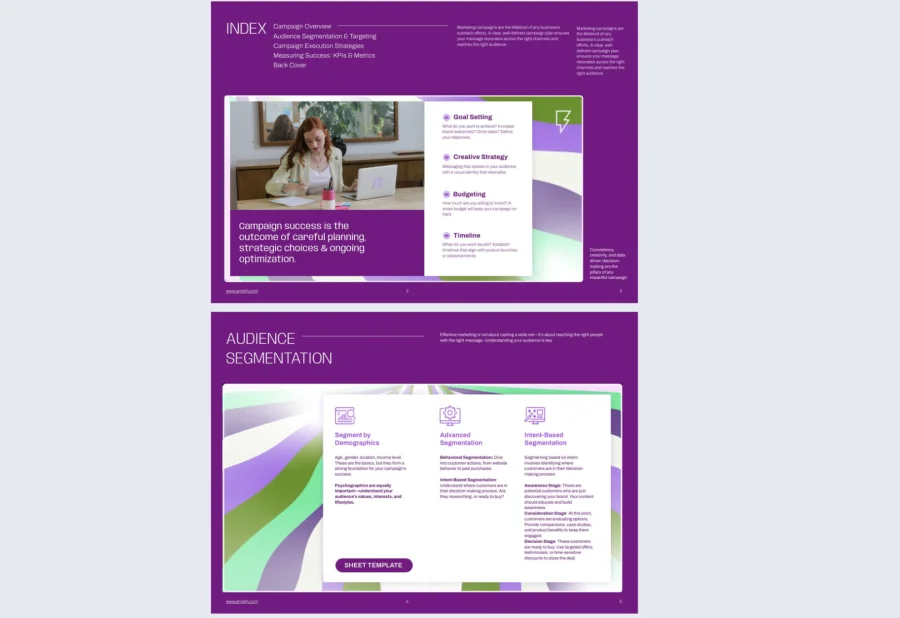
For teams that run on standardized processes, consistency in documentation is what separates a well-run operation from a chaotic one. This employee training manual template gives IT, customer service, operations, and retail teams a clear, replicable format for procedural documentation that works as a learning resource and an ongoing reference tool.
Best for: Teams in process-heavy environments that need training documentation detailed enough for a new hire but practical enough for an experienced employee to use as a quick reference.
Real-world application: One of the latest Flipsnack customers is an operations manager at a customer service team of 60 people who used this template to document 12 core workflows for the first time. New agents reached independent performance benchmarks two weeks faster than the previous cohort, and the team used engagement data to identify which procedures were being revisited most, flagging them for simplification.
Break complex workflows into numbered steps, embed short tutorial videos for visual learners, and link directly to relevant SOPs using Flipsnack’s interactivity features. Updates go live instantly so the manual stays accurate as processes evolve.
Common mistake to avoid: Don’t write procedures from the perspective of someone who already knows how to do them. Every step should be written as if the reader has never encountered the process before, because at some point they will.
12. Employee Training Manual Guide Template
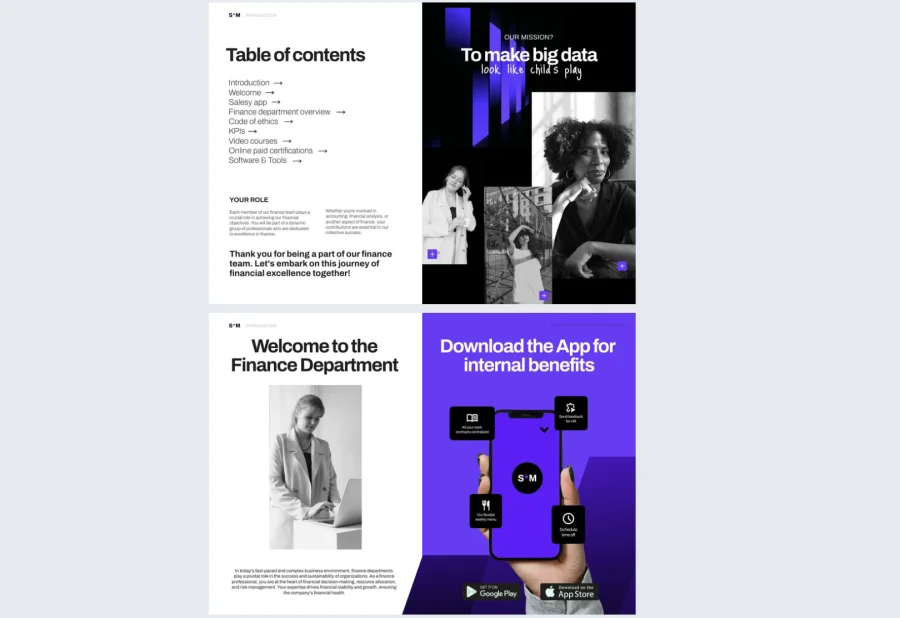
When training documentation needs to work across departments, regions, or languages, the format has to be as flexible as the content is thorough. This employee training manual guide template combines the depth of a full manual with the navigability of a guided learning tool, giving global and multi-department organizations a single source of truth that scales without losing clarity.
Best for: Enterprise organizations and rapidly growing teams that need training documentation adaptable enough to serve different audiences while maintaining consistency across every version.
Real-world application: One of the latest Flipsnack customers is an L&D director at a 500-person company that used this template as the foundation for a company-wide training documentation overhaul across six departments. Having one approved structure that department leads could localize independently reduced the time the central L&D team spent on document production by over 40%.
Include onboarding tasks, role-specific guidelines, FAQs, and performance expectations in one cohesive document. Use Flipsnack’s collaboration features to let contributors from different teams update their sections simultaneously without version conflicts.
Common mistake to avoid: Don’t treat this as a static deliverable. A training manual guide that isn’t regularly reviewed becomes a source of misinformation rather than clarity. Assign ownership, build in review cycles, and use analytics to identify which sections are being accessed most so you know where to prioritize updates.
How to build a professional staff training plan with Flipsnack
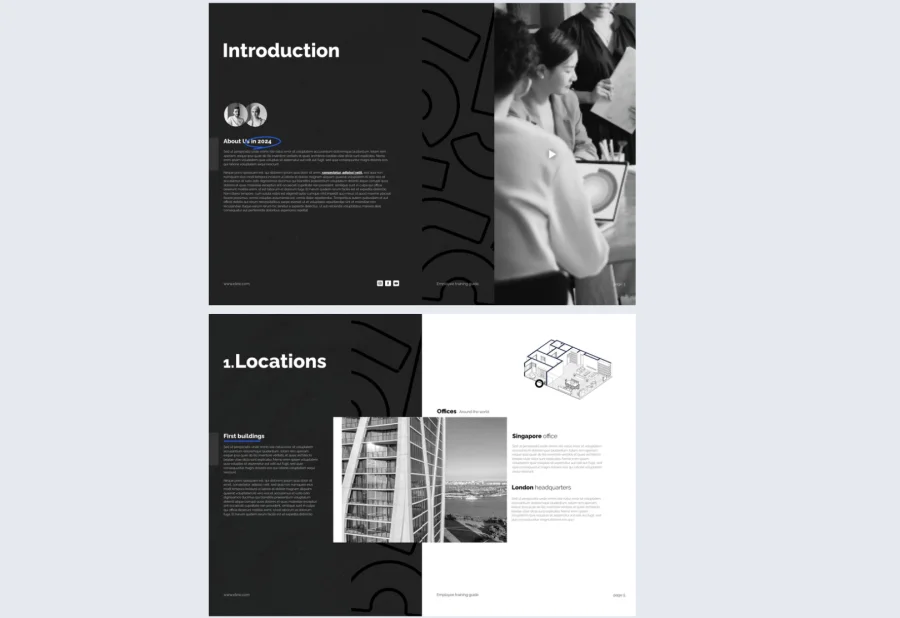
Creating a staff training plan doesn’t need to be complex—it needs to be intentional. With Flipsnack, you can move from scattered notes and clunky docs to a cohesive, interactive training system that adapts as your organization grows.
1. Start with purpose, not paperwork
Before jumping into templates, get clear on what success looks like. Are you onboarding new hires, training for compliance, or building a long-term upskilling path? Define measurable goals—like reduced ramp time, higher completion rates, or better customer outcomes. This clarity will guide not only your content, but how it’s structured and delivered.
2. Choose the right template or upload PDF
Every team’s rhythm is different. Sales needs scenario-based simulations, HR may need policy-heavy guides, and operations teams thrive on process clarity. Browse Flipsnack’s library of training templates to match your learning format—be it checklist-style, chapter-based, or timeline-driven. Templates give you a strong starting point, without forcing you into a one-size-fits-all mold. Alternatively, you can import your existing PDF content and let Flipsnack transform it into an interactive experience.
3. Customize employee training template with intention
Drag and drop your own brand assets, rewrite the copy to match your tone, embed relevant links, videos, or PDFs—Flipsnack’s editor is intuitive yet powerful. Add interactivity wherever learners need to engage: onboarding quizzes, clickable resource links, or feedback forms. The more context you provide, the less support your employees need to seek elsewhere.
4. Publish once, update infinitely
Training evolves. Policies change. Product features expand. With Flipsnack, you never have to resend files or lose track of versions. Publish your training flipbook once, then edit it live as often as necessary. The next time someone opens it—whether it’s via direct link, embedded intranet view, or QR code—they’ll see the latest version, no extra steps needed.
5. Track what matters with integrated metrics
Your work shouldn’t disappear into a black box. With built-in analytics, see who viewed the document, how long they stayed, and what sections they spent time on. This transforms your training from a static document into a living, breathing system of insight—and gives you the data to iterate intelligently.
6. Reuse, don’t restart
Once you’ve created one effective training flipbook, duplicating and adapting it for other teams becomes effortless. What used to take days can take minutes. Flipsnack’s folder system, document cloning, and template-saving features empower you to scale learning across teams without sacrificing quality.
Why Flipsnack is the smartest way to deliver staff training
Effective training comes down to two things: transferring knowledge clearly and building enough trust that people actually apply what they’ve learned. Every template in this guide was built with both in mind.
What sets Flipsnack apart isn’t just the visual quality of the templates. It’s how adaptable, measurable, and easy they are to deploy. Need to update your new hire plan mid-quarter? Done in minutes. Want to know who’s engaging with your training materials and where they’re dropping off? Already built in. Rolling out a program across departments with different needs? Duplicate, adjust, and share.
Flipsnack doesn’t replace your HR or learning system. It enhances it, becoming the connective layer that brings content, clarity, and collaboration together in one place. Everything lives in the cloud, so your materials stay current, consistent, and accessible to everyone who needs them, whenever they need them.
Frequently asked questions
A training plan covers a specific period or role, outlining what needs to be learned, by when, and how. A training program is broader, defining the full structure of learning across multiple stages or employee groups. Plans sit inside programs, not the other way around.
Track completion rates, time spent on each section, and whether performance gaps narrow after training. Flipsnack’s built-in analytics show exactly how employees interact with your documents, giving you data to improve content rather than relying on assumptions.
Any time a process, tool, policy, or role expectation changes. Beyond that, a quarterly review is a reasonable baseline for most organizations. With Flipsnack, updates go live instantly across every shared link, so there is no lag between making a change and employees seeing it.
With some adaptation, yes. The structure of a good training document transfers across contexts. The content, tone, and level of detail need to shift depending on whether you are orienting someone new or developing someone already performing in their role.