Lead Magnet Templates: Use cases, examples and best practices
Published on: September 04, 2025
Last update: April 22, 2026
What is a lead magnet?
A lead magnet is a free resource offered to potential customers in exchange for their contact information, usually a name and email address. It is the starting point of most lead generation strategies, designed to attract the right audience before any sales conversation begins.
The key word is valuable. A lead magnet only works when it solves a specific problem or helps the reader accomplish something they could not easily do on their own. Generic content does not convert. Specificity does.
Lead magnets come in many formats: ebooks, checklists, cheat sheets, industry reports, and workbooks are among the most common. The format matters less than the relevance. A focused one-page checklist will often outperform a 40-page guide that tries to cover everything.
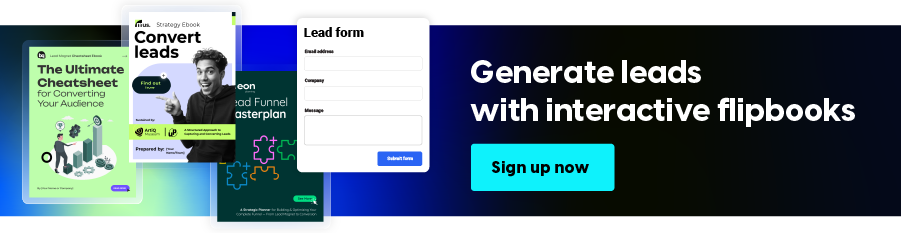
Table of contents
Find how to build a lead magnet that actually works
Lead generation is one of the most resource-intensive activities in marketing, and one of the least predictable. Recent research, 68% of B2B marketers identify it as their top challenge. Yet over half of most marketing budgets flow directly into it, often without delivering consistent or measurable returns.
The bottleneck is rarely effort. It is format. Most lead magnets are still static files. PDFs that get downloaded, forgotten, and never opened again. They offer no interaction, no real engagement signal, and no way to know whether the content actually resonated or just sat in a downloads folder collecting digital dust.
The good news is that the format problem has a straightforward fix. When a lead magnet is built as an interactive digital experience, one that readers can open and navigate easily, conversion rates improve, engagement deepens, and you finally get the data to understand what is working. That is the difference between a design tool and a lead magnet maker that also handles gating, sharing, and engagement tracking in the same place.
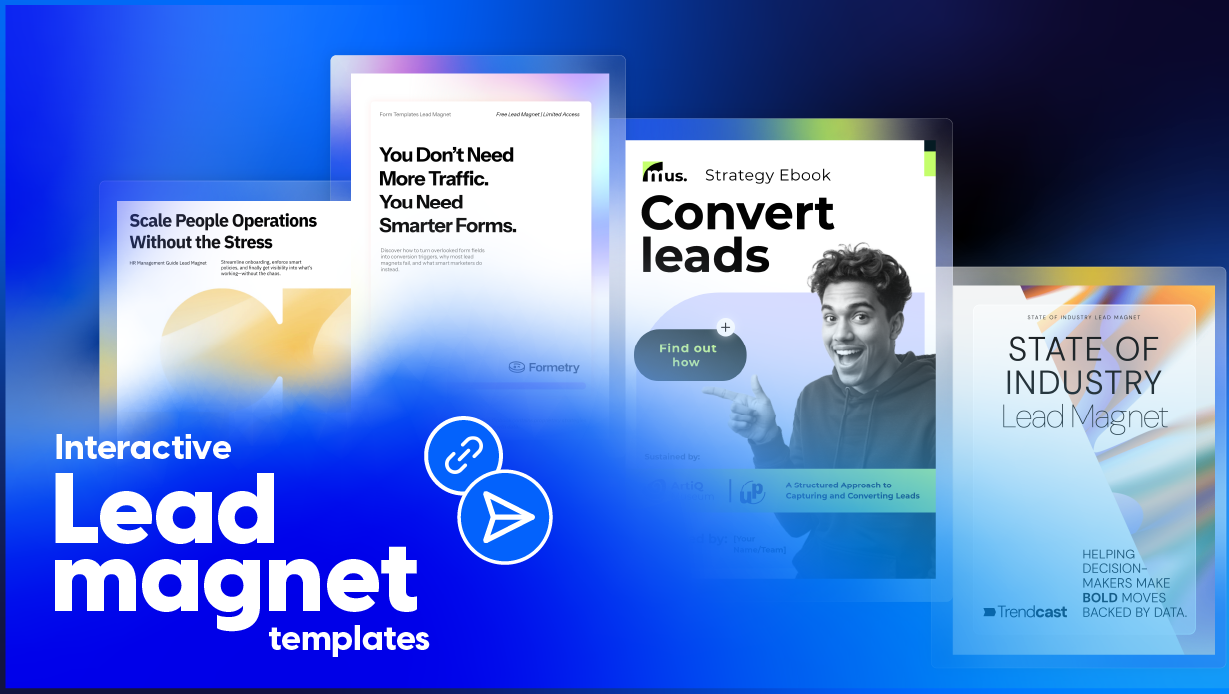
This article covers 10 lead magnet templates you can customize in Flipsnack, along with practical guidance on when to use each one, what makes them convert, and how to avoid the mistakes that slow down most lead generation efforts.
Quick comparison: choose your lead magnet template
| Template Name | Primary Department | Best For (Company Size) | Main Focus | Key Benefits |
|---|---|---|---|---|
| Form Templates Lead Magnet | Marketing / HR | All sizes (10-500+ employees) | Structured data collection and lead capture | Pre-built form sections; embedded videos and GIFs; branded design; submissions collected directly in Flipsnack. |
| Cheat Sheet Lead Magnet | Marketing / Education | Small to mid-market (1-200 employees) | Fast-reference content that delivers quick wins | Organized key points; step-by-step layout; GIFs and video buttons; built-in contact form; engagement tracking. |
| Digital State of Industry Lead Magnet | Marketing / Research | Mid-market to enterprise (100-1000+ employees) | Showcasing industry trends, statistics, and expert insights | Interactive charts; embedded videos and slideshows; social sharing icons; lead capture forms; branded design. |
| Online Roadmap Lead Magnet | Operations / Strategy | Growing companies (50-500 employees) | Milestone and timeline documentation for prospects or stakeholders | Sections for milestones and action items; pop-ups and video embeds; analytics for tracking prospect engagement. |
| Career Prep Lead Magnet | HR / Coaching | All sizes (1-500+ employees) | Resume templates, interview tips, and career planning resources | Quizzes and questions; embedded videos and GIFs; social sharing buttons; clickable navigation; mailing list building. |
| Industry Statistics Lead Magnet | Marketing / Analytics | Mid-market to enterprise (100-1000+ employees) | Dynamic data presentation with charts, graphs, and key insights | Pop-up charts; go-to-page navigation; lead capture forms; embedded videos; credibility-building layout. |
| Interactive Branding Workbook | Marketing / Design | Small to mid-market (5-200 employees) | Brand mission, visual style guides, typography, and tone of voice | Scroll views; video embeds; quizzes; contact forms; secure sharing with access control and engagement tracking. |
| HR Management Guide | HR / Consulting | Mid-market to enterprise (50-1000+ employees) | HR policies, onboarding workflows, and performance metrics | Embedded documents and videos; quizzes; practical templates; actionable HR resources for lead magnet use. |
| Lead Magnet Cheatsheet Ebook | Marketing / E-commerce | Small to growing companies (1-100 employees) | Checklist of must-have lead magnet elements for fast execution | Simple and clear layout; captions and link buttons; analytics to track which sections drive the most conversions. |
| Interactive Funnel Planner Lead Magnet | Marketing / Sales | Growing to enterprise (50-1000+ employees) | End-to-end funnel planning from lead magnet ideation to CTA optimization | Clickable links and pop-ups; embedded videos; real-time analytics; strategic framework for scaling lead generation. |
How Benifex scaled lead generation with interactive reports
One of our clients, Benifex, needed more than static PDFs to drive real results. By switching to interactive reports built in Flipsnack, they generated 300+ leads from a single campaign and captured 10,000+ leads in just one year, all while cutting content production time by 50%. With Flipsnack, they turned every asset into a true lead generation engine.
We use Flipsnack primarily for our campaign content — reports, ebooks, and guides. It’s a huge part of our lead gen activity. We create about a report a month, pushing them across all channels, and they’re essential to our top-of-funnel pipeline.
Natasha Hemmings
Content Manager, Benifex
Lead magnet templates you can customize instantly
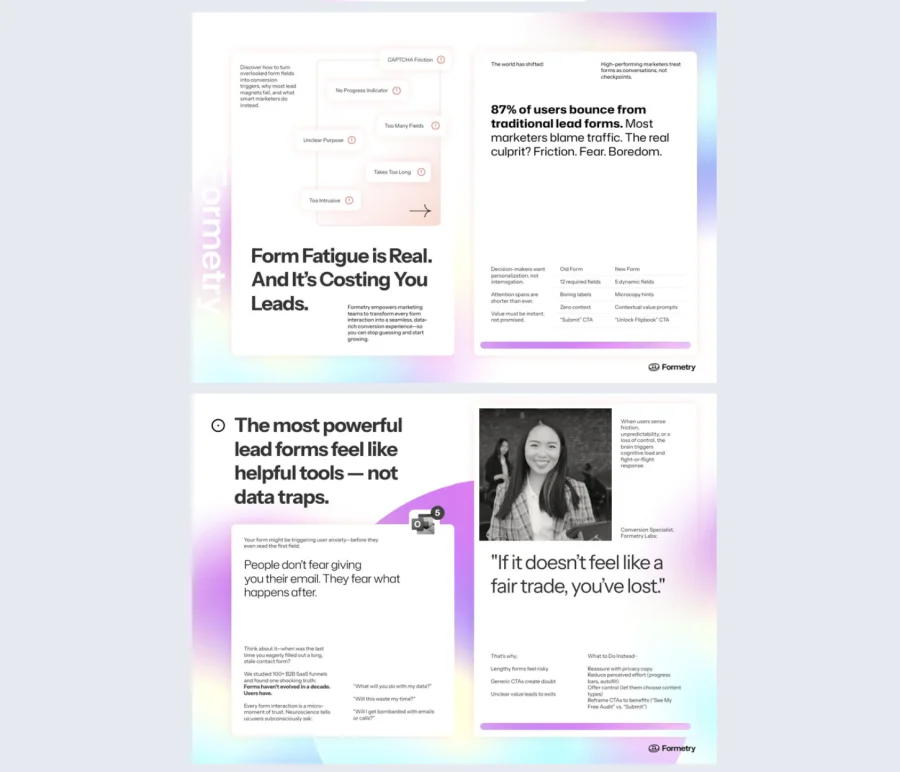
1. Form Templates Lead Magnet Example
Most lead generation forms are forgettable. They live on a plain landing page, ask for too much, and give nothing back. This form templates lead magnet turns data collection into an engaging experience that feels worth completing.
Best for: Marketing teams and HR departments running campaigns, surveys, event registrations, or onboarding workflows. It works well for teams that need structured input from a large audience without sacrificing the experience.
Real-world application: Use this template for product launch campaigns, event registrations, market research surveys, or employee onboarding workflows. It fits any situation where you need to collect structured information from a large audience while keeping the experience polished and on-brand.
Add videos, GIFs, captions, and clickable buttons to guide users through the form naturally. Pre-built sections cover contact information, multiple-choice questions, and custom fields, so you can adapt the structure to any campaign without starting from scratch.
Common mistake to avoid: Do not ask for too much information upfront. Stick to the fields you actually need at this stage. Every extra field you add reduces the chance someone will complete it.

2. Cheat Sheet Lead Magnet Example
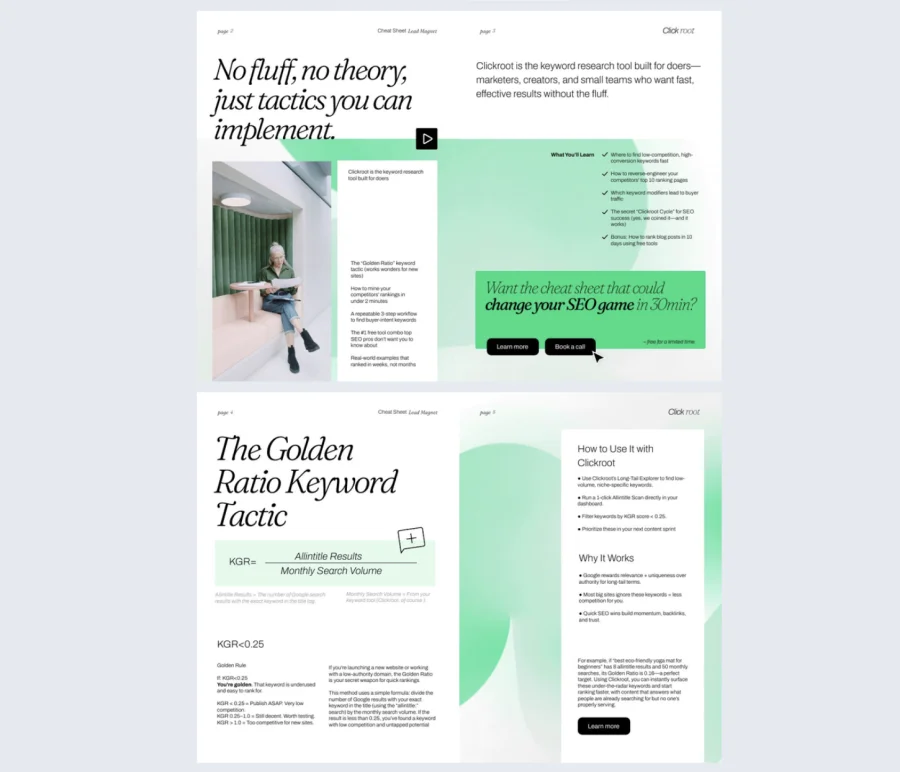
Most people do not want to read a 30-page guide. They want the key takeaways, fast. This cheat sheet lead magnet delivers exactly that, organizing complex topics into a compact, scannable resource people will actually use and come back to.
Best for: Educators, trainers, and consultants who need to simplify complex topics for their audience. It works especially well for teams that want to offer high value in a format that feels effortless to consume.
Real-world application: Use this template for quick-reference guides, training resources, how-to summaries, or any lead magnet where your audience needs practical answers without digging through long content.
Add GIFs, video buttons, captions, and branded visuals to keep the content digestible and memorable. A built-in contact form supports follow-up, and Flipsnack’s integrated statistics let you track which sections drive the most engagement.
Common mistake to avoid: Do not try to cover everything. A cheat sheet loses its value the moment it starts feeling overwhelming. Keep it focused on one topic and one clear outcome.
3. Digital State of Industry Lead Magnet
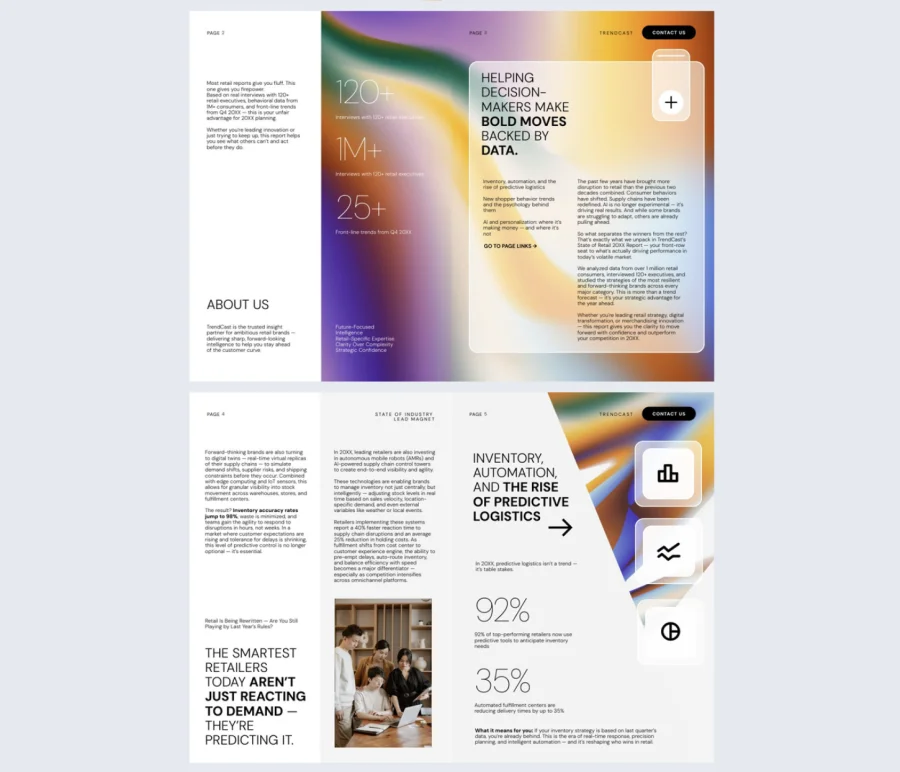
Publishing an industry report takes serious effort. But when it lands as a static PDF, most of that effort goes unnoticed. This digital state of industry lead magnet helps analysts and marketers present data in a way that actually gets read, shared, and remembered.
Best for: Industry analysts and marketers looking to establish thought leadership and generate leads through data-driven content. It works especially well for teams that publish regular reports or need to position their brand as a credible authority in their space.
Real-world application: Use this template for annual industry reports, trend forecasts, benchmark studies, or expert commentary roundups. It fits any content marketing strategy where credibility and depth are the main drivers of lead generation.
Add interactive bar, line, and pie charts, embedded videos, slideshows, and social sharing icons to bring your data to life. Contact forms and link buttons make it easy to capture leads and guide readers toward the next step, all within the same experience.
Common mistake to avoid: Do not let the data do all the talking. Numbers without context lose their impact. Add expert commentary or clear takeaways to each section so readers understand what the data means for them.
4. Online Roadmap Lead Magnet Example
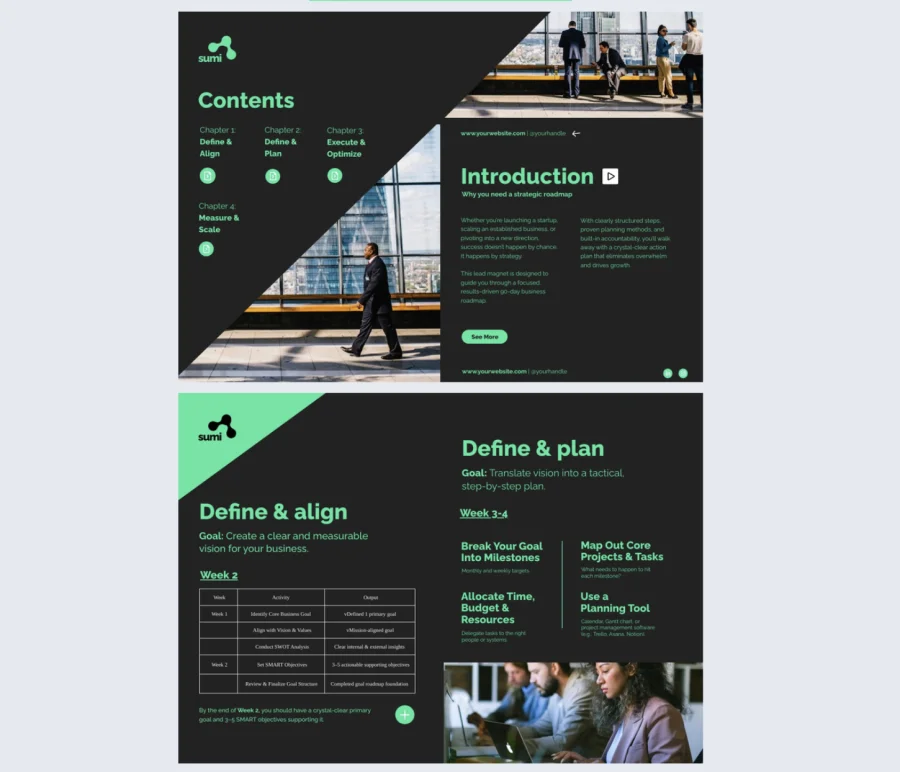
Prospects do not just want to know what you offer. They want to understand how to get from where they are to where they want to be. This roadmap lead magnet gives them exactly that, turning your expertise into a clear, visual path that builds trust and drives action.
Best for: Project managers and business strategists who need to communicate structured plans to prospects, stakeholders, or potential clients. It works well for coaches, consultants, and SaaS companies that want to educate their audience before making an offer.
Real-world application: Use this template for growth roadmaps, onboarding journeys, product adoption plans, or any lead magnet where guiding your audience through a step-by-step process is the core value you are delivering.
Dedicated sections for milestones, timelines, action items, and responsible parties keep the content structured and easy to follow. Add captions, links, pop-ups, and videos to improve clarity at each stage. Flipsnack’s analytics let you track how prospects engage with the roadmap so you can tailor your follow-ups based on where they spent the most time.
Common mistake to avoid: Do not make the roadmap so detailed that it feels overwhelming. Your goal is to show the path clearly, not document every possible obstacle along the way. Keep each step focused and actionable.
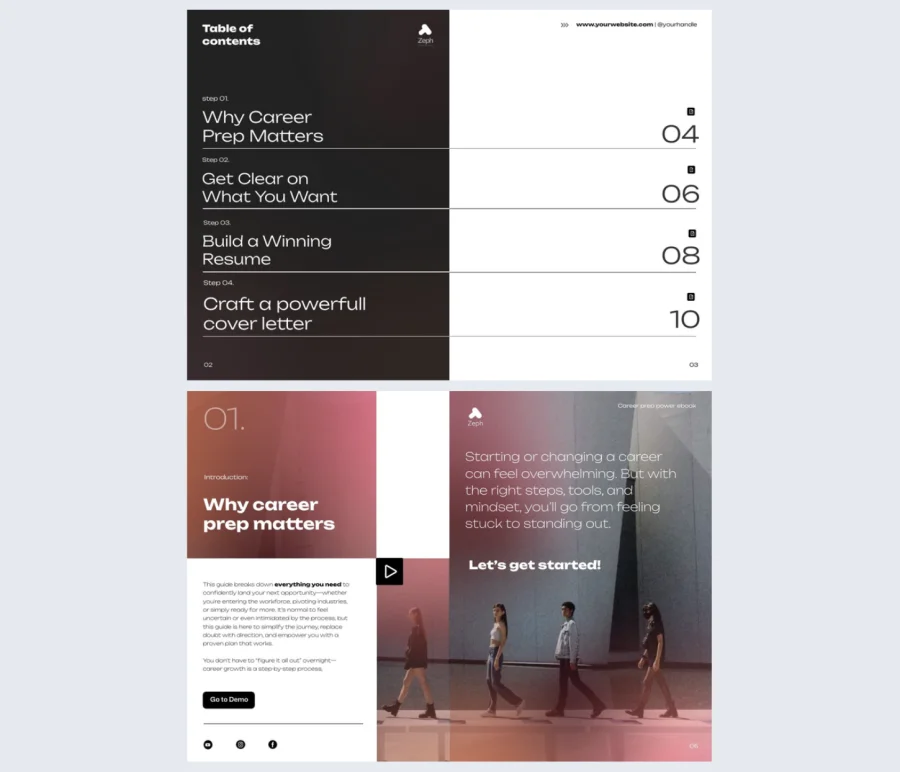
5. Career Prep Lead Magnet Example
Job seekers are hungry for resources that actually move the needle. But most career content is either too generic to be useful or too scattered to follow. This career prep lead magnet gives career coaches and HR professionals a structured, polished resource their audience will genuinely want to access.
Best for: Career coaches and HR professionals who want to provide high-value content to job seekers and ambitious professionals. It works well for anyone looking to grow a mailing list or support career development initiatives with content that feels premium.
Real-world application: Use this template for interview preparation guides, resume writing resources, career planning worksheets, or job search toolkits. It fits any situation where your audience needs practical, step-by-step career guidance in one place.
Include resume templates, interview tips, and career planning worksheets to deliver immediate value. Add embedded videos, GIFs, and quizzes to boost engagement, and use tags for easy navigation so readers can jump to the sections most relevant to them.
Common mistake to avoid: Do not make this feel like a generic career guide that anyone could have written. The more specific your advice is to a particular role, industry, or career stage, the more valuable it becomes and the more likely it is to convert.
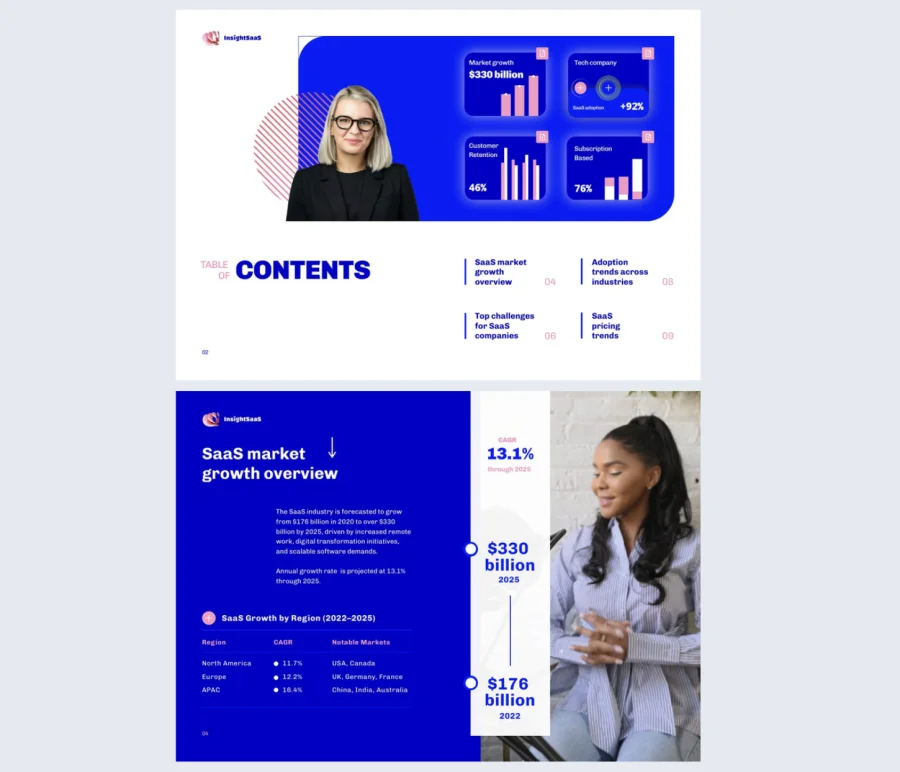
6. Industry Statistics Lead Magnet Example
Data is one of the most powerful lead generation tools available, but only when it is presented in a way that is easy to explore and hard to ignore. This industry statistics lead magnet helps analysts, marketers, and business developers turn raw numbers into a compelling content experience that builds credibility and captures leads.
Best for: Analysts, marketers, and business developers who need to present reliable data to inform strategy and decision-making. It works especially well for teams that publish research or benchmarks and want to use that content to generate qualified leads.
Real-world application: Use this template for market research summaries, benchmark reports, survey result roundups, or data-driven content that positions your brand as a trusted source of industry insight.
Dynamic charts, graphs, and data summaries keep the content structured and easy to scan. Add GIFs, embedded videos, and contextual captions to make dense information more digestible. Pop-up charts and go-to-page navigation let readers explore the data at their own pace, while built-in lead capture forms collect contact details without interrupting the experience.
Common mistake to avoid: Do not present data without context. A chart on its own rarely drives action. Add a clear takeaway to each key statistic so readers understand why it matters and what they should do with the information.
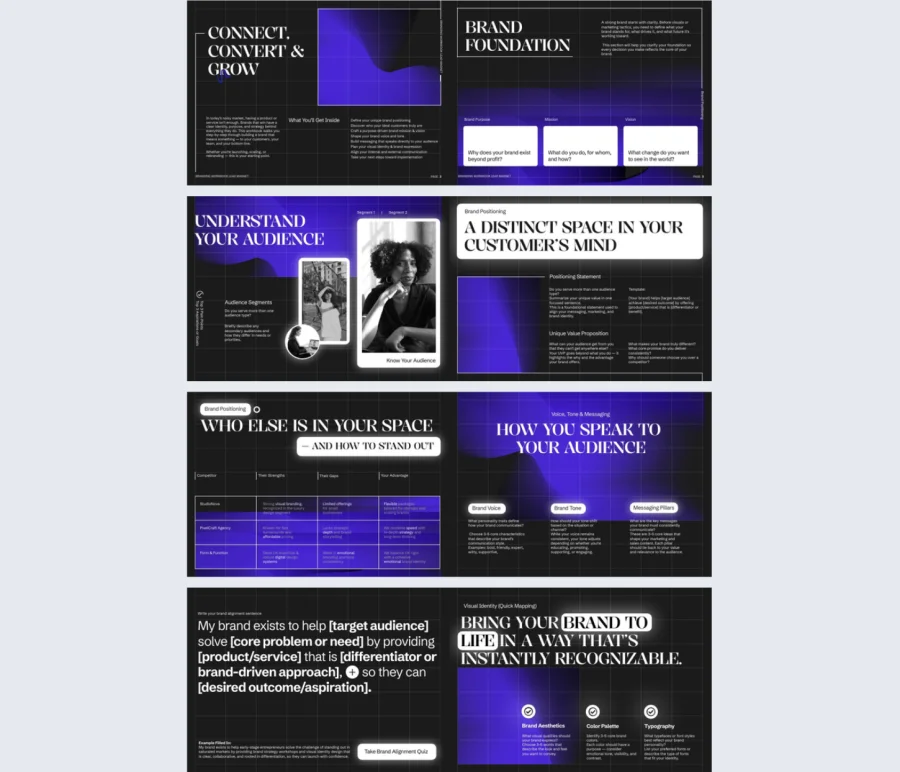
7. Interactive Branding Workbook Template
Most brand guidelines end up as long PDFs that get reviewed once and never opened again. This interactive branding workbook gives brand managers and designers a far more effective way to present brand identity, one that engages stakeholders and clients instead of overwhelming them.
Best for: Brand managers and graphic designers who need to define or refine a brand identity with clarity and consistency. It works well for creative agencies and consultants who want to deliver brand work in a format that feels as polished as the work itself.
Real-world application: Use this template for brand identity presentations, visual style guides, rebranding projects, or client-facing brand documentation. It fits any situation where you need stakeholders or clients to understand, buy into, and consistently apply a brand.
Dedicated sections for brand mission, logo concepts, typography, color palettes, and tone of voice keep everything organized in one place. Add scroll view, video embeds, and quizzes to make the content interactive and easy to navigate. Share it privately through a secure link with full access control, so only the right people can view it.
Common mistake to avoid: Do not treat this as a one-time deliverable. A branding workbook is most valuable when it stays accessible and up to date. Build it so it can be easily edited and reshared whenever the brand evolves.
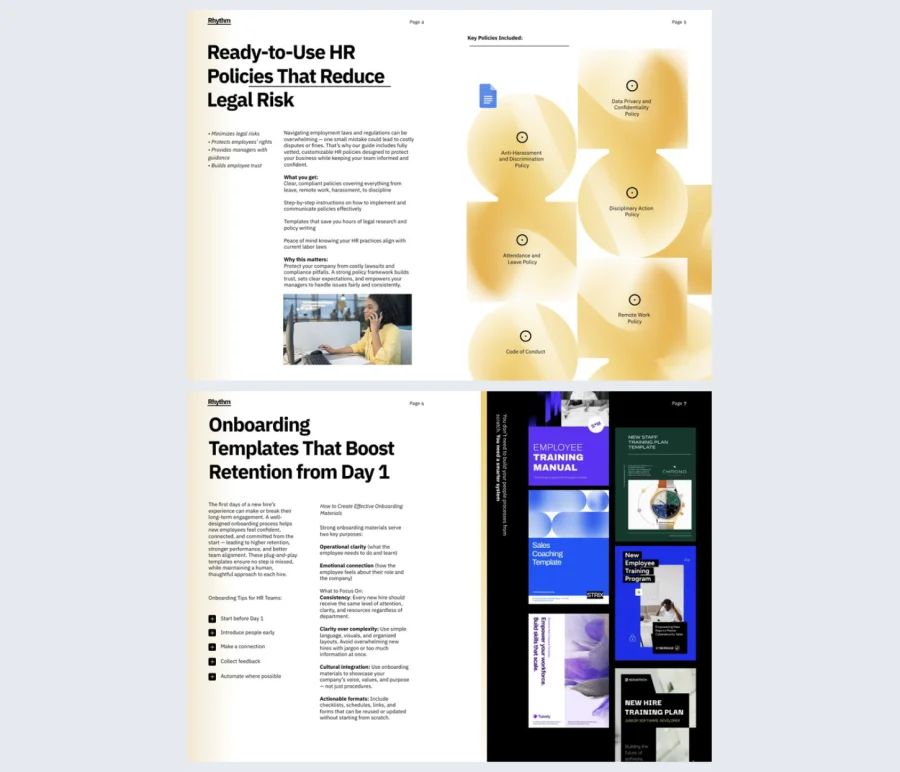
8. HR Management Guide Template
HR content often falls into one of two traps. It is either too dry to engage anyone, or too vague to be practically useful. This HR management guide template gives HR managers and business consultants a structured, interactive format that delivers real value while working as a lead generation tool at the same time.
Best for: HR managers and business consultants looking to attract and engage an audience around workforce management topics. It works well for teams that want to offer actionable HR resources as gated content to grow their pipeline.
Real-world application: Use this template for HR policy guides, employee engagement playbooks, onboarding workflow documentation, or performance management resources. It fits any situation where your audience needs practical HR guidance they can apply immediately.
Cover essential topics like HR policies, employee engagement strategies, onboarding workflows, and performance metrics in one organized experience. Embed documents, videos, quizzes, and ready-to-use templates to make the content easy to apply, not just read.
Common mistake to avoid: Do not make this feel like a compliance document. HR content that reads like a policy manual gets ignored. Lead with the practical benefit each section delivers and your audience will actually engage with it.

9. Lead Magnet Cheatsheet Ebook Example
Sometimes the most effective lead magnet is also the simplest one. This lead magnet cheatsheet ebook is built for business owners, marketers, and e-commerce sellers who want to launch a high-converting lead magnet quickly, without getting stuck in design decisions.
Best for: Business owners, marketing managers, social media strategists, and e-commerce sellers who need to grow their email list or offer gated content fast. It works well for teams that want results without spending days building something from scratch.
Real-world application: Use this template for lead generation checklists, quick-start guides, campaign launch resources, or any situation where your audience needs a clear, actionable reference they can use right away.
A practical layout combined with captions, link buttons, and visuals keeps the content engaging without overcomplicating it. Flipsnack’s analytics let you track which parts of the cheatsheet drive the most engagement, so you can refine future versions based on real data.
Common mistake to avoid: Do not confuse simple with shallow. A cheatsheet still needs to deliver genuine value. If the content feels like it could have been found anywhere, it will not convert. Make sure every item on the list is specific, actionable, and worth the exchange.

10. Interactive Funnel Planner Lead Magnet Template
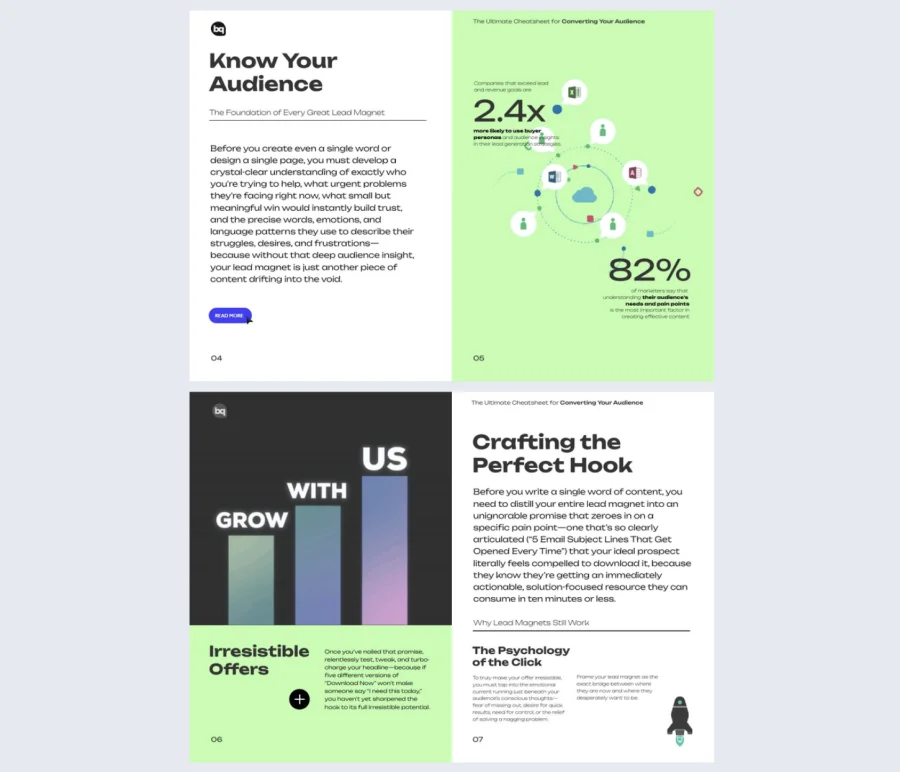
Building a lead generation funnel is straightforward in theory. In practice, most teams skip steps, misalign their messaging, or launch without a clear conversion path. This funnel planner lead magnet gives marketing strategists, sales teams, and agency professionals a structured framework to plan and execute every stage of their funnel without missing what matters.
Best for: Marketing strategists, sales teams, agency professionals, and business owners who are building or scaling their lead generation operations. It works especially well for teams that need to align multiple stakeholders around a single funnel strategy.
Real-world application: Use this template for lead generation funnel planning, campaign strategy documentation, agency client onboarding, or any situation where you need to walk an audience through a complete conversion strategy from start to finish.
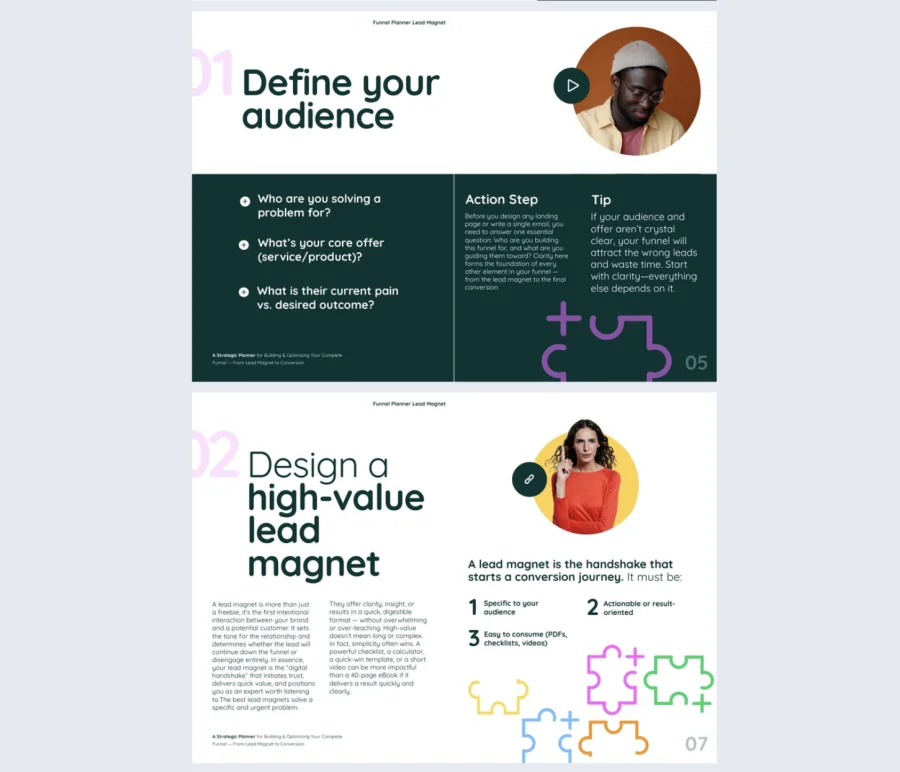
The template covers every stage of a high-converting funnel, from lead magnet ideation to landing page optimization and CTA refinement. Add videos, clickable links, captions, and pop-up elements to explain tactics or highlight key decision points along the way. Flipsnack’s built-in analytics let you measure how prospects engage with the content and refine your approach based on what the data tells you.
Common mistake to avoid: Do not present a funnel plan without connecting each stage to a measurable outcome. A funnel that looks complete on paper but has no clear metrics attached to each step gives teams nothing to optimize against.
How to create a lead magnet with Flipsnack
1. Start with a template
Browse Flipsnack’s library of professionally designed templates. You will find a format that fits your goal. Simply click the template that matches your campaign and start editing. Or choose one from the list above.
2. Customize every detail
Use Flipsnack’s drag-and-drop editor to make the template your own. Add your logo, adjust colors, and select from a wide range of fonts. Replace placeholder content with your own copy, data, and visuals. For more engaging content, embed videos, add GIFs, and insert clickable buttons. Finally, place a lead capture form wherever it makes the most sense.
3. Share your lead magnet publicly
When your lead magnet is ready, you can share it anywhere or keep it as private as you need. Flipsnack gives you full control. From simple shareable links and website embeds to password protection. Whether it is for a broad audience or a specific segment, you decide exactly who sees it and how.
4. Track your lead magnet’s performance
Publishing is just the beginning. Use Flipsnack’s statistics dashboard to see how readers engage with your content. Track views, time spent per page, clicks on interactive elements, and lead form submissions. Use that data to refine future versions and improve conversion rates over time.
5. Save and reuse your template
Store your customized lead magnet design in your Flipsnack account along with your brand elements: logos, fonts, and colors. Save it as a template and produce new lead magnets for future campaigns while keeping your branding consistent and your process efficient.
Conclusion: let your lead magnet work harder for you
A strong lead magnet is not just about what you say. It is about how you present it. The right format, the right structure, and the right interactive elements can mean the difference between content that sits in a downloads folder and content that drives real pipeline.
Flipsnack’s lead magnet templates remove the friction from the creation process, so you can focus on what matters most: crafting a message that resonates with your audience.
Whether you are launching your first lead magnet or improving an existing one, you have everything you need to produce something that looks polished, attracts the right people, and generates results you can actually measure.
FAQs on lead magnets
A well-structured lead magnet includes a clear headline that communicates the value, focused content that solves one specific problem, a design that reflects your brand, and a call to action pointing toward a next step. If you are using it to capture leads, build the form into the experience rather than adding it as an afterthought.
A landing page promotes the lead magnet and collects contact details. The lead magnet is the actual resource someone receives in exchange. One sells the value, the other delivers it.
Shorter is usually better. Checklists and cheat sheets work well at 1 to 5 pages, while guides, reports, and workbooks can go longer. Focus on value per page rather than page count.
Common mistakes include:
• Trying to cover too many topics instead of solving one specific problem
• Gating content that does not deliver enough value to justify the exchange
• Using a static format with no engagement data or interactivity
• Skipping a clear call to action at the end
• Never updating the lead magnet as your audience’s needs change
It depends on your audience and goal. Checklists work well for audiences that want quick guidance. Reports work well for building credibility with decision-makers. Workbooks work well when your audience needs to apply what they learn. Match the format to how your audience prefers to consume content.
Yes, and interactive lead magnets consistently outperform static ones. They can include embedded videos, clickable navigation, quizzes, forms, and engagement tracking, giving you real data on what resonated so you can improve your follow-up strategy.