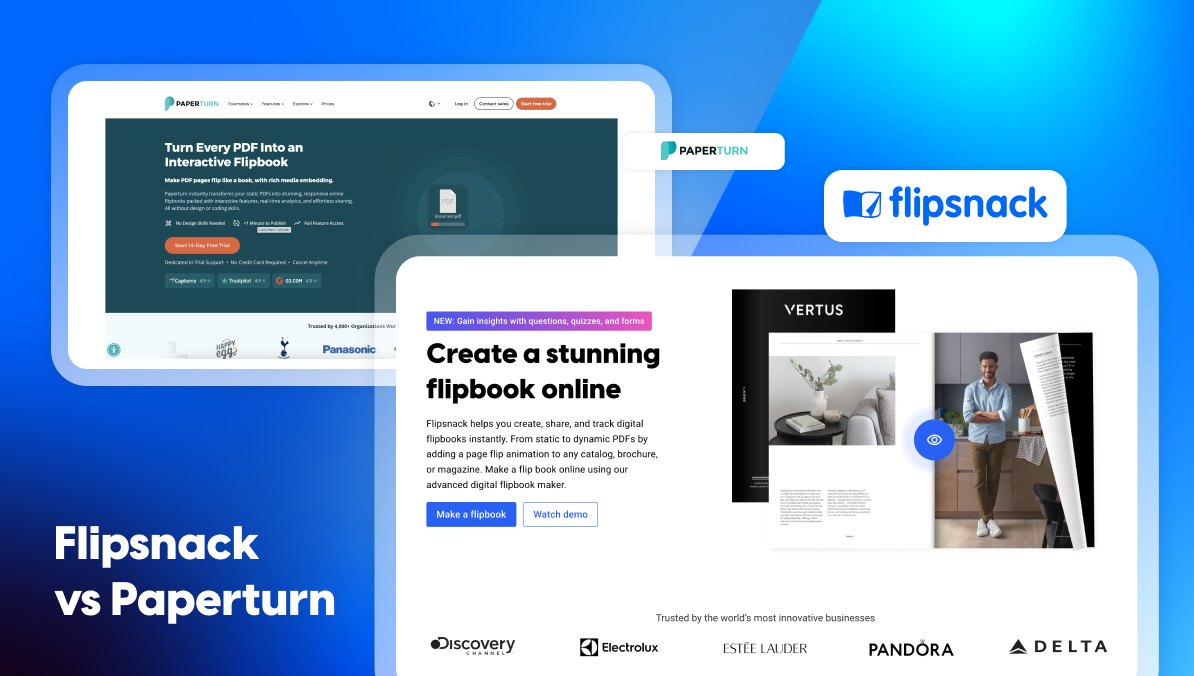
Flipsnack vs Paperturn: Which Flipbook Software is Better for Your Business?
Published on: January 29, 2026
Looking for a better way to publish and share digital documents like catalogs, marketing materials, or training content? If you’re considering Paperturn or already using it, you may be wondering if it’s the right long-term solution for your team.
Paperturn is a popular flipbook software that helps businesses turn static PDFs into flipbooks. For simple use cases, this can be enough. But as content needs grow over time, many teams start to look for a more comprehensive solution. Marketers, sales teams, and internal communications leaders often need higher engagement, clearer insight into performance, strong brand guidelines, and tools that support collaboration at scale.
Flipsnack is built to meet those needs. More than a basic flipbook maker, Flipsnack is a digital publishing platform that helps teams create interactive, branded, and trackable documents from one central workspace. It supports a wide range of use cases, from online catalogs and sales materials to internal communications and training content. As content strategies scale, businesses often combine publishing tools with a membership software solution to better organize audiences and streamline communication.
In this article, we’ll compare Flipsnack vs Paperturn across the key factors that matter when choosing flipbook software. If you’re searching for a Paperturn alternative, this comparison will help you decide which platform is the better fit for your business.

Table of contents
- Flipsnack vs Paperturn: a quick comparison
- Built-in Design Studio vs. PDF-only workflow
- Interactive elements and engagement: Flipsnack goes beyond basic flipbooks
- Branding and consistency: How Flipsnack helps teams stay on brand
- Collaboration and secure access: built for growing teams
- Insight into performance: See what works and optimize results
- Catalog automation: save time and scale content creation
- Accessibility and AI: built for inclusive and global content
- Final thoughts: choosing between Flipsnack and Paperturn
Flipsnack vs Paperturn: a quick comparison
When evaluating flipbook software, it’s important to look beyond basic page-flipping. While both Flipsnack and Paperturn help you publish digital flipbooks from PDFs, the depth of functionality and long-term value they offer is quite different.
Flipsnack is an all-in-one digital publishing platform built for modern business needs. It combines flexible content creation, advanced interactivity, brand consistency tools, collaboration features, catalog automation, and deeper insight into performance—all in one secure workspace.
Paperturn, on the other hand, is mainly focused on PDF-to-flipbook publishing. It works well for straightforward use cases, but businesses often run into limits when they need more advanced features.
Below is a quick overview comparing Flipsnack vs Paperturn:
| Criteria | Flipsnack | Paperturn |
| Best for | Interactive, branded flipbooks for marketing, sales, training, and internal communications | Simple PDF-to-flipbook publishing for straightforward document sharing |
| Notable features | Upload and edit PDF Built-in Design Studio Catalog automation Instant property brochures AI translation, summaries, and reports AI image to video Branded locked templates Customizable user roles | Accessibility interface tool Bulk link import for existing PDFs |
| Strengths | Fastest PDF to flipbook converter Flexible creation workflows User-friendly interface Advanced interactivity SSO login Secure collaboration Accessibility | Easy setup for basic publishing needs Accessibility-compliant flipbooks Traffic source statistics Good option for simple PDF workflows |
| Weaknesses | Some advanced features are available only on higher-tier plans | Limited creation flexibility Less advanced analytics Fewer interactive and automation options |
Built-in Design Studio vs. PDF-only workflow
While Paperturn focuses mainly on converting static PDFs into flipbooks, Flipsnack goes a step further by offering multiple ways to create your content. If you already have a PDF, Flipsnack converts it instantly using one of the fastest PDF-to-flipbook engines on the market. You can also edit your uploaded PDF directly inside Flipsnack — no external design or editing tools required. From there, you can enhance your flipbook with interactive elements to drive higher engagement.
If you want more flexibility, you can also create flipbooks from scratch using Flipsnack’sbuilt-in Design Studio. Everything works through simple drag and drop, so teams can design professional content without design or coding skills. You can also start from professionally designed templates that are fully customizable and easy to adapt to your brand guidelines.
For product catalogs, Flipsnack offers even more. The product catalog generator lets you create interactive, shoppable catalogs in just minutes, without manual layout work.
For real estate agents, Flipsnack also makes it possible to instantly turn MLS listings into branded, ready-to-share property brochures in seconds, eliminating manual design work and speeding up client communication.
Paperturn, on the other hand, requires an existing PDF. This limits you to a single workflow and makes it harder to adapt content as your business needs change.
Why Flipsnack stands out:
- More flexibility in how you create flipbooks
- Faster content creation without third-party design tools
- Easier updates and better scalability over time
Interactive elements and engagement: Flipsnack goes beyond basic flipbooks
Today’s audiences expect digital content that feels alive, easy to navigate, and is accessible. For businesses, it’s not enough for documents to just look good. They also need to be functional and support real goals.
Flipsnack is built with this in mind. Beyond an interactive reading experience, it helps businesses increase engagement, support sales, and collect feedback. Its interactive elements are designed for teams that want more than basic page-flipping.
These interactive features help drive both engagement and conversions. Flipsnack supports interactive charts, links, lead capture forms, shopping buttons, 3D virtual tours, and more. It also offers built-in forms, quizzes, and questions, which Paperturn does not support.
Additionally, Flipsnack includes living visuals — AI-powered motion effects that turn static images into subtle, auto-playing dynamic elements directly inside the Design Studio, helping your content feel more engaging without requiring video editing skills.
Because of this, Flipsnack works well across multiple use cases. Teams can use it for marketing materials, sales content, product catalogs, and interactive training resources, all within the same platform.
Ease of use is just as important as functionality. Flipsnack’s Design Studio is intuitive and easy to navigate, even for non-designers. Paperturn, on the other hand, has a steeper learning curve when working with interactive elements, which can slow teams down.
Why Flipsnack stands out:
- More interactive elements designed for real business use cases
- An intuitive Design Studio without a steep learning curve
- Action-driven features
Branding and consistency: How Flipsnack helps teams stay on brand
At first glance, both Flipsnack and Paperturn offer solid branding options. You can add your logo to publications, set a background image, and customize elements like the favicon. These features cover the basics and help your flipbooks reflect your brand.
Flipsnack goes further by making brand consistency easier to maintain at scale. Instead of setting branding elements every time, you can upload your brand kit, including your logo, brand colors, fonts, and typography. This makes it faster to create new content while keeping everything aligned with your brand guidelines.
Flipsnack also lets you create custom branded templates and reuse them for future publications. To protect your brand, you can lock specific elements inside these templates. This means logos, colors, and visual elements stay fixed, even when multiple people edit the content. The result is consistent, on-brand publications.
For an even more professional experience, Flipsnack allows you to publish flipbooks on a custom domain. This helps reinforce brand trust and creates a seamless experience for your audience.
Why Flipsnack stands out:
- Branded locked templates
- Brand asset management
Collaboration and secure access: built for growing teams
Collaboration plays a key role in content creation, especially when multiple teams work on the same materials. Just as important is security. Businesses need to ensure the right people can access, edit, and publish content without risking mistakes or unwanted exposure.
Both Flipsnack and Paperturn support essential collaboration features. You can assign user roles so team members understand their responsibilities, use activity logs to track changes, and leave comments directly on documents to keep feedback organized and in one place.
Where Flipsnack stands out is in its more advanced permission settings. Each user role can be further customized, allowing businesses to adapt access levels to their specific workflows. This makes it easier to scale collaboration across teams without losing control over content.
For organizations that need an extra layer of security, Flipsnack also supports SSO login, which Paperturn does not offer. This simplifies user management while keeping access aligned with company security policies.
Why Flipsnack stands out:
- Customizable permission settings for better control at scale
- Secure SSO login for enterprise-level access management
Insight into performance: See what works and optimize results
Publishing content is only the first step. To improve results, teams need clear insight into how their content performs. Analytics help businesses understand what drives engagement, what leads to action, and where content can be improved.
Flipsnack offers advanced analytics that go beyond basic flipbook statistics. You can track views, impressions, clicks, and average time spent to better understand reader behavior. For catalogs, Flipsnack also provides order statistics, including revenue, orders overview, and top products added.
In addition, Flipsnack lets you track submissions from lead forms, quizzes, and contact forms. Heatmaps show which sections attract the most attention, while AI-powered insights highlight engagement trends and provide actionable recommendations.
Paperturn offers standard flipbook statistics such as views, clicks, downloads, and traffic sources. While both platforms integrate with Google Analytics and Google Tag Manager, Flipsnack delivers deeper insight into content performance and business impact.
Why Flipsnack stands out:
- Deeper engagement metrics
- Advanced catalog analytics tied to revenue and orders
- Heatmaps, form tracking, and AI-powered performance reports
Catalog automation: save time and scale content creation
Creating and updating product catalogs can be time-consuming, especially when product data changes often. Automation helps teams save time, reduce manual work, and keep catalogs accurate without starting from scratch each time.
Flipsnack offers flexible automation options that simplify both catalog creation and updates. You can upload your product data into Flipsnack and generate a complete catalog using the product catalog generator, creating interactive, shoppable catalogs in just minutes.
If you need more control over design, Flipsnack lets you create the catalog layout first and then automate the population of products. When updates are needed, you can update your catalog in just a couple of clicks, and the latest version is reflected instantly.
Flipsnack also supports SKU detection for existing PDF catalogs. You can simply upload your PDF, and Flipsnack automatically detects product SKUs, turning your catalog into a shoppable experience with clickable product elements. Paperturn offers a similar workflow, as well, named Bulk-link import, allowing teams to upload a PDF catalog and use SKU detection to make products shoppable.
Where Flipsnack goes further is by offering additional automation options beyond PDF upload.
Why Flipsnack stands out:
- Three flexible ways to create and automate catalogs
- Fast updates that reflect instantly, without rebuilding catalogs
- Shoppable catalogs powered by product data
Accessibility and AI: built for inclusive and global content
Flipsnack uses AI to make content more accessible and easier to scale across languages and markets. Its AI features are built around real business needs, with a strong focus on accessibility and localization. With just one click, you can translate selected text or entire flipbooks into multiple languages, making it easy to reuse and adapt content for international audiences.
Flipsnack also includes AI-generated page summaries. These summaries help readers quickly understand key information and act as accessibility aids for screen readers, supporting accessibility guidelines while improving the overall reading experience.
Both Flipsnack and Paperturn offer accessible flipbooks that are keyboard navigable, compatible with screen readers, and aligned with accessibility standards. Paperturn also provides an accessibility interface tool that allows readers to manually adjust the viewing experience.
The key difference is ease of use. While both platforms support accessible content, Flipsnack delivers accessibility by default, without requiring extra actions from the reader.
Why Flipsnack stands out
- AI-powered translation and summaries for inclusive, multilingual publishing
- Accessible flipbooks with less manual effort
Final thoughts: choosing between Flipsnack and Paperturn
Choosing the right flipbook software has a direct impact on how efficiently your team works, how consistent your brand looks, and how well your content performs over time. The right platform should support not only publishing, but also collaboration, engagement, and scalability as your business grows.
Paperturn works well for teams with straightforward needs. If your goal is to upload a finished PDF and publish it online, it can be a suitable option.
Flipsnack is designed for businesses that need more flexibility and long-term value. It supports a wider range of workflows and helps teams turn flipbooks into tools that drive real business outcomes.
For larger companies, Flipsnack brings clear benefits, including:
- Faster content production and easier updates
- Higher engagement and conversion opportunities
- Consistent, professional branding at scale
- Secure collaboration without losing control over access
- Better insight into content performance
If you’re looking for the best Paperturn alternative that goes beyond basic flipbooks and supports how modern teams create and manage content, Flipsnack is the stronger choice.