How to Update a Product Catalog PDF Without Rebuilding It
Published on: June 17th, 2026
You have a finished product catalog PDF. A price just changed, a product got discontinued, or three new SKUs need to go in, and the last thing you want is to rebuild the whole thing from scratch. The good news: you don’t have to. You can now edit the PDF you already have directly, and there’s a way to make every update after this one painless, too.
This guide covers every realistic way to update an existing catalog PDF without recreating it, changing prices, swapping product images, editing specs, and adding or removing products. We’ll start with the fastest path, then cover the tool options, the common blockers, and the one problem none of the static methods solve.
Quick answer
To update a product catalog PDF without rebuilding it in Flipsnack:
- Upload the PDF to Flipsnack, which converts the text, images, and fonts into editable elements automatically, no source file needed.
- Click directly into any text to change prices or specs, and replace product photos in place.
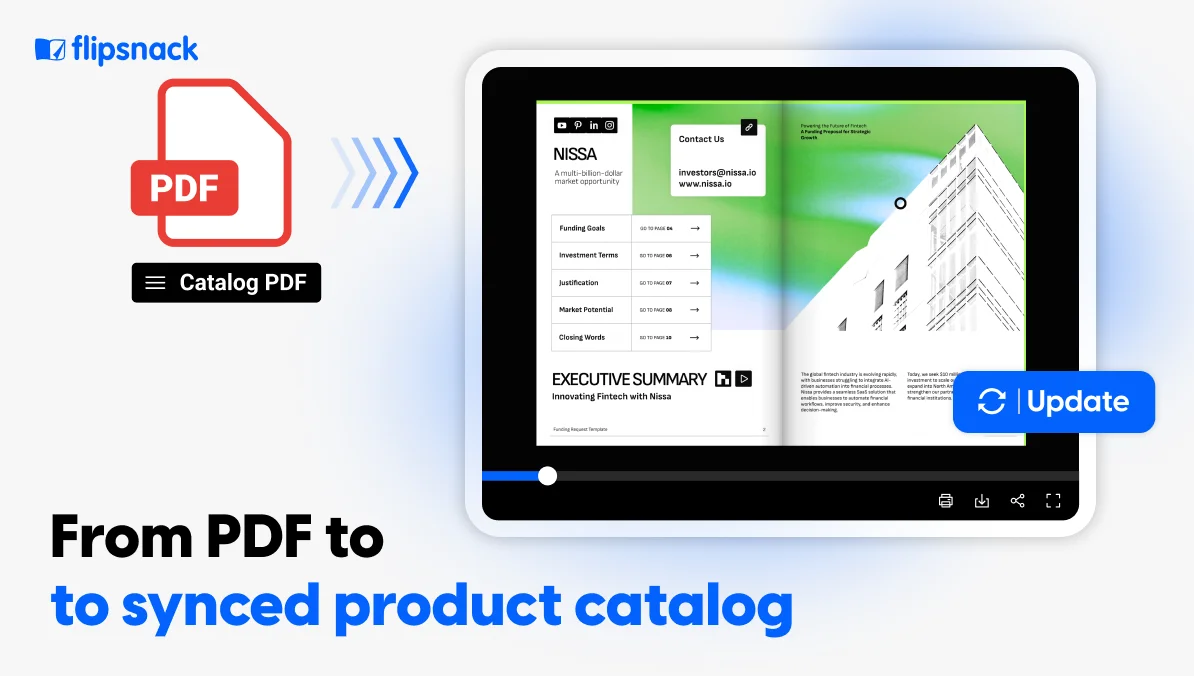
- Publish, and your link, embed, and QR code update instantly, no resending files. Your catalog is now a digital one; you can update it anytime.
Why this matters: With a static PDF, every edit creates a new file you have to redistribute, and everyone who already has the old one keeps the old prices. Editing inside a digital online catalog means you update once, and every link reflects it.
The fastest fix: edit the PDF directly in Flipsnack
You no longer need the original design file or a desktop PDF editor to change what’s inside your catalog. When you upload a vector PDF to Flipsnack, it automatically detects and converts the text, shapes, and images into fully editable elements inside Design Studio. You can update pricing, fix typos, swap visuals, adjust descriptions, or translate content, all in one place, then publish to the same link.
Step by step (changing a price or text)
- Sign up for Flipsnack and from the homepage, click Create in the app header and select Upload files —> PDF.
- Click Upload more files, choose your catalog PDF, and click Continue. Wait a few seconds while it’s converted for editing.
- In Design Studio, click any text box and use the Edit panel on the right to change the text, font, size, alignment, or color.
- Click Share now, choose your visibility (Public, Unlisted, Password-locked, or Private), then click Publish. Your updated version is live online immediately.
Swapping a product image
Click any image to replace it, crop it, apply filters, or adjust styling and you can pull replacement images straight from your Uploads panel. Replacing in place keeps everything anchored, so captions and surrounding text stay put.
Three ways to edit, depending on the change
- Edit the full PDF — convert the entire document into editable elements.
- Make an editable copy — keep the original untouched and work on a separate version
- Convert a single page — open the publication, go to the page, and click Edit page when you only need to update one section.
Upload your existing catalog PDF to Flipsnack, edit the text and images directly, and turn it into a live, shoppable catalog you can update anytime — without ever resending a file.
Before you pick any tool: Editing a PDF means two different things
Most free tools quietly do the weaker version, so it’s worth knowing the difference:
- Annotating — adding comments or a text box on top of the page. The content underneath doesn’t change.
- True editing — clicking into the existing text and changing it, or replacing an image in place.
As an example, Adobe’s free online editor does not let you edit existing body text; it only lets you annotate and mark up. Changing an actual price requires a paid Acrobat Pro subscription. Flipsnack does true editing on every plan, including the free one: upload your catalog, and you can click into the actual text to change a price or spec, not just stick a box over it.
Desktop and other editor options
If you’d rather work in a dedicated PDF editor, these all do true in-place editing:
- Adobe Acrobat Pro — the most reliable for complex layouts. $19.99/month on the annual plan billed monthly, or $29.99/month month-to-month (verify at checkout). Auto-runs OCR on scanned pages.
- Foxit PDF Editor — roughly half Adobe’s cost at about $10.99–$13.99/month, with comparable text and image editing.
- Free options — Sejda edits existing text in-browser (caps: up to 200 pages / 50 MB and a limited number of tasks per hour). PDF24 and PDFgear handle basic edits without watermarks. LibreOffice Draw edits PDFs offline.
Watch out for fonts. If the catalog’s fonts weren’t embedded, your editor substitutes a lookalike when you edit, which shifts spacing and line breaks. If text looks “off” after a small edit, this is usually why.
The real problem nobody’s desktop editor solves
Here’s the issue that makes catalog updates genuinely painful, and it has nothing to do with which editor you pick.
Every desktop and offline method produces a new file. The moment you’ve fixed the price and saved, you still have to send the updated PDF to everyone, re-upload it to your website, swap it in your email campaigns, and hope nobody’s still working from last quarter’s version. The old file is sitting in inboxes, CRM notes, sales folders, and printed QR codes, all pointing at the wrong prices.
You didn’t have one update to make. You had one edit and a dozen places to chase it down.
Update once, live everywhere
This is where editing inside Flipsnack pays off beyond just the convenience of skipping Adobe. Because your catalog lives online, you update it once and:
- Updates go live instantly — no resending. The same link, embed, and QR code show the new version immediately. Nobody ends up with an outdated file, because there’s only ever one.
- Bulk price and SKU changes happen automatically. Connect a spreadsheet — CSV, XLSX, or Google Sheets — or your ERP/PIM via the catalog API, and sync prices, descriptions, and images across catalogs in a couple of clicks. Brands like Pandora and Electrolux use this to keep thousands of product variations aligned with one source of truth.
- The catalog becomes shoppable. Add product tags, buy buttons, and shopping lists so it drives sales rather than just displaying products.
- You can see what works. Built-in analytics show page views, clicks, time on page, and top products — data that a static PDF can never give you.
Worth knowing: direct PDF editing works best on clean vector PDFs. Very complex print effects, heavy gradients, drop shadows, and clipping masks may not convert perfectly, since the import engine is in beta. For best results, export single pages (not spreads) with embedded fonts and live text. When a layout is too complex to convert cleanly, editing the source and re-uploading is the cleaner route.
Quick comparison between Flipsnack and other tools
| Tool | Cost (2026) | Edits without the source file | Bulk price/SKU update | Live update after sharing | Analytics |
|---|---|---|---|---|---|
| Adobe Acrobat Pro | $19.99/mo (annual); $29.99 month-to-month | Yes | No (manual) | No | No |
| Foxit PDF Editor | ~$10.99–13.99/mo | Yes | No | No | No |
| Free tools (Sejda, PDF24, Smallpdf) | Free (with caps) | Limited | No | No | No |
| Canva | Free / paid | Basic | No | No | No |
| Flipsnack | Free–$52/mo | Yes (auto-converts to editable) | Yes (CSV/Sheets/ERP/API) | Yes (same link/embed) | Yes |
From static PDF to a catalog that works for you
Most tools handle one moment in a catalog’s life. A PDF editor fixes a price today; a flipbook tool gives you a nicer-looking link; a data-merge plugin handles a bulk update — and then you’re back to stitching the pieces together every time something changes.
Flipsnack covers the whole lifecycle of the document in one place. You create or upload your catalog, edit the text and images directly, and publish it as a live, shoppable catalog under a stable link, distribute it across web, email, and QR codes, update it instantly without resending anything, and measure how readers engage with it. The same catalog that started as a static PDF becomes a living asset you maintain once and reuse everywhere.
That’s the real reason to pick Flipsnack for your catalogs: you’re not buying a one-off fix, you’re getting a single place where your catalog is created, kept current, sold from, and tracked for as long as it’s in use.
Upload your existing catalog PDF to Flipsnack, edit the text and images directly, and turn it into a live, shoppable catalog you can update anytime — without ever resending a file.
Frequently asked questions
Can you edit a PDF after it’s been created?
Yes. You can change text, swap images, and add or remove pages without rebuilding the file. In Flipsnack, you upload the PDF, and it converts the content into editable elements automatically; desktop editors like Acrobat Pro and Foxit also edit existing PDFs.
How do I edit a PDF catalog without the original source file?
Upload it to Flipsnack, which detects and converts the text, images, and fonts into editable elements — no source file required. Alternatively, open it in a desktop editor with true editing (Acrobat Pro, Foxit, or Sejda). If it’s scanned, run OCR first.
How do I change prices in a PDF catalog?
Click the price and type the new figure. For many price changes at once, connect a spreadsheet that syncs to the catalog rather than editing each price by hand.
Can I update a PDF without changing the link?
Not with a static PDF file, a new file means a new copy to share. But if your catalog is hosted online in Flipsnack, you update the content and keep the same link, embed, and QR code, so everything points to the current version automatically.
How do I edit a scanned PDF catalog?
Run OCR to convert the scanned images into editable text, then edit normally. Acrobat does this automatically; free OCR is in PDFgear, Smallpdf, and iLovePDF. Always verify prices and figures after OCR.
Why can’t I edit the text in my PDF?
Usually one of three reasons: you’re using a tool that only annotates (like Adobe’s free online editor), the PDF is scanned or flattened so the “text” is actually an image, or the file is permission-locked. Each has a fix above.
How do I update prices across many products at once?
Manual editing doesn’t scale. Use a data-merge workflow (InDesign with EasyCatalog) or a Flipsnack catalog connected to a spreadsheet or ERP, so updating one source updates every matching product automatically.
Does editing a PDF change the file recipients already have?
If you edit a static file, no one with the old PDF keeps the old version unless you resend it. If you edit a live online catalog, the shared link updates for everyone instantly.