How to Create a Digital Patient Guide Patients Will Actually Reference
Published on: July 9, 2026
Think about the last printed patient booklet you handed someone. Chances are it ended up crumpled at the bottom of a bag, left behind on a hospital tray, or tossed before anyone got past page two. And when the phone number for radiology changed last spring? That whole print run went straight in the recycling bin.
Patients don’t need more paper. They need clear answers, at the exact moment they need them, on the device that’s already in their hand. That’s exactly what a digital patient guide is built for. That’s why more internal communications and patient education teams are replacing printed booklets with digital patient guides.
In this guide, we’ll walk through what a digital patient guide actually is, why it beats print, what to include in one, and how to build your own in Flipsnack.
Table of contents
- What is a digital patient guide
- Why should you create a digital patient guide instead of a printed one
- Printed patient guide vs. digital patient guide
- How to create a digital patient guide in Flipsnack
- Benefits of creating a digital patient guide
- What should a digital patient guide include?
- Digital patient guide templates
- Conclusion
- Frequently asked questions
What is a digital patient guide
A digital patient guide is an interactive online version of the paperwork hospitals and clinics used to hand out. Think welcome packets, admission booklets, discharge instructions, and pre- and post-procedure guides. Patients can open it on a phone, tablet, or computer, and revisit it as many times as they need.
Some common examples include:
- Treatment journey guides supporting patients throughout ongoing care, such as physical therapy or oncology treatments
- Patient welcome guides introducing healthcare facilities and care teams
- Hospital admission guides explaining what patients should expect before and during their stay
- Surgery preparation guides outlining pre-operative instructions and recovery timelines
- Maternity ward guides covering hospital policies, visiting hours, and what to pack for the big day
Why should you create a digital patient guide instead of a printed one
Printed guides still have their place, especially during in-person visits. But today’s patients expect answers they can reach anytime, not just at an appointment.
A digital guide is easier to:
- Create interactive experiences: Add videos, forms, links, and other interactive elements.
- Manage your content: Make the updates without reprinting materials
- Share information: Deliver information through QR codes, email, websites, or patient portals.
Printed patient guide vs. digital patient guide
Both formats have their place, but digital guides offer more flexibility. Here’s how they compare:
| Feature | Printed patient guide | Digital patient guide |
| Content updates | Requires reprinting every time information changes | Update instantly without redistributing the guide |
| Accessibility | Only available when patients have the booklet | Accessible anytime on phones, tablets, or computers |
| Distribution | Handed out in person | Share via email, QR code, website, SMS, or patient portal |
| Patient engagement | Static text and images | Videos, links, forms, buttons, and interactive navigation |
| Navigation | Patients flip through pages manually | Clickable table of contents and searchable content |
| Personalization | One-size-fits-all | Create different guides for different patient journeys or departments |
| Brand consistency | Difficult to update across departments | Easy to maintain consistent branding with templates |
| Analytics | No visibility into usage | Track views, reading time, popular pages, and clicks |
| Cost | Ongoing printing and distribution costs | No printing costs after publishing |
| Sustainability | Uses paper and physical resources | Reduces paper waste and supports sustainability initiatives |
When should you use each?
The right format depends on the situation. Here’s how to think about it:
| Use a printed guide when… | Use a digital guide when… |
| Patients may have limited internet access | Patients need information before or after appointments |
| You need a quick handout during a consultation | Information changes frequently |
| The content is very short (1–2 pages) | You want to include videos, links, or forms |
| A physical copy is required by policy | You want to measure engagement and update content easily |
How to create a digital patient guide in Flipsnack
Now that you know the benefits of a digital patient guide, it’s time to bring everything together.
With Flipsnack, you can create interactive digital patient guides that are easy to update, simple to share, and accessible on any device.
Here’s how to get started.
Step 1: Choose a template or upload your existing guide. Already have a patient handbook or brochure as a PDF? Upload it and Flipsnack turns it into an interactive digital flipbook. If you start from scratch, pick one of Flipsnack’s templates to save design time and keep a polished look.
Step 2: Customize it with your branding. Add your logo, brand colors, typography, images, icons, and cover page. Branded templates also help different teams keep every guide on-brand.
Step 3: Make it interactive. Add interactive elements that help patients find what they need without leaving the guide: instructional videos, clickable buttons, downloadable forms, patient portal links, maps and directions, and more.
Step 4: Publish and share. Distribute your guide via email, QR code, your website, patient portals, or SMS, or embed it right on a webpage.
Step 5: Track engagement with analytics. Flipsnack’s built-in analytics show views, reading time, top pages, clicks, and downloads. Use this to see what resonates and adjust.
Step 6: Keep it up to date. Instead of printing new brochures every time something changes, simply update your digital guide and publish the latest version.
Benefits of creating a digital patient guide
Beyond the format differences above, here’s how a digital guide actually plays out for your patients and your team.
Support digital patient engagement
A digital patient guide is one part of a broader digital patient engagement strategy. By giving patients easy access to educational materials, appointment information, and follow-up instructions, you help them stay informed throughout their care journey.
Interactive features such as videos, links, and forms encourage patients to explore information at their own pace, making it easier to understand and act on important healthcare information.
For example, patients can:
- Watch a video explaining how to prepare for surgery
- Click a button to schedule a follow-up appointment
- Download pre-admission forms
- Access maps or directions
- Jump directly to specific sections using clickable navigation
Make information available anytime, anywhere
Questions often come up after patients head home. With a digital guide, they can find answers on their phone, tablet, or computer, anytime. Share your guide through a QR code, email, text message, website, or patient portal, so it’s always within reach.
Keep information up to date
Healthcare details change all the time. Contact numbers, visitor policies, and medical instructions all need updates. A digital guide lets you edit these in minutes. No reprinting, no redistributing. Patients always see the latest version.
Share information more securely
Printed guides are easy to lose, copy, or leave on a waiting room chair. Digital guides give you more control over how patient information is shared. Instead of distributing multiple printed versions, you can publish one guide, update it anytime, and control who has access to it.
When privacy matters, Flipsnack offers features designed for secure document sharing. You can protect guides with passwords, limit access to specific users or teams, enable Single Sign-On (SSO), and choose privacy settings that match your organization’s workflow. That means you can confidently share patient education materials while keeping sensitive information protected.
Good to know: a digital guide isn’t automatically HIPAA compliant. It isn’t automatically non-compliant either. It depends on what it holds and how your systems manage it. When in doubt, check with your compliance team.
Improve patient engagement and support better outcomes
Patients who find answers fast tend to stay more engaged in their care. According to the KFF, 78% of Medicare beneficiaries aged 65 and older used a healthcare app or website to manage their care in the past year, and 58% said these tools made managing their healthcare easier.
A digital guide invites them to explore, revisit instructions, and find extra resources when they need them. It won’t decide health outcomes on its own. But clear, organized content helps patients follow the steps and feel more confident along the way.
It also gives your team valuable insights. With Flipsnack analytics, you can track views, reading time, link clicks, and the most-viewed pages to see how patients engage with your guide and continuously improve your patient education materials.
What should a digital patient guide include?
The content of your guide will depend on your healthcare organization and the type of care you provide. However, every guide should answer the questions patients are most likely to have before, during, and after their visit.
Here are the key sections to include:
Welcome message – Start with a short welcome that introduces your organization and sets expectations for the visit. A friendly intro helps patients feel at ease from the start.
Care team introduction – Introduce the people involved in the patient’s care. A photo or short video message makes the guide feel more personal and helps patients recognize their team.
Appointment information – Include the practical details patients need before they arrive, such as:
- Appointment times
- Check-in procedures
- Parking information
- Directions or maps
- Required documents
- Contact information for rescheduling.
Treatment overview – Explain the treatment or procedure in simple terms. Cover what to expect before, during, and after the visit, and skip the medical jargon where you can.
Medical instructions – Give clear guidance on medication, recovery, and activity limits. Add any warning signs to watch for, and any steps needed before a procedure.
Frequently asked questions – Answer common questions in one place. This helps patients find answers fast and can cut down on calls to your staff. For example:
- What should I bring to my appointment?
- When can I return to work?
- How long does recovery take?
- Who should I contact if I have questions?
Emergency contacts – List emergency numbers, after-hours support, and clear guidance on when to seek care right away.
Billing and insurance information – Explain payment options, accepted insurance, and who to contact with billing questions.
Additional resources – Link to the patient portal, articles, forms, and booking pages. Extra resources like these give patients more support in one place.
Digital patient guide templates
Flipsnack offers healthcare templates for patient guides, admissions, and discharge. A few good starting points:
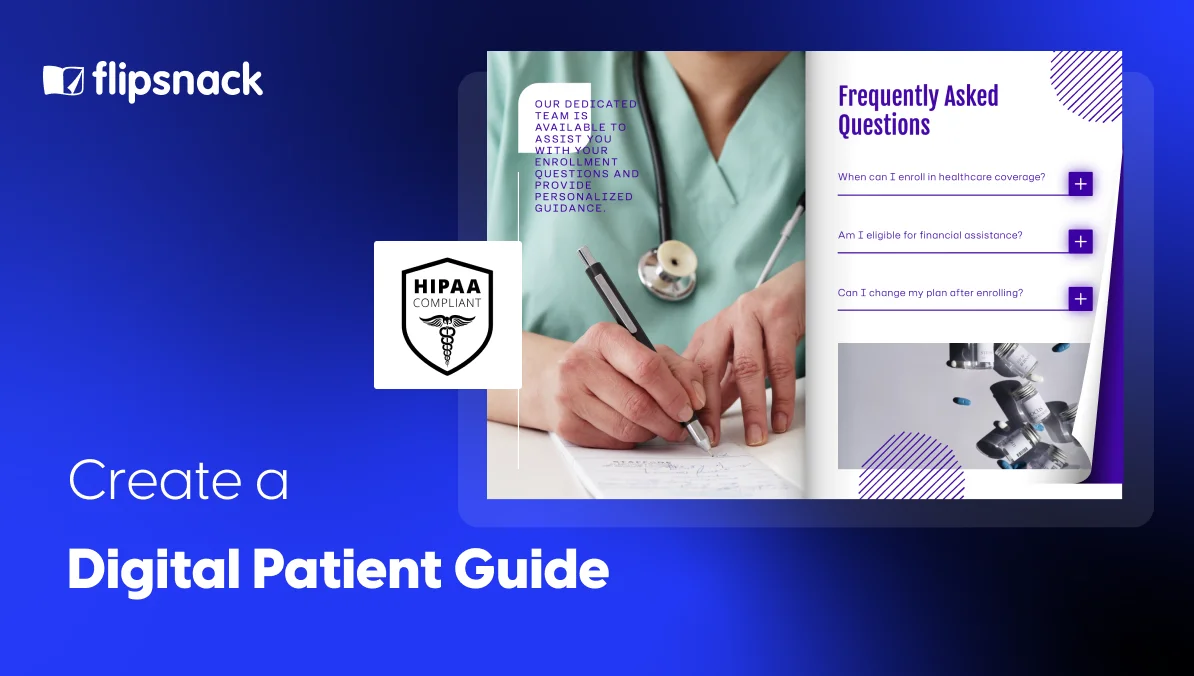
Interactive HIPAA medical brochure template: built for patient content, with interactive sections
This template comes with photo slideshows, video, and clickable spotlights already built in. It’s designed with patient data in mind, which makes it a strong pick for admission or discharge guides that need to feel secure and professional.
Medical brochure template: a clean layout for a welcome guide
This 10-page layout explains services and conditions in a clear, reassuring way. It includes clickable email and phone buttons, so patients can reach your team right from the guide.
Clinic trifold brochure template: good for a quick pre-visit guide
This is a simple two-page trifold, built for short, focused content rather than a full guide. It works well as a quick pre-visit checklist or a compact overview.
Browse Flipsnack’s health and fitness templates for more options, or start from scratch if none of these fit. Add your branding, update the content, and publish. You can also upload an old PDF and turn it into a guide in a few clicks.
Pro tip: Save your finished guide as a template. This keeps your branding the same across departments.
Conclusion
The best patient guides do more than share information. They help patients feel informed and supported, and a digital format makes it easier to keep content current, improve accessibility, and deliver a better experience throughout the patient journey.
With Flipsnack, you can create branded, interactive patient guides that are easy to update, simple to share, and designed to engage patients every step of the way.
Frequently asked questions
The best software depends on your goals. If you want to create interactive patient guides with templates, branding, analytics, and easy sharing, Flipsnack is a great choice. You can start from scratch or upload an existing PDF, then add videos, links, forms, and other interactive elements.
A patient portal and a digital patient guide have different roles. Patient portals give patients secure access to their health information, while digital patient guides provide educational content and care instructions. Together with other digital patient engagement tools, they help create a more connected patient experience.
There’s no fixed length. A focused discharge or pre-op guide might run a few pages. A full admission or welcome guide might run 15–20 pages. Either way, keep it clear and easy to scan, and use a clickable table of contents if it covers several topics.
Digital patient guides help patients stay informed and involved in their care. They can revisit instructions, watch educational videos, download forms, and find answers whenever they need them. Interactive features such as videos, clickable links, forms, and searchable sections make information easier to explore and help patients stay engaged throughout their healthcare journey.
You can share a digital patient guide in several ways, including email, QR codes, your website, a patient portal, or SMS. With Flipsnack, you can also embed guides directly into your website, making them easy to access on any device.
Yes. One of the biggest benefits of a digital guide is that you can update it anytime. Instead of printing new copies, simply edit the guide and publish the changes. Patients will always have access to the latest version.
If your guide includes protected health information (PHI) , follow your organization’s privacy policies. Keep in mind, a digital guide isn’t automatically HIPAA compliant. Compliance depends on the content you share and how you manage it. If you work with PHI, Flipsnack offers HIPAA-compliant features to help support your privacy and security requirements.