AI Features for Digital Catalogs You Can Use Today
Published on: August 4, 2026
Every new catalog starts the same way. You rebuild last quarter’s layout, resize forty product photos, and wait two days for a designer to squeeze in your request. Once it ships, it’s a static PDF sitting in an inbox, and nobody can tell you whether a single person opened page six.
That’s not a skills problem. That’s a format problem: a flat file can’t adapt, translate, describe, or report back on itself.
Six AI features for digital catalog already live inside Flipsnack’s Design Studio to close that gap. Below, you’ll find what each one does, where it fits your workflow, and where a human still belongs in the loop.
What is AI in digital publishing?
AI in digital publishing refers to machine-generated assistance that creates, adapts, or analyzes visual and written content inside a document, without manual redesign for each change.
In a catalog or brochure, that support ranges from generating an image from a text prompt to describing a page for a screen reader. Some tools bolt this onto exports after the fact. Flipsnack builds AI actions directly into the editor, so a change happens in place, under the same published link.
How does AI actually work inside a digital catalog?
Flipsnack AI runs on a credit system built on OpenAI’s GPT-4o model. Every AI action inside the Design Studio (animating a photo, generating an image, translating a page) draws from a monthly credit pool tied to your plan. Nothing you upload trains a future model; your inputs and outputs stay private to your account, a stance detailed onFlipsnack’s security page.
A typical workflow splits content, design, and delivery across three separate tools. Flipsnack AI folds all three into one editor.
Old way: export, hand off, wait, re-import. New way: select, generate, publish, under the same link.
That single change removes the file-passing that eats most of a marketing team’s week.
Manual workflow vs. AI-powered workflow
| Capability | Manual workflow | AI-powered workflow |
| New product visual | Book a shoot or a stock license | Generate from a text prompt in Design Studio |
| Static photo engagement | Photo sits flat on the page | Animate with one click (Living visuals) |
| Accessibility | Hire a specialist or skip it | Auto-generate page and image descriptions |
| Reaching new markets | Brief a translator per language | Translate a page or whole document instantly |
| Measuring performance | Export raw stats, interpret manually | Get plain-language insights from engagement data |
None of them require abandoning your existing catalog; each swaps one manual step for an automated one, inside the same document.
6 AI features you can use for product catalogs in Flipsnack
1. Turn static photos into cinematic motion with AI Animate
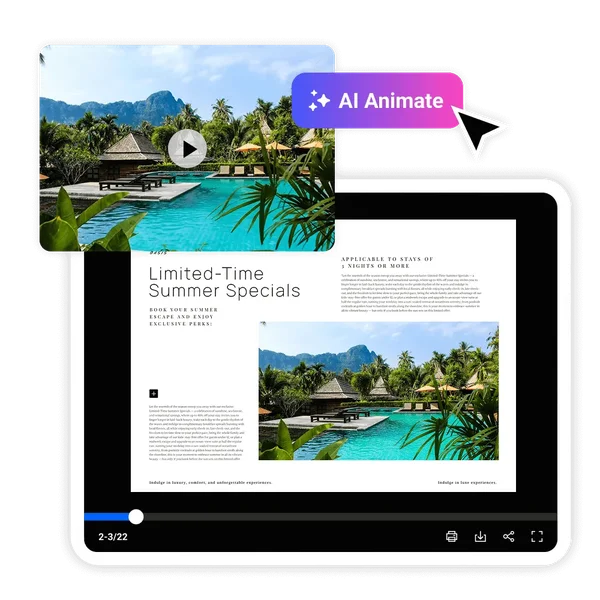
A still product shot gets skimmed past in under a second. AI Animate selects any static photo inside your flipbook and turns it into a few seconds of subtle, auto-playing motion. A page that used to sit flat now holds attention long enough to register.
Retail teams use it for product rotations and light sweeps across a digital catalog. Real estate teams use it to bring a hero listing photo closer to how a walkthrough feels, without hiring a videographer. No export, no timeline, no editing software required.
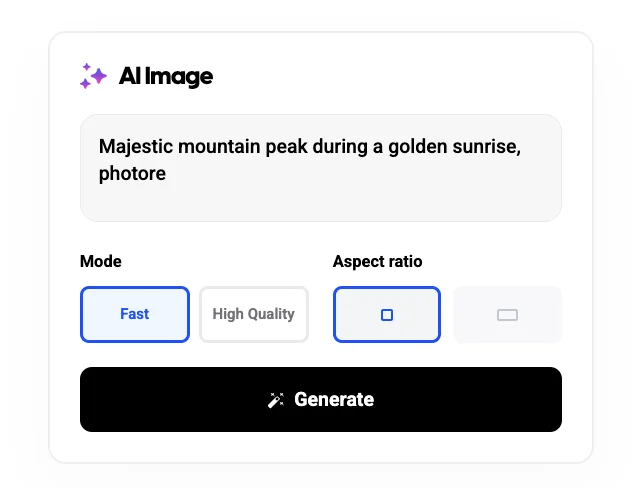
2. Generate custom images from a text prompt
Missing a product shot, or need a background variant for three regional versions of the same catalog? Describe what you need. Flipsnack generates it inside your existing canvas, so you skip the separate image tool and the re-import step entirely.
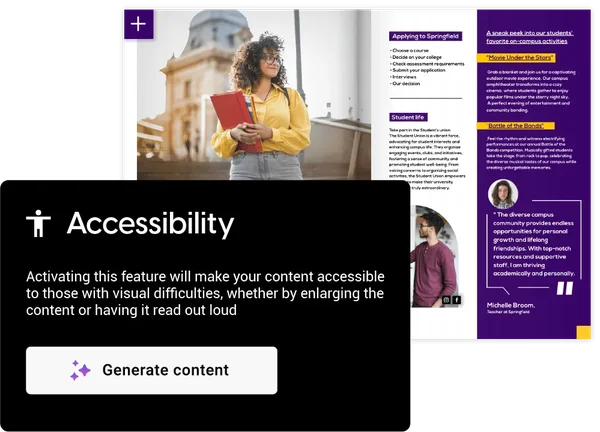
3. Auto-generate accessibility descriptions for screen readers
Flipsnack AI reads each page and produces text and image descriptions automatically, so a screen reader can communicate your publication’s content to a reader who can’t see the layout. That’s the mechanism; the compliance stakes are covered in the FAQ below.
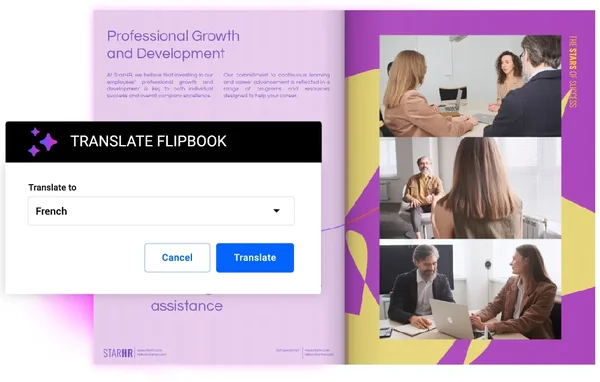
4. Translate a catalog into another language in one click
Reaching a market in another language used to mean briefing a translator, waiting days, and rebuilding the layout around new text lengths. Flipsnack AI translates a single text box or an entire flipbook in one action, so the same catalog reaches a second market the same day it reaches the first.
5. Turn engagement data into plain-English insights
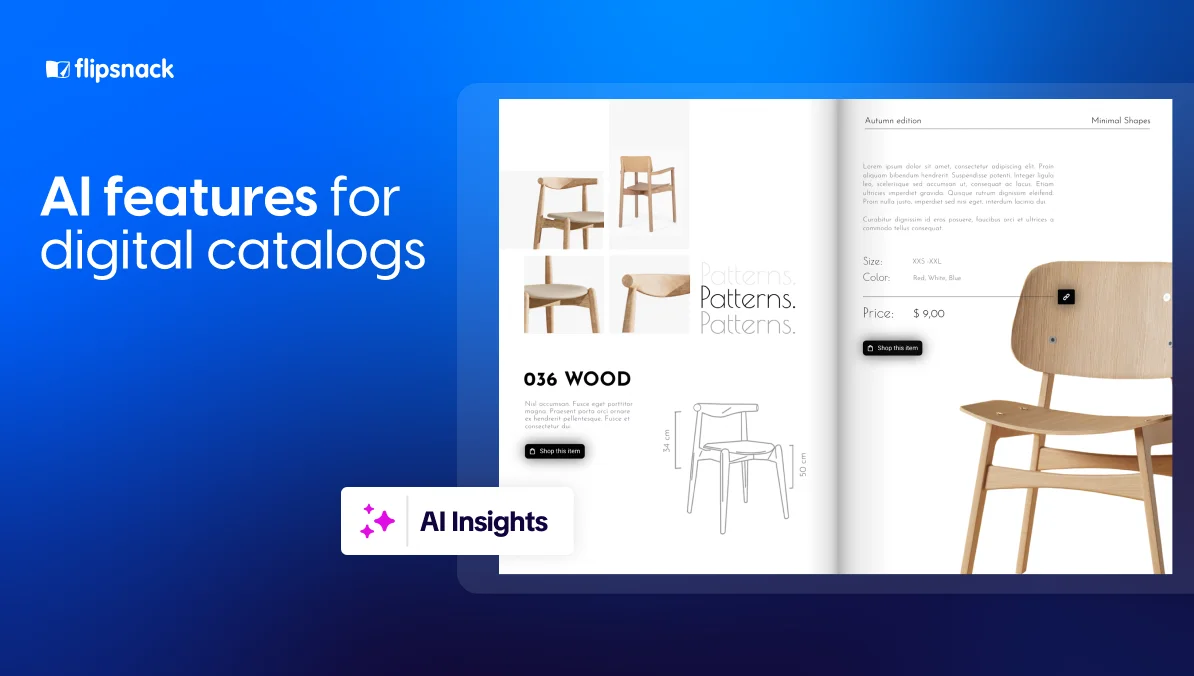
Raw statistics tell you what happened. Flipsnack’s AI insights go a step further, converting page-level time, clicks, and drop-off into short, readable recommendations. A marketing manager gets the benefit of a data analyst without hiring one.
6. Auto-generate real estate brochures from MLS listings
For real estate teams specifically, MLS AI Brochure pulls a listing straight from MLS and builds a branded, interactive brochure around it in seconds. That skips the copy-paste-and-reformat cycle entirely. We’ve covered this workflow start to finish in a dedicated real estate guide, so we won’t repeat it here.
How do you use AI in digital publishing
Open any flipbook in Flipsnack’s Design Studio; every AI feature triggers from the same editor, in two to four clicks, with no separate app or export step. Here’s the path for each one:
Animate a photo with AI Living Visual
- Select any static photo already placed on a page.
- Click AI Animate in the toolbar.
- Preview the motion, then publish under your existing link.
Generate an image from a text prompt
- Open the AI Image panel from the same toolbar.
- Describe the visual you need.
- Drop the result straight onto your page, no download or re-upload.
Add accessibility descriptions automatically
- Open the Accessibility tab in Design Studio.
- Run AI page summaries across your flipbook.
- Review the generated text and image descriptions before publishing.
Translate a page or an entire flipbook
- Select a single text box, or the whole flipbook, from the Translate menu.
- Choose the target language.
- Publish the translated version under a new link, or replace the original.
Read your AI insights after publishing
- Open the Statistics tab once your flipbook has traffic.
- Switch to AI insights.
- Act on the plain-language recommendation for the page losing the most readers.

Flipsnack also connects directly to ChatGPT, so none of this requires opening Flipsnack at all. That means a marketing manager can check which page is losing readers, rewrite a description, and refresh a metadata field between two other tasks, all from the same conversation. Connect ChatGPT to try it.
Auto-generate a catalog page from an MLS listing
- Connect your MLS account under Integrations.
- Select a listing to pull its data and photos into Flipsnack.
- Let AI place everything into a branded catalog page, then customize and publish.
Where AI still needs a human
Flipsnack AI removes repetitive production work. It doesn’t replace judgment.
- Brand tone. Generated images and translated copy still need a quick check against your brand kit before publishing, especially for regulated industries.
- Layout balance. AI Animate and AI image generation fill a slot you choose; deciding which slot deserves motion or a new visual is still a human call.
- Data accuracy. AI insights summarize engagement patterns well, but a person should confirm a recommendation against business context before acting on it.
How AI Animate turned a digital catalog into a wholesale showroom
Pot Factory Connect launched with no warehouse and no physical inventory. Every product ships straight from manufacturer to customer, so the catalog had to work as the entire showroom, convincing wholesale buyers to place large orders on products they’d never touch in person.
Before Flipsnack, every supplier update meant manually rebuilding pages, copying descriptions, and re-uploading images across more than 900 products, a five-to-ten-day job each time. The team automated that pipeline with Flipsnack’s Catalog Generator, then turned to AI Animate to solve the trust problem static photos couldn’t: making products feel real without a showroom to walk buyers through.
“One of our favorite features is AI Animation. You literally upload a picture, click ‘AI Animate,’ and suddenly you’ve got plants moving in the wind or people walking through a hallway. It lets customers experience the products almost the way we see them.” — Mitch, Pot Factory Connect
- Catalog creation dropped from 5–10 days to under 24 hours
- 900+ products organized into one automated catalog
- Secured a 17-container order in the company’s first week
No showroom, no sales team walking buyers through the range, just a catalog doing the convincing on its own.
Templates built for AI-powered catalogs
Start from a template built for your use case, then let the AI features fill it in. Layout is the one decision that’s still yours to make.
Product catalog template
See more product catalog templates
Best for: retail and eCommerce teams launching a new seasonal line with no design department to lean on and no time to build a layout from a blank page every quarter. A template means the AI features go straight to work on photos and copy instead of getting spent on grid decisions. Real-world application: drop in product photos, then animate three to five hero shots rather than the whole catalog.
Common mistake to avoid: animating every product image. Motion works as a highlight, not a wallpaper.
Real estate brochure template
See more real estate templates
Best for: individual agents and small teams juggling several active listings at once, where an hour spent formatting a brochure is an hour not spent on showings or follow-ups. A ready layout turns MLS AI Brochure’s speed into an actual time saving instead of a head start that still needs a redesign. Real-world application: connect MLS, generate the brochure, then animate the single best exterior or interior shot.
Common mistake to avoid: skipping the accessibility pass because a listing “just needs to look good.” Buyers using assistive tech are still buyers.
Which AI feature should you start with?
None of these six features replace a design team. Together, they remove the parts of catalog production that never needed a human in the first place: resizing, translating, describing, and reporting.
Choose AI Animate and AI image generation if static visuals are your bottleneck. Choose translation if new markets are the goal. Choose accessibility first if compliance is the blocker holding a launch back. Most teams end up using at least three of the six within a month.
Static catalogs don’t get slower over time. They just stop earning the attention they used to.
FAQ about AI features for digital catalogs
Is WCAG legally required for digital catalogs?
It depends on your sector and location. Government agencies, many healthcare and education organizations, and any business serving customers under the ADA in the U.S. face real legal exposure for inaccessible content, measured against theW3C’s WCAG 2.1 guidelines. Flipsnack’s AI accessibility features generate WCAG 2.1 AA-aligned descriptions automatically, closing most of that gap without a specialist audit.
What’s the difference between WCAG and ADA?
WCAG is a technical standard for making digital content accessible. ADA is U.S. civil rights law, and courts apply it to digital content more often now, usually by pointing to WCAG as the working benchmark.
Do AI features cost extra on top of my Flipsnack plan?
AI actions run on a monthly credit pool included with paid plans. Advanced features like AI Animate need a Starter plan or higher; check current tiers on the pricing page, since credits refresh monthly and usage varies by action type.
Does AI Animate add a watermark to the generated video?
No. Videos generated inside Flipsnack carry no watermark and stay fully under your brand.
Can I use my own product photos with AI Animate, or only stock images?
Any image already inside your flipbook works: uploaded photos, template assets, or newly AI-generated images all qualify for animation.
Will translating my catalog with AI break my layout?
Flipsnack AI shifts text placement on its own after translation. Still, run a quick check for languages with much longer or shorter word counts than English.
Is AI-generated catalog content still print-ready?
Yes, for the parts AI touches inside Flipsnack. Generated images and animated frames export at the same resolution and color profile as the rest of your document. The underlying PDF still exports print-ready, with standard CMYK, bleed, and DPI settings intact..