RFP Presentation: How to Structure Your Deck With a Buyer Review Checklist
Published on: November 20, 2026
Making the shortlist is a good sign: your written response did its job. Now comes the part that feels more personal. Your RFP presentation is judged on different terms, and some of the people who approve the award won’t even be in the room.
Evaluators have already read your proposal. So in the finalist session, they’re looking for something else.
They want to see that you understood their problem, meet a team they can trust and hear clear answers to the questions still open. Many vendors follow the meeting with an interactive, trackable business proposal, so absent stakeholders can review the same story on their own time.
In this guide, we’ll walk through how to structure an RFP presentation slide by slide, map criteria to evidence and check your deck the way a buyer would.
Table of contents
- What is an RFP presentation?
- How is an RFP presentation different from the written RFP response?
- What should you confirm before you build an RFP presentation?
- How should you structure an RFP presentation?
- 1. Open your RFP presentation with an executive summary
- 2. Show evaluators you listened
- 3. Map your solution to the critical requirements
- 4. Introduce the delivery team and the implementation plan
- 5. Match proof points to the buyer’s profile
- 6. Name the risks before evaluators do
- 7. Keep the investment slide the same as your written pricing
- 8. Close with a specific next step
- How do you map RFP evaluation criteria to evidence?
- Which mistakes cost vendors the RFP presentation?
- Should a live RFP presentation and a submitted deck look different?
- How do you keep absent evaluators informed after the RFP presentation?
- Create an RFP presentation companion with Flipsnack
- What do evaluators check in an RFP presentation?
- Start your RFP presentation from a proposal template
- Turn your RFP presentation into a link evaluators can review
- Frequently asked questions about RFP presentations
What is an RFP presentation?
An RFP presentation is a live or recorded session where shortlisted vendors present their solution, team and pricing to the buyer’s evaluation committee. It happens after written proposals are scored and before the contract is awarded.
Buyers also call it orals, a finalist presentation or an oral proposal. Whatever the name, the session tests whether your team can defend what your document promised.
How is an RFP presentation different from the written RFP response?
Your written RFP response is the compliance record. It answers every requirement, in the format the buyer asked for. Your RFP presentation gets to be more selective. It covers the critical requirements, shows the team behind the bid and handles live questions. A companion document carries that story to stakeholders who missed the session.
| Aspect | Written RFP response | RFP presentation | Companion document |
|---|---|---|---|
| Main job | Prove compliance with every requirement | Build confidence in your approach and team | Keep your story available after the meeting |
| Who sets the format | The buyer, through submission rules | The buyer, through time and agenda limits | You, unless the buyer restricts follow up files |
| Length | As long as the RFP requires | 20 to 30 slides for 45 to 60 minutes | A focused version of the deck and key proof |
| Audience | Every evaluator who scores | Evaluators in the room | Approvers, absent evaluators and procurement |
| What gets scored | Each answer against the criteria | Clarity, credibility and fit | Usually nothing directly, but it shapes the debrief |
Think of the table as a way to split the work. When a team asks the presentation to do the compliance job too, presenters end up reading requirements aloud, and you can feel the room drift away. Writing a successful business proposal is still the foundation; the presentation builds on it.
One rule matters more than any tip in this guide. If the RFP mandates a PDF upload, a page limit or a portal submission, follow it exactly. A digital companion supports the mandated file. It never replaces it.
What should you confirm before you build an RFP presentation?
Before anyone on your team opens a slide template, it helps to confirm four things: how the session is scored, who attends, how long you have and what you may share afterward. Those four answers decide your agenda, your speakers and your follow up plan, so ask the buyer’s procurement contact in writing.
| What to confirm | Why it matters for your deck |
|---|---|
| Scoring rubric or top criteria | Your agenda can mirror the criteria order, which makes scoring easier for evaluators |
| Attendees and their roles | Finance, IT and end users each need different proof |
| Approvers who won’t attend | You need a way to reach them after the session |
| Timebox and Q&A format | A 45 minute slot with 20 minutes of Q&A calls for a shorter deck |
| Demo rules | Some buyers want a scripted scenario, while others don’t allow live demos |
| What you may send afterward | Some buyers ban new files after the session, and others welcome a summary |
If the buyer won’t share a rubric, don’t worry. The evaluation criteria section of the RFP is the closest thing to a scoring sheet you’ll get, so use it as your agenda.
How should you structure an RFP presentation?
Structure an RFP presentation in eight parts: executive summary, proof you listened, solution approach, delivery team and plan, proof points, risks, investment and next steps. For a 45 to 60 minute session, that usually means 20 to 30 main slides, plus backup slides for likely questions.
| Section | Slides | Minutes | Question it answers for evaluators |
|---|---|---|---|
| Executive summary | 3 to 4 | 5 | Do they understand our problem, and what do they propose? |
| Proof you listened | 2 | 3 | Did they read our requirements closely? |
| Solution approach | 6 to 8 | 12 | How will this work in our environment? |
| Delivery team and plan | 3 | 6 | Who does the work, and when? |
| Proof points | 3 to 4 | 6 | Have they done this for a buyer like us? |
| Risks and mitigation | 2 | 4 | What could go wrong, and how will they handle it? |
| Investment and assumptions | 2 | 4 | What does it cost, and what’s included? |
| Next steps | 1 | 2 | What happens after today? |
That plan fills about 42 minutes and leaves room for questions in a 60 minute slot. The principles behind a clear, persuasive business presentation still apply, with one difference: every slide here answers a scoring question.
1. Open your RFP presentation with an executive summary
Start with the buyer, not with yourselves. Restate their problem in their own words, summarize your solution on one slide and say why your team fits. The founding year, office map and logo wall can wait. The committee already knows who you are, which is exactly why you made the shortlist.
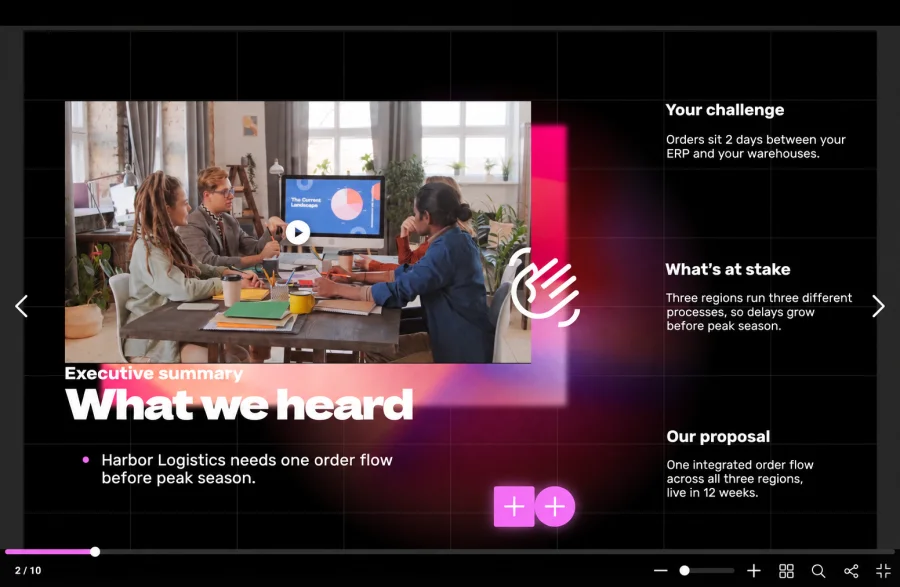
A strong RFP executive summary fits on three or four slides and answers one question: why should this committee feel safe choosing you?
2. Show evaluators you listened
Pick the two or three requirements that matter most to this buyer and connect each one to a constraint they mentioned. When you name their legacy system or their rollout deadline, evaluators can tell your team read the document closely.
3. Map your solution to the critical requirements
Your written response already covers every requirement. In the room, explain the eight to ten requirements that are complex, heavily weighted or easy to misread.
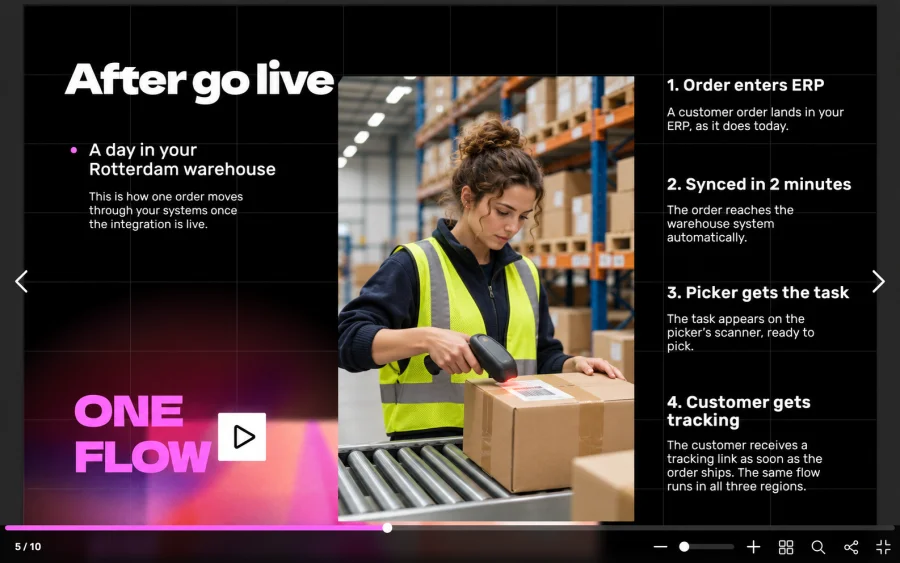
Diagrams and short scenarios work better than feature lists here, because a scenario shows how your solution behaves during the buyer’s working day.
4. Introduce the delivery team and the implementation plan
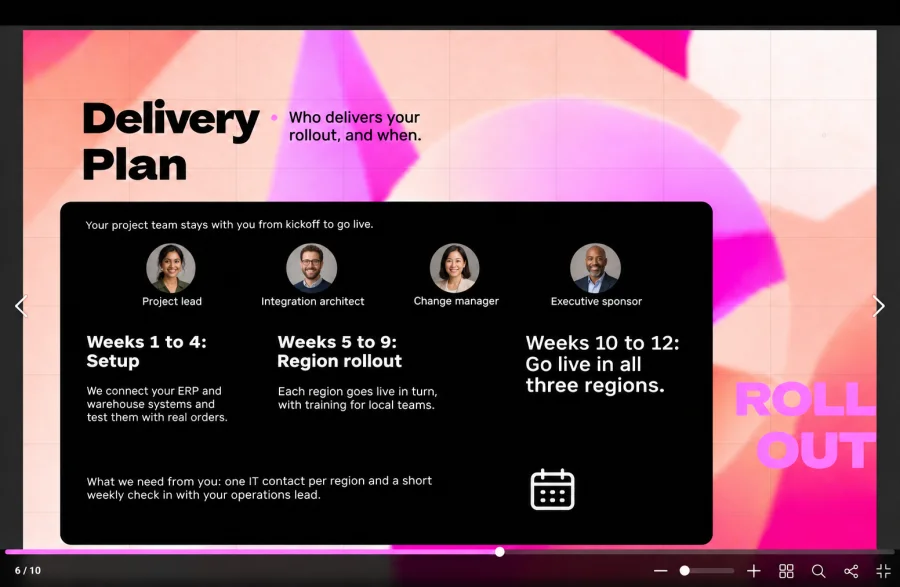
Buyers want to meet the people who will run the project, not only the sales lead. Let your project manager present the phases, the milestones and what you need from the buyer. Naming an owner for each section, with the proposal manager as narrative lead, also stops preparation from falling on one person.
5. Match proof points to the buyer’s profile
One deep case study from a similar company beats three generic logos. Pick proof that matches the buyer’s industry, size or biggest risk, then show the baseline, the result and the timeline.
6. Name the risks before evaluators do
Every buyer in the room is quietly looking for a reason to feel nervous. List the two or three risks that matter most, such as data migration or user adoption, and show a mitigation plan for each.
Committees tend to trust the vendor who raises risk first, especially when you’re up against the buyer’s current supplier, the incumbent.
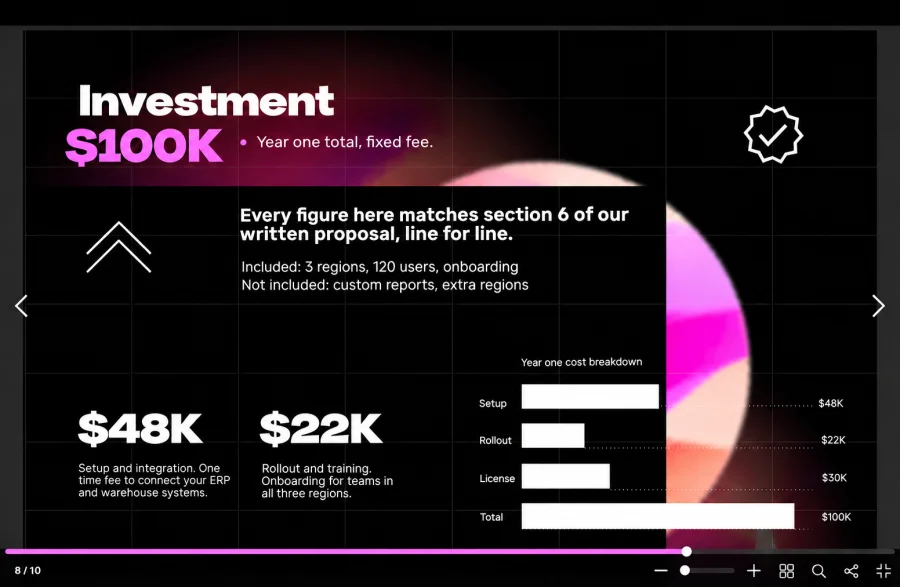
7. Keep the investment slide the same as your written pricing
Your pricing summary should match the cost proposal line for line. Add the assumptions behind it and what’s excluded, so procurement doesn’t discover a gap after the meeting.
8. Close with a specific next step
End with a concrete action, such as a reference call, a technical deep dive or a decision date. A closing line like “we look forward to working together” gives the committee nothing to schedule.
Keep 10 to 15 backup slides ready for technical questions, alternative pricing and detailed architecture. Teams that already run a digital sales presentation workflow can pull most of these from approved content instead of building them overnight.
How do you map RFP evaluation criteria to evidence?
Build a criteria to evidence map before you design a single slide. List each criterion with its weight and write the claim you’ll make. Then attach the proof and note the slides where it appears. Any criterion without proof is a gap your team needs to close before presenting.
Example for a fictional software implementation RFP:
| Criterion | Weight | Your claim | Proof | Slides |
|---|---|---|---|---|
| Technical approach | 35% | Integrates with the buyer’s ERP in 12 weeks | Architecture diagram and a matched integration case study | 9 to 14 |
| Rollout plan | 25% | Phased rollout across three regions | Timeline with milestones and buyer responsibilities | 15 to 17 |
| Experience | 20% | Delivered similar projects in the same industry | Two matched case studies and reference contacts | 18 to 21 |
| Cost | 20% | Fixed fee with clear assumptions | Pricing summary that matches the cost proposal | 24 to 25 |
The weights show you where your minutes should go. A criterion worth 35% deserves more time than one worth 10%, even if your team secretly enjoys the smaller topic more.
Which mistakes cost vendors the RFP presentation?
Most vendors lose the RFP presentation in one of four ways. They repeat the written response, open with company history, show prices that differ from the cost proposal or forget the stakeholders who couldn’t attend. Each of these makes it harder for the committee to justify choosing you.
The margins here are thin. Loopio’s 2025 RFP benchmark report puts the average win rate at 45%, so small presentation errors can decide close calls.
Where finalist decks fall short:
- Company history first. Ten minutes of founding stories and logos uses the time buyers wanted for their own questions.
- Every requirement on screen. Reading 50 requirements aloud turns a finalist session into a compliance review.
- Pricing drift. A number that differs from the cost proposal sends procurement back to the fine print.
- No plan for absent approvers. Your champion has to retell the pitch from memory to a director who never saw it.
Where winning decks stand out:
- Buyer problem first. The opening slide uses the buyer’s words, not your tagline.
- Selective depth. Eight to ten critical requirements get real time and visuals.
- One set of numbers. Pricing, timelines and team names match the written response exactly.
- A leave behind ready to send. Approvers receive the same story in a format they can review in minutes.
Should a live RFP presentation and a submitted deck look different?
A live RFP presentation and a submitted deck should look different. The live version supports a speaker, so slides stay light and visual. A submitted deck has to explain itself without a presenter. It needs fuller captions, clear section breaks and an appendix evaluators can jump to.
| Element | Live presentation | Submitted or emailed deck |
|---|---|---|
| Text on slides | Short headlines and visuals | Full sentences under each visual |
| Speaker notes | Carry the detail | Unseen, so detail moves onto the slide |
| Navigation | Linear, led by the presenter | Clickable table of contents and section breaks |
| Appendix | Backup slides shown on request | Full specs, references and pricing detail |
| Font size | Readable from the back of the room | Readable on a laptop or phone |
Most teams end up needing both. We’d suggest building the live deck first, then turning it into a version people can review on their own.
How do you keep absent evaluators informed after the RFP presentation?
Send a companion version of your RFP presentation through one secure link, if the buyer allows follow up files. Absent approvers review it on their own schedule. Your team can update it after buyer questions, and view data shows which sections the committee read.
Committees rarely decide in the room, and that’s easy to forget. After the session, your champion summarizes the pitch for a director, a CFO or a procurement lead who didn’t attend. That summary is only as strong as the material your champion can forward.
A PDF attachment makes this harder than it needs to be. It gets forwarded without control, goes stale after your first clarification answer and tells you nothing about who opened it.
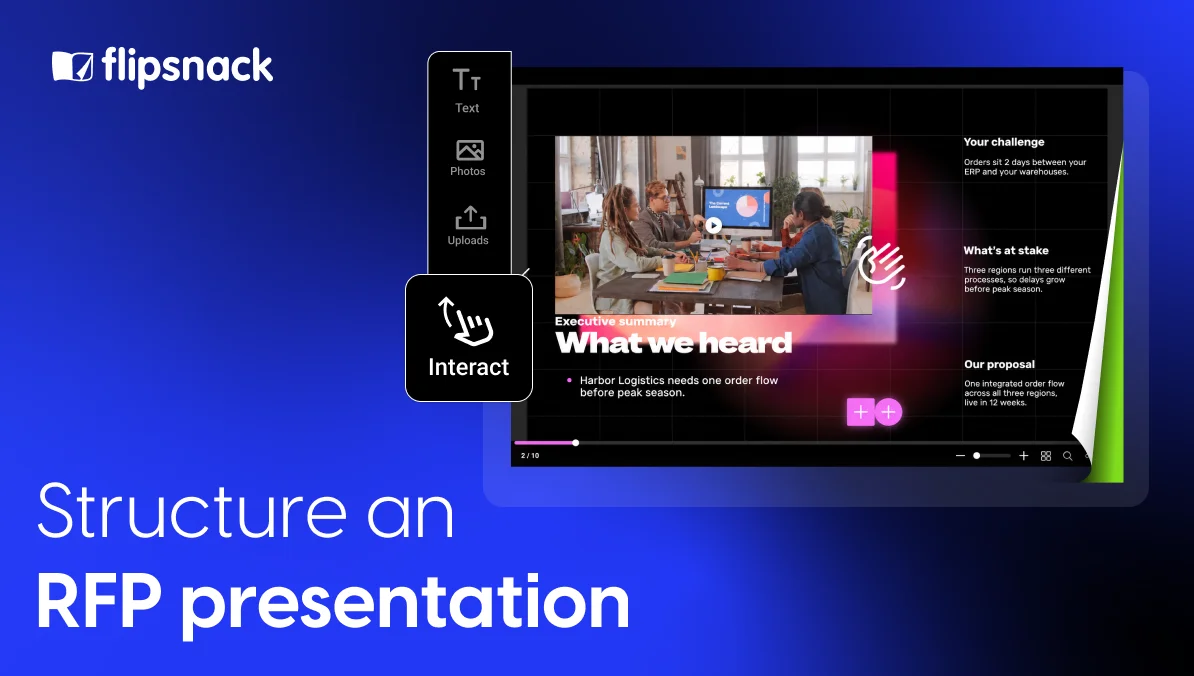
Flipsnack lets you publish the deck as an interactive document on one link, so every evaluator sees the current version:
- Controlled access. Password protection, access restricted to approved email addresses and SSO keep pricing visible only to the people the buyer names.
- One current version. You can replace the PDF inside the same flipbook and keep the same link, so nobody reviews last week’s numbers by mistake.
- View data that guides follow up. Proposal tracking analytics show pages viewed and time spent, so your team knows which sections drew attention.
- Video beside complex sections. A short demo or architecture walkthrough sits on the page, so absent stakeholders see what the room saw.
Confidential pricing stays safer when you share PDF documents online with controlled access instead of attaching them to an email.
Flipsnack doesn’t replace the buyer’s procurement portal. If the RFP forbids new files after the session, respect that rule and save the companion for approved follow up.
Create an RFP presentation companion with Flipsnack
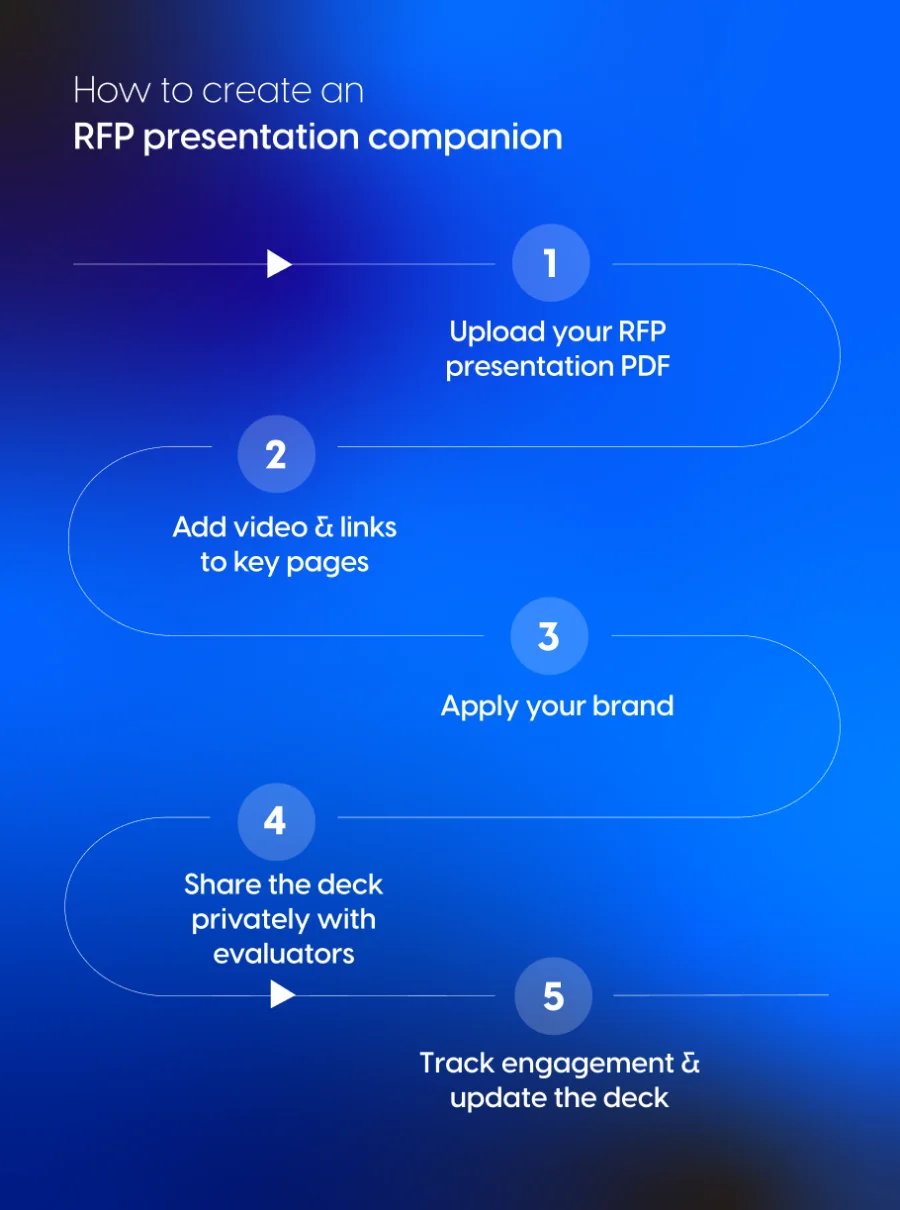
Turning your finalist deck into a private, trackable link takes five steps.
Step 1: Upload your RFP presentation PDF
Export your final deck as a PDF and upload it to Flipsnack. Your slides keep their layout, and the deck becomes a page flipping document that opens in any browser.
Step 2: Add content that explains complex sections
Open the deck in Flipsnack’s Design Studio and add a demo video or links to reference case studies. Focus on the pages buyers will question most.
Step 3: Apply your brand
Add your logo, brand colors and fonts so the companion matches the deck the committee saw. When several bid teams build proposals, locked templates and role based permissions keep every version consistent.
Step 4: Share the deck privately with the evaluation committee
Choose an access option, such as a password or restricted email access, and turn off downloads if pricing should stay on screen. Then send one link to your buyer contact. Sharing a presentation privately with named reviewers works the same way for a finalist deck.
Step 5: Track engagement and update the deck
Check which pages the committee opened and how long they stayed. If the buyer sends a follow up question, update the document under the same link instead of emailing a new file.
What do evaluators check in an RFP presentation?
Evaluators check whether your RFP presentation answers their criteria, matches your written response and proves you can deliver. They also need something they can confidently defend to their own leadership. Before every finalist session, run through this buyer review checklist, ideally with a colleague who didn’t build the deck and can read it with fresh eyes.
Compliance and format checks
- The deck follows every format rule in the RFP, including time limits, file type and slide limits.
- Agenda headings mirror the evaluation criteria, in the same order.
- No slide contradicts the written response or its compliance matrix.
- Answers from the buyer’s Q&A round appear where they fit.
Relevance checks
- The opening slide states the buyer’s problem in their own words.
- Every example uses the buyer’s systems, sites or teams, with no leftovers from another bid.
- No slide could be pasted into a competitor’s RFP unchanged.
- The deck names the buyer’s top risks.
Proof checks
- Each weighted criterion has at least one piece of proof.
- Case studies match the buyer’s industry, size or biggest concern.
- Every statistic and certification is current.
- The people presenting are the people who will deliver.
Commercial checks
- Pricing matches the cost proposal exactly.
- Assumptions and exclusions appear on the slide.
- The timeline from signature to go live is realistic.
Follow up checks
- A reviewable version exists for approvers who missed the session.
- Access is limited to the people the buyer approved.
- Your team agreed who answers which type of question.
- The closing slide proposes a dated next step.
Start your RFP presentation from a proposal template
These presentation templates make a good starting point for an RFP presentation. They’re already in a slide format and hold the sections evaluators expect.
Interactive investor presentation template
This 10 page landscape deck was built to present a company overview, a market opportunity and financial details to a demanding audience. It comes with videos, GIFs, slideshows, captions, link buttons, interactive questions and contact forms. That mix fits an RFP presentation companion well: evaluators can watch a short demo, open your references and contact your team from the same link.
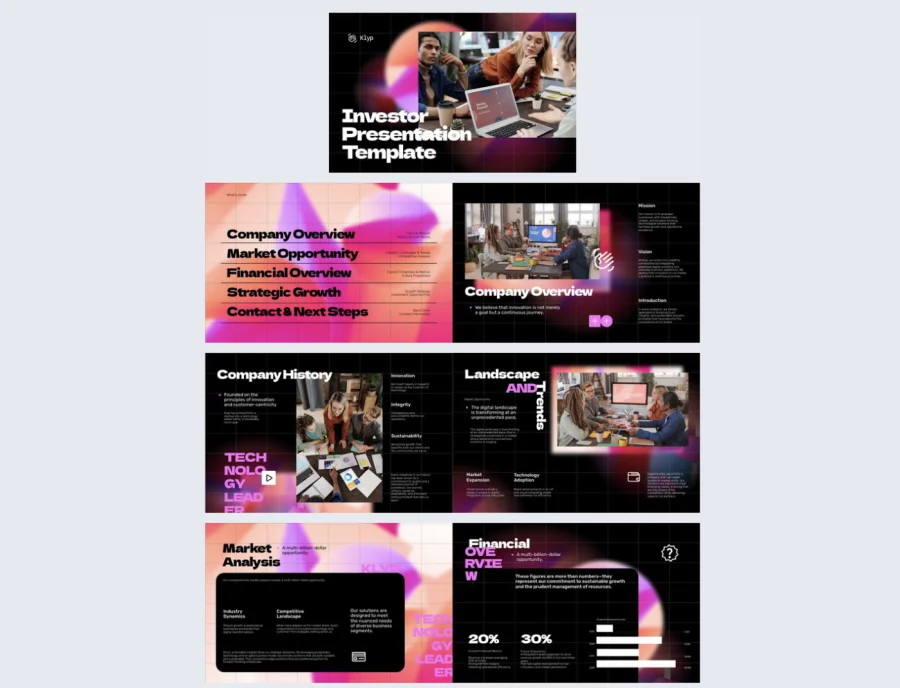

Best for: Vendors with a focused offer who want one compact deck for the finalist session and the follow up.
Real world application: Turn the company overview into your executive summary, the market opportunity pages into “what we heard from you” and the financial pages into your investment summary. Use the contact form as your next step slide.
Common mistake to avoid: Keeping the investor angle. Evaluators aren’t buying your growth story, so every page should talk about their problem and their rollout.
Venture capital pitch deck presentation template
This 13 page landscape deck follows the structure of a classic pitch, built to show growth potential and a long term plan. That clear, step by step flow translates well to an RFP presentation, where you need to show how your solution grows with the buyer across sites and years.
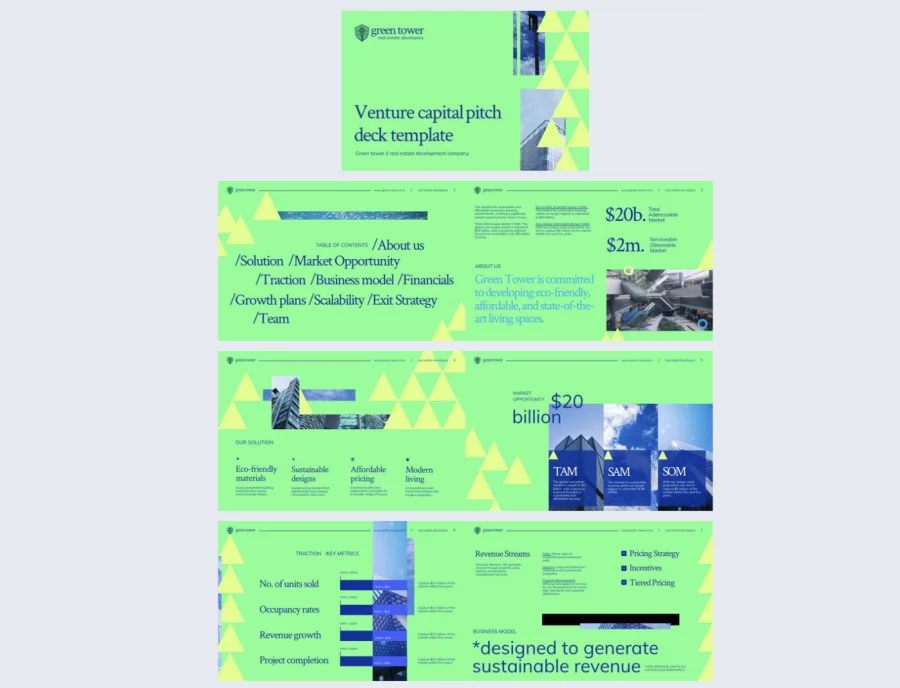
Best for: Vendors pitching a multi year contract, where the buyer cares about scalability and long term partnership.
Real world application: Use the problem and solution pages for your executive summary and solution approach. Turn the scalability pages into your rollout plan across regions, and the growth pages into your investment and next steps.
Common mistake to avoid: Keeping the fundraising language. Remove anything about exit strategy or investor returns, so every page speaks to the buyer’s rollout and results.
Turn your RFP presentation into a link evaluators can review
A strong RFP presentation gives the committee the confidence to pick your team. Structure the deck around their criteria, keep your numbers the same as the written response and plan for the approvers who won’t attend.
Upload your finalist deck to Flipsnack, share it privately with the evaluation committee and see which sections they review before the decision.
Committees decide after you leave the room. Make sure your story stays behind.
Frequently asked questions about RFP presentations
Session length depends on the buyer’s instructions, so confirm it in writing. Plan to present for no more than two thirds of the slot and leave the rest for questions. Evaluators often weigh how your team handles Q&A as much as the slides.
An RFP executive summary should restate the buyer’s problem in their words and summarize your solution. It should also name three to five win themes and explain why your team is a safe choice. Keep it to three or four slides, and move company history to the appendix.
Bring the people who will deliver the work: the project or account lead, a technical lead and an executive sponsor. One narrative owner should open, close and route questions, so your RFP presentation sounds like one team speaking with one voice.
Only if the RFP allows it. Mandated formats, such as a PDF uploaded to a procurement portal, always come first. An interactive version works best as a companion for approved follow up. It gives absent evaluators one current link instead of a forwarded file.
Send a short thank you note the same day with answers to any open questions. If the buyer allows it, add a link to a reviewable version of your RFP presentation. Use view data to see which sections drew attention, then prepare your team for the next conversation.