Capability Statement and Capabilities Deck: Structure and Examples for B2B Firms
Published on: November 17, 2026
Every B2B firm that sells into procurement runs into the same tension. Buyers want a capability statement they can scan in a couple of minutes, while your team needs room to prove it can deliver.
Most firms try to squeeze both jobs into one PDF. Strong teams split the work instead: a one page statement that gets them shortlisted, then a longer capabilities deck, often shared as an interactive sales presentation buyers can open from a single link.
Your content usually isn’t the problem. The format is.
In this guide, you’ll learn what a capability statement includes, which federal codes belong on it, how a capabilities deck differs and how five real B2B firms built theirs.
Table of contents
- What is a capability statement?
- What is a capabilities deck?
- Capability statement vs capabilities deck: which one do you need?
- What to include in a capability statement
- Which federal codes belong on a capability statement?
- How long should a capability statement be?
- How to structure a capabilities deck
- Capability statement examples from real B2B firms
- 1. Precision Urethane & Machine: a federal style one page statement
- 2. Artemis Construction Management: a commercial and municipal one pager
- 3. Filters Plus Australia: a capabilities deck that starts with the buyer’s problem
- 4. Nubco: a capabilities deck that proves operational fit
- 5. Rendercon: a capabilities deck built on visual proof
- Create a capability statement and capabilities deck with Flipsnack
- Start your capabilities deck from a template
- Capability statement mistakes to avoid
- Turn your capability statement into a live sales asset
- Frequently asked questions about capability statements
What is a capability statement?
A capability statement is a short document, usually one page, that sums up what a company does, the work it has already delivered and who to contact. Government agencies, prime contractors and business buyers use it to decide fast whether a supplier deserves a closer look.
Think of it as a resume for your company. Buyers read it to screen vendors before they ever book a call.
Most firms keep two versions of their capabilities statement:
- General statement. One evergreen version you post on your website, add to procurement profiles and hand out at industry days.
- Targeted statement. A version you tailor to one agency, notice or prospect. Keep only the skills and projects that matter to them.
Government contractors rely on it most, but they’re not the only ones. B2B suppliers use it to join preferred vendor lists. Agencies use it to introduce their services, and subcontractors use it to approach larger partners.
That last use matters more than many firms expect. In one Reddit discussion, a self-identified contracting officer said statements had helped more with finding private sector partners than with cold outreach to contracting offices.
What is a capabilities deck?
A capabilities deck is a longer presentation that shows a firm’s services, process and proof to a prospective client. Teams usually send it once a buyer wants more detail than a one page statement can hold.
You’ll often use it after a discovery call, in a capability briefing or at the start of an RFP response. Agencies and service firms also send it after a first meeting, while software teams usually rely on a product demo presentation instead.
A capabilities deck isn’t a pitch deck, though. Agency owners describe the deck as the general introduction. The pitch or proposal comes later and answers one client’s specific problem, which is the job of a tailored sales deck.
Capability statement vs capabilities deck: which one do you need?
A capability statement opens the door. A capabilities deck keeps the talk going once you’re in.
| Criteria | Capability statement | Capabilities deck |
|---|---|---|
| Main job | Help a buyer screen you quickly | Show a buyer how you’d work together |
| Length | One page, front and back at most | Several pages; the decks in this guide run 19 to 23 pages |
| Main readers | Contracting officers, procurement teams, prime contractors | Decision makers in a discovery call or briefing |
| When you send it | Before first contact, in vendor profiles, at industry days | After a first conversation or when a buyer asks for a briefing |
| Tailoring | One general version plus targeted versions | Adapted to each meeting |
| Proof | A short list of relevant projects | Case studies, photos, testimonials and your process |
| Delivery | PDF file or link | Live presentation, link or leave behind |
Most B2B firms selling into procurement need both. The statement earns the meeting, and the deck makes the meeting count.
Not sure which document fits your next step? Use this quick guide:
| Situation | Best format | Why |
|---|---|---|
| Registering in a vendor database or procurement profile | Capability statement | Profiles ask for one concise document or a link to it |
| Answering a sources sought notice or RFI | Whatever the notice asks for | The notice’s instructions override general advice |
| Following up after a discovery call | Capabilities deck | The buyer now wants depth, process and proof |
| Introducing the whole company to partners or new hires | Company profile | It covers identity and history, not supplier fit |
| Winning one specific client | Sales presentation or proposal | It answers that client’s problem directly |
If your goal is broader brand storytelling, a company profile that covers your history and values will serve you better than a statement.
What to include in a capability statement
Most strong capability statements use six blocks. HHS guidance on capability statements lists similar items. It also suggests bullets, simple tables and highlighted sections to keep the page easy to read.
1. Open with a short company overview
Write two or three sentences that say who you are, what you deliver and which markets you serve. A buyer should finish this block knowing exactly what you do.
2. List core competencies in your buyer’s language
Use short bullets and the words buyers use when they look for the work. “IT services” tells a buyer nothing, while “cloud migration for state health agencies” tells them whether to keep reading.
Being specific also builds trust. In an online forum for government contractors, a self-identified contracting officer said the real work, your specialty and your differentiators matter most. The same answer warned that a long list of NAICS codes and generic AI wording hurt trust.
3. State differentiators you can prove
Name what a rival can’t easily copy: a niche skill, a certification, a production capacity or a track record in the buyer’s exact field. Skip phrases like “quality and integrity,” because every vendor claims them.
4. Show past performance with clear labels
List your most relevant projects with the client or contract name, the scope and the result. Label each number clearly, so a buyer can tell contract value from volume or length at a glance.
5. Add company data and identifiers
Add your registered name and location. For federal buyers, add your identifiers, certifications and any contract vehicles you hold, such as a GSA Schedule. The next section explains which codes to list.
6. Make contact and the next step easy to find
Name one person with a title, phone number and email. Then tell the reader what to do next, whether that’s booking a capability briefing or visiting a project page.
Which federal codes belong on a capability statement?
For federal buyers, list your UEI, your CAGE code, the NAICS codes that match the work and any current small business certifications. PSC codes are optional, and the DUNS number no longer belongs on the page.
| Item | What it is | Should you include it? |
|---|---|---|
| UEI | Unique Entity ID issued through SAM.gov | Yes, for federal buyers |
| CAGE code | A separate identifier for your entity and location | Yes, when assigned |
| NAICS codes | Industry classification codes | Yes, a focused set that matches the work you’re marketing |
| PSC codes | Product and service classification codes | Optional, when useful for the target agency |
| Certifications | 8(a), HUBZone, WOSB or EDWOSB, SDVOSB | Only current, applicable ones, never pending applications |
| DUNS number | The former federal entity identifier | No, it was replaced by the UEI |
The federal government switched from DUNS to the UEI on April 4, 2022, according to the GSA Vendor Support Center. Many older templates still list DUNS, so check yours before you send it.
The UEI and the CAGE code are two separate IDs, and one doesn’t replace the other. You can confirm your current details in your SAM.gov entity registration and review certification programs on the SBA certifications page.
Selling only to commercial buyers? Leave the codes out and use the space for stronger proof. And when a solicitation lists its own requirements, follow the solicitation.
How long should a capability statement be?
A capability statement should usually fit on one page, front and back at most. HHS recommends exactly that length in its tips for vendors.
One page isn’t a universal rule, though. An Army sources sought notice on SAM.gov accepted capability submissions of up to 15 pages, so the notice’s instructions always come first.
Outside a formal notice, extra length rarely helps a statement. When a buyer wants more depth, that’s your cue to send a capabilities deck.
How to structure a capabilities deck
A capabilities deck works best when it reads like a conversation about the buyer, not a tour of your company. In a discussion among agency owners, practitioners suggested keeping most of a first sales call focused on the prospect, then presenting material that answers what you heard.
This sequence borrows from how a strong business presentation is built and keeps your capabilities deck focused on the buyer:
- The buyer’s problem. Open with the challenge your clients face, before you talk about yourself.
- Who you are. Give your company one slide: experience, location and the markets you serve.
- Your services. Group them by the outcome they create, not by internal department.
- How you work. Show your process as numbered steps, so buyers can picture the relationship.
- Proof. Add case studies, before and after photos and named testimonials.
- Your team. Introduce the people buyers will actually work with.
- A clear next step. Close with one action, such as booking a call or requesting a quote.
Government buyers sometimes ask for a capability briefing after reading your statement. In one forum thread about capability briefings, practitioners suggested a short briefing of roughly 8 to 12 slides, focused on the agency’s mission. That’s a practitioner suggestion, not an official rule, so ask the agency what it expects.
Whether you present the briefing live or send the deck afterward, build it as a digital presentation. That way, it can carry video and links a static file can’t.
Capability statement examples from real B2B firms
Flipsnack customers published these five documents. Two are one page capability statements. The other three carry the title “capability statement” but work as capabilities decks, which shows how loosely firms use the term.
All figures below are the companies’ own claims, as stated in their publications.
1. Precision Urethane & Machine: a federal style one page statement
This Texas maker of custom polyurethane parts fits engineering, molding, machining and production capacity onto one page. Its UEI and CAGE code sit next to a named government sales contact. The footer repeats every contact detail.
The sheet also turns capacity into facts. It states how much the company produces each year and how large its parts can get, instead of making broad quality claims.
Best for: Manufacturers and suppliers that sell to federal buyers and need identifiers easy to find.
Real world application: Swap general quality claims for numbers buyers can check, such as volume, size limits or turnaround.
Common mistake to avoid: Vague past performance labels. Name the customer or contract, then separate scope, volume and contract value so a buyer can’t confuse them.
2. Artemis Construction Management: a commercial and municipal one pager
This California construction management firm names its audience right away: developers, lenders and cities in the Bay Area and Sacramento. It then lists six housing projects by name. Each one shows its unit count and the firm’s role, from 60 to 385 units.
Artemis also lists its certifications as stated, including a California small business certification. A QR code points readers to more project examples on its website.
Best for: Service firms that sell to both private developers and public agencies in a defined region.
Real world application: Name each project with the scale metric your buyers care about most, such as unit counts, square footage or budget.
Common mistake to avoid: Letting details drift between channels. Keep project names, locations and figures identical on your statement and your website, because buyers check references.
3. Filters Plus Australia: a capabilities deck that starts with the buyer’s problem
This 19 page deck opens with the problem its fleet and workshop customers face. Only then does it introduce the company. A contents page follows, then a four step service process: fleet review, kit preparation, scheduled delivery and ongoing review.
Near the end, the deck adds supplier credentials, supply volume and named customer testimonials. Several customers describe working with the company for about 30 years.
Best for: Suppliers that sell an ongoing service relationship, not a single purchase.
Real world application: Map your service as numbered steps, so buyers understand what happens after they sign.
Common mistake to avoid: Promising faster work without one measured result. A short case study with a real number makes the promise easy to believe.
4. Nubco: a capabilities deck that proves operational fit
This Australian supplier of trade and industrial goods uses 20 pages to show how it fits into a buyer’s daily work. It covers account support, ordering, estimating, its facilities, delivery and stock planning.
Named people make the deck feel accountable, starting with a sales manager on page 3. Branch locations and contacts close the document, with clickable QR codes on two pages.
Best for: Firms whose value depends on fitting smoothly into a buyer’s daily work.
Real world application: Show how working with you looks, from ordering to delivery, not just what you sell.
Common mistake to avoid: Percentages with no source. Pair every result with a named example, a time period and what you compared it against.
5. Rendercon: a capabilities deck built on visual proof
This New Zealand building repair contractor makes its case across 23 pages. Its case studies tie each repair to what an owner cares about: happy tenants, leased space, longer asset life and lower replacement costs.
Before and after photos carry much of the argument, followed by current projects and the founder’s background.
Best for: Contractors whose work is easiest to judge visually.
Real world application: Pair each project photo with a two line scope note and the outcome for the owner.
Common mistake to avoid: Small captions on busy photos. Put text on a solid background and size it for a phone screen.
None of the five uses embedded video or forms yet. That leaves room to add richer proof and a direct response path, which is where an interactive format helps.
Create a capability statement and capabilities deck with Flipsnack
More and more, agencies want your capability statement as a link. The GSA market research training for industry describes a field for a general capability statement URL. Vendors then upload a tailored version for each opportunity. The SBA also lets small businesses add a capability statement link to their Dynamic Small Business Search profile.
With Flipsnack, your team can build both documents once, keep them on one live link and update them whenever your details change.
Step 1: Start from a template or upload your file
Pick the Capability Deck Template, or turn the PDF or PowerPoint you already have into a flipbook presentation. Each slide or page becomes a page in your publication.
Step 2: Edit your content in Design Studio
Update a project, a contact or a certification without going back to a designer. Your saved brand fonts, colors and logo keep every version consistent. If you started from a PDF, you can edit your PDF text and images directly in the editor.
Step 3: Add proof buyers can interact with
Embed a video case study, link each project to its full story or add a slideshow of before and after photos. You can also place a lead form on a chosen page. That way, buyers can reach you without leaving the document.
Step 4: Share one link, or one link per prospect
Publish your general capability statement as a public or unlisted link for your website and vendor profiles. For targeted outreach, create a trackable link for each prospect. You’ll get an email when it’s first opened.
Protect sensitive decks with a password, or share them with specific people only. When a notice asks for a file, let readers download a PDF. Just keep in mind that the PDF won’t play video.
Step 5: Update the content and measure engagement
Edit and republish whenever a certification, contact or project changes. Everyone with the link sees the new version, so no outdated file keeps circulating.
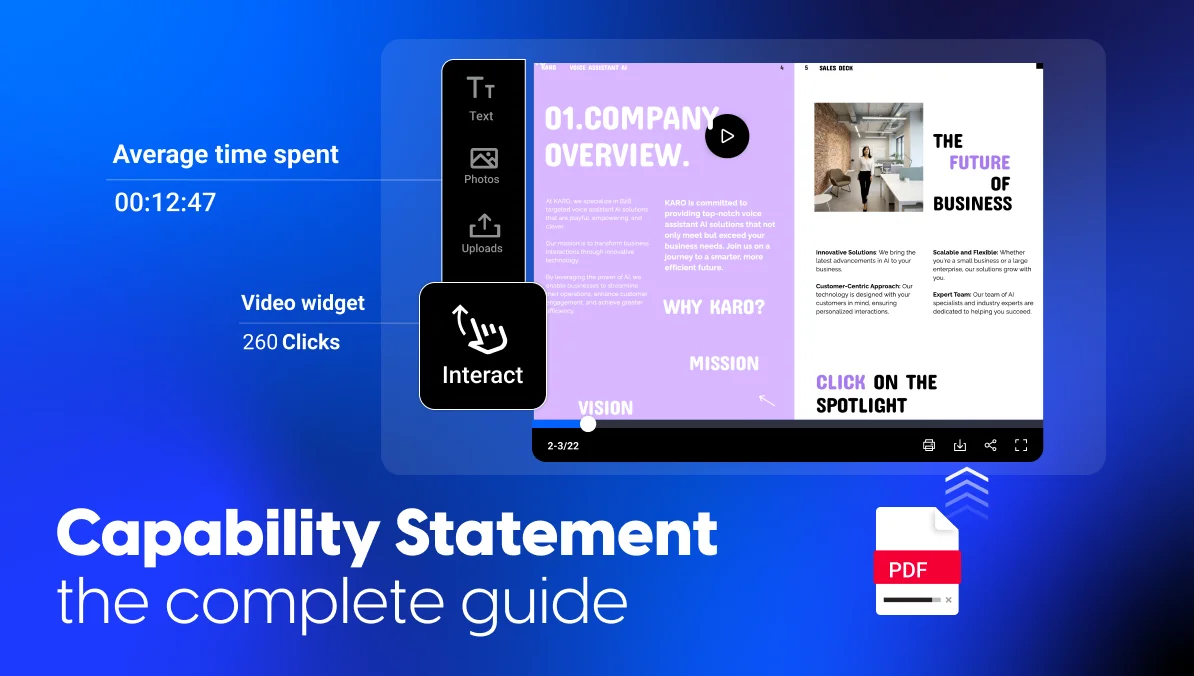
Then check views, clicks and average time per page to see which sections buyers actually read. That’s the kind of sales enablement insight a PDF attachment can’t give you.
Start your capabilities deck from a template
This 10 page template introduces your company in four parts: your people, your services, your experience and your approach. The structure is ready, so you can focus on proof instead of layout.
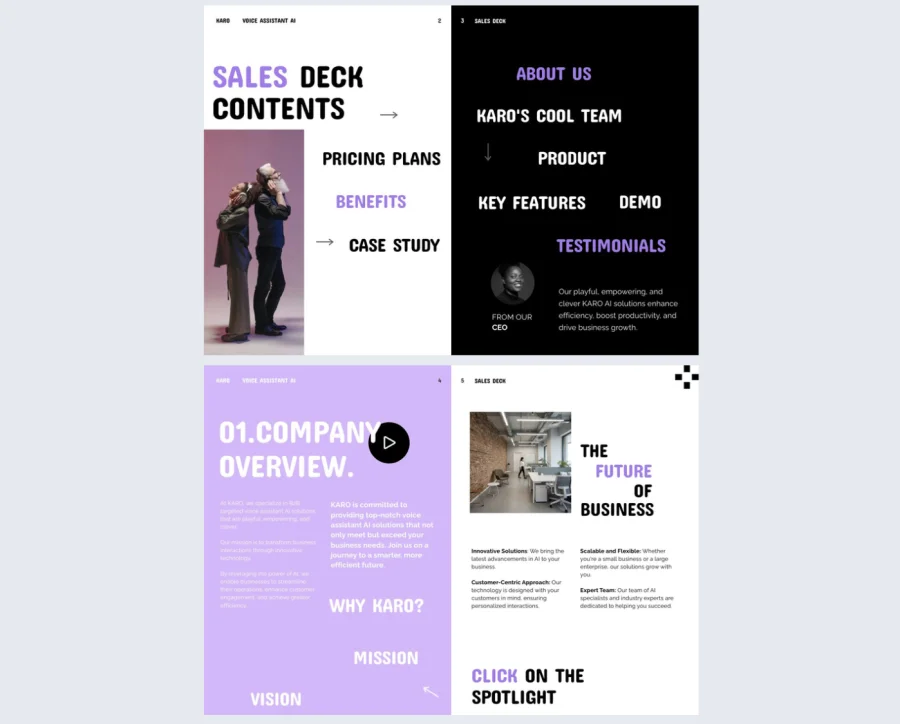

Best for: Agencies and service firms that need a capabilities deck for sales calls and briefings.
Real world application: Use the experience pages for two or three case studies that match your target buyer, and the approach pages for your process.
Common mistake to avoid: Filling every page just because it exists. Cut any page that doesn’t help this buyer decide.
Capability statement mistakes to avoid
Most weak statements fail in the same few ways:
- Crammed pages. A wall of text hides your best proof. Trim until a buyer can find each block in seconds.
- Generic language. Claims like “customer focused” or generic AI text blend in. Real work and real numbers stand out.
- Outdated codes. A DUNS number signals an old template. Replace it with your UEI and check every identifier.
- One version for every buyer. A general statement opens doors, but a targeted one wins shortlists.
- A dead attachment. A PDF can’t update itself or show who read it. A live link can do both.
Turn your capability statement into a live sales asset
A capability statement earns the first look, and a capabilities deck earns the meeting. Keep both specific, current and easy to share. Your team will spend less time rebuilding files before every bid.
Start with one general statement and one deck. Create both with Flipsnack, share a trackable link with your next prospect and watch which pages they read.
Then give each version a home. Add your general statement link to your email signature and vendor profiles. For industry days, print the one pager with a QR code that opens the live version, so a scanned copy never shows last year’s details. Before each bid, take ten minutes to check that your codes, contacts and newest project match your SAM.gov record.
A PDF ends at the last page. A live capability statement keeps working after you hit send.
Frequently asked questions about capability statements
No, the federal government replaced DUNS with the UEI on April 4, 2022. List your UEI and, if you have one, your CAGE code instead. Many old templates still show DUNS, so check yours before you send it.
You don’t strictly need one, but it helps. Business buyers and prime contractors screen vendors much like agencies do. A commercial capability statement simply drops the federal codes and uses that space for projects and results.
Both have a place. Some notices ask for an uploaded file, so follow those rules. GSA market research surveys and SBA profiles accept a capability statement URL. A live link also stays current after every update.
Update your capability statement whenever your codes, contacts, certifications or past projects change. Review it before every big bid, too, since old details hurt trust fast.
A capability statement helps a buyer decide if you’re a good supplier, usually on one page. A company profile tells your whole story, from history and values to your team, for a wider audience. Many firms need both.
No official rule sets a slide count for a capability briefing. Practitioners often suggest about 8 to 12 slides and a 10 to 15 minute talk, with time left for questions. Ask the agency what it expects, and tie each slide to its mission.