White Label Flipbooks: How to Publish Under your Own Brand
Published on: June 6, 2024
Last updated: July 15, 2026
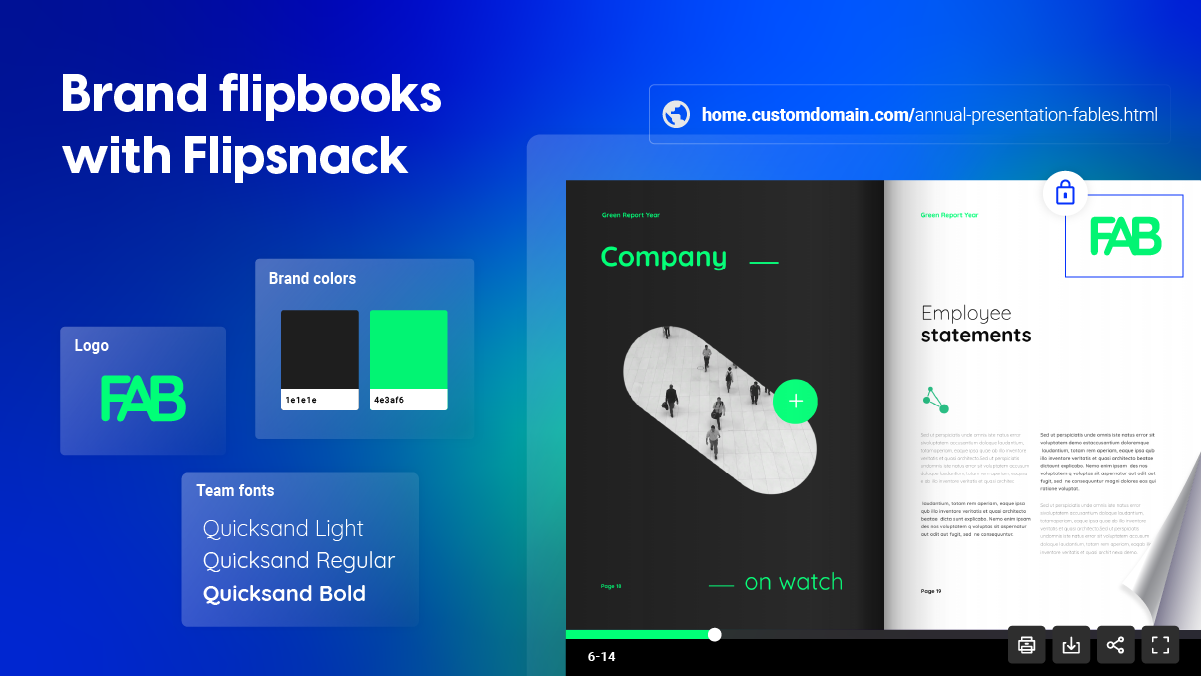
A white label flipbook carries no trace of the platform that built it. No visible logo, no shared domain, no email that says otherwise. To your readers, it simply looks like yours.
For agencies, resellers, and larger teams, that distinction matters. A branded flipbook still says Flipsnack somewhere in the link or the player. A white label flipbook doesn’t. It lives on your domain, wears your logo, and reaches readers through emails sent from your own address.
Flipsnack supports both levels, from basic brand kit customization to full removal of platform branding on Enterprise. Here’s what each level includes and how to set it up.
Table of contents
- The two pillars of white labeling
- Keeping every flipbook on-brand
- How Electrolux keeps every catalog on-brand across global teams
- Which plan fits your team
- Sharing and tracking your white-labeled flipbooks
- Your brand, not ours: get started with white-labeled flipbooks
- Frequently asked questions about white labelling a flipbook
The two pillars of white labeling
Removing Flipsnack branding entirely
A white label flipbook removes every visible sign of the platform it was built on. No Flipsnack logo in the player, no Flipsnack mark on your profile, nothing in the interface that hints at a third-party tool behind the scenes. Readers see your brand, full stop.
This is an Enterprise-plan feature. Once it’s turned on, it applies retroactively — every flipbook you’ve already published gets the same treatment, not just new ones going forward, so there’s no need to rebuild your existing library.
For agencies and resellers, this is often the deciding factor. A client reviewing a proposal or catalog shouldn’t be able to tell it was made with outside software. Removing platform branding is what makes a flipbook look like an in-house deliverable rather than something assembled with a third-party tool.
Publishing on your own domain
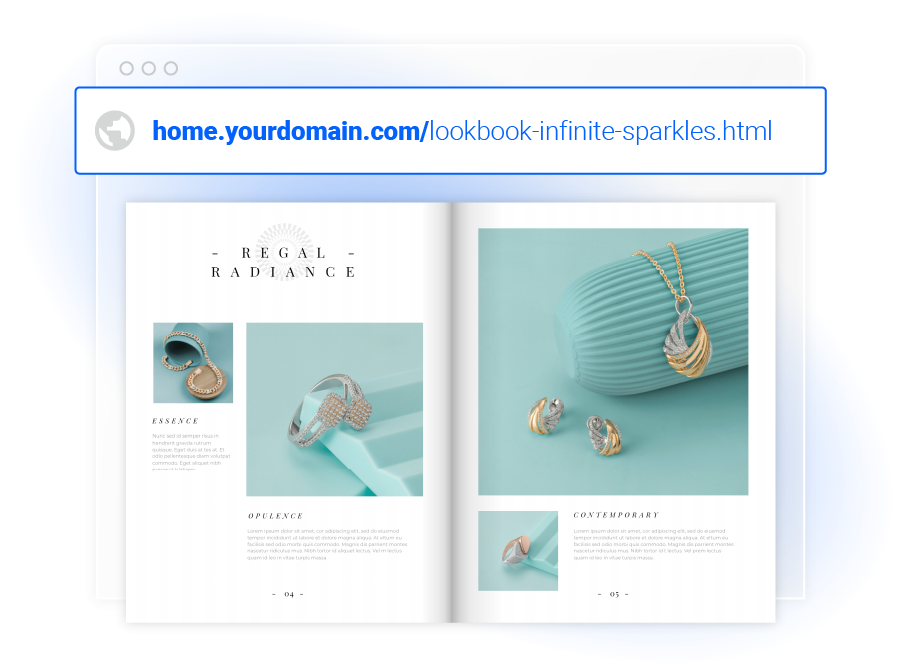
Even with branding removed from the player, the link itself is still visible everywhere a flipbook gets shared, in emails, on social, in a text message. A custom domain closes that gap. Instead of a flipsnack.com link, readers see something like catalogs.yourbrand.com, hosted entirely on your own domain or subdomain.
Setting it up means adding a CNAME record through your domain’s DNS settings, pointing your subdomain to Flipsnack’s hosting. It’s available starting on the Business plan, so smaller teams get this without needing Enterprise.
Security matters just as much as the look of the link. Every custom domain is served over SSL by default, and Enterprise accounts can upload their own SSL certificate for full control over how that security is configured, useful for companies with their own compliance or IT requirements.
Once it’s set up, every flipbook you publish under that profile inherits the same domain automatically. There’s no per-flipbook configuration to repeat.
Keeping every flipbook on-brand
Your brand kit, applied everywhere
Consistency breaks down fastest when more than one person is creating content. One teammate uses last year’s logo file, another picks a color that’s close but not quite right, a third sets body text in the wrong font. None of it is a big mistake on its own, but it adds up to a brand that looks slightly different depending on who made the flipbook.
A brand kit fixes this at the source. Logos, colors, and typography get set once, at the profile level, and stay available to everyone on the team from there. Colors sync by HEX, RGB, or HSL, so nobody has to remember or re-enter a code. Fonts get uploaded once and locked into H1 through H4, body, and caption presets, so headings and text stay consistent without anyone thinking about it flipbook to flipbook.
A shared asset library extends the same idea to logos, product images, and icons; instead of each person sourcing their own files, everyone pulls from the same approved set. For teams producing high volumes of content, whether that’s a catalog every week or a new sales deck every month, this is what keeps a hundred publications looking like they came from the same place.
Locked templates for brand control
A brand kit sets the right assets and colors in one place. Locked templates make sure they stay that way once a flipbook is actually being built.
Without locking, anyone editing a flipbook can nudge a logo, swap in an off-brand color, or resize an element without meaning any harm, it just happens during normal editing. Locking specific elements (logo placement, color scheme, font choices) prevents that. Everything else on the page stays fully editable, so contributors can still update content, swap images, and adjust layout; they just can’t touch the parts that are supposed to stay fixed.
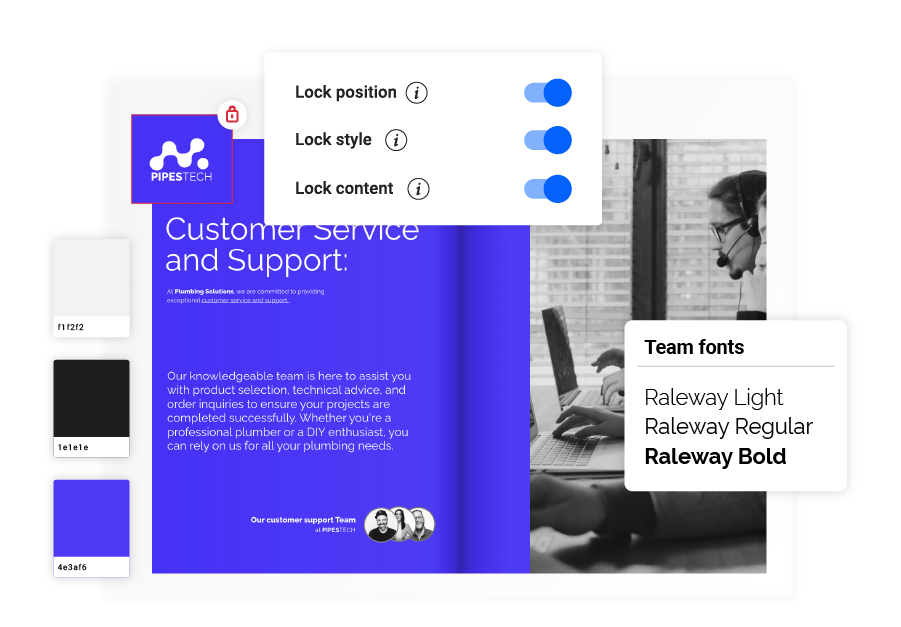
This matters most on teams where not everyone is a designer. A sales rep building next month’s catalog or a regional office adapting a template shouldn’t need design judgment to keep a flipbook on-brand. Locked templates make that automatic instead of something that has to be checked and corrected after the fact.
The small details that complete the picture
Most of what makes a flipbook feel white labeled isn’t the big, obvious pieces, it’s the small details that are easy to overlook and just as easy for a reader to notice.
A custom favicon means your tab icon matches your brand instead of showing Flipsnack’s. The player header color can be set to match your palette rather than left as a default. Footer links let you point readers to your own site, contact page, or social channels directly from the flipbook, rather than leaving that space blank or generic.
For teams working inside the platform day to day, the workspace itself can carry your logo too, appearing in the top-left corner of every dashboard and editing screen for anyone signed into your workspace. It’s a smaller detail, but for larger teams with many users, it reinforces that this is your platform, not a shared tool with someone else’s name on it.
None of these details close a deal on their own. But leaving even one unbranded is often what breaks the illusion that a flipbook was built entirely in-house.
Branded email delivery
Flipsnack enables you to send branded emails with your flipbook embedded, making it easy for recipients to access and view your content in a format that maintains all your branding elements. This is particularly effective for personalized marketing campaigns or targeted communications where brand trust is crucial.
Email templates carry your logo, accent color, company name, and footer, so a flipbook shared by email looks consistent with everything else you send. But the sender matters as much as the design. By default, emails go out through Flipsnack’s own provider. Connecting your own Mailgun or Amazon SES account changes that, so recipients see your domain in the “from” address, not Flipsnack’s.
For anything sent at volume, campaigns, client deliverables, recurring newsletters, this is often the detail that decides whether an email reads as coming from a vendor or from you directly.
How Electrolux keeps every catalog on-brand across global teams
By centralizing its brand assets in Flipsnack’s Design Studio, Electrolux ensured that every team, no matter the location, worked from the same approved logos, color palettes, fonts, and templates. This eliminated inconsistencies and sped up the catalog creation process, since designers and marketers no longer had to hunt for files or recreate layouts from scratch.
They now deliver fully branded, interactive catalogs that not only showcase products beautifully but also strengthen brand recognition and trust with distributors and retail partners worldwide. The result is faster production, flawless brand alignment, and a premium buying experience that supports their reputation for quality and innovation.
For a company producing catalogs across multiple regions and teams, this is the practical payoff of everything above: nobody has to choose between speed and staying on-brand, the setup does that automatically.
Which plan fits your team
White label options for small businesses
Full white-label removal is an Enterprise feature, but that doesn’t mean smaller teams are left with nothing. Custom domains and subdomains start on the Business plan, so a small business or freelancer can already publish under their own link, without a shared Flipsnack URL in sight. Brand kit, colors, typography, and locked templates are available from Business and Team plans too, so consistent branding across every flipbook isn’t gated behind the highest tier.
What stays Enterprise-only is the deeper layer: removing all Flipsnack branding from the player and interface, custom SSL certificates, and the workspace logo for larger, multi-user teams. For a small business just starting to publish catalogs or brochures under their own name, the Business and Team options usually cover what’s needed. Enterprise becomes relevant once the goal shifts from “on-brand” to “indistinguishable from something built in-house,” which tends to matter more for agencies and resellers than for a single small business publishing its own content.
Knowing where that line sits upfront makes it easier to pick the right plan the first time, rather than upgrading later to unlock something that turns out to matter less than expected.
Sharing and tracking your white-labeled flipbooks
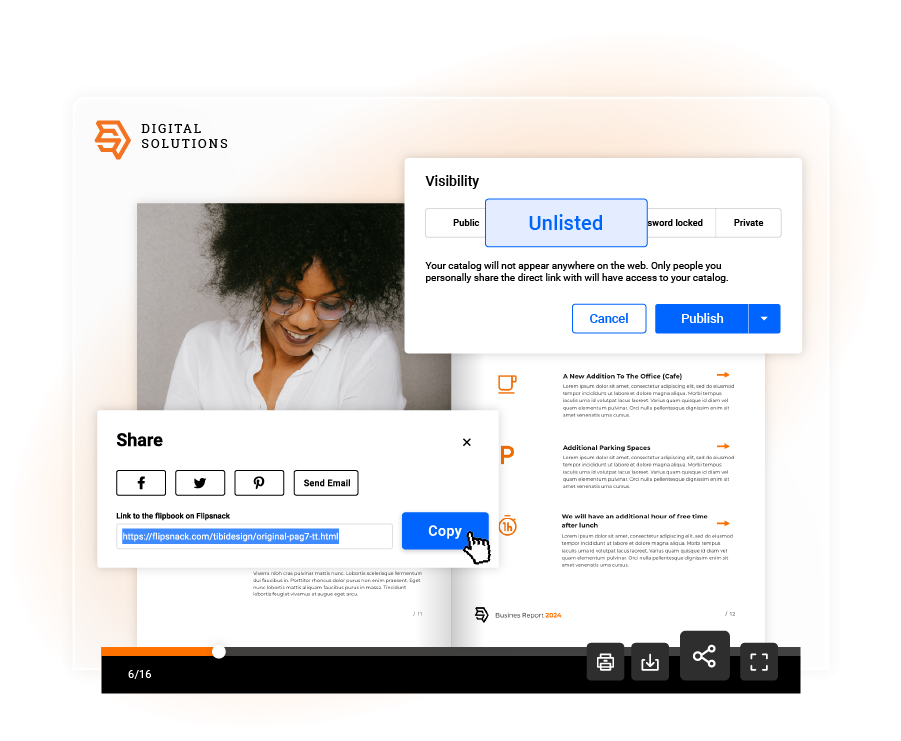
Once a flipbook is white labeled, how it’s shared should carry the same consistency. Flipsnack supports several distribution options, all keeping the same branding intact:
- Social media — share flipbooks directly, reaching a wider audience while keeping the same branded look across every channel
- Email — send flipbooks embedded in branded, on-domain emails, covered above
- Website embed — keep flipbooks inside your existing web presence instead of sending readers to an external link
- Private and restricted links — password-protected or domain-restricted access for anything that shouldn’t be public
Whichever method is used, Flipsnack’s analytics show views, average reading time, and click-through rates, so it’s possible to see whether a white-labeled flipbook is actually performing, not just that it looks the part.
Your brand, not ours: get started with white-labeled flipbooks
A white-labeled flipbook doesn’t announce the tool behind it. It shows up on your domain, carries your logo and colors down to the favicon and footer, and reaches readers through email that comes from you, not a third party. That’s the difference between a flipbook that looks branded and one that looks like it was never anything but yours.
Whether that means starting with a custom domain on Business or Team, or going all the way to full branding removal on Enterprise, the right starting point depends on how far “on-brand” needs to go for your team.
Start building white-labeled flipbooks with Flipsnack today.
Frequently asked questions about white labelling a flipbook
No. Setting it up means adding a CNAME record through your domain’s DNS settings, something most domain registrars let you do directly from their dashboard. No coding required.
Custom domains are served over SSL by default. Enterprise accounts can upload their own SSL certificate for full control over how that security is configured, useful for companies with their own compliance or IT requirements.
Yes. Flipsnack integrates with both, so white-labeled flipbooks can be tracked alongside the rest of your web analytics, not just through Flipsnack’s own statistics.
Yes. Flipbooks can be shared privately, password-protected, or restricted by domain. SSO-based access is also available for teams that need to control access through their existing company login.
It’s a one-time setup at the account level. Once branding removal is turned on, it applies retroactively to every flipbook already published, not just new ones going forward.