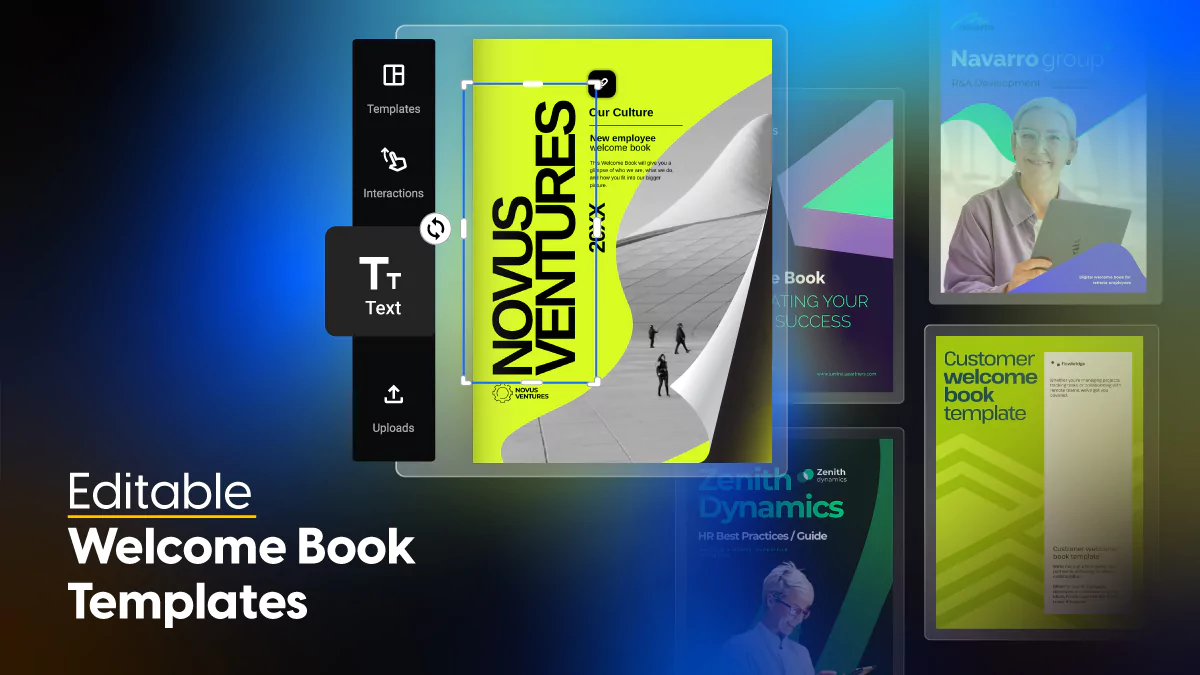
Editable Welcome Book Templates for a Seamless Onboarding Experience
Published on: May 5, 2025
Last updated: April 20, 2026
What is a welcome book?
A welcome book is a structured onboarding document that introduces new employees, clients, or partners to an organization. It covers the essentials — company values, key contacts, processes, and first-step expectations — in one cohesive, branded resource. Done well, it answers the questions people are too nervous to ask and sets the tone for the relationship before it has properly begun.
Table of contents
- What is a welcome book?
- Find how to build a welcome book that actually works
- Quick comparison: Choose your ideal welcome book template
- What customers say about Flipsnack
- Professional welcome book templates to customize
- 1. Onboarding Book Guide Template
- 2. Customizable Welcome Book Template
- 3. Editable Welcome Book Template
- 4. Digital Welcome Book Template
- 5. Welcome Book Guide Template
- 6. Company Welcome Book Template
- 7. Online Welcome Book Template
- 8. Digital HR Welcome Book Template
- 9. Employee Welcome Guide Template
- 10. Professional Welcome Book Template
- 11. Onboarding Welcome Book Template
- 12. Creative Branded Welcome Guide Template
- 13. Editable Digital Welcome Book Template
- 14. Interactive Customer Welcome Book Template
- How to create a welcome book in Flipsnack: Step-by-step
- Why Flipsnack welcome book templates are a smarter choice
- Frequently asked questions
Find how to build a welcome book that actually works
According to Gallup, companies with effective onboarding improve new hire retention by 82% and productivity by over 70%. And we, at Flipsnack, can confirm that with our own data. But most welcome books fail not because the content is wrong, but because the format works against it — static PDFs that feel generic, go out of date instantly, and give HR teams no way of knowing whether anyone actually read them.
The difference between a welcome book that builds genuine connection and one that gets filed away comes down to structure, personalization, and how easy it is to keep current. In this guide, you’ll find 14 professionally designed welcome book templates covering employee onboarding, customer success, and everything in between, each ready to customize and share online as a flipbook.
Quick comparison: Choose your ideal welcome book template
With 14 templates covering a range of onboarding contexts and audiences, the table below helps you find the right starting point before diving into the full descriptions.
| Template name | Best for | Main focus | Key benefits |
|---|---|---|---|
| Onboarding Book Guide | New employee onboarding, all company sizes | Company history, values, first-week expectations | Approachable layout; multimedia support; full brand customization |
| Customizable Welcome Book | Multi-location or cross-functional onboarding | Modular content, broad adaptability | Interchangeable content blocks; analytics integration; embed-ready |
| Editable Welcome Book | Teams prioritizing experience over compliance | Welcome messages, team intros, company FAQs | Generous white space; embeds surveys; fully editable sections |
| Digital Welcome Book | Remote and global onboarding | Company culture, policies, team introductions | Mobile-optimized; supports live updates; embedded videos and links |
| Welcome Book Guide | Complex onboarding with structured steps | Leadership messages, department-specific tools | Segmented layout; quick-reference checklists; embeds video snippets |
| Company Welcome Book | Cross-department or multi-region onboarding | Org structure, unified brand messaging | Master template design; easy to duplicate and localize |
| Online Welcome Book | Fully remote or hybrid workplaces | Remote onboarding, internal communication | Cloud-based; real-time updates; no attachments needed |
| Digital HR Welcome Book | HR departments standardizing onboarding | Policies, benefits, organizational culture | Consistent format across roles; interactive elements; engagement tracking |
| Employee Welcome Guide | New hire integration, all industries | Company history, mission, team introductions | Clickable links; embedded media; analytics to track engagement |
| Professional Welcome Book | Industries where first impressions are critical | Organizational overviews, key contacts, procedures | Clean formal design; interactive elements; broad audience adaptability |
| Onboarding Welcome Book | Startups and scale-ups onboarding at speed | Role-specific content, checklists, team alignment | Fast to edit; supports private video links; built-in analytics |
| Creative Branded Welcome Guide | Brand-led organizations and partner programs | Visual identity, culture, multi-touchpoint consistency | Brand kit integration; template locking; zero reformatting needed |
| Editable Digital Welcome Book | Remote-first and async teams | Living document, sensitive HR or client onboarding | Single shareable link; embeds surveys; privacy controls |
| Interactive Customer Welcome Book | Client onboarding for agencies, SaaS, consultants | Service timelines, processes, customer success team intro | Tutorial videos; onboarding checklists; contact buttons inside document |
What customers say about Flipsnack
The best flipbook tool I have used
Flipsnack is easy to use and offers all the features a small business needs, at a very affordable price. There are plenty of templates to choose from to speed up the project. Each template is easily tailored to your needs. The support is good and fast through the chat function, and they also provide a phone number (infrequently these days) in case you prefer a phone call.
Leonardo Soto, President of SotoNets Cloud Solutions
Reviewed on G2
One of the standout features is their exceptional customer service. I had multiple questions while building my book, and the team was fantastic in providing bespoke support tailored to my needs. They responded quickly, patiently guided me through the process, and ensured I had all the information necessary to create a professional-looking e-book.
Ryan Akram, Administrator
Professional welcome book templates to customize
The first document a new hire or client receives says more about your organization than almost anything else. The templates below cover the full range of onboarding contexts, from structured HR guides to creative branded experiences, each fully customizable in Flipsnack with support for interactive elements, secure sharing, and real-time updates.
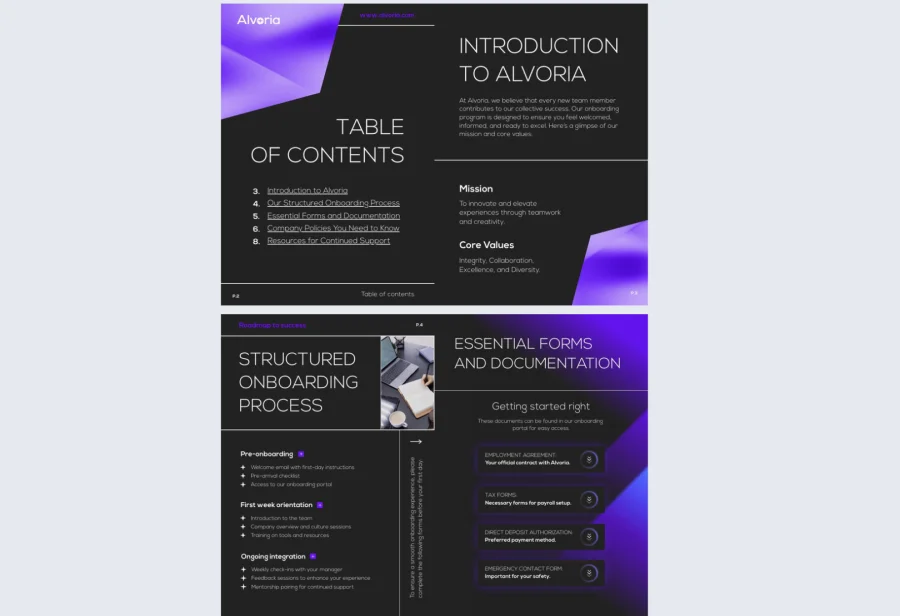
1. Onboarding Book Guide Template
Structure is what separates a welcome book people actually use from one that sits unread in a downloads folder. This onboarding book guide template gives new hires a clear, logical flow through company history, core values, key contacts, and first-week expectations, without feeling corporate or cold.
Best for: Organizations of any size that want a comprehensive but approachable onboarding document that works across departments without requiring a full redesign for each team.
Real-world application: One of the latest Flipsnack customers is an HR team at a 150-person company that used this template to replace a dense policy PDF they had been sending to new hires for years. Onboarding satisfaction scores improved within the first quarter, and the team used Flipsnack’s analytics to identify which sections new hires spent the least time on — a clear signal for where the content needed simplifying.
Add team photos, embed a welcome video from leadership, and apply your brand colors and fonts through Flipsnack’s Design Studio. Every section is fully editable so the tone can match your culture, not just your compliance checklist.
Common mistake to avoid: Don’t try to cover everything on day one. A welcome book that front-loads too much information overwhelms rather than orients. Focus on what a new hire genuinely needs in their first week and save the deeper detail for follow-up resources.

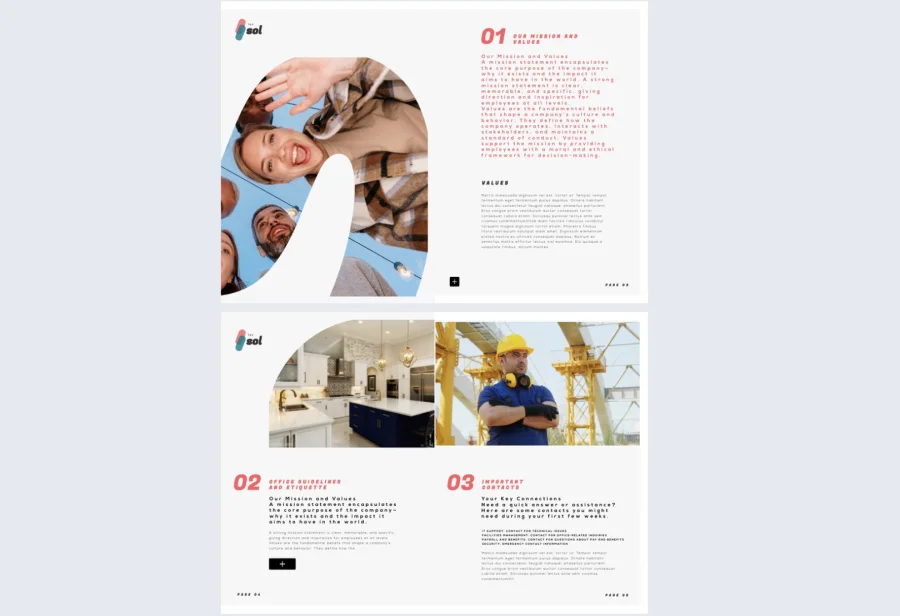
2. Customizable Welcome Book Template
For teams managing onboarding across multiple locations, roles, or functions, flexibility is everything. This customizable welcome book template is built with modular sections that make it easy to adapt the same base document for different audiences without rebuilding from scratch each time.
Best for: HR teams and onboarding managers at mid-size to large organizations who need one master format they can duplicate and tailor quickly for different departments, regions, or hiring cohorts.
Real-world application: One of the latest Flipsnack customers is a people operations team at a fast-growing tech company that used this template to standardize onboarding across four offices in three countries. Duplicating and localizing the template for each location took under an hour per version, and engagement tracking gave the team their first clear picture of how onboarding content was actually being consumed across regions.
Swap content blocks, update branding elements, and embed onboarding videos or contact forms directly inside the document. The branded templates feature lets you lock in visual standards so every version stays on-brand regardless of who edits it.
Common mistake to avoid: Don’t create so many versions that nobody owns the master. Assign one person or team as the source of truth and build a clear process for when and how regional variations get updated.
3. Editable Welcome Book Template
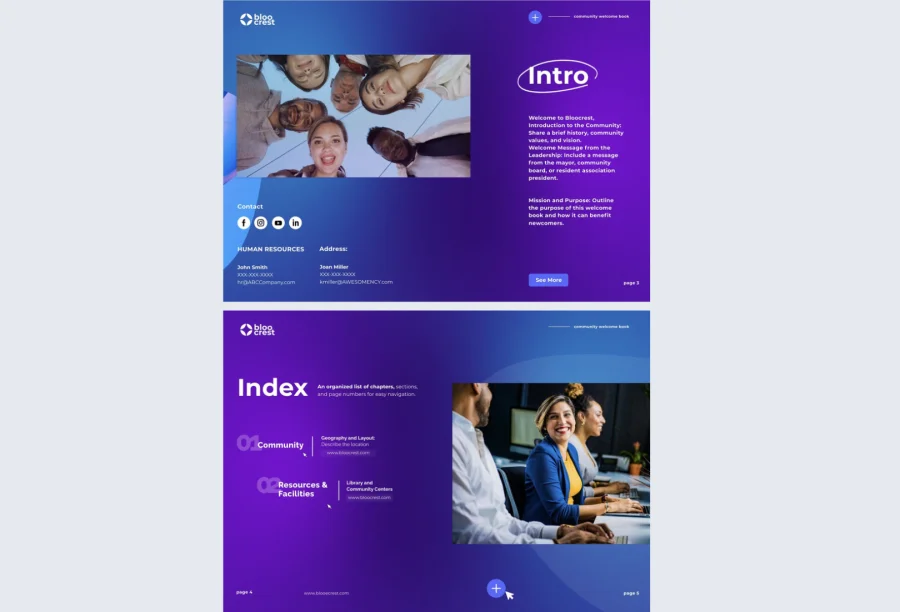
This editable welcome book template is built for teams that care as much about the experience as the content. Generous white space, clean typography, and a human flow make it feel welcoming rather than bureaucratic, covering everything from leadership messages to team introductions and company FAQs.
Best for: Companies with a strong culture focus that want their welcome book to feel personal and engaging rather than procedural, particularly useful for creative industries or people-first organizations.
Real-world application: One of the latest Flipsnack customers is a design agency that used this template to onboard both new hires and freelance collaborators. Embedding short video introductions from each department head gave recipients a genuine sense of the team before their first day, and feedback collected through in-document surveys helped the agency refine the content after each cohort.
Personalize section headers, add leadership bios with photos, and embed onboarding surveys to collect feedback directly inside the document. Every element is editable so the guide can flex across departments while keeping the reader oriented and engaged throughout.
Common mistake to avoid: Don’t mistake visual polish for clarity. A beautiful welcome book that buries the practical information — where to go, who to contact, what to do first — leaves new hires feeling lost despite a great first impression.
4. Digital Welcome Book Template
Static documents have no place in a modern onboarding process. This digital welcome book template is built for organizations ready to move past PDFs, with a layout optimized for screen and mobile that supports embedded videos, clickable links, and live content updates.
Best for: Organizations onboarding remote hires or global clients who need a welcome book that feels current, accessible on any device, and easy to keep up to date without resending files.
Real-world application: One of the latest Flipsnack customers is a SaaS company that used this template to onboard a fully distributed team across five time zones. Because the document lives online and updates instantly, the HR team stopped worrying about version control entirely — any change made in Flipsnack’s Design Studio was immediately visible to everyone with the link.
Embed onboarding videos, link to team calendars, and add clickable navigation so recipients can jump directly to the sections most relevant to them. The mobile-optimized layout means the experience holds up whether someone is reading on a laptop or a phone.
Common mistake to avoid: Don’t publish a digital welcome book and treat it like a printed one. The format allows for real-time updates, so there is no excuse for outdated org charts, old team photos, or expired links. Assign someone to review and refresh the content at least quarterly.
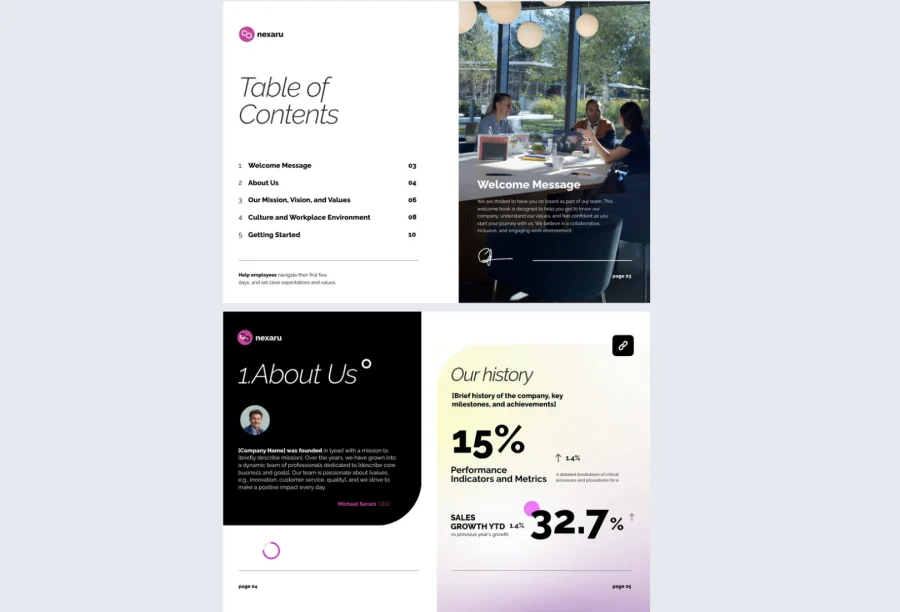
5. Welcome Book Guide Template
Some onboarding journeys are complex enough to need more than a warm welcome — they need a roadmap. This welcome book guide template is intentionally segmented to help organizations present multi-step onboarding in a clear, manageable structure without overwhelming the reader.
Best for: Organizations with detailed onboarding programs across multiple stages, particularly those introducing new hires to department-specific tools, processes, or compliance requirements alongside general company information.
Real-world application: One of the latest Flipsnack customers is an operations team at a 200-person financial services firm that used this template to consolidate a six-week onboarding program into one structured digital guide. Breaking the content into clearly labeled phases reduced the number of questions new hires directed to their managers in the first month, freeing up significant time across the team.
Add quick-reference checklists, embed short video snippets to humanize complex process sections, and use clickable links to direct readers to deeper resources without cluttering the main document. Flipsnack’s collaboration features let department leads contribute their sections without disrupting the overall structure.
Common mistake to avoid: Don’t present every stage of onboarding at once. Use the segmented layout as intended — give readers one phase at a time and build in natural checkpoints so the guide feels like a journey rather than a wall of information.
6. Company Welcome Book Template
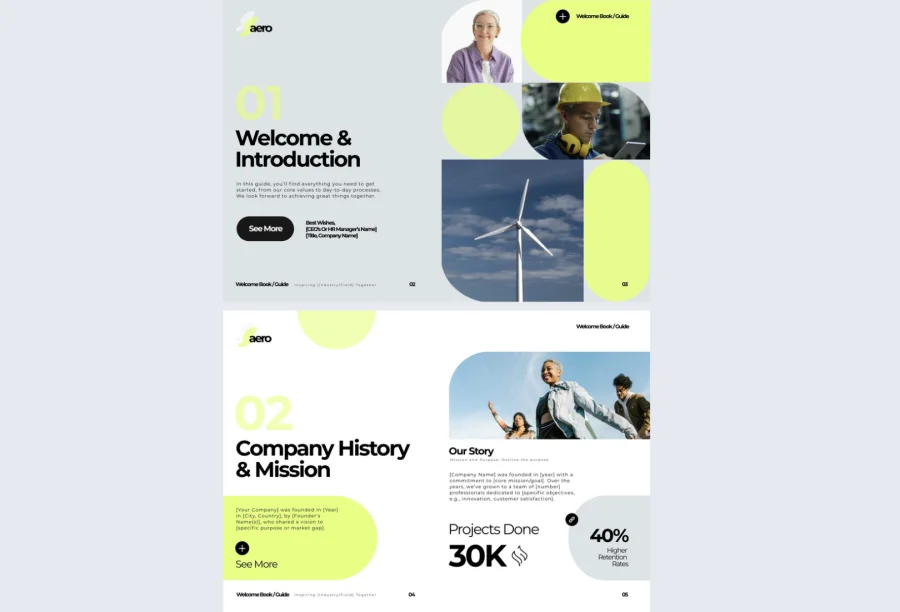
When you are onboarding across departments, regions, or even time zones, consistency becomes as important as content. This company welcome book template is built to scale, giving HR and operations teams a master format they can adapt for different audiences while keeping the brand experience unified.
Best for: Mid-size to enterprise organizations onboarding across multiple locations or business units who need one approved template that can be localized quickly without drifting off-brand.
Real-world application: One of the latest Flipsnack customers is a global retailer that used this template as the foundation for onboarding guides across eight regional offices. Using Flipsnack’s branded templates feature to lock core brand elements meant regional HR teams could customize content without touching the visual standards, keeping every version consistent regardless of who made the edits.
Include an organizational chart, link to team-specific intranet pages, and add region-specific content blocks for local policies or contacts. The template is designed to be duplicated, not redesigned, so scaling to a new location takes minutes rather than days.
Common mistake to avoid: Don’t use a single version for genuinely different audiences. A welcome book for a warehouse team and one for a corporate finance hire should feel like the same company but read very differently. Use the master template as the starting point and adapt the content meaningfully for each context.
7. Online Welcome Book Template
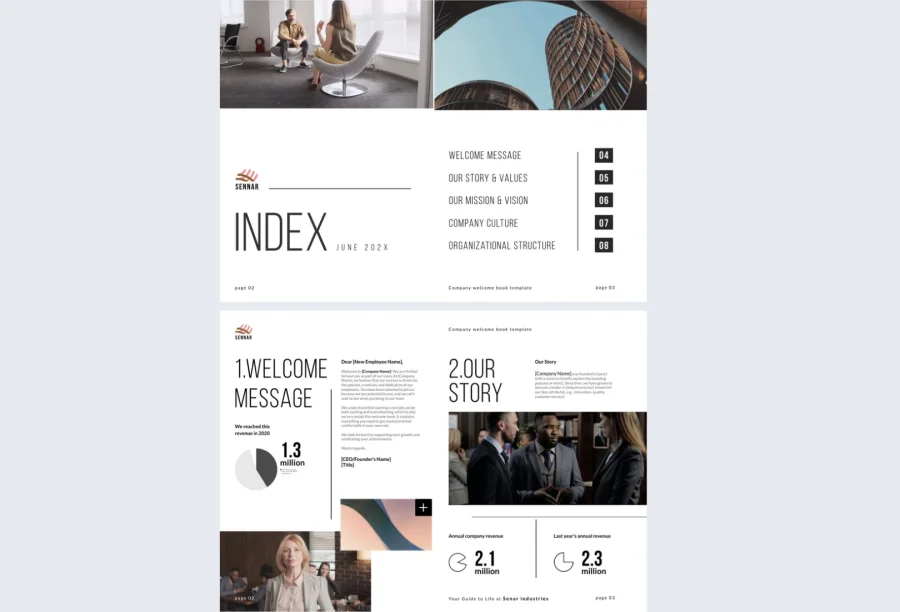
For remote-first and hybrid organizations, the welcome book is often the first real touchpoint a new hire has with the company. This online welcome book template replaces the mess of emailed attachments with one streamlined, interactive document that puts everything in one place and stays current automatically.
Best for: Fully remote or hybrid teams that need a welcome book accessible from anywhere, easy to update centrally, and capable of delivering a consistent experience regardless of location or time zone.
Real-world application: One of the latest Flipsnack customers is a remote-first startup that used this template to replace a combination of Google Docs, Notion pages, and email threads that had been serving as their informal onboarding process. New hires reported feeling significantly more prepared on their first day, and the HR team credited the single-link format with eliminating the confusion that came from multiple documents arriving at different times.
Because the document is cloud-based, any update made in Flipsnack’s Design Studio is immediately visible to anyone with the link. Use privacy controls to ensure only the right people can access each version, and track engagement to see how new hires are moving through the content.
Common mistake to avoid: Don’t assume remote hires will read the welcome book linearly. Structure it for non-linear navigation with clear section headers and go-to-page buttons, so people can jump to what they need without scrolling through everything first.
8. Digital HR Welcome Book Template
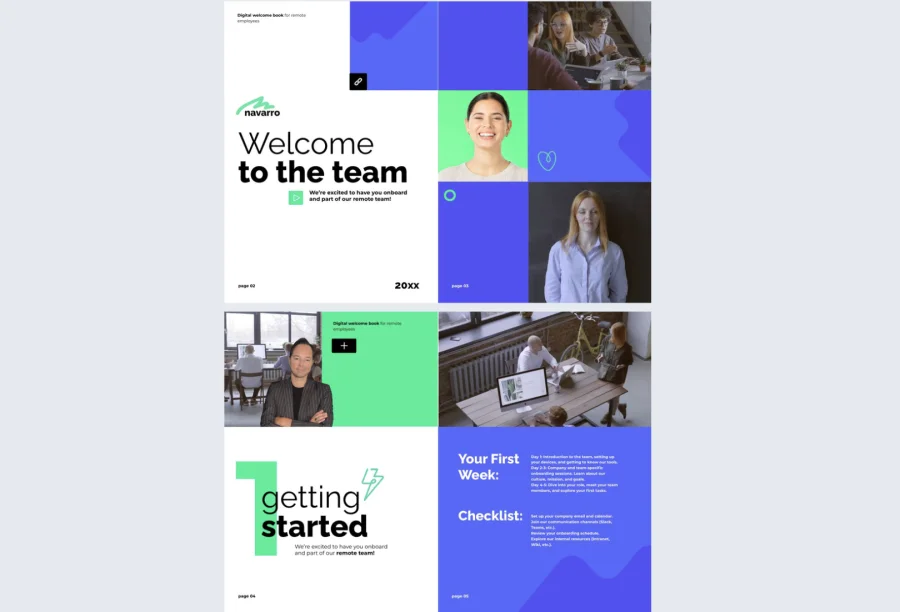
HR teams have a lot to communicate and very little time to get it right before a new hire forms their first impression. This HR welcome book template gives HR professionals a structured, consistent format to present company policies, benefits, and culture in a way that feels organized and human rather than overwhelming.
Best for: HR departments at mid-size to large organizations that need to deliver the same core information consistently across roles and locations without producing a separate document for every hire.
Real-world application: One of the latest Flipsnack customers is an HR manager at a 300-person manufacturing company that used this template to standardize onboarding documentation across three sites. New hire completion rates for required policy acknowledgments improved significantly after switching from email attachments to a single interactive document with built-in confirmation forms.
Embed videos explaining benefits packages, add clickable links to policy documents, and include interactive checklists for compliance sign-offs. Use Flipsnack’s engagement interactions to collect acknowledgments and feedback directly inside the document without sending separate forms.
Common mistake to avoid: Don’t front-load the policy and compliance content. New hires need to feel welcomed before they feel regulated. Lead with culture and context, and work the procedural detail in gradually as the document progresses.
Share via a private link before the start date, or embed in your HR portal for centralized access across your onboarding team.
9. Employee Welcome Guide Template
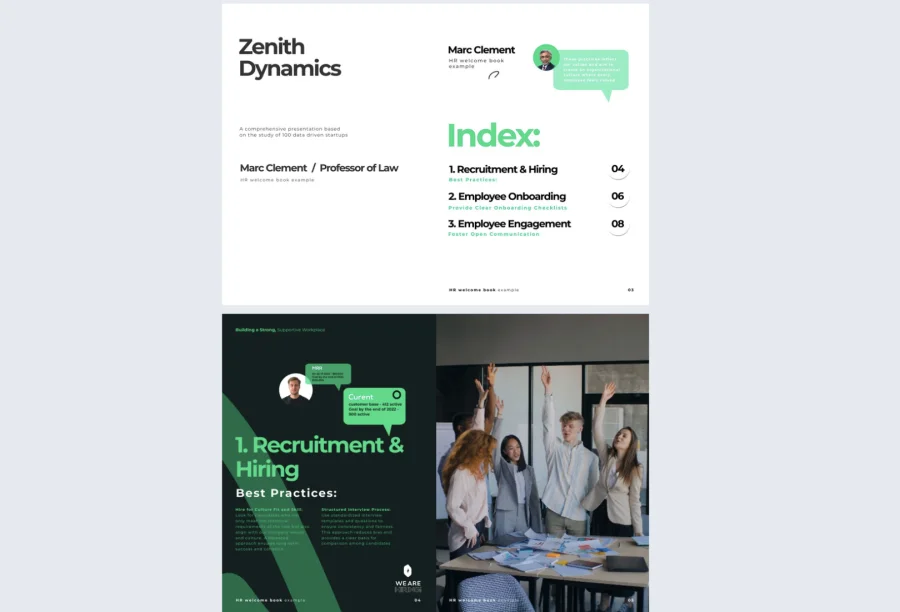
A welcome guide that makes a new hire feel genuinely seen is worth more than any amount of policy documentation. This employee welcome book template covers company history, mission, team introductions, and essential policies in a visually engaging format that connects people to the organization from the first page.
Best for: Companies across any industry that want onboarding to feel personal and values-driven rather than purely procedural, particularly useful when culture fit is a key part of the hiring proposition.
Real-world application: One of the latest Flipsnack customers is a people team at a 90-person e-commerce company that used this template to redesign their onboarding experience from scratch. Adding personalized welcome messages from direct managers and embedded team introduction videos made new hires feel connected to their teams before their first day, which the HR lead credited with a noticeable improvement in 30-day retention.
Apply your brand colors, fonts, and logo throughout, add clickable links to team directories or internal tools, and use Flipsnack’s statistics to track which sections each new hire spent the most time on and where engagement dropped off.
Common mistake to avoid: Don’t write the welcome guide from the company’s perspective alone. The best onboarding documents anticipate what a new hire is actually wondering and answer those questions directly, even the ones nobody asks out loud.
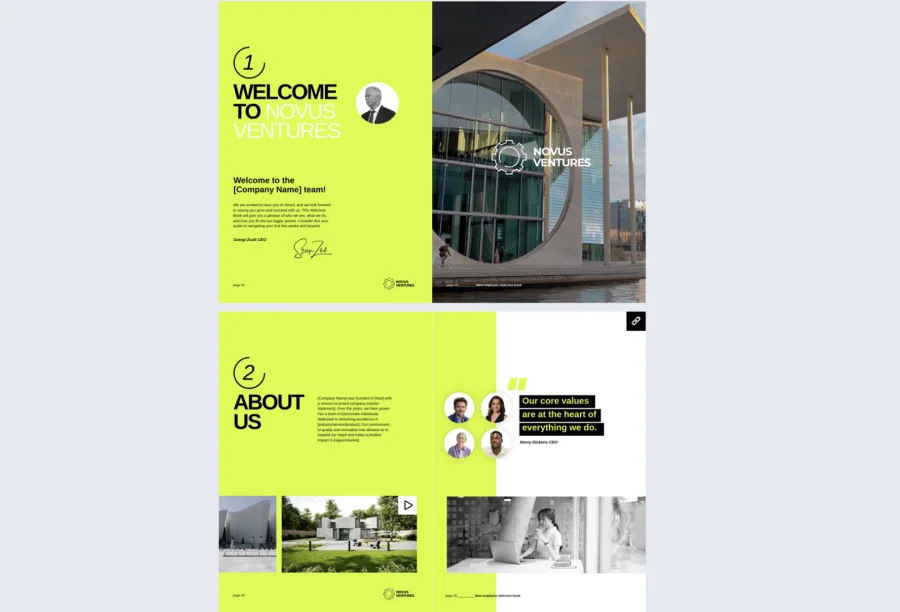
10. Professional Welcome Book Template
First impressions in formal industries carry extra weight. This professional welcome book template delivers a clean, structured introduction that communicates credibility from the first page, covering organizational overviews, key contacts, and procedural guidelines in a layout that feels polished without being cold.
Best for: Organizations in finance, law, healthcare, or any industry where professionalism and precision are baseline expectations and the onboarding document needs to reflect that standard.
Real-world application: One of the latest Flipsnack customers is a legal firm that used this template to onboard lateral hires joining from other practices. The structured format gave new partners a clear picture of firm processes and key contacts on day one, reducing the informal knowledge-gathering period that had previously taken several weeks.
Tailor every section to suit your audience, add videos or hyperlinks to enrich the experience beyond the text, and use Flipsnack’s privacy options to ensure sensitive organizational information is only accessible to the right people.
Common mistake to avoid: Don’t let formality tip into inaccessibility. A professional welcome book should still feel like a welcome. If the language reads more like a legal brief than a conversation, new hires will disengage before they reach the important parts.
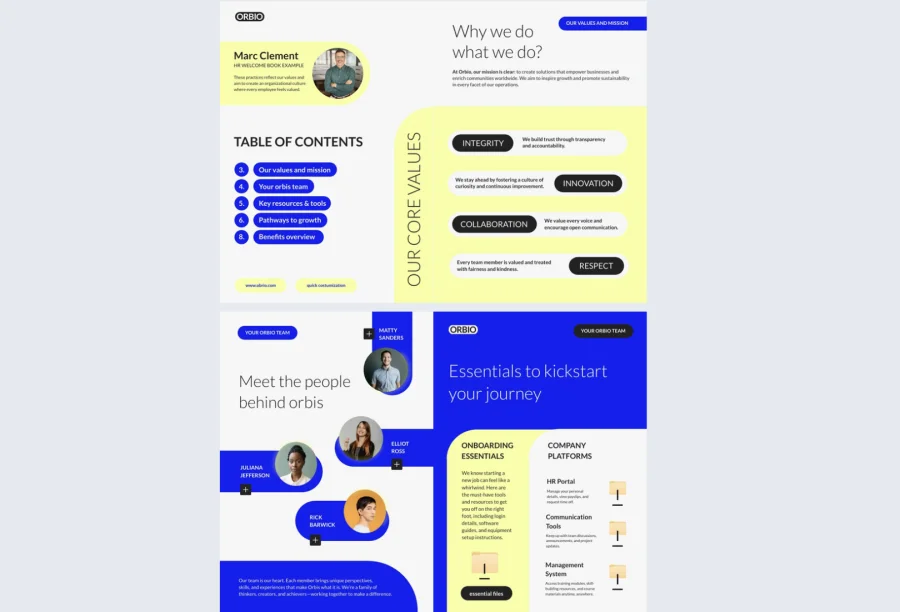
11. Onboarding Welcome Book Template
Speed and consistency are the two things fast-growing teams most often sacrifice in onboarding. This onboarding welcome book template gives startups and scale-ups a repeatable structure that delivers a consistent experience across every hire without requiring a full redesign each time.
Best for: Startups and growth-stage companies onboarding frequently who need a format that is quick to update, easy to duplicate, and consistent enough to reflect a maturing organization even when processes are still evolving.
Real-world application: One of the latest Flipsnack customers is an operations lead at a 60-person startup that used this template to bring structure to an onboarding process that had been entirely ad hoc. Duplicating and updating the template for each new cohort took under 30 minutes, and new hires reported feeling clearer on expectations and next steps from day one.
Connect the document to private video links, add role-specific checklists, and track how recipients engage using Flipsnack’s built-in analytics to identify where the content needs strengthening as your team grows.
Common mistake to avoid: Don’t treat this as a finished product. A fast-growing company’s onboarding needs change quickly. Build in a review cycle and assign clear ownership so the template stays relevant as the organization evolves.
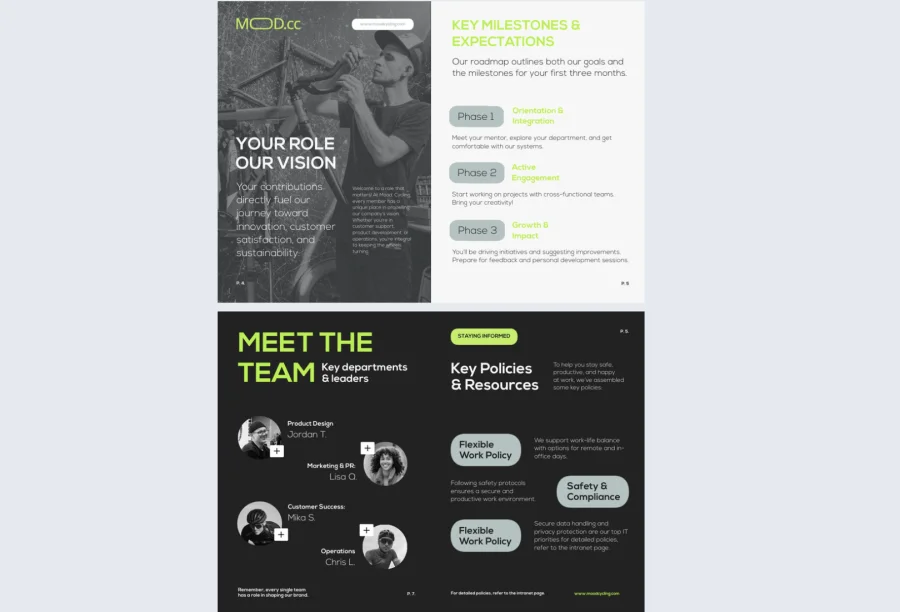
12. Creative Branded Welcome Guide Template
For companies where brand is a core part of the employee or client experience, the welcome book is an extension of that identity. This branded welcome guide template lets organizations translate their visual standards directly into the onboarding experience, from font choices to color palette to section transitions.
Best for: Marketing-led organizations, agencies, and companies with strong brand guidelines that need their welcome book to feel like a proprietary asset rather than an adapted template.
Real-world application: One of the latest Flipsnack customers is a brand agency that used this template to onboard both new employees and new clients using the same visual framework. Locking core brand elements through Flipsnack’s branding customization meant anyone on the team could update content without compromising the design standards the agency had built its reputation on.
Apply your full visual identity once and reuse the guide across departments without reformatting. The template locking feature ensures the brand elements that matter stay consistent regardless of who makes the edits.
Common mistake to avoid: Don’t prioritize design over navigation. A visually stunning welcome book that is hard to move through will frustrate rather than impress. Great design should support the content, not compete with it.
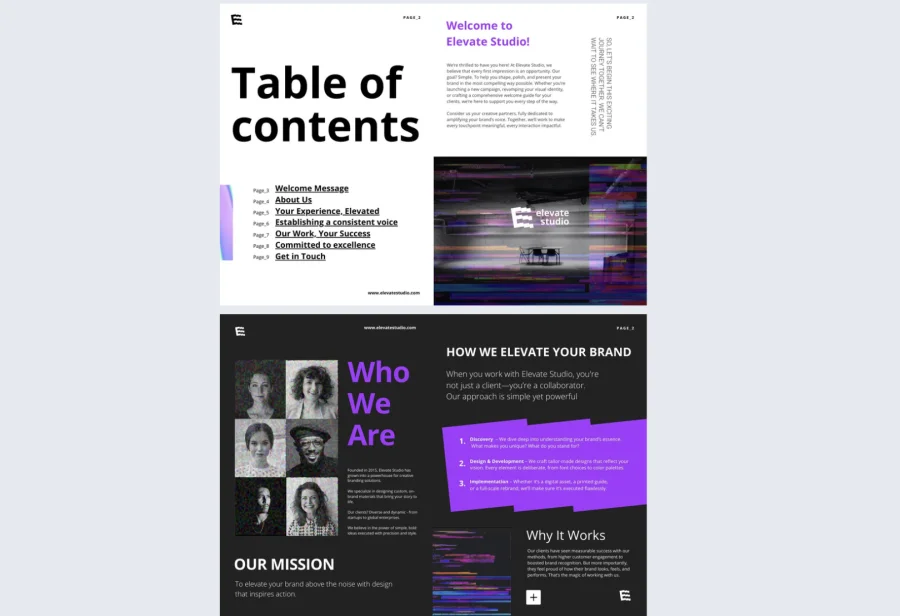
13. Editable Digital Welcome Book Template
Remote and async teams need onboarding documentation that works without anyone in the room to explain it. This digital welcome book template is built for exactly that context, giving distributed teams a living document that stays current, accessible from anywhere, and easy to explore independently.
Best for: Remote-first organizations and teams working across time zones that need a welcome book recipients can access and navigate on their own schedule without relying on a live walkthrough.
Real-world application: One of the latest Flipsnack customers is a fully distributed consultancy that used this template to onboard contractors joining from different countries. Because the document updates in real time and lives at a single link, the operations team stopped fielding questions about outdated information almost immediately after switching from static PDFs.
Embed interactive surveys, link to team calendars, and add real-time content like policy updates or org chart changes directly inside the document. Use Flipsnack’s collaboration tools to let multiple contributors update their sections simultaneously without version conflicts.
Common mistake to avoid: Don’t underestimate the importance of structure for async readers. Without someone to guide them through the document, new hires need clear signposting, logical section order, and obvious next steps at the end of each part.
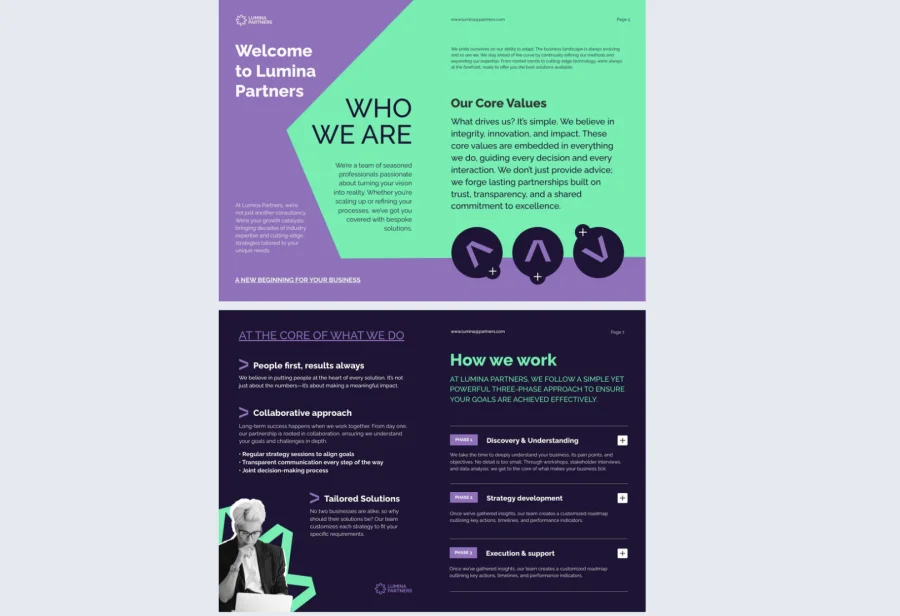
14. Interactive Customer Welcome Book Template
Client onboarding is where retention is won or lost, and most organizations are still doing it with a PDF and a follow-up email. This interactive customer welcome book template gives agencies, SaaS companies, and consultants a modern, centralized format to introduce their services, team, and processes in a way that sets the relationship off on the right foot.
Best for: Client-facing teams at agencies, SaaS providers, and consultancies where the quality of the onboarding experience directly influences retention and long-term satisfaction.
Real-world application: One of the latest Flipsnack customers is a customer success team at a mid-size SaaS company that used this template to replace a combination of onboarding emails and slide decks. Clients who received the interactive welcome book required fewer clarification calls in their first month, and the team used engagement data to identify which sections prompted the most follow-up questions, allowing them to improve the content proactively.
Embed tutorial videos, service timelines, and onboarding checklists directly inside the document. Add a contact button so clients can reach their account manager without leaving the page, using Flipsnack’s interactivity features to turn a static document into an active starting point for the relationship.
Common mistake to avoid: Don’t make the customer welcome book about your company. It should answer the client’s questions, not showcase your capabilities. Lead with what they need to know to get value quickly and save the company story for later in the relationship.
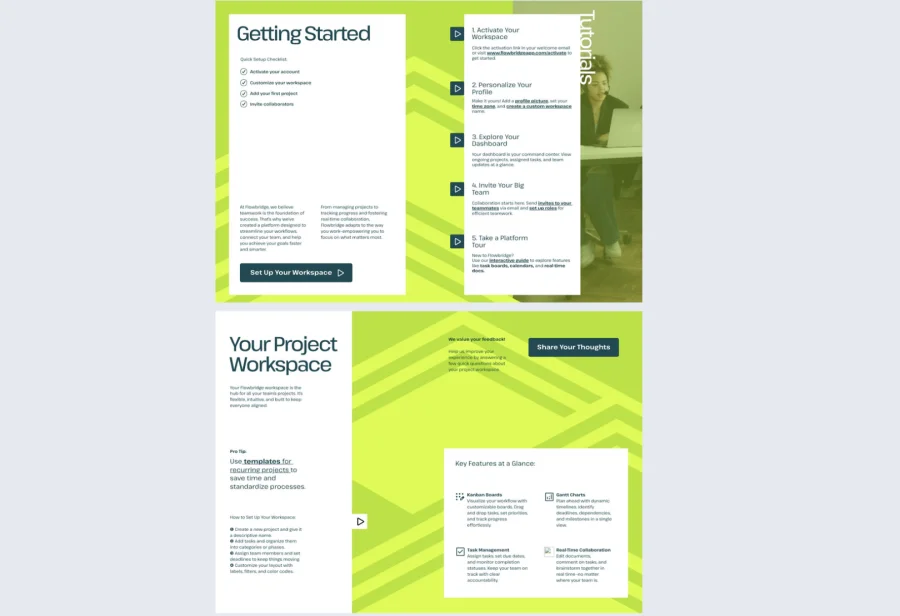
How to create a welcome book in Flipsnack: Step-by-step
Crafting a modern, branded, and interactive onboarding experience doesn’t require design expertise—just the right platform. Here’s how to create a reusable, engaging welcome book with Flipsnack.
Step 1: Choose the right template for your use case
Begin by browsing the Flipsnack template library, where you’ll find a curated selection of welcome book formats—each one tailored for specific scenarios like HR onboarding, customer introductions, or partner programs.
Templates such as the onboarding book guide template and interactive customer welcome book template come pre-filled with structural suggestions, so you’re never starting from scratch.
Step 2: Customize it with your brand identity
Once you’ve selected a template, open it in the Design Studio. Here, you can:
- Change fonts, adjust layout spacing, and tweak colors
- Upload your company’s logo and team photos
- Use the brand kit to lock in your visual identity across all documents
No need to worry about maintaining design consistency across departments—Flipsnack handles it all in one environment.
Step 3: Enrich with interactive and multimedia elements
What sets Flipsnack apart is the ability to make your welcome book more than a static file. With interactive features, you can embed:
- Personalized welcome videos from leadership
- Clickable onboarding checklists or links to team calendars
- Contact buttons, external forms, surveys, and internal navigation menus
This makes your welcome guide intuitive, engaging, and incredibly functional—especially for remote teams or clients exploring the company asynchronously.
Step 4: Publish, share, or embed with full control
Once finalized, your document can be published in multiple formats:
- As a digital flipbook with a unique URL
- As a downloadable PDF
- Embedded on your company’s intranet or onboarding portal
Flipsnack also supports privacy controls, password protection, and custom share settings—perfect for confidential HR materials or client-specific guides.
Step 5: Track engagement and optimize
Unlike traditional onboarding materials, Flipsnack lets you measure effectiveness. Use document statistics to monitor:
- Who opened the welcome book
- How much time they spent on each page
- Where engagement drops off
This data helps you fine-tune your content over time, turning your welcome book into a living document that evolves with your organization’s needs.
Step 6: Duplicate and reuse for maximum efficiency
If you onboard frequently—whether clients, contractors, or employees—you don’t need to start over. Simply duplicate the original welcome book, make relevant tweaks, and share. This makes Flipsnack a powerful tool for operational consistency and content efficiency.
Why Flipsnack welcome book templates are a smarter choice
The welcome book templates featured in this guide are more than attractive designs. They’re fully editable, brand-adaptable, and structured to reduce the time and friction usually associated with onboarding. Every single onboarding welcome book template can be customized to reflect your company’s voice, tone, and culture—down to the last detail.
Flipsnack gives you access to interactive features, real-time collaboration, branding controls, and analytics tools all in one intuitive environment. You can update content instantly, track user behavior, duplicate for future use, and publish with secure sharing options. Whether you’re in HR, customer success, or operations, Flipsnack adapts to your team’s workflow without adding complexity.
Instead of patching together PDFs, slide decks, and handbooks, you’ll be delivering a unified, modern onboarding experience—one that reflects your values, respects your audience’s time, and leaves a lasting impression.
Frequently asked questions
A welcome book focuses on the experience of arriving somewhere new. It is warm, navigable, and designed to help someone feel oriented and connected from day one. An employee handbook is a reference document covering policies, legal obligations, and procedures in detail. Both serve important purposes, but they work best when kept separate. The welcome book opens the relationship; the handbook supports it over time.
Yes. The structure may be similar but the content and tone should be tailored to the audience. An employee welcome book focuses on culture, team introductions, and internal processes. A client welcome book should lead with what the client needs to get value quickly — service timelines, key contacts, and next steps. Using the same document for both audiences is a missed opportunity to make either feel genuinely considered.
This is where a digital format makes a significant difference. With Flipsnack, any update made to the document is immediately visible to everyone with the link — no resending, no version confusion, no outdated files sitting in someone’s inbox. Assign one owner per document, build a quarterly review into your team calendar, and the welcome book becomes a living resource rather than a one-time deliverable.