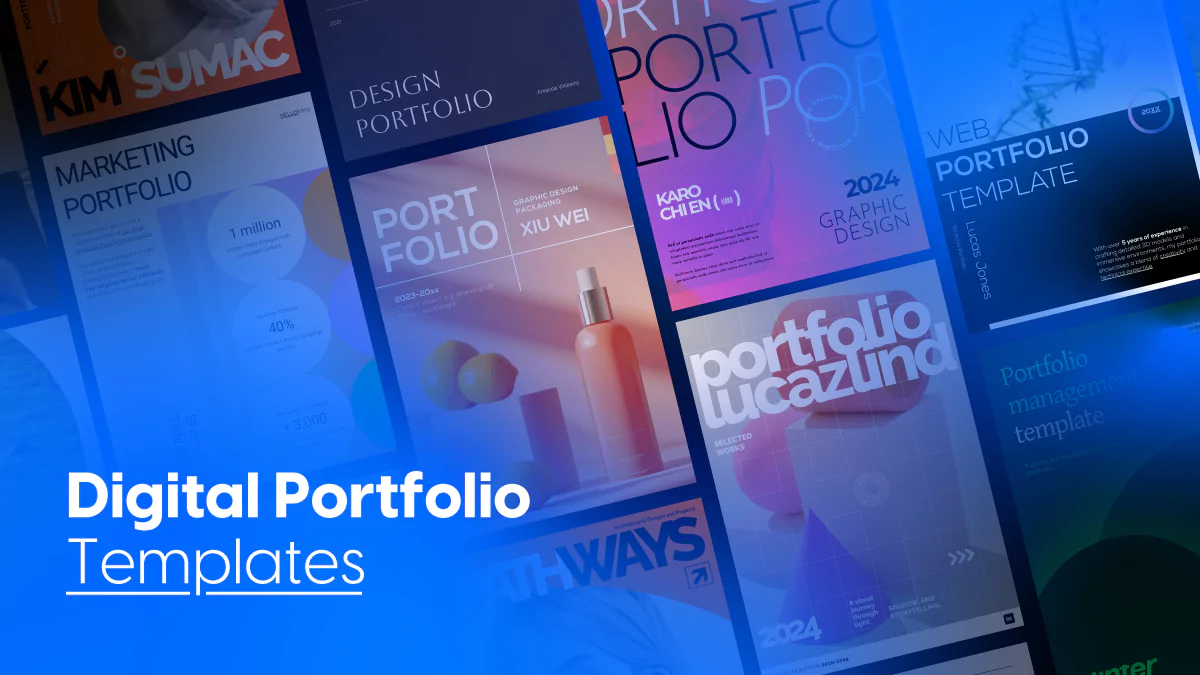
15 Customizable Portfolio Templates for Every Industry
Published on: June 11, 2019
Last update: March 13, 2026
Whether you’re a designer, photographer, architect, or marketer, your portfolio isn’t just a formality, but a proof of your work. Although, if it’s just a PDF sitting somewhere, it’s probably not doing much for you.
A modern portfolio should be digital, interactive, and easy to update. It should look good on any device, let you embed videos or links, and make it simple to share with clients, collaborators, or potential employers.
That’s where Flipsnack comes in. We’ve built a library of professionally designed portfolio templates tailored for different industries. They’re easy to customize and build to help your work stand out. Below, you’ll find our templates organized by profession so you can pick the one that fits your goals and start building right away.
Table of contents
- What is a digital portfolio?
- How to build a portfolio that actually works
- Quick comparison: choose your ideal portfolio template
- What customers say about Flipsnack templates
- 15 customizable portfolio templates by profession
- How to create a portfolio with Flipsnack
- Start building your portfolio today
- FAQs on digital portfolios
What is a digital portfolio?
A digital portfolio is an online collection of work that shows your skills, experience, and style in one place. It can include projects, images, videos, case studies, and personal information, making it easier to present your work to clients, employers, or collaborators.
How to build a portfolio that actually works
1. Choose your best work first
Do not try to include everything. A smaller selection of relevant, high-quality projects is usually more convincing.
2. Know who you are trying to impress
A portfolio for clients should not look the same as one for recruiters, collaborators, or schools. Shape the content around the audience you want to reach.
3. Show more than the final result
People want to see the goal, your role, and how you approached the work. Final visuals matter, but context is what makes them meaningful.
4. Keep the structure simple
Your intro, selected work, and contact details should be easy to find. If people have to guess where to click next, the portfolio is already losing them.
5. Write short project descriptions that say something useful
Focus on the problem, what you did, and the result. Avoid vague lines that sound nice but explain nothing.
6. Use visuals with a purpose
Strong images help, but they should support the story of the project. Random visuals or weak screenshots make the whole portfolio feel less clear.
7. Match the design to the kind of work you do
The portfolio itself should reflect your style, but it should not compete with the work. A clean layout usually does more than an overdesigned one.
8. Remove anything outdated or off target
If a project no longer reflects your level or the kind of work you want, cut it. Your portfolio should point toward the work you want next, not just the work you already did.
9. Make contact easy
Do not hide your email, website, or other contact details. Once someone is interested, they should be able to reach you in seconds.
10. Review it like a stranger would
Open it and ask yourself three questions: Is it clear what I do? Is the work good? Is it easy to contact me? If any answer is no, fix that first.
Quick comparison: choose your ideal portfolio template
| Template Name | Best For | Ideal Use Case | Main Focus | Choose This If |
|---|---|---|---|---|
| Online Photography Portfolio Template | Photographers, content creators, visual artists | Client pitches, creative job applications, personal portfolios | Bold visuals and visual storytelling | You want an image first layout that makes selected work stand out fast. |
| Personalized Web Portfolio Template | Web designers, developers, 3D artists | Freelance pitches, job applications, project showcases | Visual work, skills, and personal branding | You need a modern portfolio that shows both technical skills and creative work. |
| Interactive Portfolio Management Template | Financial advisors, analysts, investor relations teams | Client reviews, investor updates, internal reports | Holdings, performance, and risk presentation | You need to make complex financial data easier to understand and present. |
| Interactive Marketing Portfolio Template | Marketers, agencies, consultants, in house teams | Campaign presentations, stakeholder reviews, new business pitches | Campaign results, strategy, and performance metrics | You want to combine KPIs, visuals, and campaign context in one place. |
| Digital Engineering Portfolio Template | Mechanical engineers, CAD designers, technical specialists | Job applications, technical presentations, client introductions | Projects, certifications, and technical skills | You need a structured portfolio that explains both your work and your tools. |
| Customizable Architecture Portfolio Template | Architects, interior designers, design studios | Client presentations, jury reviews, academic submissions | Concept driven work and large project visuals | You want a minimal layout where the design work speaks first. |
| Editable Photography Portfolio Template | Photographers, visual artists, creative professionals | Gallery sharing, client presentations, portfolio submissions | Curated image series and project context | You want to present themed collections, not just individual images. |
| Digital Business Portfolio Template | Consultants, agencies, corporate teams, service businesses | Pitch meetings, onboarding, company overviews | Services, values, and business credibility | You need a clean company presentation that mixes content with visuals. |
| Editable Graphic Design Portfolio Template | Graphic designers, brand designers, visual creatives | Client sharing, portfolio reviews, design school applications | Creative process and final design work | You want to show how ideas move from concept to finished design. |
| Interactive Art Portfolio Template | Artists, illustrators, mixed media creators | Gallery outreach, exhibition proposals, curated portfolios | Themed collections and gallery style presentation | You want a calm layout that supports artwork without distracting from it. |
| Editable Digital Creative Portfolio Template | Photographers, visual artists, designers, creatives | Creative pitches, personal websites, portfolio sharing | Minimal storytelling and curated visual work | You want a refined portfolio with a clear aesthetic and clean composition. |
| Digital Portfolio Template | Creatives, professionals, job seekers | Job applications, freelance pitches, general portfolio use | Flexible project and skills presentation | You need a versatile template that works across different roles and industries. |
| Sleek Design Portfolio Template | Interior designers, furniture designers, product designers | Client presentations, studio applications, design reviews | Materials, process, and design details | You want a refined layout for physical products or interior work. |
| Editable Architecture Portfolio Template | Architects, interior architects, design professionals | Studio pitches, job applications, academic reviews | Project explanation and technical thinking | You need to balance strong visuals with project context and problem solving. |
| Jewelry & Watches Portfolio Template | Jewelry designers, watch brands, artisans, boutique labels | Collection launches, wholesale presentations, client sharing | Product presentation and premium brand feel | You want to showcase collections with elegant visuals and useful product details. |
What customers say about Flipsnack templates
Flipsnack is easy to use and offers all the features a small business needs, at a very affordable price. There are plenty of templates to choose from to speed up the project. Each template is easily tailored to your needs. The support is good and fast through the chat function, and they also provide a phone number (infrequently these days) in case you prefer a phone call.
Leonardo Soto, President of SotoNets Cloud Solutions
Reviewed on G2
15 customizable portfolio templates by profession
Here are some of the best portfolio templates:
1. Online photography portfolio template
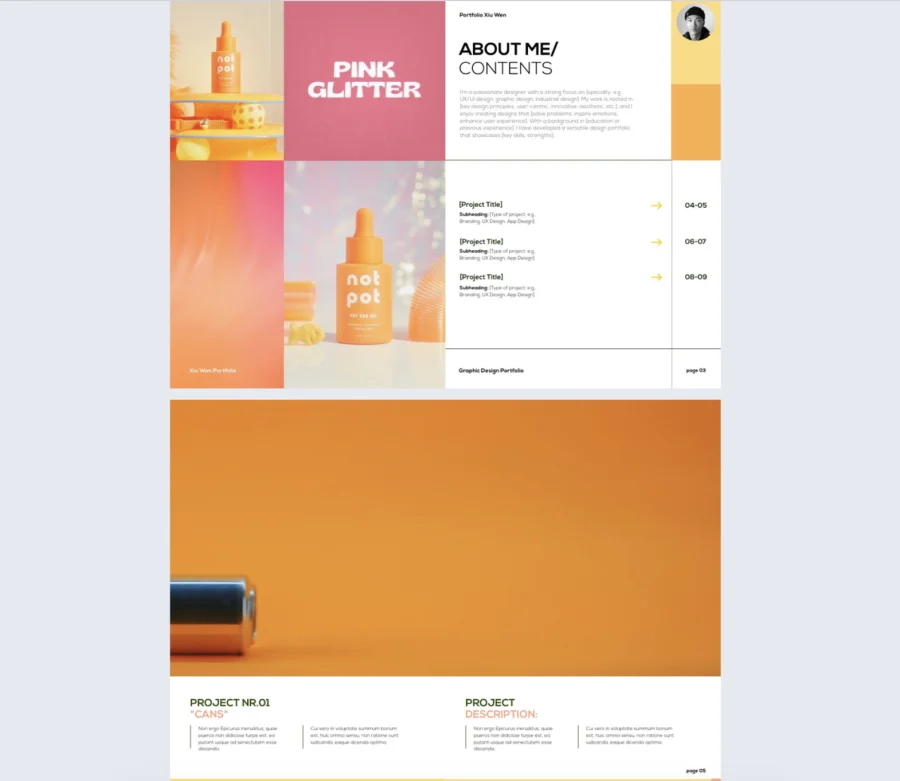
A bold photography portfolio template built for visual storytelling. It gives you space to introduce yourself, highlight selected projects, and present your work in a clean, image-first layout.
Best for: Photographers, content creators, and visual artists who want to showcase product shoots, creative campaigns, or personal work.
Real-world application: Use it to present your portfolio to clients, apply for creative roles, or share a focused selection of projects in a more engaging way.
Common mistakes to avoid: Adding too many images, using inconsistent visuals, or writing vague project descriptions. Keep the selection focused and explain the value of each project.

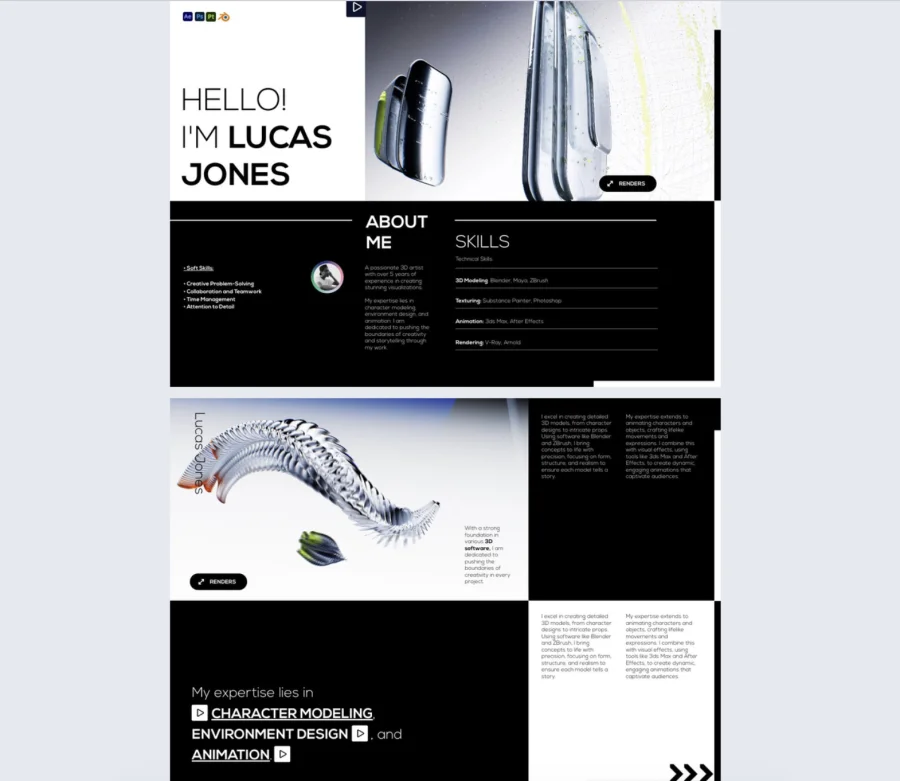
2. Personalized web portfolio template
A modern web portfolio template with a clean layout and bold visuals. It helps you present your work, skills, and personal profile in a clear and engaging way.
Best for: 3D artists, web designers, developers, and other creatives who want to showcase visual work and technical skills.
Real-world application: Use it to apply for jobs, pitch freelance services, or share selected projects with clients in a more dynamic format.
Common mistakes to avoid: Adding too much text, mixing unrelated projects, or using visuals without context. Keep the portfolio focused and explain what each project shows.
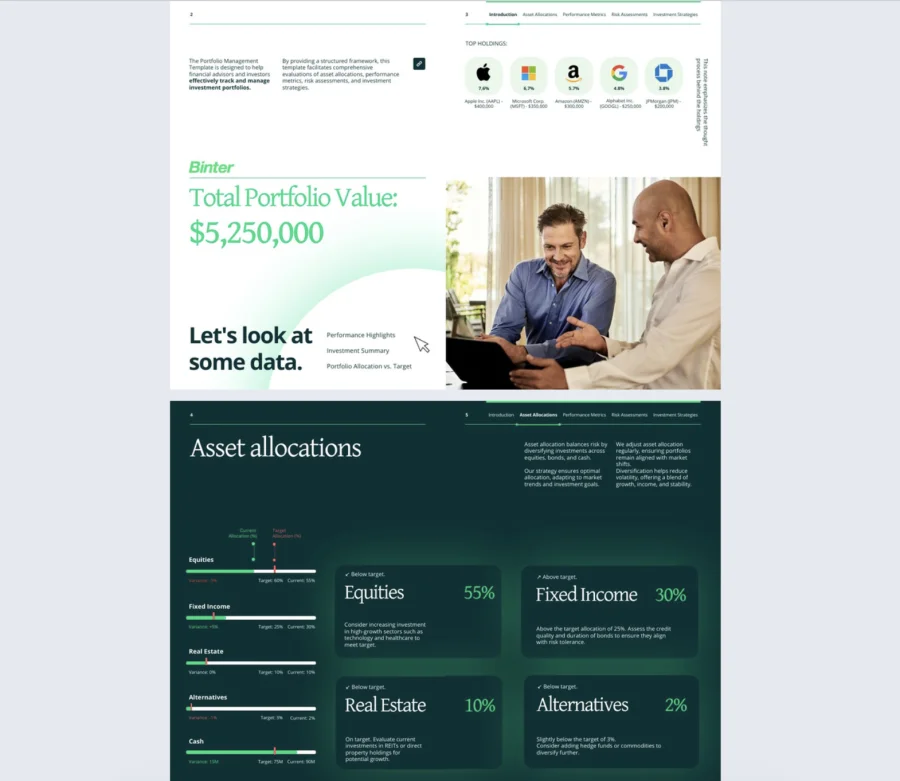
3. Interactive portfolio management template
Built for presenting investment data clearly, this portfolio management template brings holdings, asset allocation, performance, and risk insights into one organized layout. It also gives you room to add context, so the numbers are easier to follow.
Best for: Ideal for financial advisors, analysts, and investor relations teams that need to present portfolio data in a clear and professional way. It also works well for firms that want reports to feel more structured and client-ready.
Real-world application: Use it for client portfolio reviews, investor updates, internal reports, or strategy presentations that need both data and explanation. It helps turn complex financial information into something people can scan and understand faster.
Common mistakes to avoid: Avoid packing pages with too many figures, leaving charts unexplained, or adding metrics that do not support the main message. The report works better when each section has a clear purpose, and the data is easy to read.
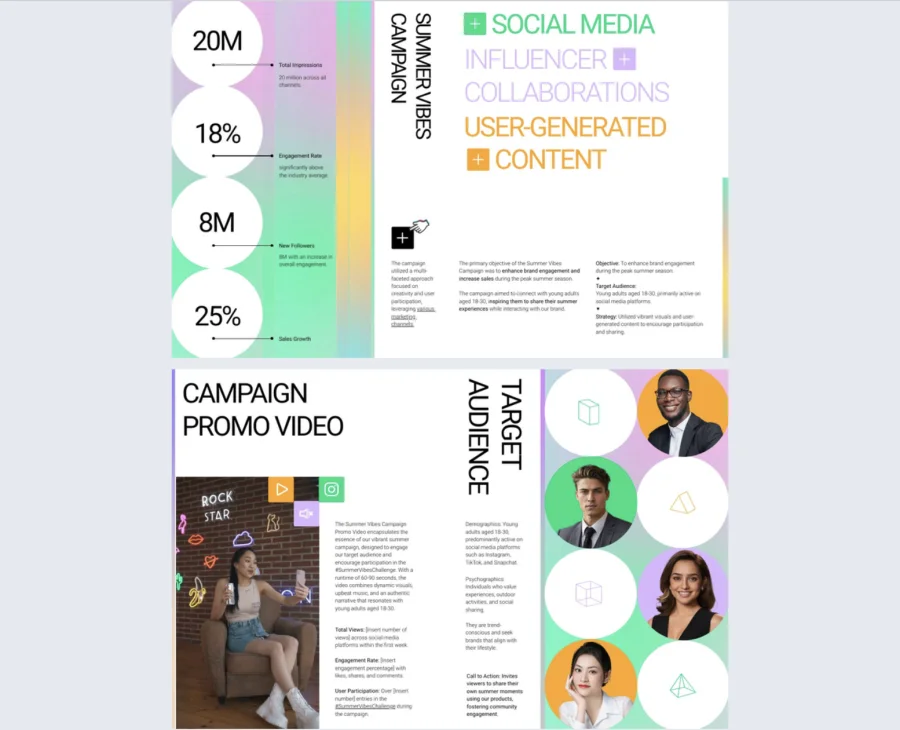
4. Interactive marketing portfolio template
Focused on campaign storytelling, this marketing portfolio template helps you present results, creative assets, and strategy in a format that feels clear and engaging. It works especially well for showing social media performance, influencer collaborations, and user-generated content in one place.
Best for: A solid fit for marketers, agencies, consultants, and in-house teams that need to showcase campaign work with more context. It is especially useful for professionals who want to combine visuals, metrics, and audience insights in the same presentation.
Real-world application: Share it with clients, stakeholders, or potential partners to walk them through campaign goals, execution, and outcomes. It also works well for pitching new ideas, proving past results, or building a portfolio that supports future business.
Common mistakes to avoid: Do not fill it with metrics that lack context or visuals that do not support the story you are telling. The content will land better when each campaign example has a clear goal, a defined audience, and measurable results.
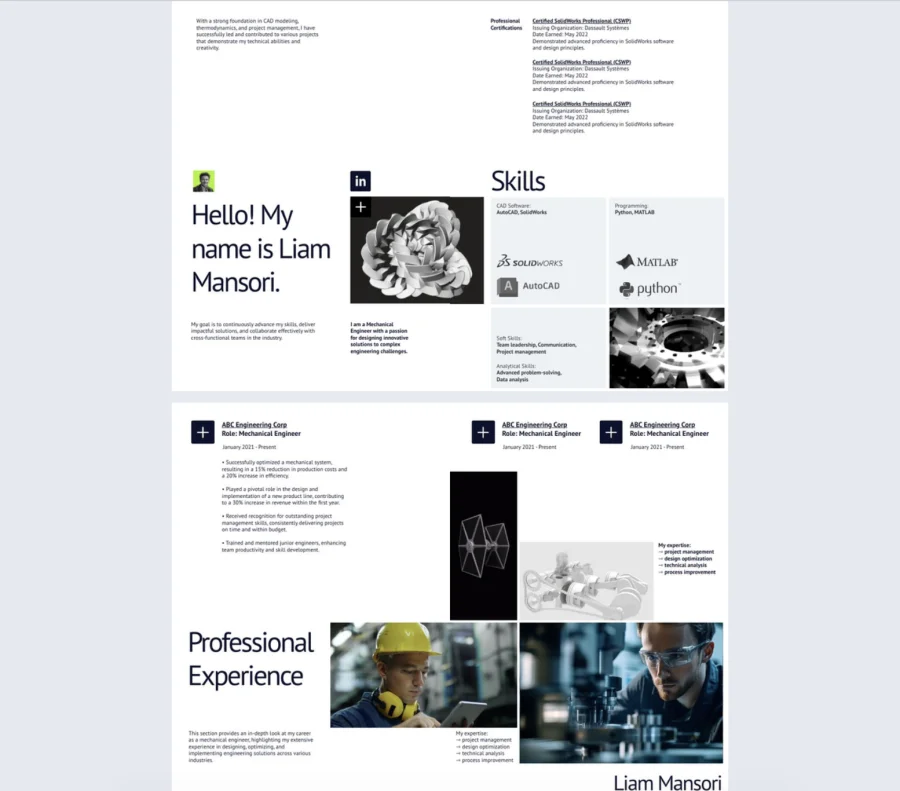
5. Digital engineering portfolio template
Created for engineers who need a clear way to present technical work, this engineering portfolio template combines project highlights, certifications, and skills in a structured layout. It gives you space to show both your practical experience and the tools you use. The result feels organized, direct, and easy to review.
Best for: A good match for mechanical engineers, CAD designers, and technical specialists who want to showcase their background with clarity. It also suits students or early-career professionals building a portfolio for applications and interviews. Teams or freelancers can use it as well when they need to present technical capabilities to clients.
Real-world application: Share it when applying for jobs, presenting engineering projects, or introducing your work to potential clients and collaborators. It helps you explain your experience through a mix of visuals, project summaries, and certifications. That makes it easier for others to understand both your role and your areas of expertise.
Common mistakes to avoid: Do not overload the portfolio with technical terms, repeated project details, or visuals without explanation. A better approach is to focus on relevant work and show what problem you solved in each case. Clear structure matters, especially when your audience may not know the full technical context.
6. Customizable architecture portfolio template
With its minimal layout and large project visuals, this architecture portfolio template keeps the focus on your work. It helps you present concepts, selected projects, and personal details in a clean and thoughtful way. It is a good choice when you want the design itself to speak first.
Best for: Made for architects, interior designers, and design studios that want to showcase projects without visual clutter. It also fits students and freelancers building a portfolio for applications, presentations, or client outreach. The format works especially well for concept-driven and visually led work.
Real-world application: Use it to present residential, commercial, or conceptual projects to clients, employers, or juries. It gives you room to explain your design thinking while keeping the layout easy to follow. That makes it useful for both professional portfolios and academic submissions.
Common mistakes to avoid: Avoid using low-quality renders, overcrowded pages, or project descriptions that say very little. Each featured project should have a clear purpose and enough context to show your role. The portfolio will work better when the visuals are consistent, and the story behind the work is easy to understand.
7. Editable photography portfolio template
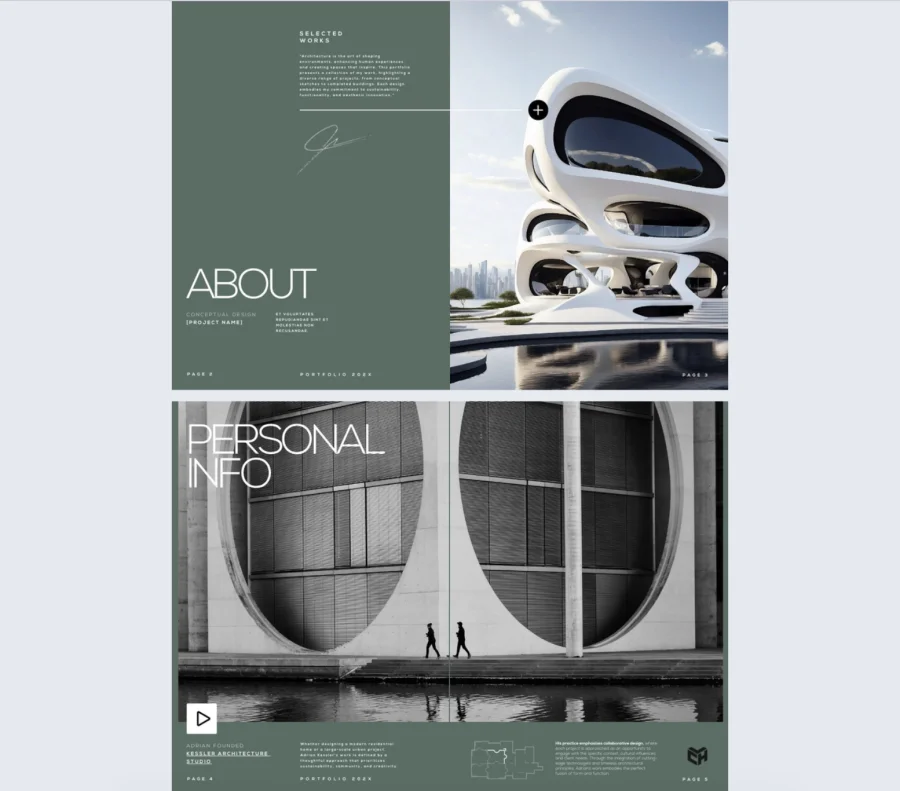
Centered on visual storytelling, this photography portfolio template helps you present curated image series in a clean and well-structured format. It gives you space for featured works, artist statements, and project context without making the layout feel crowded. That makes it a good fit for portfolios that need both visuals and meaning.
Best for: A practical choice for photographers, visual artists, and creative professionals who want to showcase series-based work. It works especially well for still life, product photography, and conceptual shoots with a clear visual style. It also suits anyone who wants their portfolio to feel carefully selected rather than packed with too much content.
Real-world application: Use it to share your portfolio with clients, galleries, collaborators, or potential employers. It helps you present not just individual images, but also the idea behind each collection. That can make your work feel more memorable and easier to understand.
Common mistakes to avoid: Do not include too many unrelated images or write descriptions that add no real context. A more effective approach is to keep each series focused and explain why the work belongs together. The portfolio will read better when the visuals, captions, and project structure all support the same idea.
8. Digital business portfolio template
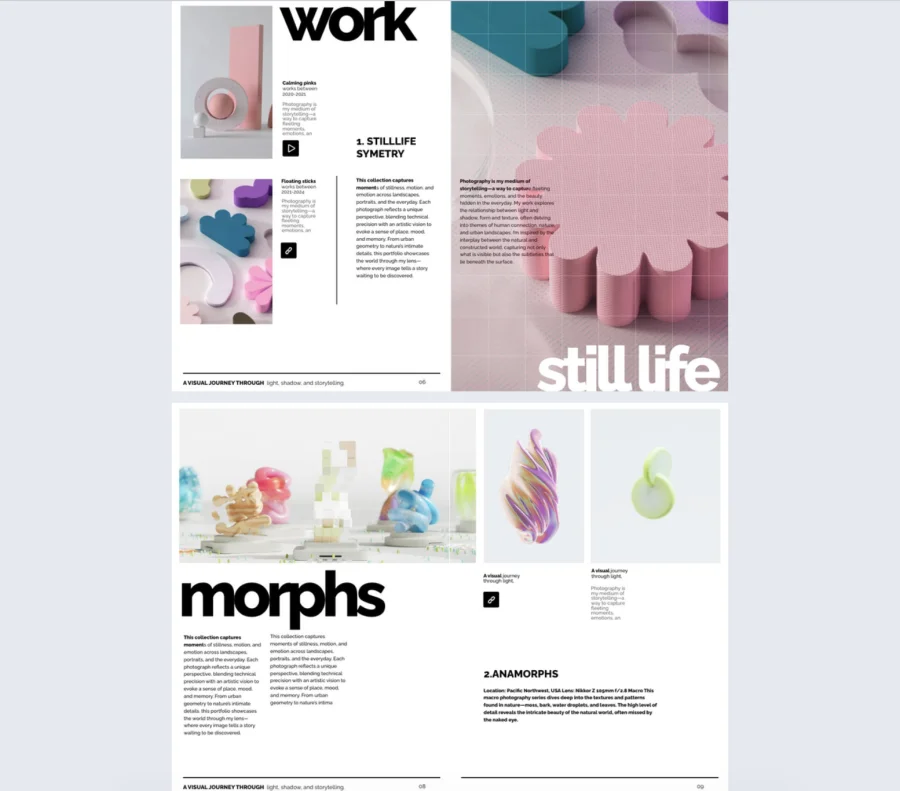
This digital business portfolio template gives companies a clean way to present their services, values, and core strengths. It mixes business content with visuals in a format that feels professional, clear, and easy to follow.
Best for: It works well for consultants, agencies, corporate teams, and service-based businesses that need a clear company presentation. It is also a good fit for brands that want to share who they are, what they offer, and why clients should trust them.
Real-world application: Use it for pitch meetings, client onboarding, company overviews, or business development materials. It helps turn key information into a presentation that feels more organized and easier to understand.
Common mistakes to avoid: Avoid filling it with vague claims, dense text, or visuals that do not add anything useful. The content works better when each section is specific, relevant, and tied to a clear business message.
9. Editable graphic design portfolio template
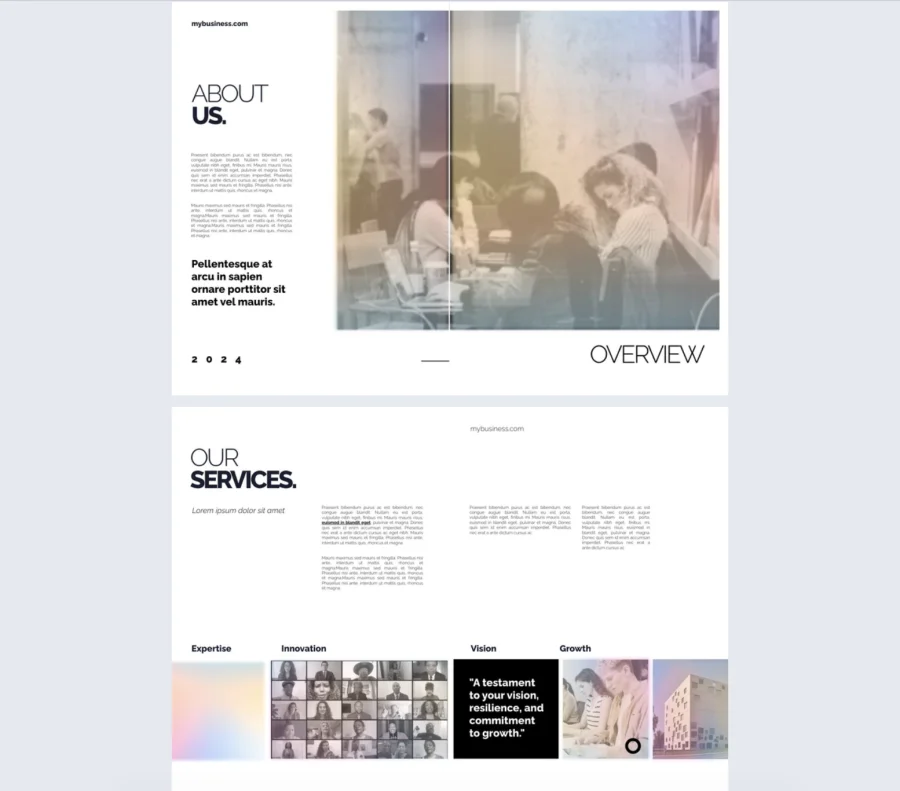
Framed like a visual journal, this graphic design portfolio template helps you present both ideas and finished work with clarity. It gives you room for moodboards, inspiration, branding pieces, and final designs in a layout that feels creative but still organized.
Best for: It suits graphic designers, brand designers, and visual creatives who want to show both process and execution. It also works well for freelancers, portfolio reviews, and design school applications where presentation matters.
Real-world application: Use it to share selected projects with clients, employers, or admissions teams in a format that feels thoughtful and professional. It helps you explain not just what you made, but how your ideas developed from concept to final result.
Common mistakes to avoid: Avoid adding too many disconnected visuals or filling pages with work that lacks context. The portfolio will feel more convincing when each project has a clear purpose, and the flow between sections makes sense.
10. Interactive art portfolio template
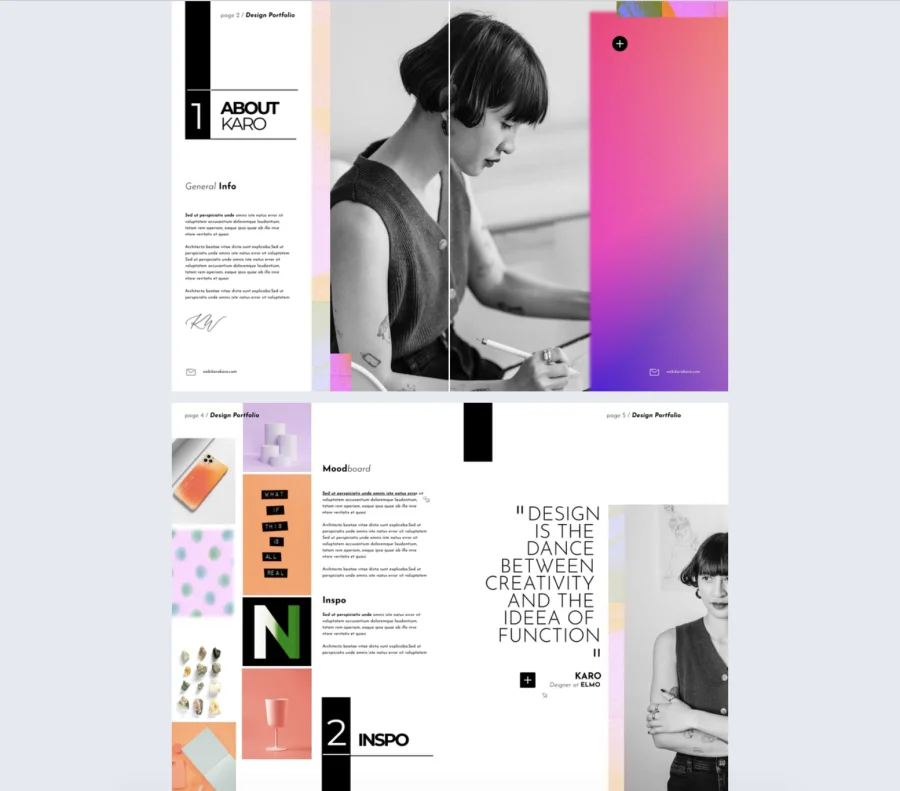
This interactive art portfolio template gives your work a calm, gallery-style setting that keeps the focus on the artwork. It also leaves room for process notes, themes, and supporting media without making the pages feel busy.
Best for: It suits artists, illustrators, and mixed media creators who want to present curated collections with a clear visual identity. It is especially useful for portfolios built around themes, series, or exhibition-style storytelling.
Real-world application: Use it to share your work with galleries, clients, curators, or potential collaborators in a format that feels thoughtful and well-arranged. It also works well for exhibition proposals or personal portfolios that need more than just images on a page.
Common mistakes to avoid: Avoid overcrowding the layout or mixing pieces that do not belong together just to show more work. The portfolio feels more convincing when the selection is focused, and each piece has enough context to support the overall theme.
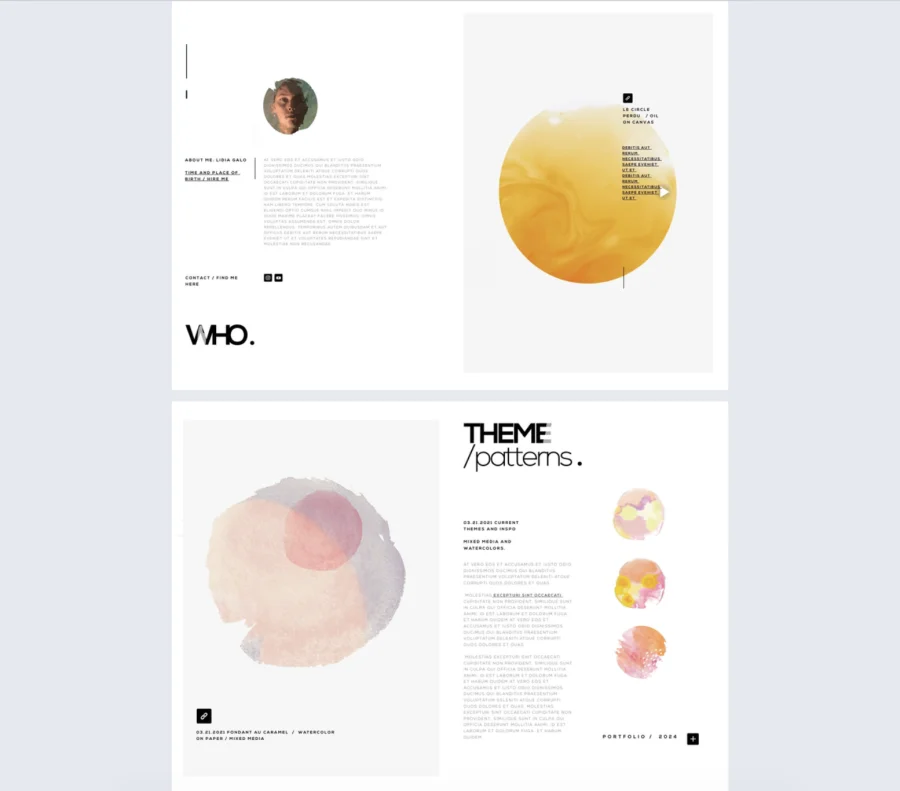
11. Editable digital creative portfolio template
This creative portfolio template gives your work space to stand out through clean layouts and careful composition. It is built for visual storytelling, with room for photo series, installations, styled shoots, and supporting media.
Best for: It suits photographers, visual artists, designers, and other creatives who want a minimal presentation with a clear point of view. It works especially well for portfolios that rely on mood, form, and a curated selection of work.
Real-world application: Use it to present your portfolio to clients, galleries, collaborators, or potential employers in a format that feels intentional and easy to follow. It is also useful for personal websites, creative pitches, or project showcases that need a more refined visual flow.
Common mistakes to avoid: Avoid adding too many styles, colors, or interactive elements that compete with the work itself. The portfolio will read better when the selection is focused, and each page supports the same visual direction.
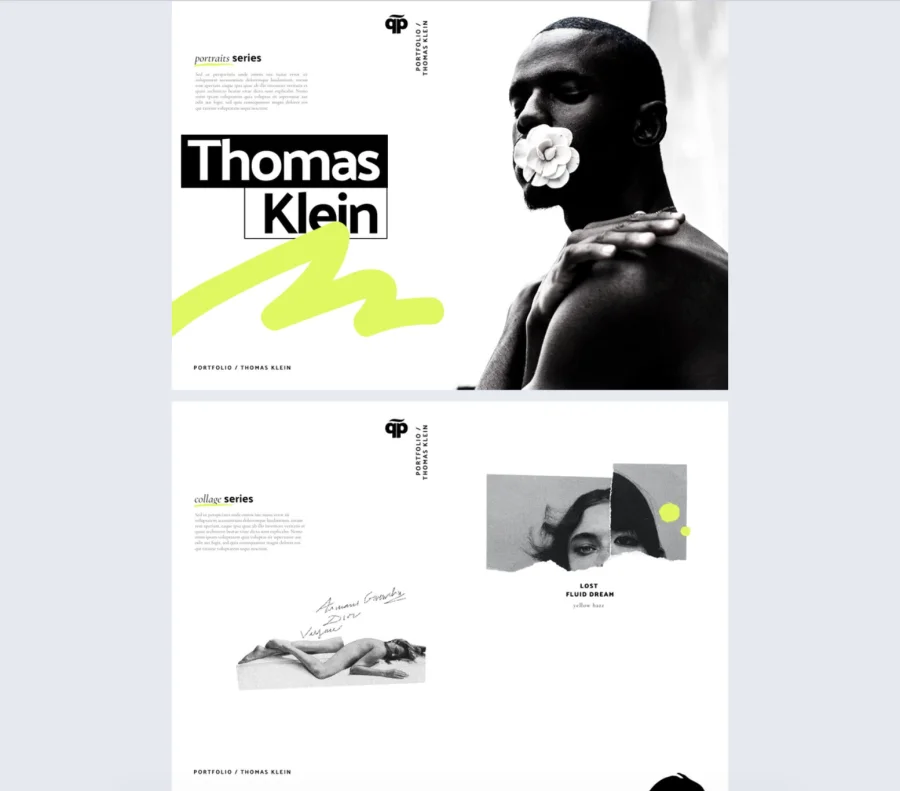
12. Digital portfolio template
This digital portfolio template gives you a clean way to present your work, skills, and personal profile in one place. Its modern layout makes it easy to combine visuals, project highlights, and key information without making the content feel crowded.
Best for: It works well for creatives, professionals, and job seekers who need a flexible portfolio they can adapt to different types of work. It is especially useful for people in design, development, marketing, or content roles who want a clear online presentation.
Real-world application: Use it to apply for jobs, pitch freelance services, or share selected projects with clients and collaborators. It helps you present your experience in a format that feels organized, visual, and easy to follow.
Common mistakes to avoid: Avoid adding too many projects, long text blocks, or visuals that do not support your main message. The portfolio works better when the selection is focused, and each section helps explain what you do and why it matters.
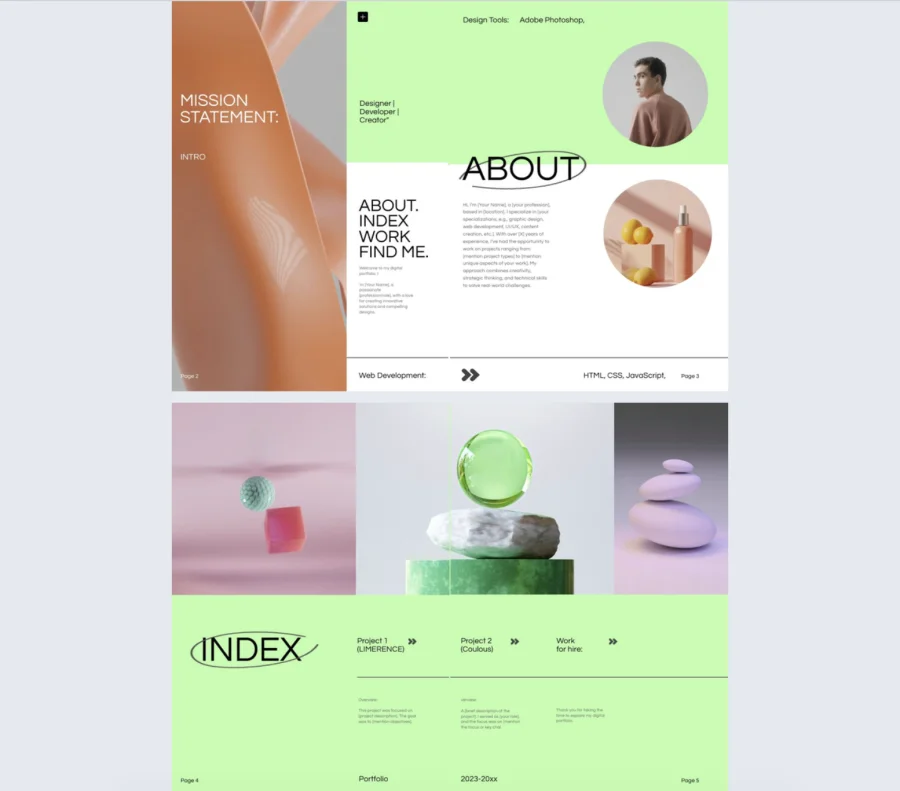
13. Sleek design portfolio template
This design portfolio template presents interior and furniture work in a calm, refined layout that keeps the focus on the details. It gives you space to show your process, material choices, and final outcomes in a way that feels clear and intentional.
Best for: It works well for interior designers, furniture designers, and product designers who want a clean visual presentation. It is especially suited to portfolios that highlight craftsmanship, spatial thinking, and design decisions.
Real-world application: Use it for client presentations, portfolio reviews, design pitches, or studio applications. It helps you walk people through the brief, the process, and the result without making the work feel overexplained.
Common mistakes to avoid: Avoid adding too much text or using visuals that do not support the story behind the project. The portfolio feels more convincing when each project is focused, well-edited, and backed by clear design choices.
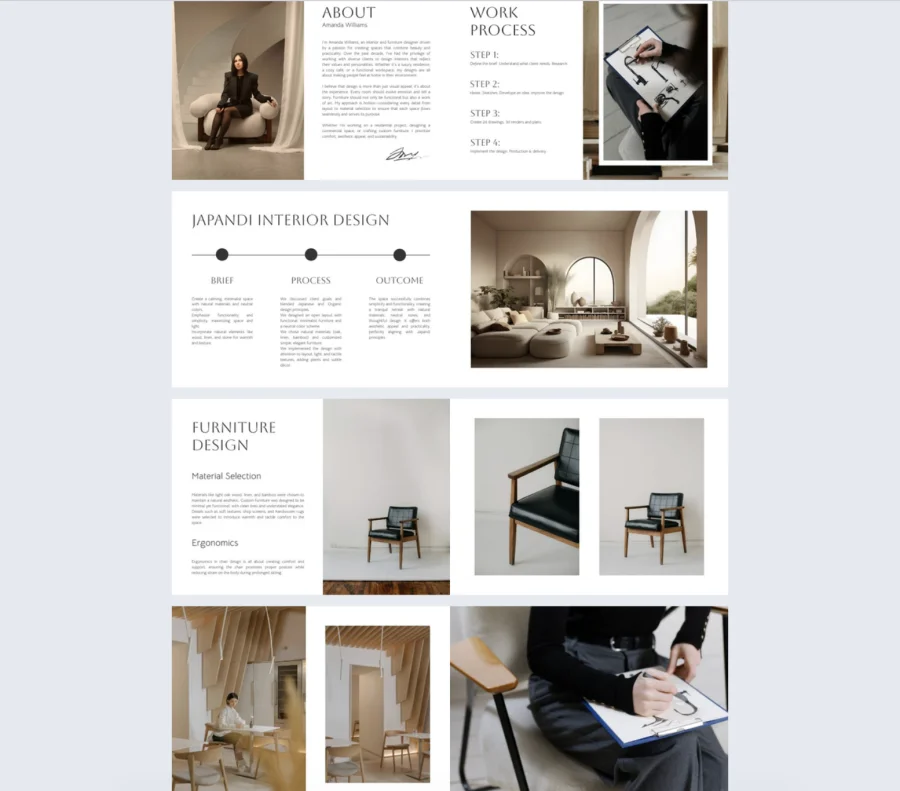
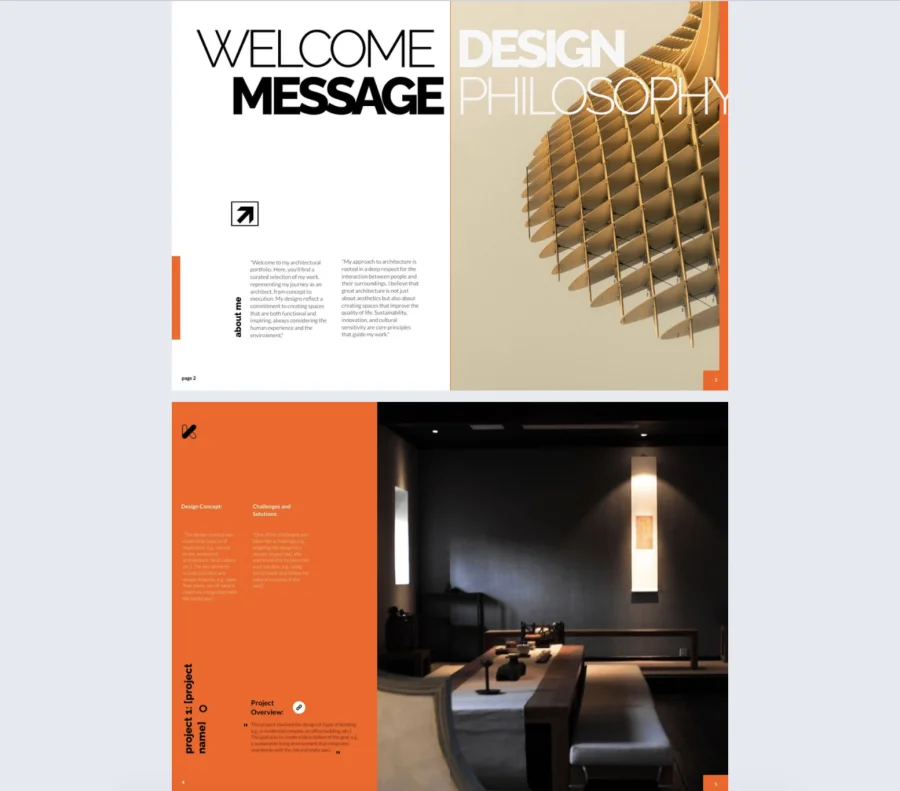
14. Editable architecture portfolio template
This architecture portfolio template helps you present projects with a clear balance of visuals and explanation. It gives you space to show design intent, technical thinking, and project details in a layout that feels structured and visually confident.
Best for: It suits architects, interior architects, and design professionals who need to present built work or concept-driven projects. It also works well for freelancers, studios, and applicants who want to show both creativity and problem-solving.
Real-world application: Use it for client presentations, job applications, studio pitches, or academic reviews. It helps you walk people through each project by showing the brief, the challenges, and the final solution in a clear order.
Common mistakes to avoid: Avoid relying only on large renders without explaining the thinking behind them. The portfolio will work better when each project includes enough context to show your role, your decisions, and the outcome.
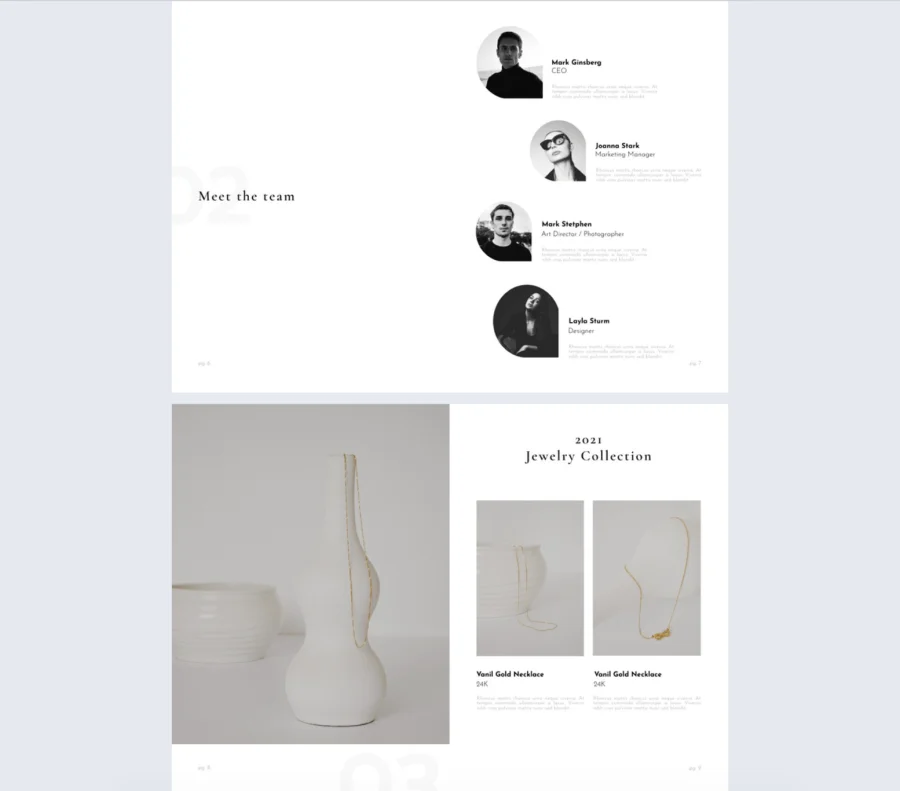
15. Jewelry & watches portfolio template
This jewelry and watches portfolio template presents your pieces in a clean, elegant format that keeps attention on the product. It gives you space for collection highlights, design details, and brand presentation without making the layout feel busy.
Best for: It works well for jewelry designers, watch brands, artisans, and boutique labels that want a refined digital presentation. It also suits seasonal collections, wholesale catalogs, and brands that need a client-facing portfolio with a more premium feel.
Real-world application: Use it to introduce new collections, present products to retailers, or share your work directly with clients and buyers. It helps organize images, materials, pricing, and product information in a way that feels clear and easy to browse.
Common mistakes to avoid: Avoid cluttering the pages with too many items, effects, or text that pulls attention away from the pieces themselves. The portfolio will work better when the photos are consistent, the product details are useful, and each collection feels carefully edited.
How to create a portfolio with Flipsnack
Here’s how to build a polished, interactive portfolio in just a few steps:
1. Start with a template
Browse through Flipsnack’s library of professionally designed portfolio templates. Whether you’re a photographer, architect, designer, marketer, or business consultant, there’s a layout built for your industry. Just pick one that fits your work and click to start editing.
2. Customize everything
Make the template your own using Flipsnack’s drag-and-drop editor. Add your logo, update the fonts and colors to match your branding, and upload your own visuals. You can also embed videos, link to external work, and organize your projects in a way that tells a clear story.
3. Share digitally
Once your portfolio is ready, share it however you want. Generate a private or public link, embed it on your website, or send it directly to clients or hiring managers. You can even track views and engagement through built-in analytics.
4. Save your template
Save your customized layout and brand assets to your Flipsnack account. That way, you can update or repurpose your portfolio anytime—whether you’re adding new work, applying for a job, or pitching a new client.
Start building your portfolio today
Your work deserves more than a basic PDF or a clunky web page. With Flipsnack’s portfolio templates, you can create something that looks professional, works on any device, and actually gets attention. Choose a template, customize it, and share it with the people who matter.
Whether you’re applying for a job, pitching a new client, or updating your personal brand, the way you present your work matters. Flipsnack gives you the tools to do it right without wasting time on layout, formatting, or file exports. What you create here is not just another portfolio. It is a stronger first impression.
FAQs on digital portfolios
A well-structured digital portfolio typically includes:
– A short introduction or About Me section
– Selected work samples or projects
– Brief project descriptions or case studies
– Skills or areas of expertise
– Contact information
– Links to relevant platforms or social profiles
A resume gives a quick summary of your experience, skills, and work history, while a digital portfolio shows actual examples of your work. In simple terms, a resume tells people what you have done, while a portfolio helps prove it.
To customize a digital portfolio template:
– Define the purpose of your portfolio
– Choose the projects that best match your goals
– Update the text with your own background and experience
– Add your visuals, branding, and contact details
– Adjust the layout to fit your type of work
A digital portfolio should be reviewed regularly and updated whenever:
– You complete better or more relevant work
– Your skills or services change
– Your contact details are updated
– You want to target a new role, industry, or client type
Common mistakes include:
– Adding too many projects
– Using weak or outdated work
– Writing vague project descriptions
– Making the layout hard to scan
– Forgetting to include contact information