How to Run an Online Magazine in 2026: Formats, Structure, and Monetization
Published on: October 5, 2020
Last update: September 17, 2026
Publishing online is no longer the hard part. Anyone can put content on the internet in a day, and your readers already have more tabs open than they can handle.
So if you want to understand how to run a magazine that people actually return to, you need more than good writing. You need a clear point of view, a focused topic, and a plan for how each issue reaches the right audience.
A successful online magazine is part editorial work and part operations. You will be making decisions about your format, your publishing rhythm, your contributors, and your distribution through search, email, social, and partnerships.
You will also need a way to measure what works and what does not, because guesswork gets expensive fast.
In this guide, we will walk through the steps to launching and operating an online magazine, from choosing a concept to keeping readers coming back.
Table of contents
- What is an online magazine?
- Print vs. online magazines
- Types of digital magazines
- How to run an online magazine in 2026
- How to structure an online magazine
- Online magazine revenue models
- How to make an online magazine using Flipsnack
- How to monetize an online magazine using Flipsnack
- How My Resource Library turned their magazine into an interactive tool
- Ready, set, run your online magazine
- FAQs on creating and running an online magazine
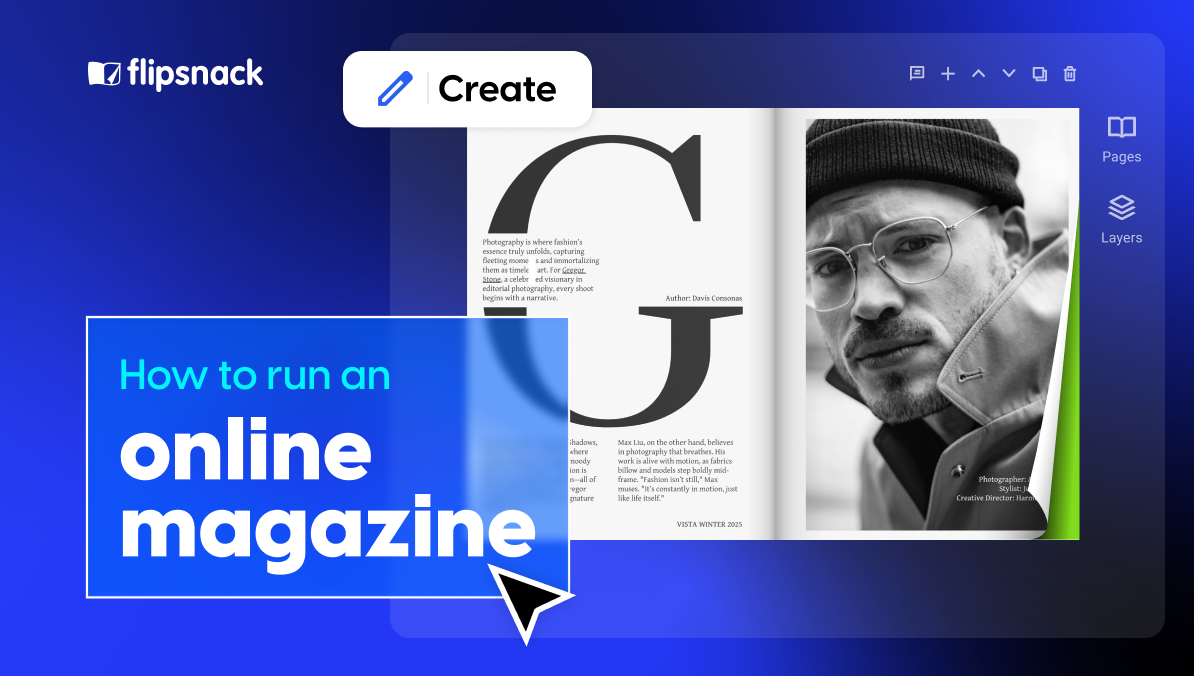
Building an online magazine sounds simple until you’re staring at a blank template, unsure whether you need a PDF, a flipbook, or a full website. This guide covers what to do once you’ve made that call: how to create an online magazine, structure each issue, and run it long enough to make money from it. Still deciding whether a magazine is the right move at all? Read how to start a digital magazine first. This guide picks up right after that decision.
What is an online magazine?
An online magazine is a publication you release on the web for people to read on a phone, tablet, or computer. Like a print magazine, it usually has a clear theme, a consistent visual style, and recurring sections. The big difference is how people access it and how you distribute it. Online, you can publish faster, update content when needed, and see what readers actually do, not just what you hope they do.
An online magazine can look like a classic magazine layout, or it can look more like a modern website with sections and feature stories. Both count, as long as it feels like a publication with an editorial point of view.
The terms get used loosely. “Digital magazine” usually points to the file or format — PDF, flipbook, or app — while “online magazine” points to where readers find it: the web. In practice, most publications today are both, so this guide uses the terms interchangeably and focuses on what matters more: picking a format and workflow that fits how your readers actually read.
Print vs. online magazines
| Aspect | Print magazines | Online magazines |
Reader experience | Tangible, distraction free, premium feel | Fast access on any device, can include video, links, forms |
| Reach | Mostly local or regional unless you invest heavily in distribution | Global by default, shareable by link and social |
Production speed | Slower lead times because of printing and shipping | Faster publishing, easier updates after release |
| Costs | High upfront costs per issue (printing, shipping, returns) | Ongoing platform and production costs, low cost per extra reader |
| Measurement | Limited data, hard to know what was read | Strong analytics for views, clicks, time spent, drop off |
| Monetization | Subscriptions, newsstand sales, print ads | Subscriptions and membership, sponsorships, paywalls, lead capture, commerce |
Distribution control | Depends on distributors and retail placement | Direct distribution via email, site, social, embeds, SEO |
The “print vs digital” debate is a distraction. Print is not gone, but it is no longer the default. Digital is where most discovery and day-to-day reading happens, so most magazines that grow in 2026 use a mix of both.
Print still has real strengths. It feels premium, it is easier to read without distractions, and it can turn an issue into something people keep. The downsides are practical. Printing and shipping are expensive, lead times are longer, and you risk unsold copies. You also get limited insight into what readers did with each story.
Online magazines win on speed and reach. You can publish faster, update stories when they change, and distribute globally without shipping costs. You can also measure what works and what does not. For example, in the US, most adults get news on digital devices at least sometimes, while a much smaller share say they often get news from printed newspapers or magazines.
Cost-wise, print has high upfront costs for every issue. Digital has recurring costs too, like tools, design time, hosting, and promotion, but each additional reader is usually cheap to serve once the magazine is published.
Revenue options are also different. Digital makes it easier to run sponsorships, ads, memberships, subscriptions, and lead capture with clear tracking. That matters because ad budgets have moved heavily toward digital, with US digital advertising reaching a record $259 billion in 2024. PwC also expects advertising to be a major driver of media growth in the next few years.
If you still want to have a print version of your magazine, a practical approach is this: use online as your main channel for growth and consistency, then use print for special issues if it supports your business model and audience. Once you know your goals, choosing the right format becomes a lot easier.
Types of digital magazines
There is no single “right” format. The best choice depends on what you publish, how often you publish, and how much control you want over distribution and reader data.
1. Web-based magazine (articles on a site)
This is the most common format today. You publish stories as web pages, group them into sections, and build issues or collections when you want a more magazine-like structure. It is easy to read on mobile, and it can perform well in search if you do SEO properly.
2. PDF magazine
A PDF is a direct digital version of a designed layout. It works well if you already produce a print-style magazine and you want the online version to match it.
The downside is that a PDF has a fixed page layout. On a phone, readers often need to zoom and move around the page. It also tends to be harder to track engagement and conversions once the file is downloaded and shared. That loss of control makes it tougher to measure results.
3. Responsive HTML magazine (web first issues)
These magazines are built with standard web technology, so the layout adapts to the reader’s screen. Text can resize and reflow, which makes reading easier across devices. This route also gives you strong options for analytics, gated access, and updates after publishing.
It usually takes more effort than exporting a PDF, but you get more control over performance, tracking, and mobile readability.
4. Native app magazine
A native app is a magazine you publish through an iOS or Android app. It can offer a great reading experience, offline access, and push notifications. It can also support advanced tracking and personalization.
The downside is cost and complexity. Apps take time to build and maintain, and you have to follow platform rules and revenue policies. You also ask readers to install something, which adds friction.
5. Flipbook magazine
A flipbook is a digital magazine that keeps the page-turning feel of print, but adds interactive elements like links, video, audio, and buttons. Many flipbooks start from a PDF, which makes them quick to publish and easy to share as a link or embed on a site.

The key is the tool you use. Some flipbooks simply display a fixed layout, so reading on a phone can still mean lots of zooming and scrolling. But with the right flipbook magazine maker, you can offer mobile responsiveness that adapts to different screen sizes. That means the magazine can display properly on mobile and feel natural to read, instead of forcing readers to fight the layout.
How to run an online magazine in 2026
1. Define the purpose of your magazine
Before you write a single story, decide what the magazine is meant to do. “Get more readers” is not a purpose. It is a hope. A clear goal will shape everything that follows, from your topics and tone to your format, budget, and promotion plan.
Most online magazines fit into one of these buckets.
Build a paid publication
Here, the magazine itself is the product. You are trying to earn money from subscriptions, memberships, ads, or sponsorships. In 2026, many publishers mix free content with paid access so new readers can sample the work before committing. Some also bundle digital access with print subscriptions. National Geographic is one example of a publisher that ties subscriber access to online content.
If this is your route, you will need more than good content. You will need a clear content promise, a system for payments and access, and a plan to keep churn low.
Grow loyalty and keep people engaged
Some magazines exist to build trust and stay top of mind, not to sell the magazine itself. This is common for brands, nonprofits, and communities that already make money elsewhere. The magazine supports the relationship. It gives your audience something useful or entertaining, and it makes your brand feel credible over time.
A strong example of this style is The Red Bulletin, which works as a content hub tied to the Red Bull brand.
If engagement is the goal, measure it like a product. Track returning readers, email signups, time spent, and which topics pull people back.
Support sales of a product or service
Sometimes the magazine is a smarter catalog. It uses stories, guides, and case studies to move readers toward a purchase. It can still look and feel like a magazine, but every section supports a business outcome, like booked demos, store visits, or qualified leads.
If this is your goal, your content needs clear paths to action. You also need tracking, so you can prove what content helps revenue and what is just noise.
Once you know the purpose, choosing the right format and distribution channels gets easier. You stop guessing and start building around one job the magazine must do.
2. Set your editorial agenda
Your editorial agenda is the decision list behind the magazine. It defines what you cover, what you ignore, and what you want to be known for. Without it, your magazine becomes a random feed, and readers do not build a habit.
A practical way to turn that agenda into action is an editorial calendar. It is a planning tool that shows what you will publish, when it goes live, where it will appear, and who owns each step.
In 2026, an editorial calendar is not only for planning issues. It also helps you coordinate formats and distribution. For example, a feature story might also need a newsletter slot, a social cut, and a short video.
To keep it useful, make sure your calendar includes:
- Themes or content pillars for the month.
- A realistic publishing rhythm you can sustain.
- Deadlines for draft, edit, design, legal if needed, and final sign off.
- Ownership, so every piece has one person responsible.
- Space for timely stories, so you are not locked into a rigid plan.
If you sell sponsorships or ad packages, a calendar still helps because partners want to know what topics are coming up. The difference is that you should treat it as a guide, not a promise. You need room to adjust.
3. Choose your audience
You cannot write for everyone. The faster way to grow is to pick a primary reader and serve them well, then expand later.
Start with a clear answer to these questions:
- Who is this for?
- What do they come to you for that they cannot get from a general news site or a creator feed? What tone do they expect from you?
Do not rely only on age or gender. Think in terms of needs and context. For example, someone might want quick ideas, deep reporting, practical guides, or a strong point of view. That choice will affect your story formats, your design, and where you distribute.
Teen Vogue is a useful example because the name suggests a narrow audience, but the brand positioning is broader. It presents itself as a guide for young people, covering culture, identity, politics, beauty, wellness, and entertainment, but it also has fashion magazine content. A recent keynote about Teen Vogue also notes that the audience spans from teens into older age groups, with a large share in the 18 to 24 range.
The takeaway is simple. Define your core audience based on what you publish and why people return, not only on what the title implies.
4. Pick an online magazine maker
Your tool choice decides what becomes easy later and what turns into a constant workaround. Pick based on how you publish, how your readers consume content, and how much control you want over branding and performance data.
A solid online magazine maker should cover these basics:
- PDF import and conversion if you already design in InDesign or similar tools.
- Mobile responsiveness so your magazine is comfortable to read on phones.
- Simple publishing with hosting included, plus flexible sharing and embed options.
- Analytics, so you can see what people read, click, and skip.
- Team features like roles and permissions if more than one person works on an issue.
- Branding tools, like custom domain support, if you want the magazine to live under your brand.
If you want a digital publishing platform that checks those boxes, Flipsnack is one of the online magazine makers designed to support the full workflow, from creation to analytics.
How to structure an online magazine
Structure is your reader’s map. It is also your editorial formula, meaning the repeatable order that makes each issue feel familiar. A good structure gets people to the best content fast, then gives them easy ways to explore.
1. Cover and opening screen
In print, there are multiple cover pages. In digital, the first screen does most of the work. Treat it like your magazine’s front door. If it is weak, many readers will not go further.
A cover usually includes:
- The magazine name or logo
- One strong visual that fits your topic
- A few clear story highlights
- Date, issue number, or theme, if it helps readers orient themselves
If your format supports it, make the cover interactive. Add a clear “Start reading” button, and link the cover highlights to the right sections.
2. Front of the book
The front of the book is the opening set of pages that helps readers understand what they are about to read. It often includes the table of contents, masthead, an editor note, and sometimes reader feedback.
Table of contents and navigation
A table of contents is still useful, but in digital it can do more than list pages. Make it clickable so readers can jump to what they want instead of scrolling.
Two practical rules that improve readability and accessibility:
- Use descriptive link text so people know where a link goes.
- Make links clearly recognizable, not just by color.
You can also add small “section labels” at the top of pages so readers always know where they are. In magazine design, this is sometimes called an eyebrow.
Masthead or impressum
The masthead is the credit page. It lists the people behind the magazine and often includes contact details.
Where you place it is a choice. Putting it near the back can get new readers to the content faster, which matters online. If you publish in markets that expect a formal impressum, check local rules. For example, Germany’s legal notice requirements sit under the Digitale Dienste Gesetz, often shortened to DDG.
Editor’s letter and reader feedback
An editor’s letter can add context and personality, especially for editorial magazines and internal publications. If your magazine is closer to a catalog or sales piece, you can skip it and move straight into the content.
Reader letters are optional. If you have enough feedback, they can build trust by showing real audience participation.
3. Feature well
The feature well is the main body of the issue, where your strongest stories live.
For a smoother reading flow:
- Mix shorter and longer pieces so the issue does not feel heavy.
- Keep each feature visually distinct so readers can feel the shift from one story to the next. Every online magazine article should earn its space, especially when attention is limited.
- Use interactive elements with purpose, like links, video, audio, or simple charts that support the story, not distract from it.
4. Back of the book
The back of the book is where the remaining content goes. It often includes recurring columns, short items, listings, and a lighter “closer” on the last page.
In digital, the back section is also a smart place for utility pages, such as:
- Subscribe or sign up
- Contact and advertising inquiries
- A short feedback form or poll
- A clear next step, if the magazine supports marketing or sales
If you sell ads, many magazines reserve premium placements near the beginning and price later placements lower since they tend to get less attention.
Online magazine revenue models
Most magazines need a business model that does not depend on luck. Even if your magazine is mainly a marketing tool, you still need a return on investment, whether that is revenue, leads, or customer retention.
It is also worth being realistic about the market. Free content is everywhere, ad competition is tough, and distribution can change overnight when platforms change their rules. The upside is that digital publishing gives you more options than print, and better data to prove what works.
1. Reader revenue
This is when the reader pays, either for access or for extra value.
You have a few common routes:
- Subscriptions or memberships, with monthly or yearly access.
- Single-issue sales, often used for special editions.
- Bundles, such as print plus digital, or digital plus a newsletter or community.
If you are serious about selling digital magazines, think in terms of offers, not just prices, and make sure to create pricing tiers that match real value.
If you sell through an app, keep the platform fees in mind. Apple’s subscription terms can shift based on the subscriber’s age and the program you qualify for, and Apple states that qualifying auto-renewing subscriptions pay out a higher share after one year. Google Play also uses service fees and publishes a schedule that includes subscriptions.
If you sell on your own site, you usually keep more control over pricing, customer data, and retention, but you also own the marketing and support.
2. Advertising and sponsorships
Ads still matter for many magazines, especially when you have consistent traffic or a strong niche.
Common options include:
- Display placements that appear across an issue.
- Sponsored sections, like a recurring column “presented by” a partner.
- Sponsored articles, where a brand funds a piece that fits your audience, clearly labeled as sponsored.
Digital ads are attractive to sponsors because you can track clicks and engagement, not just impressions. Also, digital advertising remains a massive market, which means advertisers are still spending, just with higher expectations for proof and targeting.
3. Paywalls and gated access
Paywalls work when your content is valuable enough that people will pay to keep reading. The most common approach is a metered model, where readers get a limited amount of free content before they hit a subscription prompt.
A practical approach for newer magazines is to start with a light gate. Offer a preview, then lock the full issue or premium sections once you know what people actually read.
4. Lead generation
For many brands, the magazine is not the product. It is the magnet. The publication earns its value by collecting leads, starting conversations, and moving readers toward a service, demo, or purchase.
If this is your goal, the magazine needs two things:
- A clear path from reading to action.
- Tracking, so you can connect the magazine to pipeline and revenue.
5. Affiliate and commerce
If your magazine recommends tools, products, travel, books, or anything else people buy, affiliate links can work. This model is simple, but it only holds up if your recommendations are credible and transparent.
Some magazines also sell their own products, such as merch, templates, courses, or event tickets. These offers tend to convert best when they match the magazine’s theme and audience.
6. Events, workshops, and services
Many publishers add revenue with webinars, live events, training, and consulting. This works especially well in niches where readers want skills, not just stories. It is also less dependent on ad cycles.
How to make an online magazine using Flipsnack
If you want a digital publishing platform that covers creation, publishing, sharing, and measurement, Flipsnack is built for this job. A Flipsnack magazine can start from a finished PDF or from a ready-made layout in Design Studio.
1. Pick your starting point
If you already have a designed issue, upload your PDF, and Flipsnack converts it into a flippable online magazine. If you are starting from scratch, open Design Studio and choose a magazine template, then edit it like a page layout tool.
2. Build the structure inside the issue
Once your pages are in place, set up navigation so people can jump to what they care about.
Add a table of contents and make it clickable. Readers can then move through sections using the table of contents panel in the player.
3. Add interactive elements that make sense
A digital magazine should not be static if the content benefits from interaction. Flipsnack lets you add links, buttons, video, forms, and other interactive elements on the page.
Use these for clear outcomes, like “read next,” “watch,” “shop,” or “sign up.” If lead generation matters, you can add a lead form so readers submit details before they access the magazine.
4. Set sharing and access rules before you publish
Publishing is not only “public or private”. Flipsnack supports options like unlisted, password-locked, private, sharing by email, one-time passcode, readers only, and SSO only. You can also control what readers can do inside the player, like downloading, printing, full-screen, and sharing.
If you work with a team, Flipsnack supports roles and permissions so you can control who can edit, publish, or manage branding.
5. Publish & share your magazine
When it is ready, share it the way your audience actually reads: link, social, email, or a QR code.
Flipsnack also gives you embed options so you can place the magazine on your site or intranet. It also offers custom domain support for branded links, and for many teams, which matters because you want the magazine to feel like it belongs to your brand, not a third-party tool.
5. Track performance and improve the next issue
Flipsnack statistics show how people read, including views, time spent per page, clicks on interactive elements, devices, traffic sources, and form submissions. If you want deeper reporting, you can integrate Google Analytics.
How to monetize an online magazine using Flipsnack
Flipsnack is not a payment processor for selling a flipbook directly anymore, so you should not build your plan around “pay per issue inside Flipsnack.” Flipsnack discontinued direct flipbook sales and recommends using your own payment gateway or an external platform, then granting access to buyers.
That said, you can still monetize effectively with Flipsnack because it supports the pieces around monetization: access control, lead capture, interactive placements, and measurement.
Use gated access for subscriptions or premium issues
You can restrict full content to paying subscribers, using a paywall approach, gated embeds, lead forms, and controlled access methods like reader groups or one-time passcodes.
In practice, many teams take payment on their website, then give access through a protected embed or by inviting paying readers.
Collect leads inside the magazine
You can add a lead form and block content until a reader submits their details, which is useful for lead magnets, free trials, or subscriber growth.
Flipsnack also supports integrations so those leads can be routed into tools like HubSpot or Salesforce.
Prove performance with analytics
Flipsnack Analytics includes tracking for reader behavior and interactions, plus heatmaps and Google Analytics integration for deeper reporting. This is what makes sponsorship pricing and content decisions less guessy.
Monetize with commerce-style magazines and shoppable issues
If your magazine includes products, you can create shopping lists by adding shopping buttons, shopping areas, and product tags, and even generate catalogs from a product spreadsheet.
This supports magazines that double as lookbooks, seasonal buying guides, or product-focused issues.
How My Resource Library turned their magazine into an interactive tool
My Resource Library’s Delve magazine started as a static monthly PDF. It was hard to update after publishing, there was no real way to track how people read it, and the team could not prove ROI to advertisers with clear data. For a brand built around digital innovation, the format did not match their identity.
They rebuilt Delve in Flipsnack and shifted the magazine from a file to an interactive experience. The team now creates each issue directly in Flipsnack using branded templates, duplicates the previous edition to save time, and makes quick edits even after publishing. They also added interactive navigation, multimedia elements, and a “Request info” flow that lets readers select products and submit interest, which helps turn engagement into qualified leads. With custom branding and trackable links, they can see what content and ads perform best and use heatmaps to understand where readers focus.
September 2025 issue results:
- 11,000+ impressions across email, web, app, and embedded placements
- 1,600+ views from a targeted industry audience
- 1,387 clicks driven by interactive elements and navigation
- 5 minutes 20 seconds average time spent per reader
Ready, set, run your online magazine
Running an online magazine in 2026 is not about publishing more. It is about publishing with intent, then improving based on what readers do. If you define your purpose, set a clear editorial agenda, and design each issue around a real audience need, you will avoid the most common trap: producing content that looks good but goes nowhere.
Format and structure matter because they change how people experience your work. A strong cover, a clear contents flow, and a consistent formula help readers move through your magazine without friction. On the business side, you need a model you can sustain, whether that is subscription and membership, sponsorships, a paywall, lead generation, or commerce. The point is to pick one primary path first, then add a second stream once the first is working.
Tools should support your workflow, not complicate it. With Flipsnack, you can build and publish a digital magazine quickly, control access when you need to, and track engagement so your next issue is smarter than the last. Start simple: publish one issue, measure what people open and finish, then adjust your topics, structure, and offer until readers come back on their own.
FAQs on creating and running an online magazine
Pick a starting point: upload an existing PDF or open a magazine template in a design tool like Flipsnack’s Design Studio. Add navigation, drop in interactive elements such as video or a lead form, set your sharing and access rules, then publish and track how readers actually engage with each issue.
The right platform depends on your format and goals, not a single “best” pick. Look for PDF import, mobile responsiveness, built-in analytics, team roles, and custom-domain branding. Flipsnack covers all five, which is why it fits most public-facing magazines that need to publish fast and prove results.
Yes — most online magazine makers, Flipsnack included, let you start for free so you can test formats and interactivity before committing to a paid plan. Free tiers typically cover the core editor and basic sharing; team features, custom domains, and advanced analytics are usually reserved for paid plans.
In practice, the terms overlap. “Digital magazine” usually points to the file or format — PDF, flipbook, or app — while “online magazine” emphasizes where readers find it: the web. Most publications today are both at once, so the more useful question is which format fits your workflow and audience, not which label applies.
Digital magazines typically combine two or three revenue streams: reader subscriptions or single-issue sales, advertising and sponsorships, gated or paywalled premium content, lead generation for a product or service, and affiliate or commerce links. Most publishers start with one primary model, prove it works, then layer in a second stream.
Magazines can still be profitable, but the model has shifted. Fewer publishers rely on newsstand sales alone; most combine subscriptions, sponsorships, lead generation, or commerce, and track performance closely enough to know which stream actually pays for itself. Profitability now depends more on picking the right mix than on print versus digital.