Online Booklet Design Templates: Ideas, Examples & Best Practices
Published on: August 2, 2025
Updated on: April 23, 2026
What is an online booklet?
An online booklet is a structured digital document designed to present information in a sequential, page-by-page format, combining visual design with written content to guide a reader through a specific topic, story, or set of information. Unlike a single-page flyer or a long-scroll webpage, a booklet creates a contained, navigable reading experience, making it particularly effective for education, marketing, training, event communication, and brand storytelling.
Digital booklets go further than their printed equivalents. They can include embedded videos, clickable links, interactive forms, image slideshows, and real-time content updates, all within a format that’s shareable via link, embeddable on any website, and measurable through analytics. The result is an interactive flipbook that looks like a document but functions like an experience.
Flipsnack’s Design Studio makes building one accessible to anyone. Choose a template, customize it with your content and brand, add interactive elements, and publish, without needing design experience or external tools.
Why online booklet templates work for your business
Here are some of the main advantages online booklet templates provide:
- Time-saving: With pre-designed layouts, you can quickly create professional booklets without starting from scratch. This efficiency is particularly valuable for businesses and individuals needing to produce high-quality digital booklets quickly. Using easy-to-use booklet templates lets you focus on content creation rather than design, significantly reducing the overall production time.
- Cost-effective: Digital booklets eliminate printing costs and are easily updated. Traditional printing can be expensive, especially for large quantities or frequent updates. Opting for digital booklets saves on paper, ink, and distribution costs. Additionally, free online booklet templates provide budget-friendly options for creating professional-looking booklets without financial strain.
- Customizable: Customizable booklet templates can be tailored to fit your brand’s style and message. They allow you to adjust fonts, colors, images, and layouts to align with your brand identity. Whether you need creative booklet templates for a portfolio or professional booklet templates for corporate communication, customization options ensure that your booklets effectively convey your unique message and aesthetic.
- Easy to share: Editable booklet templates can be quickly shared with clients, customers, or colleagues through various online channels, ensuring that your content is accessible to a wide audience and maximizing the impact of your message. Overall, this ease of sharing enhances your reach and visibility.
Common booklet design mistakes to avoid
Most booklet failures aren’t about design quality. They’re about structural and strategic decisions made before the first page is laid out.
Designing without a clear reader journey. A booklet that presents information without a logical sequence forces readers to work harder than they should. Every page should earn its place by moving the reader one step forward, whether that’s deeper into a topic, closer to a decision, or toward a specific action.
Overloading pages with content. Dense pages feel overwhelming before a reader has processed a single sentence. White space is not wasted space. It’s what makes the content on the page readable and the important elements visible.
Inconsistent visual language. Mixing font styles, color palettes, or image treatments across pages signals a lack of intentionality, which quietly undermines reader trust. Consistency in typography, color, and imagery throughout is what separates a professional booklet from a rushed one.
Using static formats for dynamic content. A PDF that’s emailed every time pricing changes, a new event is added, or a product is updated creates version control problems and puts outdated information in front of readers. Digital booklets that update in real time solve this entirely.
Neglecting analytics. A booklet without performance data is impossible to improve. Knowing which pages readers spend the most time on, which they skip, and which drive the most clicks is what turns a one-time production effort into a continuously improving asset.
What makes an online booklet actually work
An online booklet is doing its job when:
- Readers can find what they need without having to search or reread sections
- The visual hierarchy guides the eye naturally from one element to the next without confusion
- Interactive elements, videos, links, and forms serve the reader’s goal rather than existing for decoration
- The booklet stays current because updating it takes minutes, not days
- Analytics reveal which pages hold attention and which lose readers, so every edition improves on the last
- The design is consistent enough that readers trust the content before they’ve finished the first page
- The booklet works as well on a phone as it does on a desktop
Booklet template quick-reference: Find yours by category
| Template | Use Case | Best For | Main Focus | Key Benefit |
|---|---|---|---|---|
| Product Catalog Booklet | Sales, retail, wholesale | Businesses of all sizes | Product display, pricing, variant information | Grid-based layouts with interactive product tags and direct purchase integration |
| Educational & Training Booklet | Corporate training, academic content | Teams, educators, institutions | Structured learning, process documentation | Clear progression with quizzes, checklists, and multimedia support |
| Event Program Booklet | Conferences, ceremonies, festivals | Event organizers of all sizes | Schedules, speaker bios, venue information | Fast-scanning layouts with maps, timelines, and embedded session links |
| Marketing & Brand Booklet | Brand storytelling, lead generation | Marketing teams, agencies | Emotional engagement, benefit-focused content | Asymmetric editorial layouts with testimonials and case study sections |
| Portfolio & Case Study Booklet | Creative and professional services | Freelancers, agencies, consultancies | Visual work showcase, project results | Full-spread imagery with process documentation and results framing |
| Interactive Fashion Booklet | Fashion, retail, wholesale | Emerging labels to established brands | Collection storytelling, brand identity, trend presentation | Schedules, speaker bios, and venue information |
What customers say about Flipsnack templates
Effortless Publishing with Stellar Support
I find Flipsnack incredibly easy to use, which makes the process of publishing my booklet ‘Vote Smart Collier County’ on my website seamless and straightforward. The platform’s ability to transform a basic PDF into a visually appealing online booklet enhances the accessibility and attractiveness of my publication more than a simple PDF link ever could. Additionally, I am very satisfied with the customer support, especially the Chat feature, which has been extremely helpful to me on multiple occasions. The support from Danisa was outstanding when I needed assistance understanding the various plans and determining the right one for my needs. Furthermore, setting up Flipsnack was effortless; I just needed to upload the PDF, which speaks volumes about its user-friendly nature.
Sandy Parker
Reviewed on G2
Online booklet templates by category
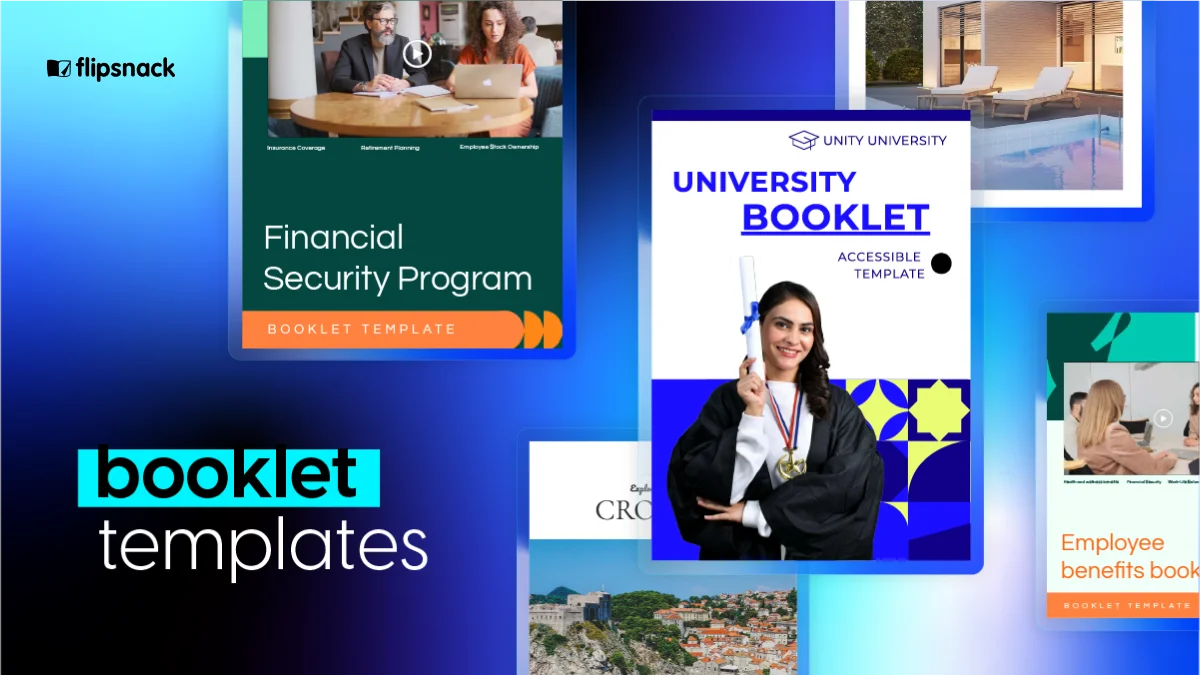
The best way to spark inspiration for your next project is to see what works in real-world applications. Here are six proven booklet design examples across different categories, each with distinct layout strategies and visual approaches that deliver results.
1. Product catalogs and sales booklets
A product catalog booklet combines visual appeal with practical information architecture. The reader’s experience should move seamlessly from desire to decision, which means every layout choice, from how products are grouped to where pricing appears, serves the buyer’s evaluation process rather than the brand’s organizational preferences.
Best for: Businesses of any size presenting a product range to buyers, whether retail consumers, wholesale partners, or B2B procurement teams. Particularly effective for seasonal range launches, trade buyer presentations, and any scenario where a buyer needs to compare, shortlist, and order from a structured product set.
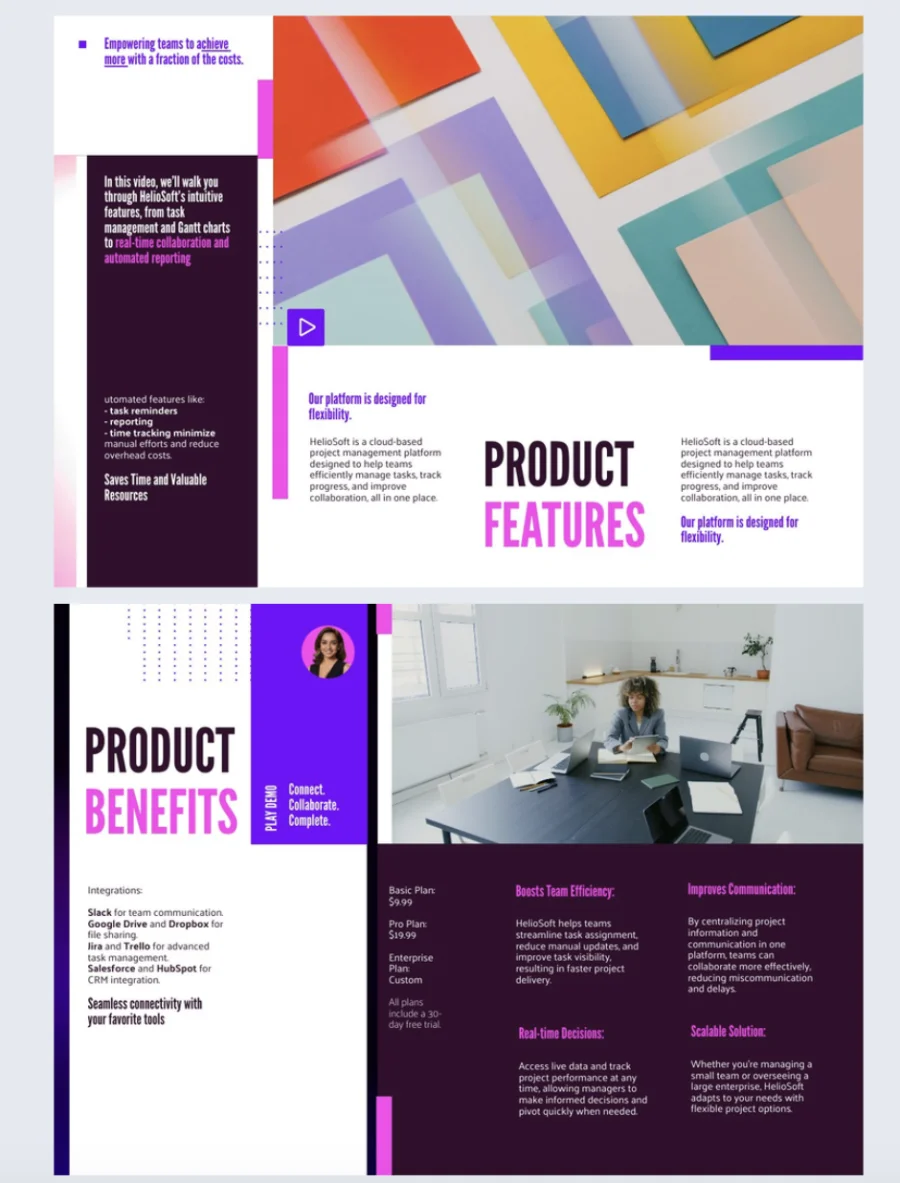

When to use this vs. others: Use this template when your primary goal is enabling product discovery and purchasing decisions. If your goal is brand storytelling or lead generation rather than direct product presentation, the marketing and brand booklet template is a better fit.
Real implementation example: A wholesale accessories brand used this template to restructure their seasonal catalog, grouping products by buyer use case rather than internal category. Wholesale buyers reported finding relevant products significantly faster, and the embedded contact form on each category page generated qualified inquiries the sales team could act on immediately.
Common pitfall: Organizing products by how your inventory is structured rather than how buyers shop. A retail buyer browsing for gift ideas doesn’t think in SKU families. Structure your catalog booklet around the buyer’s intent and the navigation friction that loses readers disappears.
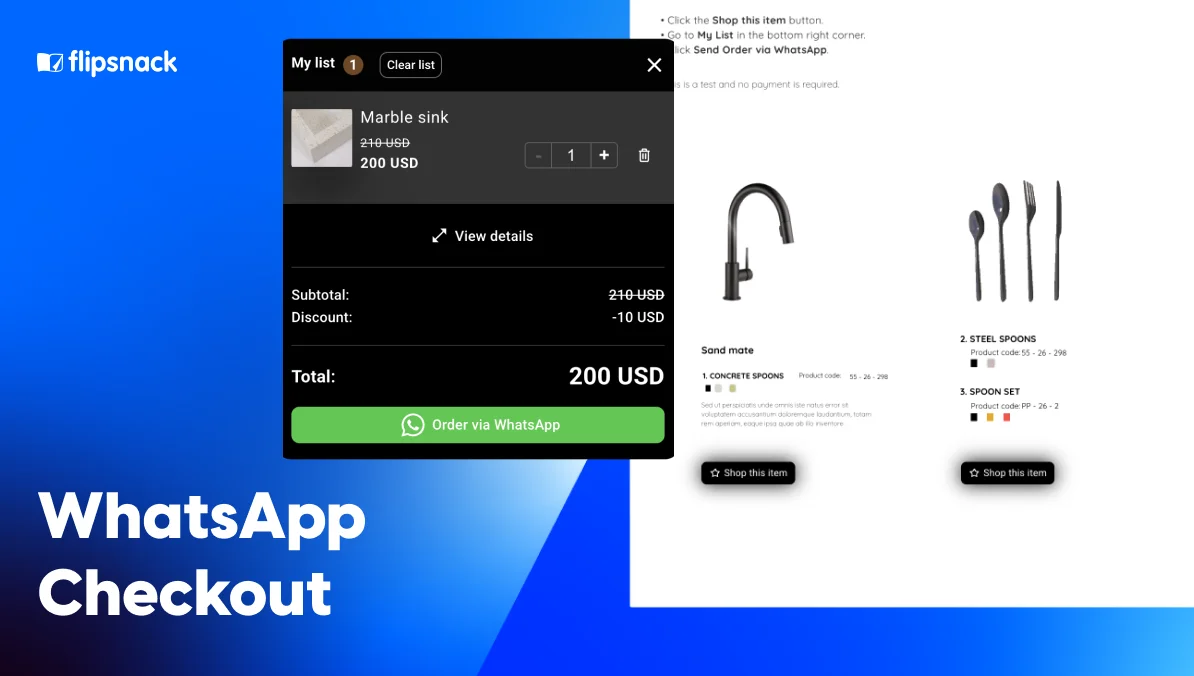
Unique features: Grid-based product layouts with adjustable density, interactive product tags that surface pricing and variant detail on click, embedded order or inquiry forms, and direct eCommerce platform integration.
2. Educational and training booklets
Educational booklets prioritize clarity and logical progression above all else. The reader should never have to wonder where they are in the material, what they’re supposed to do next, or how this section connects to the one before it. That navigational confidence is what makes the difference between a training resource people return to and one they abandon after the first read.
Best for: HR teams building onboarding or compliance training materials, operations managers documenting SOPs, educators producing course materials, and any organization that needs to transfer knowledge in a structured, verifiable way.
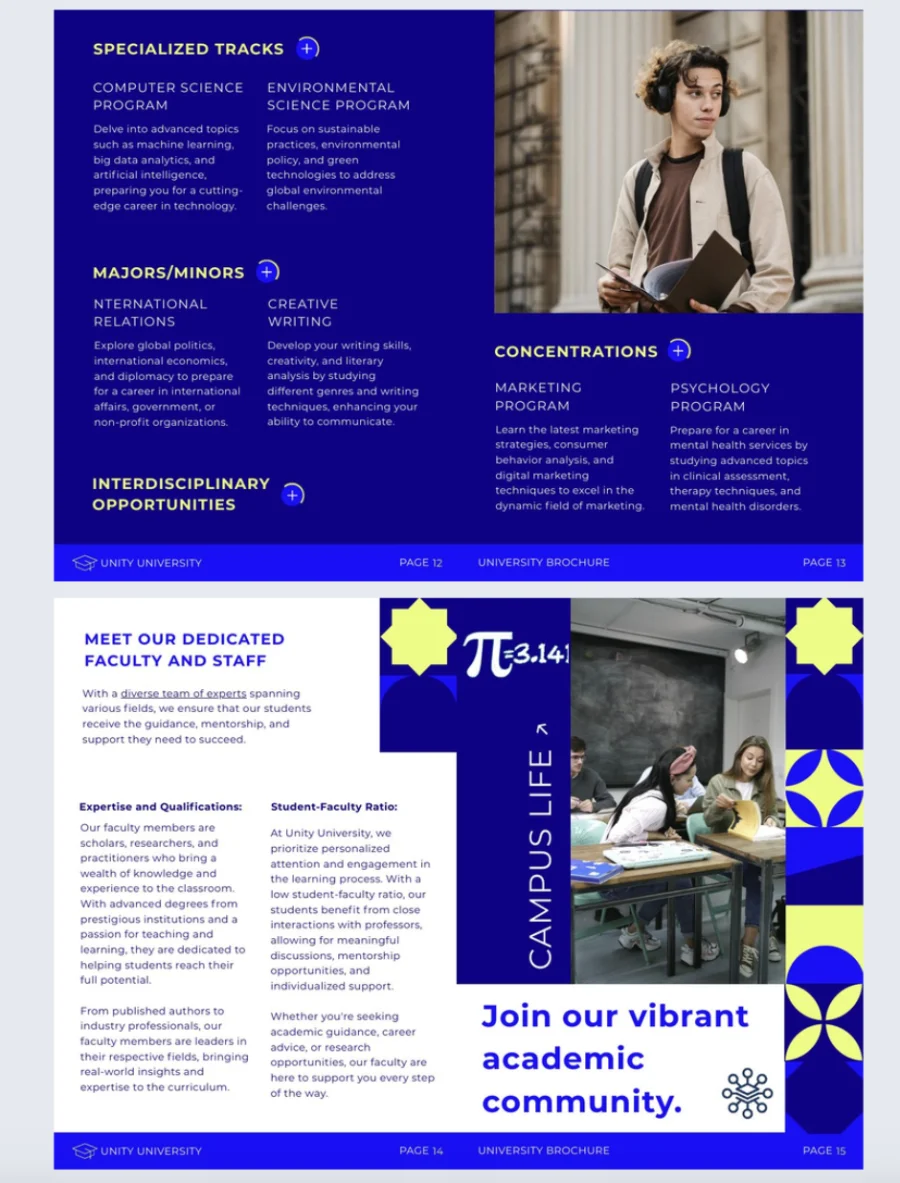

When to use this vs. others: Use this template when your primary goal is knowledge transfer and comprehension. If your booklet is more about brand engagement or emotional storytelling than structured learning, the marketing and brand booklet template will serve the purpose better.
Real implementation example: A logistics company with multiple warehouse locations used this template to replace a collection of scattered Word documents and email chains with a single interactive training booklet. New staff onboarding time dropped by 35%, and managers reported significantly fewer escalations for process clarification. Flipsnack’s analytics revealed that the safety procedures section had the highest repeat view rate, which prompted a full review and visual redesign of that section in the next edition.
Common pitfall: Treating the booklet as a document to be read linearly and completely in one sitting. Most training booklets are used as reference materials, which means navigation matters as much as content. Use clear section headers, go-to-page buttons, and a table of contents that lets readers jump directly to what they need.
Unique features: Numbered section structures with progress indicators, quiz and knowledge-check embedding, checklist elements for task verification, color-coded chapters for fast navigation, and analytics that show which sections readers revisit most.
3. Event programs and schedules
Event booklets need to communicate essential information at a glance, often in an environment where the reader is distracted, moving between sessions, or relying on a phone screen in a busy venue. The strongest event booklet designs prioritize scannability over depth, giving readers the specific information they need in the moment they need it.
Best for: Conference organizers, ceremony planners, festival producers, and anyone running a multi-session or multi-day event where attendees need to navigate schedules, venues, speakers, and logistics simultaneously.
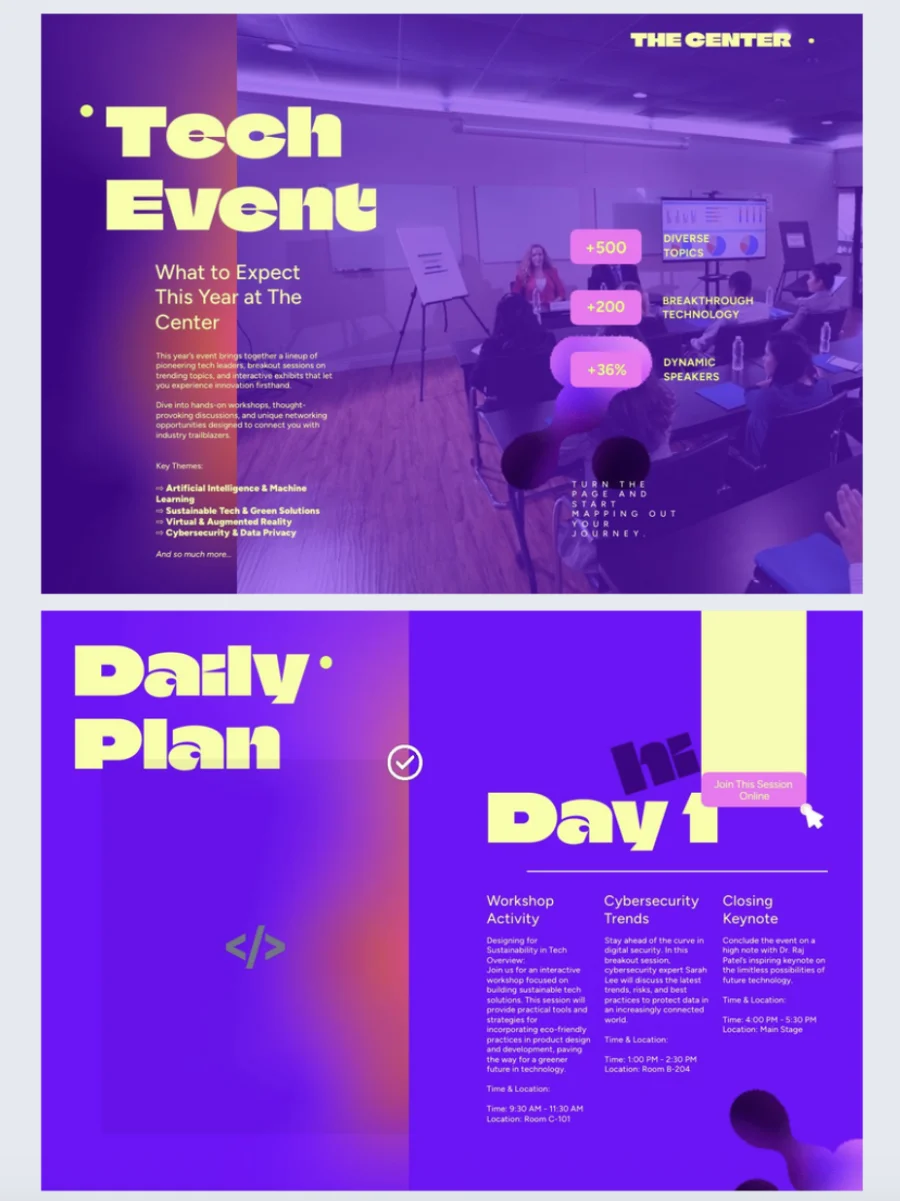

When to use this vs. others: Use this template when your reader’s primary need is practical navigation rather than immersive reading. If your event booklet needs to double as a brand or sponsor showcase with longer-form content, consider blending this template’s structural approach with elements from the marketing booklet template.
Real implementation example: A professional conference organizer used this template to replace their printed program with an interactive digital booklet, embedding a clickable session schedule, speaker profile pages, and a venue floor plan with linked room guides. Attendee feedback specifically mentioned the ability to tap directly from the schedule to a speaker’s bio as a significant improvement over the previous year’s printed program.
Common pitfall: Designing for a screen that nobody is actually going to use at the event. Event booklets are increasingly consumed on phones in portrait orientation, often in low-light environments. Test every page at mobile size before publishing, and prioritize large, tappable elements over dense, detail-heavy layouts.
Unique features: Time-based schedule grids, speaker profile page layouts, embedded venue maps with linked navigation, bold headline typography optimized for fast scanning, and mobile-first layout structures.
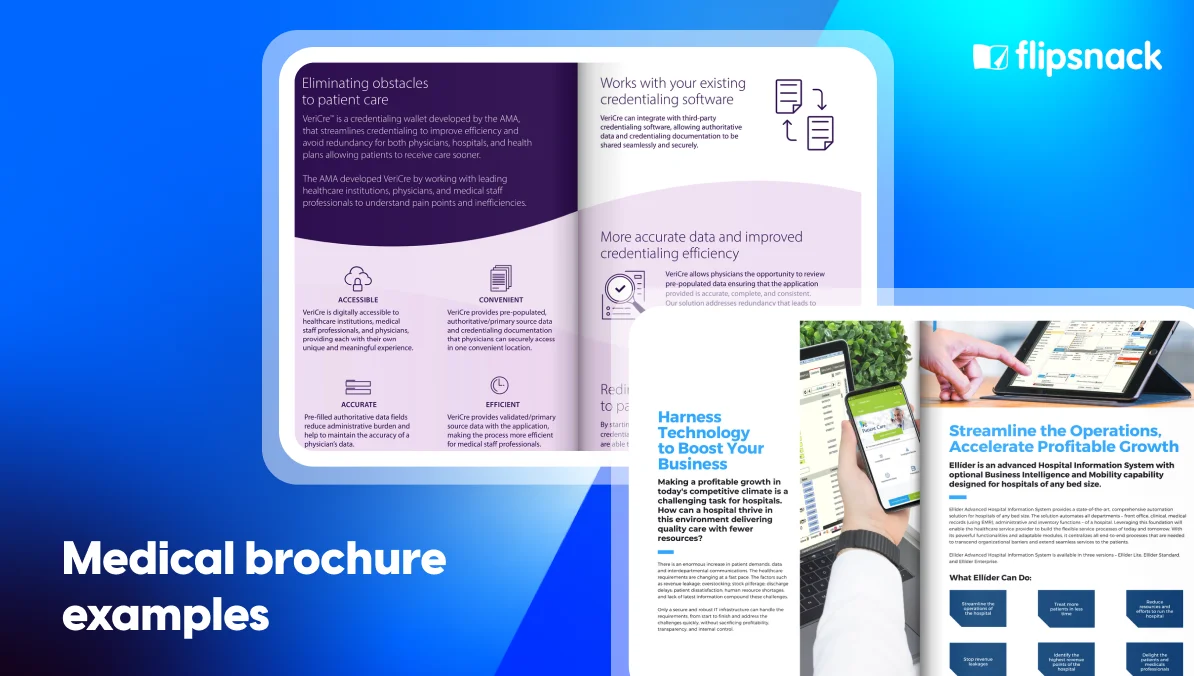
4. Marketing brochures and brand booklets
Marketing booklets tell a compelling brand story while moving the reader toward a specific decision or action. Unlike product catalogs, which are primarily functional, marketing booklets are primarily persuasive. The design choices, imagery, editorial layout, pull quotes, and visual flow, all work together to build the emotional case before the rational one.
Best for: Marketing teams building lead generation assets, agencies presenting capabilities to prospective clients, brands launching new products or positioning, and any organization that needs to communicate value before communicating detail.
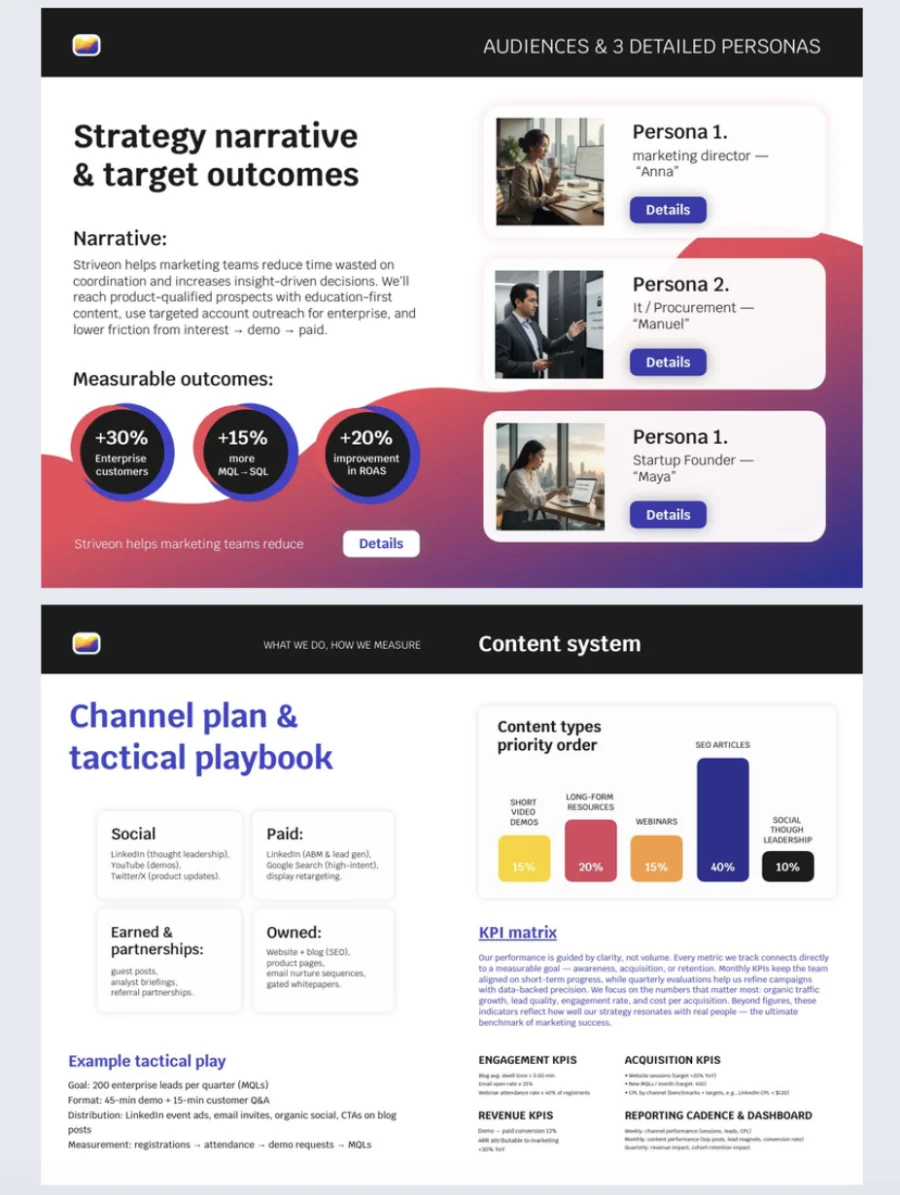
When to use this vs. others: Use this template when your primary goal is emotional engagement, trust-building, or persuasion. If your reader needs specific product information to make a purchasing decision, the product catalog booklet template is a more appropriate starting point.
Real implementation example: A B2B consultancy used this template to rebuild their capabilities booklet, replacing a dense PDF with an interactive brand story that opened with client outcome data, moved through case study spreads, and closed with a contact form embedded on the final page. New business inquiry rates from the booklet increased measurably compared to the previous version, and the sales team reported that prospects were arriving at first calls more familiar with the firm’s methodology.
Common pitfall: Loading the booklet with features and capabilities without grounding them in outcomes that matter to the reader. “We have 20 years of experience and a team of 50 specialists,” tells a prospect very little. “We reduced client onboarding time by 40% across three enterprise implementations,” tells them something they can act on. Lead with outcomes, support with credentials.
Unique features: Asymmetric editorial layouts that create visual momentum, pull quote and statistics callout sections, case study spread structures, testimonial integration zones, and embedded contact or lead capture forms.
5. Portfolio and case study booklets
Portfolio booklets showcase work through visual storytelling. The design philosophy is fundamentally different from other booklet types: here, the content is the hero and the template’s job is to get out of its way. Typography stays restrained, layouts give imagery room to breathe, and the structure guides the reader through a narrative of work without competing with it.
Best for: Freelance designers, creative agencies, architects, photographers, consultancies, and any professional or organization whose work needs to be seen to be evaluated. Also effective for internal case study documentation where demonstrating impact to stakeholders matters.
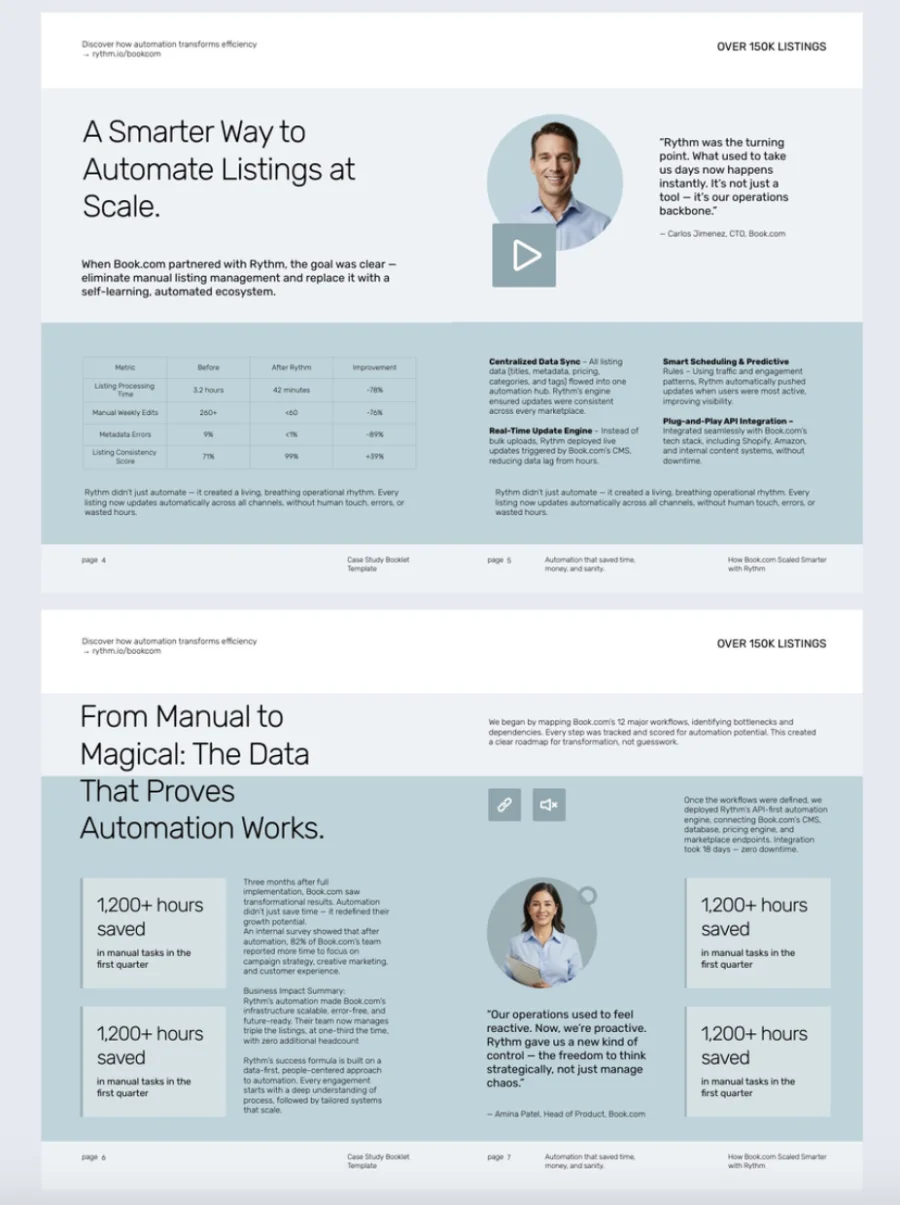
When to use this vs. others: Use this template when the quality of the work itself is the primary persuasive element. If your booklet needs to work harder on brand narrative or service explanation before the work can be shown, consider opening with elements from the marketing booklet template before transitioning into portfolio spreads.
Real implementation example: A brand design agency rebuilt their credentials booklet using this template, dedicating full spreads to each case study with a consistent structure: challenge, approach, outcome, and full-bleed final work imagery. Prospective clients reported that the booklet gave them a clearer sense of the agency’s thinking process, not just their aesthetic output, which the agency credited with improving their new business conversion rate from first meeting to proposal stage.
Common pitfall: Including too many projects in an attempt to demonstrate breadth. A portfolio booklet with 20 thin case studies is less persuasive than one with 8 fully developed ones. The depth of documentation demonstrates confidence in the work. Quantity without depth signals the opposite.
Unique features: Full-spread and multi-page project layouts, before-and-after comparison structures, process documentation sections, minimal typography framing to keep the focus on work, and consistent project card layouts for easy comparison across cases.
6. Interactive fashion booklet template
Fashion booklets live or die on visual momentum. A reader should feel the brand before they’ve consciously registered a single product, which means layout rhythm, image scale, and typographic restraint all carry as much weight as the clothes themselves. This fashion booklet template is built for that challenge, giving designers, brands, and marketing teams a structured canvas that balances editorial storytelling with commercial clarity across collections, brand narratives, and trend presentations.
Best for: Fashion brands, independent designers, and marketing teams producing lookbooks, seasonal campaign materials, or trend highlights. Equally effective for emerging labels building brand identity and established brands refreshing their seasonal communication. Works across direct-to-consumer presentations and wholesale buyer outreach.
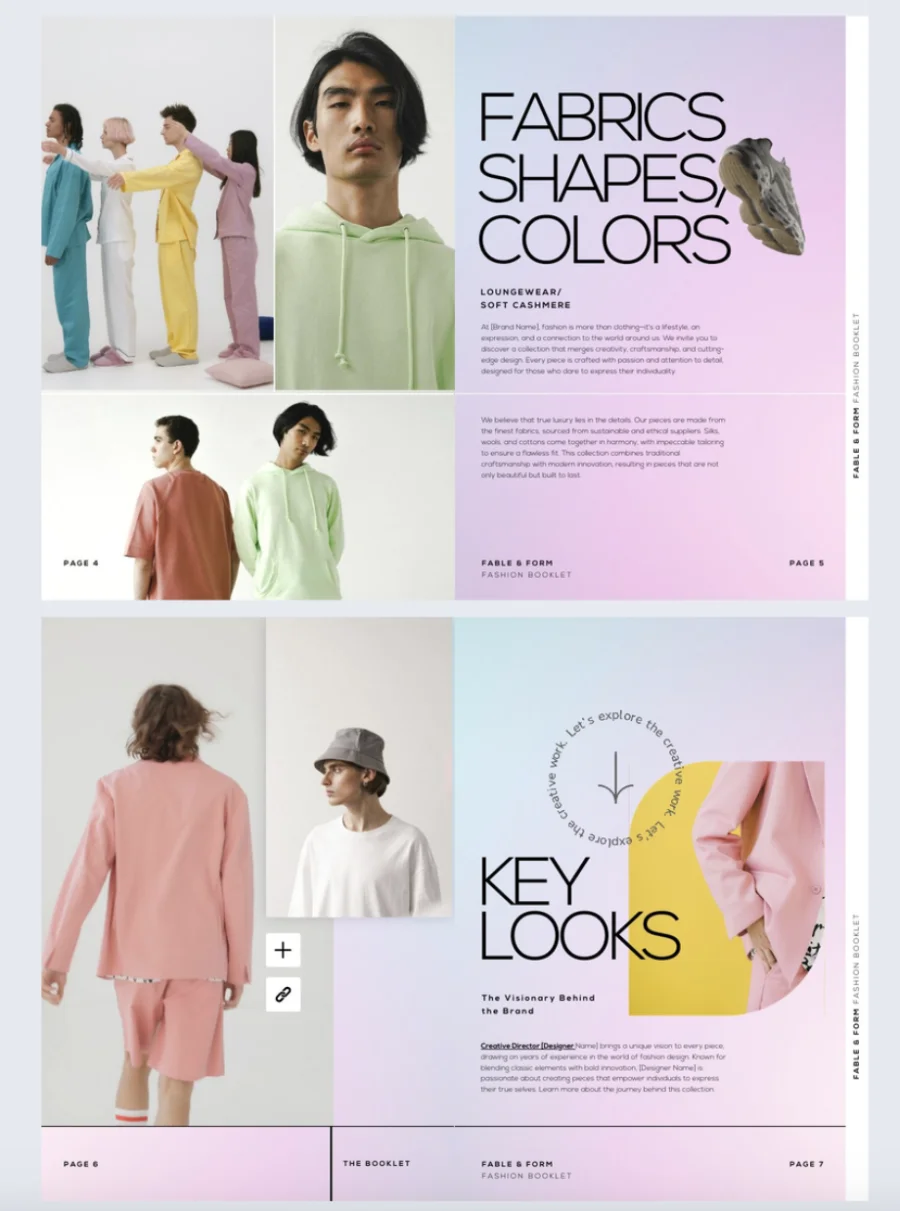
When to use this vs. others: Use this template when visual storytelling and brand expression are the primary goals. If your booklet needs to prioritize product specification, pricing tiers, or wholesale ordering information over editorial impact, the product catalog booklet template is a better structural fit. This template is for when the feeling of the collection needs to land before the detail does.
Real implementation example: A contemporary womenswear brand used this template to launch their autumn collection as an interactive lookbook, organizing the booklet into three sections: a collection overview with full-spread campaign imagery, a brand story section tracing the seasonal inspiration, and a trends highlight closing with embedded product tags linking directly to their eCommerce store. Wholesale buyers received the same booklet via a private link with a trade pricing note on each product page. The brand’s team used Flipsnack’s analytics to discover that readers spent significantly more time on the brand story section than any other, which shaped how much space they allocated to that section in the following season’s edition.
Common pitfall: Filling the template with imagery without building a narrative thread that connects the sections. A fashion booklet that presents beautiful photographs without a point of view reads like a mood board, not a brand statement. The sections for Fashion Collections, Brand Stories, and Trends exist to create a sequence: here is the work, here is the thinking behind it, and here is how it connects to the wider moment. Each section should feel like a deliberate chapter, not a separate document.
Unique features: 12-page layout structured across Fashion Collections, Brand Stories, and Trends sections; page-flipping effect that replicates the physical lookbook experience digitally; interactive product tags that surface pricing, variant, or direct purchase links without interrupting the visual flow; video embedding for campaign films or behind-the-scenes content; brand element customization across colors, fonts, and logo placement; and public or private sharing with built-in performance analytics to track reader engagement per page.
Essential design elements for effective booklet pages
Great booklet design uses the right elements strategically to create pages that are both beautiful and functional.
Typography pairing for informational booklets
Typography sets the tone for your entire booklet and dramatically affects readability. The most effective approach combines two complementary fonts that create clear hierarchy.
Proven font combinations:
- Serif + sans-serif pairing: Use serif fonts for body text and sans-serif for headlines when you want a professional, trustworthy feel. This works well for corporate reports, educational materials, and formal documentation.
- Sans-serif throughout: Choose this for modern, approachable booklets in tech, startups, and creative industries. Ensure headline fonts have enough weight contrast—typically three weight levels apart from body text.
- Font family limits: Stick to 2-3 font families maximum. More than that creates visual chaos and dilutes your brand identity.
Readability guidelines:
- Establish clear size hierarchy: headlines 2-3 times larger than body text, with subheadings falling between
- Use 10-12 points for print body text, 12-14 points for digital booklets
- Keep line length between 50-75 characters with 1.5x line spacing for comfortable reading
Color psychology and visual hierarchy
Color directs attention, conveys meaning, and influences how readers perceive your information.
The 60-30-10 color rule:
- 60% neutral backgrounds (grays, beiges, soft whites) provide visual rest
- 30% secondary color for supporting elements and section differentiation
- 10% primary brand color for focal points like headlines and calls-to-action
Strategic color application:
- Reserve your primary color for the most important elements only—when everything is highlighted, nothing stands out
- Use color-coding by section to help readers navigate multi-topic booklets quickly
- Consider industry context: blues and grays signal trust for financial content, while warmer colors like oranges and yellows stimulate engagement in educational materials
Accessibility essentials:
- Maintain at least 4.5:1 contrast ratio for body text and 3:1 for headlines
- Never rely solely on color to convey information—pair with icons, labels, or patterns for colorblind readers
Imagery, icons, and white space
Visual elements make your booklet pages scannable and memorable when used with clear purpose.
Image best practices:
- Use photos to show real applications, illustrate complex concepts, or create emotional connections—never just for decoration
- Avoid generic stock photos that feel disconnected from your content
- Maintain consistent treatment: if you start with full-bleed photos or rounded corners, apply this style throughout all booklet pages
Effective icon usage:
- Icons should eplace words, not accompany them—use them for categories, features, or navigation
- Keep icon style consistent throughout: don’t mix line icons with filled icons or realistic illustrations with minimalist symbols
- Size appropriately: navigation icons around body text size, feature icons 2-3 times larger
White space strategy:
- Build in margins of at least 0.5 inches on all sides of your booklet pages
- Leave generous space between distinct content blocks—dense layouts overwhelm readers and reduce comprehension
- Surround important elements with extra space to create natural focal points without adding color or size emphasis
- When in doubt, add more space rather than less—crowded layouts are harder to fix
These three design elements work together to create booklet pages that guide readers naturally through your content while maintaining visual appeal and brand consistency.
Reuse your booklet template as a repeatable production asset
One of the most underused capabilities in digital booklet creation is template reuse. Once a booklet template is set up with your brand, layout logic, and interactive elements, it doesn’t need to be rebuilt for each new use. The same template can be repopulated with new content for a different event, a new semester, a new product range, or a new client proposal, in a fraction of the time the original build took.
For marketing teams, this means a capabilities booklet can be quickly adapted into a vertical-specific version for a new industry pitch. For educators, a course booklet template can be reused and updated each academic year without starting from scratch. For sales teams, a product booklet template can be populated with a tailored product selection for a specific account and shared as a personalized leave-behind within the hour.
This turns your booklet template from a one-time design effort into a repeatable content production system. Every version looks consistent, every version is on-brand, and your team is never waiting on a design resource to produce what they need for the next deadline.
How to create an online booklet with Flipsnack
1. Define your booklet’s purpose and reader before opening a template
Who is reading this, and what do you need them to think, feel, or do by the last page? That question determines your structure, your content depth, and your calls to action. Build the brief before you build the booklet.
2. Choose a template or upload your existing PDF,
Browse Flipsnack’s template library for a starting point matched to your booklet category and use case. If you already have a booklet or document in PDF format, upload it directly to Flipsnack, and it becomes an interactive flipbook instantly, with the page-flipping effect applied automatically. From there, you can edit the content, add interactive elements like videos, links, product tags, and forms, update branding, and republish, all without rebuilding from scratch. It’s the fastest way to take something that already exists and make it work significantly harder.
3. Customize with your brand, content, and interactive elements
Use Flipsnack’s Design Studio to apply your colors, fonts, and logo, then populate the template with content. Add interactive elements where they serve the reader: embedded video where a concept benefits from demonstration, forms where the reader’s next step is to respond, and links where additional context exists outside the booklet itself.
4. Collaborate before you publish
Invite colleagues, clients, or contributors to review and give feedback. Assign roles in Flipsnack to control what each person can edit. Use in-platform commenting to consolidate feedback without email chains or separate version files.
5. Publish once and update the same link forever
When your booklet is ready, publish and share via private link, public link, website embed, or virtual bookshelf. When content needs to change, update in Flipsnack and every instance of the shared link reflects the update immediately.
6. Use analytics to make every edition better
Monitor which pages hold readers’ attention, which get skipped, and which drive the most interactive engagement. Use that data to refine your next booklet, identify content that needs strengthening, and build a clearer picture of what your specific audience actually reads.
Your next booklet is one template away from being something people actually read
Most booklets don’t fail because the content is weak. They fail because the structure works against the reader, the design makes the content harder to process, and the format makes it impossible to keep current. Fix those three things, and a booklet stops being a document people skim and becomes one they return to.
The principles in this guide apply regardless of what you’re building. A training booklet and a fashion lookbook are built on different visual logic, but both need clear hierarchy, a reader journey that makes sense, and a format that doesn’t become outdated the moment it’s published. Start from the right template, apply the design decisions that serve your specific reader, and the rest follows.
Before you open a template, run through this checklist:
- Does your template match your content category and the way your reader will use it?
- Are you using two to three font families with a clear size hierarchy throughout?
- Is your color usage following the 60-30-10 rule, with your primary brand color reserved for what actually needs emphasis?
- Do all images serve a specific purpose, or are some just filling space?
- Have you built in enough white space so the important elements stand apart?
- Does your body text meet a 4.5:1 contrast ratio for accessibility across devices?
- Have you tested every page at mobile size before publishing?
If you can answer yes to all seven, you have a booklet worth sharing.
Flipsnack’s template library covers every category in this guide, from fashion lookbooks and product catalogs to educational resources, event programs, and portfolio presentations. Each template is a starting point you can customize with your brand, populate with your content, and publish as an interactive flipbook that updates in real time.
Upload your existing PDF and make it interactive in minutes. Start from a template and have a finished booklet today. Or hand the brief to Flipsnack’s in-house design team and let them build it for you.
The template is ready. The only thing missing is your content.
FAQ about booklet templates and design
What is an online booklet template?
An online booklet template is a pre-designed layout framework that provides the structure, visual hierarchy, and page organization needed to build a professional booklet without starting from scratch. It reduces the design time and expertise required while ensuring consistency across every page.
What is the difference between a booklet and a brochure?
A brochure is typically a single folded sheet presenting a concise overview of a product, service, or topic. A booklet is a multi-page document that takes readers through a more detailed, sequential experience. Brochures introduce. Booklets inform, guide, and engage over a longer reading journey.
What types of booklets can I create with Flipsnack templates?
Flipsnack templates support product catalog booklets, educational and training materials, event programs, marketing and brand booklets, portfolio and case study presentations, school project booklets, and more. Each template category is designed around the specific content type and reader experience it needs to support.
How do I make my booklet interactive?
Add embedded videos where concepts benefit from visual demonstration, clickable links to relevant external resources, forms for feedback or lead capture, go-to-page buttons for navigation, and product tags or image hotspots where detail should be available on click. Every interactive element should serve the reader’s goal, not just demonstrate a technical capability.
Can I reuse a booklet template for multiple projects?
Yes, and this is one of the most valuable ways to use Flipsnack. Once a template is set up with your brand and structure, it can be repopulated with new content for different events, client versions, academic terms, or product ranges, without rebuilding the design from scratch each time.
How do I keep my booklet up to date after publishing?
With Flipsnack, edits to your published booklet go live instantly across all shared links and embeds. There’s no need to redistribute a new file or worry about readers accessing an outdated version. This is particularly valuable for booklets with regularly changing content like event schedules, product pricing, or training materials.
What makes a good booklet design?
Good booklet design combines clear visual hierarchy, consistent typography and color use, purposeful imagery, logical content progression, and an obvious next step on every page. The design should serve the reader’s experience, not showcase design complexity. Analytics that reveal where readers engage and where they drop off are what allow you to continuously improve toward that standard.
Can Flipsnack’s team build a booklet for me?
Yes. If you’d prefer not to build it yourself, Flipsnack’s in-house design team can take your content, brand assets, and brief and deliver a finished, interactive booklet ready to publish. This option is particularly useful for time-sensitive projects or when you want a result built by someone with experience across dozens of booklet types and industries.