Meeting Planner Guide: From Scattered PDFs to a Consistent, Always-Live Resource
Published on February 26th 2026.
The meeting planner guide you send after the site visit is where deals are won or lost.
Your sales team nailed the tour. The planner left energized. Then comes the follow-up — five separate emails, a 20MB floor plan that bounces back, and a menu that turns out to be months old. By the time they have everything they need to sign, the excitement has evaporated.
For corporate hospitality teams managing multiple properties, the problem compounds. Every property is sending something slightly different. One floor plan predates a renovation. One menu no longer reflects current pricing. The brand experience becomes impossible to control at scale.
To win the modern RFP, top-tier hospitality brands are moving away from scattered attachments and toward digital meeting planner guides — one link, always current, consistent across every property that sends it.
Table of contents
- What are the most common friction points between hotels and event planners?
- What do event planners expect from a meeting planner guide resource?
- What is a digital meeting planner resource guide for hotels?
- The event planner guide checklist:
- What makes a meeting planner guide a high-performance tool?
- What a digital meeting planner guide looks like in Flipsnack
- How Flipsnack works for corporate hospitality teams
- PDF meeting planner guide vs. digital flipbook: what actually changes
- How digital meeting planner resource guides in Flipsnack help hotels win more group business
- From static and outdated to engaging and always-up-to-date meeting planner guides
- Conclusion: The future of the meeting planner guide resource
What are the most common friction points between hotels and event planners?
If you manage meetings and events at a hotel, the “operational friction” of the planning phase likely sounds very familiar:
- You promise 10 different documents after a site visit or pre-planning call.
- Those documents live in emails, shared drives, and “final-final” versions.
- Planners ask the same questions repeatedly: room capacities, menus, timelines, and branding options.
- Your team spends more time sending files than actually designing the event experience.
As one events director put it, planners often receive: “Ten different documents and they all look different. One was created a year ago. One was created last week.” The result is inconsistent brand experiences and less time for upselling and relationship-building.
What do event planners expect from a meeting planner guide resource?
Modern planners aren’t asking for more information; they’re asking for better access to the right information. They need a planning experience that feels consistent and organized the way they think. To provide a seamless, planner-first experience, hotels must provide:
- A single, reliable source of truth: One link that houses every asset.
- Self-service navigation: The ability to find answers in seconds without an email.
- Version control: Confidence that they are always working with the latest seasonal menu or floor plan.
- Proactive answers: Anticipating their needs before they even have to ask.
What is a digital meeting planner resource guide for hotels?
In the modern hospitality landscape, a digital meeting planner resource guide is more than a collection of files; it is a centralized, live-link destination designed to house every logistical and marketing asset required for event execution.
Unlike traditional “file-dumping” via static PDF attachments, which inevitably lead to version control issues and “20MB bounce-backs”, these digital guides (built on platforms like Flipsnack) serve as a single source of truth. By integrating interactive floor plans, real-time menus, and downloadable event planning checklist templates, hotels can effectively eliminate pre-RFP friction.
This allows sales teams to shift their focus from administrative file-sending to high-value experience design and destination expertise.
The event planner guide checklist:
| Meeting planner guide chapter | Critical Details | The Digital Solution |
| Site & Load-In | Loading dock height, freight elevator weight limits, and access times for vendors. | Interactive “Back of House” spec sheet with load-in maps. |
| Tech & Production | Audience Q&A mics, confidence monitors, wireless advancers, and on-site tech support. | A live-link “Tech Rider” detailing all onsite AV inventory. |
| Safety & Risk | Fire Marshal approval process, Certificate of Insurance (COI) requirements, and security forms. | Embedded “Safety & Compliance” PDF module for easy sharing. |
| Contingency Plan | The “Rain Plan” call time (deadlines for moving indoors) and alternate room setups. | Interactive floor plans showing both Primary and Rain-Plan layouts. |
| Inclusive Access | ADA routes from transit, lactation room locations, and ASL interpreter availability. | A dedicated “Accessibility & Inclusion” page within your guide. |
| Onsite Branding | Dimensions for signage at major turns, elevator wraps, and digital screen resolutions. | Downloadable “Creative Specs” sheet for branding agencies. |
| Financial & BEO | Server-to-guest ratios, service charges, and BEO signature deadlines. | Downloadable event budget template (Excel/PDF). |
What makes a meeting planner guide a high-performance tool?
A good meeting planner guide is a digital blueprint that provides the technical facts needed to run an event. It replaces generic photos with logistical proof, such as loading dock sizes and Wi-Fi speeds. By using a single, always-live link, it ensures that the sales team, the hotel staff, and the event planner are all looking at the same map, preventing expensive mistakes and last-minute stress.
What a digital meeting planner guide looks like in Flipsnack
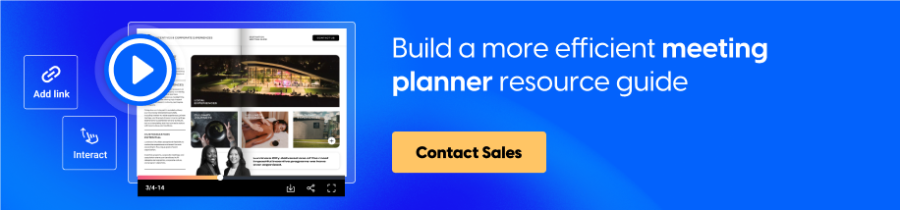
Most meeting planner guides start life as a PDF — a collection of floor plans, catering menus, technical specs, and branding guidelines bundled into an attachment and sent after the site visit. Below is an example of what that same guide looks like when built as a digital flipbook in Flipsnack. It opens in a browser, requires no download, and can be updated at any time without changing the link. This is the format planners receive instead of a folder full of files.
How Flipsnack works for corporate hospitality teams
For teams managing multiple properties, the platform question is not just about how a guide looks. It is about whether you can maintain brand integrity, control what gets changed, and see what is actually working across every property without micromanaging each one.
1. Set the template once at corporate level
Corporate teams create the approved master guide with locked elements. Fonts, logos, and brand colors stay exactly as they should be. Properties work within the template without the risk of breaking the layout or going off brand.
2. Let properties manage their own content
Individual hotels can update what is theirs — room specs, seasonal menus, local contact details — without touching the elements that define the brand. The right people have the right access. Nothing more.
3. Push updates without resending anything
When something changes, it updates instantly for every planner who already has the link. No resend. No version drift. No planner working from a floor plan that predates last year’s renovation.
4. See what planners are actually doing with it
When a planner opens the guide, you see it. Which sections they spent time on, what they came back to, when they last looked. That data turns a generic follow-up call into a conversation that already knows what the planner cares about.
PDF meeting planner guide vs. digital flipbook: what actually changes
| Traditional PDF guide | Digital guide in Flipsnack | |
|---|---|---|
| Format | Multiple PDFs emailed after the site visit | One link, opens in any browser, no download required |
| Updates | Resend every time something changes | Edit once, every planner with the link sees it instantly |
| Brand consistency | Varies by property and whoever created the file | Locked corporate template, consistent across every property |
| Access control | No control once the file is sent | SSO, password protection, revoke access at any time |
| Planner experience | Inbox full of attachments, unclear which is current | Self-service navigation, everything in one place |
| Engagement data | No visibility after sending | Page-level analytics, time spent, last opened |
| Scale | Each property manages its own files independently | One workspace, all properties, corporate oversight |
How digital meeting planner resource guides in Flipsnack help hotels win more group business
When your sales team stops acting like file clerks resending the same attachments, they can start acting like consultants. The real power of a Flipsnack-powered event planner guide is that it allows for self-service logistics.
If a planner can verify a loading dock dimension, check a seasonal menu, or download an event budget template at 10:00 PM on a Sunday without emailing you, you have already won their loyalty. This frees up your event managers to focus on the human side of hospitality: brainstorming creative activations and delivering the high-touch service that defines your brand.
For hotel groups managing multiple properties, the goal is straightforward: one always-current document that every planner receives, where any change on the back end reaches every single person who has access to that link. In practice, that means:
- No resends. Update once and every planner with the link sees the new version instantly, whether that is a revised seasonal menu or a post-renovation floor plan.
- No version confusion. One link, one source of truth. Planners are never working from an outdated document without knowing it.
- No integrity risk. Access stays controlled. Only the right people can edit, and the customer-facing document stays accurate.
Once the template is built and the first property goes live, the use cases tend to multiply on their own. Style guides, staff onboarding materials, training resources, pre-conference briefings — the same platform that solved the meeting planner guide problem starts solving problems the team had not even planned for.
That is the difference between sending a file and building a resource. One gets opened once. The other becomes the destination every time a planner needs an answer.
From static and outdated to engaging and always-up-to-date meeting planner guides
Transitioning from a folder full of scattered PDFs to a professional digital guide doesn’t require a total overhaul of your existing assets. It is a shift in organization and accessibility. Most successful hotels start by auditing their “most requested” documents, like floor plans, technical specs, and catering menus, and housing them in a single, interactive destination.
By centralizing these assets, you move from a reactive “search and send” cycle to a proactive, always-live sales process. You no longer have to worry about a planner looking at a catering menu from three years ago or a floor plan that doesn’t reflect your recent renovation.
If you are ready to move from the “why” to the “how,” we have created a comprehensive technical walkthrough. For a detailed, click-by-click tutorial on setting up your templates and adding interactivity, see our step-by-step guide to creating hotel meeting planning guides.
Conclusion: The future of the meeting planner guide resource
The hotels winning more group business are not necessarily the ones with the best spaces. They are the ones that make the planner’s job easier from the first document they receive.
The shift from scattered PDFs to a centralized digital guide is not a design project. It is an operational decision that affects every touchpoint between your team and the planners you are trying to win. The hotels that make it early will spend less time on follow-up and more time on the work that actually requires their expertise.