How to Make a Digital Magazine in 5 Steps
Published on: May 17, 2022
Last updated: August 17, 2026
Your issue is finished. Forty pages, weeks of work, exported at print quality, now sitting in a shared drive as a file nobody can read comfortably on a phone.
Readers pinch. Zoom. Give up around page three.
Nothing went wrong with your editorial or your layout. Wrong container, that is all. Print-ready files were engineered for paper, so asking one to perform online delivers exactly what you would expect. A digital magazine is built for screens instead.
Learning how to make a digital magazine takes five steps: pick a starting point, apply branding, add interactivity, publish under a single link and measure what readers do with every page.
Below you will find each one, two templates worth opening now and one publication that turned reader attention into advertiser revenue.
Table of contents
- How to make a digital magazine in 5 steps
- Step 1: Choose how to make your digital magazine
- Step 2: Customize your digital magazine to match your brand
- Step 3: Add interactivity readers can act on
- How My Resource Library built an interactive digital magazine
- Step 4: Publish and share your digital magazine
- Step 5: Track how readers engage with your digital magazine
- When a digital magazine is not the right format
- FAQ about making a digital magazine
- Start making your digital magazine today
A digital magazine, also called an online magazine or e-magazine, is a periodical publication designed for reading through browsers, apps or embedded viewers, combining editorial articles, visual layouts and multimedia inside one issue. Readers reach it through a link rather than downloading anything.
Most run on HTML5, so pages resize for phone screens and every element stays trackable. Some teams convert an existing PDF magazine; others design each issue natively inside a publishing platform.
How to make a digital magazine in 5 steps
The process is the same whether you are converting a finished PDF or starting with a blank page: choose how you build it, brand it, make it interactive, publish it, then read what the numbers tell you.
Each step below takes less time than the one before it.
Step 1: Choose how to make your digital magazine
Three routes exist. Whichever files you already own will decide which suits your team.
Upload a finished PDF
Designed the issue in Adobe InDesign, Illustrator or Canva? Drop that export into Flipsnack and your pages convert into an HTML5 flipbook that adapts to phone screens, so readers scroll and tap instead of pinching a fixed layout. Hyperlinks survive the conversion, and from there you can layer video, buttons and forms onto individual pages while your source file stays untouched.
Start from a magazine template
Flipsnack’s library holds hundreds of ready-made layouts covering corporate, lifestyle, alumni, fashion and news formats, free to open and edit. Replace copy, drop in photography, adjust the color palette.
Build from scratch
Design Studio gives you complete control over the grid system, typography and cover, with no code and no software to install. Slowest path, worth taking when brand guidelines are strict or your publication needs an original structure.
| Starting point | Who it suits | Time to first issue | Design skill needed | Where you do it |
|---|---|---|---|---|
| Upload a PDF | Teams with a finished layout from a designer or agency | Minutes | None | Flipsnack, Upload PDF |
| Magazine template | Marketing and internal comms teams without a designer | An afternoon | Light | Flipsnack template library |
| Build from scratch | Brands with strict guidelines or an unusual format | Days | Confident | Flipsnack Design Studio |
Most teams land in the first two rows. Uploading a PDF preserves an existing workflow entirely, while templates remove the blank-page problem without demanding layout expertise. All three routes work on a free account, which covers three publications of up to 30 pages each, so testing one costs an afternoon rather than a budget approval.
Pick a digital magazine template to start from
Colors and fonts get swapped in minutes. Page count, reading rhythm and the interactive placements already sitting on each spread are what you actually inherit, so choose on structure first.
The two templates below solve opposite jobs.
Employee magazine template for internal news
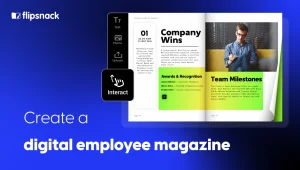
The Interactive Corporate Magazine Template shows what an employee magazine looks like when interactivity is designed in rather than bolted on afterward. Video, links and clickable navigation already sit where readers expect them, so quarterly updates arrive as something worth opening instead of another attachment. Share it publicly or keep it behind an unlisted link for internal audiences only.
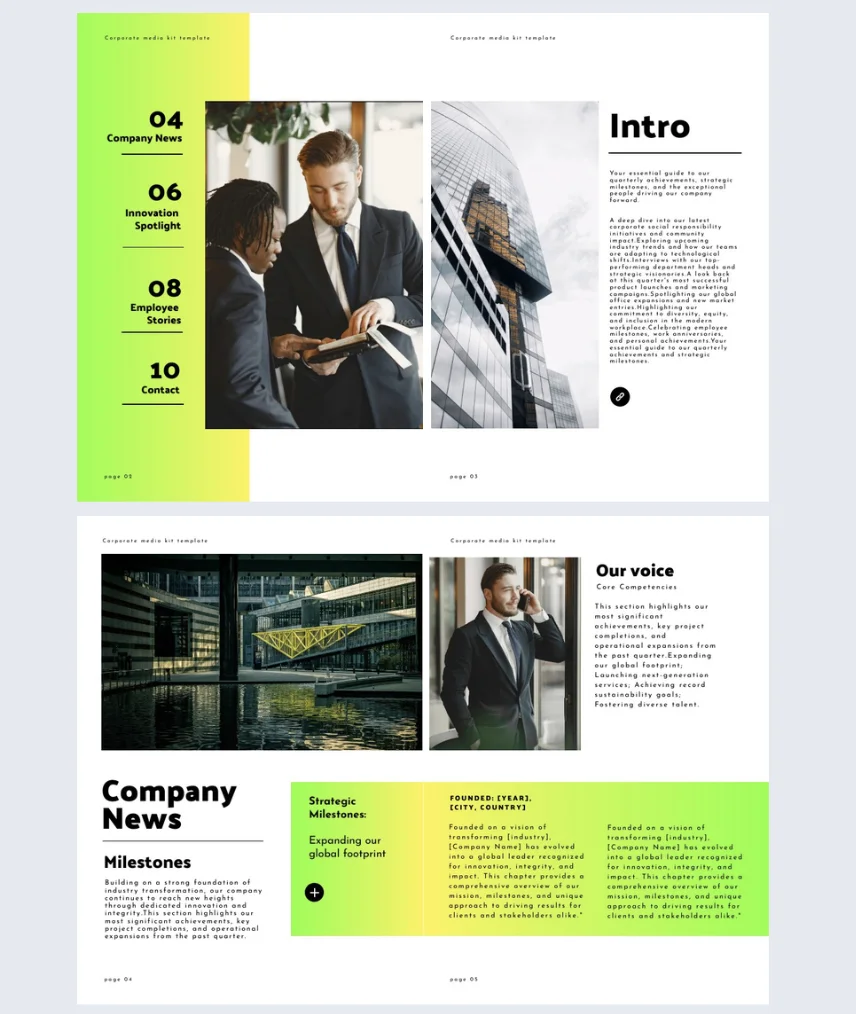

Best for: internal communications and HR teams publishing quarterly company news.
Real-world application: map department updates onto the feature spreads, swap the cover photograph each quarter, leave the rest fixed.
Common mistake to avoid: crowding six stories onto one spread. White space does more work than density on a phone screen.
Fashion magazine template that sells
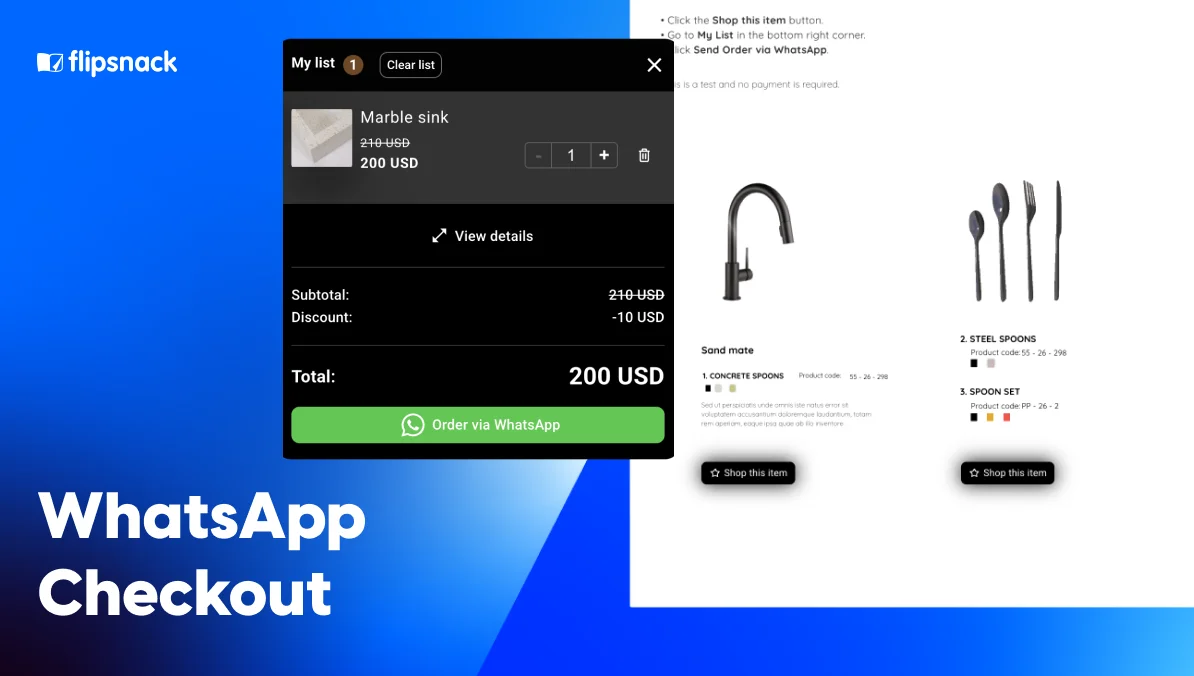
The Dynamic Lifestyle Magazine Template leads with fashion photography strong enough to carry a full page, which suits any brand whose collection deserves better than a thumbnail grid. Shopping buttons sit beside individual products, so interest converts exactly where it appears. Wholesale buyers can build a quote and send it without ever leaving your publication.
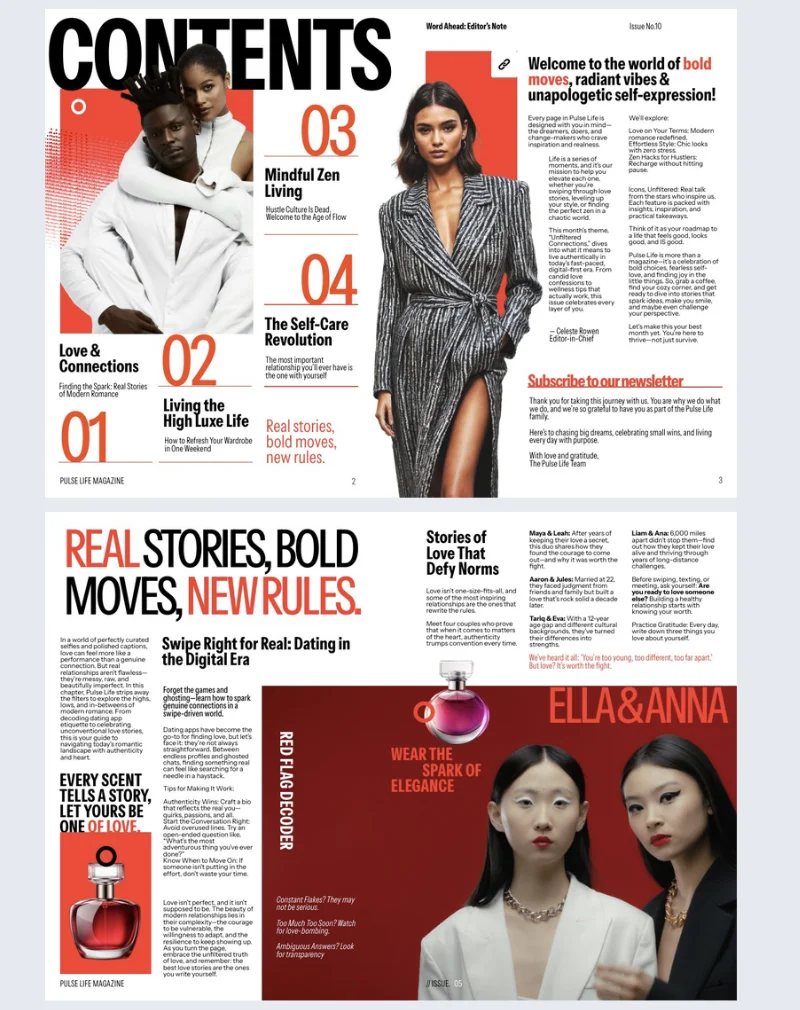
Best for: consumer brands, agencies and membership publications with strong photography.
Real-world application: open on a full-bleed image, then break longer features across two or three pages so reading rhythm varies.
Common mistake to avoid: layering video onto every spread. Motion loses meaning when nothing ever stops moving.
Neither one right? Several hundred more sit in the magazine template library, sorted by industry.
Step 2: Customize your digital magazine to match your brand
Four things worth setting before you publish:
Brand library. Upload your fonts, hex codes and logo once, then lock them across the workspace so every contributor works inside one identity. Designers set the template, everyone else edits content only, and roles decide who can publish. Nobody has to remember which blue is correct.
Cover. The first screen replaces the newsstand shelf. Give it a masthead, one strong visual and three headline teasers at most. When the issue is shared across different channels, an AI thumbnail Maker can help adapt that visual into consistent preview images.
Images. Photography rarely arrives ready to place. Crop and adjust inside Design Studio, or lean on a tool that lets you use AI to edit images when a shot needs more work than a crop.
Alt text. Screen readers depend on it, and accessibility is far cheaper to build than to retrofit.
Consistency compounds across editions. Duplicate last month, replace content, publish. Recognition arrives when your eleventh issue clearly belongs beside your first.
Step 3: Add interactivity readers can act on
Static pages inform. Interactive pages convert.
Match each element to an outcome rather than adding everything available:
- Want readers to act? Buttons and calls to action send them straight to a landing page, booking form or product listing.
- Want to capture leads? Lead forms can gate premium sections, grow your subscriber list and route submissions into HubSpot or Salesforce.
- Want readers exploring products? Product tags and hotspots let them build a request list without leaving the page.
- Want to explain something visually? Embedded video, audio narration and photo slideshows carry what a caption never could. If you don’t have footage on hand, invideo’s image to video generator can turn the product or campaign photos you already have into a short clip to embed.
- Want faster navigation? A clickable table of contents drops readers into the section they came for.
Restraint matters more than volume here. Three well-placed elements beat twenty competing ones.
Estée Lauder, Electrolux and Newell Brands all publish through Flipsnack. Here is what the shift looks like at a smaller scale.
How My Resource Library built an interactive digital magazine
Delve went out monthly as a static PDF. Nobody could fix an error once it shipped, analytics showed nothing, and advertisers had no proof their placements worked.
So B.Digital, the agency behind it, rebuilt the magazine inside Flipsnack.
Each edition now starts as a duplicate of last month’s, built on locked branded templates. Readers add products to a “Request info” list, and every submission reaches the relevant manufacturer as a qualified lead.
“We can finally give manufacturers hard numbers. They see exactly how their ads perform, and that’s a game-changer.”
Brandi Sandage, Founder + CMO at B.Digital Agency
September 2025 issue results:
- 11,000+ impressions across email, web, app and embedded placements
- 1,600+ views from a targeted industry audience
- 1,387 clicks driven by interactive elements, product requests and navigation
- 5 minutes 20 seconds average time spent per reader
If your magazine already has advertisers to answer to, the full My Resource Library story is worth twenty minutes.
Step 4: Publish and share your digital magazine
Publishing produces one link that never changes, even after you correct a typo or update a price. No resending, no “final v12”. Your content stays yours: download any issue back as a PDF whenever you need a file.
From there, pick your channels:
- Send the link by email, post it on social media or print a QR code
- Embed the issue on your website, intranet or a client portal
- Restrict access with a password, one-time passcode or SSO for internal editions
- Group back issues on a virtual bookshelf
Teams wanting a mobile home for their publication sometimes pair this with AI app builders, though a responsive link reaches most audiences without additional cost.
Step 5: Track how readers engage with your digital magazine
Analytics answer questions print never could. Once an issue is live, Flipsnack’s statistics show you:
- Which spread held attention longest, measured as time spent per page rather than a single view count
- Where readers stopped, so you can see which page loses them
- Which buttons earned clicks, including links, interactive elements and product tags
- How many forms came back completed, and who submitted them
- How people arrived, by traffic source, device and location
- Where readers actually clicked, shown as a visual click heatmap over the page itself, available on Enterprise plans
Read those numbers before planning your next edition. A feature holding readers for four minutes deserves a sequel; a spread where most people leave needs rebuilding rather than repeating.
Teams reporting to advertisers or leadership usually want more than counts. A visual heatmap shows attention landing on the page, which is what turns a monthly report into evidence. My Resource Library uses exactly that to price advertiser placements.
One issue is a project. A publication is a habit, with issue planning, readership growth and revenue to work out along the way. That’s where an ongoing magazine begins.
When a digital magazine is not the right format
Format choice matters more than tooling, so honesty helps here. Three cases where something else serves you better:
| Choose instead | When |
|---|---|
| A plain PDF | Procurement portals demand a downloadable file, readers need offline access, or legal archiving requires a fixed document |
| Separate web articles | You want one page per topic. A digital magazine is indexable and can rank, but twelve subjects spread across twelve URLs reach twelve different search queries |
| The moment is tactile or premium, and a physical object is the point |
On that middle row, a niche personal finance publication such as weird wealth covers a wide topic spread, so standalone posts suit it better than one bundled issue. Publishing both works too: run the magazine, then republish individual features as articles that link back to it.
Print keeps a real advantage in premium contexts, although the publishing landscape has dramatically shifted toward digital consumption and most teams now treat paper as a special-edition decision.
Choose a digital magazine when you want a curated reading order, measurable engagement and one updatable link. Choose something else when discovery breadth, offline access or file delivery matters more.
FAQ about making a digital magazine
Upload your PDF to Flipsnack and it converts into an HTML5 flipbook with page-turn animation, with existing hyperlinks carried across. From there you can add video, buttons and lead forms to individual pages, then publish under a link that stays the same when you update the issue.
Yes, Canva handles the design well, but its export is a flat PDF with no interactivity. Upload that file to Flipsnack and it becomes a paginated magazine you can add video, buttons and lead forms to, with per-page analytics and a link that stays live through updates.
You can publish a digital magazine from a phone by uploading a PDF through a browser, though editing pages comfortably needs a larger screen. Flipsnack works in a mobile browser for uploading, publishing and sharing, and readers get a responsive issue either way.
Yes, if it is published as an HTML5 magazine rather than a downloadable file, since search engines can crawl the text inside it. A PDF sitting on your server may get indexed, but it will not carry the titles, descriptions and alt text that help it rank. Publishing through a platform that generates crawlable pages, then embedding the issue on your own site, gives you both.
Start making your digital magazine today
Five steps, no development work, no printing invoice. Pick a starting point, brand it, make it interactive, publish once and let analytics shape edition two.
Treat your first issue as a draft. Publish it, watch which spreads hold attention, then make the second one sharper. That loop is the whole advantage print never offered.
Start with a free Flipsnack account, or open a magazine template if you are starting from nothing.
Your best issue is the one readers finish. Only a digital magazine can prove they did.