Editable Ebook Templates for Pros: Build Smarter, Publish Faster
Published on: April 2, 2025
Last update: April 17, 2026
Digital publishing hasn’t just evolved, it’s exploded. In 2025, 47% of companies that have a content marketing strategy use digital eBooks as part of their content efforts. What’s even more interesting is that users consume three to five pieces of content before engaging with a sales rep. That’s not just a trend. That’s the new standard in brand education, lead generation, and thought leadership.
The reason? Ebooks offer depth. They allow businesses to explore complex topics, showcase expertise, and build trust. All this without the superficiality of a social media post or the fleeting attention of a video ad. But depth comes at a cost: time, design resources, and layout headaches. This is exactly the kind of friction a good flip book maker is designed to remove.
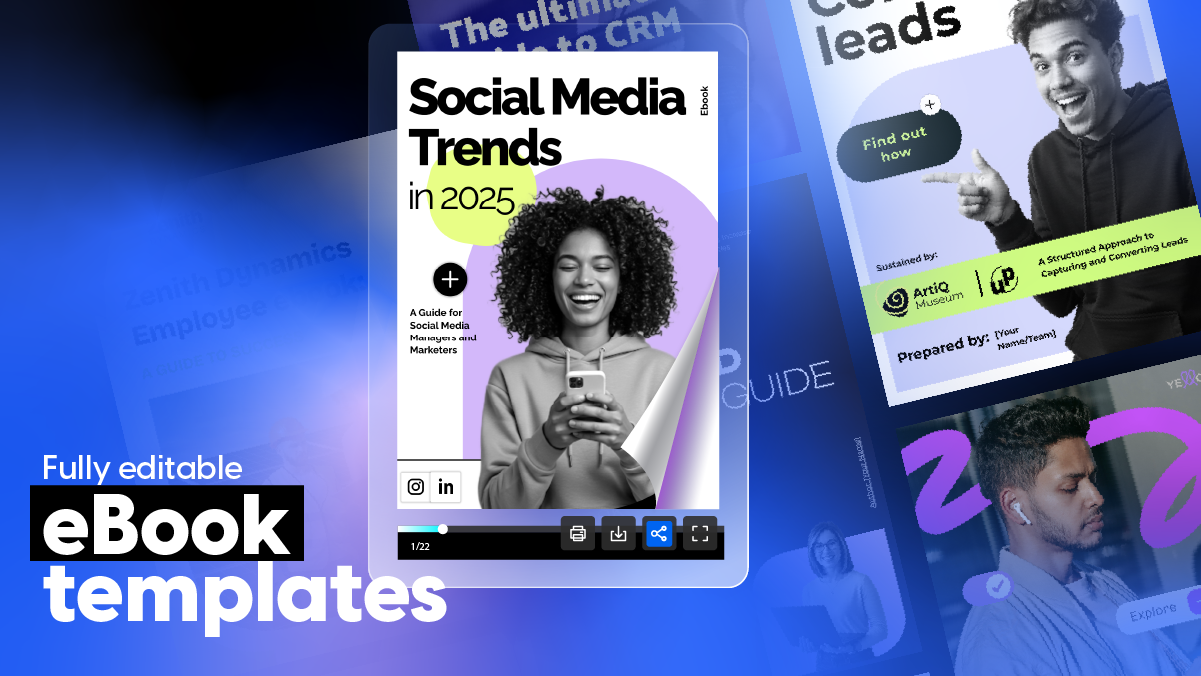
We’ve curated a collection of Flipsnack’s ebook templates crafted specifically for busy professionals who want to publish smarter, faster, and better. Whether you’re assembling a marketing whitepaper, launching a product guide, or repackaging long-form blog content into downloadable assets, these templates cover a spectrum of industries, styles, and formats.
So whether you’re a marketer trying to generate leads, a founder sharing your vision, or a communicator transforming internal documents into digital experiences, this ebook templates guide is for you.
What is an ebook?
An ebook is a digital publication designed to be read on screens, whether on a computer, tablet, or phone. It replaces the traditional printed format with a file that can be easily distributed, shared via link, or embedded on a website.
Interactive ebooks take this a step further by adding elements like page-flip effects, embedded videos, clickable links, lead capture forms, and brand-customized layouts. They turn a static reading experience into something engaging and measurable, making them especially useful for marketing content, guides, catalogs, and whitepapers where you want readers to actually stick around and take action.
How to build an ebook that works
Start with a goal, not a topic. Every ebook should exist to do something specific: generate leads, educate prospects, support onboarding, or position your brand as an authority. The topic should serve the goal, not the other way around.
Structure it for scanners, not just readers. Most people won’t read cover to cover. Use clear headings, short sections, pull quotes, and visuals to make the content easy to navigate and skim without losing the key takeaways.
Write for one reader. Pick a specific persona and write as if you’re talking to them directly. Ebooks that try to speak to everyone end up resonating with no one.
Design with interaction in mind. Static PDFs get downloaded and forgotten. Adding clickable elements, embedded videos, forms, or animated page transitions keeps readers engaged longer and gives you data on how they interact with the content.
Gate it strategically. Not every ebook needs a form in front of it. Consider whether gating helps or hurts based on where the reader is in the funnel and how much value the content delivers upfront.
End with a clear next step. Every ebook should point the reader somewhere: a demo, a related resource, a signup page. If it just ends, you’ve lost the momentum.
Quick comparison: choose your ideal ebook template
| Template Name | Primary Department | Best For | Main Focus | Key Benefits |
|---|---|---|---|---|
| SEO Strategies Ebook Template | Marketing / SEO | SEO consultants, agencies, in-house teams | Presenting SEO strategies, audits, and performance reports to non-technical audiences | Structured layout for keyword strategy, technical priorities, content calendars, and benchmarks; clickable links to live reports; embedded tutorial videos; slideshows for before-and-after results; fully on-brand via Design Studio; easy to update without redesigning. |
| Lead Magnet Ebook Template | Marketing / Growth | Growth marketers, coaches, consultants, business owners | Lead generation, offer promotion, prospect nurturing | Embedded videos, GIFs, and dynamic links; interactive questions to qualify leads; brand consistency across colors, typography, and tone; secure publishing; landing page embedding; direct audience distribution. |
| The Future of Social Media Ebook Template | Marketing / Social Media | Social media managers, content strategists, marketing teams | Thought leadership, trend reporting, industry positioning | Quizzes, embedded videos, GIFs, and go-to-page navigation; social media buttons for shareability; branding tools for visual identity consistency; digital bookshelf hosting; site embedding. |
| Interactive CRM Ebook Template | Sales / Operations | CRM managers, operations specialists, sales leaders | CRM adoption, workflow documentation, team onboarding | Walkthrough videos and explainer GIFs; clickable links and captions for step-by-step guidance; tags and social buttons for internal sharing; on-brand via Design Studio; password-protected sharing for sensitive content. |
| Interactive Lead Generation Ebook Template | Marketing / Business Development | Marketing teams, demand gen specialists, business development managers | Lead generation campaigns, gated content strategies, conversion-focused content | Quizzes for lead segmentation; embedded videos and GIFs; smart CTA placement; collaboration tools for multi-stakeholder workflows; lead capture form gating; landing page embedding. |
| Social Media Trends Ebook Template | Marketing / Social Media | Social media managers, content marketers, agency teams | Recurring trend reports, seasonal insights, audience engagement tracking | Flipsnack statistics for page engagement and click tracking; GIFs, clickable tags, and interactive links; social media buttons; brand consistency tools; easy to update for recurring publishing. |
| HR Ebook Template | HR / Internal Comms | HR managers, L&D specialists, internal comms teams | Onboarding materials, policy documentation, employee training guides | Go-to-page navigation; embedded videos, GIFs, and stickers; built-in contact form; brand book features for corporate identity; password-protected links; virtual bookshelf for department organization. |
| Content Marketing Ebook Template | Marketing / Content | Content marketers, digital strategists, agency teams | Marketing guides, client-facing resources, internal training materials | Go-to-page buttons, embedded videos, GIFs, stickers, page-flipping effect; built-in contact form for leads or feedback; single-platform editing, branding, and distribution; reusable across campaigns. |
| Interactive Collaboration Ebook Template | Education / Research | Authors, educators, researchers, subject matter experts | Long-form collaborative content, research publications, expert guides | Drag-and-drop editing in Design Studio; media gallery with icons, shapes, and illustrations; accessible across desktop, tablet, and mobile; keyboard navigation and screen reader compatibility; instant sharing via custom view link. |
| Marketing Strategy Ebook Template | Marketing / Consulting | Marketing consultants, educators, in-house marketing teams | Strategy guides, training resources, client-facing frameworks | Built-in branding kit for logo, fonts, and colors; drag-and-drop Design Studio editing; public, unlisted, password-protected, or private sharing options; no design skills required; shareable via email or social media. |
What customers say about Flipsnack templates
Flipsnack is easy to use and offers all the features a small business needs, at a very affordable price. There are plenty of templates to choose from to speed up the project. Each template is easily tailored to your needs. The support is good and fast through the chat function, and they also provide a phone number (infrequently these days) in case you prefer a phone call.
Leonardo Soto, President of SotoNets Cloud Solutions
Reviewed on G2
I’m not an amazing “design” guy but with all the templates and tools available makes it easy to look like a pro.
Miguel C., Manager/CEO, Small-Business
Reviewed on G2
Professional ebook templates for your business
If you’ve ever tried building an ebook from scratch, you already know the obstacles. Structuring content that reads well visually. Designing pages that look polished on both desktop and mobile. Maintaining branding consistency across dozens of pages. Not to mention formatting hiccups, file compatibility issues, and last-minute design tweaks before a launch.
For most teams, ebook creation can feel like a balancing act between ambition and reality – especially when internal design bandwidth is limited.
Flipsnack’s ebook templates are built to eliminate that friction. Each one is professionally designed, fully customizable, and requires zero design experience. You get smart layouts, strategic content blocks, and space for multimedia already mapped out and easy to personalize.
Better yet, they live in the cloud. That means real-time updates, collaboration, mobile responsiveness and powerful analytics tools that show how your readers engage with the content. Click by click, page by page.
Let’s dive in.
1. SEO Strategy Ebook Template
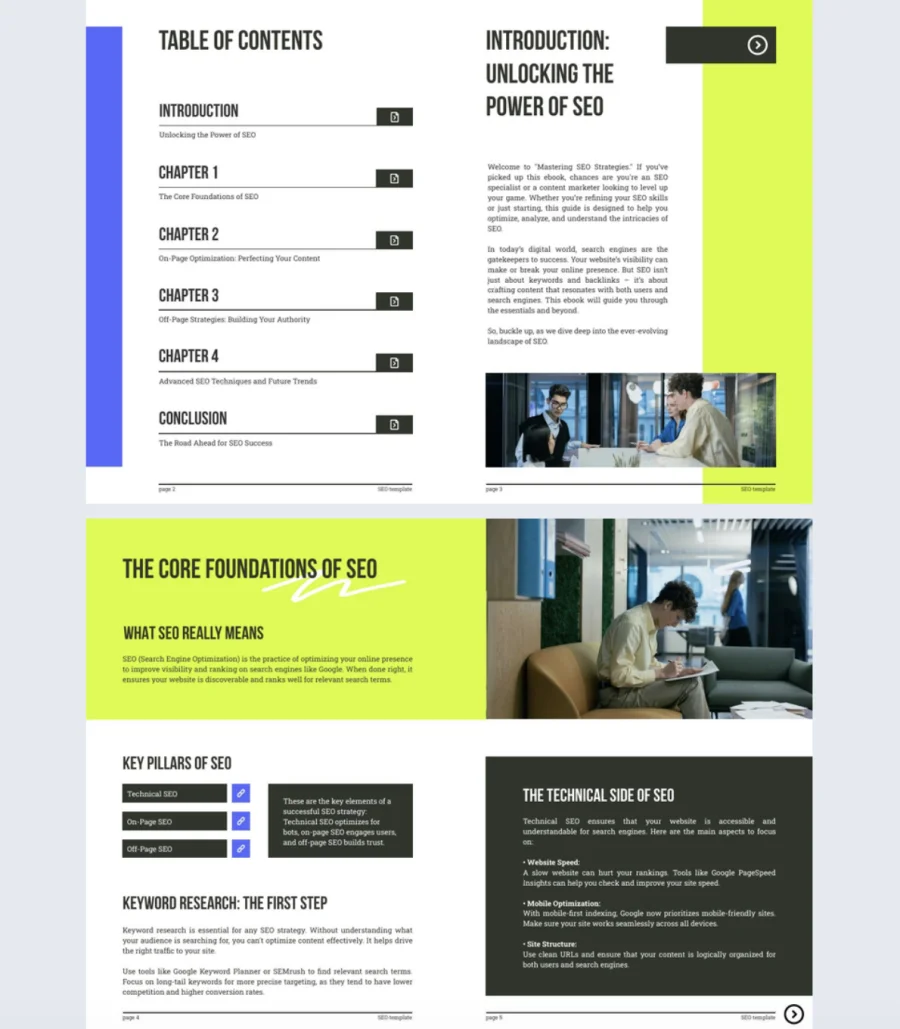

SEO strategies are complex, but the way you present them doesn’t have to be. This template helps you turn keyword research, audits, and performance data into a scannable ebook your clients will actually read.
Best for: SEO consultants, agencies, and in-house teams presenting strategies or reports to non-technical audiences.
Real-world application: A boutique agency replaced their static PDF decks with this template. They embedded video walkthroughs, added interactive questions, and linked to live dashboards. Result: revision rounds cut in half.
Add clickable links to live reports, embed tutorial videos, and use slideshows for before-and-after results. Built in Flipsnack’s Design Studio, everything stays on-brand and easy to update.
Common mistake to avoid: Don’t dump every data point into one ebook. Lead with the narrative, link out to the details. A focused 15 to 25 page ebook beats a 60 page doc every time.
Share via link, embed on your portal, or organize strategy ebooks in a virtual bookshelf for easy client access.
2. Lead Magnet Ebook Template
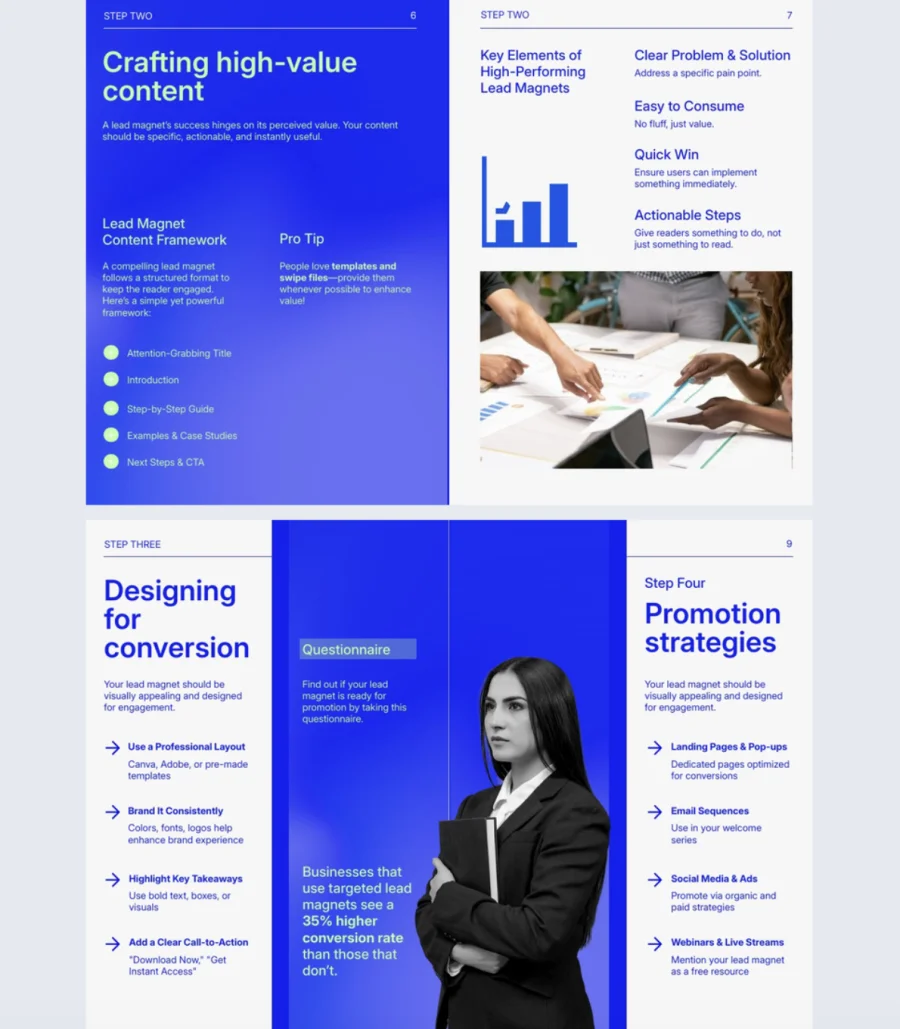
High-converting lead magnets don’t happen by accident. This template helps you turn your expertise into a polished, persuasive ebook that educates prospects and moves them toward action.
Best for: Growth marketers, coaches, consultants, and business owners building lead generation funnels or launching new offers.
Real-world application: A SaaS consultant used this template to package their onboarding framework into a gated ebook. They embedded walkthrough videos, added interactive questions, and linked to a booking page. Within three months, it became their top-performing lead source.
Add videos, GIFs, captions, and dynamic links to keep readers engaged. Use interactive questions to qualify leads right inside the ebook. Built in Flipsnack’s Design Studio, brand consistency across colors, typography, and tone stays locked in.
Common mistake to avoid: Don’t treat a lead magnet like a blog post. Every page should build toward a specific action. If there’s no clear CTA by the end, you’ve given away value without capturing any.
Publish via secure link, embed on your landing page, or send directly to your audience through Flipsnack’s sharing options.
3. The Future of Social Media Ebook Template
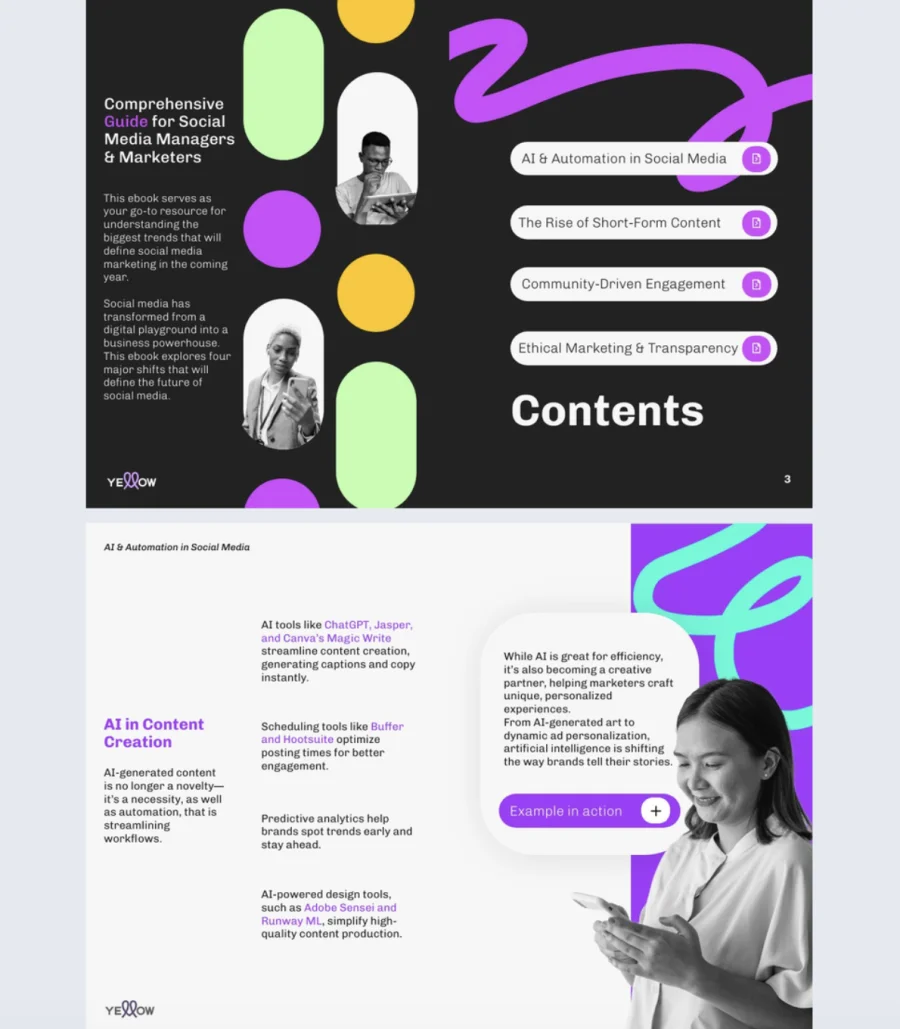
Social media trends move fast, and the brands that lead the conversation are the ones that publish insights first. This template helps marketing teams package trend research and predictions into a visually compelling ebook that builds authority.
Best for: Social media managers, content strategists, and marketing teams publishing thought leadership or trend reports.
Real-world application: A mid-sized agency used this template to publish a quarterly social media trends ebook for their clients. They added quizzes to test trend awareness, embedded short video breakdowns, and included go-to-page navigation so readers could jump to relevant platforms. It became their most shared piece of content that quarter.
Layer in GIFs, clickable links, captions, and social media buttons to make every page interactive and shareable. Use Flipsnack’s branding tools to lock in your visual identity across colors, fonts, and layout so nothing feels off-brand.
Common mistake to avoid: Don’t just list trends. Add your perspective and connect each one to a practical takeaway. An ebook that only summarizes what everyone already knows won’t earn shares or build authority.
Host it on a public-facing digital bookshelf, embed it on your site, or share via link for easy distribution.

4. Interactive CRM Ebook Template
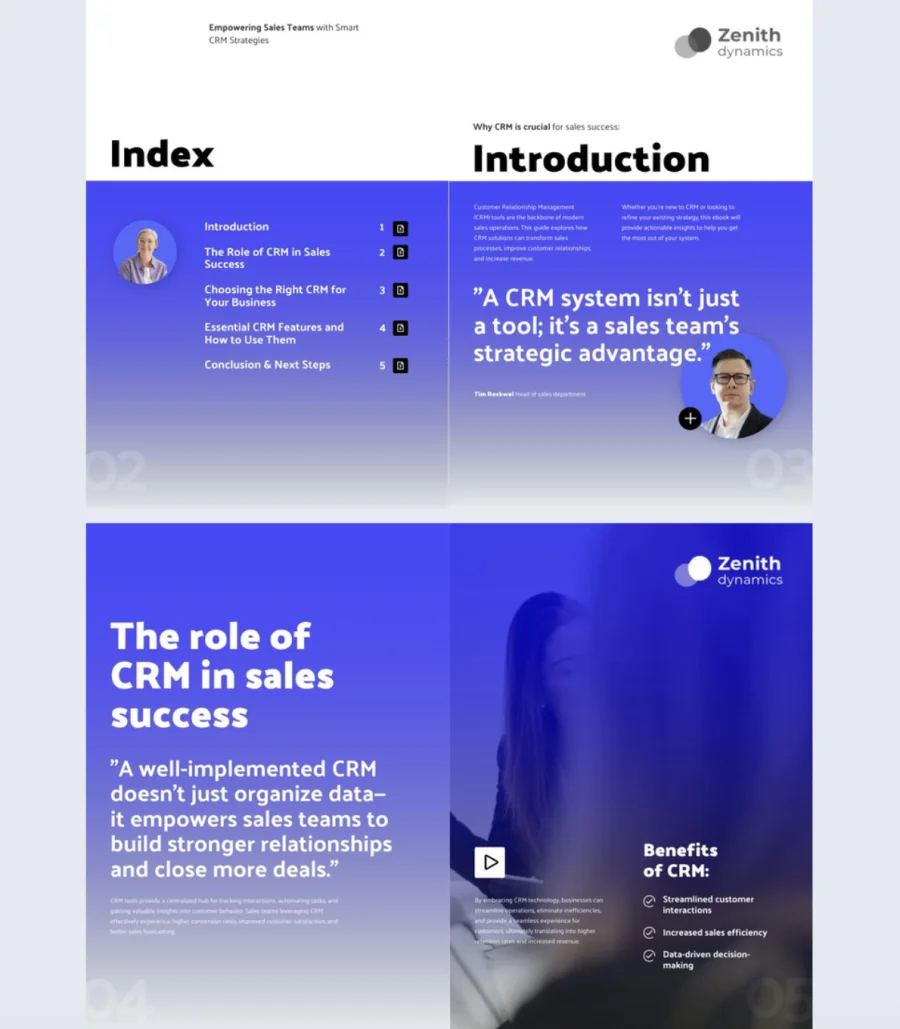
CRM strategies only work when teams actually understand and follow them. This template helps you turn complex workflows and tools into a clear, interactive ebook that drives adoption across sales, ops, and revenue teams.
Best for: CRM managers, operations specialists, and sales leaders rolling out new tools, processes, or onboarding programs.
Real-world application: A B2B company with a growing sales team used this template to onboard new reps on their CRM workflows. They embedded walkthrough videos, added explainer GIFs for key automations, and linked directly to live dashboards. New hire ramp time dropped by three weeks.
Add captions, clickable links, and guided walkthroughs to break down processes step by step. Use tags and social media buttons to make content easy to find and share internally. Built in Flipsnack’s Design Studio, everything stays on-brand and adapts quickly when tools or strategies change.
Common mistake to avoid: Don’t write a CRM ebook like a software manual. Focus on the why behind each workflow, not just the how. Teams adopt faster when they understand the reasoning, not just the steps.
Share privately with internal teams, use password-protected links for sensitive content, or publish as a downloadable lead magnet through Flipsnack’s sharing options.
5. Interactive Lead Generation Ebook Template
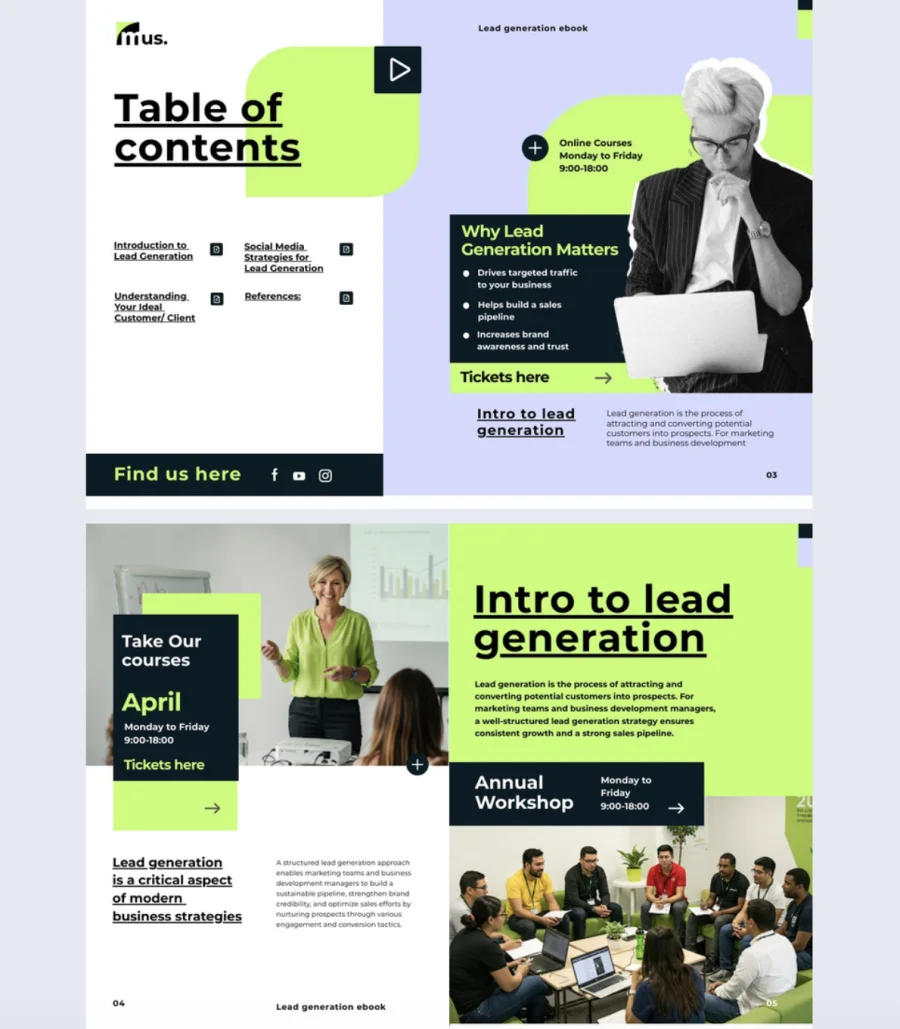
Generating leads with content only works when every page moves the reader closer to action. This template helps marketing teams structure an ebook around a specific offer, with built-in interactivity that turns passive readers into qualified leads.
Best for: Marketing teams, demand gen specialists, and business development managers running lead generation campaigns or gated content strategies.
Real-world application: A B2B software company used this template to launch a gated ebook promoting their new product tier. They added quizzes to segment reader intent, embedded a product walkthrough video, and placed smart CTAs throughout. The ebook generated 3x more form fills than their previous static PDF.
Add clickable videos, GIFs, social buttons, and contextual captions to guide readers through a structured conversion path. Use tags to personalize content blocks and quizzes to qualify interest. With Flipsnack’s collaboration tools, copywriters, designers, and strategists can work in the same platform without bottlenecks or version chaos.
Common mistake to avoid: Don’t scatter CTAs randomly across the ebook hoping something sticks. Map each section to a stage of the reader’s journey so the ask feels earned, not forced.
Gate it behind a lead capture form, embed it on a landing page, or send directly to prospects through Flipsnack’s sharing options.
6. Social Media Trends Ebook Template
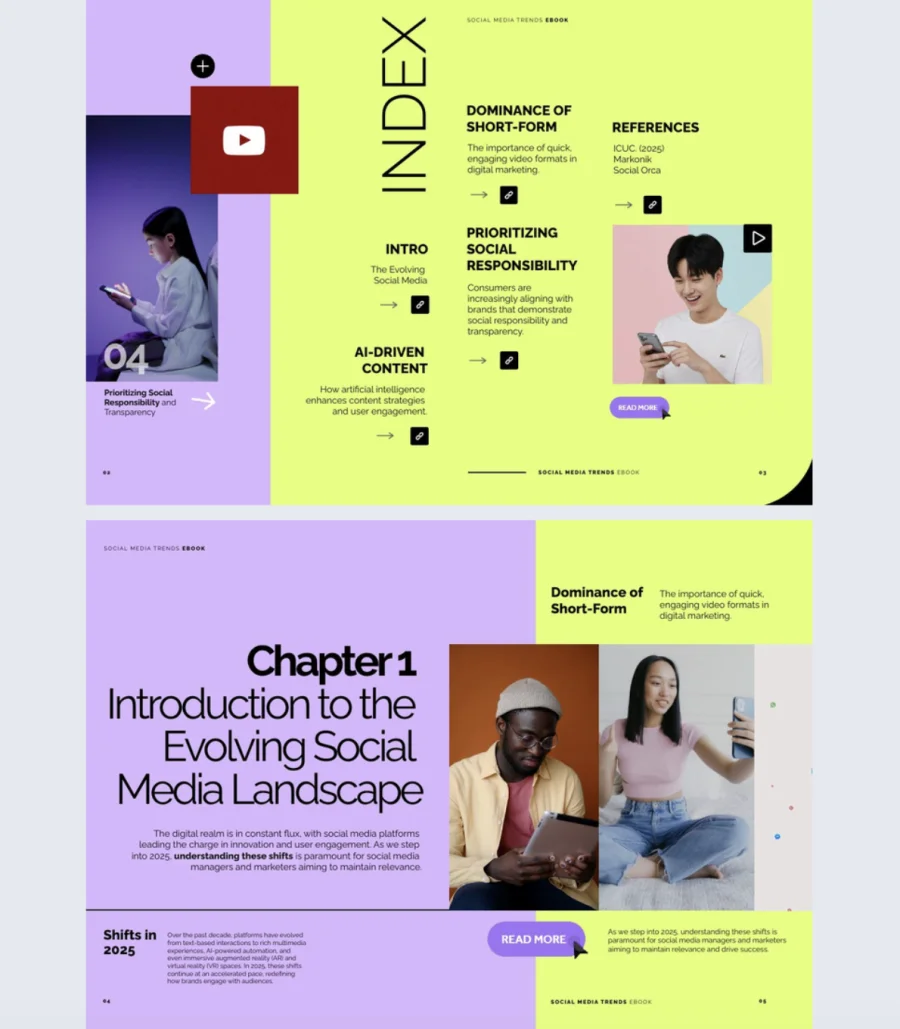
Social media trends have a short shelf life, so the way you present them needs to be fast, sharp, and easy to update. This template helps social media managers and marketing teams turn trend research into a visually engaging ebook that stays current and on-brand.
Best for: Social media managers, content marketers, and agency teams publishing recurring trend reports or seasonal insights.
Real-world application: A social media agency used this template to publish monthly trend roundups for their clients. They embedded short video explainers, added quizzes to test trend knowledge, and used Flipsnack’s statistics to track which sections got the most engagement. That data shaped what they covered next, turning every issue into a smarter one.
Add GIFs, clickable tags, interactive links, and social media buttons to make every page shareable. Use Flipsnack’s analytics to monitor open rates, page engagement, and click behavior so your content strategy improves with every publish. Brand consistency tools keep fonts, colors, and layouts aligned without manual tweaking.
Common mistake to avoid: Don’t publish a trends ebook once and forget about it. Treat it as a living document. Update it regularly and use engagement data to double down on what your audience actually cares about.
Edit in Design Studio, share via link, or embed directly on your site for maximum visibility.
7. HR Ebook Template
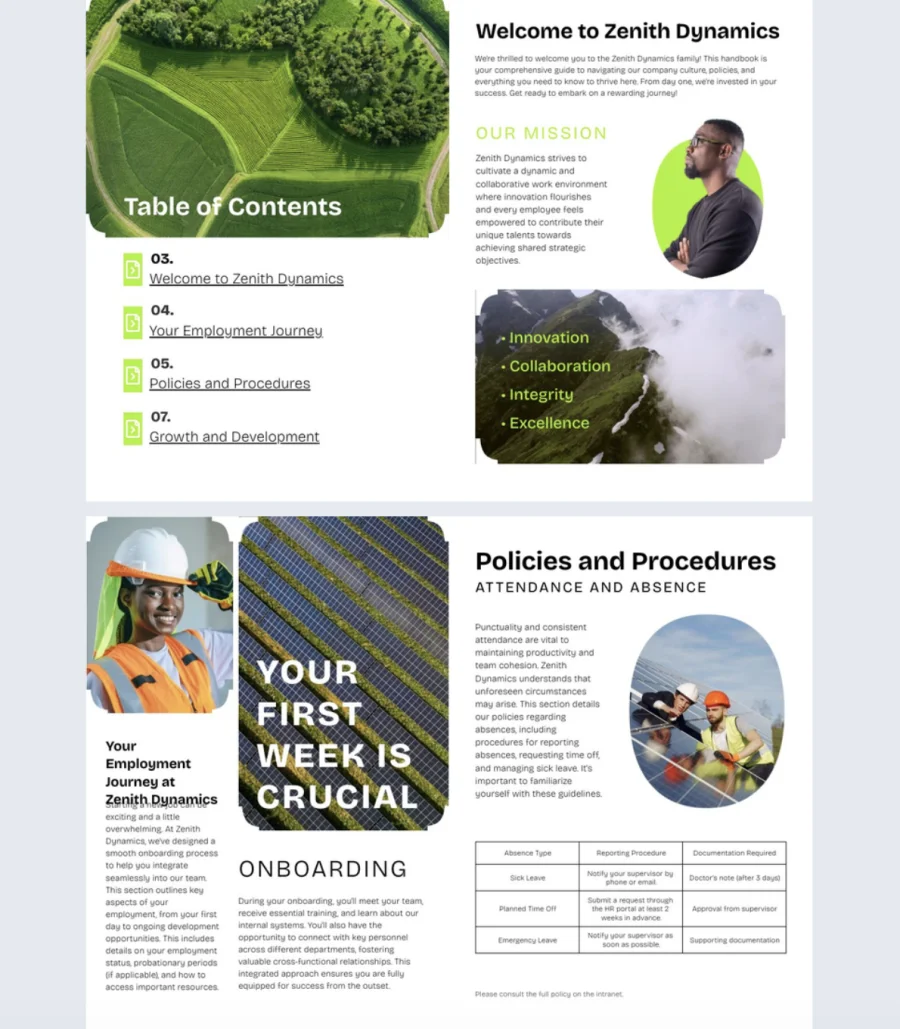
HR content like policies, onboarding guides, and training materials shouldn’t feel like a chore to read. This template helps HR teams deliver internal communications in a format that’s structured, accessible, and actually engaging.
Best for: HR managers, L&D specialists, and internal comms teams creating onboarding materials, policy documentation, or employee training guides.
Real-world application: An HR team at a 400-person company used this template to rebuild their onboarding guide. They added go-to-page navigation so new hires could jump to relevant sections, embedded welcome videos from leadership, and included a contact form for questions. Onboarding satisfaction scores went up and “where do I find this?” Slack messages went down.
Add GIFs, stickers, embedded videos, and interactive navigation to turn passive reading into participation. Use Flipsnack’s brand book features to lock in corporate fonts, colors, logos, and tone so every page feels consistent with your company identity.
Common mistake to avoid: Don’t just digitize a printed handbook and call it done. Structure content by use case (first week, benefits, policies) so employees can find what they need without scrolling through everything.
Share via password-protected links for sensitive materials, embed on your intranet, or organize across departments using a virtual bookshelf.
8. Content Marketing Ebook Template
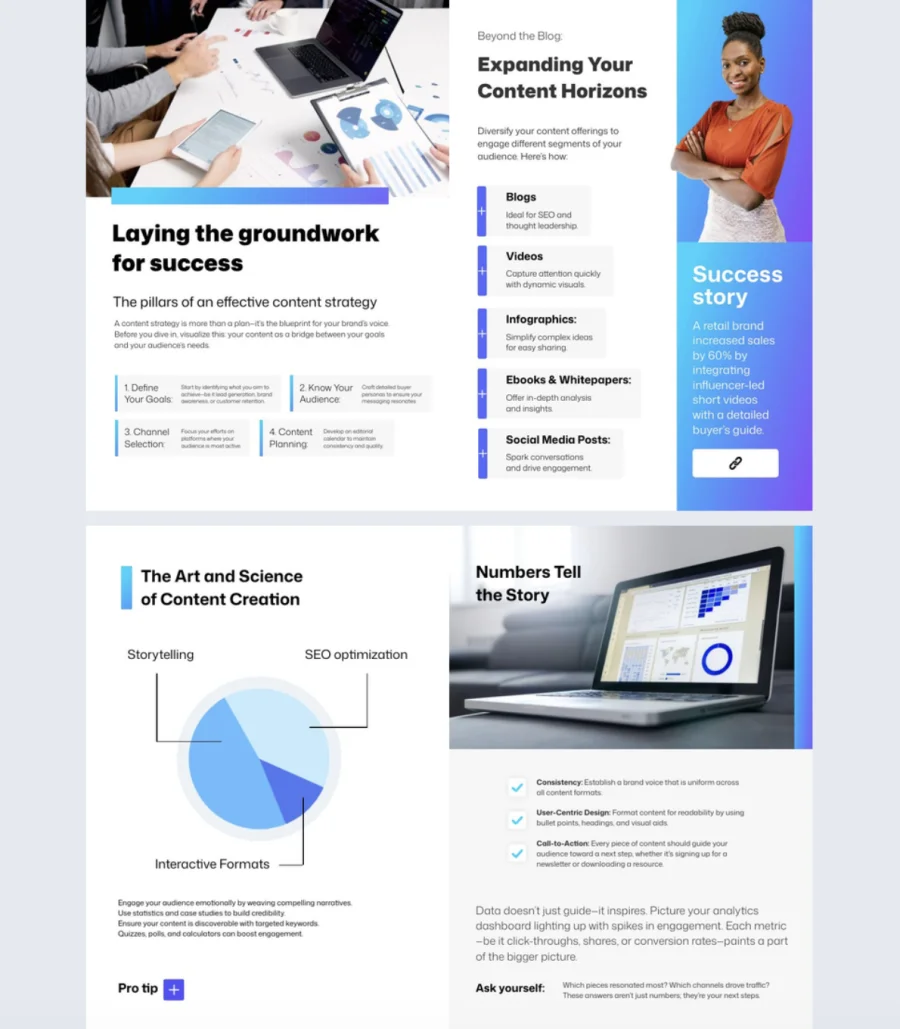
Content marketers juggle strategies, editorial calendars, and multiple audiences at once. This template helps you package all of that into a structured, interactive ebook that’s easy to produce, read, and reuse across campaigns.
Best for: Content marketers, digital strategists, and agency teams creating marketing guides, client-facing resources, or internal training materials.
Real-world application: A content team at a growing SaaS company used this template to create a quarterly content playbook for their sales team. They added go-to-page navigation for quick access to each channel strategy, embedded campaign walkthrough videos, and included a contact form for feedback. It replaced a messy Google Doc that no one read.
Add GIFs, stickers, embedded videos, and a page-flipping effect to keep readers engaged throughout. Use a built-in contact form to capture leads or collect feedback directly inside the ebook. With Flipsnack as your content creation tool, editing, branding, and distributing all happen in one place without bouncing between platforms.
Common mistake to avoid: Don’t build an ebook that only works for one campaign. Structure it so sections can be swapped or updated easily, turning a single ebook into a reusable asset that scales with your strategy.
Share via link, embed on your site, or distribute internally for team enablement.
9. Interactive Ebook About Collaboration Template
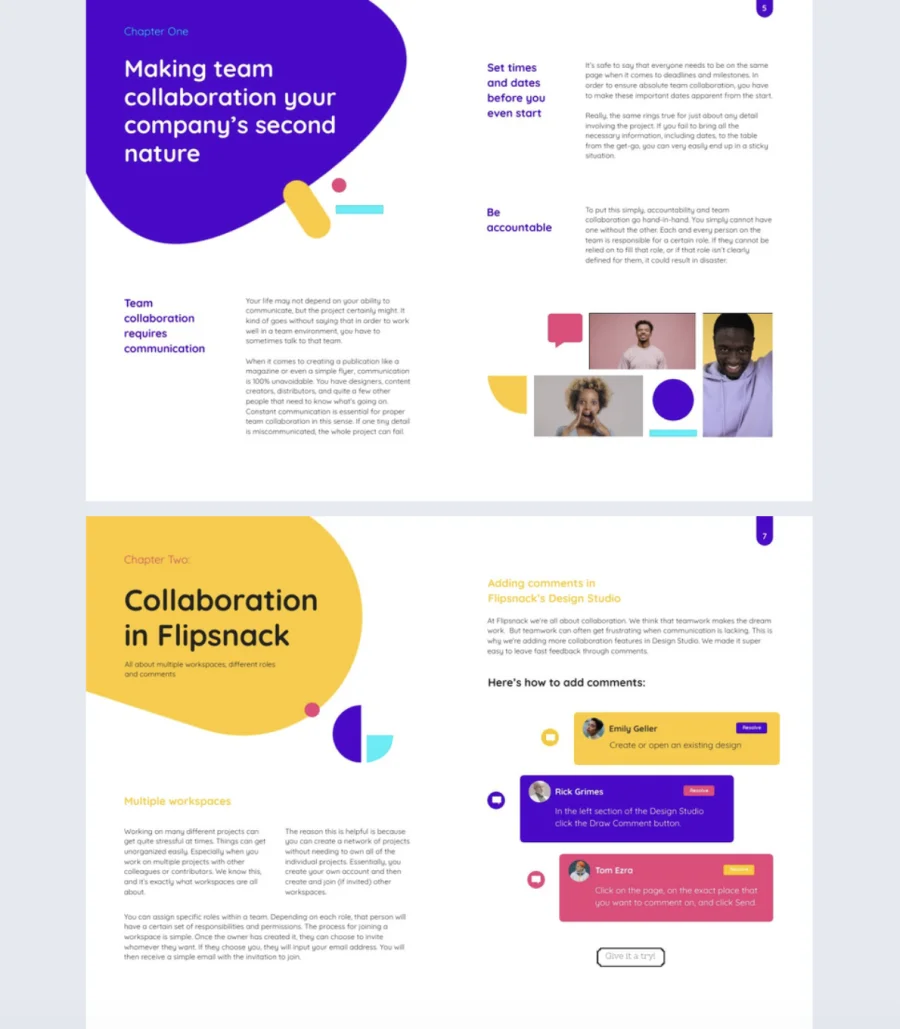
Complex ideas lose impact when they’re buried in flat documents. This template helps authors, educators, researchers, and content creators turn in-depth thinking into a polished, interactive ebook that looks professional and reads effortlessly.
Best for: Authors, educators, researchers, and subject matter experts packaging long-form or collaborative content into a shareable digital format.
Real-world application: A university research team used this template to publish a cross-department collaboration report. They added icons and illustrations from Flipsnack’s media gallery to break up dense sections, used drag-and-drop editing in Design Studio, and shared the final ebook via a custom view link. Faculty and external partners could access it instantly on any device.
The layout is vibrant and modern out of the box, fully editable without any design skills. Browse Flipsnack’s media gallery for icons, shapes, and illustrations to support your message visually. Built with accessibility in mind, the ebook works across desktop, tablet, and mobile with responsive layouts, keyboard navigation, and screen reader compatibility.
Common mistake to avoid: Don’t assume a good-looking ebook is automatically easy to navigate. Use clear section breaks and visual hierarchy so readers can follow complex ideas without getting lost.
Publish and share instantly with a custom view link so anyone who needs access can reach it from anywhere.
10. Online Marketing Strategy Ebook Template
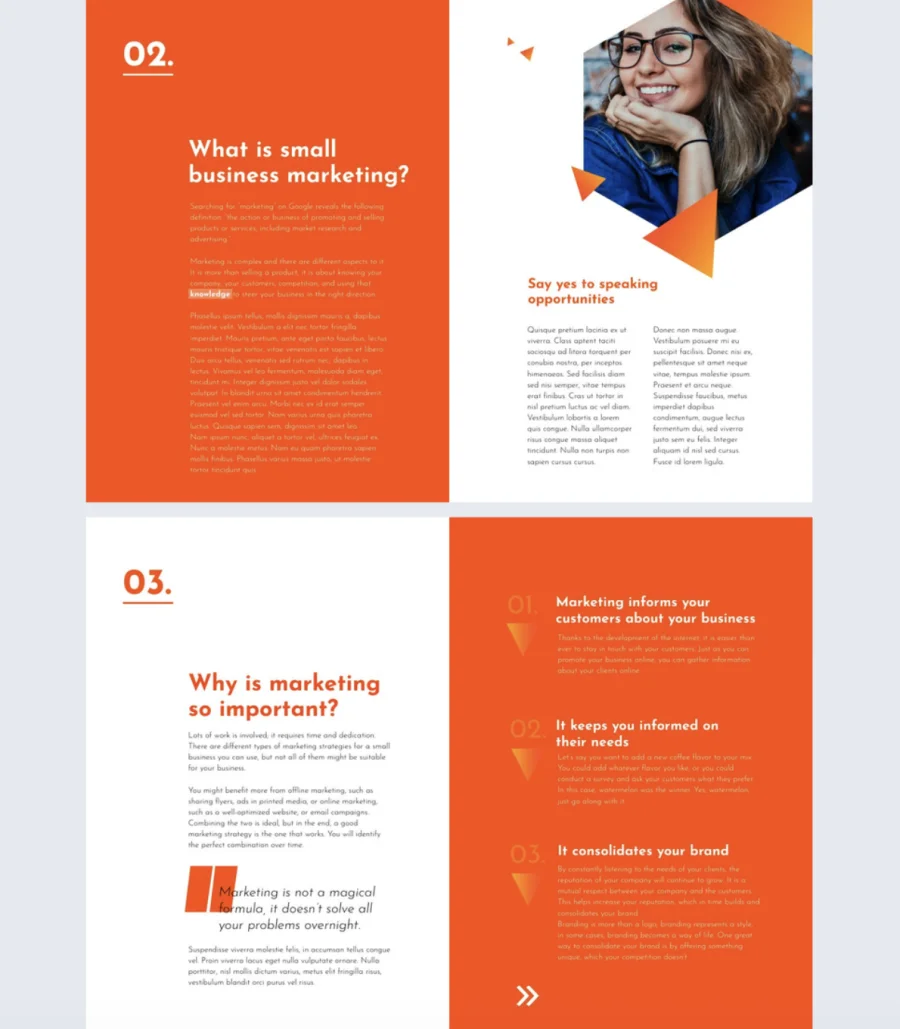
Marketing strategy content needs to look as sharp as the thinking behind it. This template helps educators, consultants, and in-house teams turn frameworks, playbooks, and strategic insights into a polished ebook that educates and converts.
Best for: Marketing consultants, educators, and in-house marketing teams creating strategy guides, training resources, or client-facing frameworks.
Real-world application: A freelance marketing consultant used this template to package their signature growth framework into a branded ebook. They customized it in minutes using Flipsnack’s branding kit to match their logo, fonts, and colors, then shared it as a password-protected link with paying clients. It became a core part of their consulting offer.
The layout is bold, structured, and fully editable with drag-and-drop in Design Studio. No design skills needed. Use the built-in branding kit to align every page with your visual identity. Choose from public, unlisted, password-protected, or private sharing depending on your audience and use case.
Common mistake to avoid: Don’t make a marketing strategy ebook that’s all theory and no structure. Break it into clear sections with actionable takeaways so readers walk away with something they can implement, not just concepts they’ve heard before.
Share via a direct view link through email or social media, or restrict access with password protection for premium or internal content.
How to create a professional ebook with Flipsnack
A well-crafted ebook isn’t just a content asset. It’s a strategic tool for thought leadership, lead generation, and brand building. Whether you’re educating an audience, presenting research, or packaging internal knowledge, Flipsnack helps you create professional, interactive ebooks without needing design expertise.
Here’s how to bring your next ebook to life:
1. Start with an ebook template that fits your message
Browse Flipsnack’s library of professionally designed ebook templates. Whether you’re working on a marketing ebook guide, industry trends ebook, or a lead magnet ebook, there’s a layout tailored to your purpose. Already spotted one you liked above? Click and open it right in Flipsnack.
Each template includes thoughtful structure and design, pre-filled with content blocks for titles, chapters, visuals, and callouts. So you can focus on the content instead of the formatting. Prefer to build from scratch? You’ve got full creative freedom there, too.
2. Add interactive features and brand your ebook template
Once you’ve selected your template, step into Flipsnack’s Design Studio – a powerful editor built with ease in mind. Drag and drop to rearrange content, update text, or replace visuals. Upload your fonts, color palette, and logo for full brand consistency across every page.
Then elevate your ebook with interactive elements that drive engagement:
- Clickable links to resources, articles, or tools
- Embedded videos or GIFs to demonstrate key ideas
- Go-to-page navigation for better reading flow
- Pop-up forms to gather reader insights or leads
- Interactive quizzes or polls to encourage participation
Add quotes, stats, infographics, or case studies. Anything that turns your ebook into a story worth reading and sharing.
3. Transform your digital ebook into gated content
Your ebook isn’t just a piece of content. It’s an opportunity to convert interest into action. With Flipsnack, you can gate your digital ebook behind an interactive lead form, transforming readers into real prospects for your marketing and sales teams.
Let readers preview a few pages to spark interest, then prompt them to submit their contact details to unlock the full experience. It’s an ideal strategy for capturing high-intent leads while offering immediate value.
Customizable lead forms let you collect the exact data your team needs—whether it’s names, emails, company details, or industry preferences. No more guessing who’s engaging with your content. With gated ebooks, you gain both visibility and qualified pipeline opportunities.
5. Publish and share your ebook with a click
Creating content is a team sport. Flipsnack’s collaboration tools allow marketers, subject matter experts, and designers to work together in real time. Assign roles based on your workflow. Once your ebook is ready to go live, Flipsnack offers multiple publishing options to match your goals and audience:
- Public link for lead magnets or wide distribution
- Website embed for quick access
- Unlisted or password-protected access for exclusive resources
- Private sharing with team members or stakeholders only
- Digital bookshelf hosting to keep all your ebooks beautifully organized in one branded hub
Need offline access? Download a high-quality PDF version to use during events or training.
6. Track your ebook’s performance with statistics
Publishing is just the beginning. With Flipsnack’s statistics dashboard, you can measure how your readers engage with the content:
- Which pages receive the most views
- Average time spent on each section
- Engagement with interactive features like links, forms, or videos
Use those insights to fine-tune future editions. Shorten dense sections, reinforce key points, or test different formats. All backed by real data. Over time, your ebooks become smarter, sharper, and more effective at achieving your goals.
Start creating ebooks smarter, not harder
Designing a professional ebook doesn’t have to drain your time or resources. With Flipsnack’s ebook templates, you get a powerful head start.
Each template is crafted to save you time, eliminate formatting stress, and keep your content on-brand from cover to close. You can customize layouts, add interactive elements like videos and quizzes, collaborate with your team, and track performance. All in one intuitive platform.
Whether you’re part of a growing marketing team, an educator packaging insights, or a business leader looking to scale content creation, Flipsnack is the ebook maker that helps you publish with confidence, speed, and impact.
FAQs on ebook templates
A well-structured ebook template typically includes:
– A cover page and table of contents
– Consistent typography and color scheme
– Sections with clear headings and visual hierarchy
– Space for images, icons, or multimedia
– Calls to action or lead capture elements
– A branded closing page with next steps
A PDF is a static file format, while an ebook can be an interactive digital publication with features like page-flip effects, embedded videos, clickable links, and engagement tracking. An ebook is designed for on-screen reading and interaction, not just downloading.
There is no fixed rule, but most effective ebooks fall between 10 and 30 pages depending on the purpose. Lead magnets tend to be shorter (8 to 15 pages), while strategy guides or training materials can go longer. Focus on value per page rather than page count.
Common mistakes include:
– Overloading pages with text and no visual breaks
– Skipping a clear structure or table of contents
– Writing for a broad audience instead of a specific reader
– Forgetting to include a CTA or next step
– Treating it as a one-time asset instead of updating it regularly