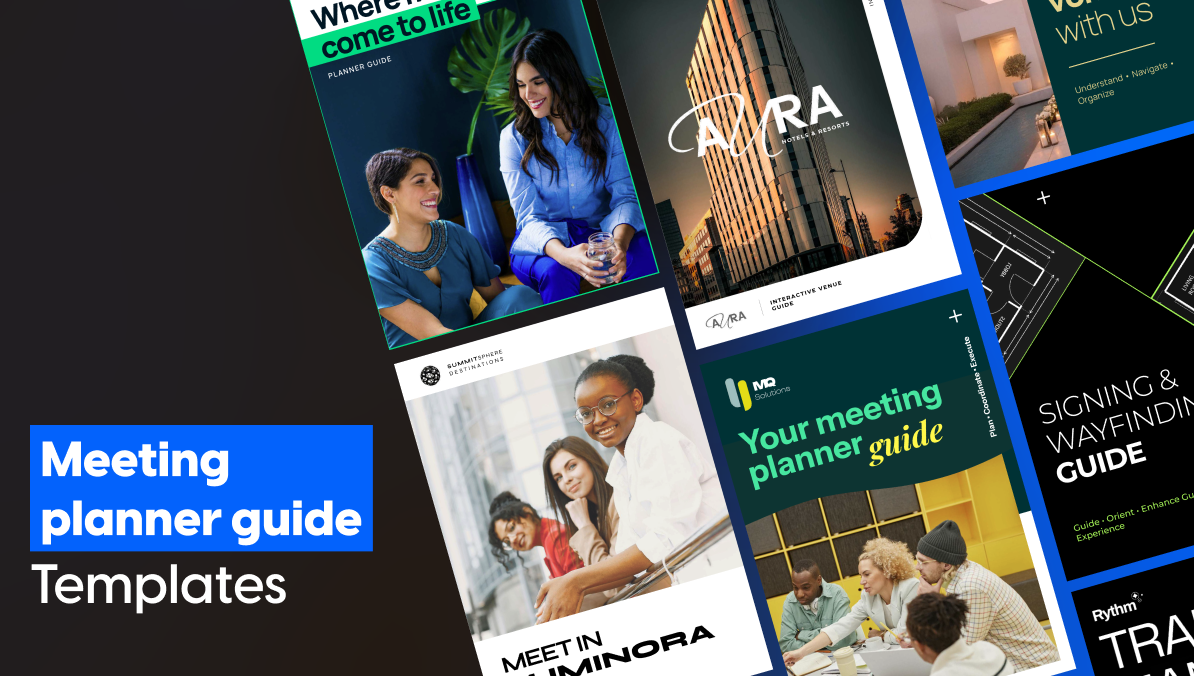
Meeting Planner Guide Templates for Hotel Sales Teams
Published on: February 28th, 2025.
Winning a conference bid with a strong meeting planner guide is rarely about the guest rooms. It is about proving your venue can handle the job fast.
For Directors of Catering and Sales Managers, the most dangerous part of any deal is the technical gap. This is the window after your pitch when the buyer’s team starts checking your operational details. If you cannot answer questions about loading dock clearance, rigging points, or ADA-compliant attendee flow right away, the deal slows down.
The mistakes that create this gap are consistent across properties. Planners receive ten different documents that all look different, one created a year ago, one created last week. Files circulate long after pricing has changed or a room has been reconfigured. Too many people have edit access, and no one is sure which version is current. By the time the planner has everything they need to sign, the excitement from the site visit has evaporated.
Corporate hospitality teams managing large portfolios know this problem compounds across properties. An outdated floor plan goes out from one location. A menu that no longer reflects current pricing goes out from another. The brand experience becomes inconsistent across every RFP response your team sends out.
A meeting planner guide closes that gap. Where a brochure sells the vision, a meeting planner guide handles the reality. It covers hybrid event capabilities, AV specs, capacity breakdowns, accessibility details, and logistics. For professional buyers, it is the document that separates vendors from partners.
This article covers 11 free Flipsnack templates that form a complete meeting planner resource guide and hotel sales toolkit.
Table of contents
- What is a meeting planner guide and why does it matter?
- What should a hotel include in a meeting planner resource guide?
- How should you structure your hospitality sales toolkit?
- Top-of-funnel meeting planner guide templates and sales assets
- Production and logistics assets
- How do you keep a meeting planner resource guide always up to date?
- FAQ
- Build a more efficient meeting planner resource guide in Flipsnack
What is a meeting planner guide and why does it matter?
A meeting planner guide is a detailed sales and operational document used by hotel sales teams to communicate venue capabilities to professional event buyers. It covers group packages, hybrid event capabilities, AV specs, ADA compliance, capacity layouts, and key department contacts. Hospitality teams increasingly manage these documents alongside their broader marketing collateral — brochures, sales kits, and destination guides — all from one platform.
What should a hotel include in a meeting planner resource guide?
A complete meeting planner resource guide typically covers:
- Property overview
- Meeting space specs and capacity charts
- AV and tech capabilities
- Catering options
- Group accommodation details
- ADA documentation
- Floor plans and site maps
- Key department contacts
- Package pricing
The more operational detail you include, the fewer follow-up questions a planner needs to ask before committing.
How should you structure your hospitality sales toolkit?
A high-velocity sales toolkit is not one document. It is a suite of assets, each built for a specific stage of the buyer journey. The 11 meeting planner guide templates below fall into three groups:
- Top-of-funnel sales assets for RFP responses and first impressions
- Venue visualization assets for helping planners evaluate your space
- Production and logistics assets for the technical deep-dive after your pitch
Top-of-funnel meeting planner guide templates and sales assets
These templates answer one question fast: “Can this venue handle our event?” Each one is designed to give buyers enough detail to move forward without a long back-and-forth.
Hotel sales kit property deck
Third-party planners and corporate sourcing managers evaluating multiple venues need a document that makes your property easy to champion internally — without them having to reformat or summarize your submission themselves. The Editable Hotel Sales Kit Template is the meeting planner guide asset built for that moment.
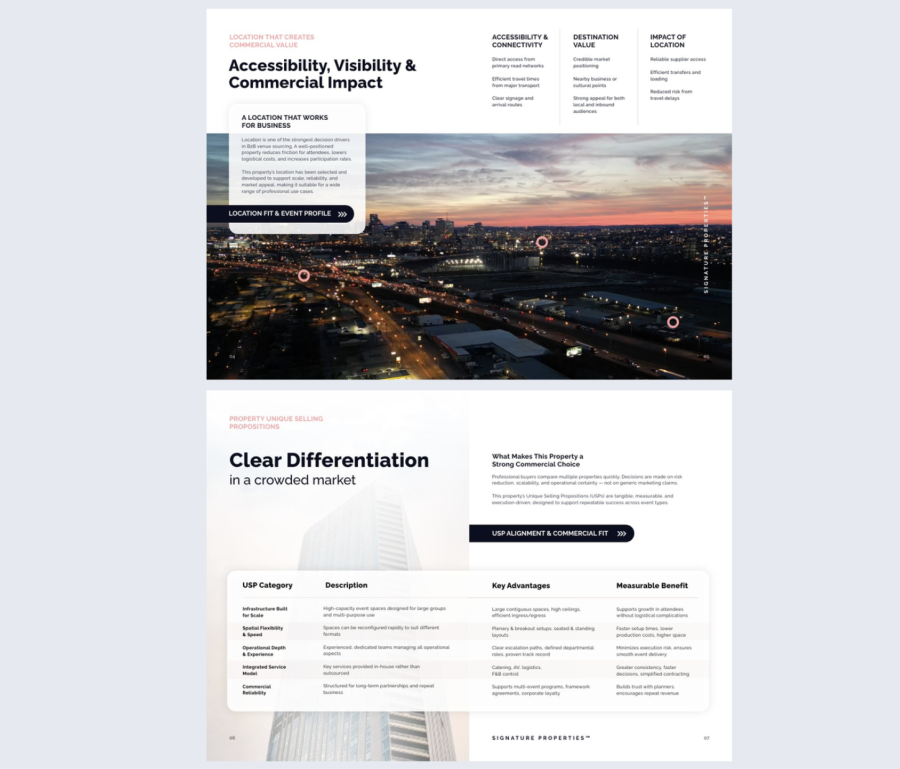

Best for: Hotel sales teams responding to B2B RFPs where the buyer needs to present a shortlist to their own leadership. Most effective when you are competing against multiple venues simultaneously.
Real-world application: A sales manager at a mid-sized conference hotel was losing RFP responses to larger branded properties despite comparable facilities. After switching to a structured hotel sales kit with package comparisons and a direct inquiry button, their shortlisting rate with third-party planners improved. Planners could present the property internally without doing additional formatting work themselves.
Common mistake to avoid: Do not lead with pricing. Sourcing managers need to build an internal case before cost becomes the conversation. Lead with your package overview and capabilities, then let the pricing section do its work once interest is established.
Share privately and store in a Flipsnack bookshelf alongside your full meeting planner resource guide for a complete, organized sales toolkit.
Conference venue brochure
Best for: First-impression outreach and email sequences to corporate planners.
Conference venue brochure
One of the first document a corporate planner sees from your property sets the tone for everything that follows. The Conference Venue Brochure Template is built for hotels that need to make a strong first impression before a site visit is even on the table.
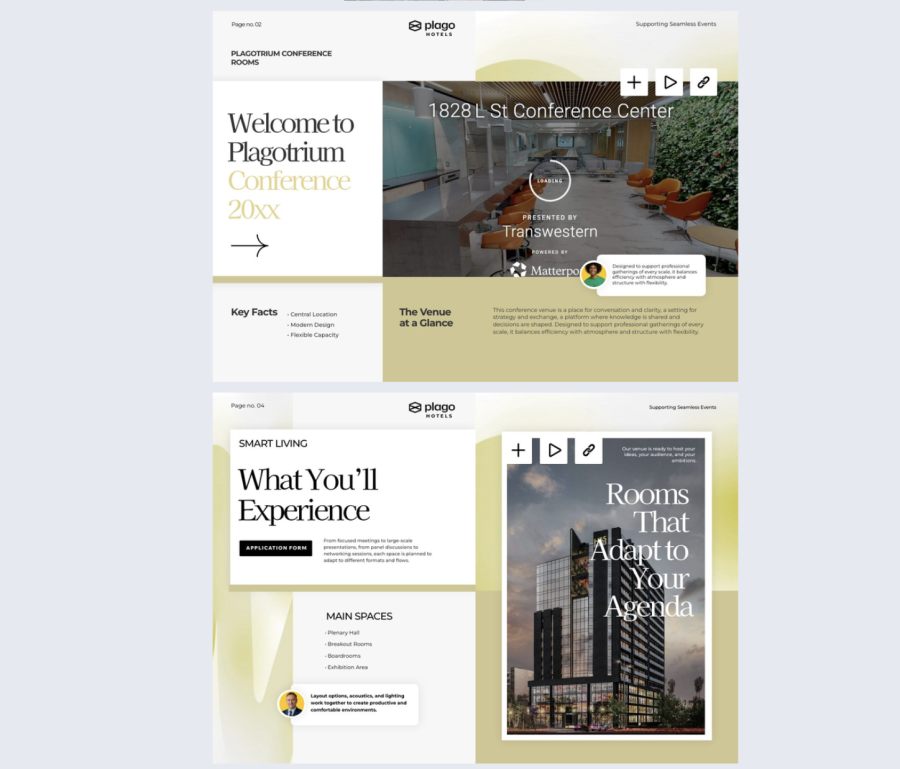

Best for: First-impression outreach and email sequences to corporate planners who have no prior relationship with your property.
Real-world application: A sales manager using a static PDF for cold outreach had no way of knowing whether planners were opening it or which sections they spent time on. Switching to an interactive brochure with engagement analytics made every follow-up call more targeted — leading with the section the planner had already shown interest in rather than starting from scratch.
Common mistake to avoid: Listing every amenity your property has rather than leading with what matters to a corporate planner. Prioritize conference space, tech capabilities, and catering. Save the spa and the rooftop bar for later in the relationship.
Share via direct link or email sequence, then use engagement analytics to see what planners spend time on and sharpen your follow-up based on real data.
Meeting planner guide template
The Meeting Planner Guide Template is the core of any hotel sales toolkit. It is the document that answers every operational question a corporate planner has before they are ready to sign.
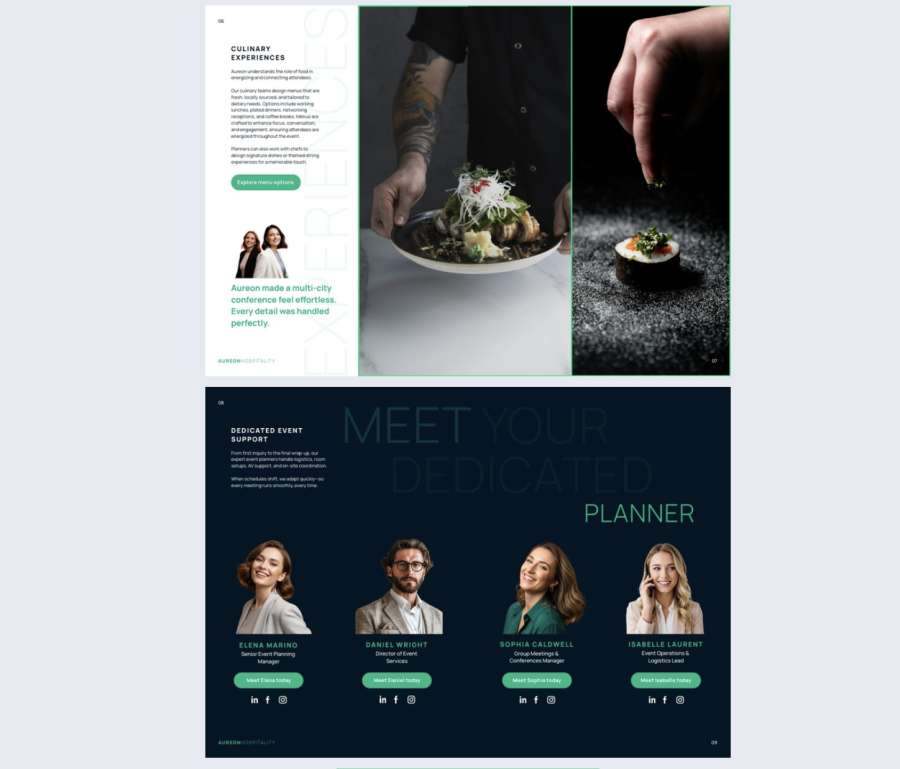

Best for: Corporate accounts managing conferences, retreats, and group bookings that need full details on hybrid capabilities, group packages, ADA compliance, and on-site support. Particularly effective for properties responding to RFPs from large corporate accounts managing multiple events across multiple properties.
Real-world application: A corporate hospitality team overseeing 200+ properties across the Americas identified inconsistent meeting planner guides as one of their biggest brand control challenges. Individual properties were sending different versions of the same document — some outdated, some off-brand. Their solution was one approved template per brand, deployed across every property, with a single always-live link that updated instantly whenever specs or pricing changed. Every shared version updates instantly — without resending, version control issues, or outdated files sitting in a planner’s inbox.
Common mistake to avoid: Building one generic guide for every type of buyer. A corporate sourcing manager and an independent event planner need different levels of detail. Start with the full operational version and create a lighter top-of-funnel variation for early-stage outreach.
Share via a private, password-protected link directly with the planner after your site visit or RFP response, or store it in your hotel’s intranet so every sales manager is always working from the approved, current version.
ADA compliant meeting planner guide template
The ADA Compliant Meeting Planner Guide Template is the same core sales document as the standard meeting planner guide, built to meet accessibility standards for the document format itself.
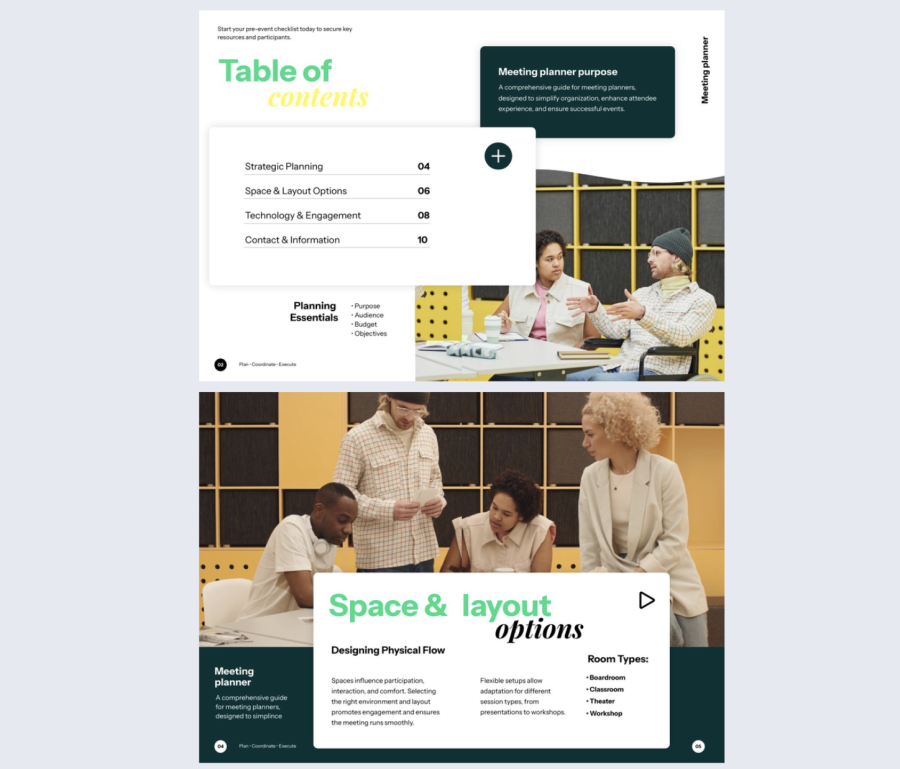
Best for: Government agencies, institutional buyers, and corporate clients whose procurement process requires vendor documents to be screen reader compatible and accessibility certified.
Real-world application: A hotel sales team targeting government accounts found their standard PDF meeting planner guide was being flagged during vendor onboarding for failing accessibility requirements. Switching to an ADA compliant flipbook format removed that barrier entirely and kept the deal moving.
Share via private link directly with the buyer’s procurement or compliance team.
Interactive venue guide
Before a planner commits to a site visit, they need enough spatial confidence to justify the trip. The Interactive Venue Guide Template gives them a full immersive overview of your property — without leaving their desk.
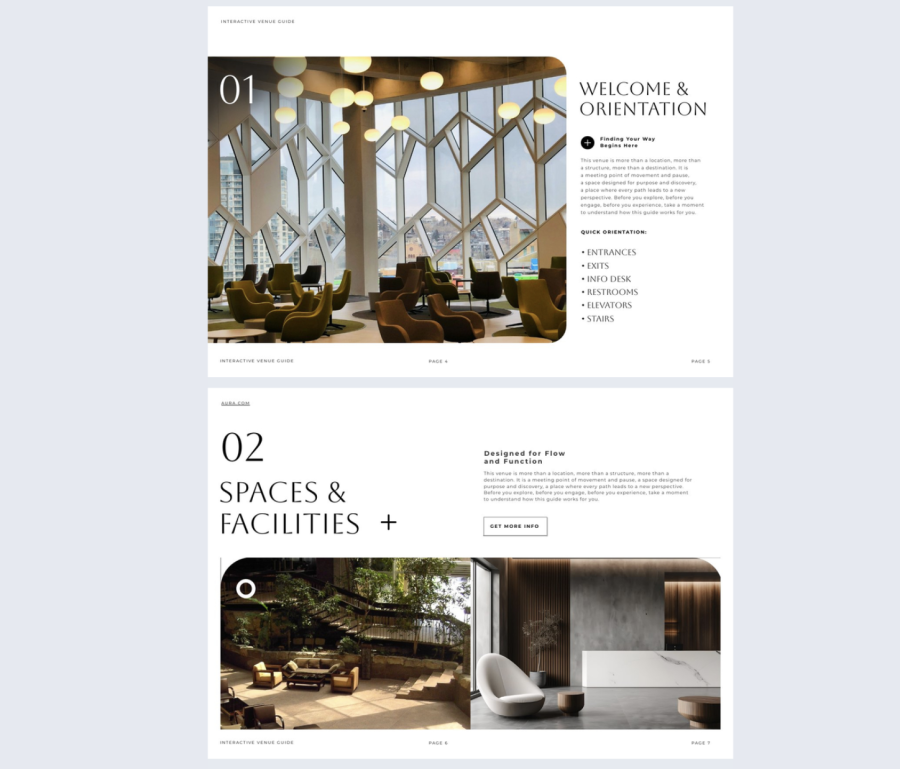
Best for: Early-stage evaluation by corporate sourcing managers and production teams comparing multiple venues. Most effective when your property has multiple spaces, floors, or buildings that need context to make sense on paper.
Real-world application: A hotel sales team was losing shortlisted leads who never progressed to a site visit. The missing piece was spatial context — planners could not visualize how the spaces connected from a static PDF. Embedding a virtual tour and video walkthrough directly inside the venue guide gave planners the spatial confidence they needed to move forward without an in-person visit first.
Common mistake to avoid: Sending a guide that is heavy on photography but light on orientation. Planners at this stage want to understand flow and logistics. A virtual tour or embedded video walkthrough inside your flipbook does more to move the deal forward than a gallery of room photos ever will.
Share this interactive guide as a flipbook privately with shortlisted planners or embed on your website for inbound leads evaluating your property independently.
Venue capacity guide
A planner with a specific setup in mind needs to verify your space works before they can move forward. The Digital Venue Capacity Guide gives buyers a clear visual breakdown of every seating configuration and layout option across your spaces — so they can confirm fit without a back-and-forth.
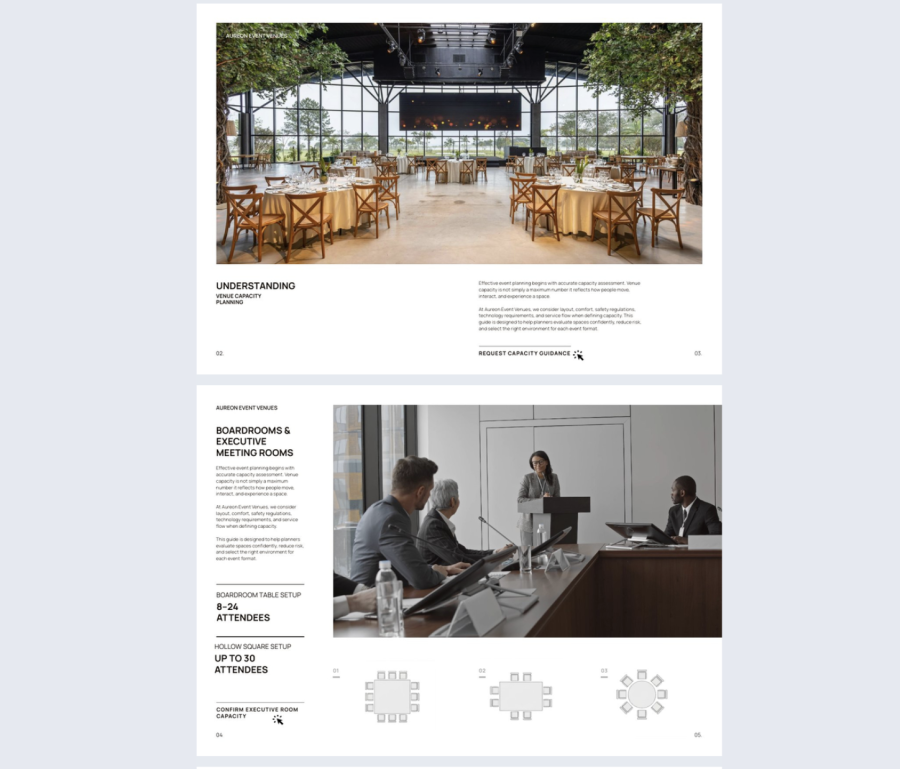
Best for: Planners comparing multiple layout options across different event formats, particularly when the same space needs to work for different setups across a multi-day program.
Real-world application: A conference hotel was receiving repeated follow-up questions about capacity figures after sending their main meeting planner guide. Consolidating every layout configuration into a dedicated visual capacity guide with 3D pop-up maps eliminated those questions and shortened the time between first inquiry and contract.
Common mistake to avoid: Listing maximum capacities without showing the tradeoffs. A room that holds 400 theatre style may only hold 150 for a sit-down dinner. Show all configurations clearly so planners can make the right call without having to ask.
It includes photo slideshows, contact forms, embedded videos, GIFs, and 3D pop-up maps for immersive venue exploration. Add your branding and availability calendars, then share or embed. Any updates to capacity figures appear instantly across every link in circulation — no chasing outdated attachments.
Venue floor plan guide
Once a planner has confirmed your venue works for their event, the next question is production-level: where does everything go? The Interactive Venue Floor Plan Guide Template gives production teams the spatial detail they need to align on setup zones, attendee flow, and equipment placement before anything is moved on site.
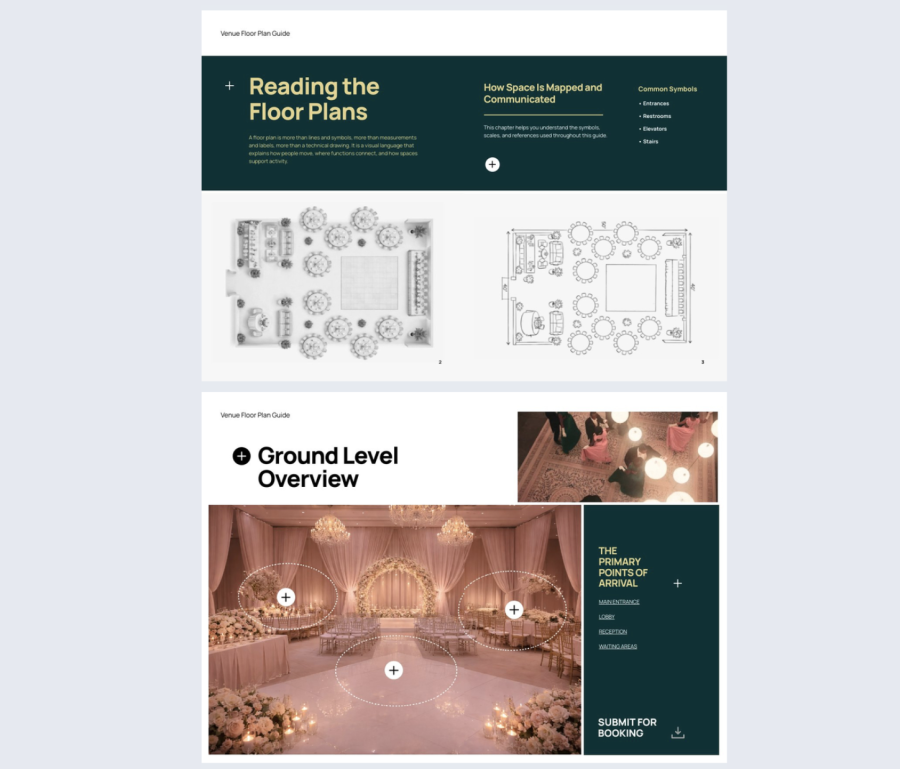
Best for: Production teams and event managers in the post-shortlist phase who need to finalize stage positions, seating arrangements, and load-in logistics before the contract is signed.
Real-world application: A hotel events team was fielding repeated questions from production coordinators about ceiling heights, power drop locations, and stage clearance, all details scattered across multiple documents. Consolidating everything into a dedicated floor plan guide with interactive touchpoints and virtual tour integration gave production teams what they needed to finalize their setup plan without a single follow-up call.
Common mistake to avoid: Sharing a static floor plan that cannot be updated. Production details change constantly in the lead-up to an event and every stakeholder needs to be working from the same current layout.
It includes built-in navigation, interactive touchpoints, contact forms, video support, and virtual tour integration. When layouts change, an updated version reaches every stakeholder instantly through the same link. No file resending. The live link handles it automatically.
Hotel site map
The Interactive Hotel Site Map Template solves the operational questions that come up after a planner is interested but before they are ready to sign. Production coordinators, AV vendors, and catering teams need to verify physical logistics before committing, and a site map gives them that clarity without a property visit.
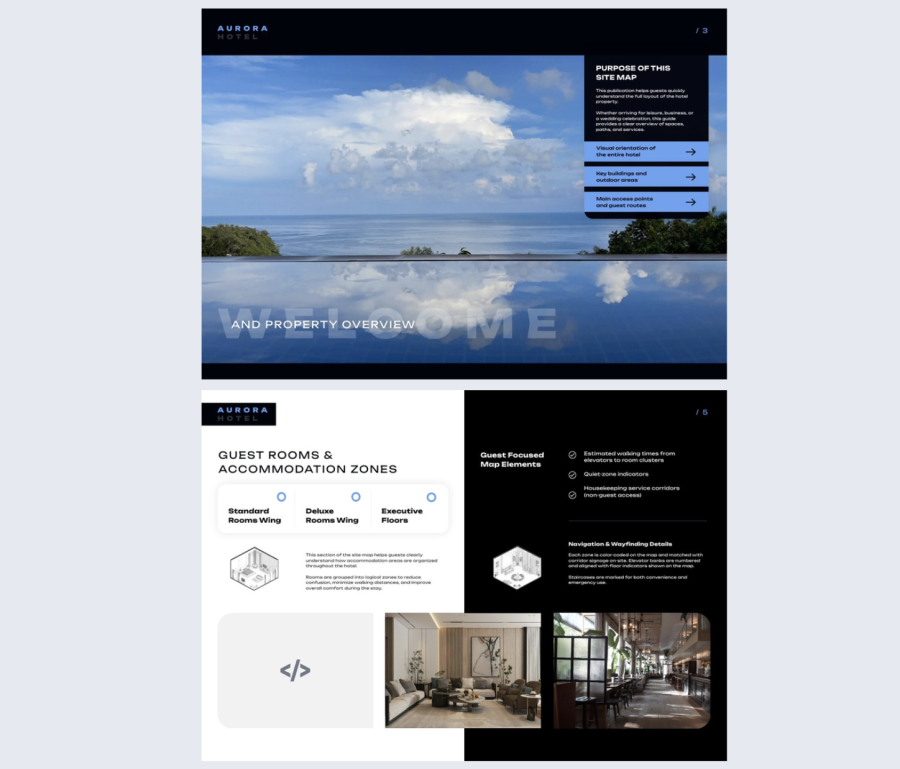
Best for: Production teams and external vendors who need to verify loading access, freight routes, and attendee flow before finalizing event logistics.
Real-world application: A hotel events team was losing deals at the final confirmation stage because external vendors could not get clear answers about loading dock access and freight elevator capacity. Adding a dedicated interactive site map to their meeting planner guide suite eliminated those questions and removed the last friction point before contract.
Common mistake to avoid: Treating the site map as an afterthought. For production-heavy events, it is often the document that closes the deal. A vendor who can confirm truck access and rigging points remotely is a vendor ready to commit.
It includes 3D views, spotlight sections, and page navigation so buyers can jump straight to what they need. Add it to your meeting planner guide suite and share via QR code or direct link.
Wayfinding guide
For large conferences and multi-day events, attendee navigation is an operational detail that reflects directly on the planner’s reputation. The Editable Wayfinding Guide Template gives planners a document they can share before the event so attendees arrive oriented, and distribute on-site so staff spend less time giving directions.
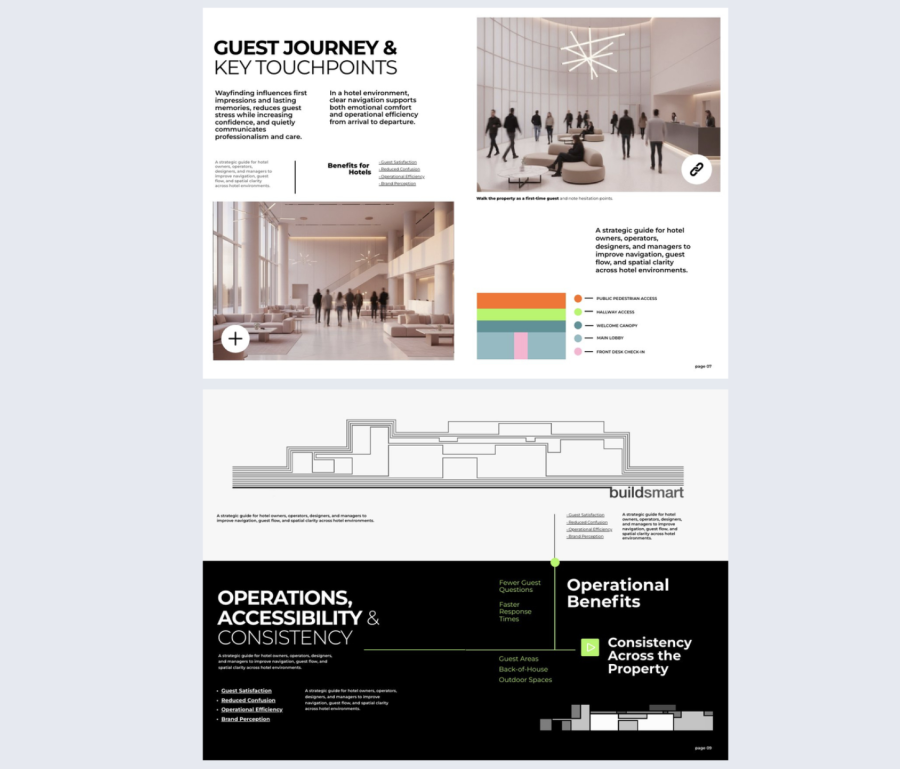
Best for: Large conferences, multi-day events, and venues with complex layouts across multiple floors or buildings where attendee confusion is a real operational risk.
Real-world application: A conference venue running a 600-person multi-day event was receiving consistent feedback about attendees struggling to find breakout rooms and catering areas. Adding a wayfinding guide shared via QR code at registration reduced repeated directional questions to staff and improved post-event satisfaction scores.
Common mistake to avoid: Building the wayfinding guide after the event floor plan is finalized. It should be developed in parallel so signage, digital screens, and the guide all tell the same story from day one.
Flipsnack supports Matterport integration directly inside the guide, giving attendees a real sense of place before they arrive. Spotlight sections and contact options keep key information easy to find on the day. Share via QR code for instant on-site access as part of your broader meeting planner resource guide toolkit.
Production and logistics assets
These meeting planner guide templates cover the post-pitch, pre-contract phase — where deals stall most often. It’s what gives buyers the technical depth they need to confirm your venue is a production-ready partner.
AV and tech capability guide
AV coordinators, production managers, and external tech vendors need spec-level detail to finalize equipment lists, confirm compatibility, and sign off on the production plan. The Interactive AV and Tech Capability Guide gives them exactly that, eliminating the back-and-forth email thread that typically delays the close.
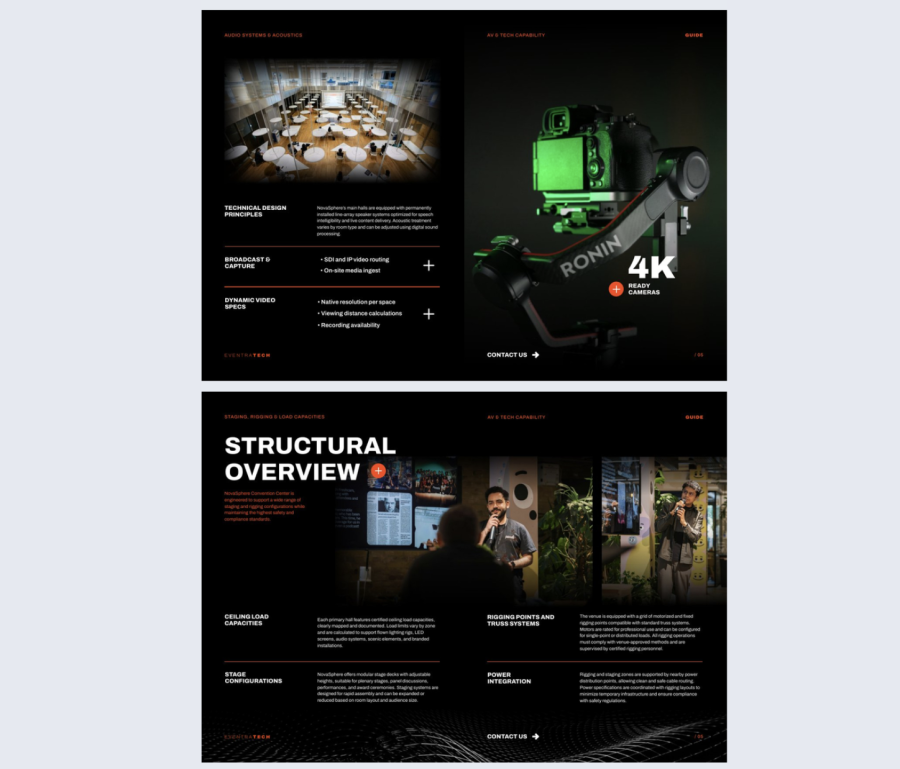
Best for: Events with complex production needs including live streaming, hybrid setups, large-scale staging, or multi-room AV where technical compatibility needs to be confirmed before contracts are signed.
Real-world application: A hotel events team was consistently losing production-heavy events at the final stage because external AV vendors could not get clear spec information quickly enough. Consolidating in-house AV inventory, bandwidth capacity, and rigging details into a dedicated interactive guide gave vendors everything they needed to confirm compatibility and move forward without a site visit.
Common mistake to avoid: Listing equipment by brand and model number without context. An AV vendor needs to know what your system can do, not just what it is called. Lead with capabilities and use technical specs as supporting detail.
Visual support and clear inquiry points reduce misunderstandings and speed up approvals. Share it directly with the planner’s production team or include it as part of your full meeting planner resource guide toolkit so technical stakeholders can access it independently.
Rooming list template
A rooming list is one of the most updated documents in any group booking. Attendees confirm late, change room types, and cancel right up to arrival. The Editable Rooming List Template gives both the hotel and the planner’s team a single live document that stays accurate through every revision without anyone having to resend a file.
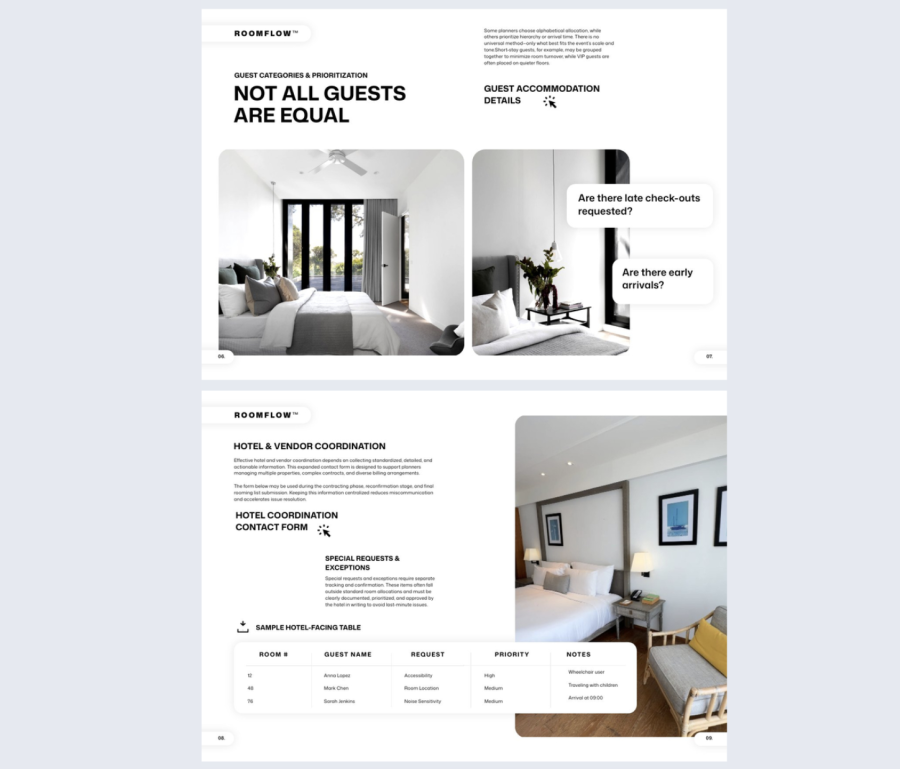
Best for: Group bookings where guest data changes frequently between contract and check-in and where discrepancies at arrival would create operational problems.
Real-world application: A hotel operations team was managing rooming lists via email attachments, reconciling different versions from the planner and their own front desk team the night before a large group arrival. Switching to a shared live document meant both teams were always looking at the same data, eliminating last-minute discrepancies at check-in.
Common mistake to avoid: Treating the rooming list as a one-time document sent at contract stage. It is a living document that needs to stay current through every change. A static PDF becomes a liability the moment the first attendee updates their reservation.
It includes built-in contact forms and spotlight sections to keep key details visible. Use Flipsnack’s collaboration features so multiple team members can update it simultaneously, keeping your operations team aligned through peak booking periods.
How do you keep a meeting planner resource guide always up to date?
The biggest challenge for hotel sales teams is not creating collateral, it is keeping it current. Outdated PDFs circulate long after pricing changes or capacity updates are made. And that creates confusion at exactly the wrong moment.
Flipsnack solves this with a single, always-live link per document. Update any meeting planner guide once in the Design Studio and every shared version updates instantly. No resending and no version control issues, which also means no outdated files sitting in a planner’s inbox.
For teams managing multiple properties, Flipsnack’s collaboration tools let you assign roles and manage permissions without slowing your production cycle. With integrations across your CRM and marketing tools, your meeting planner guides connect directly to the systems you already use.
FAQ
How do interactive meeting planner guides improve sales conversion? Interactive meeting planner guides hosted as live links let sales teams update content instantly, embed video and virtual tours, track buyer engagement, and share securely with specific people. Each of these removes friction at a different stage of the buyer journey. The result is a shorter sales cycle and fewer rounds of clarification before a deal closes.
Can these meeting planner guide templates be customized for our venue’s branding? Yes, fully. All Flipsnack templates are editable in the Design Studio — colors, fonts, logo, and images. Any trace of Flipsnack branding can be removed entirely, so every planner who receives your guide sees a document that looks like a custom-built solution for your property. The sharing link can be replaced with your own branded domain, and templates can be locked so every property in your portfolio works from the same approved version without being able to alter the brand elements that matter.
Build a more efficient meeting planner resource guide in Flipsnack
Whether you need a top-of-funnel sales kit or a detailed AV spec guide, Flipsnack gives your hotel sales team one hub to create, share, and maintain every meeting planner guide on brand, always current, and without the version chaos of static PDFs.
Ready to build your meeting planner resource guide toolkit? Contact our sales team to find the right plan for your property.