How to Make an Employee Handbook That Stays Current Across Teams and Locations
Published on: April 3, 2026
Most companies treat the employee handbook like a one-time project. Someone writes it, HR approves it, it gets emailed out as a PDF, and then it sits there untouched while the company keeps moving. New hires join remotely. Offices open in different cities. Policies change. And the handbook quietly becomes outdated.
That is the real problem with employee handbook creation. It is not the writing. Most teams can pull together a solid first draft. The hard part is what happens after: keeping it accurate, keeping it accessible, and making sure the right people actually read it.
Adding more pages is not the answer. A longer staff handbook does not fix a stale one. If employees cannot find what they need quickly, or if managers are working from different versions of the same policy, the document has already stopped doing its job.
What actually works is treating your employee handbook as something living. A resource people can search, click through, and return to when something changes.
This is where a digital employee handbook changes the game. Instead of a static PDF, you get something that updates in real time, works across devices, and feels like it was built for how people actually work today.
This guide walks you through how to make an employee handbook that does not just cover the basics on day one, but stays useful as your team grows, your policies evolve, and your workforce spreads across locations.
Why most employee handbooks get ignored
Ask any employee where to find the company’s time-off policy and watch what happens. Most will check Slack first. Then maybe ask a colleague. The handbook — if they remember it exists — is usually the last resort.
This is not an attitude problem. It is a design problem.
The most common failure points in employee handbook creation tend to follow the same pattern:
- Dense, unreadable text. Long paragraphs, legal language, and wall-to-wall formatting make the handbook feel like a compliance document rather than something meant to help people work.
- Outdated PDFs. A file gets emailed out, updated six months later, and now two versions are floating around. Nobody is sure which one reflects the current parental leave policy.
- Scattered ownership. HR wrote it, legal reviewed it, a manager added a section. Now, nobody knows who is responsible for keeping it current, so employee handbook updates get delayed indefinitely.
- No navigation. A 40-page document with no clickable structure forces people to scroll endlessly to find one paragraph. Most will not bother.
- No clear process for changes. Even when updates are made, there is no reliable way to push them out to everyone, especially for remote employees working from a version they downloaded months ago.
The cost of all this is higher than it looks. New hires start with incomplete information. Managers make judgment calls that should not need to be judgment calls. And when something goes wrong, the handbook that was supposed to protect everyone turns out to be the least reliable thing in the room.
Stop sending PDFs around and build one living handbook hub
Every time someone emails a PDF, the clock starts ticking on how quickly it becomes outdated. Someone downloads it, saves it to their desktop, and that is the version they reference for the next two years, whether or not it still reflects company policy. Multiply that across a growing team, and you have a serious information problem dressed up as a document.
A digital employee handbook fixes this at the root. Instead of a static file, you get a single link that always points to the current version. The benefits are straightforward:
- One source of truth. Everyone sees the same version, whether they are in the office or working remotely.
- Easy to search. Employees jump straight to the policy they need instead of scrolling through 40 pages.
- Works on any device. A laptop, a phone, between meetings — it is accessible wherever people actually are.
- Faster updates. Change something once, and it is live for everyone, instantly.
Beyond access and accuracy, an online employee handbook can also be genuinely interactive with welcome videos, clickable links to key pages, embedded explainers, and visuals that break up long text. That is what turns a document people dread into one they actually use.
With Flipsnack, you can go one step further and organize everything inside a digital bookshelf. Your handbook, benefits guide, onboarding materials, and training docs all grouped under one shareable link.
We’ll see in a minute exactly how to create an employee handbook in Flipsnack and set it up on a bookshelf.
What should an employee handbook include?
Before you start building, it helps to know what actually belongs inside. A solid employee handbook is not just a list of rules — it is a reference that covers everything from company culture to what happens when someone needs a week off. Getting the structure right from the start makes employee handbook creation much easier to manage over time.
Here are the core sections every handbook should have:
- Company overview. Your mission, values, culture, and a brief history. This is often the first thing a new hire reads, so make it feel human rather than corporate.
- Employment basics. Working hours, attendance expectations, and probation periods. Keep this section clear and specific — vague policies create unnecessary confusion.
- Code of conduct. Behavior standards, disciplinary processes, and anything related to how people are expected to treat each other and represent the company.
- Leave and time off. Every type of leave you offer, how to request it, and a breakdown of public holidays. This is one of the most-searched sections in any staff handbook, so make it easy to navigate.
- Compensation and benefits. Pay cycles, expense policies, and perks. Employees should not have to ask HR basic questions that a well-written handbook can answer.
- Health and safety. General obligations, emergency procedures, and any role-specific requirements.
- Remote and hybrid work policies. This is no longer an optional add-on. An employee handbook for remote employees needs to spell out expectations around availability, equipment, and communication tools. If your team is distributed, this section needs as much attention as any other.
- Location-specific sections. If you operate across different countries or states, some employee handbook policies will need to vary by location. Build these as separate blocks rather than trying to fit everything into one universal policy.
- How to use the handbook. Where to find it, who to contact with questions, and how often it gets reviewed. This is easy to skip but worth including — especially in a digital employee handbook where employees might not know updates have been made.
Think of this list as your employee handbook checklist for the first draft. Not every company will need every section in the same depth, but starting with this framework means nothing important gets missed, and future employee handbook updates are much easier to manage when the structure is already in place.
With the structure sorted, the next step is building it in a format that actually holds up over time.
How to make an employee handbook using Flipsnack
Employee handbook creation does not have to start from scratch. In Flipsnack, you can either upload an existing PDF and convert it into an interactive flipbook or build your handbook directly in the Design Studio using a template.
1. Upload your PDF or start from a template
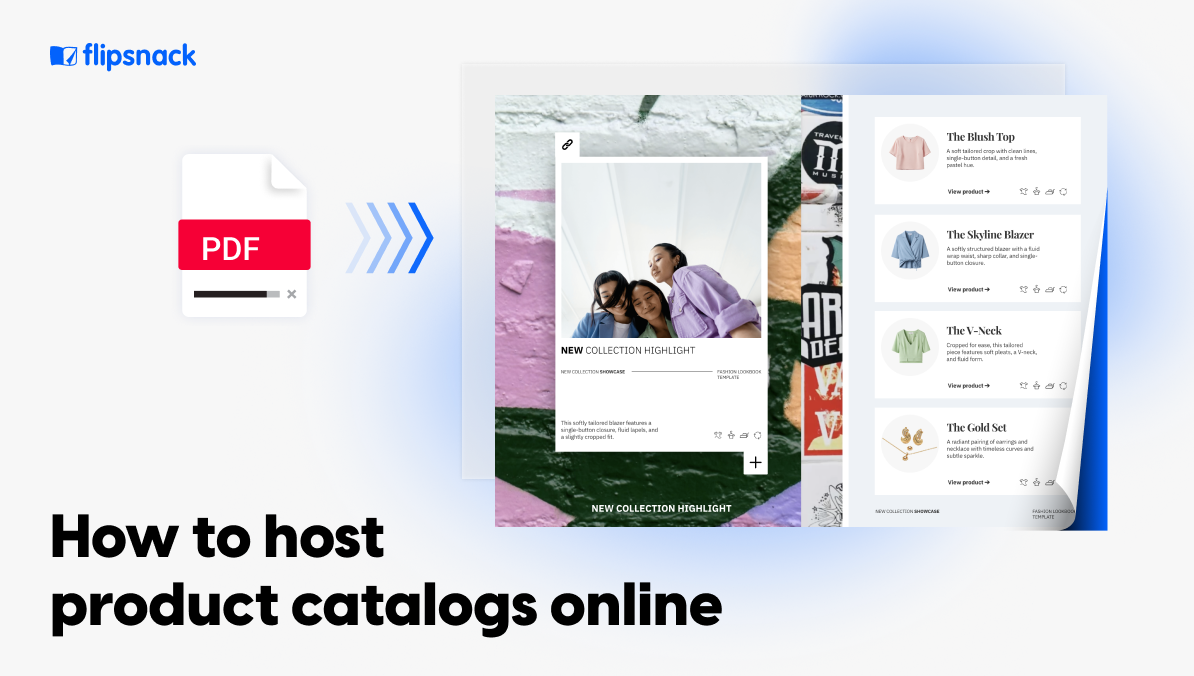
If your HR team already has a handbook draft, uploading the PDF is the fastest starting point. Flipsnack converts it into an HTML5 flipbook instantly. From there, you can edit content, rearrange pages, and layer in interactive elements without leaving the platform.
If you are starting fresh, the Design Studio gives you templates and a drag-and-drop editor to build from the ground up.
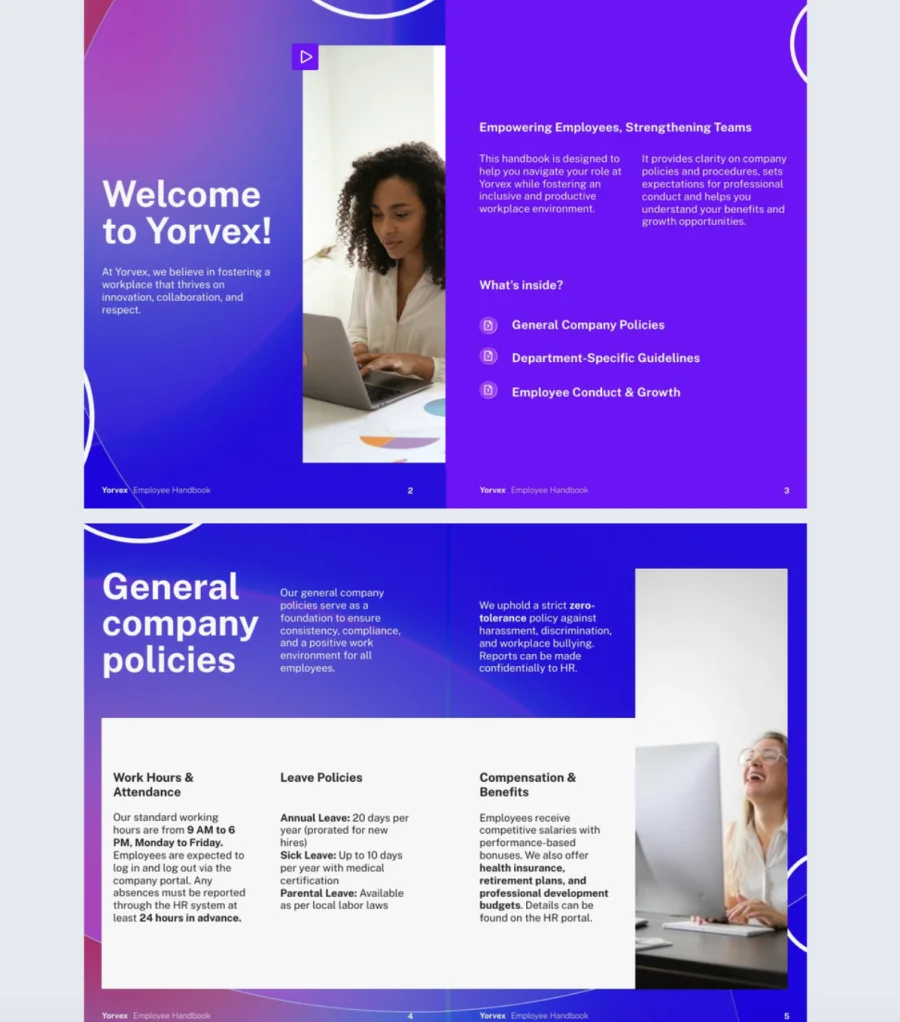
Here’s an employee handbook template from Flipsnack you can use right away:

2. Add interactivity that actually tests understanding
This is where a digital employee handbook pulls ahead of any PDF. Flipsnack supports buttons, links, videos, embedded content, and built-in quizzes, all without external tools.
The quiz feature is worth paying particular attention to. Most companies stop at “employees signed the acknowledgment form.” That does not prove anyone understood the policy. A smarter approach is to add short knowledge checks directly after high-risk sections — conduct, data security, remote work, or leave policies.
Flipsnack lets you:
- Set questions to appear one at a time or all on one page
- Show correct answers after each question or at the end
- Allow employees to retake the quiz to support learning
- Make the quiz mandatory before they can proceed further
- Collect and track every response in the analytics dashboard
Beyond quizzes, you can embed a question element to gather open feedback, or add a contact form for employees to flag issues — all from inside the handbook itself.
Good navigation matters just as much as good content. Use section labels, a clickable table of contents, and internal links to guide employees directly to what they need.
For a handbook used across different teams or locations, role-based and location-based signposts help people skip past sections that do not apply to them.
Flipsnack supports table of contents creation and trackable internal and external links, so you can see exactly which sections employees are clicking on and which ones they are skipping.
3. Brand your handbook
A well-branded staff handbook signals that this document was made with care.
In Flipsnack, you can apply your company’s colors, logo, and fonts across every page. You can also lock templates so that team members adding new sections stay on-brand, even without design experience.
For companies that want to go further, custom domain support lets the handbook live under your own URL.
4. Make your handbook accessible to every employee
An employee handbook only works if every employee can actually use it, including those who rely on screen readers, keyboard navigation, or other assistive technologies.
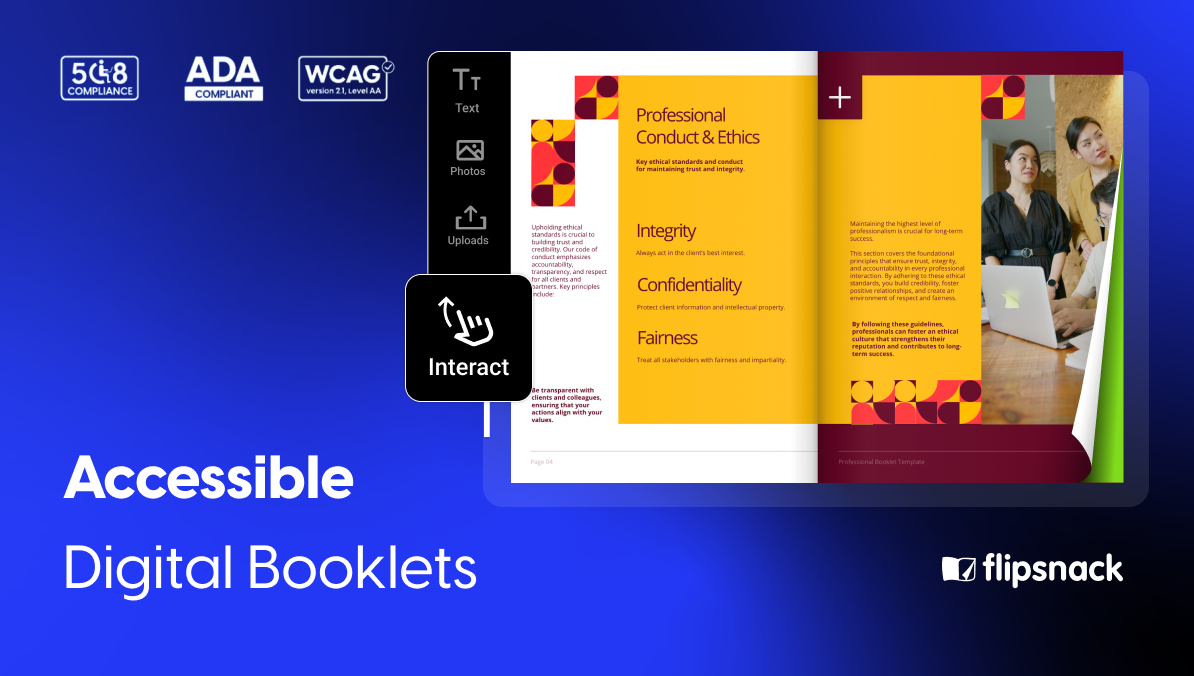
Flipsnack’s flipbook player is compliant with ADA, WCAG 2.1 Level AA, and Section 508 standards.In practice, that means all player buttons and interactive elements — previous page, next page, search, download, and more — are labeled and fully navigable by keyboard.
For the handbook content itself, you can enable accessibility by adding titles and descriptions for each page manually, extracting existing text automatically, or generating summaries using AI. These descriptions are then read by screen readers like VoiceOver or NVDA, allowing visually impaired employees to navigate and understand the content.
One important note: Flipsnack does not automatically make your flipbook content accessible. You need to configure accessibility settings manually or use the AI-based content extraction feature.
For organizations that want to go further, Flipsnack also allows you to upload your own accessible PDF, which can include manual alt texts, color contrast adjustments, and structured tags for screen readers. Employees can then download it directly from the flipbook player.
5. Share it securely across offices, remote teams, and new hires
Different documents need different levels of access. An employee handbook for remote employees may need to reach people across multiple countries, while a regional policy guide might only be relevant to one office. Flipsnack gives HR, internal comms, and IT teams several private sharing options to manage this:
- Unlisted links — accessible by link only, not indexed publicly
- Password protection — adds a gate for sensitive documents
- Private sharing — restricted to specific email addresses
- SSO-based access — employees log in through your existing identity provider, with no separate account needed
- One-time passwords (OTP) — for secure, time-limited access
Every flipbook stays current after edits, so anyone who has the link always sees the latest version.
6. Measure what employees read and skip
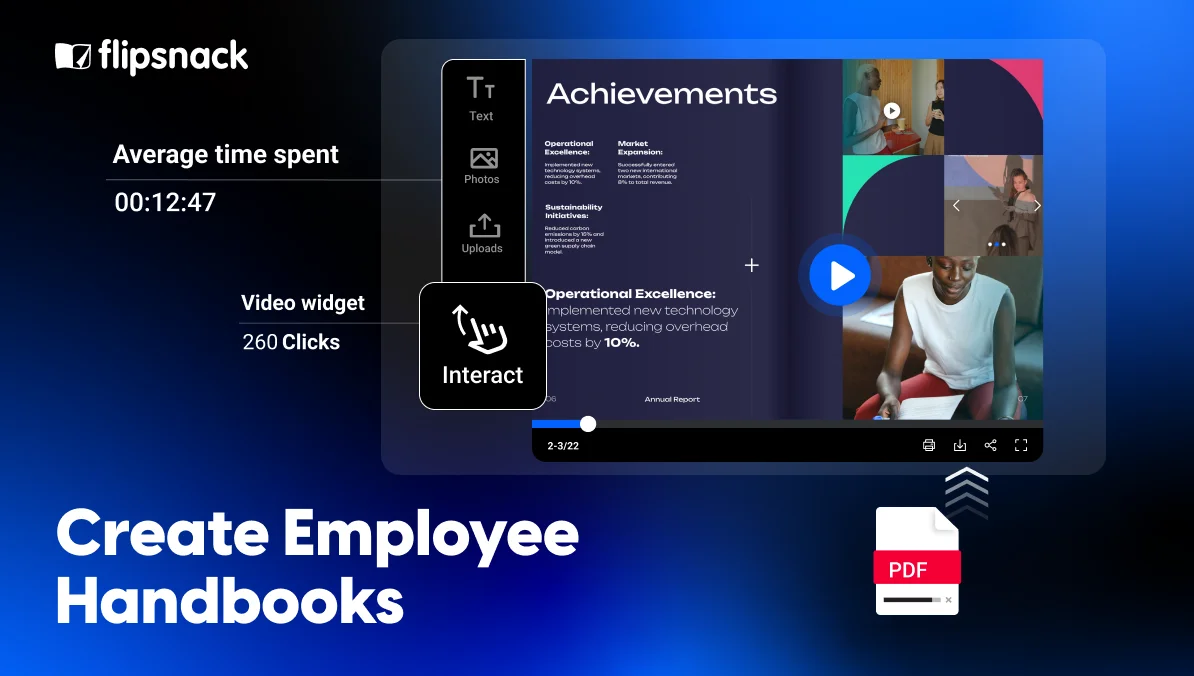
This is where how to make an employee handbook becomes an ongoing process rather than a one-time task. Flipsnack Analytics tracks views, time spent per page, clicks on interactive elements, and quiz completion data across your entire workspace.
If employees are consistently skipping a section, leaving a quiz unfinished, or spending a disproportionate amount of time on one policy, that tells you exactly where to focus your next round of employee handbook updates.
Analytics are available at the workspace, flipbook, and page level. You can also export data as a CSV to share with stakeholders or connect to Google Analytics 4 for deeper reporting.
Once your employee handbook is live, you can add it to a Flipsnack digital bookshelf alongside your benefits guide, onboarding materials, and any other internal documents. Everything lives under one shareable link and stays organized, branded, and easy for any employee to navigate, whether they are joining on day one or looking something up two years in.
How to keep an employee handbook updated
Writing the handbook is the easy part. Keeping it accurate is where most companies quietly fall behind.
Policies change. Employment legislation gets updated. The company hires in a new country, opens a second office, or shifts to a hybrid model. Any of these things can make a section of your employee handbook outdated overnight, and the problem is that nobody always notices straight away.
A handbook that was accurate at launch will not be accurate in 12 months. That is not a failure of effort. It is just the reality of how companies grow and how regulations move. The question is whether your process can keep up.
The version control problem
Here is what typically happens without a clear system. HR updates the handbook and sends out a new PDF. Some employees download it. Others do not. A manager saves the old version to their desktop and keeps referencing it. A new hire gets onboarded six months later using a copy that someone pulled from an email thread. Now you have four or five versions of the same document in circulation, and no reliable way to know which one any given employee is looking at.
This is the version control nightmare — and it is one of the most common reasons employee handbook updates never fully land.
How Flipsnack solves it
With a digital employee handbook in Flipsnack, the link never changes. You update the content once inside the platform, republish, and everyone who opens that link.
Whether they bookmarked it on day one or are clicking it for the first time, they will read the last version. There is no resending, no chasing, and no risk of someone working from an outdated copy.
Building a practical update workflow
Having the right tool only gets you halfway. You also need a clear internal process. A few things that make employee handbook updates easier to manage in practice:
- Assign a clear owner. One person or team should be responsible for the handbook. Without that, updates get delayed because everyone assumes someone else is handling it.
- Set a review schedule. A full review once or twice a year catches most drift. For fast-moving areas like compensation, leave, or remote work policies, a quarterly check is worth building in.
- Create a flagging system. Managers and employees should have a simple way to flag when something looks outdated. A linked form or a dedicated email address works fine — what matters is that the channel exists.
- Communicate changes clearly. When a section is updated, tell employees what changed and why. A brief announcement is enough. People do not need to re-read the whole document — they need to know what is different.
Managing multi-location updates
For companies operating across different countries or states, how to update an employee handbook gets more complex. Local legislation varies. Leave entitlements differ. What applies in one office may not apply in another.
The answer is not to create ten separate documents. Structure the handbook with global core values, conduct standards, and company-wide policies — and add location-specific sections as clearly labelled blocks. When a local policy changes, you update that block without touching anything else.
For companies that need to go further, Flipsnack’s digital bookshelves give you the option to create a dedicated bookshelf per location or region, each with its own link, branding, and access settings. Employees in each office see what is relevant to them, without wading through policies that do not apply.
Keeping remote employees current
For office-based teams, a policy change can be communicated in person, pinned to a noticeboard, or mentioned in a team meeting. None of those options exist for remote employees.
An employee handbook for remote employees needs to work harder by default. When the handbook lives online, and the link is always current, remote employees do not have to rely on a manager remembering to forward an updated PDF. They can access the latest version whenever they need it, from wherever they are working.
Combined with Flipsnack Analytics, you can also see whether employees are actually opening and reading the handbook after an update, which is something a PDF chain can never tell you.
Your handbook is only as good as its last update
A document no one trusts is worse than no document at all. If employees have learned to ignore the handbook because it is outdated, hard to find, or impossible to navigate, it is not protecting anyone. Not the company, not the people it was written for.
The goal was never to produce a PDF. It was to give every employee, regardless of where they work or when they joined, a clear and reliable answer to the question: what are the rules here, and where do I stand?
That is what a well-built digital employee handbook actually does. It is not a filing exercise. It is one of the clearest signals a company can send about how seriously it takes its people, whether they are sitting in the main office or logging in from three time zones away.
Flipsnack gives HR and internal comms teams the tools to build something that works: interactive, searchable, branded, and easy to keep current. The handbook your company deserves is not a longer one. It is a smarter one.
FAQs on employee handbooks
There is no universal law that requires companies to have an employee handbook. However, many jurisdictions do require employers to communicate certain information to employees in writing — things like anti-discrimination policies, leave entitlements, or health and safety obligations. A handbook is the most practical way to meet those requirements in one place. Whether yours is legally mandated or not, having a documented, accessible set of policies is standard practice and reduces the risk of disputes. Check with a legal or HR professional in your region to understand what disclosures apply to your specific situation.
A few things that regularly cause problems:
Overly rigid or absolute language. Phrases like “employees will always” or “the company will never” can create implied contractual obligations that are difficult to walk back.
Promises you cannot guarantee. Statements about job security or specific compensation terms can be used against a company if circumstances change.
Excessive operational detail. Step-by-step processes, role-specific workflows, and technical procedures belong in separate documentation, not the handbook. Including them makes the handbook harder to maintain and harder to read.
Outdated legal language. A clause that was accurate three years ago may no longer reflect current employment law. Old, unreviewed content is often more damaging than a gap.
If you are unsure whether specific language creates legal exposure, have an employment lawyer or HR specialist review those sections before publishing.
Yes. If a handbook contains language that contradicts how the company actually operates, makes promises that were not kept, or conflicts with employment law, it can work against the company rather than protecting it. This is one of the most common arguments for keeping handbook language clear, realistic, and regularly reviewed. It is also why vague or outdated sections are a genuine risk, not just a communication problem. For anything that touches employment rights, termination, or conduct processes, having those sections reviewed by a qualified professional before publishing is worth the investment.
Long enough to cover what employees actually need to know — not longer. There is no standard page count, and adding more content does not make a handbook more effective. A 20-page handbook that is well-structured and easy to navigate will serve employees better than an 80-page document they will never read. If you find sections expanding indefinitely, ask whether that content belongs in the handbook or in a separate policy document, training guide, or role-specific resource.
An employee handbook is written for employees. It covers company culture, conduct expectations, leave policies, benefits, and the information people need to understand how the company works and what is expected of them day to day.
A policy manual is typically more detailed and procedural, written for managers or HR teams. It covers how policies are administered, escalation processes, and operational specifics that most employees do not need access to.
The two serve different audiences and different purposes. Keeping them separate makes both easier to maintain and ensures employees are not wading through operational detail that has nothing to do with their day-to-day work.