7 Interactive Booklet Features Worth Adding (and 4 Times to Stay Static)
Published on: Jaunary 23, 2025
Last updated on: August 4, 2026
An HR consultant finishes a 24-page benefits guide at 11pm, exports to PDF, emails it to 400 employees, then waits. Nobody replies. Open enrollment closes. Participation lands flat again, and nobody can say which page lost people.
That consultant did nothing wrong. Every fact was correct, every layout clean.
Blame belongs to the format, not the work. Static pages inform. Interactive pages respond.
An interactive booklet reaches readers through a link rather than an attachment, which means video can sit beside a policy summary, a question can be answered inside the document, and you finally see where attention goes. Roughly 80% of production cost disappears too, as one Tampa consultancy discovered.
Booklets sit between a flyer and a magazine, usually running 8 to 36 pages. Terminology varies by department: HR teams say guide, marketing says booklet, procurement says collateral. Same artifact. If you want the fuller definition first, start with our guide to what a digital booklet is. Everything below assumes you already have one and want it to work harder.
Ahead: seven interactive elements worth adding, four situations where adding nothing serves readers better, plus a recommendation table matching each element to a specific booklet job.
Table of contents
- Why does interactivity matter in a booklet?
- Printed, static, or interactive: Which booklet format fits?
- How do you make a booklet interactive?
- Which interactive features actually earn their place in a booklet?
- Which interactive element for which booklet?
- Where interactive booklets do their best work
- Choosing your format: static or interactive
- Frequently asked questions about interactive booklets
Why does interactivity matter in a booklet?
The short answer: Interactivity turns a one-way document into a two-way channel. Readers watch, click, submit and navigate inside your booklet, so you learn which pages hold attention and which lose readers. Static files report nothing back.
Attention isn’t the whole problem. Measurement is.
Marketing teams track ad performance down to the impression, then hand a sales team a PDF brochure and lose all visibility the moment it leaves the outbox. Flipsnack made this argument publicly in Business Reporter in December 2025: client-facing documents remain the last unmeasured stretch of the customer journey.
Interactive elements fix both halves at once. Video holds someone on page six. A form tells you who wanted more. Page-level analytics show where readers stopped, which turns your next revision into an informed decision rather than a guess.
Printed, static, or interactive: Which booklet format fits?
| Capability | Printed booklet | Static PDF booklet | Interactive booklet |
| Cost of one correction | Full reprint | Re-export, re-send | Edit under the same link |
| How readers receive it | Hand delivery or mail | Email attachment | One shareable link |
| Engagement data | None | Download counts only | Page views, time per page, clicks |
| Reading on a phone | Fine | Pinch and zoom | Reflows to screen |
| Access control | Physical possession | Password on the file | Password, one-time passcode, SSO, expiry |
| Accessibility support | Print alternatives only | Depends on tagging | WCAG 2.1 AA navigation |
| Works offline | Yes | Yes | No |
| Accepted by procurement portals | Sometimes | Yes | Rarely |
Read the bottom two rows carefully, because they matter as much as the top six. Interactive booklets win on cost, reach and measurement, then lose outright wherever a reader needs something offline or a system demands a file. Format choice follows distribution, never preference.
How do you make a booklet interactive?
The short answer: Upload an existing PDF or start from a booklet template, open it in Design Studio, add interactive elements to specific pages, set your privacy option, then publish and share one link.
Step 1: Upload your PDF or pick a template
Drag your finished PDF into Flipsnack, or open a booklet template and work from a layout that already fits. Either route lands you in Design Studio.
Step 2: Edit the pages you need to change
Uploaded PDFs no longer arrive frozen. Edit PDF detects text, images, shapes and vectors as editable elements, so a wrong premium figure or a stale headshot takes seconds to fix, no return trip to InDesign.
Step 3: Add interactivity where reader intent peaks
Resist the urge to decorate every page. Place elements at the moments a reader hesitates: the page explaining a plan tier, the page asking for a decision.
Step 4: Choose how far the booklet travels
Public, unlisted, password-locked, or restricted through SSO. Salary bands and internal onboarding material belong behind restrictions; a service overview belongs in the open.
Step 5: Share one link, then watch the analytics
Send by email, embed on your intranet, or generate a QR code. Return after a week and read page-level engagement, so your second version corrects a known problem rather than a suspected one.
Which interactive features actually earn their place in a booklet?
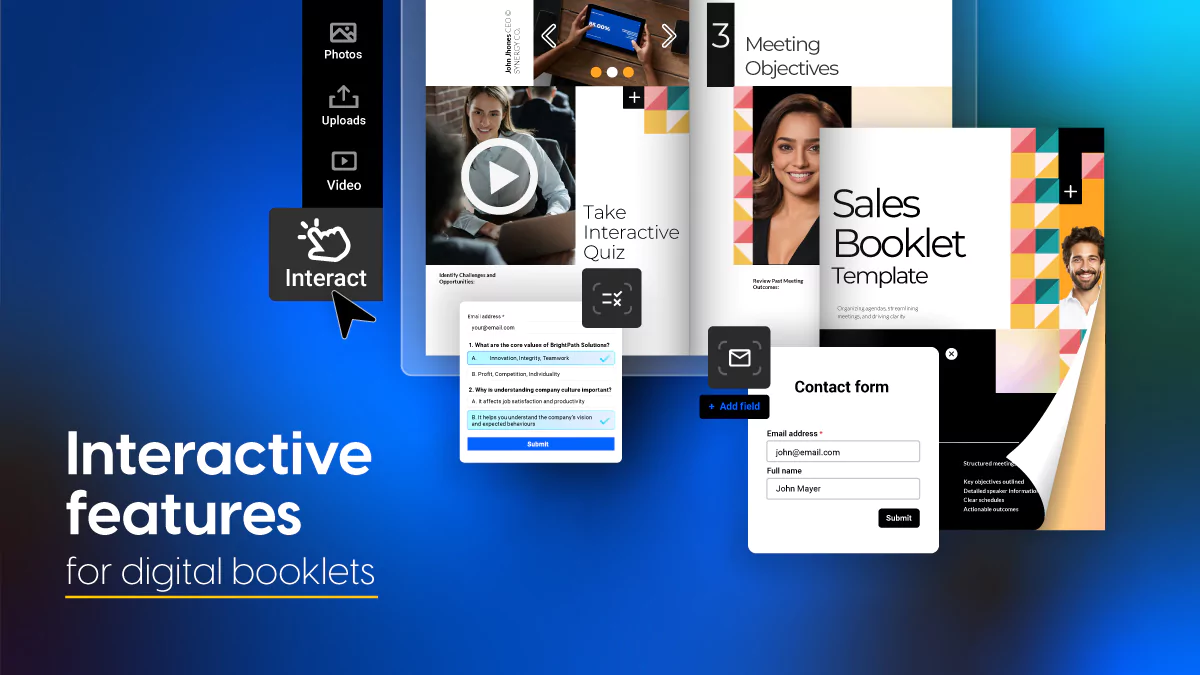
1. Embedded video
Drop a 40-second explainer beside a dense policy paragraph, so readers who skim text still absorb the point. Flipsnack plays video inside the page rather than bouncing someone out to YouTube, which keeps your reader in the booklet and keeps the view in your own analytics.
Upload your own file, or pull from the stock video library when you need footage without a shoot. HR teams lean on this for plan comparisons; sales teams use it for demonstrations a still image flattens.

2. Lead forms
Stop sending prospects to external landing pages. Capture leads directly inside your booklet while readers are engaged.
Add customizable forms to any page. Collect names, emails, job titles, company details—whatever data qualifies leads for your sales team. Forms sync automatically with your CRM through direct integrations or Zapier, so submissions flow straight into your pipeline.
A SaaS company shares an industry trends booklet with prospects. Page 3 includes a lead form gating premium research data. Only genuinely interested readers fill it out, giving the sales team warm leads instead of cold contacts. The marketing team tracks form submissions separately from general booklet analytics, measuring exactly which content generates the most qualified leads.
Flipsnack also offers engagement interactions like quizzes and questions. These turn passive reading into active participation, helping you identify high-intent prospects.
Unlike traditional methods that require external tools or links, embedded lead forms keep users engaged with content. This approach reduces friction, improves conversion rates, and helps you qualify leads faster. Plus, you can tailor the form fields to capture the specific data you need, ensuring each submission aligns with your marketing goals.
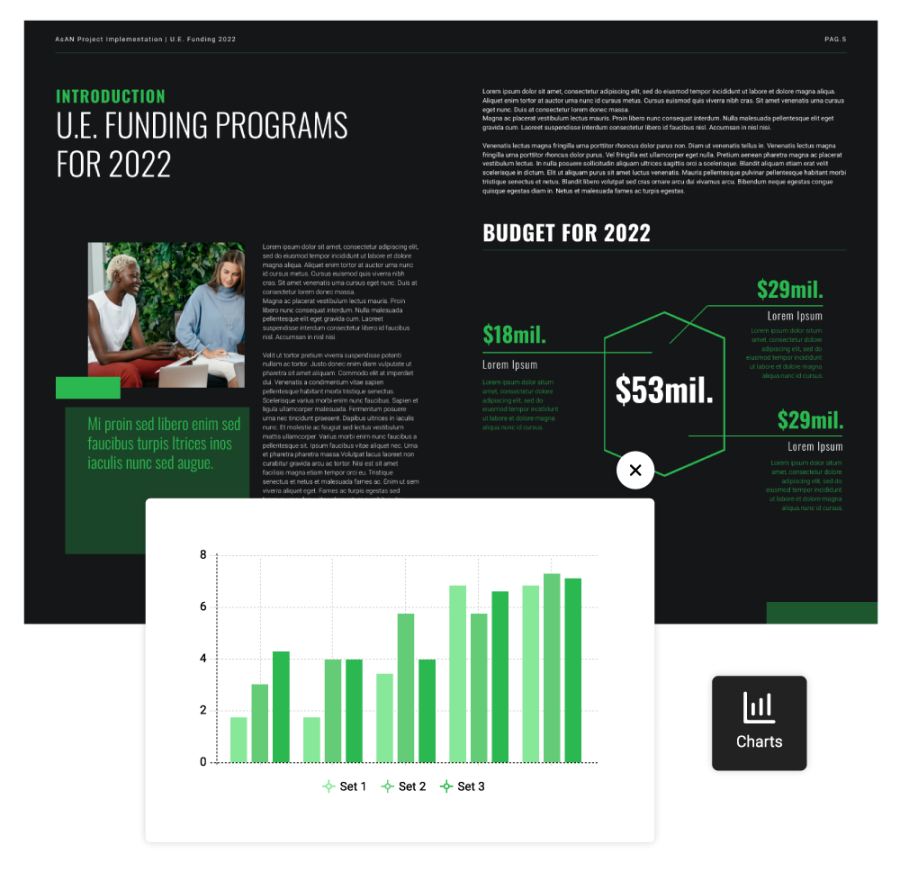
3. Interactive charts
Present cost comparisons or survey results as charts readers can explore, so complex numbers become legible instead of intimidating. Benefits and finance material gains most, because a premium table that defeats people in print becomes navigable once readers can work through it at their own pace.
Build charts natively in Design Studio rather than pasting a flat screenshot, since a flattened image throws away both the interactivity and the text a screen reader needs to do its job.
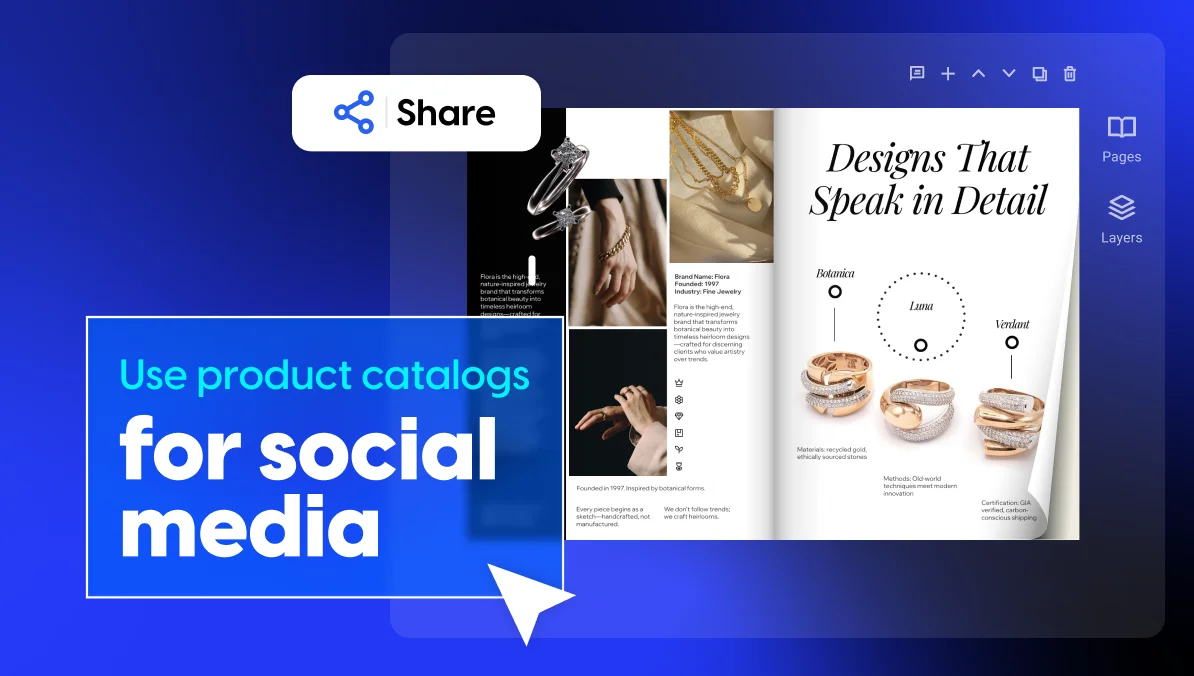
4. Clickable product tags and hotspots
Flipsnack’s tag element sits over any object on a page with a pulsing marker, so a reader taps a plan name, a SKU or a room and receives detail on the spot.
Captions do similar work with less visual noise when what you’re adding is a sentence rather than a destination. Both remove the entire “see appendix B” problem, which is the quiet reason long booklets lose people around page nine.
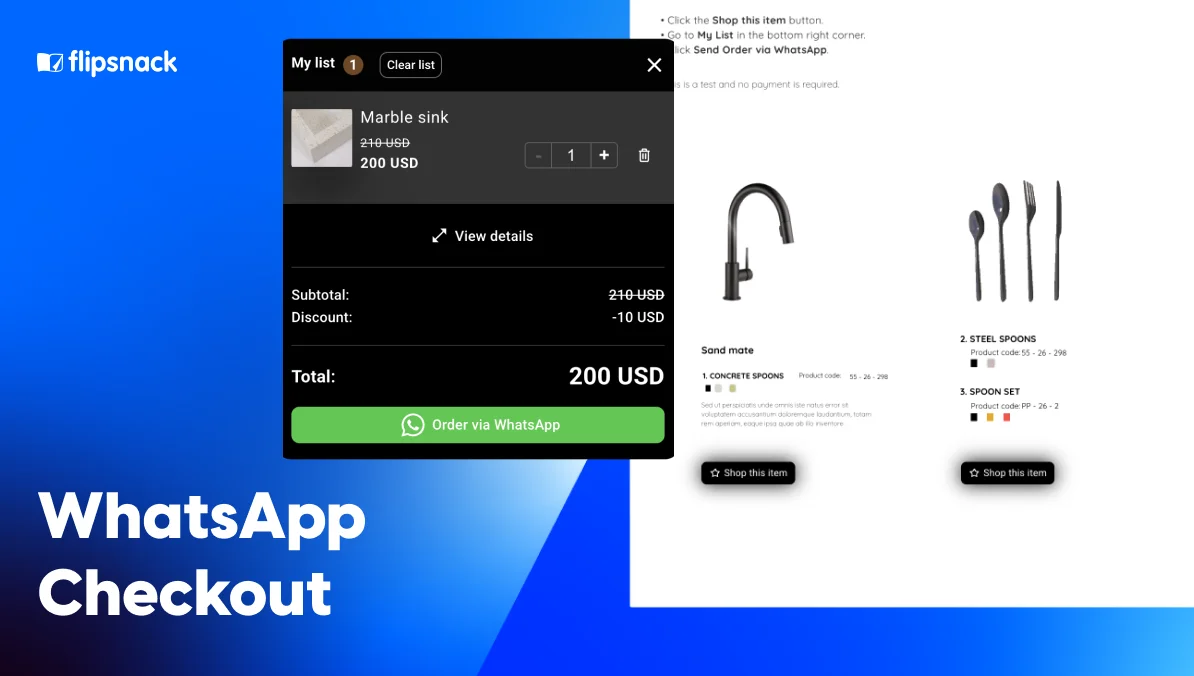
Retail and wholesale catalogs push further with shopping lists, letting buyers collect items while they browse instead of starting an order from scratch afterward.

5. Iframe embeds
Pull dynamic content directly into your booklet pages—photo galleries, virtual tours, interactive maps, live dashboards.
Embed iframes to showcase content that updates automatically. A product catalog can feature live inventory counts. A marketing booklet can display your latest social media feed. An annual report can show real-time performance metrics. The source updates, your booklet updates—no manual republishing required.
An architecture firm embeds a 3D virtual tour of a completed project. Potential clients explore the space room by room, getting a realistic sense of the design without visiting in person. A marketing agency embeds its portfolio as an interactive gallery—clicking through dozens of case studies without adding pages to the booklet.
Iframe embeds also work in reverse. Publish your finished booklet, then embed it on landing pages, resource hubs, or blog posts. Your content lives in multiple places while you maintain it in one location.
6. Photo slideshows
Stack several images inside one frame, so a facility, product range or venue gets shown properly without inflating your page count. Spotlight images do the reverse, enlarging a single detail on tap when one visual carries the whole argument.
7. Living visuals
Animate a static image with AI motion inside Design Studio, so a hero shot holds attention for an extra beat. One click, no timeline editing, no video production, and the generated clip plays automatically inside the booklet. Motion works hardest on covers and section openers, considerably less on pages carrying dense information.
For a wider walkthrough of every element available, including how each behaves for readers, see our guide to creating interactive content that converts.
Which interactive element for which booklet?
| Booklet type | Add first | Add second | Leave out |
| Employee benefits guide | Iframe embed for provider search | Video plan explainer | Lead forms |
| Onboarding and training pack | Interactive charts | Video walkthroughs | Product tags |
| Sales or product booklet | Product tags | Lead capture form | Interactive charts |
| Annual or impact report | Interactive charts | Slideshows | Iframe embeds |
| Event program | Iframe embed for the venue map | Slideshows | Video |
| Real estate listing booklet | Slideshows | Living visuals | Lead forms on page one |
Notice how rarely the same element repeats across rows. A benefits guide serves an internal audience already committed, so a lead form only irritates. Sales collateral serves strangers, where capturing a name is the entire point.
When should a booklet stay static?
The short answer: Keep a static file whenever the document is a legal record, needs completing offline, or must be uploaded into a system that only accepts files.
Interactivity earns nothing in these four situations:
- Legal and compliance records. Signed plan documents and regulatory filings need a fixed artifact with a version number, where a link that updates silently becomes a liability.
- Anything requiring a signature. Interactive PDFs handle form fields and signatures properly. Flipbooks don’t pretend otherwise.
- Procurement and tender submissions. Portals accept files. A URL gets rejected, however beautiful.
- Genuinely offline audiences. Job fairs, waiting rooms, rural sites with unreliable connectivity. Print still wins that room.
Many teams run both formats deliberately: an interactive booklet as the shareable version, a downloadable PDF as the record.
Where interactive booklets do their best work
Employee benefits and open enrollment
Benefits information punishes static formats. Readers arrive with different plans, different family situations, different questions, then meet one identical document. Embed a provider search, add a plan-comparison chart, link each acronym to its definition, and comprehension climbs without lengthening anything.
Onboarding and training
New starters abandon 60-slide decks. A booklet with chaptered navigation, embedded walkthroughs and a short knowledge check gives people a document they can actually finish, while page analytics reveal which policy nobody reaches.
Sales enablement
Reps need collateral that reports back. Product tags let a buyer explore what interests them, a form captures the ones who lean in, and per-recipient tracking tells your rep when to follow up, so timing stops being guesswork.
How a four-person agency out-published national firms
PINEYWOODS Benefits is a Tampa insurance consultancy founded in 2020, with a team of four, led by Principal and Lead Consultant Jeffrey Lenderman, who brings 20+ years in employee benefits.
The before state. Launching into a pandemic removed in-person meetings, the industry’s default. Guides were built in Publisher and PowerPoint, exported as PDFs, then printed. Every typo in a complex insurance document meant reprinting, and complex insurance documents always contain one more typo.
What they built. Templated benefit guides customized per client through a new cover page plus that client’s fonts and colors. Provider searches embedded as links. Educational videos added for larger accounts. Distribution by link.
The ability to fix errors on the fly without having to reprint guides was a game changer. Accidents and Errors will occur especially when you are dealing with complex materials like insurance. You can proofread a guide 100 times and still find a mistake and it’s nice to know that you can log in and make corrections without having to get a URL or QR code.
Jeffrey Lenderman, Principal and Lead Consultant, PINEYWOODS Benefits
Results:
- Benefit guide production costs down 80%
- 100% client adoption of digital guides, with only a handful still requesting print
- Design turnaround reduced from a lengthy process to minutes per client
Choosing your format: static or interactive
Interactivity isn’t decoration you add once a booklet looks finished. Treat it as a set of decisions about where readers hesitate and what you need to learn from them.
Choose a static PDF when the document is a record, a signature carrier, or a procurement requirement. Choose an interactive version when the document needs to persuade, travel by link and report back on what happened next.
A four-person agency in Tampa now out-publishes national competitors on both counts.
Your booklet already has a reader’s attention. Interactivity decides whether you keep it.
Frequently asked questions about interactive booklets
An interactive book is a digital publication combining text with responsive elements: video, audio, clickable navigation, embedded forms or quizzes. Readers act inside the document rather than only reading it. Publishers use the format for textbooks and training material; businesses use the same approach for benefits guides and product booklets.
Upload a finished PDF or start from a booklet template, edit any text and images that need updating, add interactive elements to the pages where readers hesitate, choose a privacy setting, then publish and share one link. Corrections after publishing keep the same URL.
Video, lead capture forms, photo slideshows, clickable tags, interactive charts, iframe embeds and AI-animated visuals cover almost every business booklet. Pick by job rather than by novelty: a benefits guide needs an embedded provider search, a sales booklet needs product tags and a form.
Yes. Page-level analytics show views, time spent per page and clicks on individual elements. Per-recipient tracking links identify which named contact opened which page, which is why sales teams treat interactive booklets as pipeline instruments rather than collateral.
Convert the PDF into an interactive booklet and embed the link on your page, so visitors read without downloading anything. Embedded booklets load in the browser, work on phones, and feed engagement data back, whereas a linked PDF file hands visitors a download and tells you nothing afterward.