What Is a Digital Booklet? Definition, Benefits, and How to Start
Last updated: July 30, 2026
Booklets have long been a powerful communication tool, but their role has expanded significantly in the digital era. While traditional booklets were once limited to print formats like brochures, catalogs, or program guides, today’s digital booklets offer far more flexibility and reach.
A digital booklet goes by several names. You might see it called an e-booklet, an online booklet, an electronic booklet, a virtual booklet, or a digital program booklet. Whatever the name, it’s built for one purpose: to be viewed and shared digitally.
Flipsnack and similar tools make it easy to build one. You upload your content, and the software turns it into an interactive publication that goes far beyond a static PDF.
With features like embedded videos, animations, clickable links, and mobile-responsive layouts, digital booklets enable brands to deliver richer, more immersive experiences. You can showcase a product, present a program schedule, or simply elevate your content, in a format that feels more alive. Most tools also offer endless booklet design ideas and ready-made digital booklet templates to speed up the creation process.
The digital booklet software you pick matters. A strong platform should be easy to use, accessible to every reader, and fast to load. That turns a digital booklet into a publication people actually remember.
Table of contents
What is a digital booklet?
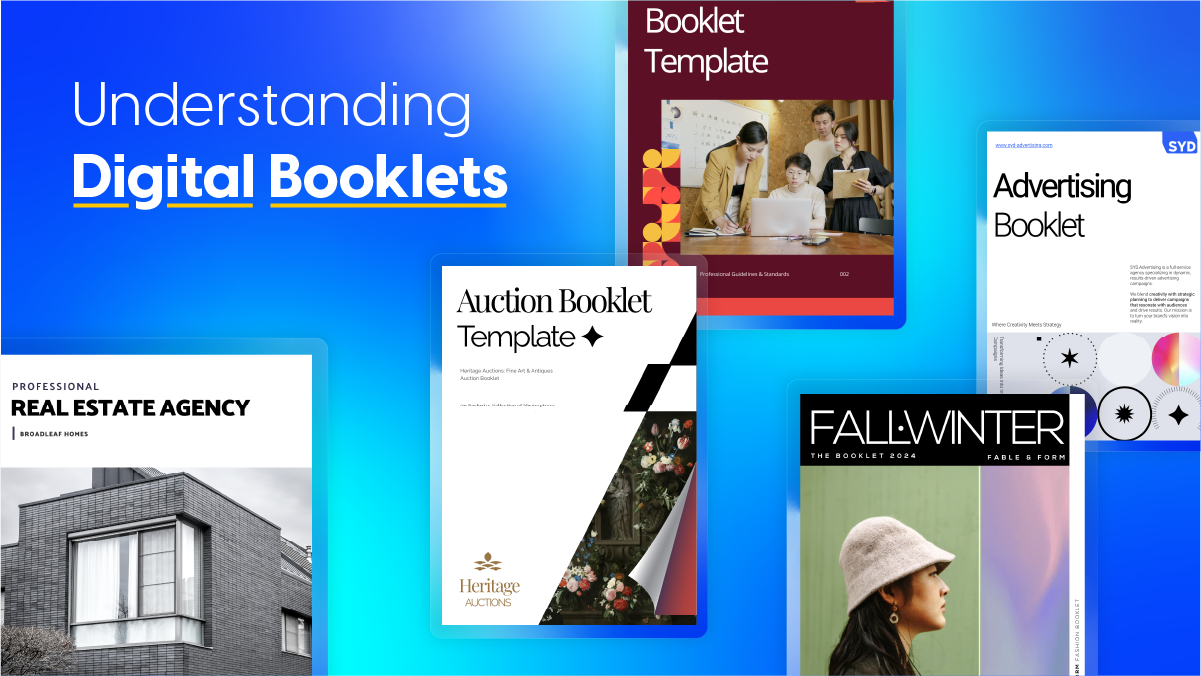
A digital booklet is an online, interactive version of a traditional booklet. It’s built for screens so they’re easy to distribute across devices. It presents information in a compact, visually engaging format, often created with tools like Flipsnack.
A digital booklet does the same job a printed one always did: marketing, product info, instructions, or an event program. The difference is what it can add on top. Instead of static pages, an electronic booklet can hold video, animation, and clickable links that pull the reader in further.
It still keeps the format people know: short sections, a clear structure, and strong visuals. But it delivers that content in a way that’s easier to access and more engaging to read.
Digital booklet vs. printed booklets
Digital and printed booklets both help you share information in a clear, organized way. The main difference is how your audience accesses them. A printed booklet is a physical publication, while a digital booklet can be viewed online from a computer, tablet, or smartphone.
Pick a digital booklet when you want to reach more people, update content often, or add interactive features. It’s also easier to share the same publication across several channels at once.
A printed booklet still has its place. It works well at events, trade shows, in stores, or in hotels, anywhere a physical item adds to the experience.
Using both printed and digital booklets can help you reach people in different ways. For example, hand out a printed booklet at an event, and add a QR code that links to the digital version.
| Printed booklet | Digital booklet | |
| Distribution | Mailed or handed out in person | Shared instantly through a link, embed, or QR code |
| Cost | Printing and shipping costs rise with each copy | One design, unlimited copies |
| Updates | Requires a full reprint | Edited and republished in minutes |
| Interactivity | Text and images only | Clickable links, video, audio, and animation |
| Reach | Limited to physical delivery | Accessible on any device, anywhere |
| Tracking | No way to measure engagement | Analytics show opens, time spent, and clicks |
| Environmental impact | Uses paper and ink | Fully paperless |
What are digital booklets used for
Digital booklets show up across many industries. They combine interactivity, accessibility, and a professional reading experience. Marketing teams use them. So do schools, healthcare providers, and internal comms teams where information needs to be clear and easy to follow.
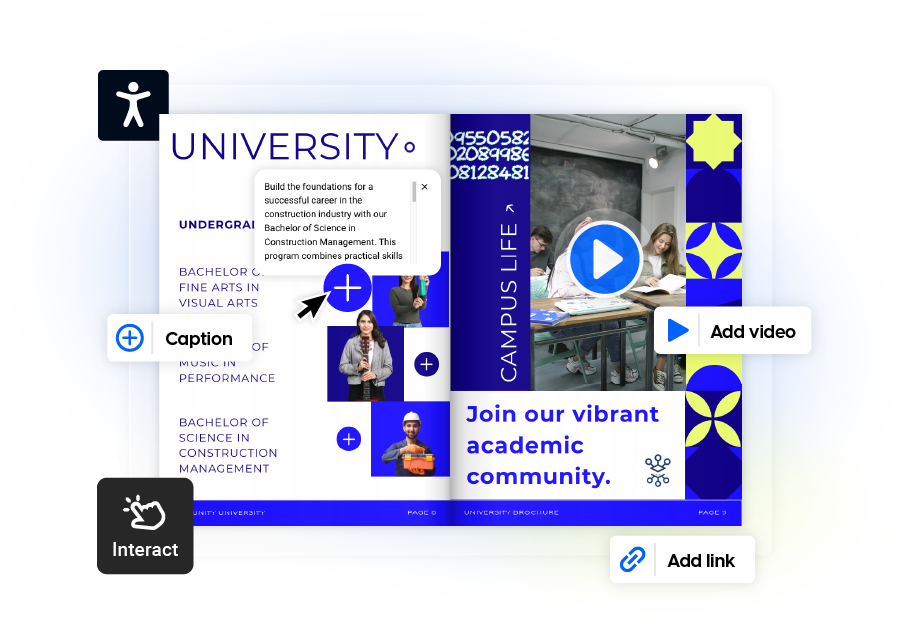
As more teams move away from static PDFs, digital booklets give them a better way to share content, support learning, and keep everyone informed. Their multimedia capabilities—videos, links, animations, and responsive layouts—make them impactful in marketing, where engaging customers is essential.
Here’s a closer look at five of the most common ways teams put them to work.
1. Lead generation
One of the most appealing benefits of digital booklets is their ability to capture leads. Through content such as ebooks, interactive guides, or digital reports, businesses can encourage users to exchange their contact information through embedded forms in the booklet. This helps marketers build targeted email lists and nurture leads through engagement
For example, you can offer a downloadable “SEO beginner’s guide” as a lead magnet or offer a free website audit using an online lead generation tool for SEO agencies. In exchange, the reader gives their email, making downloadable reports and guides great tools for generating qualified leads.
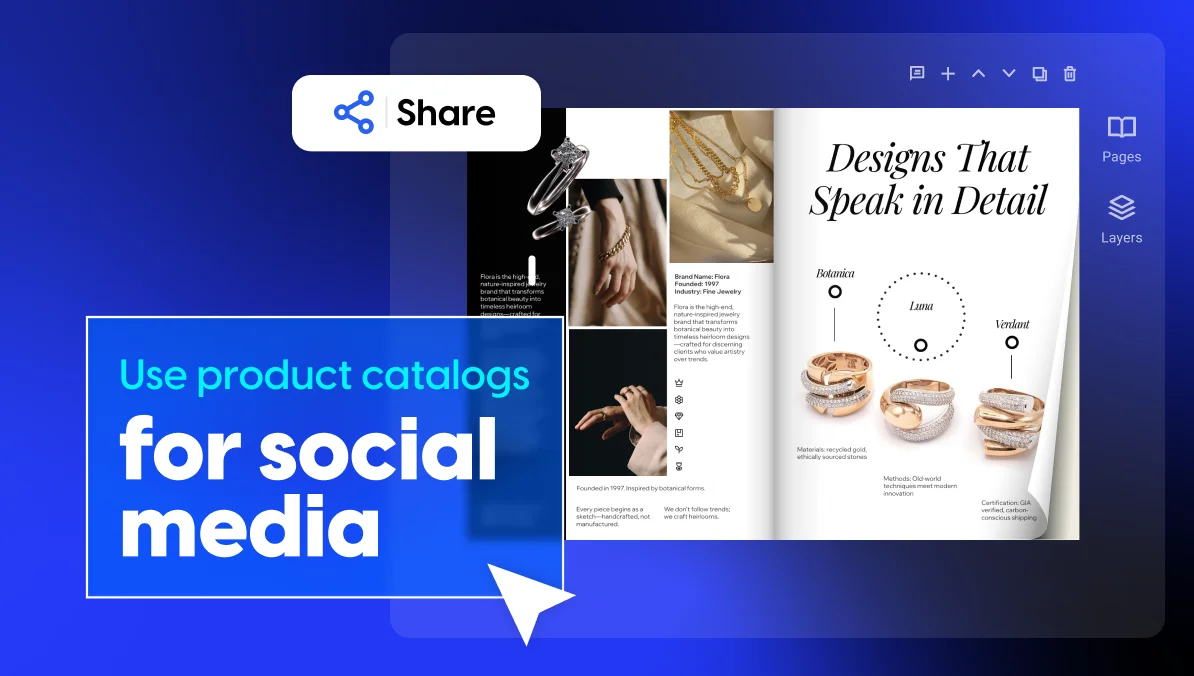
2. Product catalogs
Online booklets are a great way to showcase products and services in an interactive format.
Unlike traditional print catalogs, online booklets can include high-quality images, product videos, and clickable links for more details. These dynamic elements help potential customers explore product details at their own pace and make the shopping experience more personal and engaging at the same time.
3. Instruction manuals
E-booklets also work well as a digital guide for instructions. Think product setup guides, software tutorials, or educational material. Interactive digital guides can integrate instructional step-by-step photos or videos, making the learning process much more intuitive.
4. Client presentations
When it comes to delivering professional digital presentations to clients, online booklets are a great alternative to traditional PowerPoint slides.
Companies can easily use digital booklets to present case studies, or project proposals in a visually appealing format. On the other hand, to get a better understanding of the information presented, clients can explore the content at their own pace, going through video testimonials or project details and timelines.
While marketing is a major focus for digital booklets, their versatility extends their use in many other domains, such as education, healthcare, or tourism.
5. Training and onboarding
Digital booklets also work well for training and onboarding. A company can skip the printed handbook and build one onboarding booklet instead. New hires flip through policies, benefits, tools, and team bios in one place.
HR teams can add a short welcome video from leadership right inside the booklet. Digital content is also easy to edit. So when a policy changes, the team just updates the booklet. No one has to reprint a single page.
Who uses digital booklets
Digital booklets can be used across many industries and for a wide range of purposes. From helping students learn to guiding patients and improving the guest experience, they give organizations a flexible way to share information and engage their audiences.
Here are some of the industries where digital booklets can make an impact.
Education
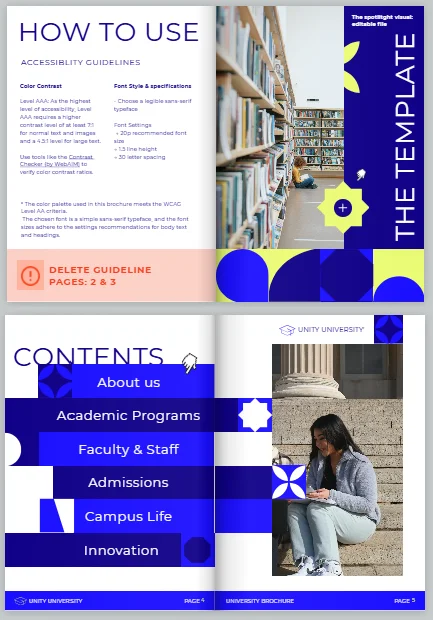
Digital booklets are now a common tool in classrooms and universities. Teachers use them to share lesson plans, study guides, and course materials in an engaging, interactive format. Universities can also use digital booklets to showcase graduate programs and attract prospective students like in the example below.
Adding videos, animations, quizzes, and links makes learning more dynamic, while easy updates ensure content stays current and relevant.

Healthcare
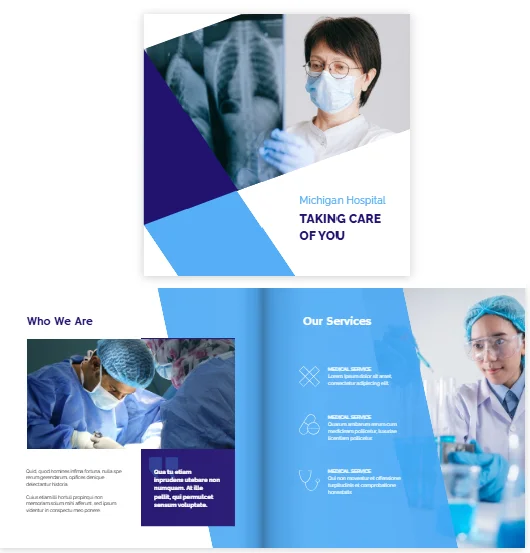
In healthcare, e-booklets make patient education easier to follow. Hospitals and clinics use them to explain procedures, treatment plans, and post-operative care through a mix of visuals, videos, and step-by-step instructions. Besides, booklets can help healthcare organizations promote their medical services in a professional way. They can also be personalized for specific conditions, making important information more accessible and easier to follow.
Tourism & hospitality
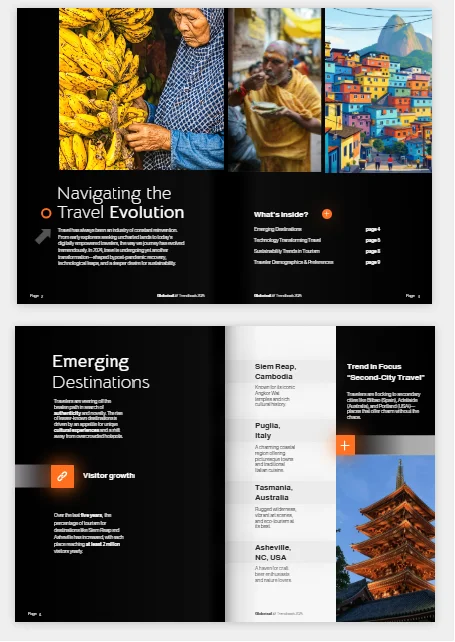
Hotels, resorts, and travel destinations use digital booklets to elevate the guest experience. Welcome guides, brochures, and visitor resources become more useful with clickable links, virtual tours, maps, and reservation shortcuts. This helps guests navigate their stay and discover local attractions in a seamless, interactive way like in the booklet template below.
Business & organizations
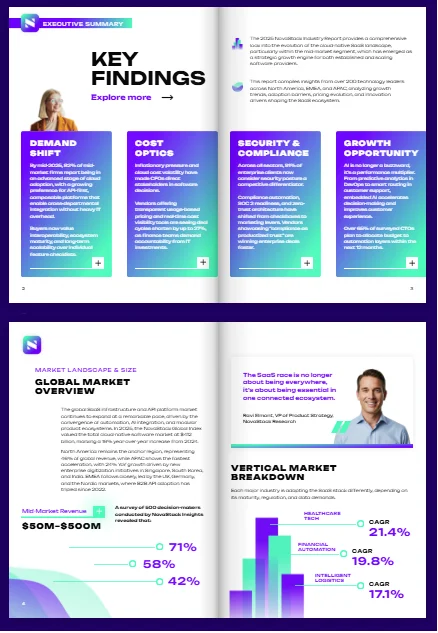
Businesses use digital booklets for internal and external communication too. Annual reports, investor updates, employee handbooks, and nonprofit impact reports all fit this format well. They look sharp, and they’re easy to send to people anywhere in the world.
A nonprofit might turn its annual report into a digital booklet. It can add a donor video and a link straight to a donation page. Corporate teams use the same idea for board decks, policy updates, or to present organization’s results and insights in an engaging way. And with trackable analytics, they can see which sections people actually read.
Events
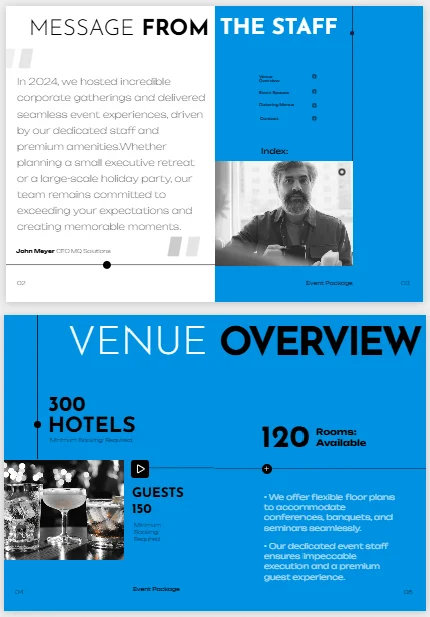
Event organizers can use digital booklets to create event programs, conference guides, and schedules. These publications can include speaker information, agendas, venue maps, and links to helpful resources. They are also easy to update if the event schedule or speaker lineup changes.
Organizers can share digital event programs through a link or QR code, so attendees can access the latest information from their phones. The example below shows how clickable links, videos, and other interactive features can make an event booklet more engaging.
Benefits of digital booklets
Digital booklets are easy to share and update, and you can add interactive features to make your content more engaging. Here are some of the key benefits they can offer your business or organization.
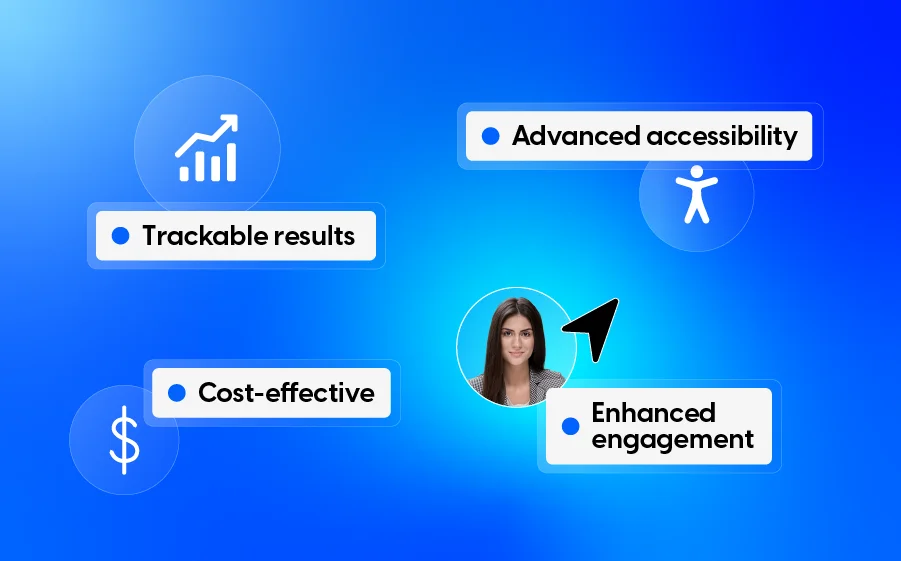
1. Enhanced engagement with interactive content
A digital booklet turns passive reading into something more active. Add a video, a clickable link, an animation, or a quiz, and the reader stops just scrolling and starts interacting.
For example, an online product catalog can feature clickable product demos or tutorial videos. That one addition helps the reader understand the product faster, and it keeps them on the page longer.
2. Increased accessibility across devices
Digital booklets make it easier for readers to access information on the device they use most. Whether they are checking content from a computer at work or browsing on their phone, readers can open the booklet whenever they need it. This flexibility makes digital booklets a practical choice for audiences who want quick access to information without carrying a physical copy.
3. Cost-effective distribution and wider reach
A digital booklet skips printing and shipping entirely and can be shared with people anywhere in the world. Once it’s built, you can send it by email, embed it on your website, or share it on social media. No extra cost, no matter how many people open it.
4. Easy to update
Unlike printed booklets, digital booklets can be updated without a new print run. You can quickly change product details, prices, schedules, or other information and publish the latest version. This makes digital booklets a practical choice for content that needs regular updates.
5. Trackable results
Digital booklets provide valuable data through stats and analytics. You can see which pages get the most views, how long readers spend on each one, and which interactive elements they click. It shows you what’s working and what isn’t, so you can improve the next booklet before you build it.
These are the main benefits of creating and using digital booklets as a communication tool regardless of the purpose, whether business, educational or simply for entertainment.
How to create a digital booklet with Flipsnack
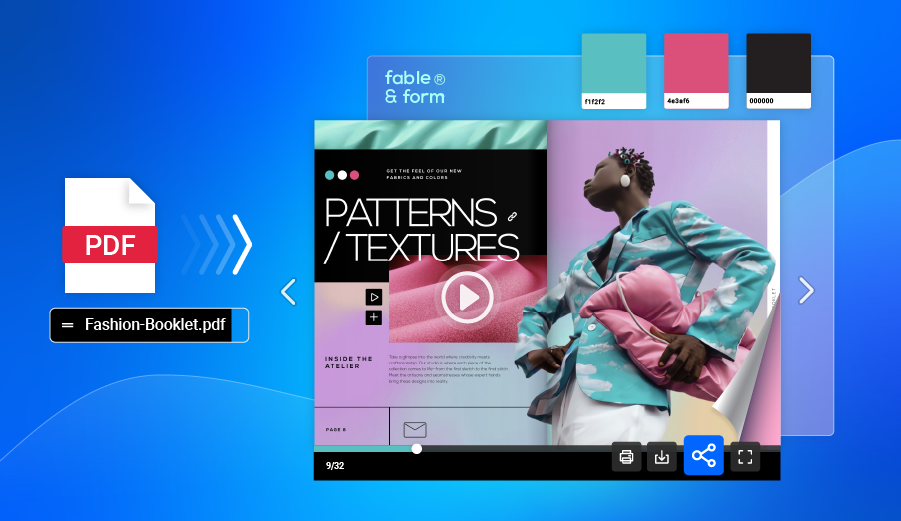
1. Start with a template or upload your PDF
Pick a digital booklet template from Flipsnack’s library, or upload a PDF you already have. Both options open directly in the Design Studio, where you can customize layouts, fonts, colors, and visuals. The editor is intuitive, giving you complete control over your booklet’s structure and style.
2. Customize your design
Once your pages are in place, refine the look and feel. Adjust the fonts, add your brand colors, move elements around, or add new sections. Flipsnack’s drag-and-drop tools make it easy to shape your booklet into a cohesive, professional publication.
3. Add interactive elements
Next, enhance your booklet with interactivity. Insert videos, image slideshows, GIFs, audio, links, captions, or social media buttons to create a more engaging experience. If you’re short on visuals, browse the built-in Pexels and Pixabay libraries for high-quality images and videos.
And don’t forget to include CTA buttons for driving action and guiding readers through your content.
4. Apply your branding
Upload your brand kit: logo, fonts, and color palette. This makes the booklet match your identity. Flipsnack applies your branding across your publication automatically, so every project stays consistent.
5. Set your security and access options
If your booklet holds sensitive content, add a layer of protection first. Password-protect it, or use a private, unlisted link to control who can view it. A watermark or basic digital rights management can also help if you’re sharing early drafts or licensed content.
6. Publish and share your booklet
Once your digital booklet is ready, choose how you want to share it. Flipsnack lets you publish it as a public or private link, embed it on your website, share it via email, or download it in various formats. The exported file stays lightweight, so it’s easy to store in cloud storage or attach to an email without extra compression.
7. Track performance
After publishing, monitor how readers interact with your booklet. Flipsnack’s analytics show who opened it, how long they engaged, which pages they viewed, where they clicked, and more. Use those insights to improve your next publication.
Make your content engaging with digital booklets
The way people communicate keeps changing, and digital booklets are part of that shift. They’ve proven themselves as a flexible tool that offers real engagement, easy access, low cost, and results you can actually measure.
As interactive content becomes the norm, digital booklets provide a way for brands to tell their story, showcase products, and capture leads.
With Flipsnack’s booklet maker you can use simple design tools, fully customizable templates, and highly interactive capabilities to create professional, engaging booklets. You can then share them with your audience across the platforms you use the most.
If you’ve been holding off, now’s a good time to add digital booklets to your marketing toolkit.
FAQs on digital booklets
What are some tips for making a good booklet?
A good digital booklet keeps its design simple and its structure clear. A few tips:
- Use the same fonts, colors, and spacing throughout, so the booklet feels consistent.
- Start with a strong cover and a short table of contents.
- Break text into short, scannable sections instead of long blocks.
- Add links, video, or buttons with a purpose — not just for the sake of it.
- End with a clear next step, like a CTA button or a contact link.
There’s no fixed standard size, since a digital booklet is made for screens, not print. Most still follow common page shapes, like A4, US Letter, or a square layout. This keeps the design familiar and easy to read. The right size depends on the content and where it will be shared. A booklet meant to embed on a website often works best wide, while one built for mobile reading works best tall and narrow.
A PDF is a file format. It’s just a way to package a document so it looks the same on any screen. A digital booklet is a type of publication. It’s often built from a PDF, but it adds more: a page-flip effect, embedded video and audio, clickable links, and analytics. So every digital booklet can be exported as a PDF, but not every PDF is a digital booklet.
Both are digital and easy to share, but they differ in length and purpose. A digital booklet is usually short and visual, like a product catalog, a welcome guide, or an event program. It’s built to be scanned quickly. An ebook is usually longer and text-heavy, made for deep reading, like a full guide or report. The two can overlap, and creators often use the same tools to build both.
To embed a digital booklet on your website, first publish it online using a booklet-making tool such as Flipsnack. The platform will provide an embed code for your publication. Copy the code and paste it into the page where you want the booklet to appear. If you use a website builder such as WordPress or Squarespace, you can add the code to an embed or custom HTML block. Once published, visitors can view the booklet directly on your website without opening a new tab.
The embedded booklet also adapts to different screen sizes, so readers can view it on desktop, tablet, or mobile. If you update the booklet later, the changes will appear in the embedded version automatically.
Yes. Most digital booklet platforms, such as Flipsnack, let creators choose whether readers can download a booklet and which format to use, such as PDF. You can also keep the booklet online for view-only access. Downloading can be useful for content like instruction manuals or resource guides that readers may want to save and access later.