Editable Company Newsletter Templates for Employee Engagement
Published on: March 7, 2022
Last update: August 27, 2026
A marketing manager opens a folder of forty company newsletter templates and picks the one with the nicest colors. Three months later, nobody on the team can say how many people actually read it.
That’s the real gap: picking a template because it looks nice isn’t the same as picking one that gets read. This guide covers editable company newsletter template ideas across departments: HR, marketing, leadership, and more. Templates are built with tracking, branding, and security already in place, so you know what happens after you hit publish, not just how the page looks.
Table of contents
- What is a company newsletter?
- How to make a company newsletter that works
- Quick comparison: choose your ideal company newsletter template
- What customers say about Flipsnack templates
- Professional company newsletter templates to customize
- 1. Digital Interactive Newsletter Design
- 2. Marketing Agency Newsletter Template
- 3. Interactive HR Newsletter Design Template
- 4. Weekly Newsletter Template
- 5. Interactive Automotive Newsletter Template
- 6. Editable Software Development Company Newsletter
- 7. Digital Company Newsletter Template
- 8. Interactive Graphic Design Newsletter Example
- 9. Interactive Nonprofit Newsletter Template
- 10. Editable Company Newsletter Template
- 11. Internal Communication Newsletter Template
- 12. Online Business Newsletter Design
- 13. Professional Company Newsletter Design
- 14. Innovation Trends Newsletter Example
- 15. Interactive L&D Newsletter Example
- 1. Start with a template
- 2. Add interactivity
- 3. Add your branding
- 4. Share and track performance
- Some final thoughts
- FAQs on company newsletters
What is a company newsletter?
A company newsletter is a recurring publication that keeps employees, clients, or stakeholders informed about what’s happening inside the organization. It can cover company news, team updates, policy changes, upcoming events, or industry insights. Some are internal, designed for employees only. Others go external, reaching clients, partners, or subscribers. The format ranges from a simple email update to a fully designed digital publication. The best company newsletters do more than inform. They connect people to the organization and give them a reason to keep reading.
How to make a company newsletter that works
Give it a purpose. Every company newsletter needs a reason to exist beyond “we should probably send something.” Are you keeping employees informed? Driving engagement? Sharing wins? Choose work newsletter ideas that support that purpose, and let it shape every issue.
Pick a consistent schedule. Weekly, biweekly, monthly. Whatever fits your content volume. The moment your newsletter becomes unpredictable, people stop opening it. Consistency builds the habit.
Lead with what matters most. Don’t bury the news. Put the most important update, announcement, or story at the top. If readers only skim the first section, make sure it counts.
Keep it scannable. Short paragraphs, clear headers, and visuals that break up the text. Nobody reads a 2,000-word corporate newsletter top to bottom. Design it for people who scroll.
Mix up the content. The same format every time gets stale. Rotate between:
- Company news and announcements
- Employee spotlights or team wins
- Upcoming events and deadlines
- Industry insights or tips
- Quick polls or feedback prompts
Make it look like it belongs to your company. Brand it. Same logo, same colors, same fonts every issue. A newsletter that looks generic feels generic. Consistent branding builds recognition and trust.
Make it interactive if it’s digital. Add clickable links, embedded videos, feedback forms, or polls. A static PDF attachment gets saved and forgotten. An interactive newsletter gets opened and used.
Track what works. If you’re not measuring opens, clicks, and time spent, you’re guessing. Use the data to double down on what readers engage with and cut what they skip.
Quick comparison: choose your ideal company newsletter template
| Template Name | Primary Department | Best For | Main Focus | Key Benefits |
|---|---|---|---|---|
| Digital Interactive Newsletter Design | HR / Internal Communications | Companies of any size needing monthly employee updates | New hires, anniversaries, project updates, announcements | Go-to-page buttons, spotlight effects, embedded video; brand kit customization; full-view link sharing. |
| Marketing Agency Newsletter Template | Marketing | Marketing agencies for internal and client communication | Campaign wins, case studies, industry interviews, team updates | Stickers, GIFs, embedded videos; full brand kit with custom domain; dual-purpose internal and external use. |
| Interactive HR Newsletter Design Template | HR / Recruiting | HR teams for internal updates and onboarding | New hires, open roles, HR updates, policy changes | Embedded office map, spotlight effects; real-time editing under same link; go-to-page buttons; brand kit integration. |
| Weekly Newsletter Template | Internal Communications | Mid-sized to large companies needing weekly recaps | Weekly highlights, events, workshops, project milestones | Branded recurring background; quizzes and feedback questions; timeline-style layout; email and link distribution. |
| Interactive Automotive Newsletter Template | Automotive / Marketing | Automotive companies for internal or client-facing communication | Product updates, new models, cross-location alignment | Black and gold design; embedded videos, iframe embeds; product tags, add-to-cart buttons; full brand kit. |
| Editable Software Development Company Newsletter | IT / Engineering | Software companies for internal team alignment | Sprint highlights, product launches, new hires, technical resources | Colorful modern layout; spotlight effects; links to documentation and HR resources; engagement tracking. |
| Digital Company Newsletter Template | All departments | Teams in any industry needing a versatile newsletter | Expert interviews, case studies, infographics, internal updates | Go-to-page buttons, videos, popup frames, social media icons; privacy settings with password protection; flexible layouts. |
| Interactive Graphic Design Newsletter Example | Creative / Design | Design agencies and creative studios | Project highlights, team spotlights, creative showcases | Stickers, shapes, slow-paced GIFs, illustrations; collaboration tools; brand kit with logo watermark, typography, colors. |
| Interactive Nonprofit Newsletter Template | Nonprofit | Nonprofit organizations for supporter engagement | Mission updates, project progress, donor and volunteer communication | Video testimonials, high-resolution images; social media buttons; links to donation and sign-up pages; multi-channel sharing. |
| Editable Company Newsletter Template | Leadership / PR | CEOs, internal comms, and PR departments | Leadership updates, business milestones, organizational changes | Videos, GIFs, spotlight effects; clickable links, tags, social media integration; full branding customization; flexible layouts. |
| Internal Communication Newsletter Template | HR / Internal Communications | Teams wanting a friendly, approachable employee newsletter | Book and podcast recommendations, career resources, light content alongside updates | Bright colors, dynamic shapes; videos, popup frames, go-to-page buttons; fully customizable colors, fonts, shapes, icons. |
| Online Business Newsletter Design | All departments | Small to mid-sized businesses needing a simple, repeatable format | Company updates, milestones, team announcements | Clean structure; element locking for collaboration; save as reusable template; email, link, or intranet distribution. |
| Professional Company Newsletter Design | HR / Internal Communications | HR teams for onboarding and company storytelling | Company history, milestones, employee feedback, event registration | Shapes and transparency on backgrounds; registration forms for events; brand image customization. |
| Innovation Trends Newsletter Example | Strategy / Innovation | Strategists and innovation officers | Trend analyses, expert insights, forecasts, competitive intelligence | GIFs, videos, go-to-page navigation, contact forms; social media buttons; brand color customization. |
| Interactive L&D Newsletter Example | HR / L&D | Learning & development teams promoting training programs | Courses, certifications, learning paths, professional development | Videos, audio clips, quizzes; tags and questions for guided exploration; link buttons for enrollment; feedback prompts. |
What customers say about Flipsnack templates
The best flipbook tool I have used
Flipsnack is easy to use and offers all the features a small business needs, at a very affordable price. There are plenty of templates to choose from to speed up the project. Each template is easily tailored to your needs. The support is good and fast through the chat function, and they also provide a phone number (infrequently these days) in case you prefer a phone call.
Leonardo Soto
President of SotoNets Cloud Solutions
Reviewed on G2
Professional company newsletter templates to customize
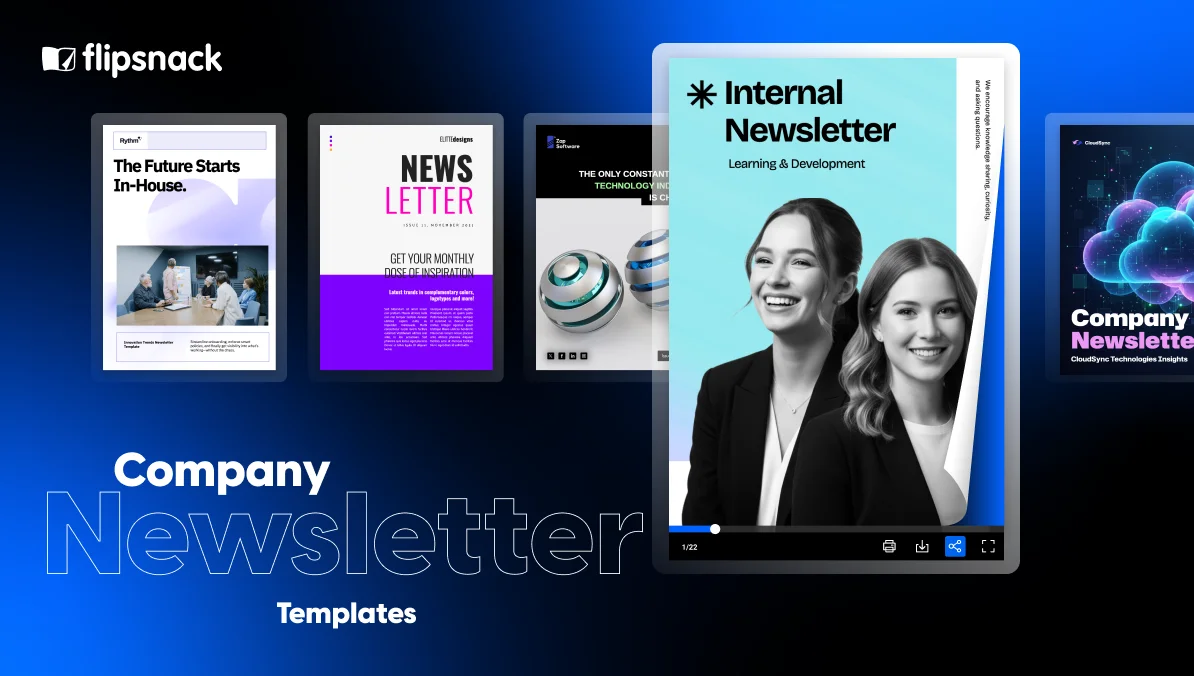
Our company newsletter templates are fully customizable, responsive, and easy to adapt to any internal communication need. Because they’re built as responsive newsletter templates for mobile, your readers can enjoy a smooth experience on any device. You can edit layouts, add videos, links, and contact forms, share your newsletter as an interactive flipbook, and track exactly how employees engage with it.
Let’s explore the templates and find the perfect starting point for your next company newsletter.
1. Digital Interactive Newsletter Design
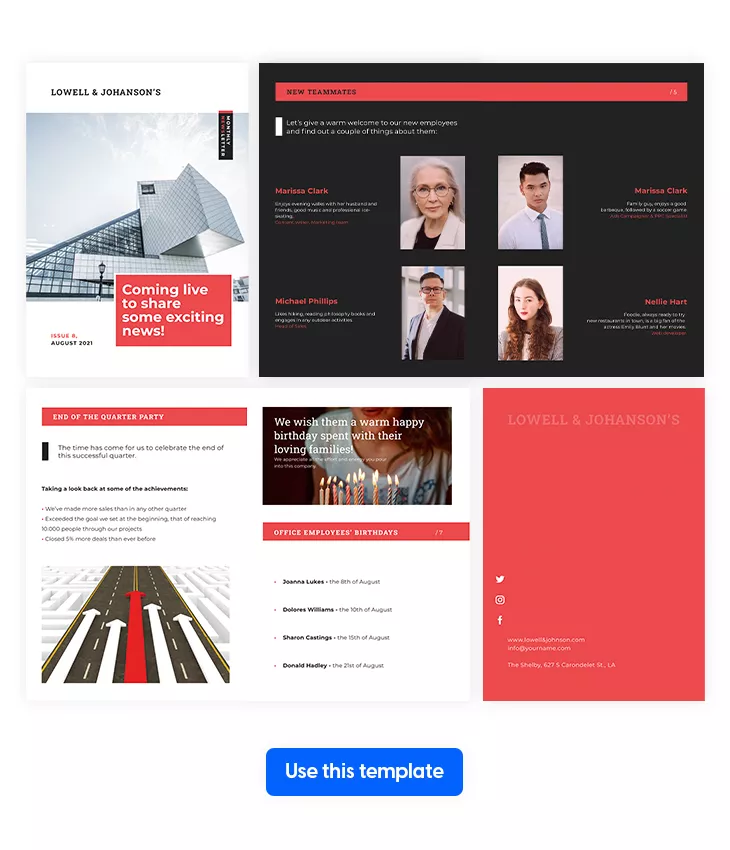
A company newsletter that looks like a plain email gets treated like one. This template gives HR and internal comms teams a polished, interactive format that makes monthly updates feel like something worth opening instead of another message to archive.
Best for: HR teams and internal communications managers at companies of any size looking for a corporate newsletter template for recurring employee updates. If you’re searching for company newsletter ideas or hr newsletter ideas that go beyond a static PDF, this is a solid starting point.
Real-world application: An HR team launching a monthly company newsletter can use this HR newsletter template to welcome new colleagues, celebrate work anniversaries, share project updates, and post job openings or announcements. Add go-to-page buttons so employees jump straight to the section they care about, use spotlight effects to enlarge team photos or project visuals, and embed a short video from leadership to connect readers with the people behind the news. Apply your brand kit with logo, custom fonts, and colors so every issue looks consistent. Among corporate newsletter templates and internal company newsletter samples, this one stands out for its balance of design and functionality.
Common mistake to avoid: Don’t send a corporate newsletter with the same structure and tone every single month. Rotate content types, feature different teams, and mix formats between text, video, and visuals. The best work newsletter ideas keep readers guessing what’s next. If employees can predict every section before they open it, engagement drops fast.
2. Marketing Agency Newsletter Template
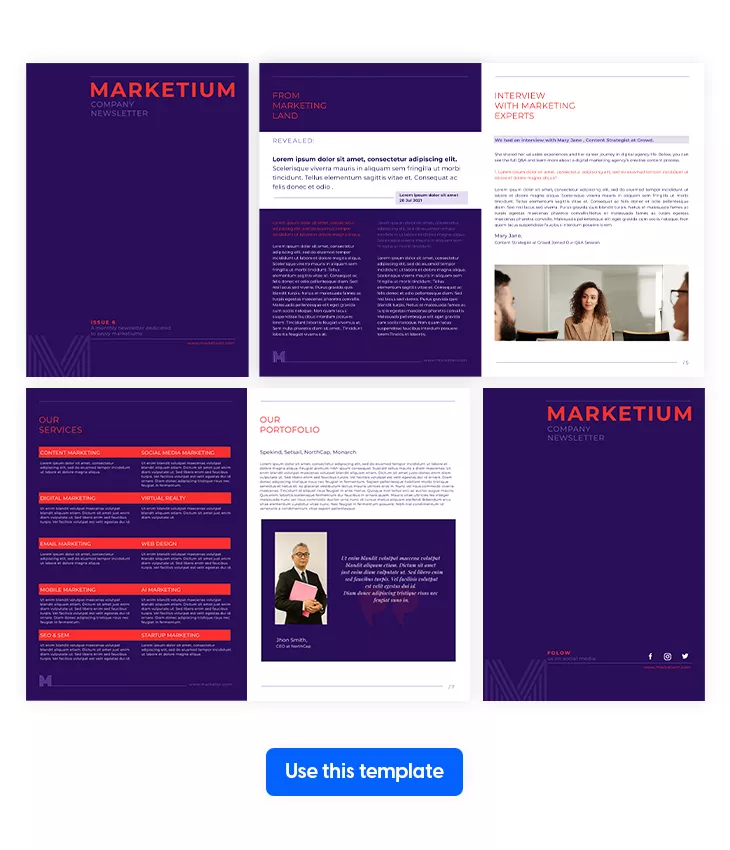
A marketing agency that helps clients communicate better should have its own internal comms dialed in too. This company newsletter template works double duty: use it to keep employees informed or adapt it for client and stakeholder updates. One design, multiple audiences.
Best for: Marketing agencies that need a corporate newsletter template for both internal team updates and external client communication. A flexible option if you’re looking for newsletter ideas that go beyond the typical HR format.
Real-world application: An agency can use this company newsletter to share campaign wins, spotlight team members, feature client case studies, and include interviews with industry leaders. Add stickers for visual variety, GIFs that complement the text without distracting from it, and embedded videos that help readers absorb new information faster. Apply your full brand kit with logo, fonts, and custom colors for a consistent, professional look. Publish under a custom domain to build trust and position your agency as a reliable brand. Among company newsletter examples, this one stands out for agencies that want their internal comms to reflect the same quality they deliver to clients.
Common mistake to avoid: Don’t fill every issue with self-promotion. The best corporate newsletter balances company wins with useful insights, industry trends, and employee stories. If every section reads like a pitch, employees and clients both tune out.
3. Interactive HR Newsletter Design Template
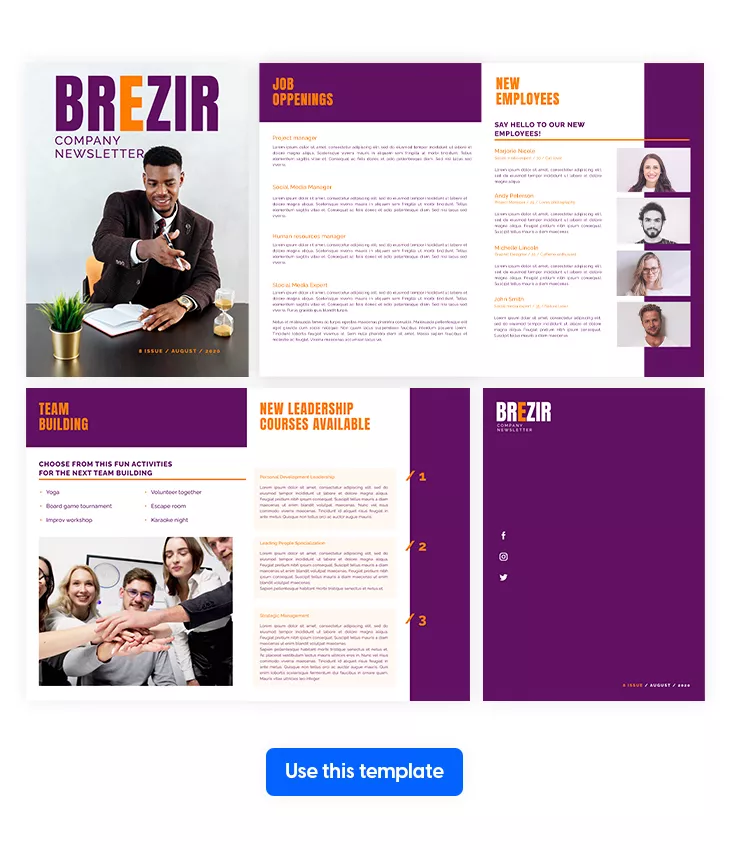
A static PDF packed with policy updates and job listings won’t get read past the first page. This HR newsletter template turns routine HR communication into an interactive, flippable experience that employees actually engage with. Use it as a recurring internal company newsletter or as an onboarding tool for new hires.
Best for: HR and recruiting agencies that need an hr newsletter template for internal updates, onboarding, or employee engagement. One of the best company newsletter ideas for teams that want to move beyond flat, text-heavy internal company newsletter samples PDF style formats.
Real-world application: An HR team can use this corporate newsletter to embed an office location map for new hires, highlight team photos with spotlight effects, and include sections for new employees, open roles, and policy updates. Document a team building activity and embed the video in the next issue to boost open rates. The biggest advantage: if job openings change or policies get updated, edit the newsletter directly in Flipsnack and readers always see the latest version under the same link. Among company newsletter examples, this one is especially useful for HR teams juggling onboarding and ongoing employee communication in one publication.
Common mistake to avoid: Don’t treat your hr newsletter as a policy bulletin board. Mix in work newsletter ideas like employee spotlights, team event recaps, and quick polls alongside the formal updates. If every issue reads like a compliance document, nobody opens the next one.
4. Weekly Newsletter Template
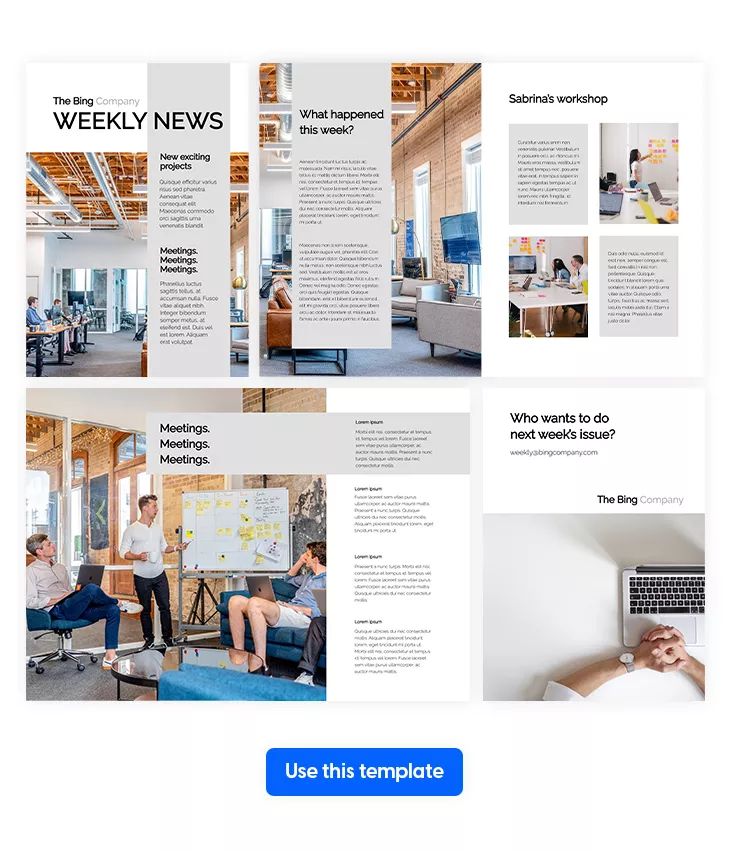
In larger companies, things move fast and information gets lost between teams, floors, and time zones. A weekly company newsletter fixes that. This template gives teams a clean, professional format to recap the week and keep everyone aligned without flooding inboxes with separate updates.
Best for: Internal comms teams and managers at mid-sized to large companies that need a consistent corporate newsletter template for weekly updates. If you’re looking for work newsletter ideas that keep employees informed without adding to the noise, a structured weekly recap is one of the most effective newsletter ideas to start with.
Real-world application: An internal communications team can use this company newsletter template to summarize the week’s key moments: events, workshops, project milestones, and announcements in one scannable issue. Use your office location or a branded visual as a recurring background to keep every edition visually consistent. Add a timeline to present the week’s highlights in order, embed quizzes for a quick trivia section to boost engagement, and include feedback questions at the end to turn your internal company newsletter into a two-way conversation. Among internal company newsletter samples PDF alternatives, this interactive format keeps employees reading instead of filing.
Common mistake to avoid: Don’t recap everything. A weekly company newsletter that tries to cover every meeting, email, and Slack message becomes unreadable. Pick five to seven highlights that matter most and summarize them clearly. Employees want the signal, not the noise.
5. Interactive Automotive Newsletter Template
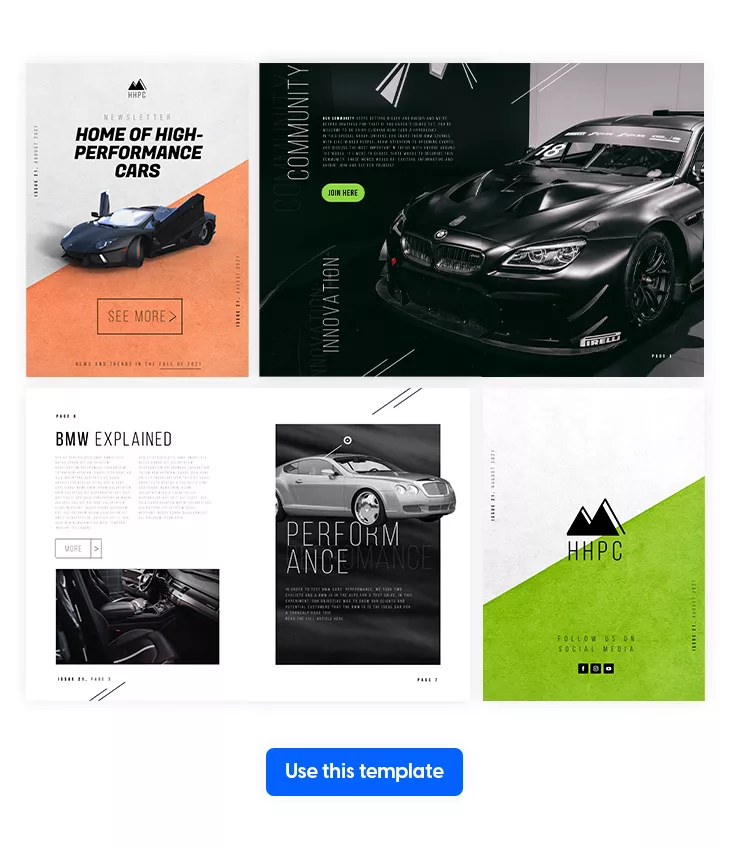
Automotive teams spread across locations, departments, and time zones need one place to stay aligned. This company newsletter template gives the automotive industry a clean, professional layout to share product updates, spotlight new models, and keep employees informed about what’s happening across the organization.
Best for: Automotive companies, dealerships, and manufacturers that need a corporate newsletter template for internal updates or client-facing product communication. The sleek black and gold design also works as a company newsletter example for industries where visual presentation matters as much as the information itself.
Real-world application: An automotive company launching a new model can use this company newsletter to showcase the vehicle with embedded videos of the interior and iframe embeds of exterior views, giving readers a closer look without leaving the page. Internally, use it to share production milestones, highlight department wins, and communicate cross-location updates. Upload your full brand kit with logo, color palette, and typography so every edition stays on brand. Add product tags or add-to-cart buttons if the newsletter doubles as a client-facing publication. Among corporate newsletter templates, this one bridges the gap between internal communication and product marketing.
Common mistake to avoid: Don’t send the same corporate newsletter to employees and clients without adjusting the content. Internal teams need operational updates and company news. Clients want product highlights and offers. Same template, different editions, different messaging.
6. Editable Software Development Company Newsletter
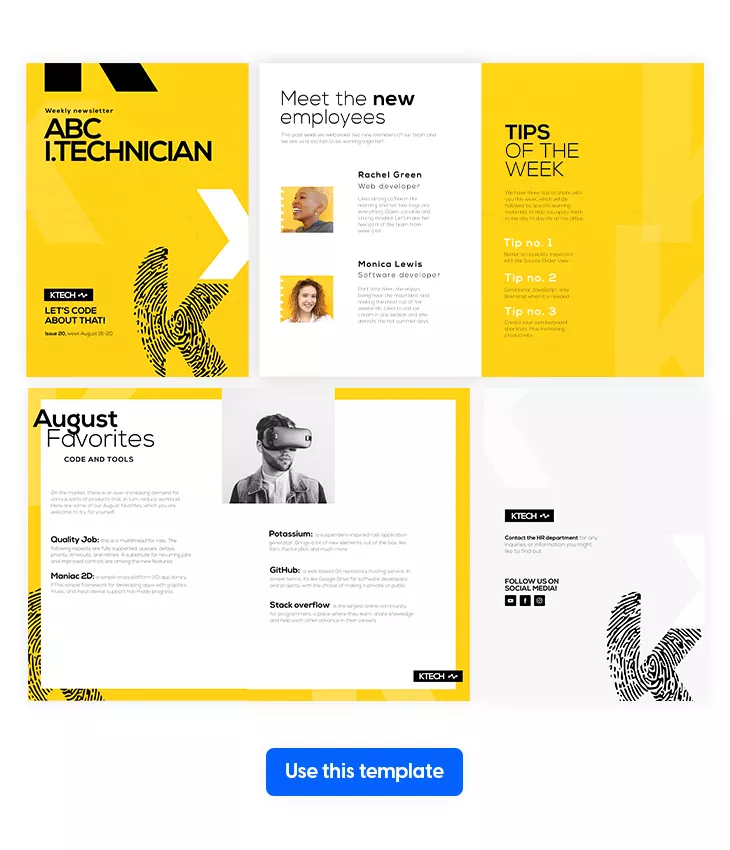
Software teams move fast. Sprints overlap, priorities shift, and what one team shipped last week might be news to another team entirely. A structured company newsletter keeps everyone connected to the bigger picture without adding another standup to the calendar.
Best for: IT companies and software development teams that need a company newsletter template for internal updates, team alignment, and employee engagement. A colorful, modern option among corporate newsletter templates for tech companies that want their comms to feel as current as their product.
Real-world application: A software company can use this corporate newsletter to share sprint highlights, celebrate product launches, introduce new hires, and link to technical documentation or HR resources employees need quick access to. Use spotlight effects to keep the layout clean while drawing attention to key visuals or announcements. Track how employees engage with each edition to learn which content resonates and refine future issues. Among company newsletter ideas for tech teams, mixing tips of the week, employee spotlights, and product updates keeps the content varied enough that people actually open it. A solid alternative to the static internal company newsletter samples PDF format that most IT companies default to.
Common mistake to avoid: Don’t write a company newsletter in developer jargon if it goes to the whole organization. Engineering updates are great, but HR, sales, and ops need to understand them too. Write for the full audience or create separate sections by team. The best newsletter ideas translate technical wins into company-wide impact.
7. Digital Company Newsletter Template
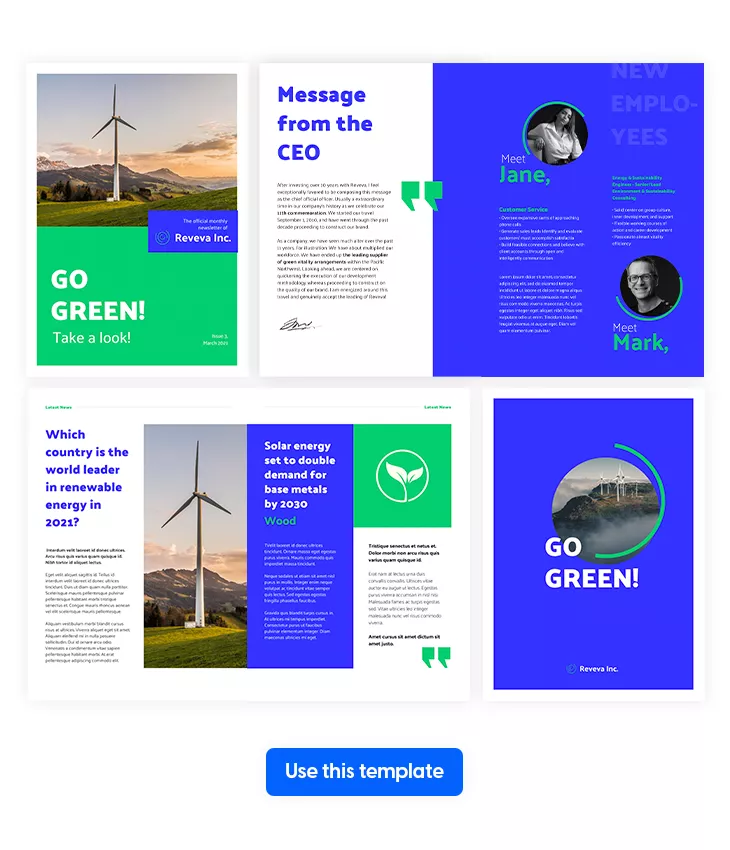
Some company newsletter templates try to be everything for one industry. This one works for any industry by keeping things clean, modern, and flexible. The design puts visuals front and center and pairs them with interactive elements that make your content more engaging than a standard email blast.
Best for: Teams in any industry looking for a versatile company newsletter template that adapts to different content types and audiences. Whether you’re in finance, healthcare, retail, or tech, this corporate newsletter template works as a foundation you can customize for each edition.
Real-world application: A company publishing a monthly corporate newsletter can use this template to feature expert interviews, present case study results through simple infographics, and share internal updates with a visual-first layout. Switch up the color scheme to match the theme of each issue, add go-to-page buttons for navigation, embed videos or popup frames for richer storytelling, and include social media icons to extend engagement beyond the newsletter. If you’re sharing sensitive updates, use Flipsnack’s privacy settings including password-protected flipbooks to keep information secure. Among company newsletter examples, this is one of the most adaptable for teams that want strong hr newsletter ideas alongside general company news in the same publication.
Common mistake to avoid: Don’t default to a wall of text just because the template is flexible. The best newsletter ideas combine visuals, infographics, and short copy to keep readers moving through the page. If an internal company newsletter looks like a document instead of a publication, readership drops.
Share via email, distribute via link, or use Flipsnack’s privacy settings for secure internal distribution.
8. Interactive Graphic Design Newsletter Example
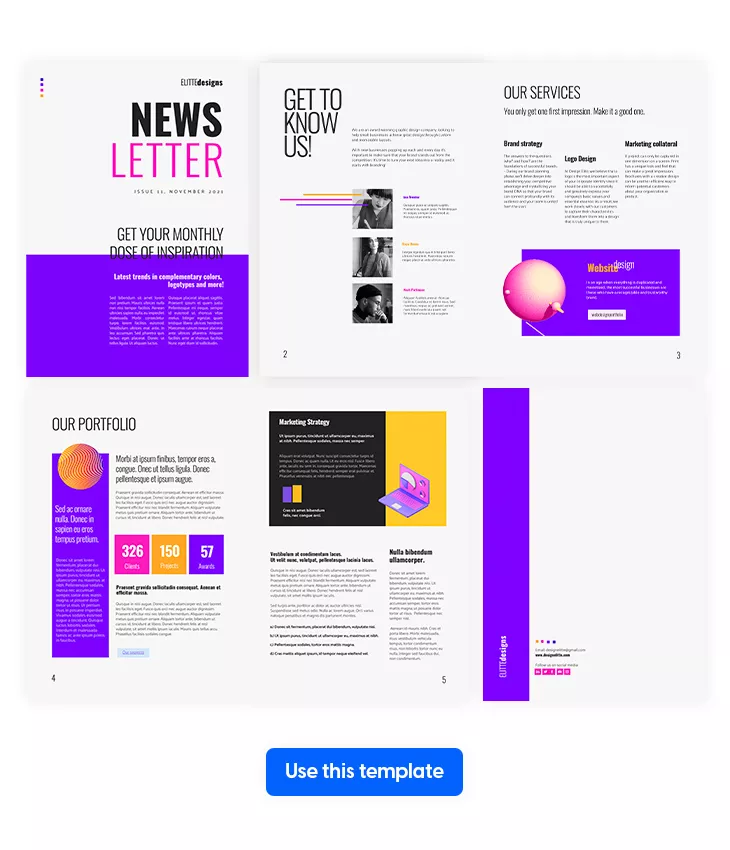
A graphic design agency’s company newsletter should be proof of what the team can do. If the newsletter looks mediocre, clients and employees will wonder about everything else. This template sets the bar with a visually rich layout that serves as both a communication tool and a showcase of your agency’s creative standards.
Best for: Graphic design agencies, creative studios, and design teams that need a company newsletter template that reflects their craft. Works as an internal newsletter or a client-facing publication. Among company newsletter ideas for creative industries, this one walks the talk.
Real-world application: A design agency can use this corporate newsletter to share recent project highlights, spotlight team members, feature behind-the-scenes process breakdowns, and announce new services. Add your own illustrations, creative assets, and visuals to make every issue a portfolio piece. Use Flipsnack’s collaboration tools to share files, brand elements, and layout ideas with the team and speed up production. Add stickers, shapes, slow-paced GIFs, and illustrations from Flipsnack’s library to complement your own work. Apply your brand kit with logo watermark, typography, and color palette for consistency across every edition. Among corporate newsletter templates, this one doubles as a creative showcase and internal company newsletter in one.
Common mistake to avoid: Don’t overdesign to the point where the newsletter ideas get lost. A design newsletter still needs to communicate clearly. If readers spend more time admiring the layout than absorbing the content, the balance is off. Creativity and clarity should work together, not compete.
9. Interactive Nonprofit Newsletter Template
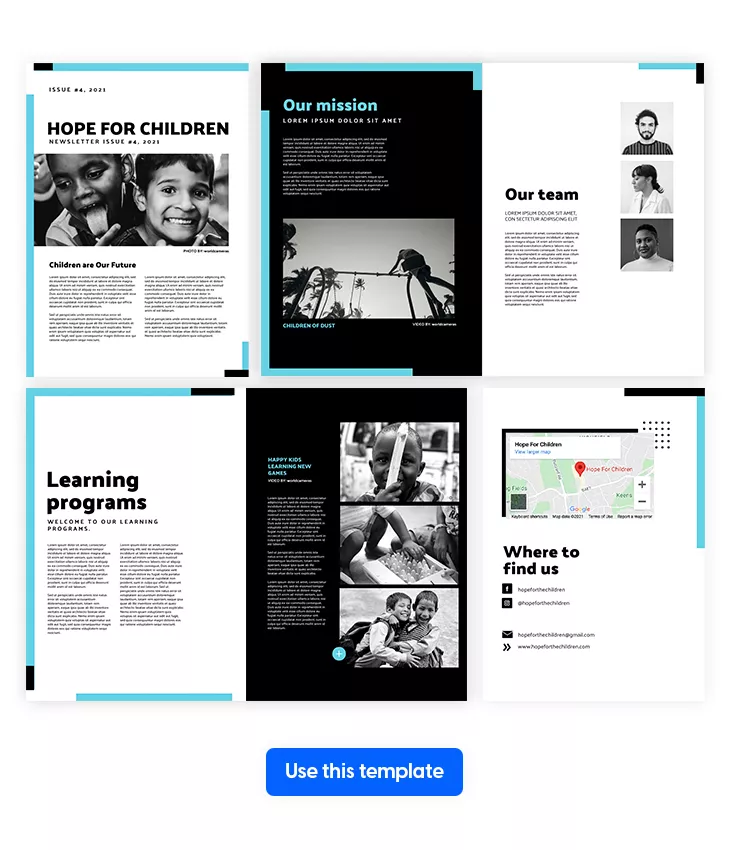
Nonprofits do important work, but if supporters don’t hear about it, impact stays invisible. A well-designed company newsletter keeps donors, volunteers, and community members connected to your mission and gives them a reason to stay involved between campaigns.
Best for: Nonprofit organizations that need a company newsletter template for sharing mission updates, project progress, and supporter engagement. If you’re looking for newsletter ideas that go beyond fundraising asks and actually build long-term relationships with your audience, this is a solid starting point.
Real-world application: A nonprofit launching a new initiative can use this corporate newsletter to document every step: the mission, the team behind it, and ongoing project progress. Add video testimonials from the people your organization supports for emotional impact, include high-resolution images that reflect the cause, and embed social media buttons so readers share your story with their own networks. Use links to direct supporters to donation pages, volunteer sign-ups, or event registrations. Among company newsletter examples, this one works especially well for organizations that need to build trust and transparency through consistent, visual communication rather than relying on static internal company newsletter samples PDF formats.
Common mistake to avoid: Don’t make every issue an ask. The best nonprofit newsletter ideas balance impact stories, behind-the-scenes updates, and supporter spotlights with occasional calls to action. If every edition feels like a fundraising email, readers disengage before you get to the work that matters.
10. Editable Company Newsletter Template
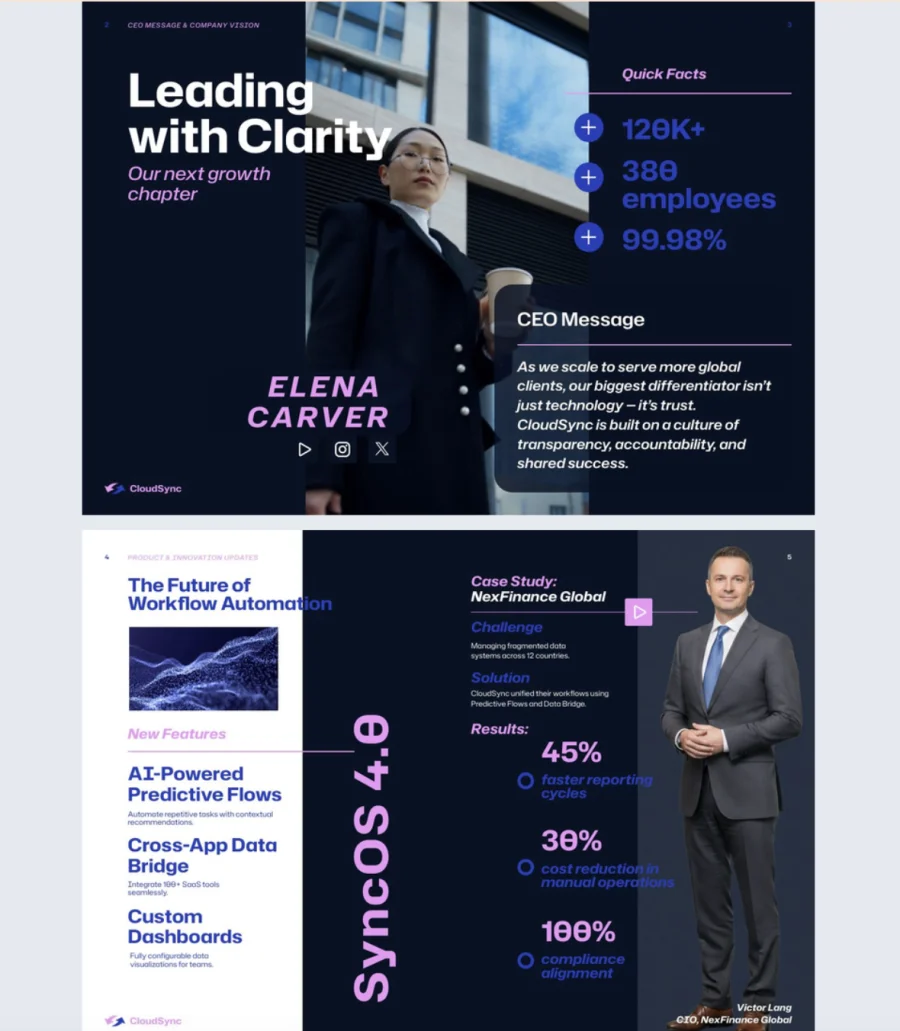

When the update comes from the CEO or leadership team, it needs to look the part. This company newsletter template gives executives, internal comms teams, and PR departments a modern, interactive format for sharing the kind of news that shapes how employees see the organization.
Best for: CEOs, internal communications teams, and PR departments that need a corporate newsletter template for leadership updates, business milestones, and organizational changes. Among company newsletter ideas for executive communication, this one delivers polish without complexity.
Real-world application: A CEO publishing a quarterly update can use this corporate newsletter to announce strategic shifts, celebrate business milestones, and introduce organizational changes in a format that feels personal and engaging rather than corporate and distant. Embed a video message from leadership, add GIFs for visual energy, use spotlight effects to draw attention to key achievements, and include clickable links so employees explore more detail where needed. Apply full branding with your logo, colors, and fonts so every edition reinforces the company’s identity. Among company newsletter examples and hr newsletter ideas, this template works especially well when the message needs to feel like it’s coming from the top, not from a department.
Common mistake to avoid: Don’t write a leadership company newsletter in corporate jargon. Employees want to hear from their leaders in plain, honest language. If the update reads like it was written by legal, it won’t connect. The best newsletter ideas from leadership sound like a conversation, not a memo.
11. Internal Communication Newsletter Template
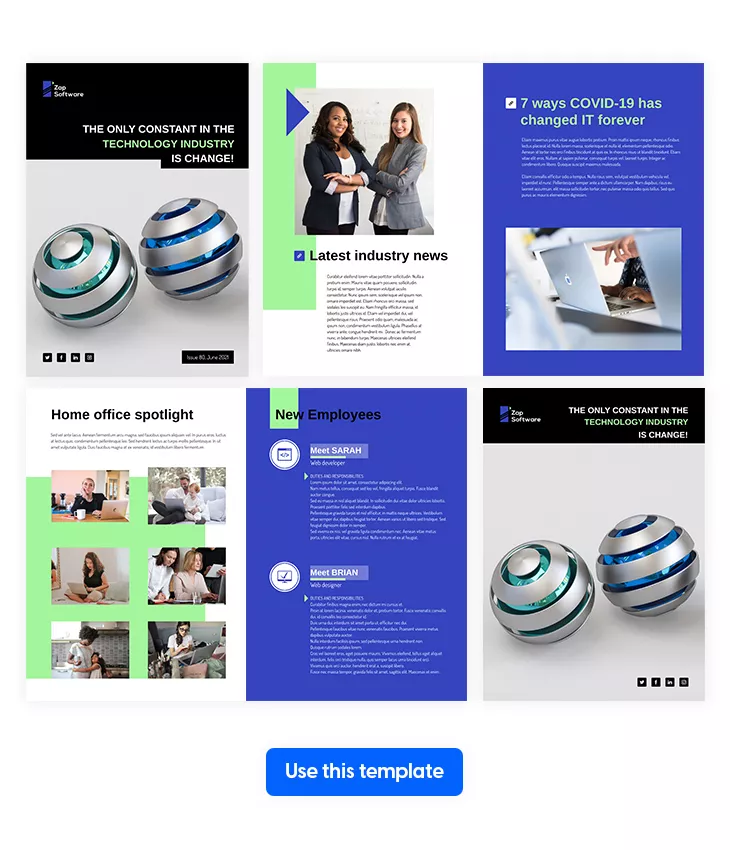
Stuck on how to structure your next internal company newsletter? This template takes the guesswork out of it. Bright colors, friendly layouts, and dynamic shapes make internal updates feel lighter and easier to read, so employees actually look forward to opening it instead of skipping past.
Best for: Internal comms teams and HR departments that want an approachable, visually engaging hr newsletter template for employee updates. One of the best company newsletter ideas for teams that feel stuck in a design rut or want to move away from stale internal company newsletter samples PDF formats.
Real-world application: An HR team looking for fresh hr newsletter ideas can use this template to go beyond standard announcements. Include book and podcast recommendations, career development resources, and personal interest content that employees actually enjoy reading alongside the usual updates. Add videos for team event recaps, use pop-up frames for deeper dives into topics, and include go-to-page buttons for easy navigation. Switch up the color scheme, adjust fonts, and add creative shapes and icons to match your brand. Among corporate newsletter templates, this one works best when you want your company newsletter to feel like a publication employees choose to read, not one they’re expected to.
Common mistake to avoid: Don’t fill a friendly, approachable layout with dry, formal copy. The design sets a tone. If the writing doesn’t match, the whole thing feels off. Keep the language conversational and the work newsletter ideas varied. Light content and serious updates can coexist in the same issue.
12. Online Business Newsletter Design
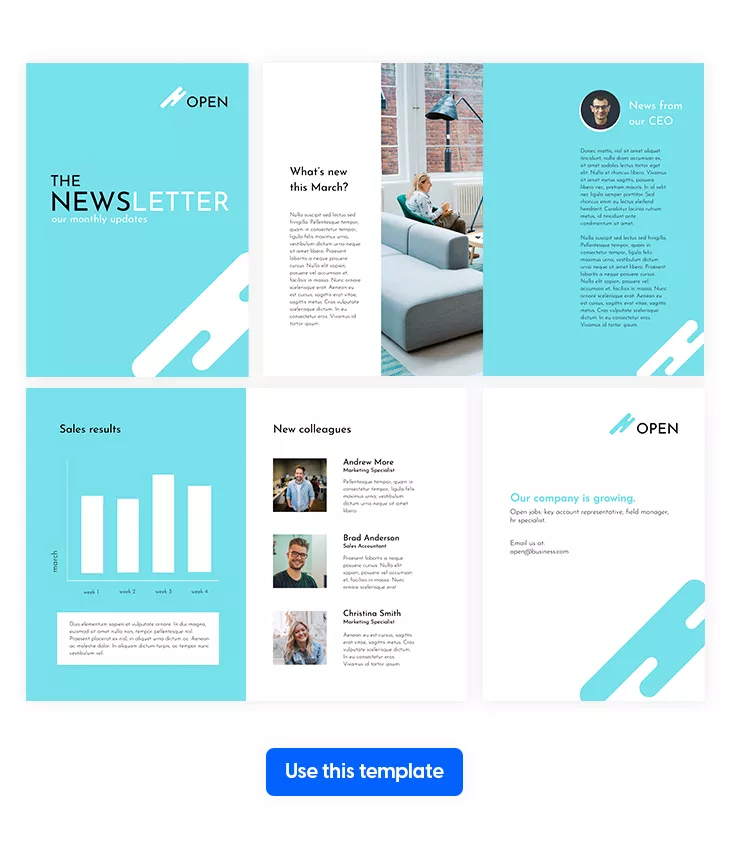
Small businesses have a hundred things competing for their time. But keeping employees informed shouldn’t fall off the list just because the team is lean. This company newsletter template gives growing businesses a clean, structured format that makes producing a monthly update fast and painless.
Best for: Small to mid-sized businesses that need a simple, repeatable company newsletter template without a dedicated design team. Also works for larger organizations with multiple offices that need consistent internal communication. Among corporate newsletter templates, this one prioritizes speed and simplicity over complexity.
Real-world application: A growing company can use this corporate newsletter to keep employees across teams informed on key changes, announcements, and milestones without spending hours on design. Adjust colors, shapes, and images to match your brand, then save the first edition as a template so every future issue only requires a content swap. When collaborating with teammates, lock specific elements so nothing shifts during editing and the layout stays consistent. For businesses scaling from 10 to 100 employees, having a reliable company newsletter in place early builds a communication habit that grows with the team. One of the most practical newsletter ideas for companies that need results without the overhead of static internal company newsletter samples PDF workflows.
Common mistake to avoid: Don’t skip the newsletter just because there isn’t “enough” news. Even a short company newsletter with three updates and a team shoutout keeps employees connected. Consistency matters more than volume. The best work newsletter ideas are the ones that actually go out on schedule.
13. Professional Company Newsletter Design
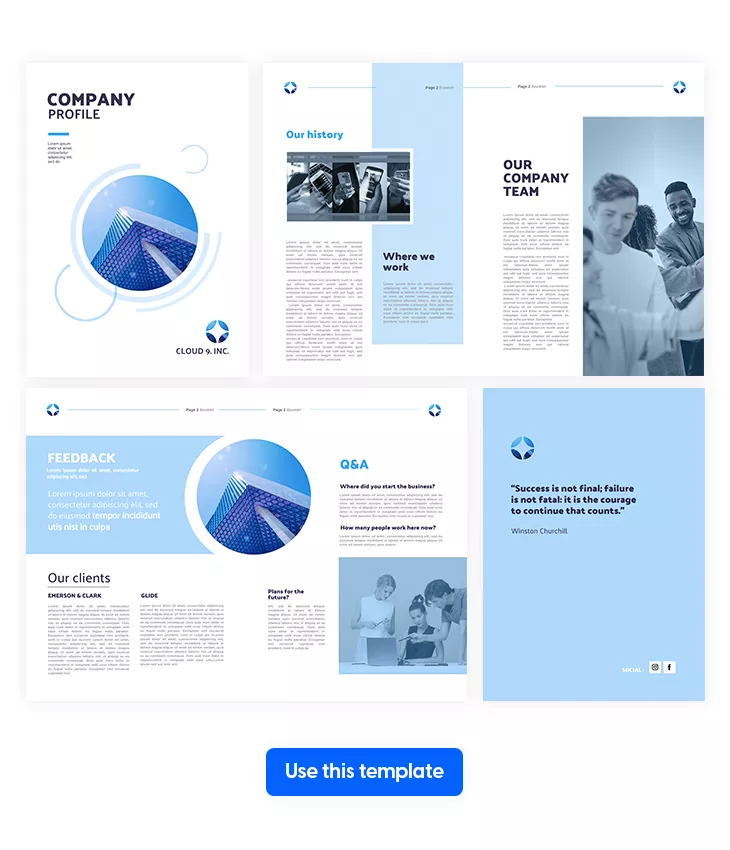
First impressions stick. A new hire’s onboarding experience shapes how they see the company for months to come. This company newsletter template helps you turn that first touchpoint into something polished and memorable, not a folder of PDFs and a “good luck.”
Best for: HR teams and internal comms managers who need a professional corporate newsletter template for onboarding, company storytelling, or employee engagement. Among hr newsletter ideas, using a branded newsletter as part of onboarding is one of the most underused but effective approaches.
Real-world application: An HR team onboarding new employees can use this company newsletter to share the company’s history, highlight past milestones like early headcount or founding story, and introduce the team and culture in a way that feels personal rather than procedural. Add a section for employee feedback on projects, new policies, or team initiatives. Include a registration form for training courses, workshops, or local events. Use shapes and transparency on background images for a seamless, professional look. Among company newsletter examples, this one works best as a recurring publication that evolves from onboarding tool to ongoing internal company newsletter that employees keep coming back to.
Common mistake to avoid: Don’t make an onboarding company newsletter all about the company. New hires want to know what’s in it for them: growth opportunities, team culture, and how they fit into the bigger picture. The best newsletter ideas balance company pride with employee-focused content.
14. Innovation Trends Newsletter Example
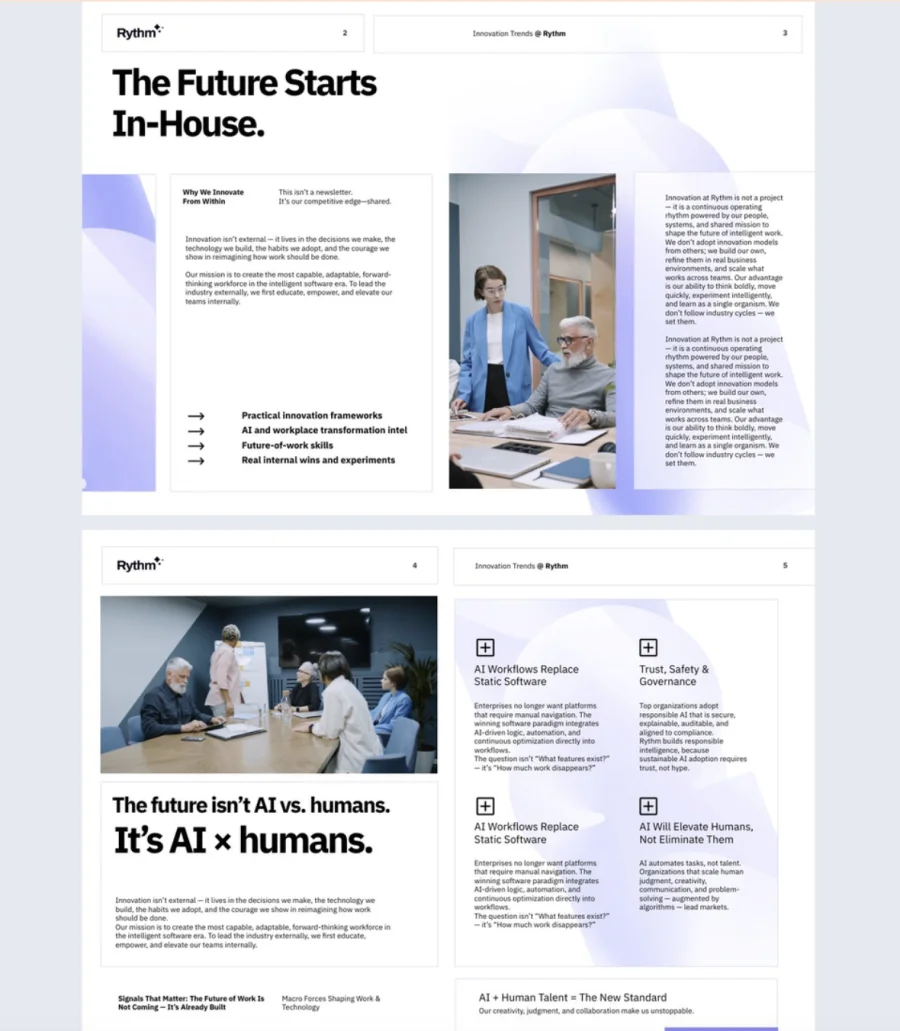

Most company newsletters look backward. This one looks forward. Designed for teams that track what’s next, this template turns trend analyses, expert insights, and forecasts into a modern, interactive publication that sparks conversation instead of collecting dust.
Best for: Strategists, innovation officers, and forward-thinking teams who need a corporate newsletter template for sharing emerging ideas, industry shifts, and competitive intelligence. Among newsletter ideas for leadership and strategy teams, a dedicated trends publication is one of the most effective ways to keep decision-makers informed.
Real-world application: An innovation team can use this company newsletter to present quarterly trend reports with data-driven visuals, feature expert interviews on emerging technologies, and link to deeper resources so readers explore topics further. Use GIFs throughout for a dynamic, energetic feel that matches the forward-looking content. Add videos, go-to-page navigation, and contact forms to boost engagement. Include social media buttons and video links to extend the conversation beyond the newsletter itself. Apply your brand colors throughout to make the publication feel distinctly yours. Among company newsletter examples, this one stands out for teams that want their internal company newsletter to drive strategic thinking, not just report on what already happened.
Common mistake to avoid: Don’t cover every trend you find. The best work newsletter ideas are curated, not comprehensive. Pick three to five trends that matter most to your organization, go deep on each, and skip the rest. A focused company newsletter builds authority. A scattered one just adds to the noise.
15. Interactive L&D Newsletter Example
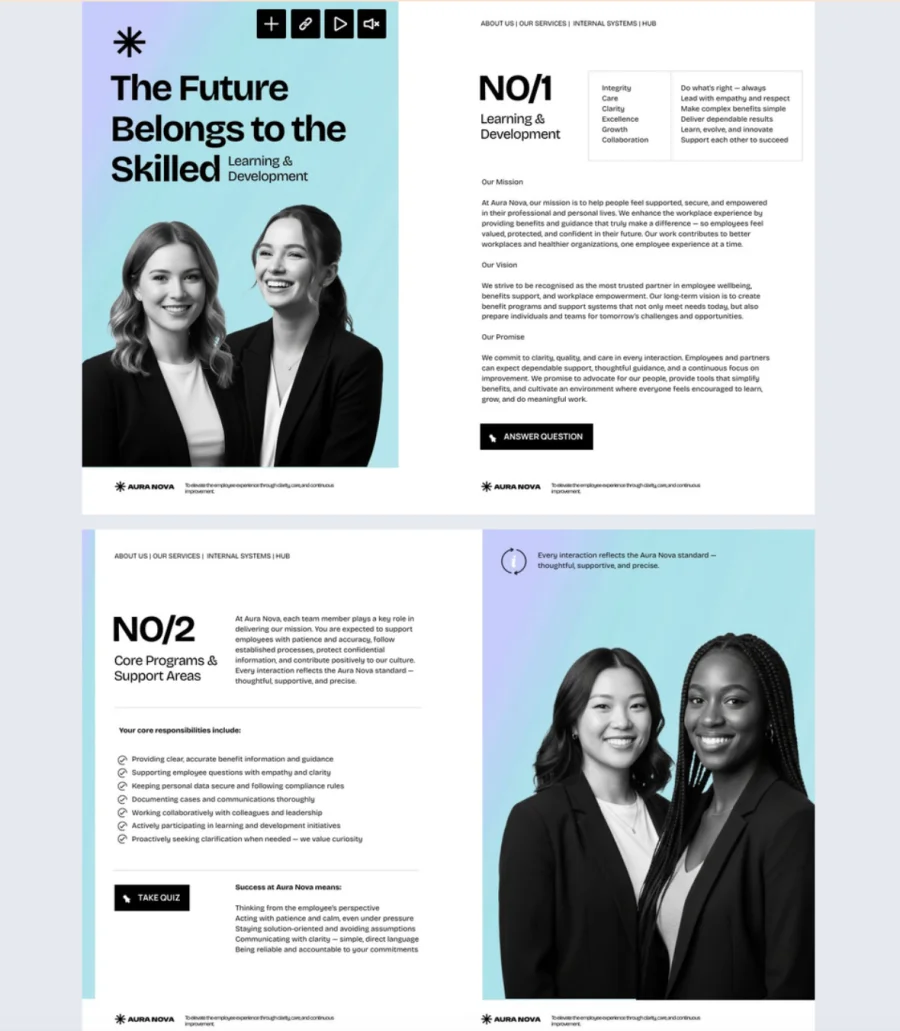
Training announcements buried in email threads don’t get the attention they deserve. This template helps L&D and HR teams promote courses, certifications, and learning paths in an interactive format that makes employees want to sign up, not scroll past.
Best for: HR and learning & development teams that need an hr newsletter template for promoting training programs, professional development, and continuous learning. Among hr newsletter ideas, a dedicated L&D newsletter is one of the most effective ways to boost participation in internal training.
Real-world application: An L&D team rolling out new certification programs can use this company newsletter to spotlight each course with embedded videos, add audio clips from instructors or past participants, and include quizzes to test knowledge and keep information fresh. Add tags and questions to guide employees toward the right learning paths, and embed link buttons so signing up is one click, not a separate email chain. Include short feedback prompts so employees share what they need or how useful each edition was. Use that input to shape the next issue. Among company newsletter examples for HR, this one turns a passive announcement into an interactive learning experience that drives real enrollment.
Common mistake to avoid: Don’t just list available courses and call it a newsletter. The best newsletter ideas for L&D tell employees why a course matters, who it’s for, and what they’ll gain. A course title alone doesn’t motivate anyone to sign up. Context and relevance do.
How to create a newsletter in Flipsnack’s Design Studio
1. Start with a template
Choose the option that fits your workflow:
- Customize a template: Browse Flipsnack’s library of corporate newsletter templates, with designs for HR teams, executives, creative agencies, and more. Pick one that matches your goals and start editing.
- Upload a PDF: Already have a newsletter? Upload the PDF, and Flipsnack will turn it into an interactive digital publication.
2. Add interactivity
Give employees a reason to keep reading past the first section:
- Embed video and audio: Drop in a welcome message from leadership or a short audio clip, so updates feel personal instead of routine.
- Add quizzes and feedback forms: Turn a one-way announcement into two-way communication with a poll or a quick survey.
- Use go-to-page buttons and popup frames: Guide readers straight to the section that matters most, or surface extra detail without crowding the main layout.
- Layer in GIFs and spotlight effects: Small visual cues that pull attention toward announcements worth noticing.
3. Add your branding
Keep every issue on-brand and quick to update:
- Upload your brand kit: Logo, color palette, fonts, and typography apply automatically, so each edition stays consistent.
- Lock key elements: Headers, footers, and logo placement stay fixed when teammates collaborate on the same issue.
- Publish under a custom domain: Reinforce your company’s identity and build trust with every share.
- Save a reusable template: Turn your first edition into a starting point, so future issues need only a content refresh.
4. Share and track performance
Distribute your newsletter, then see what happens after you hit publish:
- Share it wherever fits your audience: Send via email, drop a full-view link on Slack or your internal channel, or embed it on your internal communication channel.
- Protect sensitive content: Use password-protected links whenever a newsletter shouldn’t go public.
- Track opens, clicks, and time spent: Flipsnack’s built-in statistics show what resonates, so the next issue improves on real data instead of guesswork.
Some final thoughts
As you start planning your next company newsletter, keep these design and content tips in mind. They’ll help you create updates that are clear, engaging, and easy for your audience to follow. Strong communication plays a key role in employee engagement, and a well-structured newsletter can make a real difference.
If you ever need ideas, there are plenty of newsletter examples to draw inspiration from as you shape your own style. And while email marketing remains a communication channel many companies use, creating a flipbook newsletter in Flipsnack gives you more room for interactivity and a more enjoyable reading experience.
With the right template and a few interactive elements, your next newsletter can be both effective and easy to produce. After publishing, check opens, clicks, and time spent to see what worked and improve the next issue.
FAQs on company newsletters
A well-rounded company newsletter typically includes:
– Company news and announcements
– Employee spotlights or new hire introductions
– Project updates and milestones
– Upcoming events and deadlines
– Industry insights or useful resources
– A feedback prompt or call to action
Look at opens, clicks, and time spent on each issue, not just whether it went out on schedule. A company newsletter template with built-in tracking shows you which sections people read and which they skip, so the next issue improves instead of repeating the same guesswork.
An internal company newsletter is for employees only. It covers things like policy changes, team updates, and HR announcements. An external newsletter goes to clients, partners, or subscribers and focuses on company news, product updates, or thought leadership. Some companies produce both from the same template with different content.
Common schedules include:
– Weekly for fast-paced teams or large organizations
– Biweekly for a balance between frequency and substance
– Monthly for broader company updates and recaps
– Quarterly for executive or leadership communications
Pick a cadence your team can sustain. Consistency matters more than frequency.
To customize a company newsletter template:
– Replace placeholder content with your own updates and visuals
– Apply your brand kit with logo, colors, and fonts
– Add interactive elements like videos, quizzes, or feedback forms
– Adjust sections based on what your audience needs each issue
– Save your design as a reusable template for future editions
Strong HR newsletter ideas include benefits reminders with a single clear action, new-hire introductions, policy updates written in plain language, and a recurring “ask HR” question block. The strongest versions link back to source documents and track whether employees actually open them, rather than assuming a PDF was read.
Common mistakes include:
– Using the same structure and tone every single issue
– Writing in corporate jargon instead of plain language
– Overloading with text and skipping visuals
– Not including a way for employees to respond or give feedback
– Sending inconsistently or skipping issues without explanation
– Designing for desktop only when most employees read on mobile