Interactive Magazines: Benefits and Examples for Digital Publishers and Marketers
Published on: February 7, 2022
Last updated: August 14, 2026
Almost every traditional printed magazine has made the leap into the digital world and with good reason. But as more publications move online, simply publishing a digital magazine is no longer enough to capture readers’ attention.
Audiences expect content they can interact with. In fact, 91.8% of internet users worldwide watch digital videos every week, making rich media an important part of the online reading experience. Interactive elements also encourage action. For example, 40.1% of readers who start a quiz go on to submit their information, showing how interactive content can turn engagement into measurable results. Adding rich media, clickable elements, and intuitive navigation, interactive magazines transform passive reading into an engaging experience.
While iconic titles like Vogue still lean on print for the majority of their profit, others like Cosmopolitan have embraced the shift. Cosmopolitan reached 100,000 paid digital subscriptions early in its transition, marking a major milestone for the industry. Publishers with an existing digital edition can make the same transition more easily with a PDF to flipbook converter. This proves that a loyal audience will follow a great magazine onto any platform—especially when it’s interactive.
In this guide, you’ll discover why interactive magazines are so effective, see how brands use them to engage their audiences, and learn which interactive features can help you create a better reading experience.

Table of contents
- What is an interactive magazine?
- Why interactive magazines work
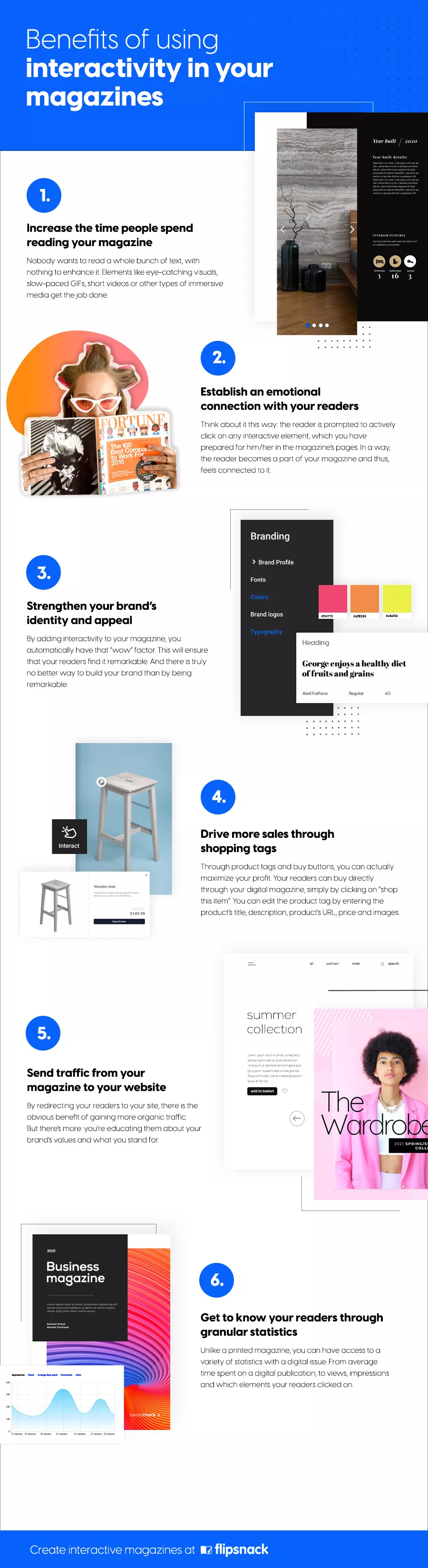
- 1. Boost reader engagement and time spent on page
- 2. Build emotional connections through interactivity
- 3. Strengthen your brand’s identity and make it memorable
- 4. Drive more sales with embedded shopping tags
- 5. Drive qualified traffic to your website
- 6. Understand your readers through powerful analytics
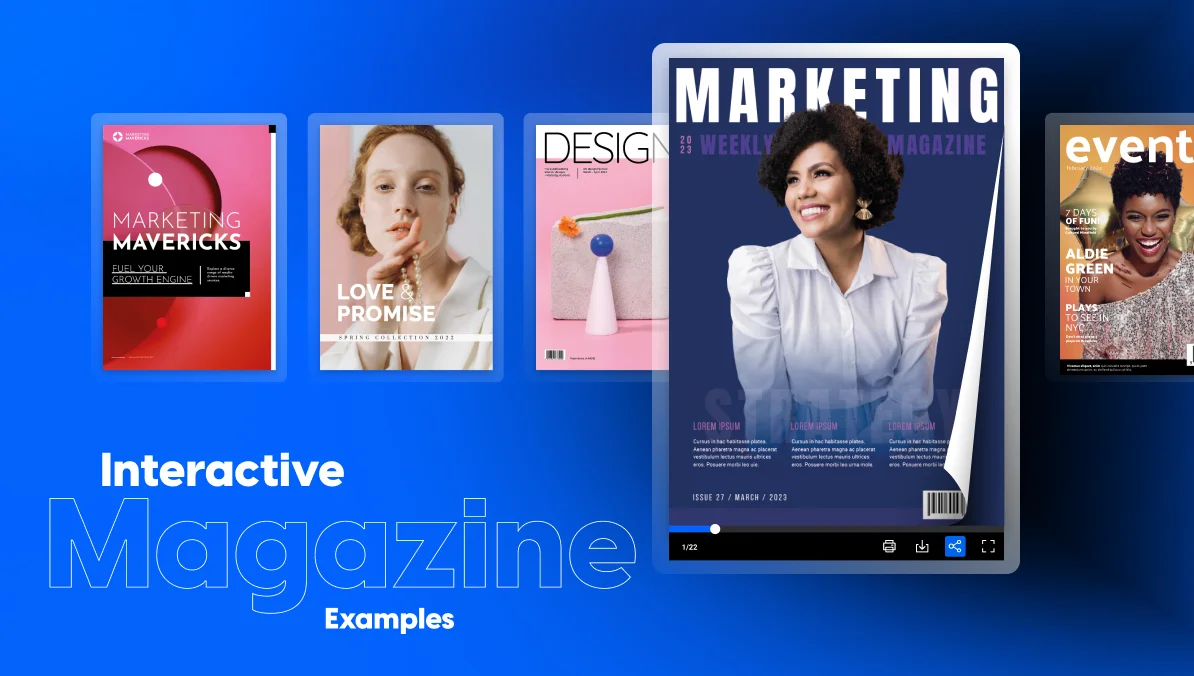
- Interactive magazines examples from real brands
- Interactive elements you can add to your Flipsnack magazine
- How to make an interactive magazine with Flipsnack
- Final thoughts: It’s time to make your magazine interactive
- FAQs about interactive magazines
What is an interactive magazine?
An interactive magazine is a digital magazine with elements readers can act on. Think video, clickable links, shopping tags, forms, quizzes, and image galleries. Instead of just reading each page, readers click, watch, and explore. All without leaving the publication.
Unlike a traditional PDF, interactive magazines give readers a reason to stay, and a clear next step. That might mean learning more about a product, filling out a form, or making a purchase.
Take a look at the embedded template below to see how enriched this digital magazine example is after the added interactivity.
Why interactive magazines work
Interactive magazines work because they make content feel more useful, more engaging, and easier to explore. Instead of asking readers to switch between websites, videos, PDFs, and online forms, interactive magazines bring everything together in one experience.
Let’s look at the biggest benefits interactive magazines can bring to publishers and marketers.
1. Boost reader engagement and time spent on page
When it comes to interactive magazines, one of the most immediate benefits of interactive magazines is how much longer readers stay engaged. Whether you’re a marketing manager, or digital publisher, keeping your audience’s attention is key—and interactivity does just that.
Content enriched with interactive elements like videos, animations, or clickable features dramatically increases time on page. Instead of skimming through static text, readers are drawn into immersive experiences that encourage them to explore more.
Digital magazines let you continuously experiment, learn what resonates with readers, and create more engaging experiences with every new issue.
2. Build emotional connections through interactivity
One often overlooked benefit of digital magazines is their ability to encourage a deeper, more emotional bond with readers.
Every time you prompt a reader to click, tap, or swipe through interactive content—be it a product tour, embedded form, quiz, or hidden reveal—you’re inviting them to take part in the narrative. This active participation transforms them from passive observers into engaged participants.
For content strategists and marketers, this means stronger brand affinity and for publishers, it builds reader loyalty with every edition of your interactive online magazine. When readers feel involved, they feel connected. And connection leads to trust, retention, and even word-of-mouth growth.
3. Strengthen your brand’s identity and make it memorable
Trust is the foundation of any successful business relationship. And trust starts with recognition. Before a customer buys from you, they need to know who you are, what you stand for, and why you’re different. That’s where a branded, interactive magazine becomes a strategic asset.
An interactive digital magazine allows you to showcase your brand’s visual identity and voice consistently. These details reinforce your brand while offering a polished, professional impression that builds credibility. More importantly, interactivity adds that “wow” factor that sets your publication apart.
Being remarkable is the first step toward being remembered. And interactive publishing gives you the creative tools to achieve exactly that.
4. Drive more sales with embedded shopping tags
If you’re in marketing, eCommerce, or sales enablement, this is where your digital content can move beyond awareness and actually convert readers into customers. Among the many benefits of interactive magazines, the ability to drive direct sales stands out for product-focused businesses.
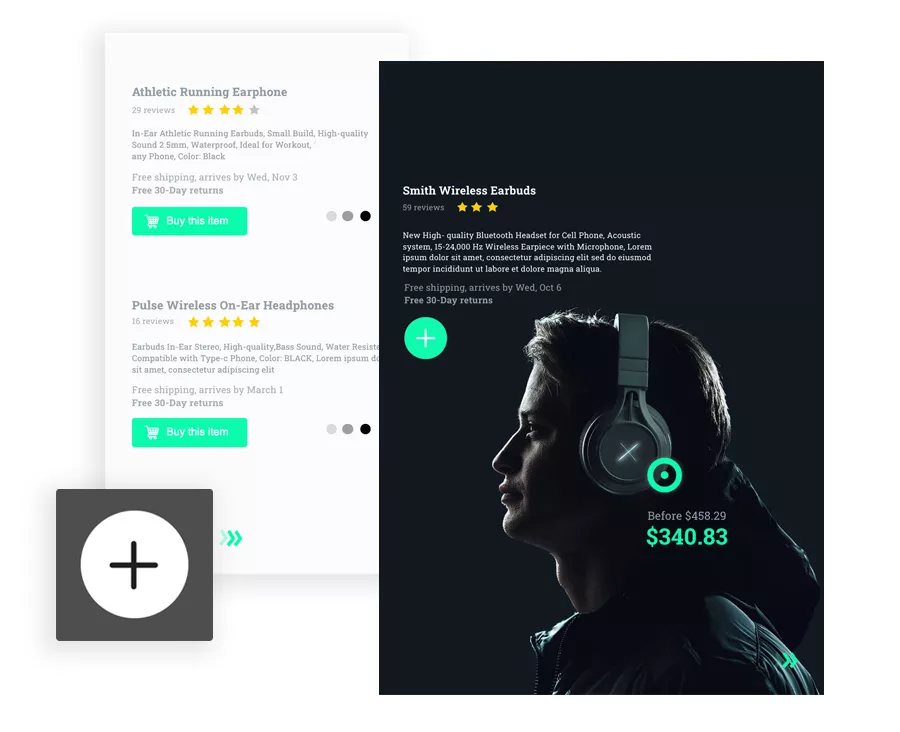
Embedding shoppable product tags or buy buttons into your interactive online magazine, you allow readers to purchase items directly—without ever leaving the publication.
For product-based businesses especially, it’s a seamless path from inspiration to conversion—right inside your digital interactive magazine.
5. Drive qualified traffic to your website
Interactive magazines can also become an effective traffic channel for your website. Clickable links and interactive CTAs guide readers to product pages, blog posts, landing pages, contact forms, or gated resources. This creates a seamless pathway from content consumption to conversion.
For digital marketers, this means more qualified website traffic. For brand managers, it’s a chance to reinforce your messaging while driving visitors to key areas of your site. Rather than interrupting the reading experience, interactive elements extend it. Readers can continue exploring your content, learn more about your business, or take the next step when they’re ready.
6. Understand your readers through powerful analytics
Unlike printed publications or static PDFs, interactive magazines provide valuable insights into how readers engage with your content. Instead of relying on assumptions, you can use real engagement data to improve future editions and create better experiences for your audience.
Interactive magazines examples from real brands
Here are six Flipsnack examples of how real brands and publishers use videos, clickable elements, forms, and rich media to engage readers and achieve different business goals.
Pandora: Making product discovery faster
Pandora France wanted to make product information easier to access for both store employees and customers. Instead of relying on a 300-page printed catalog, the brand created an interactive version with clickable elements and QR codes.
Employees could quickly access additional product details without cluttering each page, while customers could scan QR codes in-store and browse collections on their phones.
Interactive features they used:
- Shoppable product tags
- Clickable buttons
- QR codes
“I like that you can click on something and instantly get more info. The catalog stays clean and easy to read, and if customers want more details, they just click on it.”
– Carla Michel d’Annoville, Pandora Retail Excellence Team
The interactive catalog helped staff find product information 3× faster. During the Valentine’s Day campaign, it also generated 2,750+ QR code scans in just a few days, with shoppers spending an average of 2.5 minutes browsing collections. This is how interactivity can simplify product discovery and create a smoother shopping experience.
Delve: Bringing editorial stories to life
Delve magazine shows how interactive elements can enhance editorial storytelling without taking attention away from the content. They add context to each story, while adding an interactive table of contents makes the magazine easier to explore.
Interactive features used in Delve magazine:
- Embedded videos
- Audio clips
- Photo slideshows
- Clickable links
- Interactive table of contents
Rather than replacing great storytelling, these interactive features add another layer to it. Readers can watch, listen, and explore content in the way that suits them best.
Benifex: Turning a report into a lead generation tool
Benifex wanted its digital report to do more than share information. It wanted readers to take action.
Instead of ending the experience on the final page, the company embedded lead generation forms and call-to-action buttons throughout the publication. Readers could request more information without leaving the report, creating a seamless path from content to conversion.
Interactive features they used used:
- Contact forms
- Interactive links
- Call-to-action buttons
The report generated 300+ qualified leads from 1,700+ readers, while production time was reduced by 50% compared to a static PDF. Their report shows how interactive publications can support both content marketing and lead generation.
Fossil: Making company stories more engaging
Fossil Group’s quarterly magazine shows how interactive elements can transform internal communications. Instead of sharing updates in a static PDF, the company combines multiple interactive elements to create a more engaging reading experience.
Interactive features used:
- Embedded videos
- Clickable links
- Animated visual elements
- Interactive navigation
Electrolux: Turning catalogs into interactive resources
Electrolux manages hundreds of product catalogs across 17 European countries. Instead of filling every page with technical specifications, the company used interactive elements to reveal information only when readers needed it.
Customers could watch installation videos, browse care instructions through photo slideshows, and even find nearby service centers without leaving the publication.
Interactive features Electrolux used for their catalogs:
- Product tags
- Product videos
- Photo slideshows
- Video tutorials
- Interactive maps
“Flipsnack […] combines the feeling that a paper catalog gives with interactive and easy-to-use multimedia features that take the user experience to the next level.”
– Fabiola Vidal, Digital Marketing Product Owner, Electrolux Group
Today, Electrolux manages 345 interactive catalogs across Europe, generating more than 76,300 views and 8,800 downloads. It’s proof that complex product information can be easy to explore with interactivity.
Dunlop: Showcasing products in action
Dunlop’s interactive magazine demonstrates how video can strengthen product storytelling. Instead of relying only on images and specifications, the publication adds motion to help readers see products in action.
Dunlop uses features like:
- Product videos
- Brand videos
- Commercial videos
- Interactive navigation
The digital magazine makes it easier for readers to understand Dunlop’s products before making a purchase due to the rich media elements. It’s an approach that works well for any brand with a visual product portfolio.
Interactive elements you can add to your Flipsnack magazine
The examples above have one thing in common: every interactive feature serves a purpose. Instead of adding interactivity for the sake of it, successful magazines use it to make content easier to explore, understand, and act on.
Here are most of Flipsnack’s interactive elements that can have the biggest impact on your publication.
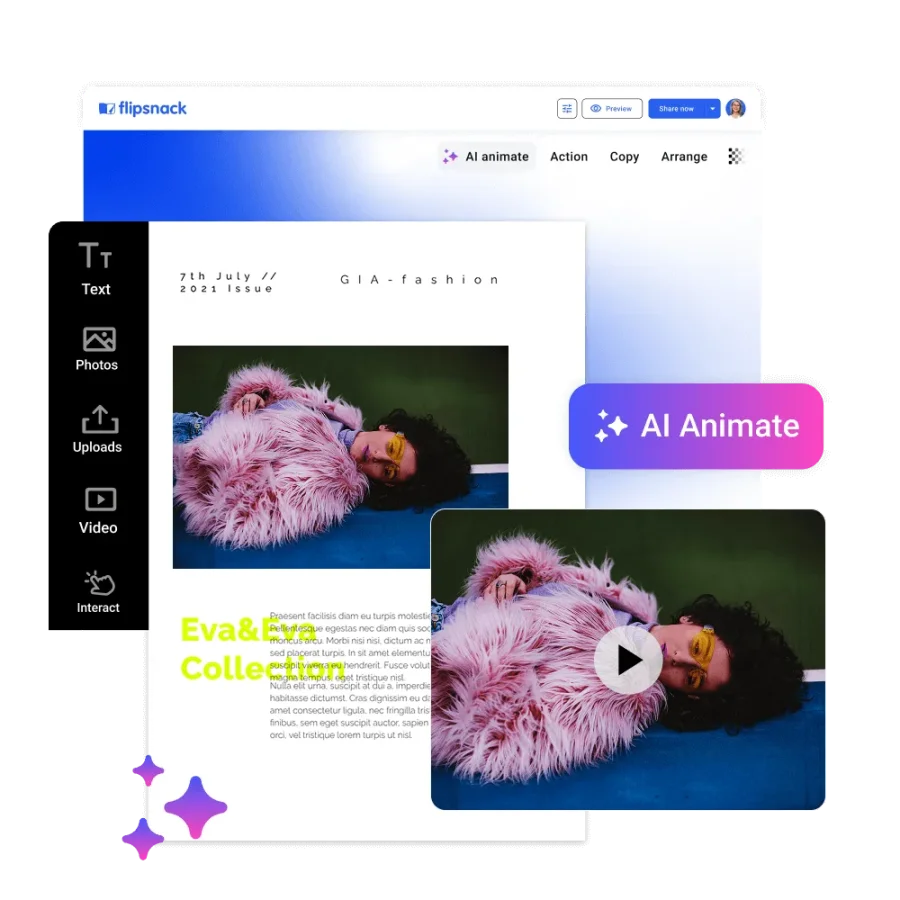
Hook your readers with video content
One of the most effective ways to create a truly interactive magazine is by embedding videos directly into your publication. With Flipsnack, you can enhance the reading experience by adding either a video widget that plays inline or a video button that links out to a hosted file.
You can enrich your publication with:
- Product demonstrations to showcase key features
- Brand or campaign videos that introduce a new collection
- Behind-the-scenes footage from photoshoots, events, or product launches
- Customer testimonials
- Expert interviews
These video elements are fully customizable; you can adjust the size, placement, and style to match your magazine’s layout. For marketers, videos can boost click-through rates and dwell time. For sales teams, they offer a compelling way to present product features.
If you want movement without a full video shoot, try Flipsnack’s Living Visuals. It turns static images into subtle, auto-playing AI-powered motion directly inside the Design Studio. Instead of creating a separate video, you add lightweight micro-motion to draw attention to key details.
You can use videos for:
- Brand magazines
- Product catalogs
- Marketing campaigns
- Sponsored content
- Editorial features
Guide and convert with interactive links and buttons
Links and buttons are the hidden power tools behind any successful interactive magazine.
These interactive elements make it easier for publishers to create engaging reading experiences. They also give marketers more opportunities to drive traffic, capture leads, and measure results.
In Flipsnack you can add:
- Shopping tags to turn your magazine into a shoppable experience. Readers can click featured products to view descriptions, prices, images, or purchase them directly from your online store.
- Clickable buttons that guide readers to product pages, landing pages, downloadable resources, or booking forms.
- Hyperlinks to blog posts, campaign pages, videos, or other resources that expand on the content in your magazine.
- Caption and descriptive tags that reveal additional information without cluttering your page layout.
- Social media buttons that encourage readers to follow your brand or share your publication across different platforms.
These features are a great add for:
- Digital catalogs
- Sales enablement materials
- Brand magazines
- Campaign publications
- Retail magazines
Save space and tell a visual story with photo slideshows
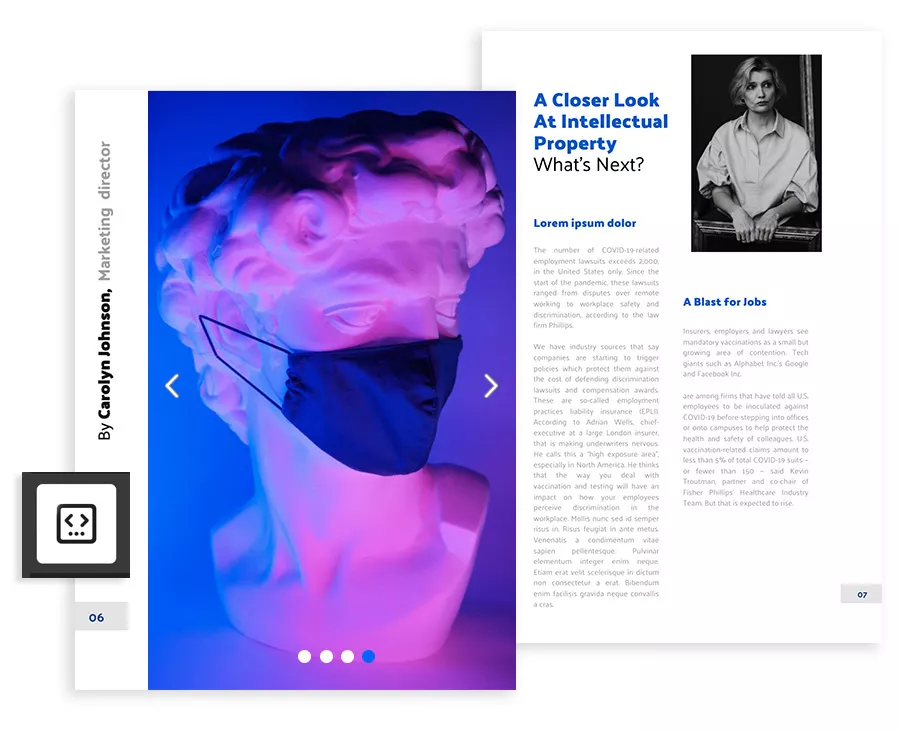
When you’re short on space but need to show rich visuals, photo slideshows are your best friend. With Flipsnack, you can add up to 10 images per slideshow. Plus, you have full control over the image order and loop duration, so you can customize how your story unfolds. This gives readers a smooth, interactive viewing experience—all without overcrowding the page.
Slideshows are perfect for showcasing:
- Product collections
- Event photo galleries and conference recaps
- Visual case studies
- Portfolios or before/after comparisons
- Campaign highlights from marketing initiatives
- Editorial photo essays
- Before-and-after showcases
Whether you’re a marketer trying to highlight product variations, a publisher building a visual editorial, or a trainer using step-by-step visuals, slideshows help maintain a clean layout while delivering detailed content.
Engage and learn with quizzes, contact forms & question widgets
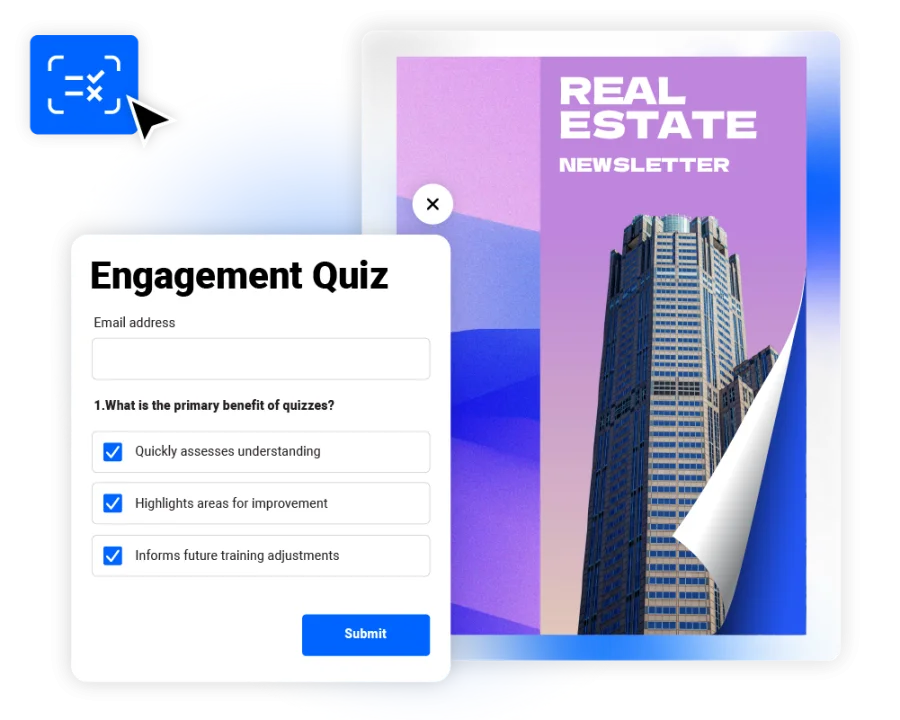
Interactive magazine is a two-way conversation. So, adding quizzes, forms, or question widgets is the perfect solution. These elements turn passive reading into active engagement—whether you’re collecting feedback, qualifying leads, or reinforcing knowledge.
Flipsnack features you can include:
- Lead generation forms to capture new prospects
- Newsletter sign-up forms to grow your subscriber list
- Surveys to gather reader feedback
- Quizzes to increase engagement or recommend products
- Contact forms to keep your user experience seamless and professional, while growing your contact database in a low-friction way
- Open ended questions for audience research or building stronger relationships with your community.
Every interaction is trackable. You’ll know how many people engage, what they click, and where you can optimize. In short, these tools transform your interactive magazine into a channel for dialogue, not just distribution.
Use these interactions for:
- Lead generation campaigns
- Digital marketing magazines
- Sponsored publications
- Customer magazines
- Content marketing
How to make an interactive magazine with Flipsnack
Creating an interactive magazine is easier than you might think. Here’s how to make one in Flipsnack:
1. Upload your PDF or start from a template
Already have a magazine in PDF format? Upload it and turn it into an interactive magazine. Starting from scratch, browse magazine templates and customize them with your own branding, images, and content.
2. Add interactive elements
You can embed videos, create photo slideshows, insert clickable links and buttons, add shoppable product tags, or include forms and quizzes to encourage engagement.
3. Publish online and share your magazine
Publish it online and share it however your audience prefers. Send it by email, embed it on your website, post it on social media, or generate a QR code for print materials and events.
4. Track its performance through statistics
After publishing, monitor how readers interact with your magazine using Flipsnack’s built-in analytics. Track views, reading time, downloads, and interactions with videos, links, forms, and other interactive elements.

Final thoughts: It’s time to make your magazine interactive
Whether you’re publishing a brand magazine, product catalog, or a customer publication, interactive elements help readers do more than simply consume content. They can watch videos, explore products, complete forms, and discover additional resources without leaving the publication.
As the examples in this guide show, even small additions like clickable buttons, photo slideshows, or embedded videos can increase engagement, encourage meaningful actions, and give you valuable insights into how readers interact with your content.
With Flipsnack, you don’t need to be a developer or designer to create something remarkable. You have everything you need to start engaging, informing, and converting your audience in a more dynamic way.
So why wait? The best time to upgrade your magazine is now.
FAQs about interactive magazines
Yes. Flipsnack lets you upload an existing PDF and enhance it with interactive elements such as videos, clickable links, shopping tags, forms, quizzes, and photo slideshows, so you can modernize current publications without redesigning them from scratch.
Yes. Flipsnack offers a free plan that lets you create and publish interactive magazines with basic features. Paid plans unlock advanced branding, analytics, lead generation, and collaboration tools.
When implemented correctly, interactive elements shouldn’t negatively impact the reader experience. Flipsnack optimizes hosted publications to load efficiently while allowing you to enrich them with multimedia. As with any digital content, use videos and rich media thoughtfully to balance engagement and performance.
Yes. Flipsnack magazines automatically adapt to different screen sizes, so readers can browse your publication on desktops, tablets, and smartphones, with videos, buttons, links, and forms staying accessible across devices.