How to Turn Your Event into an Interactive Digital Magazine
Published on: August 3, 2026
Events generate a lot of valuable content. From photos and speaker presentations to attendee stories and sponsor messages, there is often more to an event than what happens on the day.
But once the event is over, this content can quickly get lost. A digital event magazine gives it a second life. You can bring your best event moments together in one engaging publication and share it with attendees, sponsors, speakers, and anyone who could not attend.
Unlike a printed magazine, a digital magazine is easy to share and update. You can make it interactive with clickable links, videos, and other digital elements. Also you can track how people engage with it, like which pages get opened and how long readers stay.
In this guide, you’ll learn what to include in an event magazine, how to plan and design one, and how to create an interactive digital version with Flipsnack.
Table of contents
- What is a digital event magazine?
- What to include in an event magazine
- Digital vs. print event magazines: Which should you choose?
- How to create an event magazine design
- How to create an event magazine with Flipsnack
- Free digital event magazine templates
- Start creating your event digital magazine
- FAQ about digital event magazines
What is a digital event magazine?
A digital event magazine is an online publication created to inform, engage, or entertain an event audience. It can be used before, during, or after an event, depending on your goals.
For example, you can use an event magazine to share a conference schedule, introduce speakers, highlight sponsors, or recap the best moments from a festival or a wedding. You can also create one as a keepsake that attendees can revisit after the event.
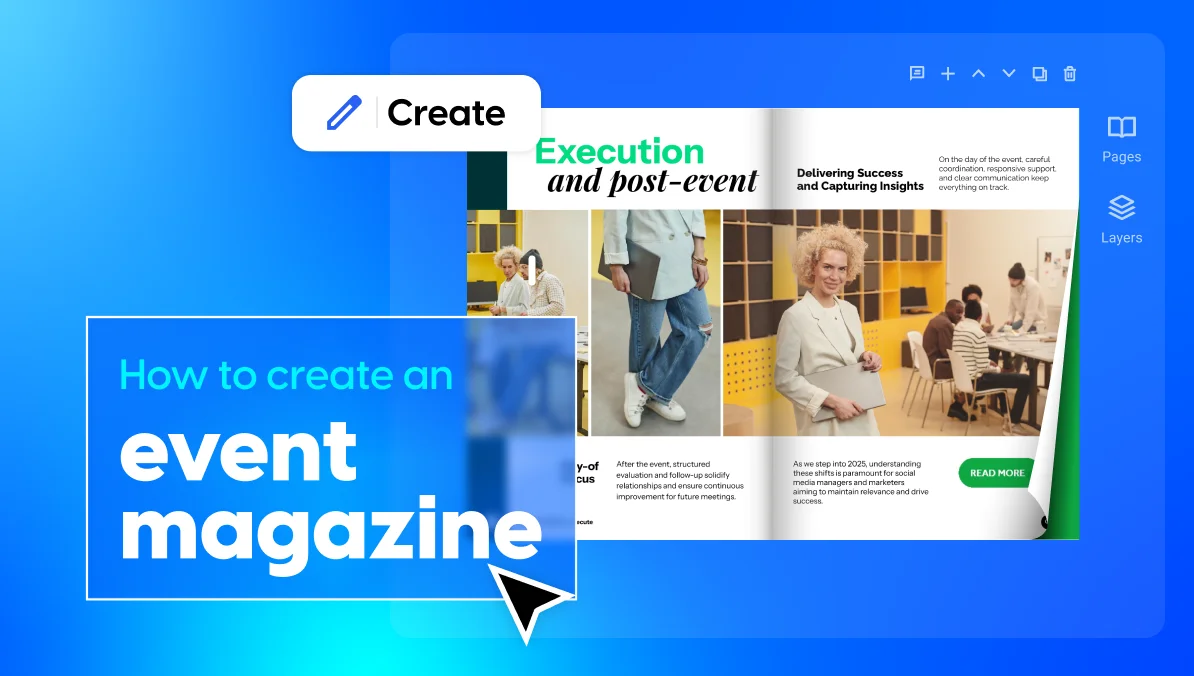
Digital event magazines are often created as interactive publications. Instead of simply reading a static document, readers can click links, watch videos, explore photo galleries, and visit sponsor websites.
They can work well for many types of events, including:
- Conferences and trade shows
- Corporate events
- Weddings
- Music and arts festivals
- Nonprofit galas and fundraisers
- University events
- Product launches
The format you choose depends on your goals. A pre-event magazine may focus on schedules and speaker information, while a post-event magazine might highlight photos, recaps, and attendee stories.
What to include in an event magazine
Before you open any design tool, it helps to know what goes on the page. Most strong online event magazines include a mix of the following sections.
Cover and table of contents
Your event magazine cover sets the tone. It should include the event name, date, and a strong image or graphic that captures the mood of the event. Right after the cover, add a table of contents so readers can jump to the sections they care about most, whether that’s the photo gallery or the sponsor page.
Event recap and highlights
This is the heart of the magazine. If it’s an event recap magazine, summarize what happened: key moments, standout sessions, big announcements, and memorable quotes. Keep it short and punchy. Readers want highlights, not a full transcript.
Photo galleries
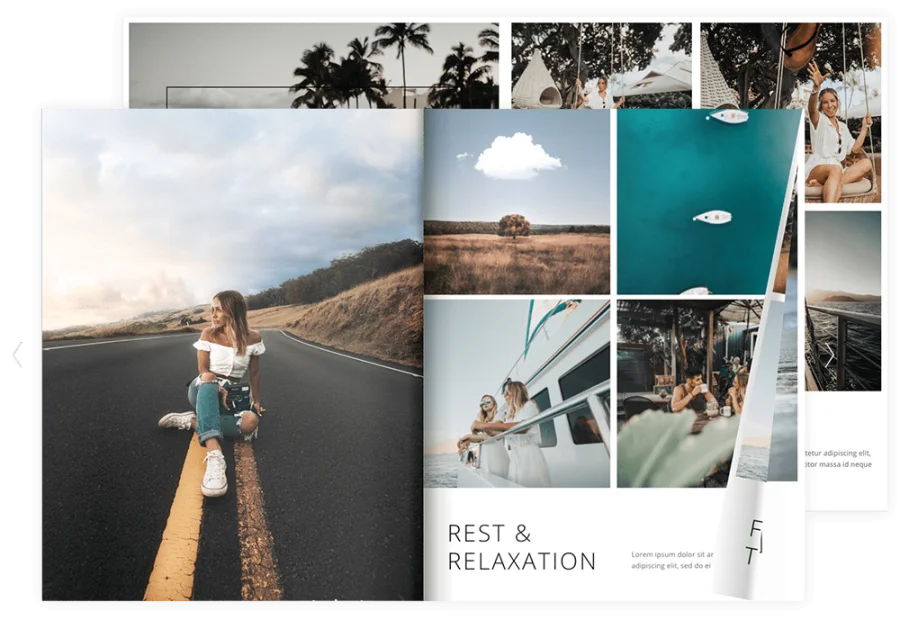
Photos do most of the storytelling. Choose a range of shots: wide crowd shots, candid moments, speaker photos, and close-ups of key details like signage or decor. A well-organized gallery gives readers a strong sense of what it felt like to be there.
Speaker bios and attendee spotlights
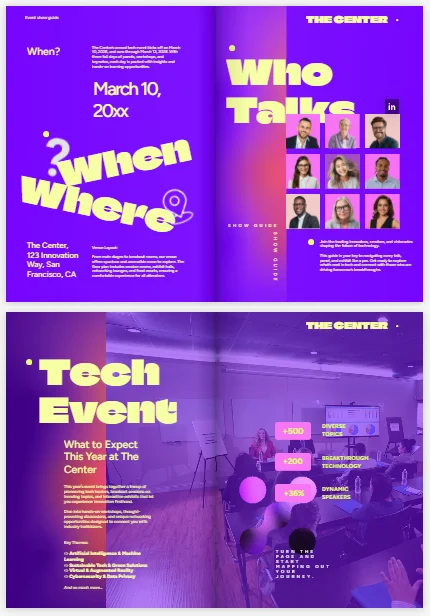
If your event had speakers, panelists, or honored guests, give them a page. A short bio, a photo, and a memorable quote go a long way. You can do the same for attendees or team members who made the event happen.
Schedule or itinerary
For conferences and multi-day events, a schedule is a useful reference and a great record of everything that will take place. Break it down by day or by track so readers can see the full scope of the event at a glance.
Sponsor and advertising pages
Sponsors help make events possible. Give them real visibility. Dedicate a page or spread to sponsor logos. Consider a full spotlight page for top-tier partners. In a digital magazine, you can also make logos clickable, linking straight to sponsor websites. That’s a real upgrade over a printed program. It also gives sponsors a stronger reason to come back next year.
Calls to action and social links
End with a reason to stay connected. Link to your social media pages, invite readers to sign up for your next event, or point them to a survey for feedback. A digital magazine is a great place to keep the momentum going after the event ends.
Digital vs. print event magazines: Which should you choose?
Both formats have their place, and you don’t always have to pick just one.
Attendees can hold print magazines, flip through them, and keep them as a physical keepsake. That works especially well for weddings or milestone events where sentimentality matters. The downside is cost and turnaround time. Printing takes planning, and last-minute changes are hard to make once pages are at the printer.
Digital magazines are faster, cheaper, and easier to update. You can publish one within hours of finishing the design and share it instantly. Digital also supports features a printed page can’t match, like clickable links and videos. And since sponsors want to see real results, digital has one more edge: you can track how many people opened the magazine and which pages they spent the most time on.
Many event organizers land on a hybrid approach. They create a digital magazine as the main version, then offer a print-on-demand copy for those who prefer a physical version. This gives you the speed and analytics of digital, plus the option of print for those who want it.
| Feature | Digital event magazine | Printed event magazine |
| Distribution | Shared through links, email, websites, and QR codes | Handed out at the event or mailed |
| Updates | Easy to update and republish | Requires a new print run |
| Interactivity | Supports links, videos, and other digital elements | Limited |
| Reach | Easy to share with a wider audience | Limited to printed copies |
| Analytics | Reader engagement can be tracked | Difficult to measure |
| Physical keepsake | No physical copy | Tangible item to keep |
| Printing | No printing required | Printing and shipping costs |
How to create an event magazine design
Creating an event magazine involves a few key steps, from planning your content to choosing the right design and adding your visuals. Here’s what the process looks like from start to finish.
1. Plan your content and structure
Start with a simple outline. List the sections you want to include, based on the categories above. Decide roughly how many pages each one needs. A typical event magazine runs 8 to 24 pages, depending on how much content you have. Gather your photos, quotes, bios, and sponsor logos ahead of time. That way, you’re not scrambling for content halfway through the design process.
2. Choose the right event magazine software
When looking for a digital magazine platform for events choose one that matches your design skills, content needs, and publishing goals.
If you are comparing tools, Flipsnack and Issuu are two popular picks for event magazines. Issuu is simple to use and has a large reader network built in, which can help new readers find your magazine. But for event magazines, Flipsnack tends to be the stronger pick. It gives you deeper branding control, more interactive features, and lets you edit pages even after you publish, handy if your schedule changes at the last minute.
To speed up your creating process, you can use templates. These come in handy if you don’t have much design experience. Instead of starting with a blank page, you can choose a layout that fits your event and customize it with your own content.
You can also use a design tool to create your pages and then upload the finished PDF to a digital publishing platform. This approach gives you more flexibility while still allowing you to turn your design into an interactive online magazine.
3. Design your layout and cover
Whatever tool you use, keep your design consistent and on brand. Stick to two or three brand colors. Pick one or two fonts. Keep the same layout style from page to page. Your cover deserves extra attention, since it’s the first thing readers see. A clean, eye-catching cover with your event name and a strong photo will do more for engagement than any other single page.
4. Add photos, event content, and sponsor pages
Now bring in the content itself. Place your photos, write your recap copy, add speaker bios, and lay out your sponsor pages. Leave some white space so pages don’t feel cluttered, and make sure images are high resolution so they look sharp on screen.
How to create an event magazine with Flipsnack
After you’ve planned and designed your content, Flipsnack turns it into a shareable, interactive event magazine in just a few steps.
1. Start from scratch, a template, or an existing PDF
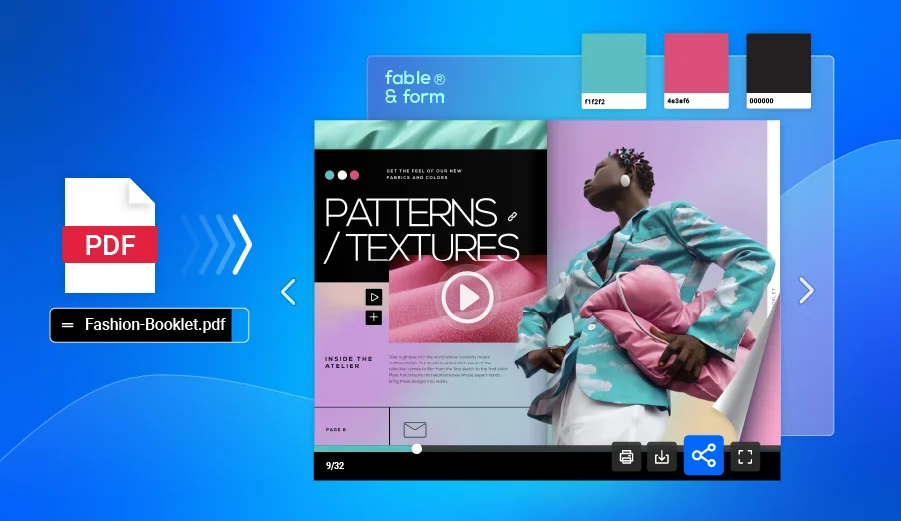
If you already have a designed PDF, upload it directly and Flipsnack will convert it into a digital flipbook automatically. If you’re starting fresh, choose one of Flipsnack’s event magazine templates and customize it with your own content.
2. Make it on brand
Use your brand colors, fonts, logo, and other visual elements consistently throughout the publication. If you have a branding kit, use it as a guide when customizing your design.
3. Add interactivity
Once your pages are ready, add interactive elements to make your digital event magazine more engaging.
Depending on your content, you can add:
- Clickable links
- Videos
- Buttons
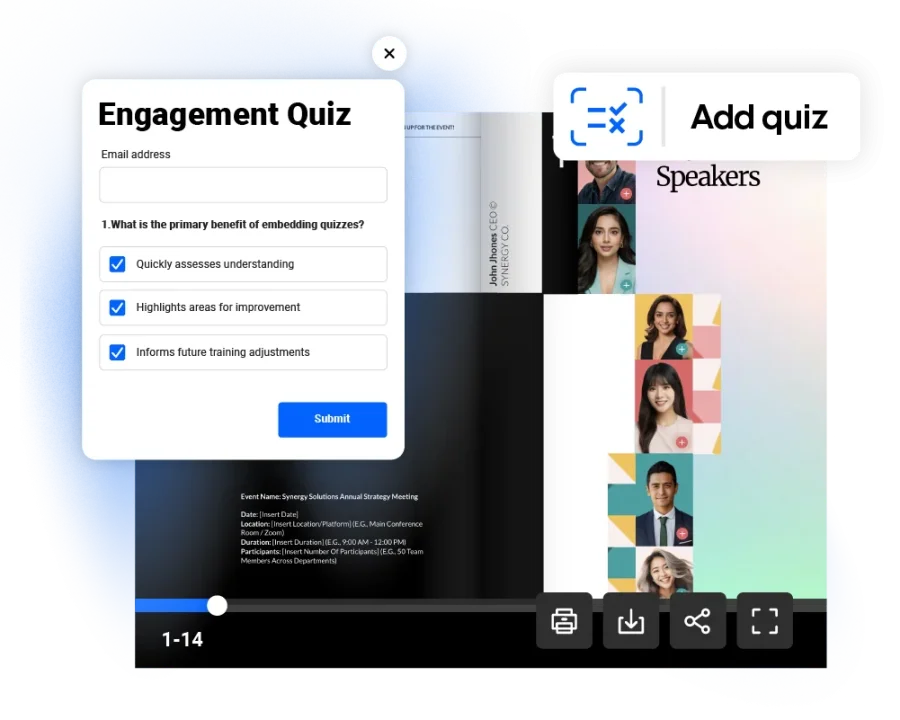
- Quizzes and forms
- Social media links
- Other interactive elements
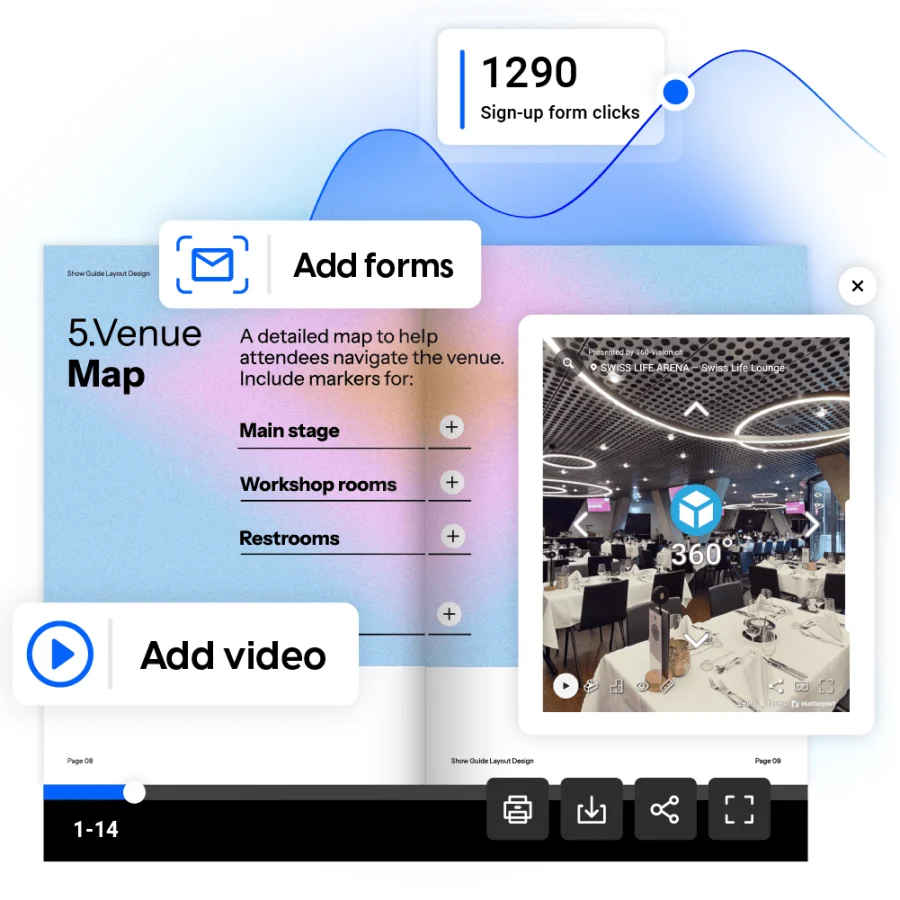
For example, you could add a video from a keynote speaker, link a sponsor advertisement to their website, or connect your event schedule to additional information.
Interactive content can turn your magazine from a digital version of a printed publication into a more engaging online experience.
4. Publish and share your event magazine
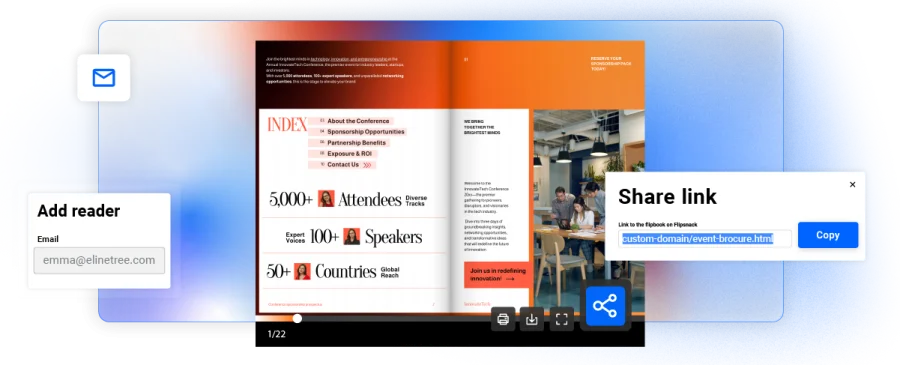
Once you’re happy with it, publish with one click. You can share your publication with your attendees through:
- A direct link
- Your event website
- Email newsletters
- Social media
- QR codes
- Event registration or follow-up emails
QR codes can be especially useful for in-person events. You can place one on printed signage, event badges, or other materials to give attendees quick access to the digital magazine.
You can also embed your publication on your website, giving visitors a way to read it without leaving the page.
5. Track engagement with analytics
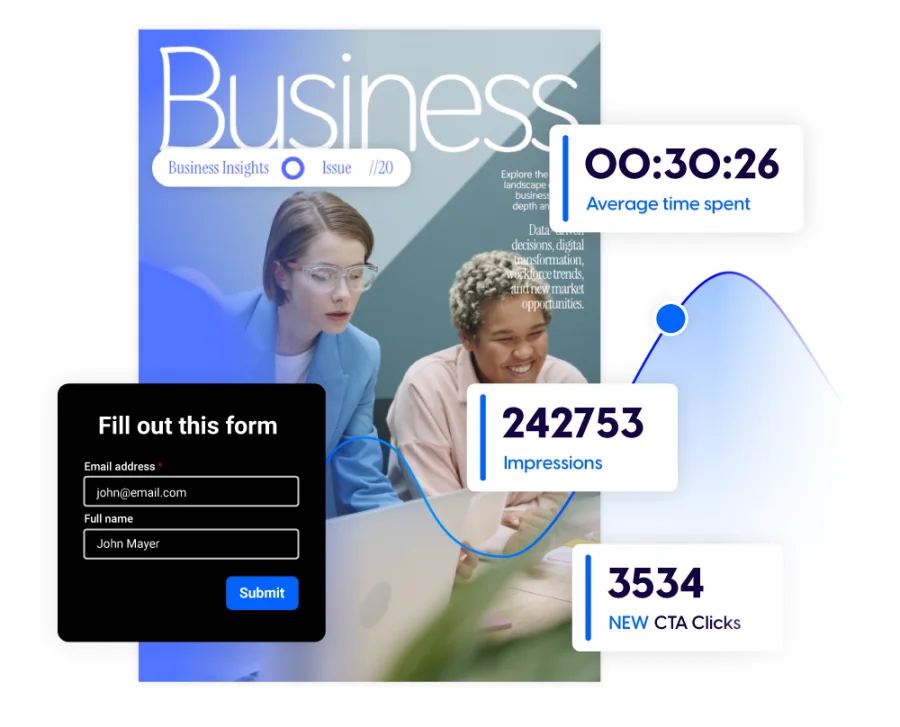
Publishing your event magazine is not the end of the process. Flipsnack analytics shows you how people are actually interacting with your magazine:
- how many people opened it
- which pages got the most views
- how long readers spent on each section
These insights can help you understand which parts of your magazine attract the most attention. They can also help you show sponsors how their content performed and use what you learn to improve future event publications.
Free digital event magazine templates
There are many ways to use a digital event magazine. Here are a few template ideas from Flipsnack to inspire your next project.
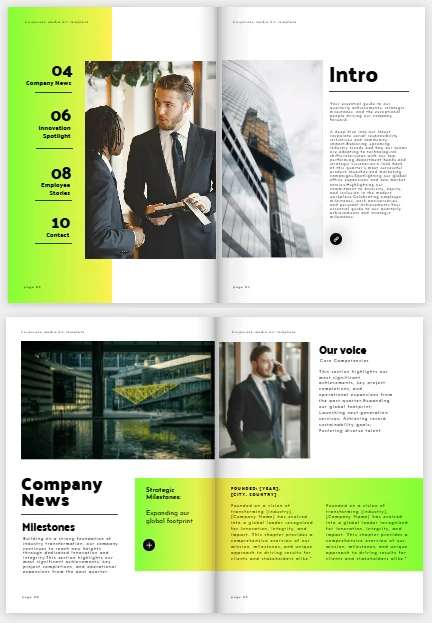
Conference and corporate event magazines
Use a digital magazine to bring your conference or corporate event content together in one place .Add speaker bios, highlights, schedules, and sponsor pages like in the template example below. After the event, turn it into a recap with photos and quotes.

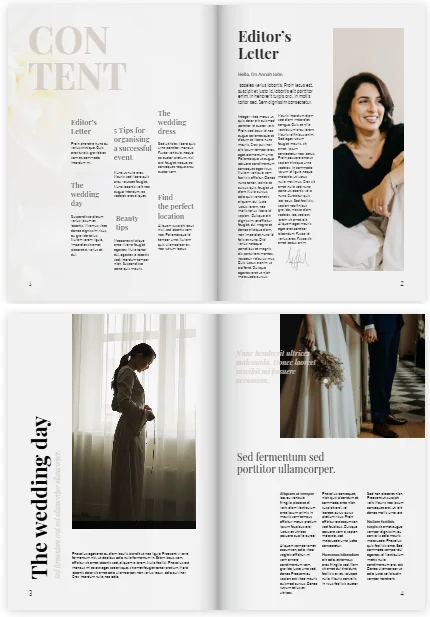
Wedding magazines
A digital wedding magazine shares the story of your big day. Add photos of the couple, guest messages, and venue details. You can use the wedding magazine template below as a start. Swap in your own story and photos for a lasting keepsake.
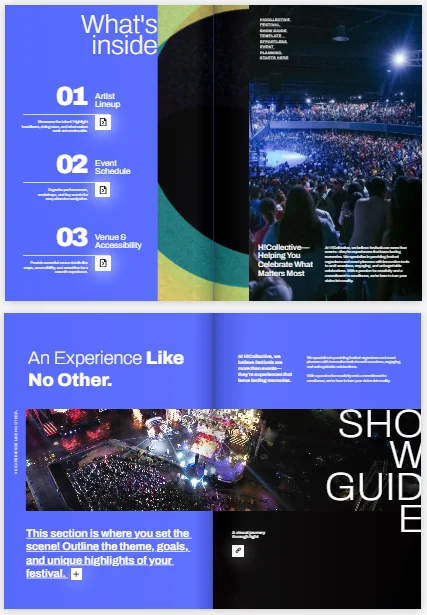
Music festival guides
Help festival fans plan their day with a digital guide. Cover the artist lineup, schedule, and venue map. The festival guide template lets you add a map for directions, plus audio or video for each act. You can also include links to artists’ social media profiles, music platforms, or websites.
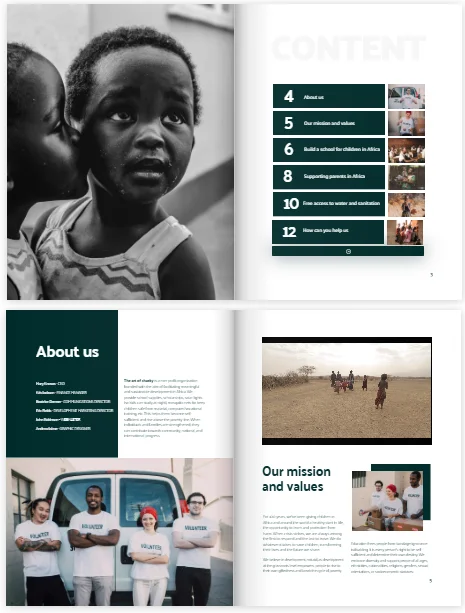
Nonprofit and fundraiser magazines
A digital event magazine can tell your story and show your event impact. Add donor stories, volunteer spotlights, and a call to donate. The nonprofit brochure template is built for this kind of story, an easy base for your event highlights.
University and student event magazines
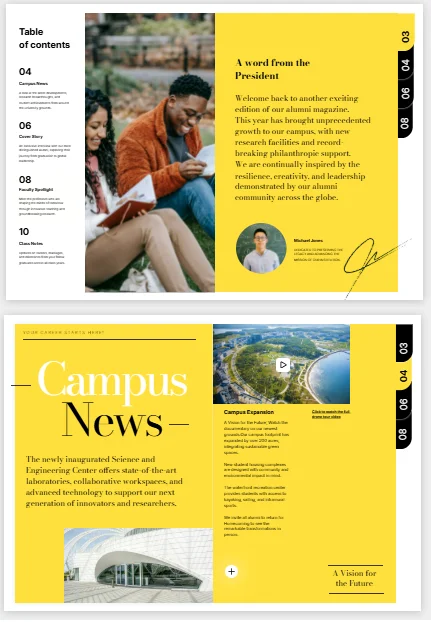
Universities use digital event magazines for grad days, student events, and campus news. Add student stories, schedules, and speaker bios. The alumni magazine template already has photo slides and event links, ready to adapt for one event.
Product launch event magazines
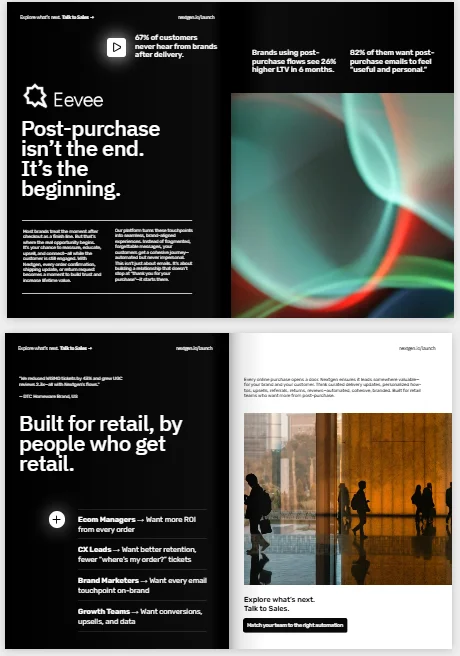
A digital event magazine can build excitement for a new product. Add key features, launch highlights, and links to product pages. The product launch template adds CTA buttons and click tracking, so you see what drives interest before and after launch.
Sports event magazines
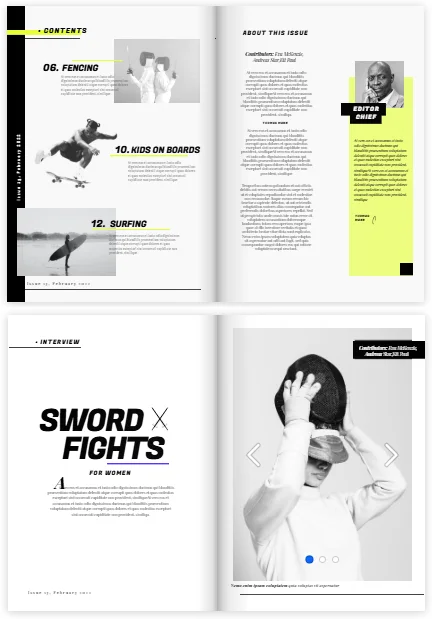
Bring fans closer to the action with team profiles, schedules, and behind-the-scenes stories. The sports magazine template adds highlight-reel videos. That turns game-day content into something fans want to read.
Start creating your event digital magazine
A digital event magazine can help you turn event content into something your audience can continue to explore and share long after the event is over. From schedules and speaker profiles to photo galleries, event highlights, and sponsor pages, you can bring everything together in one engaging publication.
It can also help sponsors gain more visibility and give your team insights into which content resonates with readers. Whether you publish it before, during, or after your event, a digital magazine gives you a simple way to keep your audience connected and make more of the content you’ve created.
Whether you’re creating one for a conference, wedding, festival, corporate event, or fundraiser, the process starts with choosing the right content and design for your audience. From there, you can turn your pages into an interactive experience with clickable links, videos, and other digital elements.
Create your event magazine with Flipsnack and give your event content a life beyond the event itself.
FAQ about digital event magazines
An interactive digital flipbook is a great format for an event magazine. With Flipsnack, you can turn a PDF into an online flipbook that readers can access on their devices. You can also add interactive elements, such as clickable links and videos, to make your content more engaging.
Start by organizing your content into clear sections, such as the event schedule, speaker profiles, highlights, photo galleries, and sponsor pages. Create a strong cover and use a consistent visual style throughout the magazine. Keep text easy to scan and leave enough space around images and other design elements. With Flipsnack, you can start with a template or create your own layout before publishing your magazine as an interactive digital flipbook.
Yes. In Flipsnack you can update your publication after it has been published. This is useful if you need to correct information, replace content, or add new event highlights. You can make changes without having to create and share a completely new publication.
Yes. You can include sponsor logos, profiles, and advertisements in your digital event magazine. With Flipsnack, you can also add clickable links to sponsor websites or landing pages, making it easy for readers to learn more. You can then use analytics to understand how readers interact with your digital content.