B2B Catalog Software: How to Choose One and Publish Catalogs Buyers Order From
Last updated: October 15, 2026
A sales rep at a plumbing supply distributor attaches a 340-page price list to an email and hits send. Somewhere inside sits the exact product his buyer needs. Also inside: eleven discontinued SKUs and pricing that shifted back in March.
Nobody on that team was careless. Their ERP holds accurate records, their PIM stays clean, their webshop runs perfectly well. All of it was correct on the day someone exported that file, four months ago. Such a gap explains nearly every stale catalog we come across. Product information lives inside systems engineered to store it, while whatever you actually hand a buyer gets assembled manually, once, then quietly ages.
B2B catalog software closes that distance. Below, we define the category and separate catalog management from a PIM. Then we compare six tools on strengths and limitations, map each to the job it fits and build an orderable catalog from a product feed in five steps.

What is B2B catalog software?
B2B catalog software is a tool that turns structured product data into a branded, shareable catalog that business buyers can browse, filter and order from, with pricing, specifications and availability that update from a connected data source rather than by hand.
Such tooling sits between systems that store product information and systems that process transactions. A distributor might keep master records inside a PIM, collect payment through an ecommerce platform, yet still need something a rep can send to a procurement manager who has no login and zero intention of creating one.
Wholesalers, manufacturers and distributors reach for it when producing full-line catalogs, line sheets, seasonal collections, dealer-specific assortments and price lists. Each of those is a product catalog in a different format, built for a different stage of the buying process.
What is B2B catalog management?
B2B catalog management is the ongoing process of collecting, standardizing, governing and publishing product data so every business buyer sees accurate products, prices and terms. No single system covers it. A PIM governs attributes, an ERP owns stock and base pricing, and catalog software turns the result into something buyers actually open.
Most teams describe catalog management as one job. In practice, it’s five stages, each with a different owner.
What’s the difference between B2B catalog software, a PIM, and a B2B ecommerce platform?
A PIM is where product data lives. A B2B ecommerce platform is where transactions happen. B2B catalog software produces what a buyer actually opens and reads. Most mid-size distributors run all three, and confusing their roles is why catalog projects stall inside IT.
| Job to be done | PIM | B2B ecommerce platform | B2B catalog software |
| Single source of truth for SKU records | ✓ | Partial | ✗ |
| Attribute governance and data quality rules | ✓ | ✗ | ✗ |
| Account-level pricing and contract terms | Partial | ✓ | Partial |
| Checkout, payment, tax, punchout | ✗ | ✓ | ✗ |
| Buyer-facing browsing without a login | ✗ | ✗ | ✓ |
| Branded, presentation-quality layout | ✗ | Partial | ✓ |
| Sendable as one link or one file | ✗ | ✗ | ✓ |
| Usable at a trade show with no connection | ✗ | ✗ | ✓ |
| Page-level engagement analytics | ✗ | Partial | ✓ |
Read across those rows and a pattern emerges. Two of these categories manage information; only one produces something a human being reads voluntarily. Buying the wrong category rarely announces itself immediately, because each tool genuinely works, just not on your particular bottleneck.
Be honest about which bottleneck you actually have. If four teams disagree about what a single SKU should be called, catalog software won’t repair that and a PIM will. When buyers abandon carts at checkout, your platform deserves the scrutiny. Catalog software earns its budget once the underlying data is sound and the weak link becomes whatever artifact reaches your buyer.
Do you still need a catalog if you already have a B2B webshop?
Frequently yes, though not universally. Webshops serve buyers who already know your business and hold credentials. Catalogs serve everybody else, including prospects, trade show visitors, procurement committees comparing three suppliers and any buyer wanting something forwardable to a manager.
Where the webshop wins
- Repeat ordering. Established accounts with saved carts and purchase history move faster through a portal than through any document.
- Live inventory. Stock counts shifting hourly belong behind authentication, never inside a published file.
- Payment and compliance. Tax calculation, credit terms and punchout integrations require genuine transactional infrastructure.
Where the catalog wins
- No login required. Procurement managers evaluating your business for the first time won’t register an account merely to look around.
- Forwardable. One link travels through an approval chain intact. Portal URLs ask each new person to authenticate.
- Presentation. Curated collections, seasonal narratives and product context rarely survive translation into a filtered grid.
Most distributors running both discover their roles separate cleanly. Portals retain existing customers; catalogs win new ones.
What breaks when you build a B2B catalog by hand?
Manual catalog production works beautifully at 40 products. Somewhere past a few hundred, five predictable problems arrive.
- Stale pricing. A building products distributor revises costs quarterly. Between revisions, reps quote from a PDF already contradicted by the ERP, then absorb the difference or lose the order outright.
- Version sprawl. Three regional teams each maintain a private edit of ostensibly the same document. Nobody can say with confidence which one reached a given buyer.
- Designer dependency. One product description change enters a queue, waits for available design capacity, returns as a fresh PDF carrying a fresh link, while the previous link keeps circulating indefinitely.
- Zero visibility. Attachments leave as email and vanish. Nothing reveals whether anyone opened yours, which pages held attention or which products earned a second look.
- Manual data entry. Supplier PDFs get retyped into layouts. At 900 products, that represents five to ten days of work per catalog, with every keystroke offering another opportunity for error.
That last figure isn’t hypothetical. We’ll return to it shortly, because one Australian wholesaler measured it precisely.

How do you choose B2B catalog software?
The short answer: Start with where your product data lives and how buyers order today. Then judge tools on seven criteria: data connection, update model, ordering, access control, print and digital output, analytics and brand governance. Fit with your existing PIM, ERP or webshop matters more than feature count.
1. Connection to your product data
Can the tool build pages from a CSV, a Google Sheet, a PIM or an ERP feed, or does someone retype everything? Ask how often the feed refreshes. Then ask whether a price change in the source reaches the published catalog without a rebuild.
2. Update model
Does an update reach buyers under the same link, or does it produce a new file? Persistent links outrank any layout feature, because the stale PDF sitting in a buyer’s inbox is what triggers disputed invoices.
3. Ordering and quote requests
Buyers should pick variants, enter quantities and send an order or quote from inside the catalog. Check where submissions land afterwards: inbox, spreadsheet, CRM or your webshop cart.
4. Access control per account
Negotiated pricing needs private versions. Look for password protection, email-restricted access, one-time passcodes and SSO, plus tracking that shows which account opened which version.
5. Print and digital from one source
Trade shows, procurement files and leave-behinds still call for a PDF. Strong tools export print-ready files from identical data, so nobody maintains two production workflows.
6. Engagement analytics
Total views say little. Page-level dwell time, product clicks and order activity reveal which lines deserve a push and which belong off next season’s edition.
7. Brand governance at team scale
Once regional teams publish their own editions, locked templates, shared brand assets and user roles decide whether every catalog still looks like one company.
One caveat worth stating plainly. If all your buyers log in to a portal and never forward anything, criteria two, four and five lose most of their weight. Invest in the portal first, then use catalogs to win prospects.
B2B catalog software compared: six tools side by side
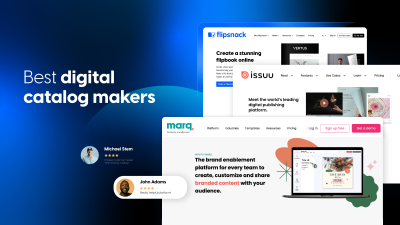
Flipsnack and DCatalog focus on branded, orderable catalogs built from PDFs or product data. JOOR serves fashion wholesale networks, Pepperi and SimplyDepo center on rep order-taking, and Pagination automates print-ready catalogs from InDesign templates.
| Tool | Best for | Strengths | Limitations | Pricing |
|---|---|---|---|---|
| Flipsnack | Distributors, manufacturers, and brands that send catalogs to prospects, dealers, and buyers | Catalog Generator builds pages from CSV, spreadsheets, or feeds; in-catalog ordering and quote requests; per-account access (password, email, OTP, SSO); page-level analytics; HTML5 and print PDF exports. Personalized client catalogs from selected products in one master feed; | Not a PIM, so it publishes data from your PIM, ERP or feed via integrations; checkout happens in your existing webshop; a learning curve for teams new to Design Studio. | Free plan; paid plans on pricing page |
| DCatalog | Manufacturers and distributors needing dealer-specific catalogs at scale | Generates catalogs from PDF, XML, or CSV; quote and order forms; buyer group permissions, expiring links, watermarked PDFs; print and digital from one layout | Pricing not published [verify]; setup tends to run through sales | Contact sales |
| JOOR | Fashion and lifestyle brands selling collections to retailers | ERP-fed shoppable catalogs and line sheets; virtual showrooms; access to a retailer network | Built around fashion wholesale; not an ERP | Contact sales |
| Pepperi | Field sales teams taking orders on tablets | Catalogs per season, market, and currency; works offline; publishes to a B2B storefront | A rep order-taking platform, so a bigger rollout than a catalog tool | – |
| SimplyDepo | CPG brands and distributors with reps in the field | Customer-specific price lists and assortments; order capture; rep mobile app with offline access | Priced per rep, so cost scales with team size | From $69 per rep per month |
| Pagination | Teams producing print-heavy catalogs in InDesign | Generates catalogs from ERP or PIM data; multiple price and language versions from one template | Centered on InDesign documents; buyer ordering isn’t its focus | – |
Which type of tool fits which job?
| Your situation | Tool category | Examples |
|---|---|---|
| Product data contradicts itself across teams | PIM | Akeneo, Salsify, Perfion |
| Repeat buyers reorder daily from saved carts | B2B ecommerce platform or portal | Shopify B2B, Virto Commerce |
| Seasonal collections sold to retail buyers | Wholesale platform | JOOR, NuORDER |
| Reps take orders on tablets at customer sites | Rep order-taking app | Pepperi, SimplyDepo |
| Print catalogs produced from InDesign templates | Print catalog automation | Pagination |
| Branded catalogs prospects and dealers browse, forward and order from | B2B catalog software | Flipsnack, DCatalog |
How to build an automated B2B product catalog with Flipsnack
Five steps, from raw product data to a published catalog buyers can order through.
Step 1: Connect your product data
Upload an existing PDF, import a spreadsheet, or connect your ERP, PIM or product feed directly. With Edit PDF, uploaded vector PDFs become editable inside Design Studio, so correcting a price or swapping a product photo no longer means reopening your original design file.
Step 2: Generate the catalog pages
Catalog Generator builds product pages automatically from your data source, mapping SKUs, descriptions, images and prices into a chosen template. Refine spacing, hierarchy and section breaks afterwards, without rebuilding anything from scratch.
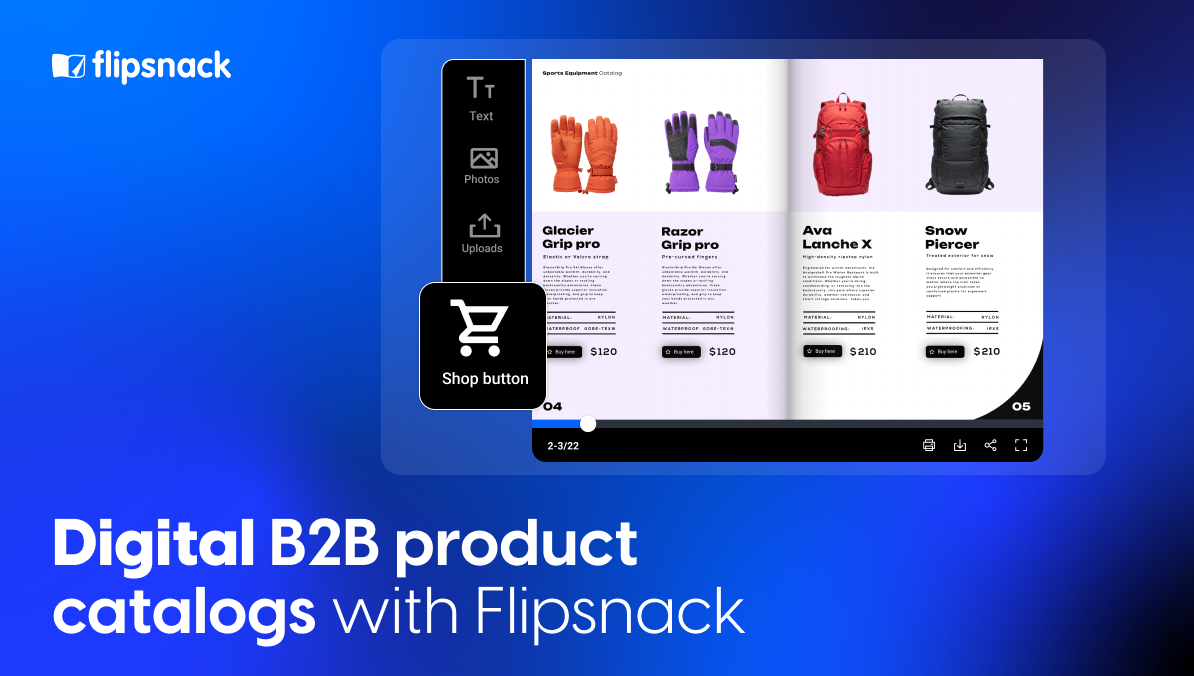
Step 3: Turn on ordering
Add shopping list interactions so buyers pick variants, enter quantities and submit an order or quote request from inside the catalog. Submissions arrive in your inbox, sync to Google Sheets or route into your CRM through native integrations.
Note: Already run a webshop? Connect the catalog to your website cart, and every product a buyer selects lands straight in your existing checkout. Buyers browse in the catalog, then pay where they always have.
If inquiries already flow through a cloud contact center, send order notifications to that same team. Quote requests then join the queue your reps already work instead of waiting in a separate inbox.
Deciding how orders should reach your team deserves its own thinking. Our guide to digital catalogs with built-in ordering covers the checkout options in detail.
Step 4: Control who sees what

Choose visibility per catalog: public, unlisted, password-locked, private by email, one-time passcode or SSO-restricted. Wholesalers publishing negotiated pricing typically run several versions, each locked to a specific buyer group, so confidential terms never surface in search results or reach a competitor.
Step 5: Publish, share and measure
Publish once and distribute a single link by email, embedded on your site or through a QR code your reps carry to trade shows.Analytics then report views, page-level dwell time, clicks and order activity, so the next edition gets built on evidence instead of instinct.
How do you personalize a B2B catalog for each account?
Publish separate versions from one product feed, then lock each to its buyer group. Every version shares data and design, so a price change updates all of them, while each account only ever sees its own assortment and terms.
Assortment is the other half of personalization. With the Selected products option in Catalog Generator, sales reps filter your master feed by any column (category, collection, region), tick the products a client cares about and generate a personalized catalog in minutes. They never touch templates, and nobody has to cut a separate feed per client. When product details change in the feed, every personalized catalog picks up the update.
Retailers want maximum reach. Wholesalers want the right reach. Prices vary by customer, assortments shift by region and negotiated terms must stay confidential.
Flipsnack gives you several ways to control who opens what:
- Password-locked catalogs. Fast to set up per buyer group, though anyone holding the password can pass it on.
- Unlisted links. Hidden from search engines, reachable only through the direct link.
- Private access by email. Only approved addresses can open the catalog.
- One-time passcodes. Secure entry for external buyers without forcing them to create an account.
- SSO-restricted access. Limits viewing to people inside your identity provider.
- Leak protection watermark. Stamps each view so a forwarded screenshot traces back to its source.
Personalized tracking links then show which customers viewed and ordered from each version, so reps follow up on real interest instead of guesswork.
As Hari Ravichandran, CEO of Aura, put it:
In the world of B2B, intelligent safety and cybersecurity aren’t just shields; they’re the foundation upon which trust and collaboration are built.
For strict control, pair email or SSO access with the watermark. Passwords alone suit low-risk price lists, not contract terms.
How Pot Factory Connect cut catalog production from ten days to under 24 hours
Pot Factory Connect is an Australian wholesale pottery business built on a no-warehouse model, shipping directly from manufacturers to customers.
The before state. Suppliers deliver product information as PDFs. Converting those into anything usable meant recreating every page by hand, copying descriptions, uploading images and re-entering prices. Across catalogs running into the hundreds of products, five to ten days of work, repeated whenever a supplier issued updates. Operating without a physical showroom raised the stakes further: their catalog had to accomplish what a showroom normally does, convincing buyers to commit to substantial orders for products they’d never touched.
What they built. Supplier PDFs became structured spreadsheets, connected to Catalog Generator and populated into branded templates. 900+ products now live inside a single automated catalog with selectable colors and sizes, letting buyers configure orders before submitting them. A 20-second onboarding walkthrough sits embedded in the catalog itself. Everything organizes under one branded Bookshelf, so customers return to an identical URL regardless of how many new catalogs get published. AI Animation brings movement into product scenes, giving remote buyers something closer to what a showroom visit would offer.
For us, Flipsnack isn’t just our catalog. It’s actually our whole B2B sales system.
Mitch Burke, Pot Factory Connect
Results
- Catalog production under 24 hours, down from five to ten days
- 900+ products imported and structured into one automated catalog
- One feed update refreshes pricing across the entire catalog
- 24/7 buyer ordering, replacing the paper catalog completely
- 128 clicks on the embedded ordering walkthrough from a single catalog view
Read the full Pot Factory Connect story.
B2B product catalog best practices
Six habits separate catalogs that get used from catalogs that get filed.
Define your taxonomy before you build anything
Map how procurement teams actually shortlist products, then structure categories around those evaluation steps rather than around your internal org chart. Buyers searching by application shouldn’t have to know which division manufactures what.
Write specifications for verification, not persuasion
Each product needs a concise description plus a technical block covering dimensions, materials, compatibility and certifications. Marketing language belongs in section introductions. Specification tables belong beside the SKU.

Establish version control early
Decide who can publish, who reviews and how updates get logged. Governance sounds bureaucratic until three offices publish contradictory pricing during the same week.
Show bulk pricing and order minimums plainly
Hiding tier breaks behind a quote request adds friction precisely where B2B buyers expect transparency. Publish what you can publish, restrict what genuinely needs restricting.
Keep branding consistent and templates locked
Brand controls let you load company colors, logos and typefaces once, then lock them across the team. Consistency across regions costs nothing when the template enforces it. Selling through a webshop too? Borrowing layout cues from proven ecommerce website templates keeps catalog and storefront visually aligned.
Optimize for search where the catalog is public
Public catalogs get indexed. Consistent product naming, descriptive metadata and clean structure improve discovery through conventional search and through AI assistants alike. Restricted catalogs obviously skip this step.
Choose the layer your buyers actually touch
Your PIM keeps data right. Your platform keeps transactions right. B2B catalog software keeps what buyers read right, and that’s the layer where most stale catalogs originate.
Pick by where your bottleneck sits. When data quality is the problem, fix the PIM first. When buyers open outdated PDFs, forward files nobody can track or wait on a designer for a price change, publishing is your gap.
Buyers can only order what your catalog shows them correctly.
Frequently asked questions about B2B catalog software
B2B catalog software turns structured product data into a branded, shareable catalog that business buyers browse, filter and order from. Pricing, specifications and availability refresh from a connected data source instead of being edited page by page. Wholesalers, manufacturers and distributors use it for full-line catalogs, line sheets, dealer assortments and price lists.
A PIM manages product data: attributes, naming conventions, data quality rules and the single source of truth across your organization. B2B catalog software presents that data to buyers in a branded, readable, orderable format. PIM is the back end; the catalog is what a procurement manager actually opens. Larger distributors run both, feeding the PIM’s output straight into catalog production.
Entry-level catalog apps built on Shopify start around $40 per month, such as B2B Catalog & Linesheet Maker. Rep-focused catalog management tools like SimplyDepo publish pricing from $69 per rep per month. Platforms with feed automation, per-account access and team governance usually price by workspace or quote on request. Check the Flipsnack pricing page for current plans.
B2B (Business-to-Business): Companies selling products or services to other businesses.
B2C (Business-to-Consumer): Businesses selling products to individual customers.
DTC (Direct-to-Consumer): Companies selling directly to consumers without intermediaries.
Interactive features can really bring your eCommerce product catalog to life. You can add easy-to-use links that help customers jump to specific pages or product details. Including videos, images, or even audio makes the catalog more dynamic and fun to explore. Pop-ups can also be used to gather customer info or show off key content without crowding the page. With wholesale catalogs, you can deliver a personalized shopping experience that keeps customers happy without overspending on marketing. It’s about giving them what they need, quickly and efficiently.
Publish separate versions from the same product feed, each restricted to its intended audience. Access options include password protection, unlisted links hidden from search engines, private access by email address, one-time passcodes for buyers without accounts and SSO restriction for internal teams. Personalized tracking links then show which customers viewed and ordered from which version.
They can. Shopping list interactions in Flipsnack let buyers select variants, enter quantities and submit an order or quote request from inside the catalog itself. Submissions route to your inbox, to Google Sheets or into your CRM. Pot Factory Connect replaced its paper catalog entirely this way, giving buyers 24/7 ordering without a sales call.
Often, yes. Trade shows, procurement systems requiring a document on file and leave-behinds after in-person meetings all favor something physical. Exporting a print-ready PDF from the same source powering your digital catalog means both versions carry identical data, without maintaining two separate production workflows.
AI handles parts of the work well: drafting product descriptions, translating editions and animating product shots. Accuracy still depends on a structured data source, because a chatbot doesn’t keep prices in sync. In Flipsnack, Catalog Generator builds pages from your product feed, AI tools translate text boxes or whole publications and Living visuals add motion to product images. Our guide on building a product catalog with ChatGPT covers the copywriting side.
Two kinds of search count. Buyers need to find a SKU or product name inside the catalog in seconds, which Flipsnack handles with built-in catalog search. Public catalogs also need consistent product naming and descriptive metadata so search engines and AI assistants can surface them, and Flipsnack lets you optimize each public catalog for search. Restricted catalogs skip that second part on purpose.
Often, yes. Trade shows, procurement systems requiring a document on file and leave-behinds after in-person meetings all favor something physical. Flipsnack exports a print-ready PDF from the same source powering your digital catalog, so both versions carry identical data without two separate production workflows.