Digital Publishing for Healthcare: A Guide for Comms Teams
Published on: August 7th, 2026
Your health system publishes dozens of medical documents each quarter: staff newsletters, service line brochures, benefits guides, patient education materials. But digital publishing for healthcare is not only about putting those documents online. Ask who received each one, and how they read it. The answer is rarely clear.
That gap is not a content problem. Design is not the bottleneck either. The trouble sits in operations.
Publishing in a hospital means getting approved content to staff spread across shifts, campuses and job roles. Then you have to prove it landed.
Digital publishing for healthcare closes that gap. This guide covers three problems worth fixing first. Reach deskless staff, keep one approved version, and measure who opened what. Governance runs alongside all three.
Our focus is hospital and health system comms teams. The same ideas support payer and life sciences work.
Table of contents
- Why healthcare publishing breaks at scale
- What healthcare comms teams publish
- How do you reach staff who don’t work at a desk?
- Keep one approved version of every publication
- Measure publication reach with Flipsnack’s stats
- Keep healthcare publishing secure and compliant
- Where a publishing platform stops
- Choose a digital publishing platform: 11 criteria to check
- Healthcare templates your team can start from
- Frequently asked questions about digital publishing for healthcare
- Start with the digital publishing problem that costs you most
Digital publishing for healthcare means making, sharing, and tracking web documents for patients, staff, donors, and referral partners, rather than printing them or emailing static files. These documents open in a browser and may include links, video, or forms. Teams update each one in place, without changing its link.
Hospital comms teams use them for newsletters, benefits guides, patient education, recruitment materials, and service line content. Each file has one owner and an approval trail. Each carries an access tier and reader data. Think of a publishing operation, not just a design tool.
Why healthcare publishing breaks at scale
Three patterns commonly appear as healthcare publishing scales.
- The newsletter that goes unseen. Comms builds a careful PDF and sends it to a distribution list. Nurses and other shift-based staff may not check corporate email often, so the update slips past them.
- The brochure that contradicts current practice. A service line changed its referral pathway in March. Printed brochures at three campuses still describe the old one, because nobody budgeted a reprint.
- The report with no evidence. Leadership asks whether the annual open enrollment guide worked. You know how many people received it, but not how many employees reached page four, where the plan comparison appears.
These problems share the same cause. Each is a breakdown in distribution, version control, or measurement, not in writing or design. Fix those three areas, and many other publishing problems become easier to solve.
What healthcare comms teams publish
Most hospital comms content falls into six recurring publication types. You know them already. What teams rarely decide on purpose is the last column: who is allowed to open each one.
| Publication type | Primary audience | Update trigger | Access tier |
|---|---|---|---|
| Staff newsletter | All employees, many deskless | Fixed cadence, weekly or monthly | Internal |
| Employee handbook | New hires, all staff | Policy revision | Internal |
| Benefits guide | Employees, dependents | Annual enrollment, plan change | Internal or restricted |
| Patient education leaflet | Patients, caregivers | Clinical review cycle | Public |
| Service line brochure | Referring physicians, patients | Pathway or capability change | Public |
| Recruitment brochure | Candidates | Campaign, compensation update | Public |
Restricted content needs controls that a public recruitment brochure never will. Get the tier right and your sharing method, review schedule and approval path all follow from it.
Some publication types bring distinct challenges. Hospital annual reports must connect results, community impact, and patient stories, while automated digital medical product catalogs must keep complex product data accurate and current.
How do you reach staff who don’t work at a desk?
The short answer: You can reach staff who don’t work at a desk by sharing one mobile-friendly web link and placing it where they already look for updates. Hospitals can share it through QR codes on break room posters or badge cards, embed it in the intranet, or send it by email. Choose the method based on whether staff have an organizational account.
Healthcare internal communications usually break at delivery, not at drafting. Clinical staff move between units, work night shifts, and share computers. Email works best for people at a desk.
Distribution methods compared
| Method | Reaches | Setup effort | Trade-off |
|---|---|---|---|
| Public link | Anyone holding the URL | Minimal | No access control, unsuitable for internal content |
| Intranet embed | Staff who visit the portal | Low, one embed code | Depends on portal traffic |
| QR code on print | Anyone physically on site | Low, print and post | No individual attribution |
| Invitation by email address | Named recipients only | Medium, list management | Requires an address you’re permitted to use |
| Password-protected link | Anyone given the password | Low | Password sharing weakens the boundary |
| SSO sharing | Staff holding an organizational identity | Higher, identity provider setup | Excludes anyone outside your directory |
Notice that no single method wins. Strong hospital internal communications plans combine two or three, matched to how each audience actually spends a shift.
For staff who already have an organizational identity
Single sign-on (SSO) lets staff open an internal publication through your identity provider. They do not need a separate Flipsnack account to read a benefits guide. Access follows your staff directory. When someone leaves, their access is easy to remove.
There is one limit. SSO only works for people who already have an identity from your organization. Staff outside the directory cannot use it.
For staff without organizational accounts
Contractors and per diem workers may not have a work account. The same goes for volunteers and agency clinicians. Three routes work here. Use a password-protected publication, a QR code that opens an unlisted link, or an invite to an approved personal email.
Check your internal rules before using personal email. Your health system may limit where work messages can be sent. Those limits sit with information security and communications policy. Ask both, plus your privacy officer, before you use this method.
Send a separate edition per campus or service line
Sending every update to everyone makes key messages easier to miss. Create a separate edition for each campus or service line. Track each one on its own. Oncology staff do not need parking updates for a site 30 miles away.
Keep one approved version of every publication
Version drift is the quiet, expensive problem in hospital comms. Nobody reports it. Patients just get different answers from two campuses.
Name one owner per publication
Every publication needs one named owner. That person decides whether the content is still current. Not the busiest person, not a committee. The owner answers one question. Who decides this version is correct?
Write the name into the document brief. If the name only lives in someone’s head, it goes missing the next time the team changes.
Who approves what, and when
The short answer: Patient-facing materials usually need four key reviewers. Comms checks wording and brand. A clinical reviewer checks the facts. Compliance or legal checks risk. A privacy officer steps in if the content includes identifiable patient information. An executive sponsor may give final approval when needed.
| Reviewer | Reviews for | Typical review point |
|---|---|---|
| Communications lead | Clarity, structure, brand consistency | Draft |
| Clinical reviewer | Medical accuracy, current practice | Draft, before design |
| Compliance or legal | Regulatory exposure, claims language | Varies by organization, often at draft and again before release |
| Privacy officer | Authorization, safeguards for identifiable information | Before publishing |
| Executive sponsor | Strategic alignment | Final, where required |
Review steps differ by health system. Use the table as a guide, not a fixed process. The main goal is to give each reviewer a stable draft, not one that keeps changing.
Replace the file, keep the same link
Here’s one rule worth adopting everywhere you publish. When content changes, update the page in place. Keep the same address. Never send out a second file.
A static PDF forks every time someone edits a copy. A published flipbook updates under one link, so the address you shared in January still serves March’s corrected content.
That one change removes most version confusion. It needs no new process.
Lock the template, free the content
Departments go off-brand because waiting for comms takes weeks. Locked templates fix that. Teams edit content inside limits you set. Fonts, colors and layout stay fixed.
Flipsnack lets you lock brand assets in a shared workspace. Invite department editors into team review. A service line can then refresh its own brochure copy without touching your brand. Check which plan includes it.
Set a review schedule and update triggers
Schedule reviews. Don’t wait for someone to spot stale content. A workable pattern pairs a fixed cadence with event triggers.
- Fixed cadence. Annual review for evergreen content. Quarterly for anything that names pricing, coverage or capacity.
- Event triggers. Protocol change, leadership change, new rules, service line launch, plan year rollover.
- Retirement date. Every publication gets a sunset review, so archives don’t quietly become search results.
Be honest about one thing. No single regulation sets a review cadence for marketing and comms materials. You set it, so you have to defend it.
Measure publication reach with Flipsnack’s stats
Print gives you a print run. Digital gives you behavior.
Build a metric hierarchy, not a dashboard
Track three levels in this order. Skip to level three and you get charts nobody trusts.
- Reach. Views and impressions. How many people opened the publication?
- Depth. Average time spent and page-level drop-off. Where did readers stop?
- Action. Link clicks, form fills, and downloads. Did readers take the next step?
Page-level data helps answer the questions leaders care about. If most readers leave your benefits guide before the plan comparison, move that section forward instead of rewriting it.
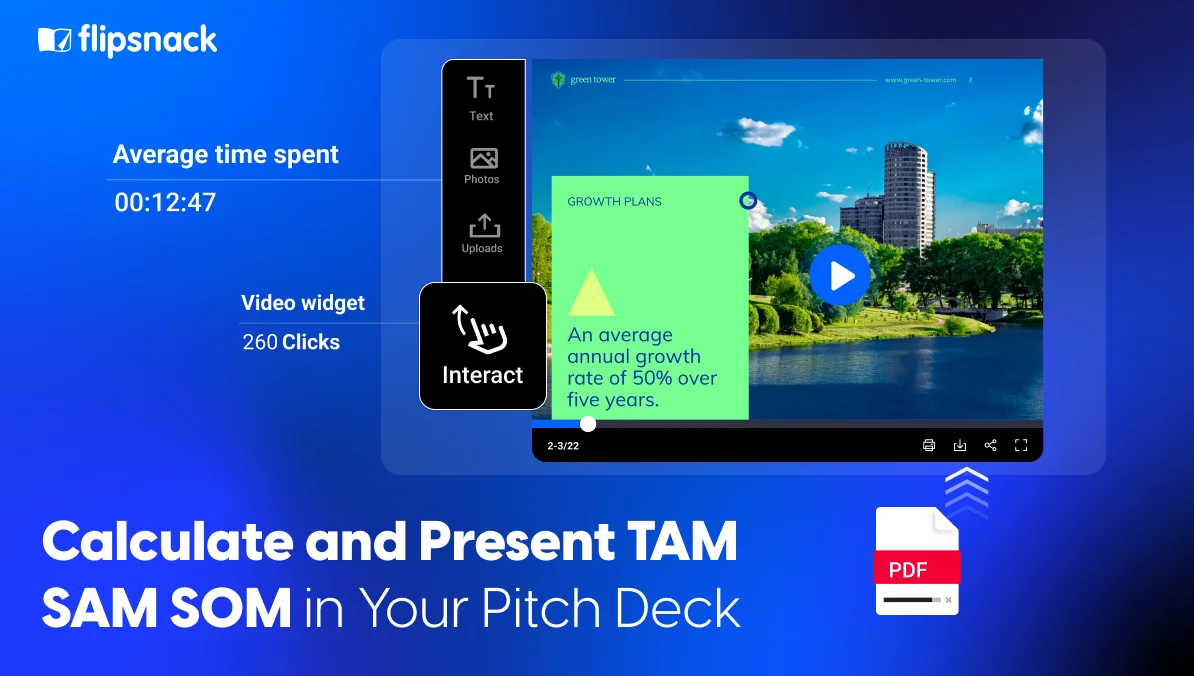
Flipsnack Analytics reports views, average time spent, and page-level statistics including reader drop-off. It also shows traffic channels, devices, and locations. Based on the plan and sharing setup, visual heatmaps and reader-level statistics may show which pages hold attention and how shared links perform.
Set your own read-through baseline first
Comms teams often ask what a good read-through rate looks like. Published benchmarks vary by organization size, audience, and publication type. A number from another sector may not reflect your results.
Start with your own data. Measure three or four publications during one quarter. Find the median, then set goals against that result. An internal baseline holds up under scrutiny in a way a borrowed average never will.
Report reach to leadership each quarter
Bring three numbers and one decision request. Share total reach for the period, depth for your most important publication, and one action metric tied to a business goal. This could be enrollment completion or referral requests.
Export the data as a CSV file or send flipbook engagement into Google Analytics. This keeps comms reporting in the same system leaders already use.
That change matters more than one number. Measured functions defend budget. Unmeasured functions absorb cuts.
Keep healthcare publishing secure and compliant
Governance guides the publishing process without taking it over. Three areas matter most.
Classify content before you publish
Sort every publication into one of three tiers. Do it at brief stage, not at publish.
- Public. General patient education, service line brochures, and recruitment materials. Anyone can view and share them. Whether search engines index them depends on your audience and your publish settings.
- Internal. Staff newsletters, handbooks, training guides. Limited to your workforce through SSO, invite or password.
- Restricted. Anything with identifiable patient information or private staff data. Named recipients only, with an audit trail.
Decide early. Otherwise legal asks who can see a file that is already live.
HIPAA and communications documents
Identifiable patient information can appear in approved communications. Examples include a patient story in a community report, a testimonial in a service line brochure, or a photo in a recruitment piece. Process makes those publishable. You need written authorization from the person, written safeguards on storage and sharing, and privacy review before release.
HIPAA compliant document sharing rests on two things: what your contract says, and what the platform enforces. Where your publications reference protected health information (PHI), both matter.
Flipsnack’s HIPAA-enabled plan adds a signed Business Associate Agreement, audit logs, user permissions and cookie-free delivery, so regulated documents move through the same workflow as everything else. Those controls sit on that specific plan rather than across all tiers.
“Flipsnack has been a great tool for our HR Team’s communication needs. Their range of wonderful security options for our documents was the #1 selling point!”
Alisha VanTiem, Sr. Benefits Administrator
Meet healthcare accessibility rules
Healthcare accessibility obligations reach published web content, not just your website. Untagged PDFs are where most US hospitals slip. Responsibility splits in two here. Our half sits in the player, which supports keyboard and screen reader navigation, aligns with WCAG 2.1 Level AA, and comes with a VPAT, or Voluntary Product Accessibility Template. Your half is the content. Add titles and descriptions to each page with the accessibility feature.
For compliance dates, the HHS Section 504 rule and detailed WCAG guidance, see the accessibility section of our hospital annual report guide.
Where a publishing platform stops
Worth stating plainly, because scope confusion derails vendor talks at hospitals.
A digital publishing platform makes, shares and measures documents. It does not hold the clinical record, and it is not the system of record for controlled clinical documents. Discharge instructions, clinical protocols and policies under a quality management system stay where they belong: with your electronic health record (EHR), your policy management system, and their clinical owners.
Publishing sits downstream. Once content is approved elsewhere, a publishing platform gets that content to the people who need to read it, in a format they can open on a phone. Any vendor claiming both roles deserves harder questions.
Choose a digital publishing platform: 11 criteria to check
Bring these questions to any vendor demo, including ours. Answers vary a lot, both across the category and between plans in one product.
- Access. Which sharing methods exist, and which require the reader to hold an account?
- Identity. Does SSO work with our identity provider, and on which plan?
- Attribution. Does the platform record who opened a publication and when? Can we export that record?
- Expiry. Can a link be revoked or set to expire after a date?
- Permissions. How tightly can you scope editor, reviewer and viewer roles?
- Audit. Are admin actions logged, and for how long?
- Authentication. Is multi-factor authentication available for editors?
- Data. Where is content stored, and can we choose a region?
- Accessibility. Can you send a current VPAT?
- Print. Can one approved file also go to print?
- Offline. Can readers open a file without a connection?
Ask for the plan name attached to each yes. A feature that exists is not the same as a feature you can use, and procurement will find that gap eventually.
Healthcare templates your team can start from
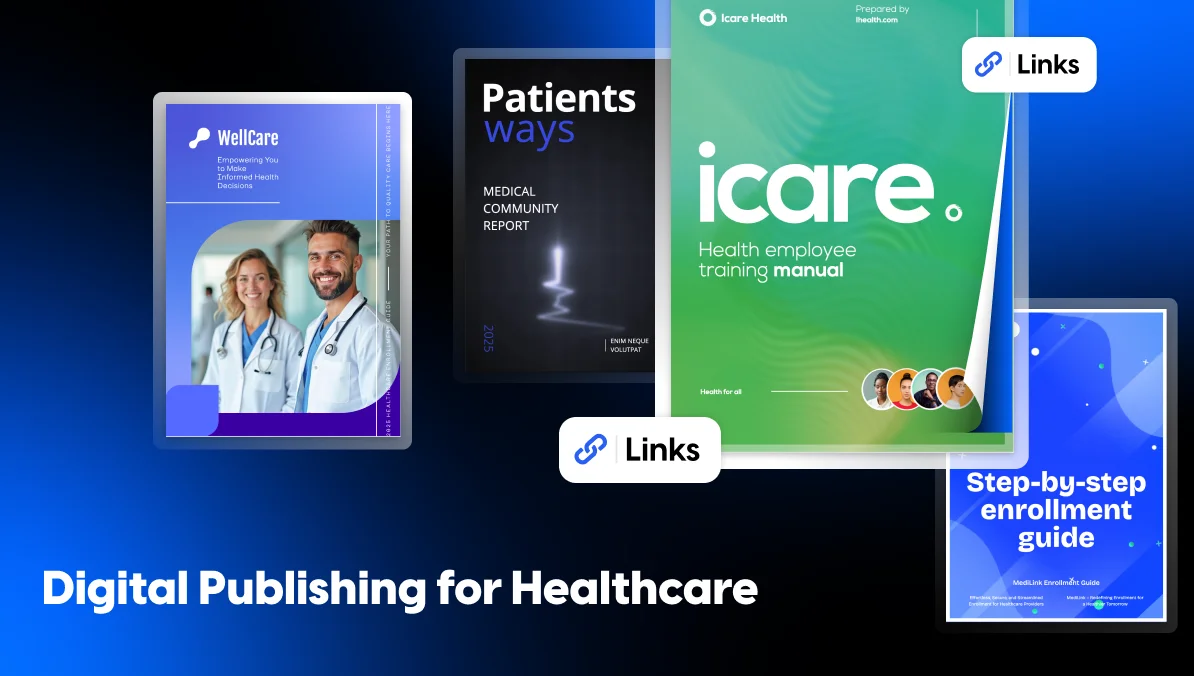
Four editable starting points, one for each publication type your team repeats. Swap in your copy and brand colors, and the structure is already built.
Operational and program reporting
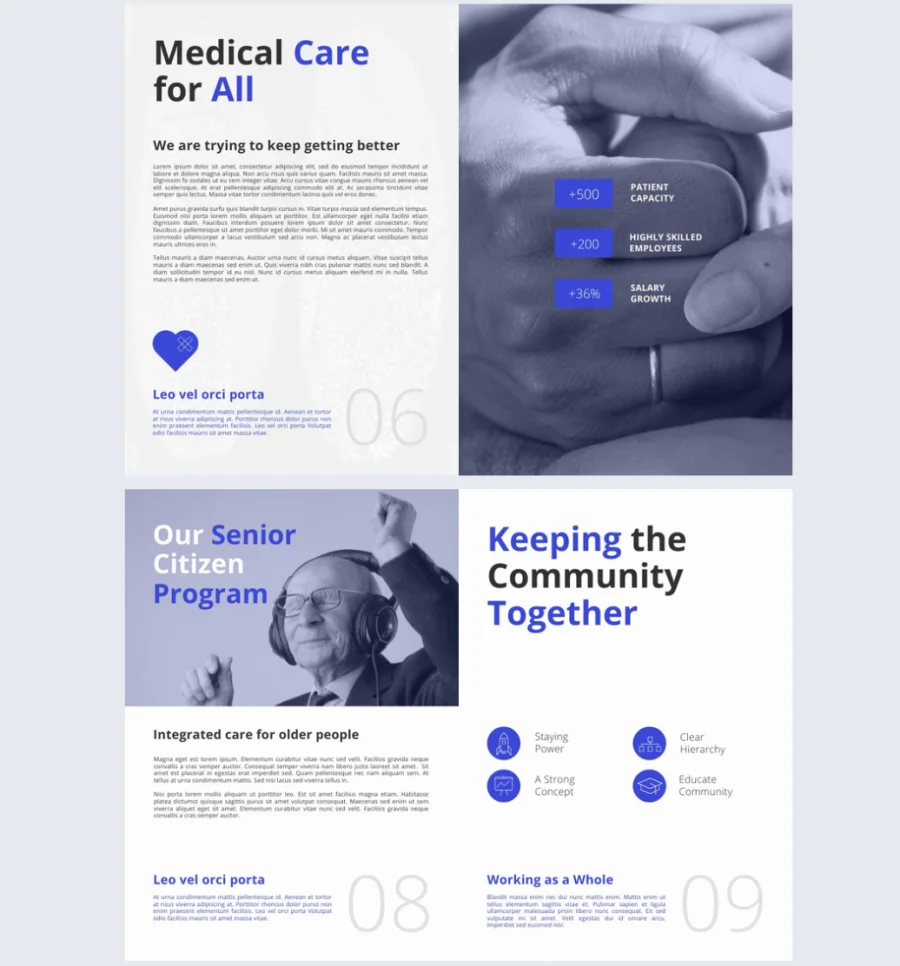
The Editable HIPAA Medical Report Template runs 16 portrait pages. It is built for program updates, service line summaries and board reporting, with room for charts and video from your own facility. Publish it on your site, send it by email, or share it privately. It covers non-clinical reporting only, so your EHR keeps its own job.
Best for: teams that report to leadership or a board on a fixed cycle, and want to see which pages got read.

Onboarding and required training
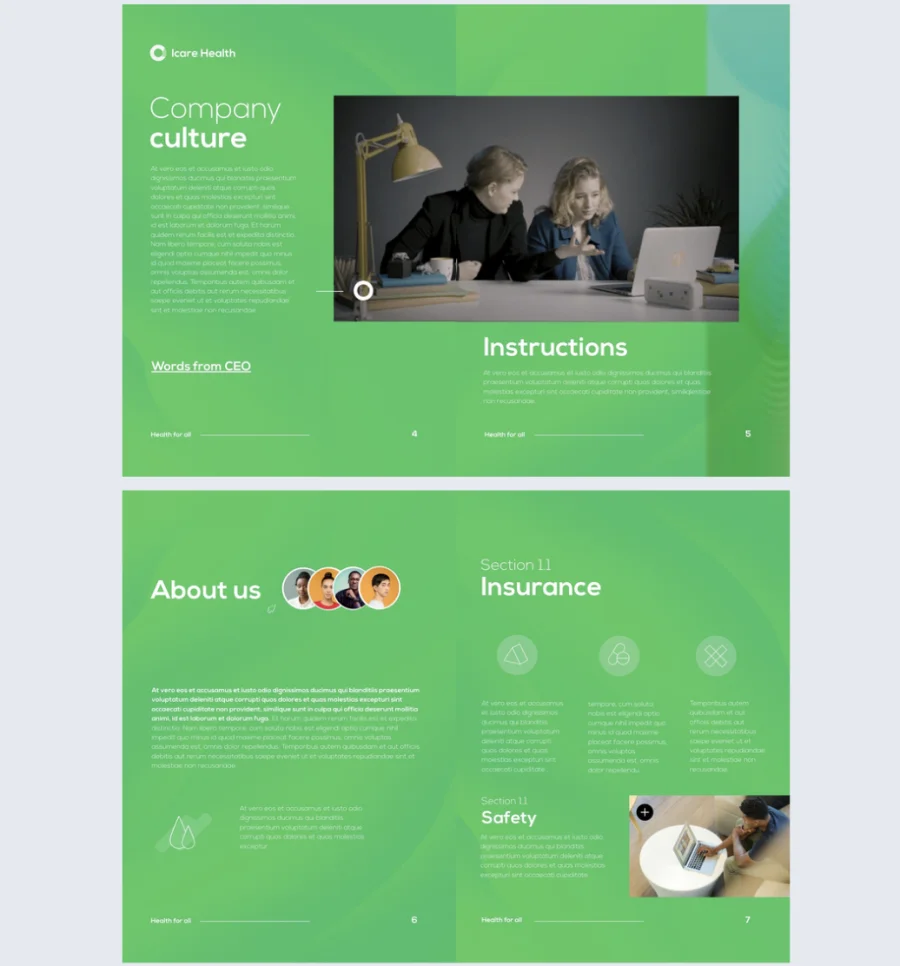
The HIPAA-Compliant Employee Training Manual Template runs 12 pages. Slideshows, maps and image spotlights are already placed, so a policy walkthrough does not read like a wall of text. Share it privately by password-protected link or by email. That suits HR material such as benefits guides and health plan detail.
Best for: HR and training teams running the same course each year across more than one site.
Open enrollment and benefits
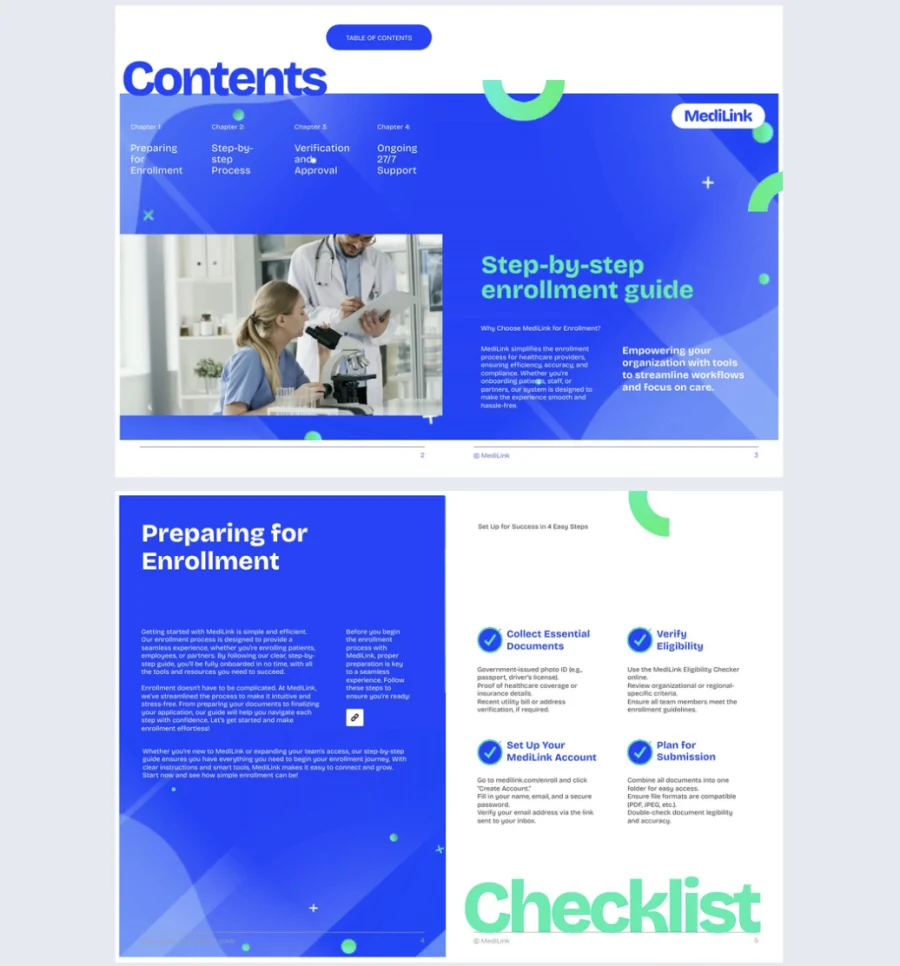
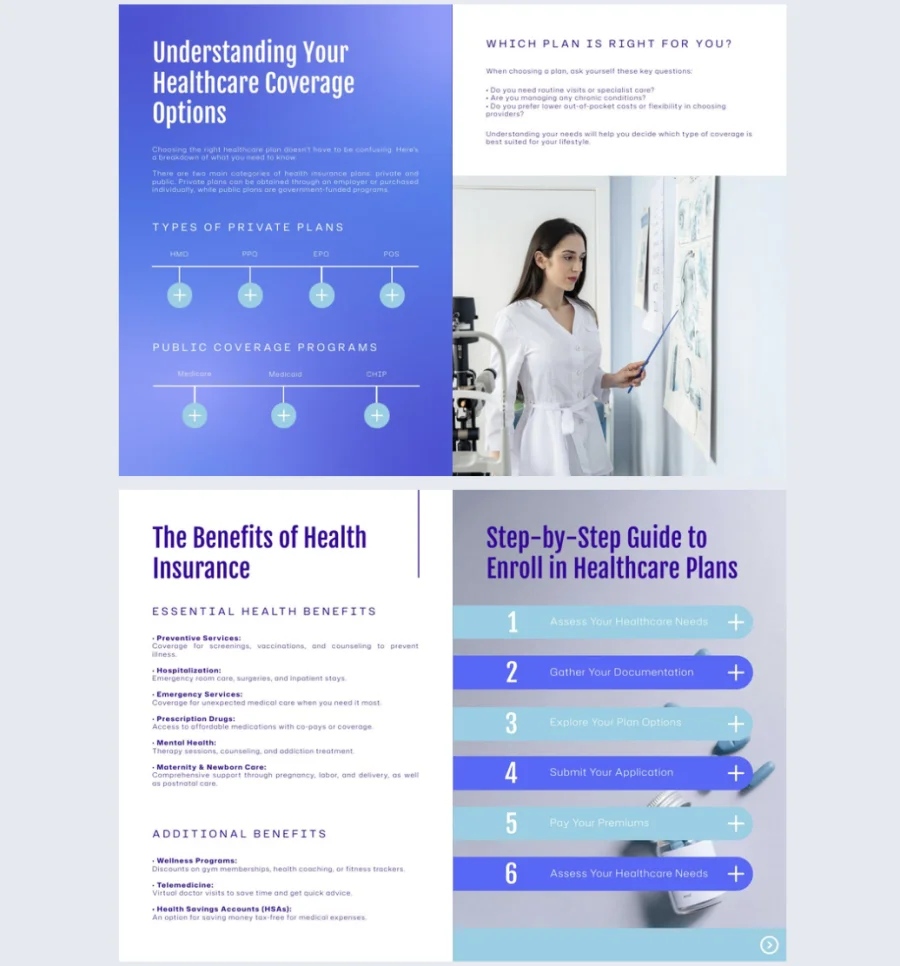
The HIPAA Compliance Enrollment Guide Template runs 10 pages and covers onboarding, benefits enrollment and eligibility. Add videos, links and forms, then update the guide in real time when a plan detail changes. Staff keep opening the same link and always land on the current version.
Best for: benefits teams with a short enrollment window and staff who read on a phone between shifts.
Digital patient education
The Interactive HIPAA Medical Guide Template runs 10 pages. It turns procedures, coverage and policy detail into digital patient education, using videos, slideshows and captions that are already placed. Show a step instead of describing it. Branding is editable and content updates in real time.
Best for: patient experience teams explaining a procedure or aftercare, where a short video does more than a paragraph.
One caution before you start. Don’t add interactivity to every page just because the format allows it. One well-placed video carries more weight than six.
See a healthcare publication in action
This is what a finished healthcare publication looks like. The St Mark’s Hospital Foundation put its Impact Summary together as a flipbook, and you can read the whole report below. Nothing to download, nothing to install.
Notice what a reader actually gets. One link, a cover that works as a thumbnail anywhere you share it, and pages that turn on a phone. No print run, no email attachment, no version to chase.
Frequently asked questions about digital publishing for healthcare
Digital publishing for healthcare means creating, sharing, and tracking online documents for patients, staff, and partners. Hospital comms teams use it for newsletters, benefits guides, patient education, and service line materials. Each publication can have a clear owner, an access level, and data on how readers engage with it.
Hospitals reach staff without work email through one mobile-friendly link. Put that link where those staff already look. QR codes on break room posters and badge cards work well on site. Other routes include an intranet embed, a password-protected publication, or an invite to an approved personal email. Your security and communications policy decide which ones are allowed.
Patient-facing materials usually need review from communications, a clinical expert, compliance or legal, and a privacy officer when patient information appears. Communications checks clarity and brand. Clinical reviewers check accuracy. Compliance reviews legal risk, while privacy officers confirm that personal information is handled correctly.
Measure internal communications through reach, depth, and action. Reach includes views and impressions. Depth includes time spent and page-level drop-off. Action includes link clicks, downloads, or form submissions. Track several publications first, then use that data to set an internal baseline for future results.
No. An intranet helps employees find company news, tools, and files. A digital publishing platform creates, shares, updates, and tracks the publication itself. Hospitals can use both by placing digital newsletters, guides, and other current documents inside the intranet where staff already look for updates.
HIPAA applies when a marketing or communications document contains protected health information linked to an identifiable person. That content may be published with the right written authorization, privacy review, and safeguards. When a platform handles PHI, the organization may also need a signed Business Associate Agreement and suitable access controls.
Start with the digital publishing problem that costs you most
Publishing volume is not the main problem. The real issue is where the process breaks.
If staff miss updates, improve how you share them. When two campuses use different versions, assign clear ownership and replace old content. If leaders question the budget, start with a simple measurement baseline.
Use print for board meetings or donor events. Use digital when reach, fast updates, and proof matter more.
Publishing you can’t measure is publishing you can’t defend.