How to Make a Presentation Without PowerPoint
Published on: June 15, 2026
Somewhere right now, someone is sitting through a presentation they stopped reading three slides ago. The presenter is reading from the screen. The same template as always and with big chunks of text. But this way of making presentations is no longer enough.
People expect more. They want presentations that are easy to share, simple to navigate, and built for any device. Whether you are pitching a client, launching a product, or sharing a report, static slides often fail to hold attention.
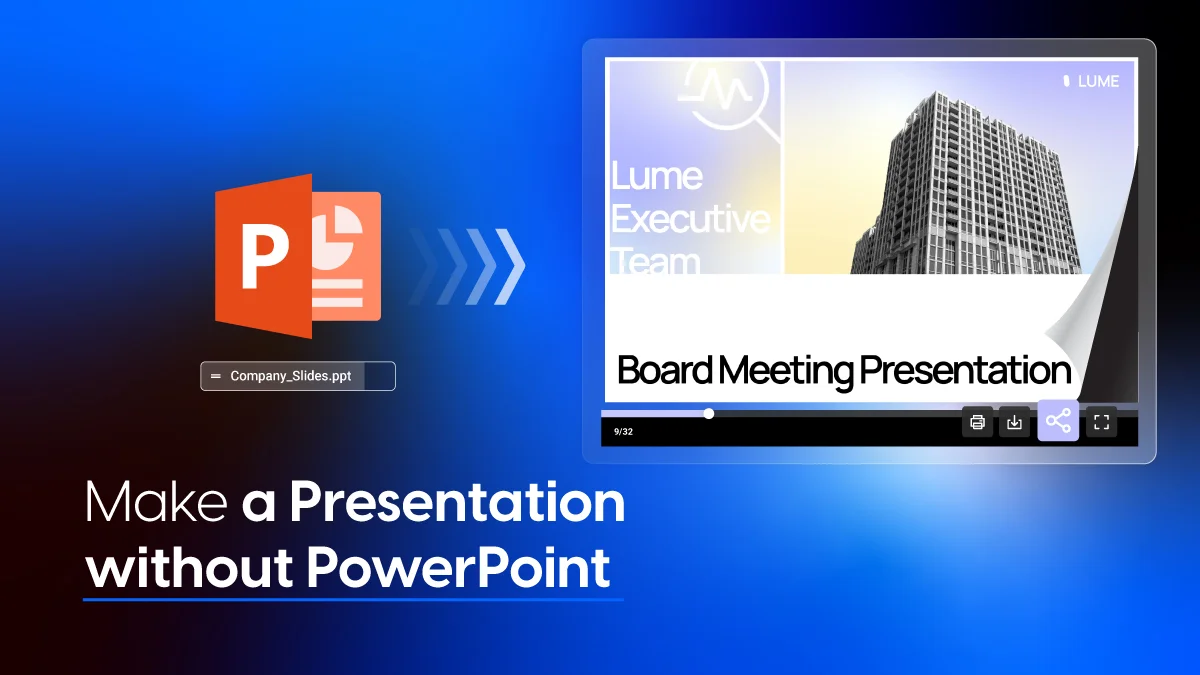
That is where new presentation formats come in. From flipbook presentations to videos and microsites, there are now better ways to present without PowerPoint. If your presentation is already saved as a PDF, you can turn the PDF into a flipbook instead of rebuilding it from scratch. Many of these formats let you track who viewed your content, collect leads, and turn passive viewers into active ones.
In this article you will find: the main reasons PowerPoint falls short, creative formats to try instead, and a step-by-step guide to building your first interactive presentation in Flipsnack, an online flipbook maker.
Table of contents
- Why traditional PowerPoint presentations no longer work
- Creative ways to present a project without PowerPoint
- Flipsnack vs Powerpoint: when to use each presentation tool
- How to make a flipbook presentation in Flipsnack
- How to make a presentation interactive without PowerPoint
- Take your presentations from slides to experiences
- Frequently asked questions about
Why traditional PowerPoint presentations no longer work
If you’ve ever sat through a 40-slide deck filled with text-heavy slides and generic stock images, you already know the problem. This is what people often refer to as “Death by PowerPoint.” The name sounds dramatic, but the impact is real. When presentations overwhelm audiences with too much information, attention drops and key messages become harder to remember.
So why do traditional slide decks struggle so much today?
- No real interactivity: Audiences sit passively. They watch slides advance, but they do not participate. No one is clicking, exploring, and there is no way to go deeper on what interests them most.
- Too much text, too little storytelling: Most PowerPoint decks are written to be read aloud rather than experienced. The result is dense bullet points that blur together and a narrative that gets lost.
- Limited engagement: A slide deck that gets presented once and then emailed as a file. It cannot prompt a response, capture a lead, or invite further action.
- No tracking or analytics: Once you hit send, you have no idea whether anyone opened it, how long they spent on it, or which parts they actually cared about.
- Template fatigue: After decades of the same layouts and default themes, audiences can spot a standard PowerPoint presentation from a mile away which leads to an instant attention drop.
- Poor mobile experience: PowerPoint was designed for the desktop. On a phone or tablet, most decks are unreadable without zooming in and out, which is not an experience anyone wants.
Creative ways to present a project without PowerPoint
Modern audiences often respond better to content that’s interactive, visually appealing, and easy to consume. That’s why there are multiple ways to present ideas without relying on PowerPoint presentations.
Let’s take a look at a few alternatives:
1. Flipbook presentations
A flipbook presentation combines the storytelling flow of a document with the flow of a presentation.
Instead of clicking through static slides, viewers move through pages in a smooth, interactive format. Along the way, they can explore videos, clickable elements, and other rich media that make the experience more engaging. This type of format turns presentations into something people actually spend time with.
Flipbook presentations work well for sales decks, company reports, product launches, and client presentations where storytelling matters.
2. Video presentations
Sometimes, the clearest way to explain something is to show it. Video presentations combine visuals, motion, and sound to create a more dynamic experience. They simplify complex ideas and make information easier to understand and remember.
They’re useful for product demos, tutorials, onboarding, and remote presentations where engagement is harder to maintain.
3. Microsites and web presentations
Instead of sending a file, you can turn your presentation into a web experience. Microsites let you organize content into interactive sections that people can explore at their own pace. They are easy to update, easy to share, and work well for campaigns, events, and branded storytelling.
4. Interactive infographics
If your message includes data or complex information, interactive infographics can help make it clearer. You can turn static information into something more engaging and easier to understand if you combine visuals with clickable or animated elements. Interactive infographics work well for reports, research, and data-driven presentations.
5. Short presentations
Not every presentation needs 50 slides. Short presentations focus on clarity and impact. They deliver the key message quickly, without overwhelming the audience with unnecessary detail. This format is ideal for busy viewers who want information that is clear, direct, and easy to absorb. It works well for executive summaries, one-pagers, quick pitches, and other bite-sized content designed for busy audiences.
Flipsnack vs Powerpoint: when to use each presentation tool
PowerPoint has been around for decades. It’s familiar, easy to use, and still works well for many everyday presentation needs. If you’re delivering a live presentation or sharing a quick update during a team meeting, a traditional slide deck might be all you need.
But not all presentations happen in a room anymore.
Today, presentations are frequently shared online, viewed independently, and expected to deliver a more engaging and interactive experience. That’s where Flipsnack offers a different approach.
PowerPoint is a great option when:
- You’re giving a live presentation
- You speaking at a conference
- You’re sharing a simple deck internally
- Your audience only needs basic slides.
Flipsnack is a better fit when you want to create:
- Sales presentations
- Marketing proposals
- Company reports
- Product launch presentations
- Internal communication materials
- Interactive client pitches.
These types of presentations are often shared after the meeting ends. That’s why interactivity, accessibility, and analytics become just as important as design.
| Feature | PowerPoint | Flipsnack |
| Interactive elements | Limited | Built for interactivity with buttons, hotspots, videos, forms, and dynamic elements |
| Videos and multimedia | Supports embedded video and audio | Native support for videos, GIFs, audio, and rich media |
| Embed on websites | Possible but often requires export or additional setup steps | Easily embeddable with a single code snippet |
| Lead generation forms | Not available natively; requires external tools or workarounds | Built-in forms to collect leads directly inside the presentation |
| Collaboration | Real-time collaboration available through Microsoft 365 | Team collaboration with shared access, editing, and publishing workflows |
| Reading experience | Linear, slide-by-slide navigation | Page-flip experience that feels like digital publication |
| Sharing | Typically shared as attachments or exported files | Shared instantly via a single link that opens in any browser |
| Analytics | Limited | Detailed analytics including views, time spent, clicks, and engagement behavior |
| Updates | Require resending or re-exporting the file to distribute the latest version | Updates apply instantly using the same shareable link |
| Security options | File-based password protection | Password protection, SSO, and invite-only access controls |
| Mobile experience | Often requires zooming or app-based viewing | Fully responsive |
Flipsnack takes your content beyond the slide deck
Presentations are only one touchpoint in the customer journey. Sales teams need proposals and catalogs. Marketing teams need brochures and newsletters. HR teams need onboarding materials and handbooks.
Flipsnack brings all of these formats into one place. Here is what you can create beyond presentations:
- Brochures and product catalogs
- Magazines and newsletters
- Reports and media kits
- Lookbooks and campaign materials
- Training guides and employee handbooks
- Whitepapers and research reports
- Sales proposals and pitch decks
Every format can include videos, links, forms, and audio. This turns static files into live, trackable content. Plus, because everything is built in the same place, your brand stays consistent across every asset. Templates and design elements can be reused, so scaling content does not mean starting over each time.
You can also repurpose content across formats. A product launch deck can become a brochure, a catalog, or a PDF. Each one can be shared via link, embedded on a site, and tracked through analytics.
How to make a flipbook presentation in Flipsnack
In Flipsnack you can turn your ideas into an interactive experience in just a few steps.
- Choose a template or import your existing PPT file. Flipsnack has professionally designed presentation templates you can choose from across categories such as marketing, education, corporate, product, and more. Or, you can import an existing PowerPoint directly into Flipsnack and convert it into an interactive flipbook in under two minutes.
- Add interactivity. Use the drag-and-drop Design Studio to embed videos, insert clickable buttons, add links, include forms for lead capture, or upload audio. Add motion effects like slide, fade, or pulse to individual elements to draw attention to key numbers or a call-to-action button. Need a visual you don’t have on hand? Generate one from a text prompt with AI Image Generation, right inside Design Studio, no stock photo search required. Every element is placed directly onto the page, so you can enhance your content without rebuilding it from scratch.
- Choose your page transition. You can keep a traditional scroll experience or switch to a page-flip mode that creates a more immersive, magazine-style presentation experience.
- Share your link or embed it anywhere. Publish and copy your shareable link. You can send it via email, post it on LinkedIn, embed it on your website, or share it in tools like Slack. There are no attachments, downloads, or compatibility issues for your audience.
- Track performance using built-in analytics. You can see who viewed your presentation, how long they spent on each page, and which sections they interacted with. These insights help you understand engagement and improve future presentations.
How to make a presentation interactive without PowerPoint
Static presentations are becoming less effective in a world where audiences expect more engaging and interactive experiences. That’s why adding interactive elements can improve how people consume, understand, and remember your content.
Here are a few simple ways to make your presentations more engaging:
- Add videos
Videos are one of the most effective ways to capture attention and explain ideas clearly. Whether it’s a product demo, a company overview, or a tutorial, video helps bring your message to life through movement and sound.
- Include clickable buttons and links
Clickable elements allow your audience to explore content at their own pace. You can guide them to additional resources, external pages, meeting bookings, or other sections of your presentation without forcing a linear experience.
- Embed forms and lead capture
Presentations are mainly used to inform, but they can generate results. How? If you embed forms directly into your content, you can collect contact information, gather feedback, or capture leads without redirecting your audience elsewhere.
- Add audio
Audio adds depth to your presentation through narration, explanations, or background sound. It’s especially useful for presentations that are viewed asynchronously to make it more engaging.
- Use animations, GIFs, and AI-powered visuals
Motion naturally draws attention. In Design Studio, you can add motion effects like slide, fade, scale, pulse, blur, rotate, and flip to individual elements, so key points land with more impact instead of just sitting flat on the page. Animations and GIFs help highlight key points too, while AI-powered visuals can make your presentation feel more modern and on-brand. Instead of searching for stock photography that almost fits, you can generate a custom image from a text prompt directly in Design Studio, then animate it into a living visual with AI Animate.
Take your presentations from slides to experiences
The era of the static slide deck may not be over yet, but its dominance is fading. Today, the most effective presentations are the ones that feel like experiences. They are interactive, visually engaging, easy to share, and built to be measured.
Instead of simply presenting information, they invite people to explore it.
Flipsnack brings all of these capabilities together in one place. Whether you start from a blank canvas, a template, or an existing PowerPoint file, you can create presentations that are designed to be seen, shared, and remembered.
More importantly, you can now understand how people interact with your content, what they engage with most, and where they drop off. So, your presentations do more than before: let you communicate ideas and also improve them.
The only question left is whether you’ll still default to slides or start building experiences.
Frequently asked questions about
A slideshow presents content one slide at a time in a linear format. A flipbook offers a more interactive experience with page-turn effects, multimedia elements, and clickable content that users can explore at their own pace.
There are several ways to create presentations without PowerPoint. One option is Flipsnack. You can start with a free presentation template, customize it with your content, add interactive elements like videos and links, and publish it through a shareable URL. The process takes just a few minutes and results in a more engaging and modern presentation format.
PowerPoint offers limited tracking, especially when presentations are shared as files. If you store and share your presentation through OneDrive, you see some basic metrics such as total views and unique viewers. But these insights focus more on file access than on audience behavior. Platforms like Flipsnack allow you to track views, engagement, time spent on pages, and interactions to better understand your audience.
Focus on clear storytelling and reduce unnecessary text. Add interactive elements such as videos, clickable links, forms, animations, and audio to create a more dynamic experience. If you are sharing your presentation online, analytics can also help you understand what resonates with your audience and improve future content.
Yes. You can upload a PowerPoint or PDF file directly into Flipsnack and automatically convert it into an interactive flipbook. Once imported, you can enhance it with videos, links, forms, and other interactive elements without rebuilding your design. It’s a fast way to upgrade an existing presentation.