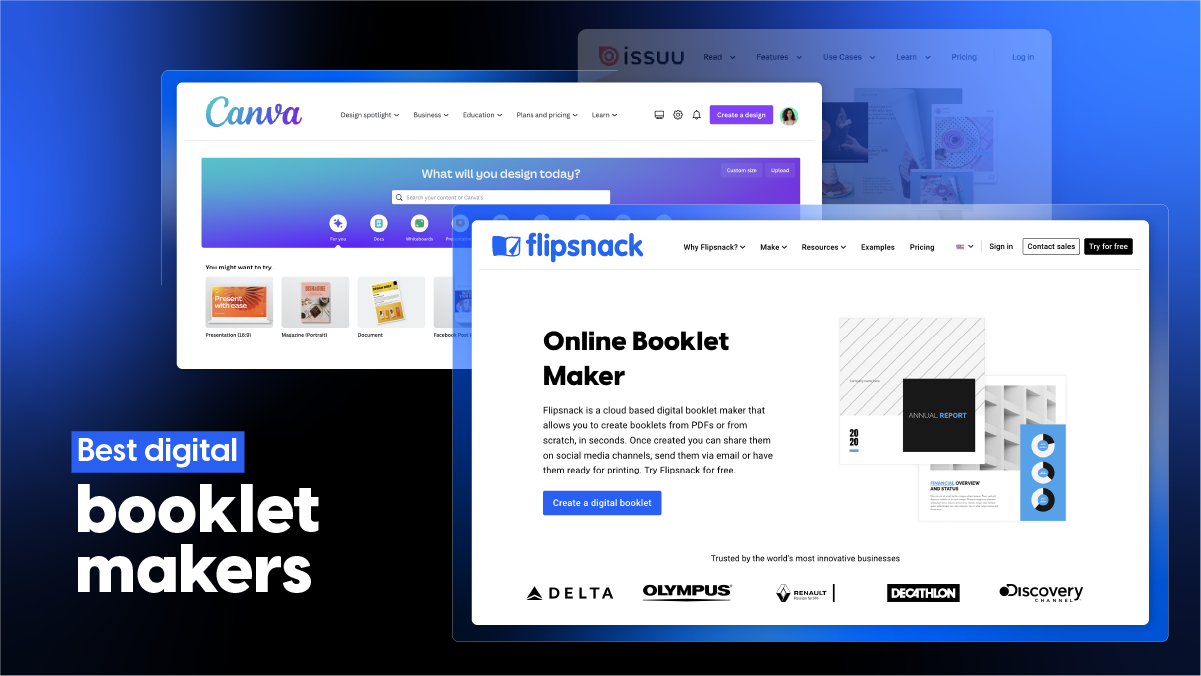
Best Digital Booklet Makers in 2026: Top Tools Compared for PDF Conversion & Design
Published on: April 1, 2024
Last updated: September 22, 2026
Search “digital booklet maker” and dozens of tools promise near-identical results. Few reveal what breaks once real photos, pricing tables, tight deadlines, and looming approvals enter your workflow.
Marketing pages describe features. Real projects expose limits. We built sample booklets on every platform, verified live pricing, and timed real workflows. Every figure below reflects 2026 numbers.
This guide compares ten-plus digital booklet makers on layout freedom, pricing, and interactive features like clickable links and embedded video. You’ll find genuine strengths, honest limitations, and recommendations mapped to your specific use case.
Marketing crews design lookbooks. Sales reps assemble catalogs. Operations leads draft manuals. Whatever your project demands, one platform below fits best.
Table of contents
- What features matter when comparing booklet design software
- A list of the best digital booklet makers
- Other notable digital booklet makers
- How to create a digital booklet in a few steps
- Choose your booklet maker
- FAQs
What is a digital booklet maker?
Digital booklet makers are software platforms that convert static documents such as PDFs into interactive, page-flipping publications viewable directly in browsers, without requiring downloads, printing, or dedicated design software knowledge from readers.
Flipsnack extends this category with clickable links, embedded video, page-level analytics, and branded templates built directly into flip-page formats. Marketing teams design catalogs and lookbooks this way. Sales teams create interactive proposals that track opens and clicks.
What features matter when comparing booklet design software
Best software for designing booklets balances four things: fast PDF-to-flipbook conversion, editable templates for on-brand layout, interactive elements like video and clickable links, and transparent pricing that scales past solo use. Professional booklet layout tools also need brand controls, page analytics, and export options built in, not bolted on. Skip anything that locks core design tools behind enterprise-only tiers.
Key features to compare across booklet makers:
- PDF to booklet conversion & viewing styles – PDF uploads convert automatically into page-flip or scrolling digital booklets, no manual page-by-page recreation required.
- Interactive elements – Support for links, videos, buttons, and other elements that enhance engagement.
- Custom design tools, templates & branding – Access to layouts, design ideas, and drag-and-drop editing for quick customization. Options to add logos, brand colors, and typography.
- Sharing & embedding options – Ability to export, embed on websites, or share with a direct link.
- Privacy and distribution controls – Password protection, permissions, downloadable vs. view-only settings.
- Analytics & performance insights – Data on views, clicks, engagement, and reader behavior.
- Integrations – Compatibility with CRMs, marketing tools, cloud storage, or internal platforms.
- Pricing & scalability – Transparent plans that support both individual creators and enterprise teams.
A list of the best digital booklet makers
| Software | Strengths | Limitations | Best use cases | Pricing (verified today) |
| Flipsnack | Drag-and-drop editor, fast PDF-to-flipbook conversion, interactive elements, analytics, sharing and privacy controls | Steeper learning curve than basic PDF tools; branding, custom domain, and private sharing sit behind Business tier and up | Marketing and sales teams building branded, trackable catalogs and lookbooks | Starter $16/mo, Pro $38/mo, Business $85/mo, Enterprise custom |
| Designrr | ChatGPT content generator, fast conversion from existing content, automation, responsive design | Flipbook generation and PDF import start at Pro ($39/mo); built for text-driven ebooks first, visual booklets second. | Content teams repurposing blog posts or transcripts into booklets fast | Standard $29/mo, Pro $39/mo, Premium $49/mo, Business $99/mo, Agency $249/mo |
| Canva | Familiar drag-and-drop interface, nine booklet-specific sizes, huge template library | No built-in page-flip viewer; exports flat PDF, so a second tool is needed for an interactive online read | Design-first teams building the visual layout before publishing elsewhere | Free, Pro $144/yr per person, Business $250/yr per person, Enterprise custom |
| Marq | Custom QR codes, logo tools, InDesign document import | Broad brand-templating tool first, booklet-specific features second; thinner page-flip functionality than dedicated makers | Teams needing brand-locked templates across many document types, booklets included | Free, Pro $10/mo billed annually, Team $10/mo per user billed annually (2–20 users), Enterprise custom |
| Issuu | Integrates with Canva, Adobe Express, and InDesign; direct, fee-free booklet sales | Editing tools are thin; content needs designing elsewhere first, then uploading. Ads on free publications | Publishers distributing finished booklets to a large public audience | Not independently verified this update — issuu.com/pricing renders via JavaScript and blocked automated fetch; confirm current tiers before publishing |
| Piktochart | Education-focused resources, advanced photo masking and grid tools | Built for infographics and reports; PDF export requires Business ($17/mo); no flipbook viewer | Teams creating visual, chart-heavy booklets without design experience | Free, Pro $10/mo (annual) or $15/mo, Business $17/mo (annual) or $20/mo, Education $39/yr, Nonprofit $60/yr, Enterprise custom |
| Drawtify | Animation support, full vector drawing toolkit, flexible layout controls | Vector-graphics focus over dedicated booklet publishing; no reader analytics | Budget-conscious teams wanting hand-drawn or illustrated booklet styles | Free, Monthly $9.99/mo, Monthly Pro $14.99/mo, Yearly Pro $99.99/yr |
| FlipHTML5 | Online and offline access, content embedding, theme and logo customization, usage statistics | Free plan adds ads and watermark; custom domain and multiple accounts start at Platinum ($25/mo) | Teams needing offline-accessible booklets with basic customization | Free (5 flipbooks/day), Pro $12/mo, Platinum $25/mo, Enterprise $83/mo |
| Simplebooklet | Animation effects like Page Curl and Board Book, predefined text blocks, Canva and Venngage integration | Free tier caps at two active booklets; custom domain and managed access require Pro ($20/mo) or above | Small teams wanting playful animation without a steep setup | Free (2 active booklets, 1,000 opens), Basic $10/mo or $60/yr, Pro $20/mo or $200/yr, Business $80/mo, Enterprise $2,400/yr |
| Adobe Express | Adobe Stock image library, extensive text styles, Google Drive, OneDrive, and Dropbox integration | No native page-flip viewer, like Canva; generative-AI credits are metered and run out fast on Premium | Design-heavy teams already inside the Adobe ecosystem | Free, 30-day free trial, Premium $9.99/mo, Firefly Pro $19.99/mo, Teams $4.99/mo per license (first year, $7.99 after), Enterprise custom |
1. Flipsnack: Best for creating and customizing interactive flipbook-style booklets at scale
A brief introduction:
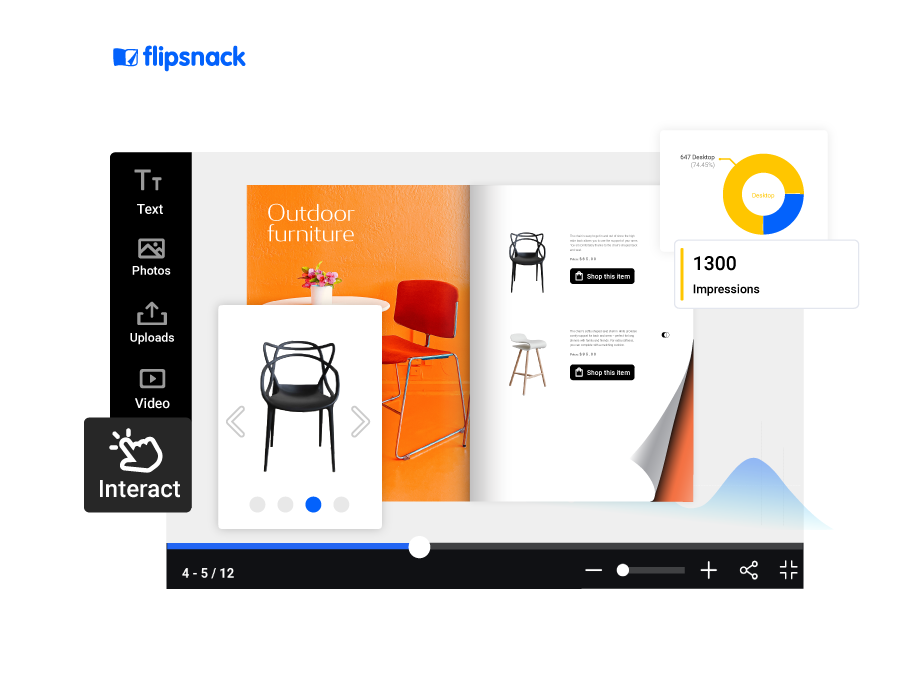
Flipsnack is an online booklet software for creating, designing, and publishing digital booklets and other digital materials like catalogs, magazines, brochures, and portfolios. Finished documents publish as interactive flipbooks in HTML5 format, readable on any device without downloads.
Our experience:
We tested Flipsnack on a free account, no credit card required. Two paths opened right away: build booklets from scratch in booklet-friendly page sizes, or upload existing PDFs and customize them.
Starting from scratch drops you into Design Studio, with blank pages or ready-made templates as starting points. Once finished, flipbooks can be shared, published, downloaded, or exported as a print-ready PDF for professional printing.
Uploading works with local files or documents pulled from Google Drive. After conversion, we edited pages directly inside Flipsnack, added our logo, and layered in videos, buttons, and links to turn static pages interactive.
Editing felt intuitive for non-designers. Advanced options like full branding and private sharing took longer to locate, since those sit in higher plans.
Notable features:
- Drag-and-drop Design Studio – Built for teams without design skills, so marketers publish booklets without waiting on designers.
- Fast PDF-to-flipbook conversion – Upload PDF booklets and convert them into interactive flipbooks without rebuilding pages manually.
- Interactivity: Add interactive elements such as videos, links, buttons, and slideshows, so readers act on pages instead of just scrolling past them.
- Living visuals: AI-powered motion effects bring static images to life, so product shots and hero pages feel less flat.
- Templates: Professionally designed digital booklet templates give you layouts built specifically for booklets.
- Analytics: Track views and interactions to see who opened your booklet and which pages earned attention. Full statistics and Google Analytics start on Pro; performance insights and revenue analytics arrive on Business.
- Sharing options: Email, website embed, direct link, or QR code.
- Privacy and distribution controls: Password protection on Pro; specific-people access and expiring links on Business; download restrictions and one-time passcodes for sensitive documents.
Who is it for?
- Marketing and sales teams, from small businesses to enterprises, turning PDF booklets into trackable, interactive flipbooks.
- Designers wanting advanced layout control inside a browser-based editor.
- Brands needing custom domains, full branding, and private distribution (Business plan and up).
Limitations
- Learning curve: Advanced controls take longer to master than basic PDF viewers.
- Plan-gated essentials: Analytics and video start on Pro. Custom domain, full branding, and specific-people sharing start on Business.
- Free plan caps: Five flipbooks, 15 pages each, with Flipsnack branding on links and embeds.
Pricing (billed annually)
- Free: 5 flipbooks, up to 15 pages each, Flipsnack branding, no credit card, no expiry
- Starter: $16/mo ($192/year): 5 flipbooks, 100 pages each, 100 AI credits/month
- Pro: $38/mo ($456/year): 50 flipbooks, 200 pages each, full statistics, video and slideshows, password-protected sharing, 250 AI credits/month
- Business: $85/mo ($1,020/year): 100 flipbooks, 500 pages each, custom domain, full branding, private sharing, 500 AI credits/month
- Enterprise: Custom pricing: multiple workspaces, SSO/SAML, SOC 2, ISO 27001 and HIPAA compliance, API access, dedicated support
Reviews: G2 – 4.7/5 – 413 reviews (September 2026)
2. Designrr: Best for turning existing content into quick, text-driven booklets
A brief introduction:
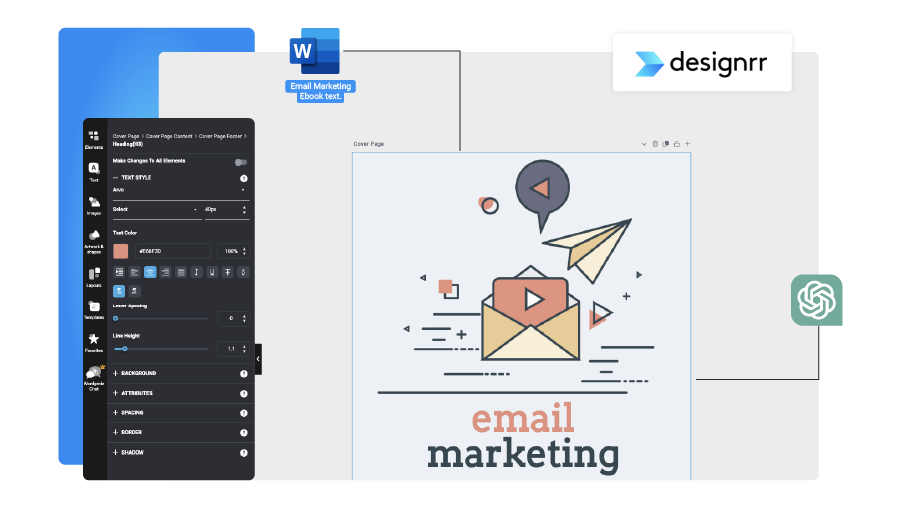
Designrr is booklet and ebook software that repurposes blog posts, articles, Word files, Google Docs, and podcast transcripts into formatted publications. It suits teams already sitting on written content who need booklets fast.
Our experience:
After logging in, Designrr opened directly onto its Dashboard. Navigation differs from other online booklet software: one menu splits into Dashboard, My Projects, Drafts, and Media Manager.
Two starting options appear: upload existing documents, or click Create eBook to begin from scratch. Choosing scratch prompted us for initial text, a title, and a project theme, followed by a list of templates.
We also tested Wordgenie, Designrr’s built-in AI writer for titles, outlines, and descriptions. After we picked a niche, theme, and audience, Wordgenie produced several usable title options. Every generation consumes credits, so heavy users should keep an eye on usage.
Notable features:
- Wordgenie AI writer: Drafts titles, outlines, and body copy, so booklets move from blank page to first draft faster. Pro and higher plans upgrade to Wordgenie PRO.
- Content import: Pull text from web pages, MS Word, and Google Docs on every plan. PDF import starts on Pro.
- Flipbook generator: Converts PDFs into flipbooks, available from Pro upward.
- Multi-format export: Kindle, iBooks, and ePub exports from Pro; HTML embed code for any website from Premium.
- Transcription: Premium includes 4 transcription hours monthly (8 on Business), turning podcasts or webinars into booklet copy.
- Responsive sizing: Choose from multiple page sizes, with booklets adapting across devices.
Who is it for?
- Content marketers at small businesses repurposing blogs, podcasts, or webinars into short lead-magnet booklets.
- Solo creators wanting AI help to draft copy quickly.
- Agencies producing booklets for multiple clients (Agency Premium plan).
Limitations
- Text-first templates: Layouts favor text-heavy ebooks over image-led, visual booklets.
- Plan-gated flipbooks: PDF import and flipbook generation start at Pro ($39/mo), not Standard.
- Single seat: Every plan below Agency Premium ($249/mo) includes one user only.
Pricing (monthly plans)
- Standard: $29/mo
- Pro: $39/mo
- Premium: $49/mo
- Business: $99/mo
- Agency Premium: $249/mo (5+ users)
Reviews: G2: 4.1/5, 24 reviews (September 2026)
3. Canva: Best for designing visually appealing booklets with drag-and-drop tools
A brief introduction:
Canva is a design platform for booklets, brochures, flyers, presentations, social media posts, ads, and covers. Canva’s strength is visual design speed: pages look polished quickly, even without formal design training.
Our experience:
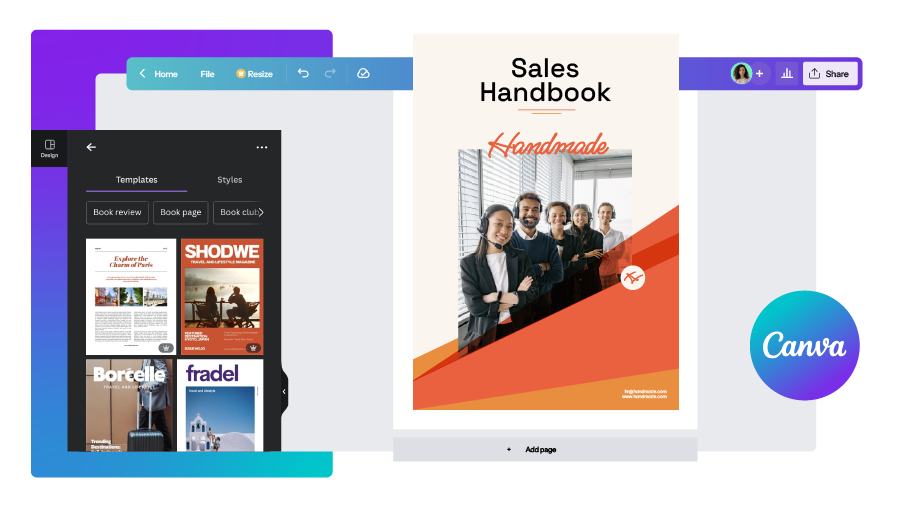
Canva proved easy to use from the first click. You can import an existing file, or open Create a design on the dashboard and pick a booklet format, such as Portrait booklet, to start from scratch.
Inside the editor, you choose a template or build pages yourself with shapes, graphics, stickers, photos, videos, and frames. Most images and design elements work on a free account.
Once pages were done, we shared the booklet through collaborator links and social channels. Downloading lets you pick specific pages and choose from several file formats.
Notable features:
- Drag-and-drop editing: A user-friendly interface, so anyone on your team can lay out pages without design software experience.
- Booklet-specific sizes: Nine preset booklet dimensions, plus manual custom sizing for unusual formats.
- Template library: 1.6M+ templates on Free and 3.6M+ on paid plans, covering many booklet styles.
- Magic Resize and background remover: Resize designs for other formats and clean up product photos instantly (Pro and up).
- Canva Print: Order printed copies of your booklet directly from Canva (Pro and up).
Who is it for?
- Professionals at small to large businesses learning booklet design for the first time.
- Nonprofits looking for free, accessible design materials.
- Design-first teams building booklet layouts before publishing them elsewhere.
Limitations
- No page-flip viewer: Canva exports flat files, so an interactive, flipbook-style reading experience needs a second tool.
- No page-level analytics: Once shared, you can’t see who read which pages or where readers dropped off.
- Thin free branding: Free accounts get one brand kit with three colors, and real-time collaboration requires Pro.
Pricing
- Free: $0: 5GB storage, 1.6M+ templates, PDF export
- Pro: $144/year for one person: 100GB storage, 3.6M+ premium templates, Magic Resize, real-time collaboration, website publishing, Canva Print
- Business: $250/year per person: 500GB storage, 100 brand kits, team admin tools, 10% off print orders
- Enterprise: Custom pricing: 1TB storage, 1,000 brand kits, SSO and SCIM provisioning
Reviews: G2: 4.7/5, 7,701 reviews (September 2026)
4. Marq: Best for maintaining brand consistency across team-created booklets
A brief introduction:
Marq (formerly Lucidpress) is design and branding software built for collaboration between design and marketing teams. Marq’s core job is brand consistency: locked templates keep every team-made booklet on-brand.
Our experience:
We tested Marq on a free account. Three starting points appear: a template, a blank project, or an imported InDesign document.
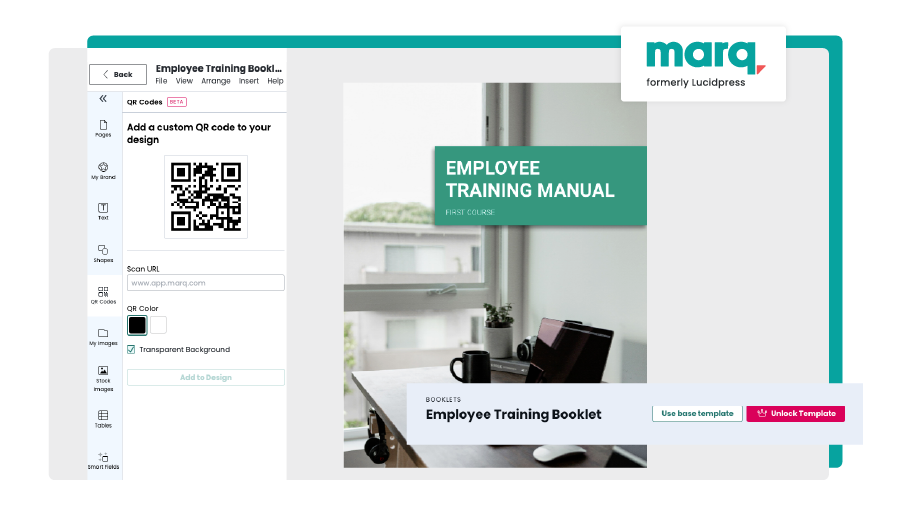
Uploaded PDFs can be displayed with the page-flipping effect, but editing them requires InDesign format. We started from a blank project instead. The editor let us add text, shapes, QR codes, and images, then apply brand styles to headings, subheadings, and body text.
Finished booklets can be shared, downloaded, or sent to print.
Notable features:
- Custom QR codes: Link readers to any URL without making them type it.
- Brand templates and locking: Admins lock design elements on Team plans, so contributors can’t drift off-brand.
- Smart fields: Auto-fill recurring details like names or contact information across documents (Pro and up).
- Logo tools: Create and apply logos consistently across materials.
- InDesign import: Bring InDesign booklets into Marq and add interactivity on top.
Who is it for?
- Teams consolidating brand identity across many people producing materials.
- Professional designers creating work in InDesign and importing it.
- Beginners and experienced designers alike, thanks to locked templates.
Limitations
- InDesign dependency: Uploaded PDFs can flip, but editing them requires InDesign source files.
- Booklets aren’t the focus: Marq covers many document types, so booklet-specific features trail dedicated booklet makers.
- Tight free tier: Three projects, 25MB storage, and one user.
Pricing (billed annually)
- Free: $0: 1 user, 3 projects, 25MB storage
- Pro: $10/mo ($120/year): 1 user, 2GB storage, unlimited projects, premium design library, smart fields, email and web publishing
- Team: $10/mo per user ($120/year), 2–20 users: everything in Pro, plus advanced locking and admin roles
- Enterprise: Custom pricing: 10+ users, unlimited storage, SSO/SCIM, API access, AI-powered features
Reviews: G2: 4.5/5, 210 reviews (September 2026)
5. Issuu: Best for publishing and distributing booklets to a large online audience
A brief introduction:
Issuu is a digital publishing platform for creating and sharing digital booklets, magazines, newsletters, portfolios, and digital lookbooks. Issuu’s real advantage is reach: publications sit inside a large reader network, not just on your own website.
Our experience:
Issuu’s homepage leads with Upload a file. Uploaded PDFs convert into flipbook format, ready to embed directly on your website, share on social media, or turn into online articles.
Clicking Edit opens a light editor for adding links and media. Before publishing, Issuu asks for a title and description.
Free accounts publish with ads beside your content. Removing ads, downloading files and scheduling publication all require a paid plan.
Notable features:
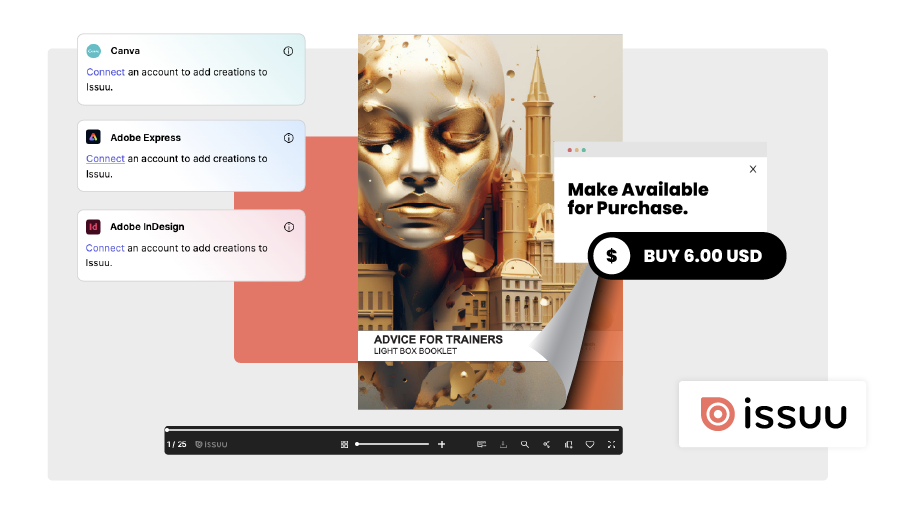
- Design tool integrations: Publish straight from Canva, Adobe Express, and Adobe InDesign without exporting files first.
- Digital Sales: Sell publications directly on Issuu with commission-free sales, paid out through your own Stripe account (Unlimited plan).
- Flexible distribution: Website embeds, social sharing, and article conversion from one upload, so a single booklet reaches readers in several formats.
Who is it for?
- Freelance designers sharing and selling booklets to wide audiences.
- Small to medium-sized businesses and publishers prioritizing discoverability over deep editing.
Limitations
- Ads on free publications: Readers see ads next to your booklet unless you upgrade.
- Light editing: Customization stops at links and media, so pages need designing elsewhere first.
- Selling needs a top tier: Digital Sales requires the Unlimited plan plus a Stripe account, and standard Stripe processing fees still apply.
Pricing – per month, at a yearly subscription
- Basic – Free
- Starter – $28/mo
Reviews: G2 – 4.6/5 – 111 reviews (September 2026)
6. Piktochart: Best for creating visual, infographic-style booklets without design experience
A brief introduction:
Piktochart is online software for infographics, presentations, posters, brochures, booklets, and other visual content. Piktochart shines when data and visuals carry your booklet more than long text does.
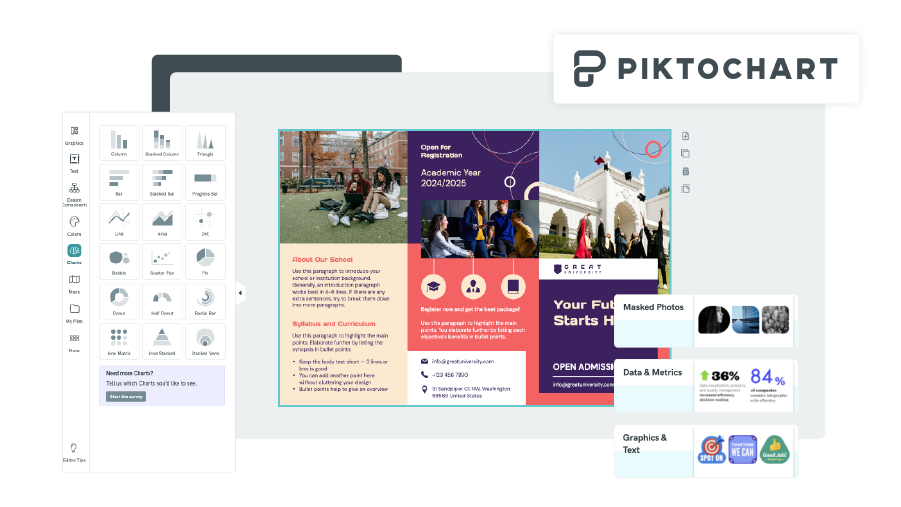
Our experience:
Piktochart offers no preset booklet sizes. We picked Custom size and entered 5.5 x 8.5 inches manually.
Inside the editor, images and design components drag straight onto pages. Graphics, text banners, photo grids, and masked photos give booklets visual variety without much effort.
A For you section on the dashboard recommends templates based on your activity. Password protection requires a paid account, and file formats depend on your plan (see Limitations).
Notable features:
- Educational resources: Tutorials, guides, and learning materials that sharpen your design skills while you build.
- Masked photos and photo grids: Advanced layout tools for image-heavy, complex booklet pages.
- Premium asset library: 5M+ icons, illustrations, and 3D graphics on paid plans.
- Brand Kit: Unlimited brand colors, custom fonts, and logos (Business plan).
- Built-in collaboration: Team collaboration, social publishing, and presentation mode on every plan.
Who is it for?
- Professionals creating engaging booklets without design skills.
- Teams building chart-heavy reports or visual guides.
- Anyone wanting to improve design technique through built-in learning resources.
Limitations
- No booklet presets: Every booklet starts from manually entered custom dimensions.
- PDF export sits on Business: Free allows 2 PNG downloads and Pro unlocks unlimited PNG only. PDF and PPT downloads require Business ($17/mo).
- No flipbook viewer: Finished booklets export as static files, with no page-flip reading experience.
Pricing
- Free: $0: 2 PNG downloads, 60 AI credits, 1GB storage
- Pro: $10/mo billed annually ($120/year) or $15 billed monthly: unlimited PNG downloads, premium assets, 500 AI credits, 100GB storage
- Business: $17/mo billed annually ($204/year) or $20 billed monthly: PNG, PDF and PPT downloads, Brand Kit, 1,000 AI credits, 250GB storage
- Enterprise: Custom pricing: 101+ members, SSO/SAML, dedicated account manager
- Education: $39/year; Nonprofit: $60/year (verification required)
Reviews: G2: 4.4/5, 162 reviews (September 2026)
7. Drawtify: Best for affordable booklet creation with vector drawing options
A brief introduction:
Drawtify is graphic design and animation software for visual content. Marketing materials such as booklets, brochures, banners, catalogs, and social media posts all start from one vector-based editor.
Our experience:
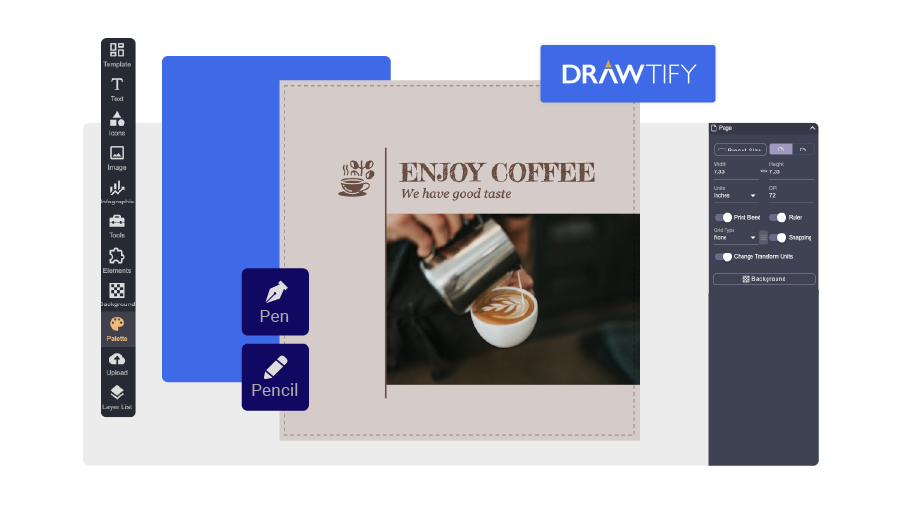
After creating a free account, we found Booklet under the Marketing section of the dashboard. From there you can create a new booklet, open a local file, or pick a template.
The editor handles text, images, icons, color palettes, and backgrounds, and lets you adjust booklet names, sizes, and layouts. Pen and Pencil tools let you draw directly onto pages. During our test, the free account allowed one animation, while premium unlocked more.
Finished booklets can be previewed, downloaded, shared, or printed with custom margins.
Notable features:
- Animations: Add motion to booklet pages for more engaging digital versions, with animation exports listed on every plan.
- Vector drawing: Pen and Pencil tools let designers sketch directly on booklet pages, and exports stay crisp at any size.
- Template and element library: 3,000+ design templates and 1,000+ elements on paid plans.
- Built-in utilities: AI background removal, PDF export, and direct printing, even on the free plan.
Who is it for?
- Small businesses and startups watching budgets closely.
- Teams whose marketing needs fit comfortably inside the free plan.
- Designers who prefer drawing elements by hand instead of assembling stock graphics.
Limitations
- Graphics-first focus: Built around vector design, not multi-page booklet publishing.
- No reader analytics: Nothing shows how people engage with shared booklets.
- Limited free library: Free accounts get restricted templates, 40MB of uploads, and SD image exports.
Pricing
- Free: $0: vector editor, 20K+ icons and shapes, limited templates, 40MB uploads, SD exports
- Monthly: $9.99/mo: 3,000+ templates, 1,000+ elements, 1GB uploads, HD and vector exports
- Monthly Pro: $14.99/mo: same feature list as Monthly on Drawtify’s pricing page
- Yearly Pro: $99.99/year
Reviews: G2: 4.6/5, 20 reviews (September 2026)
8. FlipHTML5: Best for converting PDFs into interactive booklet formats with sharing flexibility
A brief introduction:
FlipHTML5 is a booklet maker that turns PDFs into interactive digital booklets, magazines, brochures, and catalogs. FlipHTML5 leans on conversion: upload a finished PDF, then layer interactivity on top.
Our experience:
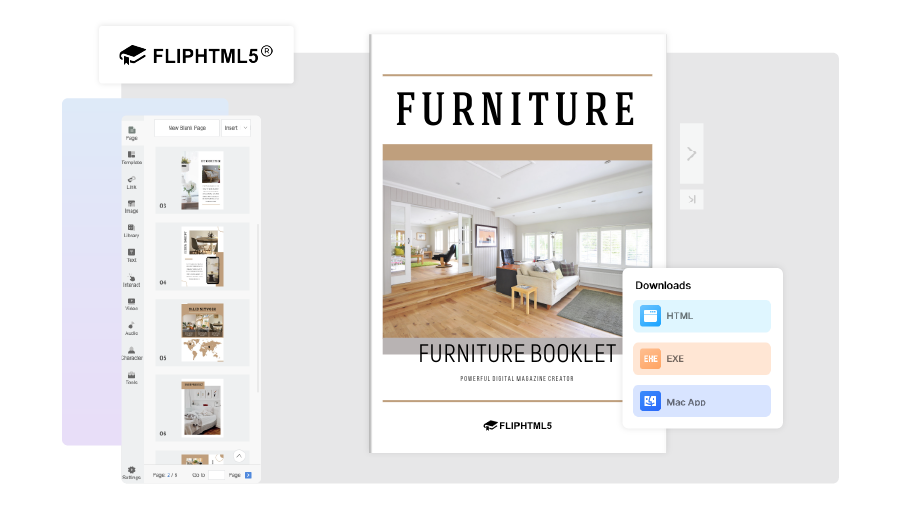
After logging in, we landed on a dashboard with templates and a Default folder. We uploaded a PDF booklet, then customized it with a theme, a new background color, and our logo.
FlipHTML5’s page editor lets us add links, videos, and other interactive elements. Its statistics dashboard showed who viewed our booklets, how long they stayed, and how many shares and downloads each one earned.
Notable features:
- Online and offline access: Download booklets and read them without an internet connection, which suits field teams and trade shows.
- Flexible embeds: Embed booklets as an iframe, a popup window, or through a WordPress plugin.
- Reader statistics: Views, time spent, shares, and downloads for every booklet.
- Growing template library: 90+ templates on Free, rising to 230+ on Pro and 690+ on Platinum.
Who is it for?
- Marketing and design teams working on the go.
- Small to large businesses converting existing PDFs into shareable booklets.
Limitations
- Ads and watermark on Free: Free booklets carry ads and FlipHTML5 branding until you upgrade.
- Tight free downloads: Free accounts get 5 downloads per month and 500 pages.
- Team features cost more: Custom domain and multiple accounts start at Platinum ($25/mo).
Pricing (billed annually)
- Free: $0: 5 flipbooks per day, 90+ templates, 20GB storage, ads and watermark
- Pro: $12/mo ($149/year): unlimited flipbooks, ad-free with custom logo, 230+ templates, 50GB storage
- Platinum: $25/mo ($299/year): everything in Pro, plus 3 accounts, custom domain, 690+ templates, unlimited storage
- Enterprise: $83/mo ($999/year): 10 accounts, SSO, API access, 1,400+ templates
All paid plans include a 7-day money-back guarantee.
Reviews: G2: 4.7/5, 92 reviews (September 2026)
9. Simplebooklet: Best for small teams needing easy booklet creation with fun animation effects
A brief introduction:
Simplebooklet offers an intuitive way to design, customize, and share digital booklets. Its signature is playful page animation that makes even short booklets feel interactive.
Our experience:
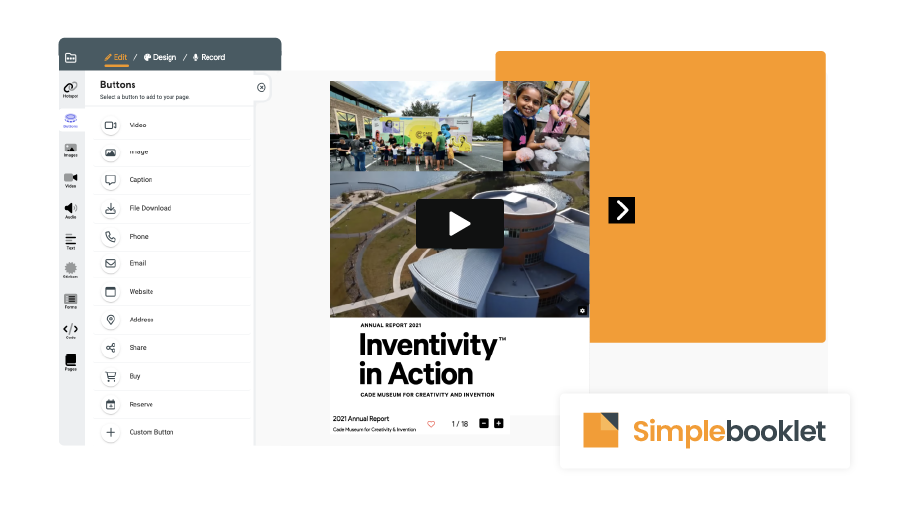
Simplebooklet lets us upload a file and choose page animations such as Page Curl and Board Book. We then edited pages by adding text, images, videos, and buttons.
Predefined text blocks in different sizes for titles and paragraphs kept formatting consistent across pages. A Following section collects the Simplebooklets you follow from other creators.
Notable features:
- Page animations: Several page-turn animations make booklets feel interactive and engaging for readers.
- Canva and Venngage integration: Design booklets in Canva or Venngage, then add animations and share them through Simplebooklet.
- Audience reports: See how readers engage with your booklets (Basic plan and up).
- No traffic fees: Simplebooklet charges nothing beyond your subscription for usage or traffic.
Who is it for?
- Solopreneurs, small businesses, and nonprofits wanting interactive booklets at a small price.
- Teams already designing in Canva or Venngage who want animation on top.
Limitations
- Tight free tier: Two active booklets, capped at 1,000 total opens before you need to upgrade.
- Active-booklet caps: Basic allows 5 active booklets and Pro allows 20, so large libraries need Business.
- Plan-gated controls: Custom domain and managed access start on Pro.
Pricing
- Free: $0: 2 active booklets, up to 1,000 opens, no credit card
- Basic: $10/mo or $60/year: 5 active booklets, custom logo, watermark removal, video export, audience reports
- Pro: $20/mo or $200/year: 20 active booklets, custom domain, managed access, AI accessibility
- Business: $80/mo or $800/year: 200 pooled booklets, unlimited team accounts, advanced security, AI translation
- Enterprise: $2,400/year: 1,000 pooled booklets, SAML SSO, service level agreement
Reviews: G2 – 4.5/5 – 13 reviews (September 2026)
10. Adobe (Adobe Express): Best for producing polished, design-driven booklets
A brief introduction:
Adobe Express is Adobe’s browser-based design tool for booklets, posters, banners, and flyers, with a free-forever plan. Teams needing full desktop publishing control usually pair it with, or step up to, Adobe InDesign, which suits experienced designers preparing documents for print.
Our experience:
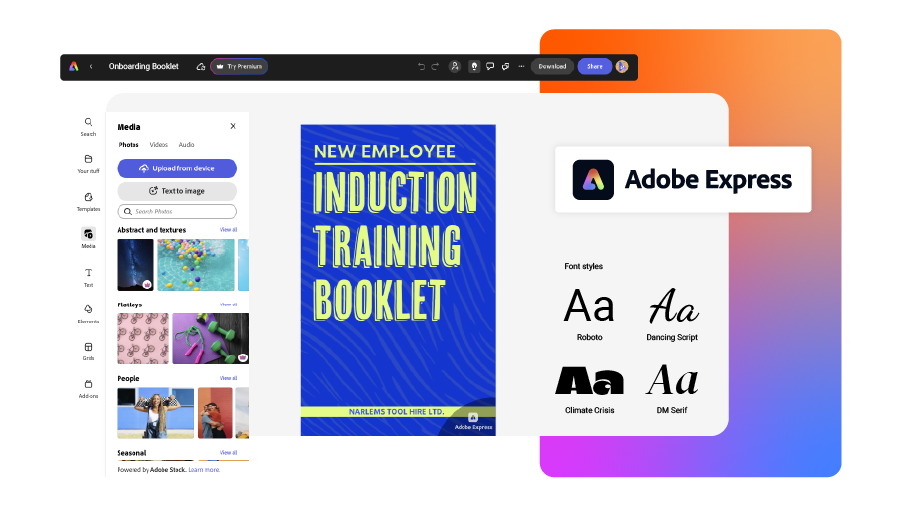
We searched for booklet templates from the Adobe Express dashboard and found plenty to start from. Adobe Stock images dropped straight into our pages; some required Premium, but the free version still offered a generous selection.
Fonts and text styles were abundant, in many colors and sizes, including styles built for buttons and banners. Finished booklets can be downloaded, shared across platforms, or saved to Google Drive, OneDrive, or Dropbox.
Notable features:
- Adobe Stock images: Booklet-ready images even on Free, with 200M+ royalty-free Stock photos, videos, and music tracks on Premium.
- Text styles: Predefined styles for signs, labels, and call-to-action buttons, with 4,000+ fonts on Free and 30,000+ on Premium.
- Cloud storage integration: Connect Google Drive, OneDrive, or Dropbox, so booklets and supporting files stay together in your projects.
- Brand controls for teams: Brand kits and template locking on the Teams plan.
Who is it for?
- Designers and marketers who need professional-looking materials for their company.
- Teams already working inside Adobe’s ecosystem.
Limitations
- No page-flip viewer: Booklets download or share as standard files and links, not interactive flipbooks.
- No reader analytics: Nothing shows who opened a shared booklet or which pages held attention.
- Metered AI: Premium includes 250 generative credits monthly, which heavy AI users burn through quickly.
Pricing:
- Free: $0: 100,000+ templates, 4,000+ fonts, 5GB storage
- Premium: $9.99/mo, 30-day free trial: all premium templates, 200M+ Adobe Stock assets, 30,000+ fonts, 100GB storage, 250 generative credits/month
- Teams: $4.99/mo per user for the first year ($7.99 after), minimum 2 seats: brand kits, template locking, 1TB pooled storage
- Enterprise: Custom pricing
Reviews: G2 – 4.5/5 – 850 reviews (September 2026)
Which digital booklet maker fits your use case?
Best digital booklet maker depends on what happens after publishing. Tracking readers, selling copies, printing, or keeping 20 contributors on-brand each point to a different tool. Match your main job to one row below, then check that tool’s limitations before you commit.
| Use case | Recommended tool | Why |
| Sales and marketing booklets you need to track | Flipsnack | Page-level analytics from Pro, plus interactive elements like video, buttons and links that turn readers into leads |
| Private internal booklets (HR, training, compliance) | Flipsnack | Specific-people access and expiring links on Business; SSO/SAML on Enterprise |
| Repurposing blog posts or podcasts into text-heavy booklets | Designrr | Imports web pages, Word and Google Docs, with Wordgenie AI drafting and transcription on Premium |
| Print-first booklets on a tight budget | Canva | Free plan with PDF export, nine booklet presets, and Canva Print ordering on Pro |
| Brand-locked booklets across many contributors | Marq | Advanced template locking on Team plans at $10 per user/month, billed annually |
| Publishing to a large audience or selling booklets | Issuu | Built-in reader network, plus commission-free Digital Sales on the Unlimited plan |
| Data-heavy visual reports and infographic booklets | Piktochart | Photo grids, masked photos and chart-friendly layouts (PDF export requires Business) |
| Illustrated, hand-drawn booklet styles | Drawtify | Full vector Pen and Pencil tools, from $99.99/year |
| Booklets field teams read offline | FlipHTML5 | Offline viewing, plus iframe, popup and WordPress embeds |
| Animated booklets for small teams and nonprofits | Simplebooklet | Page Curl and Board Book animations, from $60/year |
| Polished design inside the Adobe ecosystem | Adobe Express | 200M+ Adobe Stock assets on Premium, plus Google Drive, OneDrive and Dropbox saving |
| Professional print layout with full typographic control | Adobe InDesign | Industry-standard desktop publishing. Pair it with a flipbook tool when you also need a digital version |
No tool wins every row, and that’s the point. If your booklet ends as a print file, design-first tools like Canva or InDesign cover you. If it needs to be tracked, shared privately or updated after sending, you’ll want a platform built around the digital booklet itself.
Other notable digital booklet makers
CorelDRAW is a software that offers layouts designed for booklet making. Some great features are vector illustration, photo editing, and collaboration.
GIMP is an image editor that can be used for creating digital booklets. It offers the benefit of creating great images for the booklets that catch the attention of the audience.
Google Slides and Google Docs are sometimes used for creating digital booklets. The steps to create a booklet using Google Slides are:
- Open Google Slides
- Create a new presentation
- Set page size
- Design your pages
- Arrange pages
- Add page numbers
- Export as PDF
- View and share
There are some templates available on the internet that you can use to create booklets in Google Docs, Google Sheets, and Google Slides.
Microsoft PowerPoint is also an option to create digital booklets. There are also many PowerPoint booklet templates that you can use to ease your work. Here are the steps to create a booklet using PowerPoint:
- Open Microsoft PowerPoint
- Set page size
- Design your pages
- Arrange pages
- Add page numbers
- Export as PDF
- Adjust PDF settings (optional)
- View and share
Microsoft Word also offers the possibility to create digital booklets. Some people choose this option because you can follow these simple steps:
- Open Microsoft Word
- Set page layout
- Set page orientation
- Create sections
- Add elements like text, images, and links
- Adjust margins
- Add page numbers
- Save your document as PDF
- View and share the digital booklet
Blurb and Scribus are some tools that offer the possibility to create booklets but they mostly focus on creating them for publishing and not necessarily for online distribution. They have some great features for printing and even selling booklets.
How to create a digital booklet in a few steps
With digital booklet makers, you can easily create a digital booklet in PDF format.
There are two ways to create them: importing and editing an existing PDF or creating a new one from scratch. Some software allows you to do both and have the most used features included, while others only have specific features for a particular audience. Most of them are available as free digital booklet makers or offer free features.
Regardless of whether you start from an existing PDF or create a new one in the booklet maker software you use, to customize it and reach the final version you want, you can follow these steps:
1. Import your PDF or use the design editor to start from scratch.
2. Customize your digital booklet by adding images, text, and other interactive elements.
3. Explore the design options and layout settings to make your booklet visually appealing. Choose themes, colors, and fonts.
4. Add interactivity like videos, audio, links, and buttons (if the booklet maker allows it).
5. Preview your booklet to see how it will look when published (if the booklet maker allows it).
6. Choose from different sharing formats or download your PDF.
Also, there are many resources that you can access to learn how to make a digital booklet.
How Pineywoods Benefits turned printed guides into reusable digital booklets
Pineywoods Benefits is a four-person insurance consulting agency in Tampa, Florida. Its core deliverable is benefits guides: multi-page booklets that explain coverage options to each client’s employees.
Once in-person benefits meetings disappeared, printed guides stopped working. Every error meant a reprint, and every client needed its own version built from scratch.
Pineywoods now converts its Publisher and PowerPoint files into branded digital guide templates. Each client gets custom fonts, colors, and a cover page, plus embedded provider search links and educational videos. Corrections go live instantly under the same link.
I ultimately chose Flipsnack because of its enhanced features and was sold on the idea of developing benefit guide templates that could be quickly edited and customized for each of my clients.
Jeffrey Lenderman, Principal and Lead Consultant, Pineywoods Benefits
Results:
- Guide production costs dropped to 10–20% of previous printing costs
- 100% of clients adopted the digital guides
Choose your booklet maker
The list presented in this article contains different platforms with unique features and strengths. Even if you are interested in user-friendly interfaces, advanced customization options, or interactivity, there are digital booklet makers that meet at least one of these requirements. For businesses with highly specific needs that off-the-shelf tools can’t meet, it may worth to hire software developers to build a custom solution, giving you full control over features, integrations, and branding. I hope this analysis helped you decide which one of these online booklet makers is the best fit for you. If you are not sure yet, you can test the platforms that seem more suitable for you before you make a choice.
FAQs on top digital booklet makers in 2026
Best booklet program depends on how your booklet gets used. Flipsnack leads for interactive, branded, trackable flipbook-style booklets at scale. Canva suits quick visual design on a budget, Designrr handles repurposing existing written content, and Issuu fits publishing to a large public audience. For print-only projects with full typographic control, Adobe InDesign remains the professional standard.
For print-focused professional booklet layout, Adobe InDesign offers the deepest typographic and grid control, though it assumes design experience. Flipsnack suits teams needing professional layouts without a designer: drag-and-drop editing, booklet-specific templates, and print-ready PDF export for commercial printing. Canva covers simpler layouts with nine preset booklet sizes.
Leading apps for custom booklet creation include Flipsnack, Canva, Adobe Express, Marq, and Designrr. Flipsnack and Marq stand out when you customize one template for many audiences. Pineywoods Benefits, for example, uses Flipsnack templates to create a branded benefits guide for every client, and brought production costs down to 10–20% of previous printing costs. Canva and Adobe Express work best for one-off designs, and Designrr for text-heavy booklets built from existing content.
Yes. Most booklet makers offer PDF-to-booklet conversion, but the level of interactivity varies. Tools like Flipsnack, FlipHTML5, and Issuu allow you to add links, buttons, videos, and other engagement features, while simpler tools may only convert the pages without interactive elements.
Open PowerPoint, go to Design > Slide Size > Custom Slide Size, and set portrait booklet dimensions such as 5.5 x 8.5 inches. Design each page as a slide, keep pages in reading order, and add page numbers. Export via File > Export > PDF. To turn that PDF into a shareable, page-flipping booklet, upload it to a digital booklet maker like Flipsnack.
In Google Slides, open File > Page setup, choose Custom, and enter booklet dimensions before designing each slide as a page. Google Docs works for text-heavy booklets: set margins and page size under File > Page setup, then build your content. Download either one as a PDF, then print it or upload it to a digital booklet maker to publish it as an interactive flipbook.
Look for strong PDF import, easy editing tools, customizable templates, branding options, interactive elements (links, video, buttons), analytics, and flexible sharing or embedding options. These features determine how polished and functional your final booklet will be.
Yes, with limits. Flipsnack’s Free plan covers 5 flipbooks of up to 15 pages each, with Flipsnack branding and no credit card. Canva Free and Adobe Express Free offer strong design tools, Simplebooklet Free allows 2 active booklets, and Issuu and FlipHTML5 publish free with ads. Free plans typically restrict branding, interactivity, analytics, and download formats.