Best Flipbook Software in 2026: Top PDF-to-Flipbook Tools Compared
Published on: June 15, 2022
Last updated: September 30, 2026
A marketing lead emails a 40-page catalog PDF to 300 buyers on Monday. By Friday, two have replied. Nobody knows who opened it, who skipped straight to pricing or who forwarded it to procurement.
That silence costs more than it seems. Weeks of design work left the outbox, and the PDF sent back zero signals.
The content usually isn’t the problem. The format is.
The best flipbook software closes that gap. It turns a static PDF into an online publication you share through one link, update without resending and track page by page. Strong tools add video, product tags and lead forms. Enterprise platforms layer on permissions, brand controls and security for documents that shouldn’t circulate freely.
Picking one is harder than it looks. Dozens of options exist, and most comparison lists skip the trade-offs.
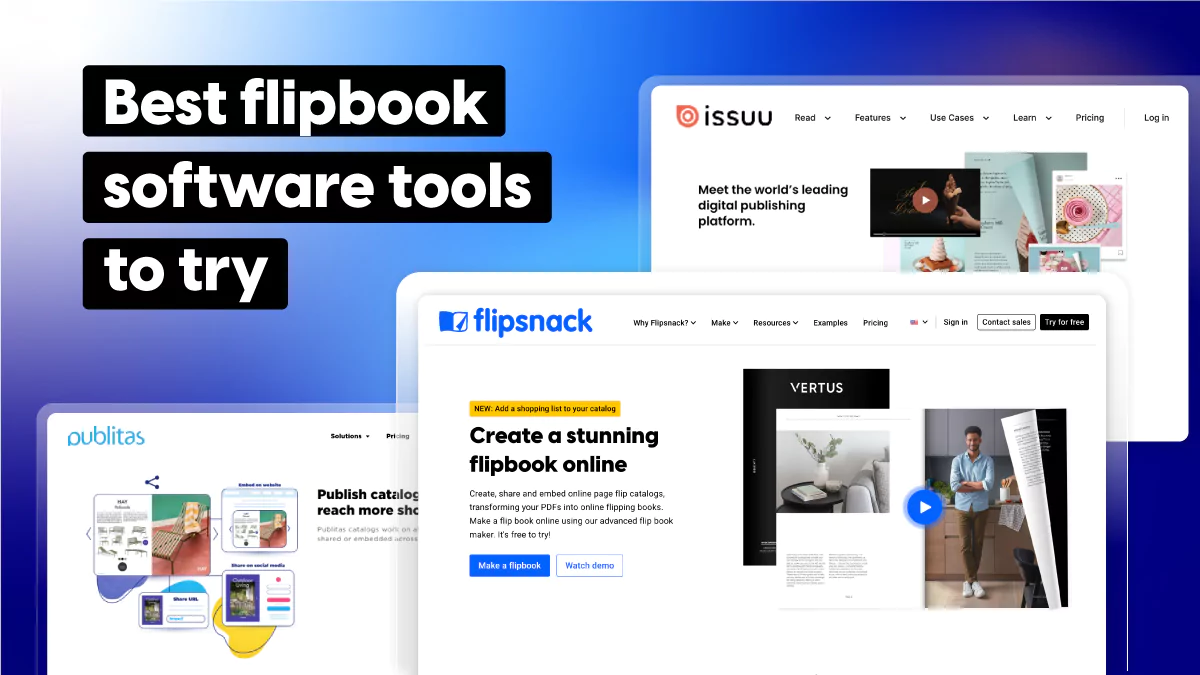
This guide compares 10 flipbook software tools in 2026. We evaluated each against identical criteria, from large-PDF performance and mobile viewing to collaboration and pricing transparency. You’ll see who every tool fits, what it costs and where it falls short. Flipsnack included.

Table of contents
- What is the best flipbook software in 2026?
- How to choose the best flipbook software
- Best flipbook software compared: features and pricing at a glance
- The 10 best flipbook software tools, reviewed
- 1. Flipsnack – best for teams that publish at scale
- 2. Publitas – best for shoppable retail catalogs
- 3. Issuu – best for audience reach
- 4. FlippingBook – best for striaghtforward PDF conversion
- 5. FlipHTML5 – best budget pick with monetization
- 6. Heyzine – best free plan
- 7. Publuu – best for simple public-facing flipbooks
- 8. Paperturn – best for catalog-heavy PDF workflows
- 9. Yumpu: best for free magazine hosting
- 10. AnyFlip – best for low-cost basic publishing
- Final verdict: which flipbook software should you choose?
- FAQ about flipbook software
What is the best flipbook software in 2026?
The best flipbook software in 2026 depends on who publishes and why. Flipsnack is the strongest all-round choice for teams that need design, collaboration, analytics and security in one platform. Heyzine offers the most generous free plan, Publitas leads for shoppable retail catalogs and FlippingBook suits straightforward PDF conversion.
Our quick picks:
- Best overall for teams: Flipsnack
- Best free plan: Heyzine
- Best for shoppable catalogs: Publitas
- Best for simple PDF conversion: FlippingBook
- Best budget pick with monetization: FlipHTML5
- Best for audience reach: Issuu
What is flipbook software?
Flipbook software is a tool that converts PDFs and other documents into online publications with a realistic page-turning effect, which readers open in any browser through a link or embed instead of downloading a file.
Unlike a static attachment, a flipbook can carry embedded video, shoppable hotspots, forms and reading analytics. You can also edit it after publishing while the link stays the same.
Marketing teams use it for digital catalogs and brochures. Sales teams build collateral with it, HR and L&D teams publish training guides and publishers run digital magazines. For a deeper look at formats and features, read our guide on what a digital flipbook is.
How we evaluated these flipbook tools
We compared all 10 platforms against the same eight criteria, using each vendor’s public feature documentation, its live pricing page and third-party reviews on G2 and Capterra. Pricing and ratings were checked on [publish date], and we recheck both whenever this guide is updated.
The criteria:
- PDF conversion and viewer quality
- Editor and design control
- Interactive elements
- Analytics and lead capture
- Team roles and permissions
- Security and access control
- Accessibility compliance
- Pricing transparency and plan limits
These scores reflect documented capabilities, not lab benchmarks. Your own files will behave differently, so shortlist two or three tools and run a real document through each free plan or trial before committing.
Flipsnack went through the same checklist. Where it falls short, we say so.
How to choose the best flipbook software
Feature lists all look alike after the third vendor. These four questions separate the tools that fit from the ones that only demo well.
Can it handle large, image-heavy PDFs?
Catalogs and annual reports regularly pass 100 pages. Check the per-file upload cap on the plan you’ll actually buy, not the top tier. Paperturn’s Starter plan stops at 128 MB per file, FlippingBook Lite at 50 MB and Publuu at 150 MB. During the trial, upload your heaviest real file and time the first page on a slow connection.
How does the viewer perform on mobile?
A page-flip effect that impresses on desktop can turn into pinch-and-zoom on a phone. Look for a responsive or single-page mobile mode, text you can read without zooming and a quick first load. Open a trial flipbook on your own phone, on mobile data, before you shortlist anything.
Does it support your team?
Solo creators can skip this one. Teams can’t. Compare three things: users per plan, the cost of an extra seat and roles that separate editors from approvers. Seats are where bills climb. Flipsnack’s Business plan includes one user, with extra seats at $25 a month each. FlippingBook’s Team plan bundles five users. See how Flipsnack handles team collaboration.
What security and accessibility controls does it offer?
Price lists, training guides and board reports need more than a public link. Check for password protection, private sharing and single sign-on (SSO), then confirm which plan unlocks each one. SSO sits on enterprise tiers at Flipsnack, FlippingBook, FlipHTML5 and Publitas alike. If you publish for the public sector or a regulated industry, ask each vendor for a VPAT and a WCAG 2.1 AA statement.
Interactivity, integrations and price matter too. The tables below compare them side by side.
Best flipbook software compared: features and pricing at a glance
Table A: Who each tool fits
| Software | Best for | Key limitation | Starting price (billed annually) | G2 rating |
| Flipsnack | Teams publishing catalogs, sales collateral and internal docs | SSO, catalog automation and API on Enterprise only. Free plan capped at 15 pages | Free plan. Lite from $14/mo | 4.7 (409) |
| Publitas | Shoppable retail catalogs | No lead forms. Product sync only on Gold (€396/mo) | €29/mo, 14-day trial | 4.5 (10) |
| Issuu | Audience reach and distribution | Ads on lower tiers. Issuu branding removed only on Teams | Free plan. Starter from $21/mo* | 4.7 (106) |
| FlippingBook | Straightforward PDF conversion | No free plan. Lead forms start at Optimal ($93/mo) | $20/mo, 14-day trial | 4.7 (298) |
| FlipHTML5 | Budget publishing with monetization | Free plan shows ads and a watermark | Free plan. Pro from $12/mo | 4.7 (92) |
| Heyzine | Best free plan | No SSO or WCAG claim listed | Free plan. Standard from $5/mo | 4.8 (20) |
| Publuu | Simple public-facing flipbooks | No free plan. Team features not listed | $7/mo, 14-day trial | 4.8 (560) |
| Paperturn | Catalog-heavy PDF workflows | Lead forms and user roles only on Business ($384/mo) | $24/mo, free trial | 4.6 (52) |
| Yumpu | Free magazine hosting with kiosk options | Free plan carries Yumpu-branded ads | Free plan. adFREE from $19.95/mo | 3.5 (15) |
| AnyFlip | Low-cost basic publishing | Watermark on free plan. No lead forms listed | Free plan. PRO from about $12.42/mo | 4.4 (15) |
Table B: Feature matrix
| Software | Free plan | Lead forms | SSO | WCAG claim | Custom domain | Catalog automation | Multi-user roles |
| Flipsnack | ✓ | Pro+ | Enterprise | ✓ 2.1 AA | Business+ | Enterprise (CSV, API) | Enterprise (Business: up to 5 users) |
| Publitas | Trial | ✗ | Enterprise | Basic | Silver+ | Gold+ | Enterprise |
| Issuu | ✓ | Unlimited+ | Teams | Not listed | Not listed | Not listed | Teams |
| FlippingBook | Trial | Optimal+ | Enterprise | ✓ 2.1 AA | Advanced+ | API from Advanced | Team+ |
| FlipHTML5 | ✓ | Pro+ | Enterprise | Not listed | Pro+ | CSV Pro+, API Enterprise | Platinum+ |
| Heyzine | ✓ | Professional+ | Not listed | Not listed | Professional+ | API on all plans | 3+ users, roles not listed |
| Publuu | Trial | Optimum+ | Not listed | Not listed | Optimum+ | Not listed | Not listed |
| Paperturn | Trial | Business | Not listed | Presets, no WCAG claim | Growth+ | Bulk link import (Business) | Business |
| Yumpu | ✓ | Not listed | Not listed | Not listed | WEBKiosk | Not listed | Not listed |
| AnyFlip | ✓ | Not listed | Not listed | Not listed | Platinum+ | Not listed | Platinum+ |
Prices and features checked on vendor pricing pages on September 30, 2026. G2 ratings as of October 2026. “Not listed” means the vendor’s pricing page doesn’t mention the feature.
Two patterns stand out. Enterprise controls like SSO and catalog automation sit on top tiers almost everywhere, so compare the plan you’ll need, not the entry price. Free plans also differ sharply: Heyzine’s carries no ads or watermark, while Flipsnack, FlipHTML5, Yumpu and AnyFlip add branding, ads or page caps.
The 10 best flipbook software tools, reviewed
1. Flipsnack – best for teams that publish at scale
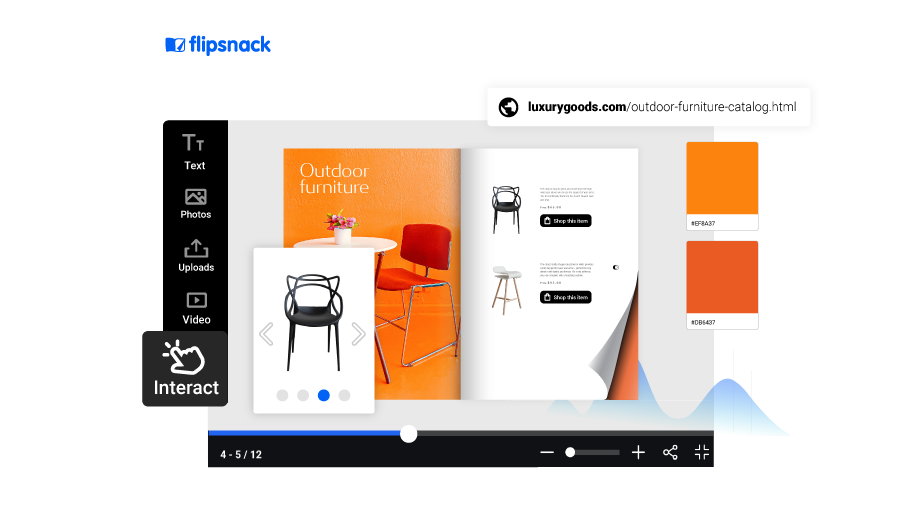
Flipsnack is a browser-based platform where marketing, sales and internal comms teams design, publish and track flipbooks in one place.
Best for: mid-size and enterprise teams producing catalogs, sales collateral and internal documents. G2: 4.7 (409 reviews).
Main features
Flipsnack covers the full publishing workflow in one place. Here are its standout capabilities:
- Design, editing, and templates: Build flipbooks from scratch, upload and edit your PDF (PDF editing: in Beta), or start from a ready-made template.
- Branding: Upload your logo, brand colors, and fonts, create branded templates, and add a custom domain to keep all your publications consistent and on-brand.
- Interactive elements: Add videos, quizzes, lead capture forms, product tags, and shopping lists to turn static pages into engaging content. You can also use AI living visuals to turn static images into motion effects.
- Catalog automation: Connect your product data through CSV, XLSX, Google Sheets, or API to create and update shoppable catalogs. Useful for wholesalers and retailers managing large inventories.
- Analytics: Track page-level metrics, clicks, views, and form submissions. Use AI insights to generate performance reports. Send trackable links and connect with Google Analytics and Google Tag Manager
- Accessibility: Flipsnack’s AI-powered accessibility feature generates alt-text for each page and meets WCAG 2.1 Level AA, ADA, and Section 508 standards.
- Security and collaboration: SSO, link expiration, password protection, and email verification to keep your content secure. User roles and permission settings give you full control over who can view, edit, or publish.
- Integrations: Integrate with HubSpot, Salesforce, Zapier, Adobe InDesign, ChatGPT, and more.
Customer story: Melissa & Doug
The toy maker swapped printed catalogs, and a patchwork of digital tools, for a 215-page Flipsnack catalog listing 700 products. Automation filled in names, descriptions, images and links, while a shopping list let buyers order from the page.
- 50% less catalog production time
- 2,292 catalog views
- 2 h 9 min average reading time
Flipsnack’s automation feature not only made it easy to upload product information, but we were able to display it exactly how we envisioned it.
Tracy Bubeck, Sales Administrator, Melissa & Doug
Pricing (billed annually)
- Free (5 flipbooks, up to 15 pages, Flipsnack branding)
- Lite $14/mo
- Pro $38/mo
- Business $85/mo (1 user, extra seats $25/mo)
- Enterprise custom.
Pros
- Design, publish and track together
- Support rated 9.6 on G2
Cons
- SSO and automation: Enterprise only
- Free plan capped at 15 pages
Choose it if several people create, approve and measure documents on one platform. Skip it if you only flip the occasional PDF; Heyzine’s free plan covers that.
2. Publitas – best for shoppable retail catalogs
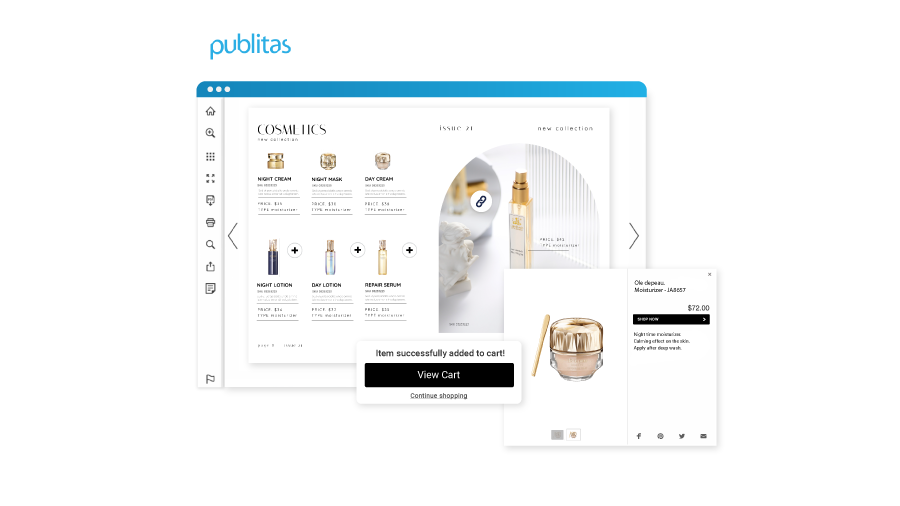
Publitas does one job well: turning retail catalogs into shoppable publications that send readers to checkout.
Best for: retail and ecommerce brands running product feeds. G2: 4.5 (10 reviews).
Main features
Publitas keeps its focus tight on the catalog publishing experience. Here are its core capabilities:
- Shoppable catalogs: Create shoppable catalogs where customers can browse products and buy directly from the publication. Product pages can be populated automatically using rule-based logic, reducing manual work.
- Dynamic grids: Build reusable dynamic grids that are automatically filled with product data through rule-based logic, making it easier to manage large or frequently updated catalogs.
- Catalog automation: Connect CSV or product feed data sources to keep product listings, prices, and availability up to date.
- Analytics: Track basic metrics like views and clicks, with Google Analytics integration available on higher plans.
- Accessibility: Following the WCAG, Accessible Canada Act, and ADA compliance guidelines, Publitas offers you the chance to publish screen reader-friendly content that is fully accessible. Compare Flipsnack vs Publitas.
Pricing (billed annually)
- Bronze €29/mo
- Silver €98/mo
- Gold €396/mo
- Enterprise custom.
- 14-day trial.
Pros
- Purpose-built for shoppable catalogs
- Syncs with ecommerce product feeds
Cons
- No lead capture forms
- One user below Enterprise
Choose it if your catalog sits next to an online store. Skip it if you also publish sales decks, training or reports.
3. Issuu – best for audience reach

Issuu is one of the longest-running names in digital publishing. Its main draw is reach: publications live on a public platform where new readers can discover them.
Best for: Content marketers, magazine publishers, and educators looking for broad content distribution and audience reach.
Main features
Issuu focuses on publishing and distribution rather than deep interactivity. Here is what it offers:
- PDF publishing: Upload your PDF and enhance it with links and videos to make your publications more engaging.
- Social posts: Generate short-form content directly from your flipbooks to share across social channels and reach a wider audience.
- Analytics: Track reader statistics including views, interactions, and performance to make data-driven decisions about your content.
- App integrations: Issuu integrates with tools like Canva, Adobe InDesign, and Adobe Express.
- Team collaboration: Add teammates, assign user roles, and collaborate in a shared workspace. See how Flipsnack compares to Issuu.
Pricing (billed annually)
- Basic: free
- Starter: $22/mo
- Unlimited: $200/mo
- Team: $443/mo
Pros
- Built-in audience discovery
- Roles and SSO on Teams
Cons
- Ads on Basic and Starter
- Branding removed only on Teams
Choose it if being found by new readers matters more than brand control. Skip it if you publish gated or internal content.
4. FlippingBook – best for striaghtforward PDF conversion
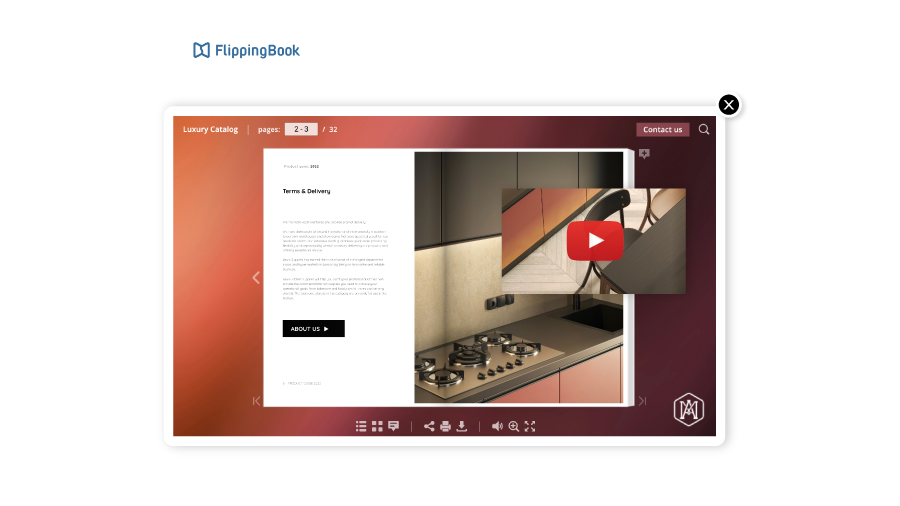
FlippingBook has turned PDFs into page-flip publications for about two decades. G2 reviewers single out its conversion accuracy and links that stay stable through updates.
Best for: small and mid-size businesses with a PDF-first workflow. G2: 4.7 (298 reviews).
Main features
FlippingBook keeps things straightforward, with a focused set of features built around the PDF-to-flipbook workflow:
- PDF to flipbook conversion: Upload your PDF and FlippingBook converts it into a page-flip publication.
- Interactivity: Add links, videos, GIFs, pop-ups, and third-party forms and quizzes to your publications.
- Branding: Customize your flipbook with a custom domain and favicon, brand colors, logo, and a custom background.
- Analytics: Track views, clicks, and time spent. FlippingBook also offers data by device and location, search queries, trackable links, and GA4 integration.
- Collaboration: Supports multiple users per plan with shared and private folders and SSO login. Note that there are no user roles or customizable permission settings.
- Integrations: Connects with Zapier, Canva, WordPress, GA4, API, and SSO.
- Security: SSO login, private sharing options, and GDPR compliance. Compare Flipsnack vs FlippingBook.
- Lite €19/mo
- Starter €44/mo
- Optimal €88/mo
- Advanced €176/mo
- Team €243/mo
- Enterprise: custom pricing
Pros
- Accurate, stable PDF conversion
- WCAG 2.1 AA with VPAT
Cons
- No free plan
- Lite allows only three flipbooks
Choose it if your documents are finished PDFs that just need a polished viewer. Skip it if you want to design or edit inside the tool.
5. FlipHTML5 – best budget pick with monetization
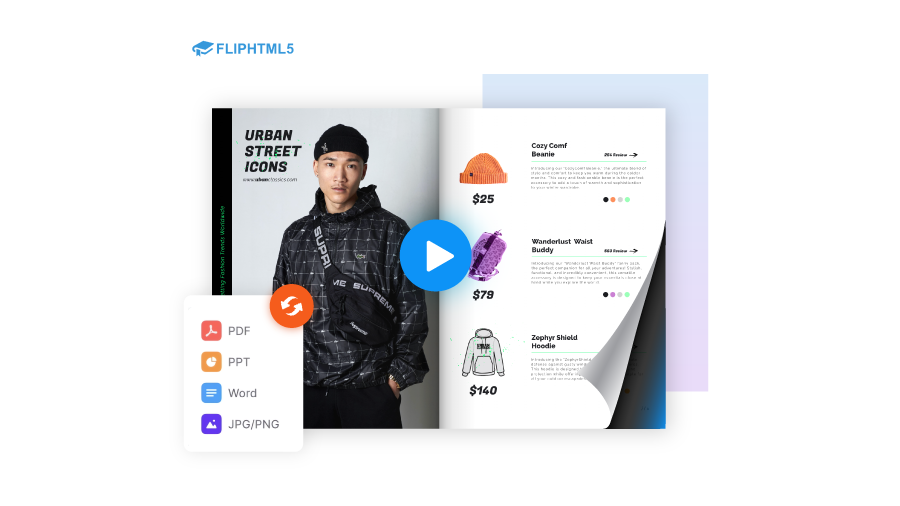
FlipHTML5 pairs low entry pricing with something few rivals offer: built-in ways to earn from your publications.
Best for: independent creators, educators and small businesses on tight budgets. G2: 4.7 (92 reviews).
Main features
FlipHTML5 covers the essentials for creating and sharing flipbooks, with a few features that stand out for independent creators:
- PDF to flipbook conversion: Upload your PDF and convert it into an interactive flipbook with a page-flip effect. FlipHTML5 also includes a built-in editor and an AI assistant to help with content creation.
- Interactivity: Add videos, links, and multimedia elements to your publications to make them more engaging.
- Branding: Customize your flipbook with a background, logo, and custom URL to keep your publications on-brand.
- Monetization: FlipHTML5 allows users to sell their publications directly through a Stripe integration.
- Catalog generation: Upload a CSV file to automatically generate a catalog.
- Analytics: Track publication performance with built-in stats and GA4 integration. Compare Flipsnack vs FlipHTML5.
Pricing (billed annually)
- Free plan available
- Pro: $12/mo
- Platinum: $25/mo
- Enterprise: $83/mo
Pros
- Low entry price
- Built-in selling and ad revenue
Cons
- Ads and watermark on free
- SSO and API: Enterprise only
Choose it if selling content is part of your model. Skip it if brand control and team security come first.
6. Heyzine – best free plan
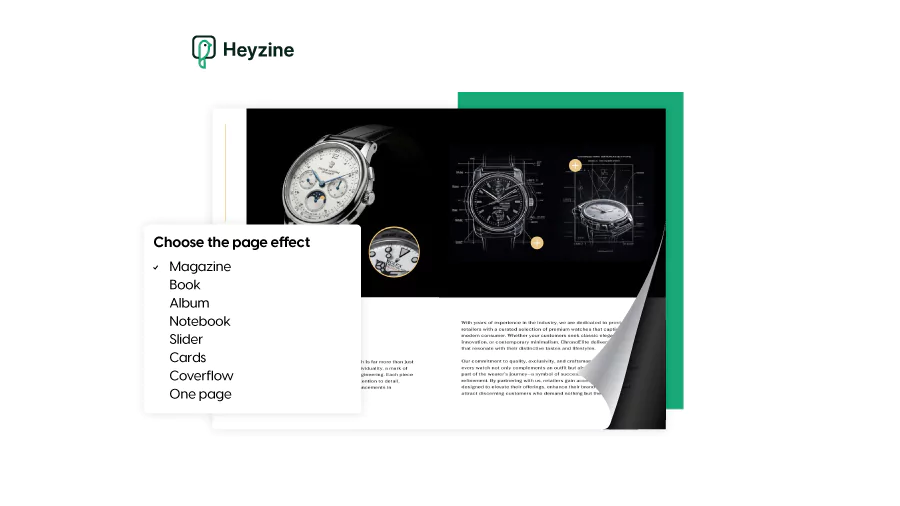
Heyzine wins on value. Its free plan includes five flipbooks with unlimited pages, no ads and no watermark.
Best for: freelancers, nonprofits, educators and small teams. G2: 4.8 (20 reviews).
Main features
Heyzine focuses on simplicity and accessibility. Here is what the platform offers:
- PDF to flipbook conversion: Upload your PDF and convert it instantly into a flipbook choosing between multiple flip effects.
- Interactivity: Embed videos, links, forms, and popups into your pages to add interactivity.
- Branding: Add your logo, choose brand colors, and set a custom background. You can also add background music to your publications.
- Privacy and sharing: Password protection and private sharing options are available, even on lower-tier plans.
- Sharing: Get different thumbnails, styles, and link previews to your flipbook.
- Analytics: Track viewer engagement metrics to understand how your audience interacts with your content. See how Flipsnack compares to Heyzine.
Pricing (billed annually)
- Free plan available
- Standard $4/mo
- Professional $8/mo
- Premium $17/mo
Pros
- Most generous free plan
- API on every plan
Cons
- No SSO or WCAG listed
- Few G2 reviews (20)
Choose it if you need clean flipbooks for little or no money. Skip it if compliance, roles or enterprise security are requirements.
7. Publuu – best for simple public-facing flipbooks
Publuu keeps the setup quick and the viewer tidy. It also has the most G2 reviews of any tool on this list.
Best for: freelancers and small marketing teams sharing brochures and catalogs publicly. G2: 4.8 (560 reviews).
Main features: Every plan is ad-free. Basic stores up to 10 flipbooks at a time, at up to 150 MB per PDF. Optimum adds lead forms and a custom domain, while higher tiers bring product tags and wishlists for catalog pages. Compare Flipsnack vs Publuu.
Pricing (billed annually)
- Basic $7/mo
- Optimum $24/mo
- Professional $49/mo
- Premium $89/mo
- 14-day trial.
Pros
- Most-reviewed tool on G2
- Ad-free on every plan
Cons
- No free plan
- Team and SSO details missing
Choose it if you want a polished public viewer with minimal setup. Skip it if several people need to edit and approve content.
8. Paperturn – best for catalog-heavy PDF workflows
Paperturn serves teams that already have well-designed PDF catalogs and need them shoppable fast.
Best for: wholesalers and retailers publishing large PDF catalogs. G2: 4.6 (52 reviews).
Main features: Starter covers 10 flipbooks of up to 250 pages each in an ad-free reader. Growth adds a custom domain. Business unlocks bulk link import, a request-for-quote shopping cart, lead forms, accessibility presets and 10 users with roles. Compare Flipsnack vs Paperturn.
Pricing (monthly)
- Starter $24/mo
- Growth $112/mo
- Business $384/mo
- Custom.
Pros
- Bulk link import for catalogs
- Ad-free reader on all plans
Cons
- Key features locked to Business
- No SSO listed
Choose it if your catalog starts as a finished PDF with many SKUs. Skip it if you need to build content inside the tool.
9. Yumpu: best for free magazine hosting
Yumpu lets you host magazines for free and grow into branded web or app kiosks later.
Best for: publishers testing digital editions on a near-zero budget. G2: 3.5 (15 reviews).
Main features: The free plan hosts up to three magazines, supported by Yumpu-branded ads. adFREE removes those ads and adds basic engagement metrics. WEBKiosk brings a custom domain and detailed analytics; APPKiosk and PROKiosk extend into app distribution.
Pricing (billed annually)
- Free
- adFREE $19.95/mo
- WEBKiosk $85.50/mo
- APPKiosk $219/mo
- PROKiosk $339/mo
Pros
- Free hosting for magazines
- Web and app kiosks
Cons
- Ads on the free plan
- Lowest G2 score here
Choose it if you publish periodicals and want a kiosk path. Skip it if you need lead capture or team controls.
10. AnyFlip – best for low-cost basic publishing
AnyFlip covers the essentials at a low annual price, with a free plan to start.
Best for: small businesses and educators with simple publishing needs. G2: 4.4 (15 reviews).
Main features: Paid plans remove the free plan’s watermark and unlock the page editor for video and audio. Platinum adds a custom domain, three users and Google Analytics tracking, and Enterprise extends to 10 users.
Pricing (billed annually)
- Free
- PRO $149/yr (about $12.42/mo)
- Platinum $299/yr
- Enterprise $999/yr.
Pros
- Free plan available
- Low annual pricing
Cons
- Watermark on free plan
- No lead forms listed
Choose it if budget beats features. Skip it if you need lead capture, roles or a modern editor.
Common mistakes when choosing flipbook software
- Judging by the free plan. Free tiers cap pages and add branding. Evaluate the plan you’ll actually pay for.
- Ignoring seat costs. A cheap plan stops being cheap once five colleagues need logins.
- Testing with a tiny file. A 5-page sample hides the lag a 200-page catalog will show.
- Skipping the exit plan. Ask what happens to published links if you downgrade. In early 2025, some Issuu users faced steep price increases or unlisted flipbooks.
Final verdict: which flipbook software should you choose?
No single tool wins every scenario. The right pick depends on who publishes, how often and what each document has to do once it’s out.
Choose Flipsnack if several people create, approve and track catalogs, sales docs or training on one platform. Heyzine fits when you need clean, ad-free flipbooks on a zero budget. Publitas makes sense when your catalog feeds an ecommerce checkout, and FlippingBook suits finished PDFs that only need a polished viewer. Pick FlipHTML5 if selling your publications is part of the plan.
Shortlist two, run your real file through each trial and compare what you learn.
The best flipbook software is the one that tells you what happened after you hit send.
FAQ about flipbook software
Heyzine has the most generous free plan among the tools we evaluated: five flipbooks with unlimited pages, no ads and no watermark. Flipsnack, FlipHTML5, Issuu, Yumpu and AnyFlip also offer free plans, but they add page caps, branding or ads. For business use, treat any free plan as a preview of the paid tier you’ll eventually need.
Not natively. Canva offers a page-turn transition in presentation mode, but it can’t publish an interactive flipbook with analytics, video or lead forms. Most teams design in Canva, export a PDF and upload it to flipbook software. Our guide to Canva flipbooks walks through the process.
No. Adobe InDesign exports PDFs but doesn’t publish page-flip flipbooks on its own. You can convert the exported PDF with flipbook software, or skip the export step with an extension like Flipsnack’s InDesign plugin.
Yes, FlipHTML5 has a free plan, with limits. Free publications show ads and a FlipHTML5 watermark, and the plan supports a single user with capped downloads. Paid plans start at $12 a month, billed annually, and lift those restrictions.
Yes. Flipbook software converts any PDF into an online publication with a page-turn effect: you upload the file and the conversion happens automatically. From there you can add links, video and forms. For a full walkthrough, see how to create a flipbook from a PDF.
Most flipbook software starts between $5 and $30 a month on annual billing, and several tools offer free plans. Lead forms, custom domains and extra seats usually sit on mid-tier plans. SSO and catalog automation are enterprise features with custom pricing. Compare the cost per additional user, not just the entry price.
Partly. Flipsnack’s paid plans include monthly AI credits and AI motion effects for static images, and FlipHTML5 offers a separate AI ebook tool. AI speeds up drafts and visuals, but your team still owns the final content and the fact-checking.