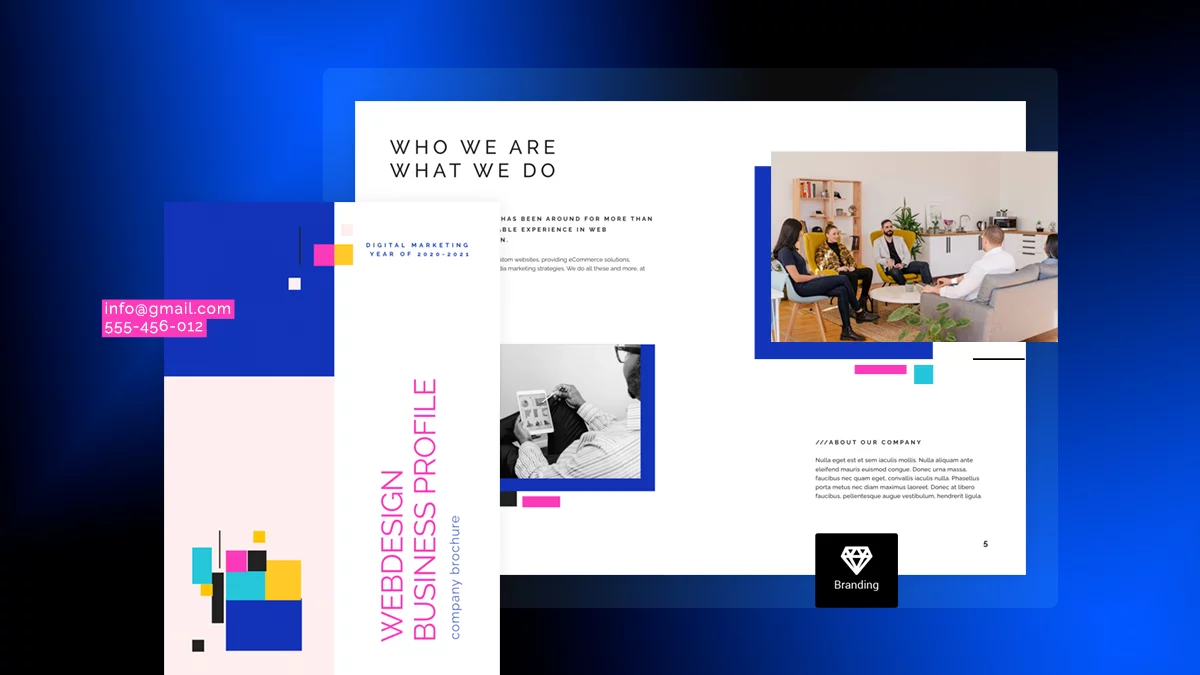
How to Create a Digital Brochure: Structure, Elements & Examples
Last updated: July 24th, 2026
Brochures are content marketing gold. In one easy format, you can show off your products, share your brand values, and teach your customers something new. And they’ve come a long way from the plain, print-only brochures of the past. Today’s brochures can be interactive and trackable. You can even tailor them to each audience with no design skills needed.
The hard part? Knowing what to include, how to organize it, and how to keep people reading.
This guide walks you through how to create a digital brochure that stands out. You’ll learn how to plan your content, structure your layout, add interactive features, and get your brochure in front of the right people. We’ll also cover the key elements every brochure needs. Plus, you’ll find real examples and templates for ideas, so you can build a brochure that’s engaging, easy to navigate, and built to convert.
Table of contents
What is a brochure?
A brochure is a printed or digital marketing document that uses text and visuals to promote a company, product, service, or event. It is usually created for a specific audience and goal.
Brochures come in several shapes and sizes. They can be as simple as a single folded sheet, like a bifold or trifold brochure, or a multi-page bound booklet. Digital brochures can also use interactive features to make the content more engaging.
No matter the format, a good brochure combines clear, concise content with an appealing design. Using design tools like a tints and shades generator can also help enhance the color palette, making the brochure even more visually appealing.
Brochures can be created in both print and digital formats, depending on your audience, marketing goals, and distribution channels.
What’s the difference between a printed and a digital brochure?
Although printed and digital brochures share the same goal of promoting a business, product, or event, the main difference is how people access and interact with them.
A printed brochure is a physical piece of marketing material. It can be handed out at events, placed in stores, or given to customers during meetings. They work well when you want to create a personal experience or reach people in a specific location.
A digital brochure is available online and can be viewed on a computer, tablet, or smartphone. It is easy to share through email, social media, or a website. They can also include interactive features, such as videos, clickable links, forms, and image galleries.
The table below compares the main differences between printed and digital brochures, from distribution and cost to interactivity and trackability.
| Printed brochure | Digital brochure | |
| Distribution | In-person, mail, in-store | Email, website, social media, QR code |
| Cost per unit | Printing and shipping costs increase with volume | No printing costs, so distribution is easy to scale |
| Interactivity | Static text and images | Videos, clickable links, forms, product tags |
| Trackability | Limited, unless paired with a unique code | Views, clicks, time spent, form submissions |
| Updates | Requires a new print run | Can be updated without reprinting |
| Lifespan | Physical copy can be kept or discarded | Persistent link that can be accessed anytime |
| Best for | Trade shows, retail counters, direct mail | Email campaigns, websites, sales follow-ups |
How to create a digital brochure
Creating a digital brochure doesn’t have to mean starting with a blank page or learning complicated design software. With the right planning and brochure maker, you can create a professional brochure that connects with your audience.
1. Plan before you design your brochure
Before jumping into layout and headline ideas, define your strategy. Knowing what you want to achieve will help you create a purposeful, consistent, and effective brochure.
Know your brand
Before designing your brochure, it is important to know everything about your brand’s story, mission, and values. Your brochure should reflect your brand identity through its design, visuals, and messaging.
- Ensure your audience easily recognizes your business no matter your industry (e.g., web design company, real estate agency, retail, etc)
- Use your branding kit which includes your logo, brand colors, fonts, imagery, and tone of voice
- Maintain brand consistency across every section of your brochure to build trust
If you’re creating a new logo or refreshing your visual identity, an AI logo generator can help you explore ideas that align with your brand. Once your branding is established, use these elements consistently throughout your brochure and other marketing materials.
Know your audience
Understanding your target audience is important because it shapes your messaging, visuals, layout, and even the brochure format itself.
Is your brochure intended for C-suite decision-makers? A niche B2B audience? Affluent consumers? A clearly defined audience allows you to tailor your brochure content to their expectations, preferences, and pain points.
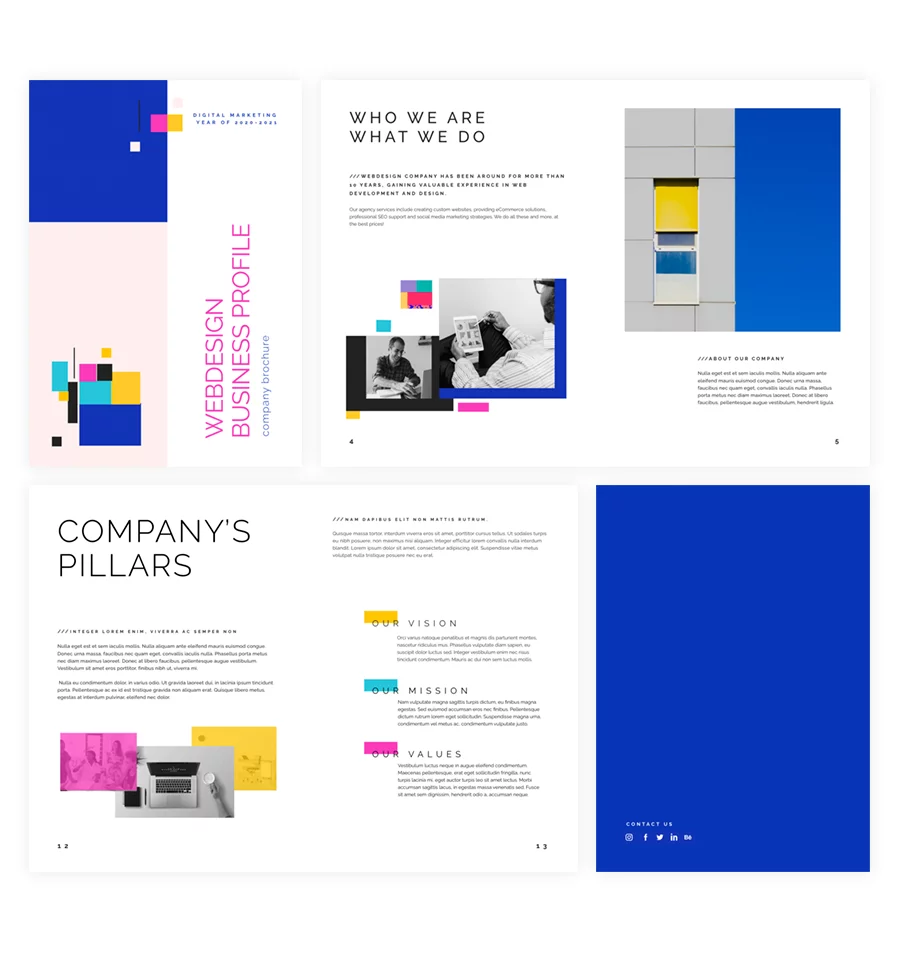
For example, a luxury real estate brochure may use refined typography, high-quality imagery, and plenty of whitespace. In contrast, a corporate brochure may focus on clear messaging, data, and testimonials. An education brochure, on the other hand, may use a lighter tone and colorful visuals. What works for one audience may feel completely off-brand to another.
Your brochure structure should also align with expectations:
- Professional audiences: use a logical content hierarchy, consistent formatting, and credible visuals, such as charts, data visuals, brand photography.
- Luxury markets: focus on elegance, minimal copy, high-resolution imagery, and whitespace to emphasize prestige. Tools like AI image generators can also help create high-quality visuals that match a premium brand aesthetic.
In short, your audience should guide every design decision, from your tone of voice and visual style to your layout and CTA.
Define the purpose of your brochure
Every effective brochure starts with a clear objective. Before drafting a single line of copy or selecting design elements, ask yourself:
What specific action or outcome do I want this brochure to drive?
Your brochure’s purpose is the anchor for every decision that follows, from the brochure layout and tone to the distribution method and format.
Here are some common strategic goals for high-impact brochures:
- Generate qualified leads
- Showcase a new product or service
- Introduce your brand
- Educate customers
- Drive traffic to your website or online store
- Promote an event
- Support your sales teams
Once you have a clear goal, you can make better decisions about what to include and how to structure your brochure.
Choose the right brochure type
The next step is choosing the right format. Your brochure type affects how much space you have and how readers move through your content.
Some of the most commonly used formats include:
- Bifold – A simple, four-page layout that’s ideal for product showcases, service highlights, or promotional content. It’s clean, professional, and easy to skim.
- Trifold – Divides content into six panels, making it perfect for storytelling, educational content, or step-by-step information.
- Z-fold – Offers a visually dynamic layout that’s great for brochures with lots of imagery or multiple sections that need equal emphasis.
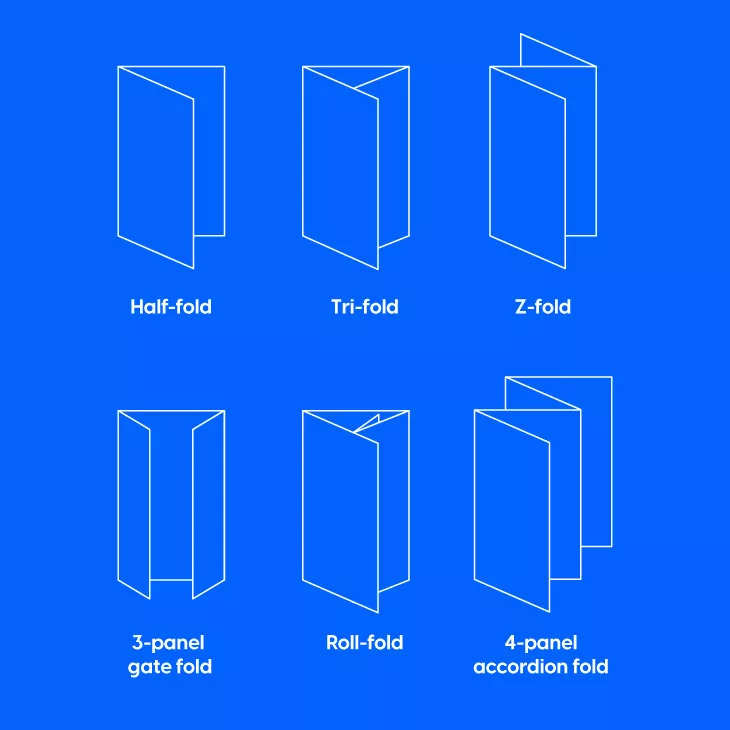
Your brochure size can vary depending on the fold and format you choose. Sizes can differ by region, such as international or US and Canada paper sizes. For digital brochures, pixel dimensions also matter, as they affect how sharp your design looks on screen.
2. Choose the right brochure maker
Once your strategy is set, it’s time to choose the platform you’ll use to create your brochure. The right tool depends on your skill level, budget, and whether you’re creating a print brochure, a digital brochure, or both.
When choosing a brochure maker, consider:
- Templates: Choose from ready-made designs that you can customize to match your brand.
- Ease of use: Look for simple editing tools that let you create and update your brochure without advanced design skills.
- Branding options: Make sure you can add your logo, colors, fonts, and other brand elements.
- Interactive features: If you’re creating a digital brochure, look for options such as videos, clickable links, forms, and image galleries.
- Sharing and publishing: Check how easily you can publish your brochure and share it through your website, email, social media, or a direct link.
- Analytics: Choose a platform that helps you track views, clicks, and other reader activity so you can measure your brochure’s performance.
Choosing the right brochure maker from the start can help you create a more engaging brochure and make it easier to manage, share, and improve over time.
3. Create your brochure structure and content
When creating a brochure, you need to think about both what content to include and how to structure and present it. Your cover makes the first impression, the inside pages develop your message, and the back cover guides readers toward the next step.
A good brochure combines clear, useful content with a well-planned layout. At its core, every brochure should include these six essential components:
- A compelling headline
- High-quality, purposeful visuals
- Clear and concise text
- Consistent branding elements
- Contact information
- A persuasive call to action
- A good structure
1. A compelling headline
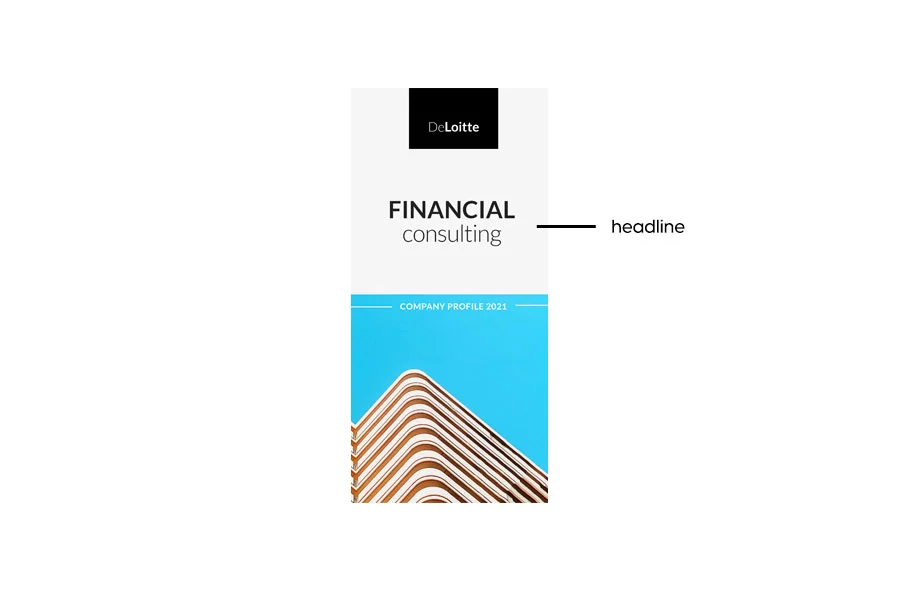
Your headline is the first thing your audience will see, so it has to make an impact instantly.
You could ask a question, highlight a solution, or invite readers to an event. For example:
- Travel brochure: “Where would you travel today?”
- Real estate brochure: “How to buy a house in 5 easy steps”
- Event brochure: “Come see your favorite band”
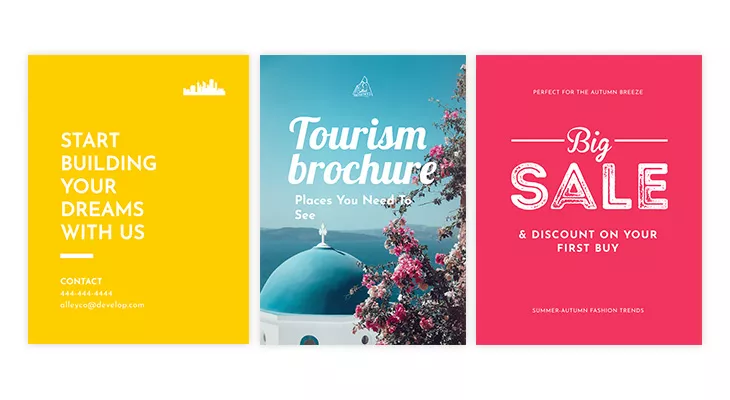
Choose a font that is clean, easy to read, and fits your brand. You can also use powerful words such as free, quick, easy, results, exclusive, or proven to make your message more engaging.
2. High-quality, purposeful visuals
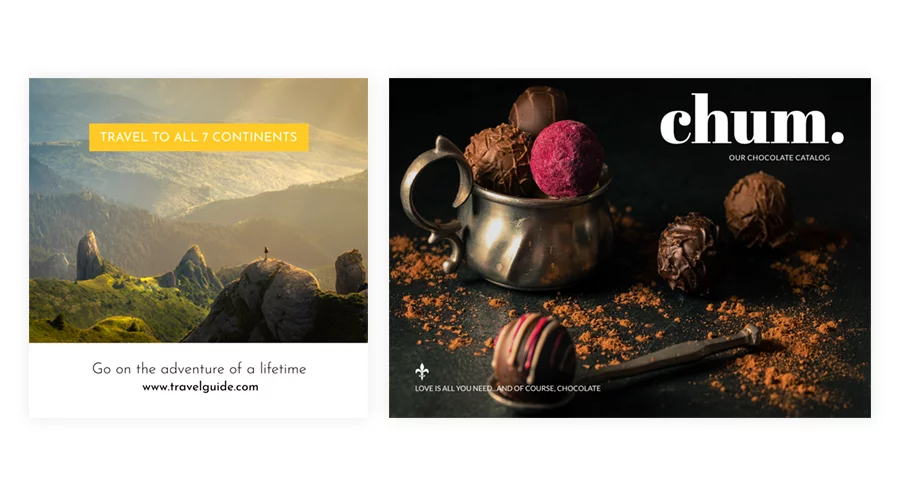
Your visuals should support your message and fit your brand. Use high-quality images, graphics, and other visual elements that help readers understand your content.
Depending on your brochure, you might use:
- High-resolution product shots – Showcase your offerings in detail and build trust with quality visuals.
- Clean, well-designed icons – Help readers navigate content and highlight key takeaways at a glance.
- Data-driven infographics – Simplify complex information and make it more digestible for analytical audiences.
- Custom illustrations – Custom illustrations add a unique, branded touch that sets your brochure apart from competitors.
Before adding an image, think if it supports your message, if it’s on brand and will appeal to your audience.
Avoid adding filler images and generic stock photos that don’t add value. Your visuals should feel authentic and contextual.
3. Product/Service Information
The heart of any good brochure is its ability to clearly communicate what you offer and why it matters, making it a vital tool for impactful business communication. This is where your product or service information comes in—not just as filler content, but as a strategic storytelling tool. Instead of relying solely on general, concise text, think of this section as the core of your value proposition.
Start by answering these questions:
- What does your product or service do?
- Who is it for?
- What problem does it solve?
- Why is it better or different from alternatives?
Depending on your audience, you may include features, benefits, technical details, use cases, or key differentiators.
When promoting several products or services, give each one its own section or page. Keep your messaging clear and use a consistent tone of voice throughout the brochure.
If you’re building a digital brochure in Flipsnack, you can improve clarity and engagement with interactive elements that tell your story more effectively.
For example, you can add:
- Product demos or explainer videos that showcase functionality
- Clickable spec sheets for easy access to in-depth details
- Interactive product tags to highlight key features
- Image slideshows or galleries to bring your offerings to life visually
These features make it easier for readers to explore your offer and understand its value.
4. Consistent branding elements
Your brand identity should be reflected throughout your brochure through consistent use of your logo, colors, fonts, and other visual elements. Keeping these elements consistent helps create a professional and recognizable design.
To make this easier, Flipsnack’s Design Studio lets you lock branded elements in place, helping ensure logos, fonts, and colors stay consistent across your publications.
In Flipsnack, you can also use:
- Brand kits – Upload your custom colors, fonts, and logos for easy access during design
- Locked templates – Prevent misplacement or distortion of brand assets by teammates
- Branded URLs – Remove third-party branding by hosting flipbooks on your domain
- Branded email sharing – Customize subject lines, preview images, colors, and sender identity
- Profile branding – Add your logo, favicon, and social handles to align every customer-facing detail
Whether you’re building brochures for marketing campaigns, internal presentations, or customer outreach, keeping every detail on-brand reinforces trust and communicates polish at scale.
5. Contact information
You should include your contact information in the brochures you share. If your brochure is a physical one, the contact options are standard: website link, a physical address, business email, and a phone number.
Pro Tip: Try to include at least two kinds of contact information to make sure that you can be reached in different ways.
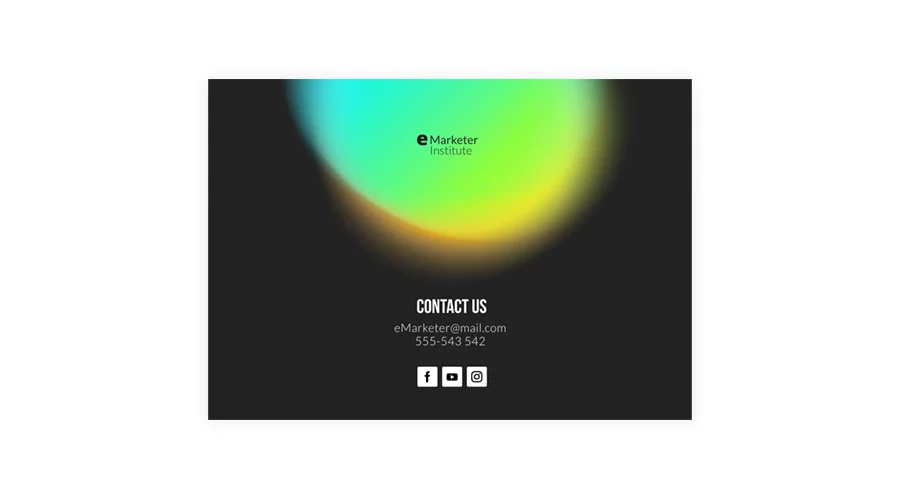
Digital brochures significantly raise the bar. Your contact section becomes interactive and actionable. Rather than passively displaying information, you can embed clickable phone numbers and email addresses, interactive maps to show your location, and social media buttons that let readers follow or contact you with a single tap, all without leaving the brochure.
You can even add lead capture forms directly inside your digital brochure, collecting emails and inquiries in real time, and contact your customers more easily and quickly.
6. A persuasive call to action
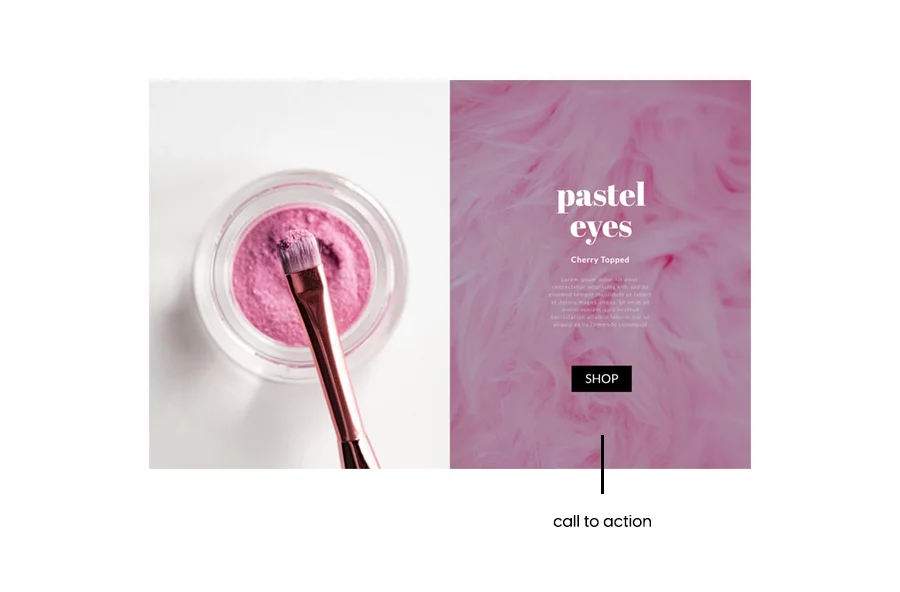
Calls to action push the viewers to the verge of following the desired action. You should carefully select the call to action based your goal.
For example:
- A charity might ask readers to Donate or Volunteer.
- A mentor might encourage readers to Download the guide.
- A real estate company might use Find your new home today.
- A product brochure might offer a Free trial or Discount.
Keep your CTA short, clear, and easy to find. Make it stand out from the rest of your content and give readers a clear reason to take action.
7. A good structure
Once you’ve planned your content, the next step is to decide how to organize it within your brochure. A strong layout creates a clear flow and helps readers find the information they need.
Traditional brochures often use formats such as bi-fold or tri-fold layouts, with each panel serving a specific purpose. Digital brochures offer more flexibility, allowing you to structure your content around your message and brand story rather than fixed panels.

For example, in a classic tri-fold brochure, you can organize your content into:
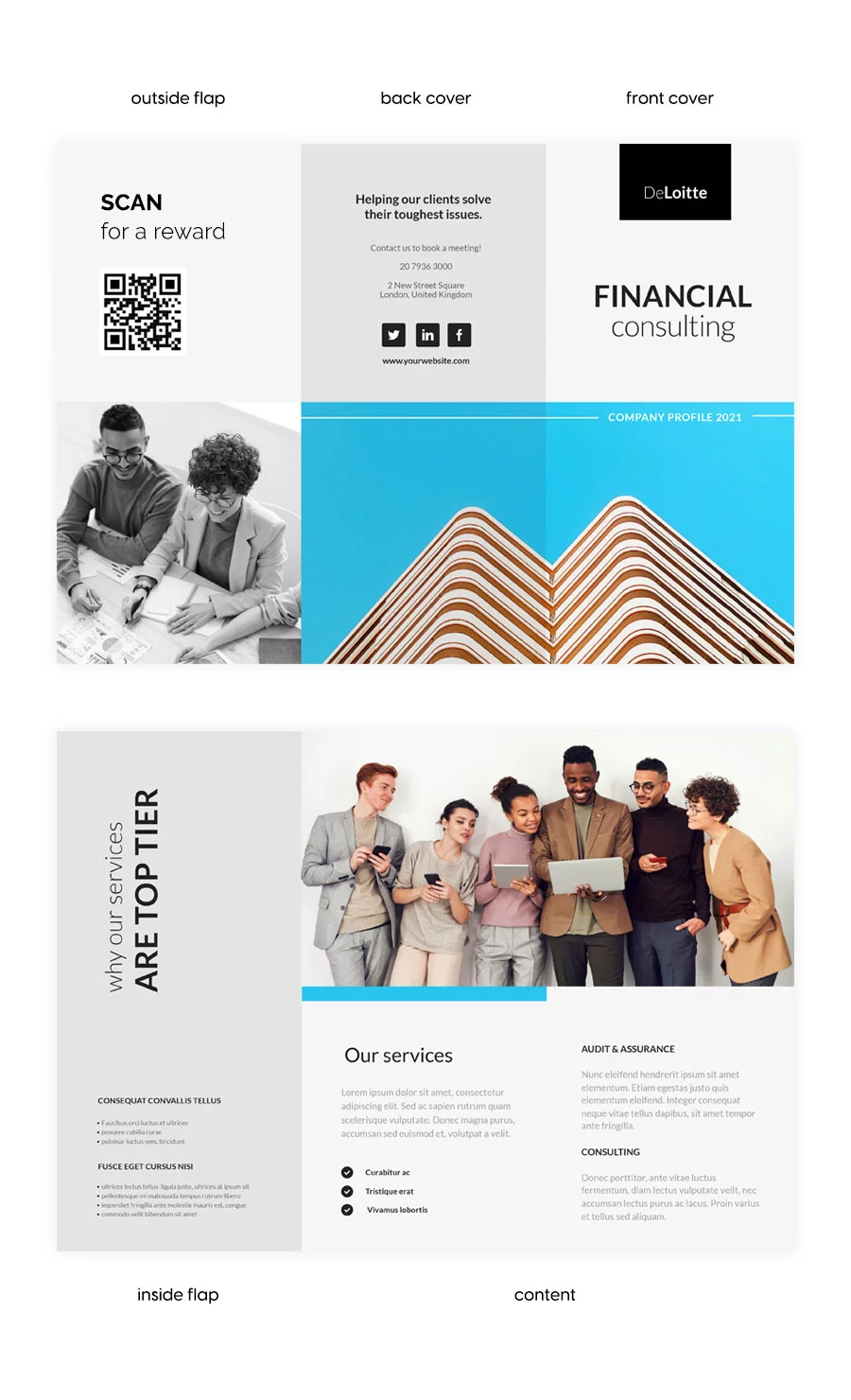
- The front cover
Its job is to grab attention and encourage readers to open it. Include a strong headline, an eye-catching cover image, and your company name or logo. Keep the design clean and focused so readers quickly understand what the brochure is about.
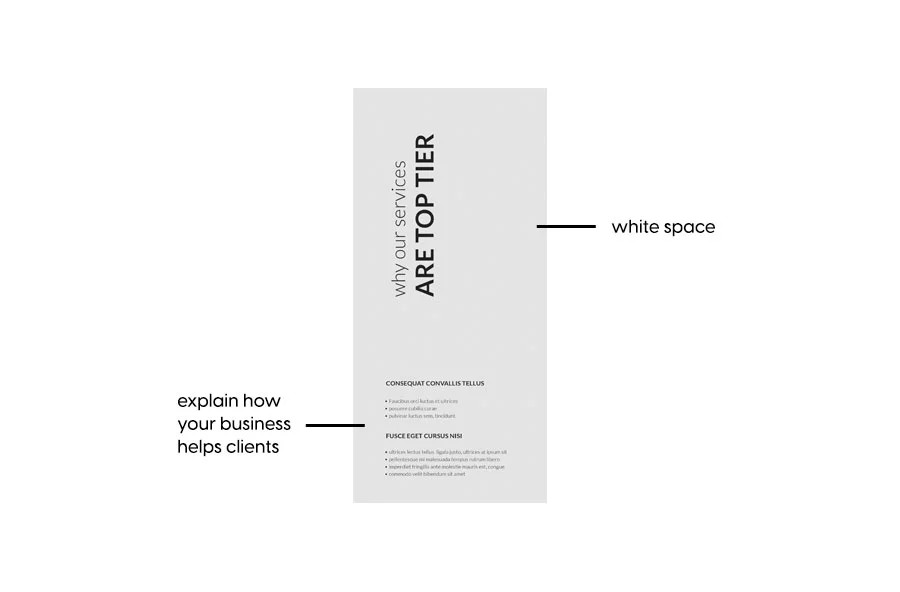
- The inside flap
Keep the copy short and use plenty of white space to make it easy to read. You can also include a short introduction, key benefit, or compelling statement that encourages readers to explore the main content.
- The content
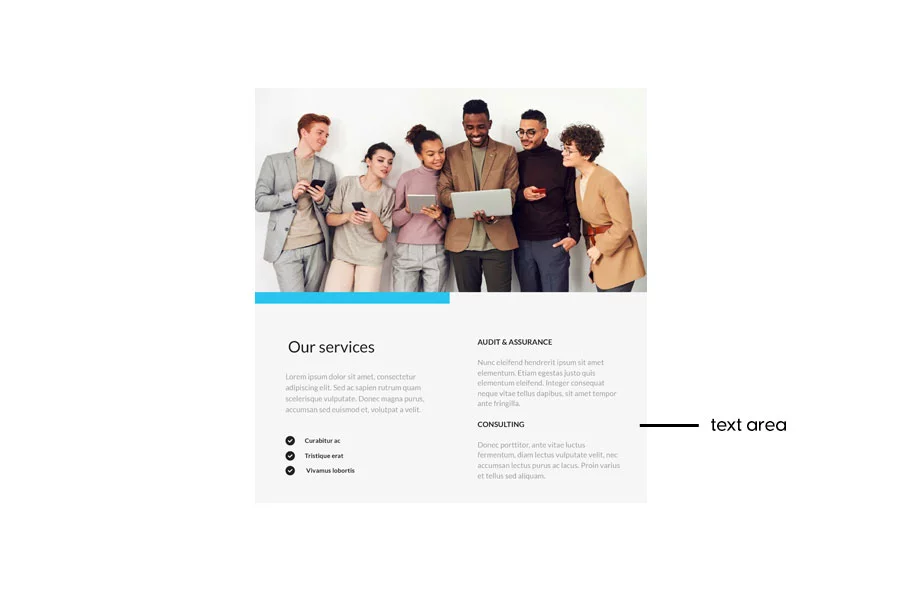
The content section is the main part of your brochure. This is where you provide the key information about your product, service, company, or event.
Keep your copy clear, concise, and easy to scan. Use subheadings, short paragraphs, bullet points, and high-quality images to break up the content and guide readers through the information.
If your copy is difficult to understand or needs to be rewritten, you can use online tools like UndetectAI or iLoveNote to rewrite or paraphrase it. You can also use Humanizer AI to make your content sound more natural and engaging.
Avoid adding information that doesn’t help the reader understand your offer or take the next step.
- The outside flap
The outside flap can be used to give readers an extra reason to take action. This could be a discount coupon, a special offer, useful tips, or other content that adds value.
For a digital brochure, you can also add a scannable QR code that links to a free resource, special offer, or landing page. You could even include a lead form that allows readers to subscribe to your emails and receive updates, offers, or other benefits.
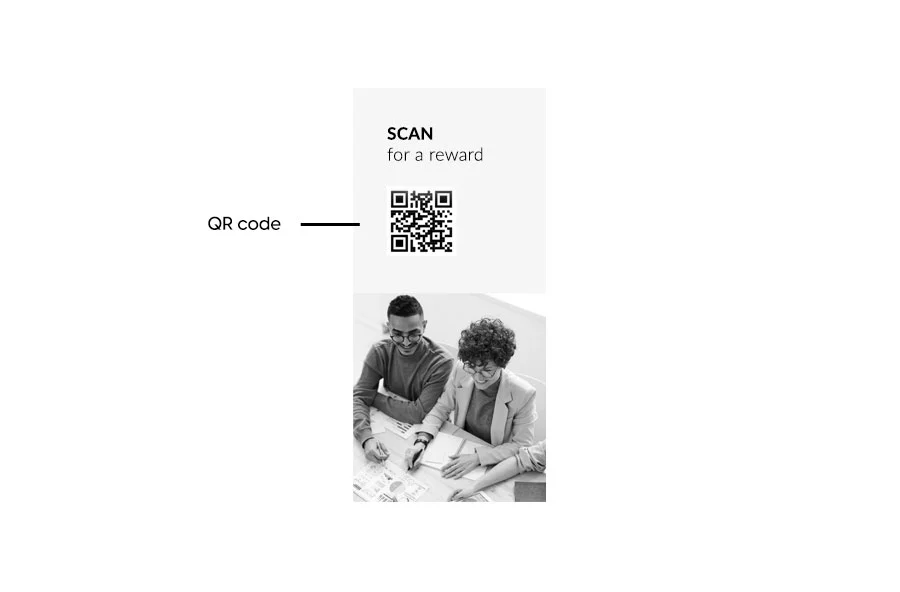
Maybe a discount coupon, or a scannable QR code for a free item. Or, offer a discount if people come into the store with the brochure. You could include a lead form in your digital brochure, so people can subscribe to your emails for some benefits. As I mentioned, make it worthwhile for them as well.
- The back cover
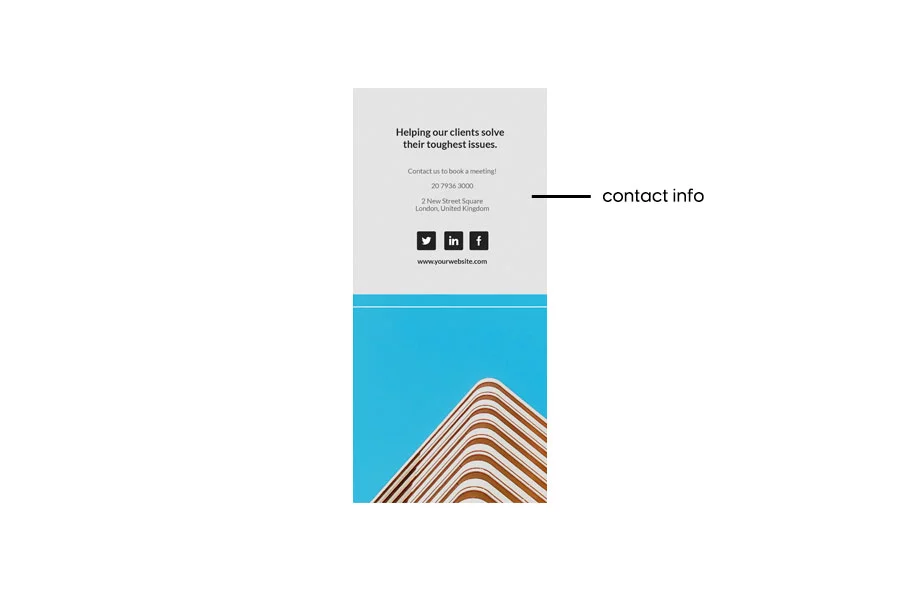
This section has the purpose of making people engage with your business in different ways: convince them to make a purchase, donate to your cause, visit your event, or follow you on social media.
Include a clear and engaging call to action that stands out from the rest of the design. You can also repeat your key contact details, such as your website, business email, phone number, or social media profiles, so readers know how to reach you.
While this structure is based on a traditional tri-fold brochure, you can adapt it to suit other brochure formats and digital experiences.
4. Publish and share your brochure
Once your brochure is built, decide how you’ll get it in front of your audience. For print, that means exporting a print-ready PDF at the correct size and paper stock. For digital, most tools let you export as a PDF, generate a shareable link, or embed the brochure directly on your website.
If your platform supports it, keep an eye on your brochure statistics, such as page views, click-throughs, and form submissions all tell you whether your brochure is doing its job, and give you a starting point for the next version.
Create a digital and interactive brochure with Flipsnack
Flipsnack lets you turn a static PDF or blank canvas into a digital brochure people actually want to click through with video, product tags, forms, and built-in analytics.
Here’s how to build, publish, and track one from start to finish.
1. Start with a template or upload your own PDF
Start from scratch with a blank canvas, choose a ready-made brochure template, or upload an existing PDF. If you already have a print-ready brochure, uploading your PDF is the fastest way to turn it into a digital version.
2. Customize your design
Apply your brand kit in a few clicks. Rearrange panels, swap images, and edit text directly in the editor, no design experience needed. You can also use AI Visuals to create images that fit your brand and bring your brochure content to life.
3. Add interactive elements
Make your brochure more engaging by adding interactive features. Depending on your goals, you can include:
- Embedded videos
- Clickable links and CTAs
- Product tags
- Image galleries and slideshows
- Interactive maps and virtual tours
- Lead capture forms
Use these features to help readers explore your content and take action without leaving the brochure.
4. Publish and share
When your brochure is ready, publish it as an interactive digital experience. Share it with your audience through a direct link, your website, email, social media, or QR code.
5. Track performance with analytics
Use Flipsnack’s built-in analytics to see how people interact with your brochure. Track key engagement data, such as opens, page views, time spent, click-throughs, and form submissions. Use these insights to see what’s working and improve your next brochure.
See the entire process in action with our video tutorial on creating a digital brochure in Flipsnack.
Digital brochure templates that work
Once you know what to include in your brochure and how to structure it, it’s time to start designing.
The right template can help you create a professional brochure faster. It also gives you a strong starting point for your layout, content, and visuals.
If you need brochure design ideas, Flipsnack offers a wide range of customizable digital brochure templates. You can use them for inspiration or adapt them to match your brand and goals.
Here are three brochure templates to help you get started.
Editable Tourism Brochure Template
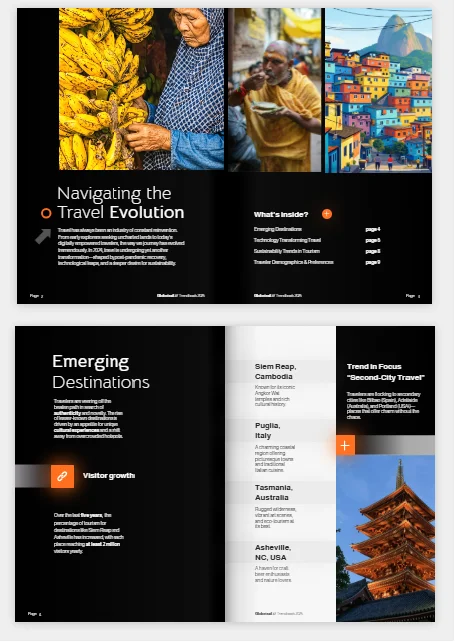

Promote destinations and inspire travelers with this interactive tourism brochure template. It gives you a visually engaging way to showcase local attractions, travel experiences, seasonal campaigns, and visitor information.
Bring your destination to life with interactive features such as photo slideshows, videos, link areas, captions, tags, and social media buttons. You can also use Flipsnack’s AI tools to create visuals that help your destination stand out and make your images come alive.
Interactive Property Listing Brochure template
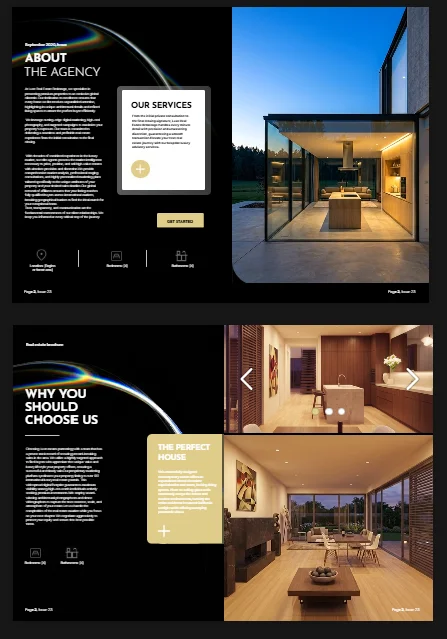
This interactive property listing brochure template helps real estate agents showcase properties in a professional and engaging way. The clean, image-focused layout puts the property front and center while giving you space to highlight key details, features, and contact information. Fully editable, the template lets you customize the text, images, colors, and other elements to match your brand.
Bring your listing to life with interactive features such as virtual tours, videos, image galleries, clickable links, and maps. Once your brochure is ready, share it online with a direct link or embed it on your website.
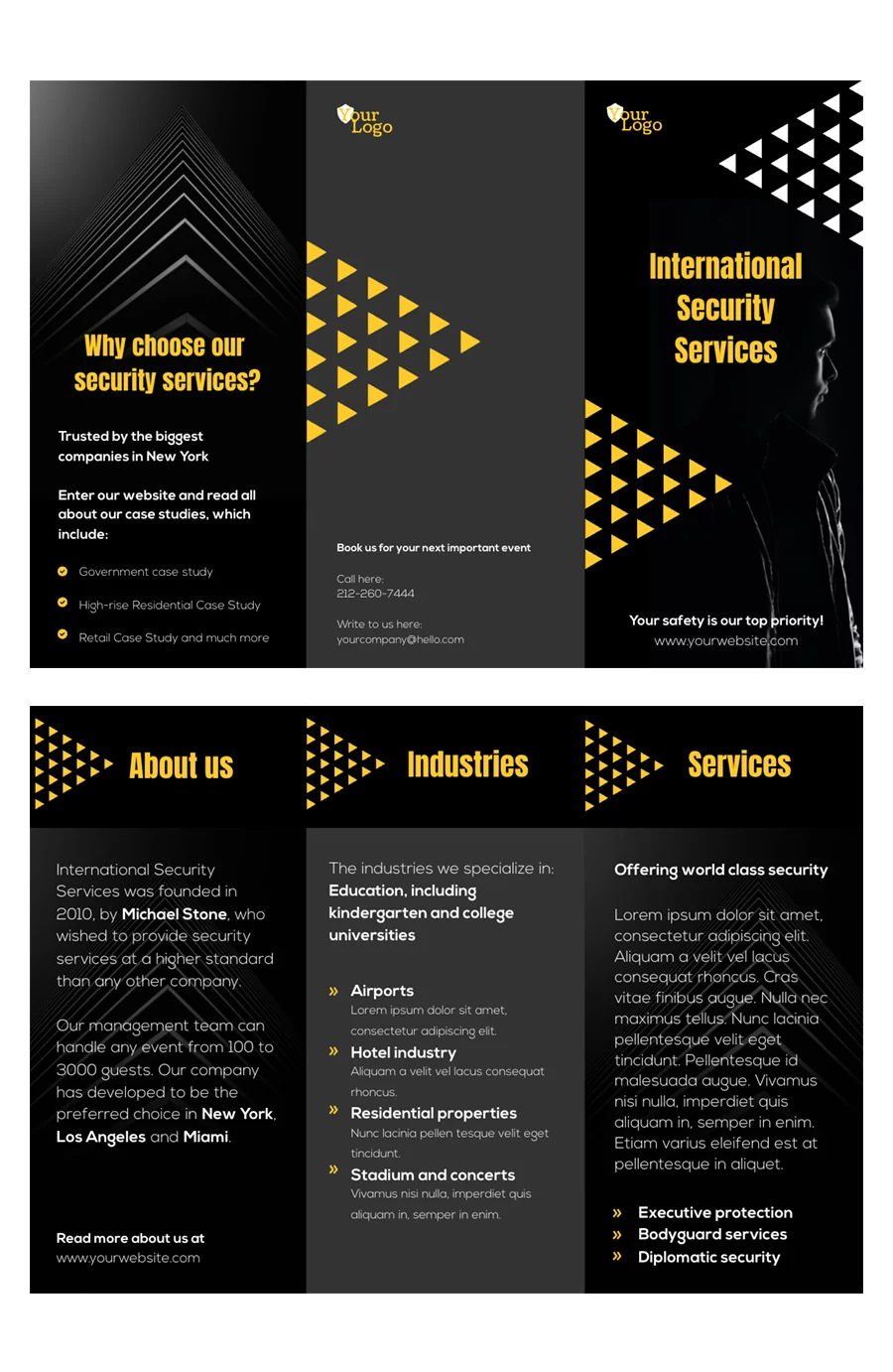
Editable business brochure template
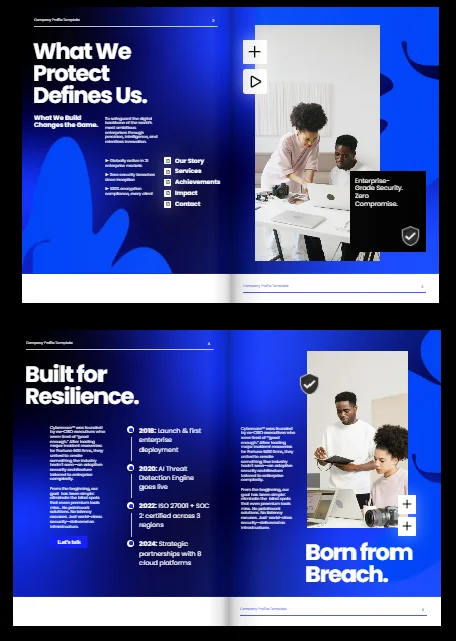

This security company profile brochure template is designed to help businesses present their services, expertise, and achievements in a professional way.
Use interactive features such as videos, GIFs, link buttons, and data-driven visuals to make your brochure more interactive. You can also add a contact form to make it easier for interested prospects to get in touch. The template works well for company presentations, pitches, and RFPs, giving security companies a polished way to showcase their credibility and expertise.
Conclusion
Brochures have come a long way from static, folded printouts to interactive digital experiences that connect with audiences in more dynamic ways. A great brochure is responsive, engaging, measurable, and accessible anywhere.
Whether you’re creating your first digital brochure or updating an existing one, Flipsnack brings your content to life with videos, product tags, slideshows, lead forms, and real-time analytics, all while keeping your design on brand.
You now know what makes a good brochure and what to include, from structure and visuals to messaging and interactivity. The only thing left is to create yours with Flipsnack.
Brochure Design FAQ
What is the best brochure design?
The best brochure design is one that aligns with your brand identity, communicates your message clearly, and speaks directly to your target audience. A well-designed brochure includes:
- A compelling headline
- Purposeful visuals
- Clear, concise copy
- Strong calls-to-action
- Consistent branding elements
What is the best program to create a brochure?
It depends on your needs. Flipsnack is ideal for interactive digital brochures. You upload a PDF or start from a template, add video, lead forms, and product tags, then share and track performance, with no design skills needed. Canva is a user-friendly drag-and-drop tool with free and paid templates, great for beginners and quick print designs. Adobe InDesign is the industry standard for print-ready brochures, best suited to advanced designers who want full control over layout and typography.
What is the best format for a brochure?
It depends on how you’ll use it. A bi-fold (4 panels) works well for quick overviews, a tri-fold (6 panels) suits storytelling or step-by-step content, and a multi-page booklet fits catalogs or in-depth material. For digital brochures, an interactive flipbook format adds rich media and lets you track engagement. For a full breakdown of brochure sizes, print dimensions, folds, pixels, and DPI, check out our guide to brochure sizes.
How to make a brochure look professional?
To make a brochure look professional, focus on clarity, consistency, and brand integrity. Use your brand’s fonts, colors, and logo across all pages to maintain a cohesive identity. Stick to high-resolution visuals, readable typography, and a clean, grid-based layout with ample white space.
How many pages does a brochure have?
It depends on the fold: a bi-fold brochure has 4 panels (front and back of a single fold), a tri-fold has 6 panels, and a z-fold also has 6 panels arranged in an accordion style. Multi-page booklets can run to as many pages as needed.
Does a brochure need to be printed back-to-back?
Most brochures are printed on both sides of the sheet to make use of every panel, but single-sided brochures work fine for simpler, one-panel promotions or handouts where only one side needs content.
Can I download or print my brochure design?
Yes. With Flipsnack, you can download your brochure as a PDF and print it if you need a physical copy. You can also publish it as an interactive digital brochure and share it online through a link, email, social media, or your website.

Great article! Your breakdown of essential elements like catchy headlines, purposeful visuals, and a strong call to action is spot on. As a graphic designer, I couldn’t agree more with your emphasis on visual appeal and brand consistency.
Brochure design heavy relies on using high-quality images and maintaining brand consistency—these ensure the brochure not only stands out but also effectively communicates the intended message.
For anyone diving into brochure design, remember that it’s a fantastic opportunity to showcase your graphic design skills and create something memorable for clients. Keep up the great work and keep sharing these valuable insights!
Hey Jemma, we’re glad you found these tips valuable!
This is the most useful article we have seen regarding brochure design. Thank you for providing such supportive information!
This article has given me all the informations I nèeded known about brochures in General. Thanks.
Hey Augustus,
I am glad to hear this article provided useful information for you, I appreciate you took the time to read it!