Brochure Sizes: Standard Dimensions for Print & Digital (2026 Guide)
Published on: June 25th, 2021
Last updated: July 20, 2026
Choosing the right brochure size is one of the first decisions you’ll make when designing a brochure. It affects how much content you can include, how much printing costs, how you’ll distribute it, and how easy it is for people to read and carry.
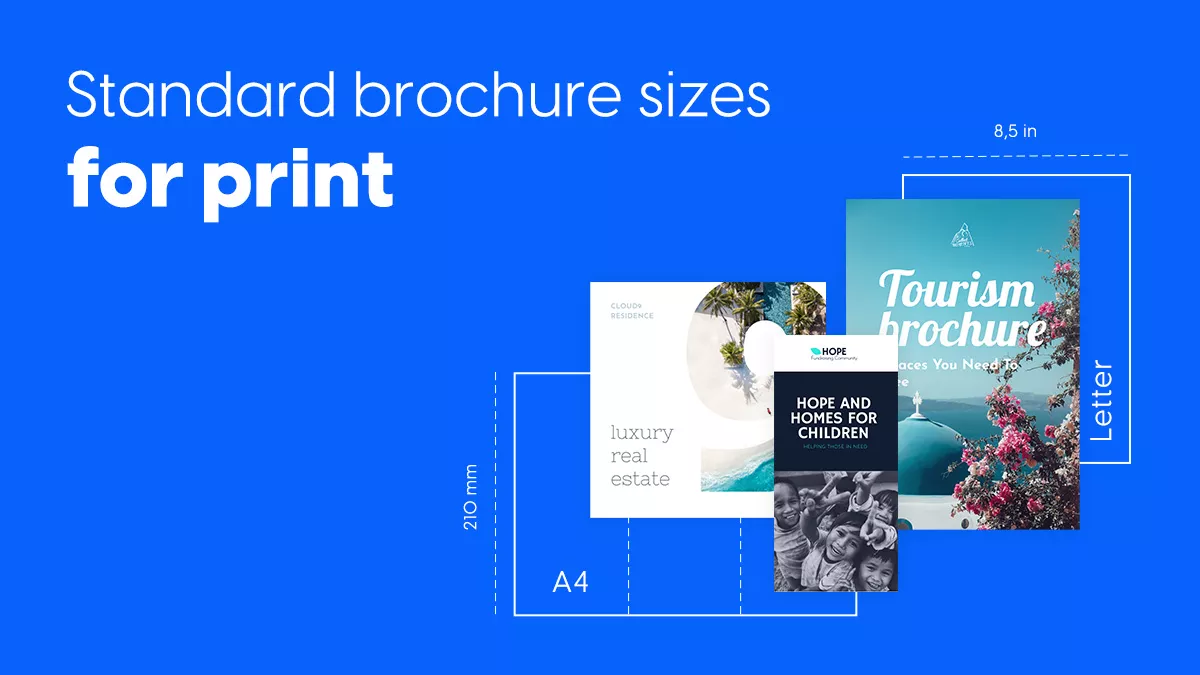
US Letter (8.5 × 11 inches) and A4 (210 × 297 mm) are the most common brochure sizes, but they aren’t the best choice for every project. The right size depends on your marketing goals, audience, distribution method, and whether you’re creating a printed or digital brochure.
This guide covers the most common brochure dimensions, compares US and international paper sizes, and explains how fold types affect your layout. You’ll also learn how to choose the best brochure size for your next project.
Here’s a quick guide to help you choose the right brochure size.
| If you need… | Recommended brochure size |
| A company or business brochure | US Letter or A4 |
| A tri-fold brochure | US Letter or A4 |
| A product catalog | A4 or A3 |
| A compact promotional handout | A5 |
| A brochure for mailing | DL |
| A restaurant menu | Legal or A4 |
| A premium marketing brochure | Square or Gate Fold |

Table of contents
- What is a standard brochure size?
- Brochure sizes by fold type
- Standard brochure sizes by region
- A4 vs US brochure size
- Brochure dimensions in pixels
- How to choose the right brochure size
- Create your brochure with a ready-made template
- Brochure vs flyer vs pamphlet: What’s the difference?
- When to use brochures, flyers, and pamphlets?
- Conclusion
- FAQs
What is a standard brochure size?
There isn’t one universal brochure size. Standard dimensions vary based on where the brochure will be used, how it will be distributed, and whether it’s intended for print or digital viewing.
In North America, US Letter (8.5 × 11 inches) is the most common brochure size. In Europe and most other countries, A4 (210 × 297 mm) is the standard under the ISO 216 paper size system. Both formats are widely supported by commercial printers and work well with popular fold styles, including tri-fold and bi-fold brochures.
The final size of a brochure also depends on its fold. A Letter or A4 sheet folded into three equal panels creates a tri-fold brochure. Fold it in half, and you get a bi-fold brochure. Other fold styles, such as accordion, gate fold, and Z-fold, use the same paper sizes but create different panel layouts and reading experiences.
When choosing a brochure size, look beyond its dimensions. Consider the number of panels, paper weight, readability, portability, printing costs, and mailing requirements. Together, these factors help determine the best format for your project.
Standard brochure sizes for print
Brochures come in several standard sizes, and each one serves a different purpose. Larger formats work well for product catalogs and company profiles, while smaller sizes are ideal for direct mail, event handouts, and countertop displays.
Most commercial printers support standard paper sizes, making them the most cost-effective option. They also simplify folding, finishing, mailing, and template compatibility.
The table below compares the most common brochure sizes used worldwide.
| Brochure size | Dimensions (inches) | Dimensions (mm) | Common fold options | Best for |
| Letter | 8.5 × 11 | 216 × 279 | Bi-fold, Tri-fold, Z-fold | Business brochures, product sheets, company profiles |
| Legal | 8.5 × 14 | 216 × 356 | Tri-fold, Bi-fold | Menus, service brochures, detailed marketing materials |
| Tabloid | 11 × 17 | 279 × 432 | Bi-fold, Gate fold | Product catalogs, real estate brochures, presentations |
| A3 | 11.7 × 16.5 | 297 × 420 | Bi-fold, Gate fold | Large-format brochures, catalogs, event programs |
| A4 | 8.3 × 11.7 | 210 × 297 | Bi-fold, Tri-fold, Z-fold | Corporate brochures, reports, international marketing |
| A5 | 5.8 × 8.3 | 148 × 210 | Bi-fold | Event brochures, travel guides, promotional handouts |
| DL | 3.9 × 8.3 | 99 × 210 | Tri-fold (from A4) | Direct mail campaigns, rack displays, promotional brochures |
Brochure sizes by fold type
Paper size determines the overall dimensions of your brochure, while the fold type shapes how readers experience the content.
Each fold creates a different number of panels, changes how information flows, and affects the amount of space available for text and images. Choosing the right fold is just as important as choosing the right paper size.
The most common brochure folding styles are:
- Half-fold
- Tri-fold
- Z-fold
- Roll-fold
- Gate fold
- Accordion fold
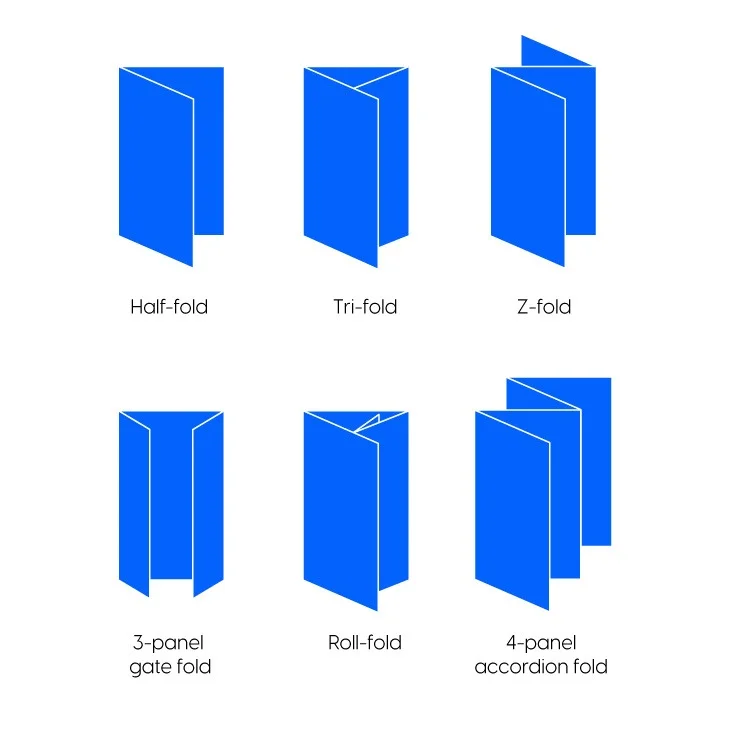
The table below explains each fold type, how many panels it includes, and the best situations to use it.
| Fold type | Panels | Description | Best use cases | Why choose it? |
| Tri-fold | 6 | A single sheet folded into three equal panels, creating a compact brochure that’s easy to distribute and guides readers through content in sequence. | Business brochures, product promotions, travel guides, healthcare, events | Easy to carry, affordable to print, fits standard racks and envelopes, keeps content organized |
| Bi-fold (Half-fold) | 4 | A sheet folded in half to create four larger panels, giving you more space for imagery and detailed content. | Company profiles, catalogs, luxury marketing, real estate | Larger design area, clean layout, premium look, ideal for visual content |
| Z-fold | 6 | Three equal panels folded in a zigzag pattern for a continuous reading experience. | Comparisons, timelines, maps, tutorials | Smooth information flow, equal panels, perfect for step-by-step content |
| Roll-fold | 6 | A roll-fold brochure folds each panel inward, one panel wrapping inside the next. Readers naturally progress through the content one panel at a time. | Product walkthroughs, onboarding guides, educational materials, service explanations, company presentations | Encourages step-by-step reading, protects inner panels, ideal for guided content and storytelling |
| Gate fold | 6 | Two outer panels open to reveal a larger center panel, creating a dramatic first impression. | Product launches, luxury brands, hospitality, automotive | Eye-catching reveal, premium feel, showcases hero visuals beautifully |
| Accordion fold | 6–10+ | Alternating folds create multiple panels that unfold sequentially. | Travel brochures, museum guides, educational resources | Great for long-form content, maps, and information readers explore one section at a time |
Pro tip: Pick the folding style and the size right from the beginning. It will be easier then to achieve a stunning brochure design according to your folding choice.
Standard brochure sizes by region
Choosing the right regional standard helps ensure your brochure prints correctly, fits local expectations, and avoids unexpected scaling or formatting issues when working with commercial printers.
International brochure sizes
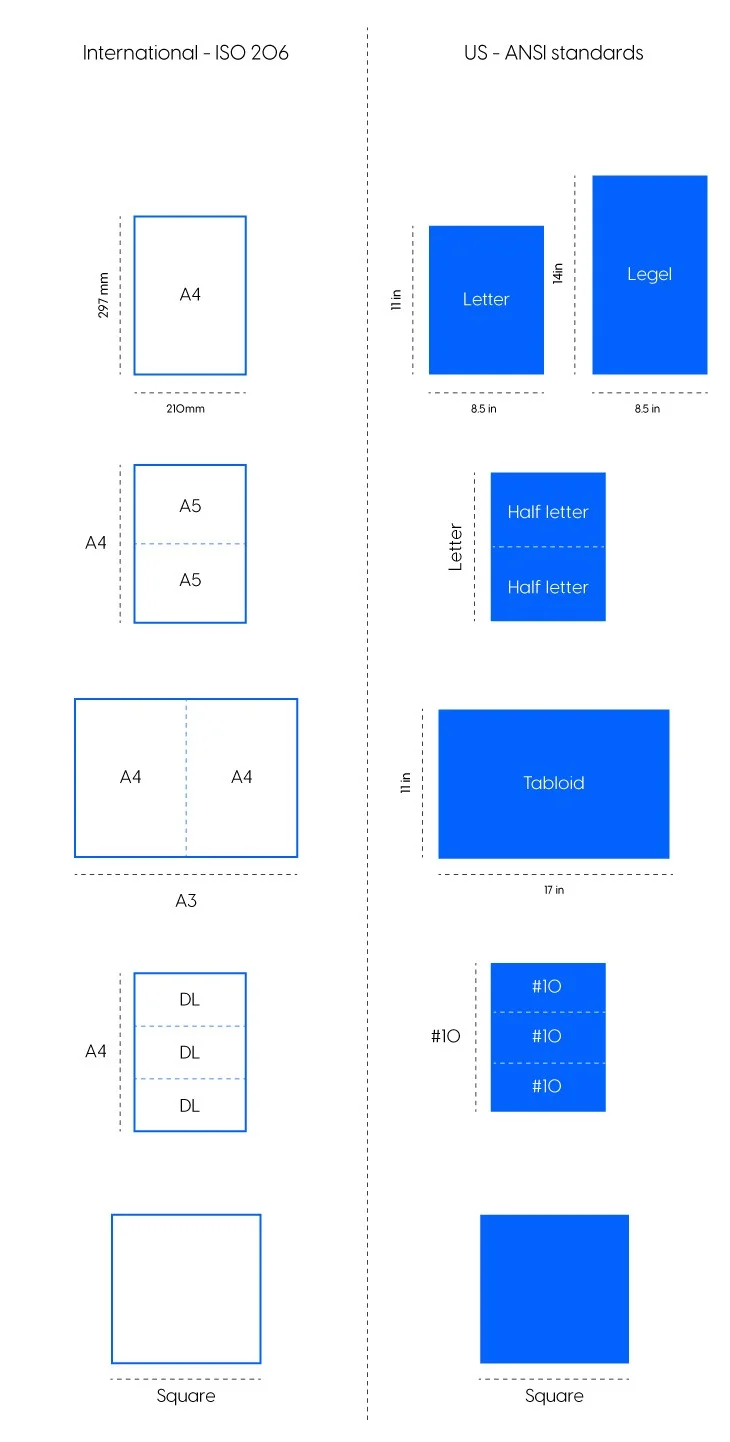
Most countries use the ISO 216 paper size standard. It includes the familiar A-series paper sizes, where each format is exactly half the size of the previous one. This makes it easy to scale designs while keeping the same proportions.
Below are the most common international brochure sizes and when to use them.
A4
Paper size: 210×297 mm or 8.27×11.69 inches
A4 is the standard brochure size across Europe and most international markets. It’s also the closest equivalent to US Letter. The format offers plenty of space for text, images, and branding, making it suitable for both print and digital brochures.
It supports popular fold styles, including tri-fold, bi-fold, and Z-fold.
Common uses include:
- Company brochures
- Product and service catalogs
- Travel brochures
- Annual reports
- Corporate presentations
A5
Paper size: 148×210 mm or 5.83×8.27 inches
If you split an A4 in half, you will get the standard A5 paper size. Despite its smaller footprint, it still provides enough room for high-quality visuals and concise messaging. A5 brochures are commonly printed as bi-fold brochures, giving you four panels to organize your content while keeping the finished brochure compact and easy to carry.
Ideal applications:
- Visitor information
- Event brochures
- Restaurant menus
- Product guides
- Promotional handouts
A3
Paper size: 297×420 mm or 11.69×16.54 inches
A3 provides twice the surface area of an A4 sheet. It’s ideal for brochures that rely on impactful visuals or detailed layouts. It’s often used for premium marketing materials, product catalogs, posters, and folded brochures that require additional space. Fold an A3 sheet in half to create an A4 bi-fold brochure which gives you a premium layout with large, easy-to-read panels.
Best for:
- Exhibition materials
- Product catalogs
- Architecture and design portfolios
- Restaurant menus
- Posters
DL
Paper size: 99 × 210 mm or 3.9 × 8.3 in
DL (Dimension Lengthwise) is a popular brochure size for direct mail. It’s one-third of an A4 sheet and fits perfectly inside standard DL envelopes. Its slim layout is ideal for short marketing messages that readers can scan quickly. Most DL brochures are created by folding an A4 sheet into a tri-fold, making them a practical and cost-effective option.
Common uses include:
- Rack displays
- Direct mail campaigns
- Promotional offers
- Event invitations
- Restaurant menus
US and Canada brochure sizes
The United States and Canada use the ANSI paper size standard, which differs slightly from the ISO system used internationally. If your brochures will be printed or distributed in North America, it’s best to design using these standard paper sizes to ensure compatibility with local print providers.
Letter brochure size
Paper size: 8.5 × 11 in (216 × 279 mm)
Letter is the standard brochure size throughout the United States and Canada. It’s comparable to A4 and supports virtually every common fold type. It’s a versatile choice for business marketing. Letter-sized brochures are frequently printed as tri-fold, bi-fold, and Z-fold brochures.
Best for:
- Educational materials
- Company brochures
- Product brochures
- Corporate communications
- Healthcare information
Legal brochure size
Paper size: 8.5 × 14 in (216 × 356 mm)
Legal paper maintains the same width as Letter but provides additional height, making it ideal for brochures that require extra room without increasing the overall width. You can customize this dimension in Flipsnack.
Common uses include:
- Last will and testament
- Power of attorney
- Product specifications
- Service brochures
- Healthcare guides
Half letter brochure size
Paper size: 5.5 × 8.5 in (140 × 216 mm)
Half Letter is a compact format created by dividing a Letter sheet in half. It’s lightweight, economical, and easy to distribute at events or include in product packaging.
Ideal applications:
- Retail handouts
- Event programs
- Instruction guides
- Small promotional brochures
Tabloid brochure size 11 x 17 in
Paper size: 11 × 17 in (279 × 432 mm)
Tabloid is the North American equivalent of A3 and is often used for large-format brochures, catalogs, posters, and folded marketing materials. When folded in half, a Tabloid sheet creates a spacious bi-fold brochure that’s ideal for showcasing photography and large graphics.
Best for:
- High-impact marketing campaigns
- Product catalogs
- Portfolios
- Restaurant menus
- Real estate brochures
Rack cards / Envelope size flyers
Paper size: 3.67 × 8.5 in (93 × 216 mm)
Rack cards are designed to fit standard brochure display racks and #10 envelopes. Their slim format is easy to carry and inexpensive to print.
Common uses include:
- Hotels
- Restaurants
- Tourist attractions
- Local events
- Retail promotions
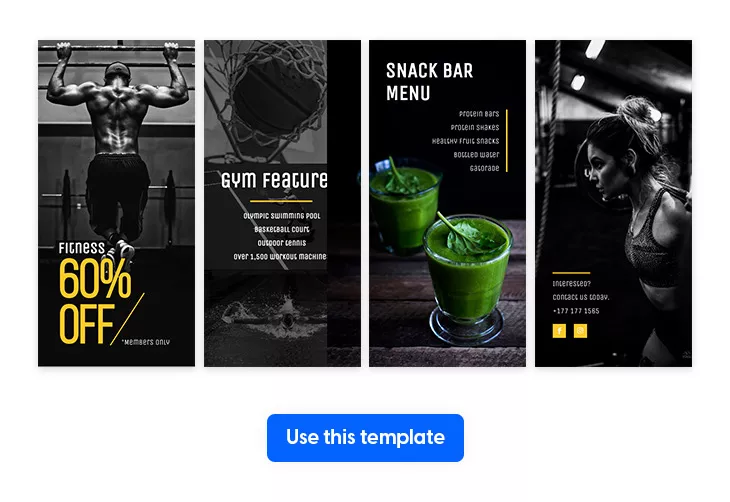
Square brochure size
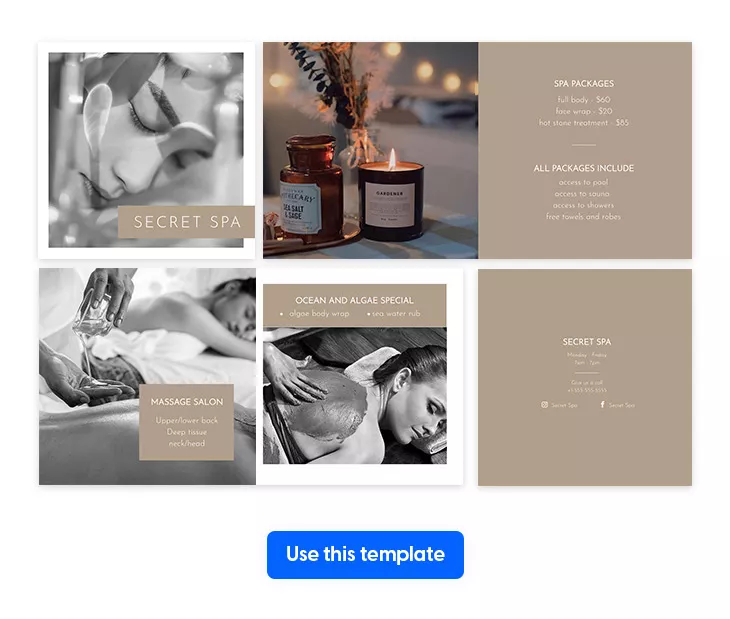
Common sizes: 148 × 148 mm, 210 × 210 mm, 8 × 8 in, or custom
Unlike A-series and ANSI paper sizes, square brochures don’t follow a universal standard. Most commercial printers offer several square formats for brands looking for something distinctive. Their balanced layout naturally draws attention and works especially well for image-focused designs.
Best for:
- Luxury brands
- Beauty and wellness
- Photography portfolios
- Interior design
- Fashion catalogs
A4 vs US brochure size
At first glance, A4 and US Letter brochures look almost identical. Both are popular choices for company profiles, reports, and marketing materials. However, their dimensions differ slightly, which can affect printing and layout.
If you’re designing for an international audience, choose A4. If your brochure will be printed mainly in the United States or Canada, US Letter is the better option.
| Feature | A4 | US Letter |
| Dimensions | 210 × 297 mm (8.3 × 11.7 in) | 216 × 279 mm (8.5 × 11 in) |
| Standard region | Europe and most international markets | United States and Canada |
| Aspect ratio | √2 (ISO 216 standard) | ANSI standard |
| Common fold types | Tri-fold, Bi-fold, Z-fold | Tri-fold, Bi-fold, Z-fold |
| Best for | International marketing, reports, corporate brochures | Business brochures, sales materials, direct mail |
Although the difference is only a few millimeters, it matters when printing professionally. Using the wrong paper size can cause scaling, margin changes, or slight cropping.
For digital brochures, the paper size matters less. Instead, focus on readability, responsive layouts, and interactive features that improve the viewing experience.
Brochure dimensions in pixels
If you’re designing a brochure digitally you’ll also need the correct pixel size. Pixel dimensions decide how sharp your brochure looks, whether it’s printed or viewed on a screen.
The right pixel count depends on resolution, measured in DPI, or dots per inch:
- 300 DPI is the industry standard for professional printing and produces crisp, high-quality results.
- 150 DPI is suitable for draft prints or internal documents where maximum quality isn’t essential.
- 72 DPI is used for digital brochures, presentations, and online sharing, since that’s built for screens, not paper.
Pro tip: If you plan to print your brochure professionally, always design it at 300 DPI. Starting with a higher resolution ensures your images remain sharp, even if you later resize or repurpose the design for digital use.
| Brochure size | 300 DPI | 150 DPI | 72 DPI (Digital) |
| Letter (8.5 × 11″) | 2550 × 3300 px | 1275 × 1650 px | 612 × 792 px |
| A4 (210 × 297 mm) | 2480 × 3508 px | 1240 × 1754 px | 595 × 842 px |
| A5 (148 × 210 mm) | 1748 × 2480 px | 874 × 1240 px | 420 × 595 px |
| A3 (297 × 420 mm) | 3508 × 4961 px | 1754 × 2480 px | 842 × 1191 px |
| DL (99 × 210 mm) | 1169 × 2480 px | 585 × 1240 px | 281 × 595 px |
Keep in mind: These dimensions refer to the flat brochure size before folding.
How to choose the right brochure size
The right format depends on what you want to communicate, how your audience will receive the brochure, and how much information you need to include.
Before choosing a size, think about your content, distribution method, budget, and industry. These factors will help you narrow down the most practical option while ensuring your brochure looks professional and performs well.
Choose a brochure size based on your marketing goals
Different goals call for different formats. A compact brochure often works best for promoting an event. A product catalog usually needs more space for detailed text and visuals. As a rule, pick a size that fits your content. Don’t cram too much onto a page that’s too small.
| Marketing goal | Recommended size | Why it works |
| Company brochure | Letter or A4 | Balanced layout for company information and services |
| Product catalog | A4 or A3 | Plenty of room for product images and descriptions |
| Event promotion | A5 or Tri-fold Letter | Compact, easy to distribute, and ideal for quick reading |
| Restaurant menu | Legal or A4 | Extra space for menu items, pricing, and images |
| Luxury brand brochure | Tabloid or Gate fold | Large visuals create a premium experience |
Choose a brochure size based on how you’ll distribute it
Where and how people receive your brochure can be just as important as its design.
Handing out brochures at trade shows or networking events? A tri-fold Letter or A4 works well. It’s compact, light, and easy to carry. Running a direct mail campaign? A DL brochure slides neatly into standard envelopes, which cuts mailing costs and keeps distribution simple.
Displaying your brochure in a showroom or a sales meeting? A bi-fold or gate-fold looks more polished and gives your visuals more room to shine.
If you’re publishing a digital brochure prioritize readability on different screen sizes, interactive elements, and responsive layouts that work well on both desktop and mobile devices.
Choose a brochure size based on your budget
Printing costs vary depending on the brochure size, paper stock, number of folds, and finishing options.
Standard sizes like Letter or A4 are usually your cheapest option. Commercial presses run them efficiently, with less paper waste. They also make it easier to find templates and it’s simpler to compare quotes across printers.
Larger brochure sizes, such as A3 or Tabloid, and specialty folds like gate folds often require more paper, additional finishing, and extra handling, which increases the overall cost.
If you’re printing large quantities, ask your print provider about the most economical paper size and folding option for your project. A small adjustment in dimensions or paper weight can make a difference to your budget.
Choose a brochure size based on your industry
Almost any brochure size can work, but certain formats have become the norm in specific industries because they suit the content those businesses need to share.
Real estate
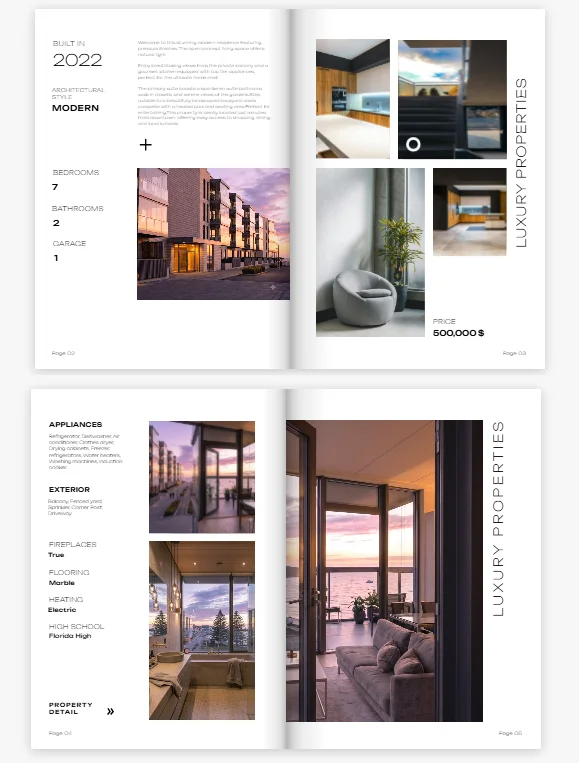
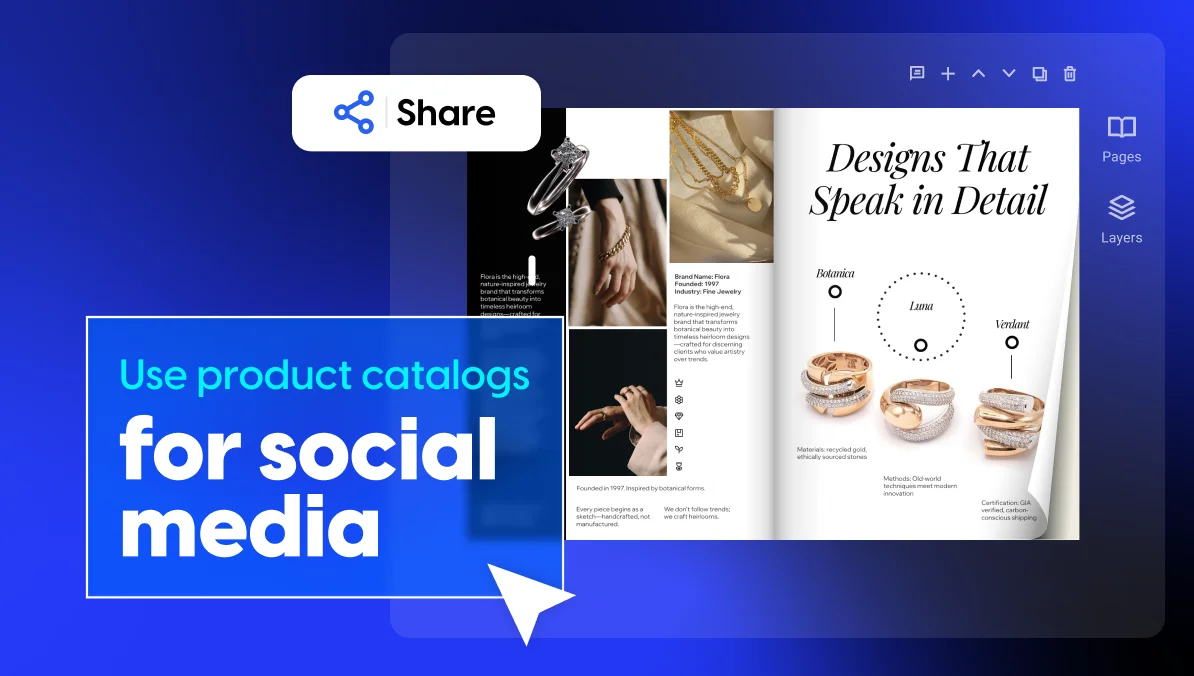
Real estate brochures lean on large property photos and floor plans. A Letter, Tabloid, or gate-fold brochure gives you room to showcase listings while keeping a premium feel.
For inspiration, explore our collection of real estate brochure templates, designed to help agents highlight properties with professional layouts.

Healthcare
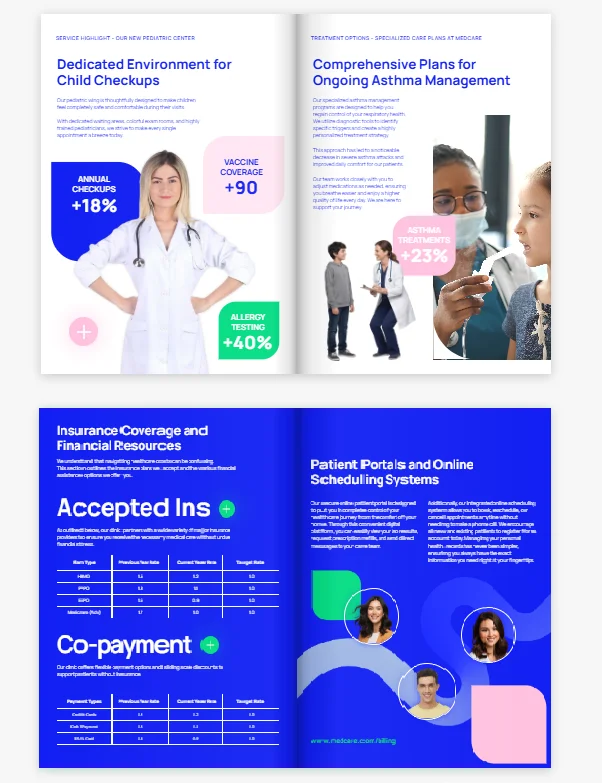
Healthcare organizations put clarity first. A bi-fold Letter or A4 brochure gives you enough room for medical info, patient instructions, or service details, without overwhelming the reader.
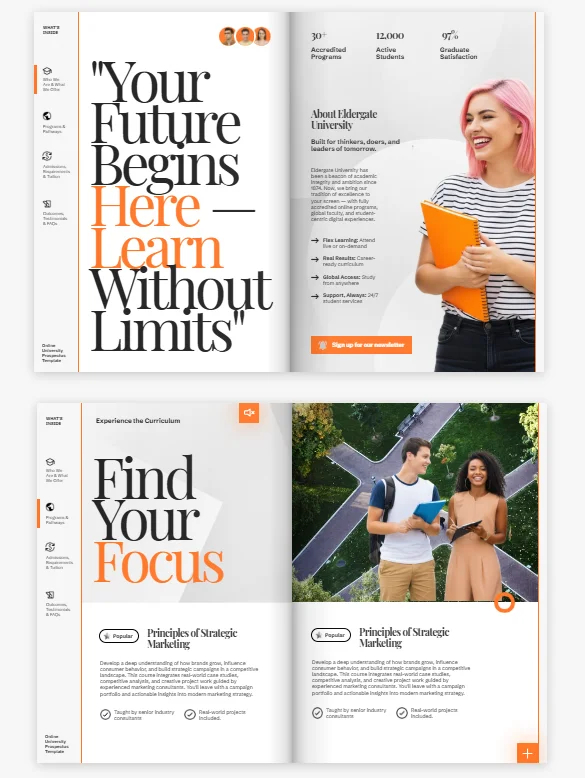
Education
Schools, universities, and training providers often reach for tri-fold or A4 brochures for admissions info, course catalogs, and campus events. These formats keep the message tight while leaving room for photos, schedules, and contact details.
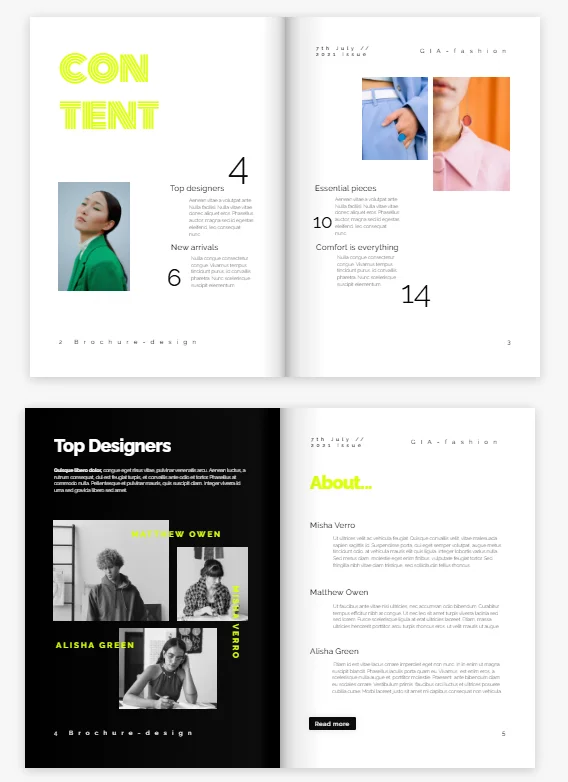
Retail
Retail businesses need brochures that are easy to hand out in-store or slip into a shopping bag. Tri-fold Letter, A5, and DL brochures work well for seasonal promos, product launches, coupons, and loyalty programs.
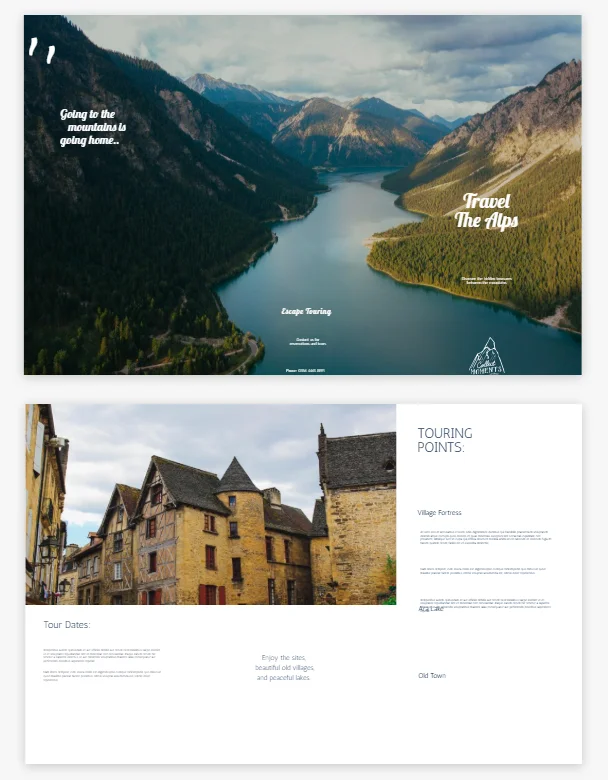
Travel and tourism
Travel brochures mix destination photos, itineraries, and maps. Accordion-fold and tri-fold brochures let readers move through the content naturally, with enough panels for attractions, practical tips, and travel info.
Create your brochure with a ready-made template
Choosing the right brochure size is only the first step. Once you’ve selected the best format for your project, you can speed up the design process with a professionally designed brochure template.
Flipsnack’s brochure templates are already configured with the correct dimensions, layout, bleed, and safe margins. That means you can focus on your content, your brand’s logo and brand colors, instead of building your brochure from scratch.
Watch the video below to see how easy it is to build a brochure, add your branding, and export a print-ready PDF. For the best print results, be sure to export your artwork using the proper image format for printing to ensure sharp details, vibrant colors, and consistent color output.
Brochure vs flyer vs pamphlet: What’s the difference?
Flyers and pamphlets are part of the large brochures family. However, they are called different because they have other sizes and purposes. Understanding the differences can help you choose the right format for your marketing campaign and communicate your message more effectively.
There are two differences between brochures and flyers:
- A flyer is designed to communicate a single message quickly with little space for sharing information. A brochure gives more space for detailed content.
- Another difference is that brochures come in various sizes and foldings, while flyers are a one-page document (front and back).
Flyers have a short life and they are used for short-term campaigns often discarded once they’ve served their purpose. Brochures on the other hand are designed to have a longer lifespan. They’re frequently displayed in waiting rooms, visitor centers, hotels, and trade shows, where readers can pick them up and refer to them later.
Moving on, a pamphlet is basically a brochure, but a short one. They don’t usually have many pages and are used because the information was too long to make it as a flyer or too short to be a brochure.
The difference between brochures and pamphlets is:
- The content information in pamphlets presents and describes one topic. Even though the information might be shorter than in a brochure, you’ll notice that everything is more focused.
- The biggest difference is the intent: brochures are used for marketing, while pamphlets are used to educate or inform.
When to use brochures, flyers, and pamphlets?
There are certain guidelines to follow when you think about choosing a brochure over a flyer or a pamphlet and vice versa.
Sometimes, you think that a flyer presenting your new clothing line would be a great option, but you’ll soon realize that it may be too small to include all the information and pictures. On the other hand, it might be a great idea to design a flyer when advertising a mid-season sale.
You should start with the purpose in mind and then choose the brochure type you want. Pamphlets, for example, are great for educating and informing people about a single subject. But if you want to talk about each service you offer, or to address more topics, then choosing a brochure is the best option.
| Feature | Brochure | Flyer | Pamphlet |
| Purpose | Promote products, services, or a business, educate, have as reference materials | Advertise an event, offer, announcement, offer discount coupons | Inform or educate readers, describe a service or an event |
| Typical format | Folded into panels | Single flat sheet | Folded or multiple pages |
| Content length | Medium to long | Short | Medium to long |
| Design focus | Branding, visuals, and storytelling | Eye-catching headline and call to action | Informative text with supporting visuals |
| Common sizes | Letter, A4, A5, DL | Letter, A4, A5 | Letter, A4, A5 |
| Best for | Company profiles, catalogs, service overviews | Sales, promotions, events | Healthcare, education, nonprofits |
Again, it’s all up to the scope of your brochure and the message you want to send.
Pro tip: Keep in mind the purpose and the longevity you want your brochure to have. After you have decided on these steps, you can pick the brochure type you’re going for.

Conclusion
You now know the standard brochure sizes, the fold types, how regional paper standards differ, pixel dimensions, and the key printing details behind a professional brochure.
Whether you decide to design your brochure from scratch or customize one of Flipsnack’s professionally designed templates, you have the knowledge to choose the right format and create a brochure that’s ready for both print and digital distribution.
FAQs
Most brochures are one folded sheet, not several bound pages, so they’re measured in panels, not pages. A tri-fold has six panels total: three front, three back. A bi-fold has four. Booklet-style brochures, bound instead of folded, can run longer, usually in multiples of four pages.
Standard Letter or A4 is almost always the most cost-effective choice, since printers run these sizes on pre-set presses and paper stock without custom cutting. Fold type (tri-fold vs. bi-fold) adds only a small finishing cost either way; the biggest cost driver beyond size is print quantity, with larger runs lowering the per-unit price.
A rack card is a single flat panel, typically 3.67″ × 8.5″ (the same footprint as one panel of a tri-fold) printed at that size to fit a physical display rack. A brochure is usually a larger sheet (Letter or A4) folded down into multiple panels rather than printed at its final size directly.
At the print-standard 300 DPI, a Letter-size brochure (8.5″ × 11″) is 2550 × 3300 pixels and an A4 brochure (210 × 297 mm) is 2480 × 3508 pixels. For digital-only use, the same brochure exported at 72 DPI is 612 × 792 pixels (Letter) or 595 × 842 pixels (A4).

Hi,
Please quote the following:
Description: Flyers
8.5″ x 11″ Full Color Flyers 1 Sided – 100 lb Gloss Text Weight
Printing on 1 side: Front Only – Full-color with bleeds
Quantity: 100,000
Please advise total pricing for pick up including tax and let me know
how long it will take to have these flyers printed.
Regards,
John
Hi John, we don’t do printing at Flipsnack. You can make your brochures on Flipsnack, and download them for print but we don’t have a printing service.
Nice information!
I’ve never thought about the sizing of images and words on a brochure. My husband and I are wanting to make a brochure and want to find the best company to print them for us. I’ll have to do some research and find a great company in my area.
CAN YOU GIVE ME A SUGGESTION FOR A TRI FOLD BROCHURE FOR BUSINESS PROPOSAL. A3 IS NOT GOOD WOULD YOU GIVE ANY OTHER
I would go with a standard paper size, like A4 (Europe) or Letter (USA).
If you want a smaller brochure, go with A5 (Europe) or half-page (USA).
I am looking for design my pamphlet a little confuse but not I am sure after looking above details.
thanks…
You just explain all I need to do before decide my pamphlet size. Thank you Jani.
Thanks Jani
for sharing such nice information.
nice explain about all size
Thanks for sharing information.
Can I make a tri-fold brochure that has 3 x A4 panels. If so, what would be the design dimensions for each panel?