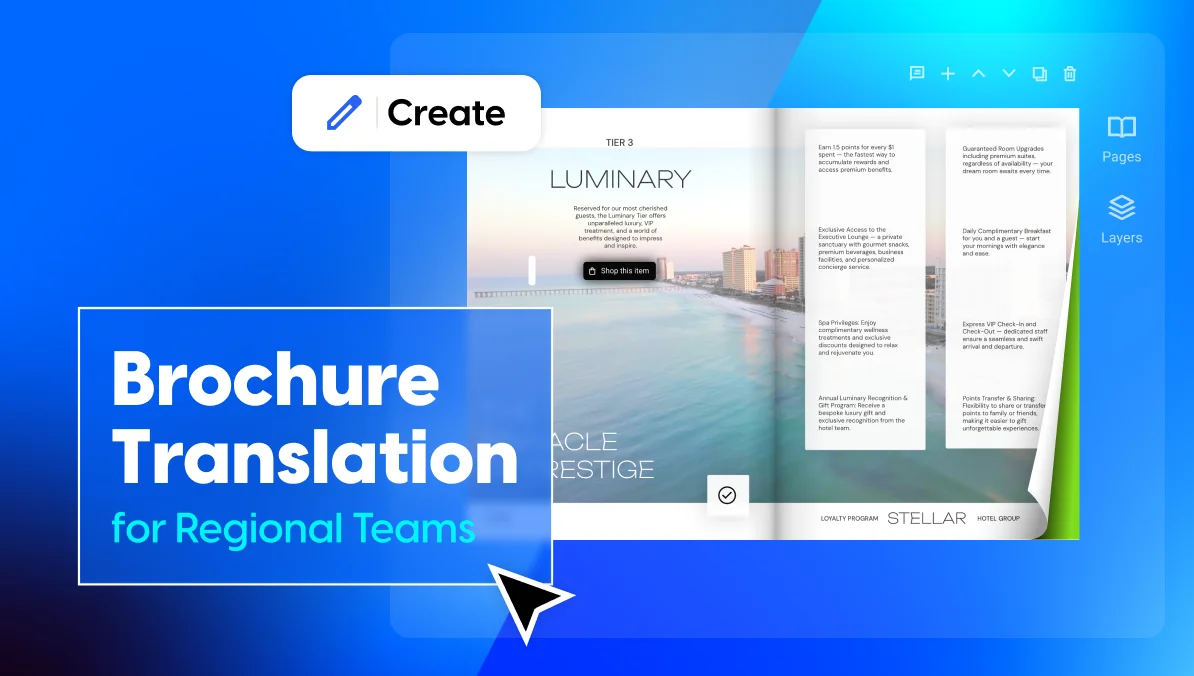
Brochure Translation for Regional Teams: How to Stay On-Brand Across Markets
Published on: April 17, 2026
When your business operates across multiple regions, brochures can’t be one-size-fits-all. Different markets speak different languages, and local teams need the flexibility to adapt materials for their audience without starting from scratch every time.
The problem is, most teams don’t have a clean way to do this. Headquarters designs a brochure, sends it out, and regional teams recreate it using whatever tools they have on hand. The result: inconsistent layouts, outdated messaging, and no visibility into what’s being shared where. The more languages and locations you add, the messier it gets.
It doesn’t have to work this way. With the right workflow and the right brochure design software, regional teams can collaborate on multilingual content while keeping everything on-brand and under control. Whether you’re managing a handful of local offices or scaling across a franchise network, the process is the same.
This guide breaks it down:
- how to build a master brochure
- translate it efficiently
- let local teams customize what they need to
- and track how each version performs.
Table of contents
Why multilingual brochures matter for franchise businesses
A franchisee’s biggest asset is local trust. Customers expect to interact with a business that speaks their language. A brochure that reads like a rough machine translation sends the wrong signal. It tells people the brand didn’t care enough to get it right for their market.
This matters most in verticals where franchises routinely cross language borders. In these industries, the brochure is often the first branded touchpoint a local customer sees:
- Hospitality. Hotel chains and resort franchises serve international guests. A property brochure or welcome guide that only exists in English misses the mark for a huge share of the audience.
- Real estate. Brokerages operating in multilingual cities need listing brochures that speak to buyers in their preferred language. A translated property brochure builds confidence before the first showing even happens.
- Food service. Restaurant and catering franchises expanding into new regions need menus, promotional brochures, and seasonal offers that feel local, not imported.
- Retail. Multi-location retail brands rely on promotional brochures and catalogs to drive foot traffic. If the local version feels off, customers notice.
Without a system in place, the problems compound fast. Regional teams rebuild brochures from scratch using whatever tools they have. Logos get resized. Colors drift. Outdated pricing keeps circulating. Headquarters loses track of what’s out there, and every new language or location multiplies the mess.
What starts as a small inconsistency becomes a full franchise brand management issue.
How to create multilingual brochures that stay on-brand
1. Start with a single master brochure
The most common mistake teams make is jumping straight into creating separate brochures for each language. It feels efficient at first. But the moment you need to update a price, swap an image, or change a CTA, that update has to happen in every single version. Five languages means five edits. Ten languages means ten. It doesn’t scale.
A better approach: build one definitive brochure in your primary language first. Treat it as the single source of truth. Finalize everything before any translation begins.
That means locking in:
- The copy and messaging
- Page layout and structure
- Imagery and visual assets
- Calls to action and contact details
Once this master version is solid, every translated brochure becomes a copy of it rather than a separate project built from scratch.
In Flipsnack, you can build this master brochure in two ways. Start from scratch in Design Studio using the drag-and-drop editor, or upload an existing PDF and convert it into an editable flipbook. If your team doesn’t have a design ready, Flipsnack’s brochure template library gives you a professional starting point you can customize to match your brand.
2. Lock down brand elements before sharing
A master brochure only works as a source of truth if the things that define your brand can’t be changed downstream. The moment you share it with regional teams, you need guardrails. Otherwise, someone will resize the logo, swap in an off-brand font, or shift the layout to fit their edits.
This is where branded templates come in. In Flipsnack, you can lock specific elements on any brochure before sharing it as a template:
- Logo placement. Locked in position and size so it stays consistent across every version.
- Color palette and fonts. Pulled from your Brand Kit, which acts as a centralized library of approved brand assets. Every team member works from the same set of colors, fonts, and logos, no guessing involved.
- Layout structure. Page flow, section hierarchy, and design framework stay fixed.
Regional teams or franchisees can still edit the unlocked areas: swapping in local text, updating contact details, and adding market-specific images. They get the flexibility to make the brochure their own without the risk of breaking brand consistency across the network.
The result is a clean handoff. Headquarters controls the brand. Local teams control the content that needs to change. Nobody steps on each other’s work.
3. Translate the content without starting over
Most teams still handle brochure translation the hard way. Export the copy into a spreadsheet. Send it to a translator or agency. Wait. Paste the translated text back into a new design file. Fix the formatting that broke in the process. Repeat for every language.
It works, technically. But it’s slow, error-prone, and doesn’t scale. By the time the third language version is done, the original brochure may have already been updated, which means starting the cycle again.
A faster approach is to translate directly inside the tool where the brochure was built.
In Flipsnack, you can do this with the built-in AI translation feature. It works in two ways:
- Translate the entire flipbook. One click translates all the text in your brochure into the language you select. Useful when you need a full version in a new language quickly.
- Translate specific text boxes. Select individual blocks of text and translate only those. Helpful when parts of the brochure should stay in the original language (like a global tagline or product name).
The workflow is straightforward. Duplicate your master brochure first, then translate the copy. This keeps the original intact and gives you a clean translated version to review and refine before publishing.
💡One thing to keep in mind: this is a starting point, not a finished translation. AI-generated translations are fast, but they don’t always catch local idioms or phrasing that sounds natural to a native speaker. Always have someone on the regional team review the output before it goes live.
4. Let regional teams localize without going off-brand
Translation and content localization are not the same thing. Translation swaps the language. Localization goes further. It adapts the content so it actually makes sense for a specific market: local offers, regional contact details, market-specific imagery, and compliance info that varies by country or state.
This is where things get tricky for multi-location businesses. Regional teams need the freedom to make these swaps. But without clear boundaries, localization turns into a free-for-all where anyone can change anything. The fix is to define exactly what’s editable and what isn’t, then enforce that split inside the tool.
What regional teams should be able to edit
These are the elements that change from one market to the next:
- Contact details. Local address, phone number, email, and regional website URL.
- Market-specific offers. Pricing, promotions, or seasonal deals that only apply to that region.
- Local imagery. Photos of the actual franchise location, local team headshots, or images that reflect the regional audience.
- Region-specific legal or regulatory text. Disclaimers, licensing info, or compliance language that varies by jurisdiction.
In Flipsnack, these are the areas you leave unlocked when sharing a branded template. Regional teams can edit them freely without touching anything else.
What HQ should keep locked
These are the elements that define the brand across every market. They should look the same regardless of the language:
- Logo. Placement, size, and spacing stay fixed.
- Brand colors and fonts. Pulled from the Brand Kit so nobody substitutes their own.
- Core messaging and taglines. The language may change through translation, but the meaning and tone should stay aligned with franchise brand guidelines.
- Layout structure and page flow. Section order, design framework, and visual hierarchy remain consistent.
- Company-wide legal boilerplate. Trademark notices, copyright lines, or universal disclaimers that apply everywhere.
This split gives both sides what they need. Local teams get real ownership of the content that matters for their market. Headquarters keeps control of everything that makes the brand recognizable. Nobody has to email anyone to ask permission for a phone number change, and nobody accidentally deletes the logo.
How to organize brochures across regions and teams
Once you have multiple languages and locations in play, the challenge shifts from creating brochures to managing them. Who owns what? Where does each version live? How do you stop teams from overwriting each other’s work?
In Flipsnack, you can set up separate workspaces for each region, language group, or franchise cluster. Each workspace is a self-contained environment with its own team members, content, brand settings, and templates.
Assign the right roles and permissions
Not everyone needs the same level of access. Flipsnack lets you assign roles to each team member within a workspace. You can set up roles such as Admin, Editor, Agent, or Contributor.
The Contributor role is the sweet spot for distributed marketing setups. Franchisees get the autonomy to localize their brochure. HQ retains the final sign-off before anything goes live.
Distribute each version through the right channels
Different markets reach customers differently. One region embeds the brochure on a local microsite. Another shares it by email. A franchise location needs a QR code for an in-store display.
This is where digital brochures have a clear advantage over print or static PDFs. Each language version becomes its own trackable publication, not an anonymous file floating through inboxes. In Flipsnack, every version gets:
- A unique shareable link. Send it directly or drop it in a campaign.
- An embed code. Place the brochure on a local website or microsite.
- A QR code. Print it on signage, packaging, or in-store displays for instant mobile access.
- Social sharing. Post it directly to the channels that work for that market.
You can also host brochures under a custom domain so every link stays on-brand instead of pointing to a third-party URL.
Build once, localize everywhere
Multilingual brochures don’t need to be a mess of duplicated files and off-brand edits. With a single master brochure, clear rules about what’s locked and what’s editable, and a translation workflow that doesn’t involve spreadsheets, regional teams can move fast without breaking what headquarters built.
Flipsnack brings all of this into one place: design, translation, brand control, collaboration, and tracking. One platform instead of five disconnected tools.