Employee Benefits Package Template: What to Include in your Booklet
Published on: October 12, 2026
Your new hire has a month to pick a health plan. She opens the employee benefits booklet, scrolls past a welcome letter and four pages of carrier logos, and still can’t find what the PPO costs per paycheck. So she emails HR. So does everyone else who started that month.
Confusion like this is the norm, not the exception. Businessolver’s 2025 Benefits Insights Report found that 86% of employees say they’re confused about their benefits.
Usually, the package isn’t the problem. You did that work when you designed your employee benefits package. What needs fixing is the booklet’s structure: it should follow the questions employees actually ask, in the order they ask them.
This guide gives you that structure. You’ll get a must-have vs optional checklist, what belongs on each page, which legal notices to include or link and a fill-in employee benefits package template you can copy today.

What should an employee benefits booklet include?
An employee benefits booklet should include a welcome note, a benefits-at-a-glance page, eligibility rules, enrollment steps, a medical plan comparison, per-paycheck costs, health accounts, dental and vision, life, disability and retirement coverage, time off, a contacts directory and your required legal notices or links to them.
What is an employee benefits booklet?
An employee benefits booklet is a printed or digital document that explains which benefits an employer offers, who qualifies, what each plan costs and how to enroll, written for employees and their families.
It turns a complicated benefits program into plain language. It doesn’t replace the legal plan documents, so every booklet needs a short disclaimer saying the plan documents govern. We cover the wording in the legal notices section.
Most employers publish more than one version. What goes inside depends on who’s reading and when.
| Booklet type | Who reads it | When it goes out | What the contents emphasize |
| New-hire benefits booklet | New employees and their dependents | First day, before the new-hire enrollment deadline | Eligibility, waiting periods, how to enroll, full plan details |
| Year-round benefits booklet | All employees | After enrollment closes, referenced all year | How to use each benefit, life-event changes, contacts, perks |
| Open enrollment guide | Current employees | Before the enrollment window opens | What changed, key dates, plan comparisons, decisions |
| Benefits summary (benefits at a glance) | Candidates, new hires, all staff | Offer stage, onboarding, enrollment | One or two pages covering plans, costs and key contacts |
New-hire and year-round booklets usually share most of their pages, so many HR teams keep one document and update it as plans change. Open enrollment is different. Employees are making decisions, not looking things up, and that calls for its own guide. Our walkthrough on how to create an open enrollment guide covers that version.
This article covers what goes into the booklet. For the production side, including design and distribution, see how to create employee benefit guides people actually read.
Employee benefits booklet checklist: must-have vs optional sections
Every employee benefits booklet needs 10 core sections plus your required legal notices. Everything else is optional and should stay only if employees will actually use it.
| Section | Status | What it answers for employees |
| Welcome note and what’s covered | Must-have | What’s in this booklet, and what’s new? |
| Benefits-at-a-glance page | Must-have | What do I get, on one page? |
| Eligibility and dependents | Must-have | Do I qualify, and who can I cover? |
| Enrollment steps and qualifying life events | Must-have | How and by when do I enroll or make changes? |
| Medical plan comparison | Must-have | Which plan fits my situation? |
| Per-paycheck costs and cost scenarios | Must-have | What will this actually cost me? |
| Health accounts, dental and vision | Must-have | What else helps with my health costs? |
| Life, disability and retirement | Must-have | How am I protected long term? |
| Time off, leave and mental health support | Must-have | What time off and support can I use? |
| Contacts and carrier directory | Must-have | Who do I call, and what’s my group number? |
| Legal notices and plan-document disclaimer | Required (include or link) | Which documents are legally binding? |
| Glossary of benefits terms | Optional, strongly recommended | What do “coinsurance” and “out-of-pocket maximum” mean? |
| Voluntary benefits and perks | Optional | What can I add at my own cost? |
| Wellness programs | Optional | How do I earn incentives? |
| Total rewards snapshot | Optional | What’s my full package worth? |
| Translated and accessible editions | Optional | Can I read this in my language or with assistive technology? |
| Acknowledgment of receipt | Optional | Have I confirmed I received it? |
The 10 must-haves answer questions every employee has. Leave one out and the question doesn’t go away. It goes to HR.
Treat the optional sections differently. Keep the ones your workforce uses and cut the rest, because each extra page pushes the cost table further back. If you’re a broker producing booklets for several clients, the must-have list makes a consistent core, and the optional sections are where each client’s version can differ.
The 10 must-have sections of a benefits booklet
A complete benefits booklet has 10 core sections, in the order employees need them. Each one below lists what to include, plus one tip to make it easier to scan.
1. Welcome note and what’s covered
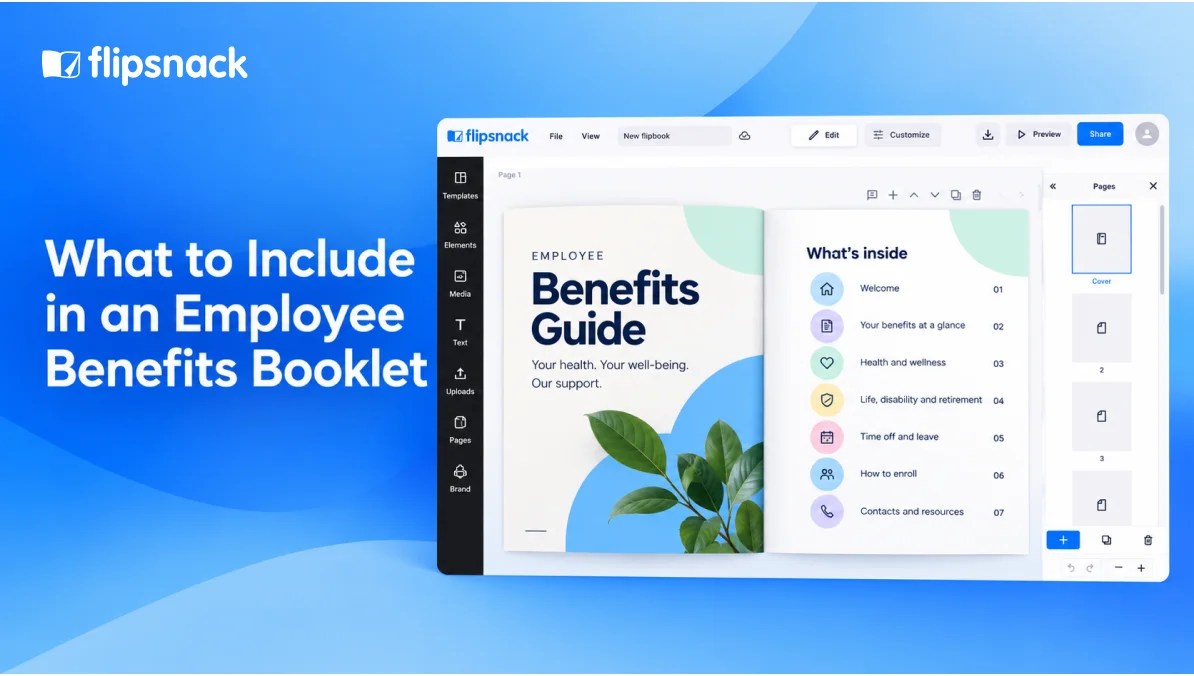
Open with a short note from your HR lead or CEO. Then add a table of contents and a two-line guide to using the booklet.
If plans changed since last year, list the changes as bullets right under the note. Readers who skim only the first page still catch them. Detailed change summaries belong in your open enrollment guide, not here.
Tip: Keep the welcome note under 150 words. Nobody picks a health plan because of a letter.
2. Benefits-at-a-glance page
This single page summarizes the whole program. For each benefit, list the carrier, your employee’s cost per paycheck, the employer contribution and where to enroll.
Treat it as a standalone document too. Recruiters can attach it to offer letters, and new hires can read it before day one. If you’d rather not build it from scratch, an employee benefits summary template gives you the layout.
Tip: Use a table, not paragraphs. Readers compare across rows, not down a page of text.
3. Eligibility and dependents
Spell out who qualifies. Include the weekly hours needed, rules for part-time and seasonal staff, the waiting period and the date coverage starts.
Then cover dependents. Name who counts (spouses, domestic partners, children) and the age limits. Under the Affordable Care Act, plans that cover children must offer coverage until age 26. Finish with the documents employees need to add someone, such as a marriage or birth certificate.
Tip: Write dates as rules people can apply. “Coverage starts on the first of the month after 30 days” beats “after the waiting period.”
4. How to enroll and qualifying life events
Give enrollment as numbered steps: where to log in, what to choose and the deadline. Say clearly what happens if someone misses it, whether that’s default coverage or none at all.
Next, list qualifying life events, such as marriage, divorce, a birth or adoption and losing other coverage. Give the change window for each. For marriage, a new child or lost coverage, federal rules require at least 30 days. Gaining or losing Medicaid or CHIP eligibility gets 60.
Tip: Add a screenshot of each portal screen. One image prevents more support tickets than a paragraph of instructions.
5. Medical plan comparison chart
This is the page employees study longest, so make it a side-by-side table. Every plan gets a column. Every cost element gets a row.
| What employees compare | [PPO plan] | [HMO plan] | [HDHP with HSA] |
| Your cost per paycheck (employee only) | [$] | [$] | [$] |
| Annual deductible | [$] | [$] | [$] |
| Out-of-pocket maximum | [$] | [$] | [$] |
| Primary care visit | [$ copay] | [$ copay] | [% after deductible] |
| Specialist visit | [$ copay] | [$ copay] | [% after deductible] |
| Emergency room | [$] | [$] | [% after deductible] |
| Generic prescriptions | [$] | [$] | [$] |
| Out-of-network coverage | [Yes/No] | [Yes/No] | [Yes/No] |
| HSA eligible | No | No | Yes |
Keep the row order identical year after year. Returning employees then spot changes without rereading everything.
Tip: Put in-network costs first. That’s where most routine care happens, so those are the numbers people check.
6. Per-paycheck costs and cost scenarios
Show premiums per paycheck for every coverage tier: employee only, employee plus spouse, employee plus children and family. Add the employer’s share next to each, so people see what the company pays on their behalf.
Monthly premiums feel abstract. Paycheck deductions feel real.
Next, model two or three real situations for each plan. Think of a healthy year, having a baby or managing a chronic condition. Total the premiums plus out-of-pocket costs. That’s how employees choose with confidence instead of picking last year’s plan again.
Tip: Label every scenario as an estimate and state your assumptions. Precise-looking numbers without context create false expectations.
7. Health accounts, dental and vision
Explain each tax-advantaged account you offer. For an HSA, note that it pairs with a high-deductible plan and say how much the employer contributes. For an FSA, explain the deadline for spending the balance and any carryover rule. For an HRA, clarify that only the employer funds it.
Contribution limits change every year, so state the current figures and link to IRS Publication 969 for details. Add a dependent care FSA if you offer one.
Then cover dental and vision. For dental, list coverage percentages for preventive, basic and major care, plus the annual maximum and any orthodontia benefit. For vision, include exam frequency and allowances for frames or contacts.
Tip: Use one small table per benefit. Employees hunting for “does this cover braces?” find answers faster in a grid.
8. Life, disability and retirement
Start with life and AD&D insurance. Give the employer-paid amount, such as [1x annual salary], and any supplemental coverage employees can buy. Remind people to name a beneficiary, and flag when extra coverage needs evidence of insurability.
For disability, list short-term and long-term coverage separately. Include the percentage of salary replaced and how long employees wait before benefits begin.
For retirement, name the plan type, the employer match formula, the vesting schedule and whether new hires are enrolled automatically.
Tip: Explain the match as an example. “Contribute 5% and we add [X]%” lands faster than formula language.
9. Time off, leave and mental health support
List paid time off, accrual rates, company holidays and sick leave. Add parental, bereavement and jury duty leave if you offer them.
Mention federal leave rights too. The Family and Medical Leave Act gives eligible employees up to 12 weeks of unpaid, job-protected leave in a 12-month period.
Close with mental health support. Describe your employee assistance program (EAP). Say how many free counseling sessions it offers, that it’s confidential and when people can call.
Tip: Repeat the EAP phone number in your contacts section. Someone in a hard moment shouldn’t have to search for it.
10. Contacts and carrier directory
End with one page that answers “who do I call?” Make it a table. List each benefit with its carrier, group number, phone and website or app.
Add your internal HR contact and, if you work with one, your broker’s benefits team. Note office hours and preferred contact channels.
Tip: In a digital booklet, make every phone number and URL clickable, so employees can call a carrier straight from their phone.
Which legal notices belong in a benefits booklet?
Several federally required notices can go straight into your benefits booklet, especially those due at enrollment. Longer legal documents, like the summary plan description, are usually linked rather than reprinted.
The table below covers the most common notices for US group health plans. Your obligations depend on plan type, funding and company size, so confirm the final list with your broker or benefits counsel. The Department of Labor’s Reporting and Disclosure Guide is the primary reference.
| Notice | Who receives it | Timing | In the booklet |
| Summary of Benefits and Coverage (SBC) | Applicants and enrollees in each medical plan | At application, enrollment and renewal | Link or attach one per plan |
| Summary plan description (SPD) | ERISA plan participants | Within 90 days of coverage starting | Link |
| HIPAA special enrollment notice | Employees eligible to enroll | At or before enrollment | Include |
| Women’s Health and Cancer Rights Act (WHCRA) notice | Participants in plans covering mastectomies | At enrollment, then annually | Include |
| CHIP premium assistance notice | Employees in states that offer premium assistance | Annually | Include |
| Medicare Part D creditable coverage notice | Medicare-eligible individuals | Before October 15 each year, and when joining the plan | Include or send separately |
| HIPAA notice of privacy practices | Health plan participants | At enrollment | Include or link |
| COBRA general notice | Covered employees and spouses | Within 90 days of coverage starting | Include or send separately |
| Health Insurance Marketplace notice | New hires | Within 14 days of the start date | Include in new-hire booklets |
| Wellness program notices (HIPAA, ADA) | Participants in qualifying wellness programs | Wherever the program is described | Include if you describe the program |
New-hire booklets carry the most notices, since most enrollment-triggered deadlines fall in an employee’s first weeks. Year-round booklets can link to a single notices page instead. For the Part D deadline specifically, CMS’s creditable coverage guidance confirms the timing.
How is a benefits booklet different from an SPD or an SBC?
A benefits booklet explains your benefits in plain language so employees can choose and use them. It isn’t a legal document.
The SPD is the ERISA-required description of a plan’s terms, rights and claims procedures. The SBC sums up one medical plan in a standard format. It follows the government’s SBC template, so employees can compare plans line by line.
Because your booklet simplifies, add a disclaimer near the front or back. Adapt this wording with your counsel:
This booklet summarizes [Company]’s benefit plans. If anything here differs from the official plan documents, the plan documents govern. [Company] may change or end any plan at any time, as permitted by law.
Employee benefits package template you can copy
Copy this skeleton into your document tool and replace each bracket with your plan details. It follows the must-have order above, so your benefit summary reads the same way employees think.
[Company] employee benefits booklet, [plan year]
Page 1. Welcome: [100 to 150 words from HR lead or CEO] · What’s new: [bullet list of changes] · How to use this booklet
Page 2. Benefits at a glance: [Benefit] · [Carrier] · [Your cost per paycheck] · [Employer contribution] · [How to enroll]
Page 3. Eligibility: [Hours threshold] · [Waiting period] · [Coverage start date] · [Eligible dependents and age limits] · [Documents required]
Page 4. How to enroll: [Portal URL] · [Step 1, 2, 3] · [Deadline] · [What happens if you miss it] · Life events: [List] · [Change window]
Pages 5 and 6. Medical plans: [Comparison table] · [Per-paycheck costs by tier] · [Two or three cost scenarios]
Page 7. Health accounts, dental and vision: [HSA, FSA, HRA rules] · [Employer contribution] · [Dental coverage %] · [Vision allowances]
Page 8. Life, disability and retirement: [Life and AD&D amounts] · [Disability % and waiting period] · [Retirement match and vesting]
Page 9. Time off and support: [PTO and holidays] · [Leave policies] · [EAP sessions and phone]
Page 10. Contacts: [Benefit] · [Carrier] · [Group number] · [Phone] · [Website or app] · [HR and broker contacts]
Back pages. Legal: [Required notices or links] · [Plan-document disclaimer]
A program with a handful of plans usually fits in about 10 pages. Bigger programs with many carriers or locations need more room, but keep the same order.
How a digital benefits booklet keeps every section current
A printed benefits booklet is right on the day it goes to print. After that, each carrier switch, price change or new phone number makes it a bit more wrong. A digital booklet fixes that, because you edit the pages and the link stays the same.
That’s the biggest advantage of moving benefits guides online. Here’s what changes once the same 10 sections live in a digital employee benefits booklet:
- One link, always current. Fix a cost table or a group number and publish. Everyone opening the booklet sees the update, so nobody enrolls from last month’s PDF.
- Proof of readership. Flipsnack’s statistics show views, clicks and average time spent, so you know whether employees actually opened the plan comparison before the deadline.
- Controlled access. Share with a password, with specific people or through single sign-on, so plan costs and carrier numbers stay inside the company.
- Links that do the work. Add links to provider searches, enrollment portals and short explainer videos, so employees act right from the page they’re reading.
- Branded versions at scale. Brokers keep one master template and swap the cover, fonts and colors per client. Each booklet then looks like it came from that employer.
Print still has a place. Frontline teams without a work email or company device may need a paper copy, and many employers send both. For a full comparison, read our guide to printed vs digital employee benefits guides.
How PINEYWOODS Benefits cut benefits guide costs by 80%
PINEYWOODS Benefits is a four-person employee benefits consulting agency in Tampa, Florida. It launched in 2020, just as in-person benefits meetings stopped, and needed another way to keep clients engaged with their coverage.
The team was producing printed guides. Now it builds each guide in Publisher or PowerPoint and uploads the PDF to Flipsnack. The guide then becomes a template, with a new cover, fonts and colors for each client. Guides include links to provider searches, and larger clients get educational videos. The team edits guides after publishing, without a new URL or QR code.
The ability to fix errors on the fly without having to reprint guides was a game changer.
Jeffrey Lenderman, Principal and Lead Consultant, PINEYWOODS Benefits
The results:
- 80% lower guide costs. Digital guides cost 10% to 20% of what printing did.
- 100% client adoption. Every client adopted digital guides, though a few still request printed copies.
- Minutes, not days. Uploading a finished PDF takes minutes.
If employees can find their cost in under a minute, your booklet did its job.
Frequently asked questions about employee benefits booklets
An employee benefits booklet for a program with a handful of plans usually runs about 10 pages. That covers the 10 must-have sections plus a back page for legal notices. A one- or two-page benefits summary works for offer letters and quick reference. Employers with many carriers or locations need more pages.
Update your employee benefits booklet at least once per plan year, before enrollment opens. Also update it whenever a premium, carrier, contact or policy changes midyear. A digital booklet makes midyear fixes simple, since you edit the page instead of reprinting. PINEYWOODS Benefits, for example, fixes errors in published guides without creating a new link or QR code.
Either can, and in many companies it’s both. The broker often supplies plan details, costs and carrier information. HR adds company policies, like time off and leave, applies the brand and signs off on the final version. Whoever drafts it, one person should own updates so the booklet doesn’t drift out of date.
A benefits summary is one or two pages listing each benefit, its carrier, the cost per paycheck and how to enroll. A benefits booklet includes that summary, then explains eligibility, plan comparisons, costs, leave, contacts and legal notices in full. Think of the summary as page two of the booklet, also usable as a standalone handout.
Final thoughts on building an employee benefits booklet
A useful employee benefits booklet answers the 10 questions every employee has, in the order they ask them. It points to the legal fine print instead of burying readers in it. Get that structure right and the questions stop landing in HR’s inbox.
For brokers and agents, that structure is also a business asset. You already rebuild the same booklet for every client, every plan year. Build it once as a branded template in Flipsnack, then swap the cover and colors for each client and keep every booklet current under one link. Your clients get guides their employees can open on any device, and you get the views and clicks that show they’re being read. PINEYWOODS Benefits works this way and cut its guide costs by 80%.
If you’re still emailing PDFs and reprinting for every correction, start with the booklet you already have. Upload it, brand it and send your clients one link they never have to replace. Your next plan-year booklet can be the last one you reprint.