How to Send a Large PDF File: 6 Methods That Work in 2026
Published on: September 14, 2026
Your finished catalog weighs 42MB. Gmail caps attachments at 25. You found that out about nine seconds after telling the client it was on its way.
Everyone hits this eventually, and most people solve it badly. They compress the file until the product photography turns to mush, or they paste in a Drive link that greets the recipient with a “request access” button.
Attachment limits aren’t going anywhere. So learning how to send a large PDF file really means learning to stop sending the file at all, and to send a link to it instead.
What follows: what each major email provider actually allows, why your PDF got so heavy in the first place, and six methods that hold up in 2026. Some are fine for a one-time send. Others solve the problem for good.

What size PDF is too large to email?
Anything above 25MB bounces from Gmail, and the ceiling falls from there. Outlook stops at 20MB on personal accounts and defaults to just 10MB on Exchange, which is what most companies actually run. Worth knowing: that cap covers your message body and signature images too, so a 24MB PDF can still fail against a 25MB limit.
| Provider | Attachment limit | Source |
| Gmail (personal accounts) | 25 MB | Google Support |
| Outlook.com and other internet email accounts | 20 MB | Microsoft Support |
| Microsoft Exchange (business default) | 10 MB | Microsoft Support |
| Yahoo Mail | 25 MB, incoming and outgoing | Yahoo Help |
| iCloud Mail | 20 MB, or up to 5 GB with Mail Drop | Apple Support |
That Exchange number surprises people. If your recipient works somewhere with a corporate mail server, your 15MB proposal may never reach them, and the bounce goes to you rather than to them.
Gmail handles the overflow differently: attach something above 25MB and it quietly converts the file into a Google Drive link for you, which works, though it hands your recipient a permissions prompt instead of a document.
Why is your PDF file so large?
Four things account for almost every oversized PDF, and images lead by a wide margin. Print-resolution photography at 300 DPI is roughly nine times heavier than what a screen needs, so a 20-page catalog exported for press can pass 50MB without anyone noticing.
Embedded fonts add weight next, particularly when a document carries several families it no longer uses. Then comes edit history, since layers, comments and revision data survive inside the file long after the work is done. Thumbnails and JavaScript objects finish the job.
Knowing the cause matters because it tells you whether compression will help. A text-heavy report with a few logos compresses beautifully. A photography-led lookbook does not, and squeezing it just trades one problem for a worse one. Our guide onhow to reduce the size of a PDF walks through the diagnostic side of this properly.
Which method should you use to send a large PDF?
Six approaches work. They differ less in whether the file arrives and more in what your recipient experiences when it does.
| Method | Best for | Size ceiling | What the recipient gets | Tracking |
| Share as an interactive link | Catalogs, brochures, portfolios, sales decks | 100MB free and Starter; 500MB Professional and above | A page that opens in the browser | Yes, per page |
| Cloud storage link | Internal docs, collaborative files | 15GB+ depending on plan | A link, sometimes an access request | Basic |
| File transfer service | One-off sends to one person | 2GB free, higher on paid tiers | A download that expires | Download only |
| Compress the PDF | Text-heavy documents under ~40MB | Whatever your mail provider allows | The actual file | No |
| Split the PDF | Documents the recipient must keep as files | Whatever your mail provider allows | Several files to reassemble | No |
| ZIP the file | Last resort, desktop recipients | Whatever your mail provider allows | An archive to extract | No |
The split runs along one line. Three of these send a link and three send a file. If your recipient needs the actual document, because they have to sign it, archive it, or push it into their own system, the bottom three are your options. If they just need to read it, the top three deliver a better experience and tell you what happened afterward.
6 ways to send a large PDF file – Methods that fix it permanently
1. Share the PDF as an interactive link
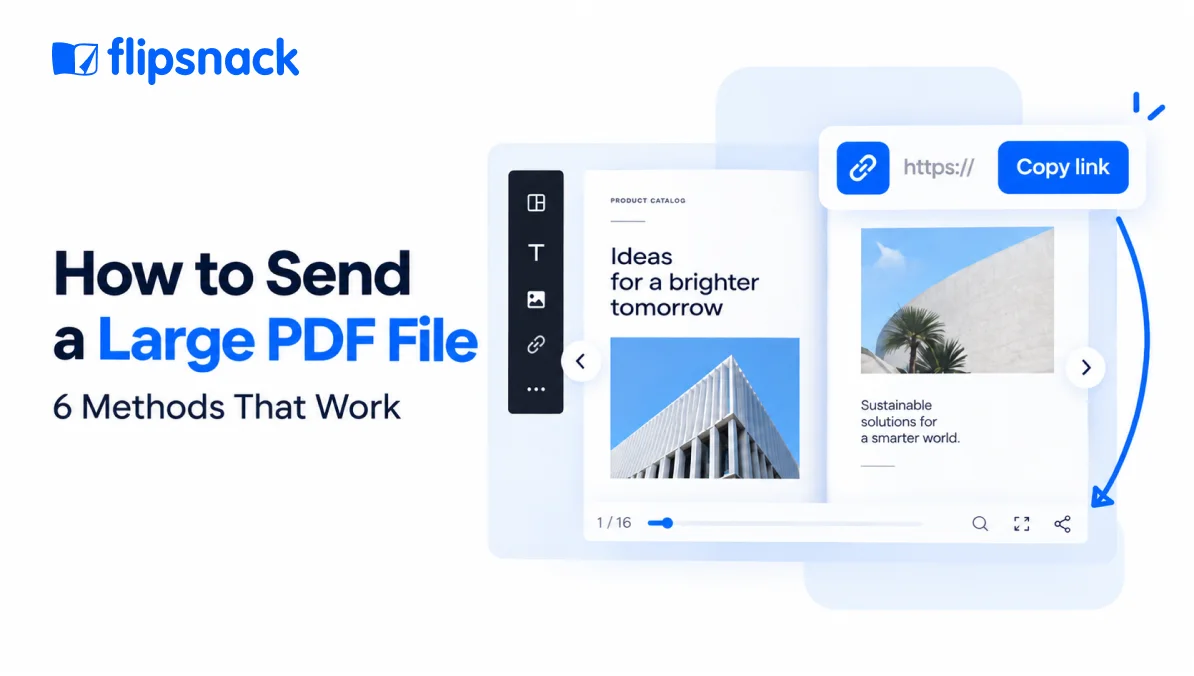
Upload your PDF to Flipsnack and it becomes a browser-based publication with its own URL, so the size ceiling stops being your recipient’s problem and the document keeps working after you send it. Page limits run from 15 pages at 100MB on the free plan up to 500 pages at 500MB on Business, perFlipsnack’s file size and page limits.
What the link buys you beyond delivery: password protection and disabled downloads for anything sensitive, a QR code for print, an embed for your website andpage-level engagement data showing who opened the document, which pages held them and how long they stayed. Update the source later and the same URL serves the new version, so nobody ends up reading v2 while you’re discussing v4.
Where it falls short: your recipient needs a connection, and they’re reading rather than receiving. Somebody who must sign the document or file it in their own system still needs the file itself.Converting a PDF to an HTML5 flipbook covers which document types justify the conversion and which don’t.
2. Upload to cloud storage and share the link
Google Drive, Dropbox and OneDrive all handle files far larger than any mail server will, and your recipient probably already trusts the domain.
Permissions are the catch, and they break more sends than people realize. Default sharing settings frequently land the recipient on a “request access” screen, your approval sits unread for two days and the thread goes cold. Set the link to anyone-with-the-link before you send, then open it in a private window to confirm what a stranger actually sees.
3. Use a file transfer service
WeTransfer, Dropbox Transfer and Filemail exist for exactly this, and the free tiers clear 2GB without an account.
Expiry is the trade-off nobody flags clearly. Most free transfers disappear after seven days, which is fine for a one-time handoff and poor for a catalog a distributor will want to open again in March. Treat these as delivery, never as hosting.
Quick workarounds for a one-time send
4. Compress the PDF
Fastest route when the document is text-heavy and you only need this one email to go through. Acrobat’s PDF Optimizer, Nitro and the browser-based compressors all get a typical report under the line in a minute or two.
Resist it for anything photography-led. Compression works by resampling images, so the catalog that prompted this search is precisely the document it damages most. Ourpractical guide to reducing PDF size covers where the savings actually come from.
5. Split the PDF into smaller files
Breaking a 60MB document into three 20MB parts gets each piece under most caps, and your recipient keeps real files they can store.
It also hands them an assembly job. Three attachments arrive out of order, page 47 sits in part two, and anything needing to read as one document now doesn’t. Reserve this for reference material rather than anything you want someone to actually read start to finish.
6. ZIP the file
Compressing into an archive shaves maybe 10% off a PDF, since the format is already compressed internally. Occasionally that 10% is the difference between 26MB and 24MB.
Mostly it isn’t worth it. Some corporate mail filters quarantine archives outright, and a recipient on a phone may have no straightforward way to extract one. If security is the real reason you’re reaching for a ZIP,sharing the PDF safely as a protected link does that job better.
How to send a large PDF with Flipsnack
Step 1: Upload your PDF
Drag the file into Flipsnack and it converts into a browser-based publication with its own URL. Two things to check first: the file needs to sit under 100MB on Starter or 500MB on Professional and above, and it can’t be password-protected, sinceFlipsnack can’t open locked PDFs during conversion. Strip the password, upload, add protection afterward.
Step 2: Add interactivity where it earns its place
Product links, an embedded video, a shopping list that sends orders straight to your inbox. Put these on the pages where somebody is most likely to act, so the document does a job your attachment never could.
Step 3: Set your access rules
Password-protect anything sensitive, disable downloads to stop the file being forwarded onward, or leave it open for a public catalog.
Step 4: Share the link
Paste the URL into the email you were originally trying to send. You can also generate a QR code for print, embed the publication on your site, or send it directly from Flipsnack to specific addresses.
Step 5: Check who opened it
This is the part that email never gave you. Flipsnack reports who opened the document, which pages they spent time on and where they stopped reading, so your follow-up can reference what they actually looked at.
What if the PDF is too big to upload, not email?
Client portals, job applications and tender submissions run their own caps, and they’re often tighter than email. Worse, many reject a link outright, because the system needs a file sitting on its own servers.
Compression is usually your only real option here, which makes the image question decisive. A text-heavy submission will shrink comfortably. A design portfolio will not, and if the portal caps you at 10MB, splitting the document into a core submission plus a supporting appendix is usually more effective than degrading every image in it.
One workaround worth knowing: some portals accept a short cover PDF with a link inside it, which keeps you under the cap while still giving the reviewer the full document. Our guide onhyperlinking a PDF covers how to set that up.
Customer story: How Melissa & Doug sends a 215-page catalog as a link
Melissa & Doug, the Connecticut toy manufacturer with 450 employees, built a 215-page catalog carrying 700 products in Flipsnack. No mail server on earth would have delivered that as an attachment.
Their previous setup split the ordering process across several platforms, so customers cross-referenced product lists, descriptions and visuals in separate tools before placing an order. The digital catalog pulled all of it into one link, with product data populating automatically and a built-in shopping list sending orders directly to the team’s inbox.
Flipsnack’s automation feature not only made it easy to upload product information, but we were able to display it exactly how we envisioned it.
Tracy Bubeck, Sales Administrator
Melissa & Doug
Results they reported:
- 2,292 catalog views
- 2 hours 9 minutes average viewing time
- Catalog creation time cut by more than half through automation
That middle number is the one worth sitting with. Two hours per viewer is engagement data no email attachment could ever have surfaced, because once a PDF lands in someone’s downloads folder the trail stops.
Final verdict
Six methods, one dividing line. If your recipient has to hold the actual file, compress it, split it or zip it, and accept the trade-offs each carries. If they only need to read it, send a link and stop fighting the attachment limit altogether.
Choose an interactive link if the document is client-facing and you want to know what happened after you sent it. Choose cloud storage if it’s internal and your team already lives there. Choose a transfer service for a one-off handoff to one person, and remember the link expires. Keep compression for text-heavy documents that can afford it.
The 25MB ceiling isn’t the real problem anyway. Losing sight of the document the moment it leaves your outbox is.
Frequently asked questions about sending large PDF files
Above 25MB on Gmail and Yahoo Mail, above 20MB on Outlook.com and iCloud Mail, and above 10MB on a default Microsoft Exchange account. Since those caps include your message body and signature images, leave headroom rather than sending a file that sits right at the line.
Every method here has a free tier. WeTransfer moves up to 2GB without an account, Google Drive gives you 15GB of storage, and Flipsnack’s free plan publishes a PDF of up to 15 pages and 100MB as a shareable link. Pick based on whether your recipient needs the file or just needs to read it.
Yes, by not compressing it. Compression reduces file size mainly by resampling images, so a photography-led catalog degrades visibly. Publishing the PDF as a link sidesteps the trade-off entirely, since the document never has to shrink to fit an attachment limit.
Email attachments give you nothing once the file is downloaded. A link-based document does: Flipsnack reports who opened it, which pages held their attention and how long they stayed. Melissa & Doug recorded an average viewing time of 2 hours 9 minutes on their digital catalog, a figure that simply doesn’t exist for an emailed file.
Most portals reject links and demand a file, so compression is usually your only route. Split the document into a core submission plus an appendix if compression would wreck the images, and check whether the portal accepts a short cover PDF with a link inside it.