How to Make a Digital Flipbook in 2026: 4 Methods That Work
Published on: May 17, 2022
Last updated: September 29, 2026
Your document is finished. Maybe it lives in InDesign, maybe in Canva, maybe it’s a PDF sitting on your desktop. You attach it to an email, hit send, and never find out who opened it.
The content is ready. The format is holding it back.
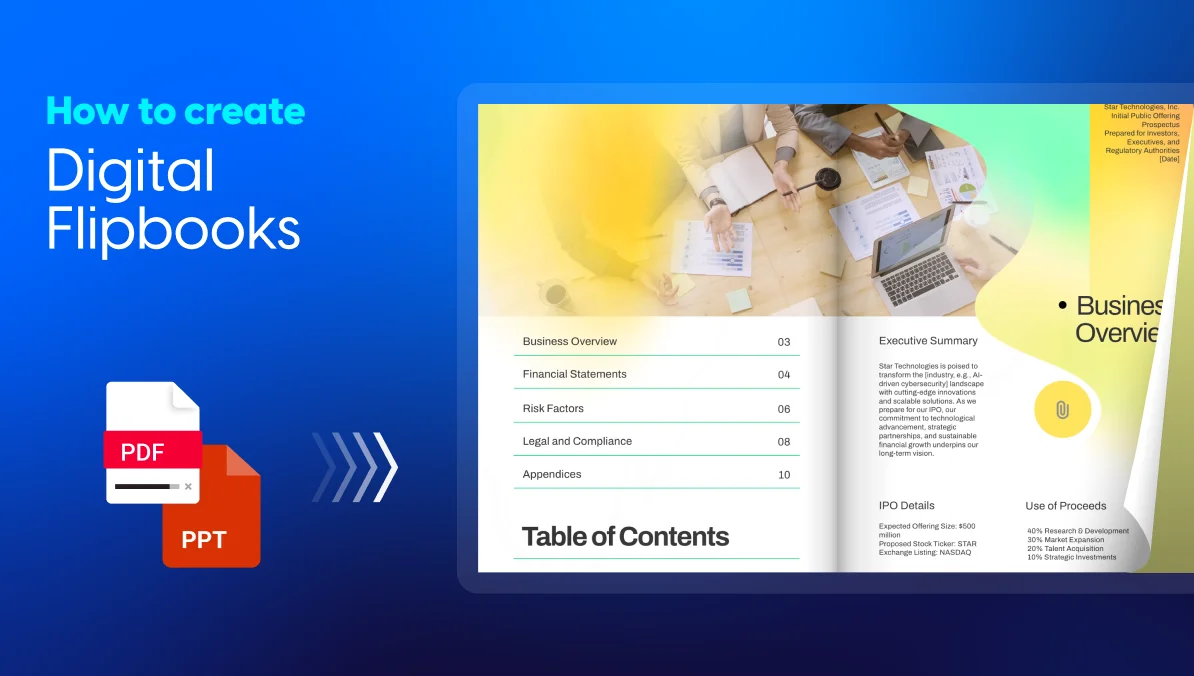
This guide shows four ways to make a digital flipbook: from a PDF, from scratch, from Canva, and from InDesign. You’ll learn which method fits your workflow, what to set up after publishing, and how teams like Electrolux and Pandora turned flipbooks into measurable results.
Table of contents
- How do you make a digital flipbook?
- Why make a flipbook instead of sending a PDF?
- Which flipbook method should you choose?
- 4 ways to make a digital flipbook
- What should you set up after creating your flipbook?
- Digital flipbook best practices for design, distribution, and engagement
- Can you make a digital flipbook for free?
- How Electrolux, Pandora, Radioshuttle, and Estée Lauder use digital flipbooks
- Start with the file you already have
- Frequently asked questions about digital flipbooks
How do you make a digital flipbook?
To make a digital flipbook, upload a PDF or design pages in a flipbook maker, add your branding and interactive elements, choose who can view it, then publish and share one link. Most flipbooks built from an existing PDF are live in minutes.
A digital flipbook is an interactive HTML5 publication that reproduces the page-turning feel of print in any browser, with its own URL, embedded media, and reader analytics. For a full definition and feature breakdown, see what is a digital flipbook.
- Prepare your file (PDF, Canva design, or InDesign document)
- Upload it to a flipbook maker, or start from a template
- Add branding, video, links, and forms
- Set visibility: public, unlisted, password, or private
- Share the link or embed code and track readers
Why make a flipbook instead of sending a PDF?
- You see who read it. Views, time per page, and clicks replace silence after “send”.
- You fix it once. Updates show under the same link, so nobody reads an old version.
- Readers act on the page. Video, product tags, and lead forms put the next step inside the document.
PDFs still win for contracts, signatures, and procurement uploads. For a full comparison, read digital flipbook vs interactive PDF.
| Feature | Digital flipbook | |
| Format | Static file | Interactive HTML5 page |
| Device support | Requires a reader or download | Opens in any browser |
| Page turn | Scroll only | Realistic page-flip animation |
| Interactivity | Limited to hyperlinks | Videos, audio, forms, product tags, CTAs |
| SEO | Not easily indexed | Indexable by search engines |
| Analytics | Minimal | Views, clicks, time on page, heatmaps |
| Sharing | File attachment or link | Direct link, embed, QR code |
| Updates | Requires re-upload and re-share | Edit once, link stays the same |
| Privacy | Basic password option | Public, unlisted, password, or SSO |
Which flipbook method should you choose?
| Your starting point | Best method | Time to publish | Best for |
|---|---|---|---|
| A finished PDF | Method 1: Upload a PDF | Minutes | Catalogs, reports, brochures you already have |
| Nothing yet | Method 2: Design from scratch | Hours | New campaigns, teams without a designer |
| A Canva design | Method 3: Canva to flipbook | Minutes after export | Social-first marketers, quick promos |
| An InDesign file | Method 4: InDesign to flipbook | Minutes with the plugin | Agencies, print-first publishers |
If you design in Canva or InDesign, you’ll still pass through a PDF or the plugin, so the methods overlap by design. Pick the one that matches where your file lives today.
4 ways to make a digital flipbook
Creating a digital flipbook takes a few minutes, whether you are starting from a PDF or building one from scratch. The process below uses Flipsnack, but the same general steps apply to most flipbook makers.
Method 1: How to make a flipbook from a PDF
- Sign up for Flipsnack and click Upload PDF on your dashboard.
- Drag in your file. For several files at once, choose Bulk upload from the drop-down.
- Edit text, swap images, or adjust layouts directly in the editor if something changed since export.
Export your PDF as single pages, not spreads, so the page-flip lines up correctly.
Want export settings and troubleshooting? Read the full guide on how to create a flipbook from a PDF.
Method 2: How to make a flipbook from scratch
- Open Design Studio and pick a template, or start with a blank page.
- Apply your brand kit (logos, colors, fonts) so every page stays on-brand.
- Add pages, text, and images, then lock templates if your team will reuse them.
This route suits teams that don’t have a designer or a finished file.
Method 3: How to make a flipbook from Canva
- Finish your design in Canva, then download it as a PDF.
- Upload that PDF to Flipsnack, exactly as in Method 1.
- Add the interactivity Canva doesn’t provide: page-flip reading, lead forms, and reader analytics.
The Canva route is a PDF export and upload, not a direct connection. See turn Canva designs into interactive flipbooks for tips.
Method 4: How to make a flipbook from InDesign
- Install the Flipsnack extension for InDesign and log in to your Flipsnack account.
- Open your document and click Export Now.
- Find the flipbook under My Flipbooks, then customize and share it.
No plugin? Export a PDF with the Press Quality preset, as single pages, in RGB, then use Method 1. The full walkthrough lives in how to create an InDesign flipbook.
What should you set up after creating your flipbook?
After creating a flipbook, add one or two interactive elements, choose who can open it, and connect the sharing channels you already use. Then check statistics weekly, so you know which pages hold readers and which lose them.
Add interactivity that removes a step
Place videos, product tags, links, shopping lists, or lead forms where readers would otherwise leave the page. Keywords Studios moved HR communications from PDFs and PowerPoint to flipbooks and logged over 1,000 employee impressions.
The ability to add video, audio, and pop-ups has provided the HR team with a new and interesting way to share information with our employees.
Alisha VanTiem, Sr. Benefits Administrator, Keywords Studios
Choose who can open it
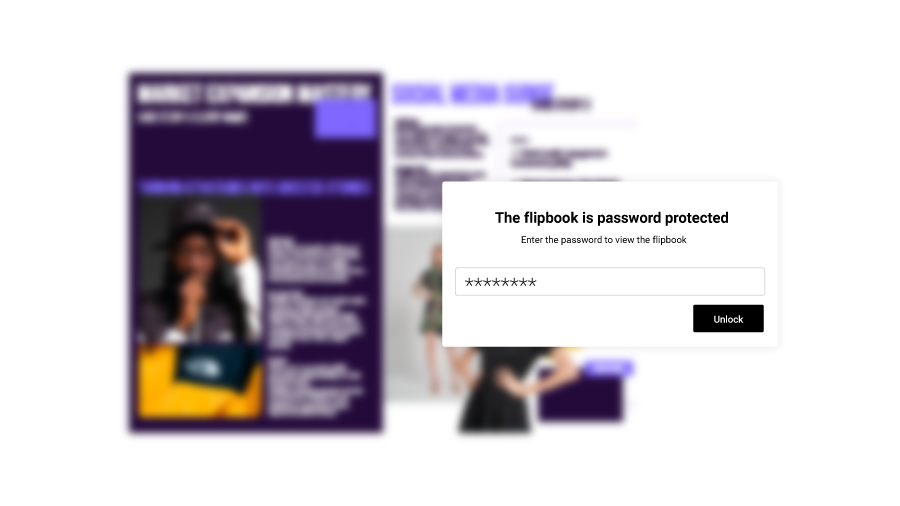
Publish publicly for reach, unlisted for link-only access, with a password for clients, or privately by email, one-time passcode, or SSO for internal documents.
- Public: Visible to everyone, appears on your public Flipsnack profile, and can be indexed by search engines. Ideal for maximum exposure and SEO.
- Unlisted: Not indexed by search engines and only accessible via direct link. Good for drafts, pre-launch materials, or controlled sharing.
- Private: Access limited to specific people or groups via email, SSO, or OTP authentication. Best for internal or sensitive documents.
- Password locked: Access requires a password, with analytics still available. Ideal for client-specific or confidential content.
Their range of wonderful security options for our documents was the #1 selling point!
Alisha VanTiem, Sr. Benefits Administrator, Keywords Studios
Share it and track what readers do
- Embed it on your website, blog, or online store with a simple code
- Share via direct link, email, or social media in one click
- Generate a QR code for trade shows, print ads, or in-store displays
- Download as PDF if you want readers to keep a copy, with download tracking included
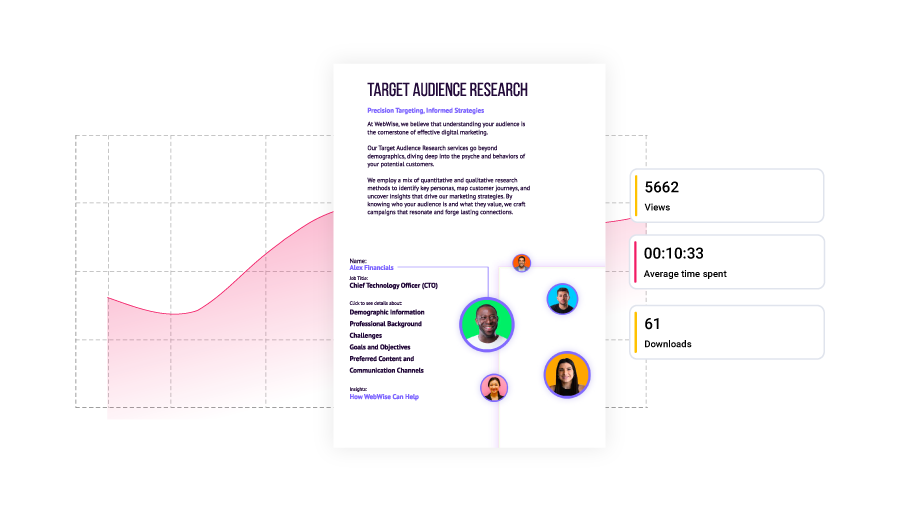
Flipsnack statistics then show views, time per page, clicks, heatmaps, and form responses.
- AI-driven insights that summarize engagement trends
- Heatmaps showing where readers click most
- Location and source reports revealing where readers come from
- Shopping stats to track catalog orders and product interactions
- Form responses for leads, quiz results, and contact inquiries
- Google Analytics integration for deeper audience insights
Turn on accessibility settings for screen readers, keyboard navigation, and alt text in line with WCAG.
Need a print copy too? Export a print-ready PDF in CMYK at 300 DPI, with optional bleed and crop marks.
Checking statistics is definitely addicting!
Jennifer Sarmiento, Commercial Analytics Manager, Melissa & Doug
Capture leads from the flipbook
Add a lead form after page two or three, once readers have seen value, rather than gating the cover. Lead forms and statistics start on the Pro plan (pricing, checked Sep 29, 2026). Route responses to sales [Verify: HubSpot or CRM integration name and help article], so a reader who spends 11 minutes in a brochure gets a same-day follow-up.
Digital flipbook best practices for design, distribution, and engagement
- Design mobile-first. Readers often open shared links on phones, so check every spread at phone width.
- Keep interactivity purposeful. One video per spread beats five competing hotspots.
- Put the offer early. Place your strongest product, proof point, or CTA in the first three pages.
- Distribute where buyers already are. Embed on landing pages, link from email, and print QR codes; Pandora recorded 2,750 scans in one Valentine’s Day promotion.
- Fix the leaks weekly. Rewrite pages with the highest drop-off and move CTAs that get views but no clicks. Updates keep the same link.
Can you make a digital flipbook for free?
Yes. Flipsnack’s free plan lets you publish up to 5 flipbooks of 15 pages each, with Flipsnack branding on links and embeds. Paid plans add statistics, lead forms, private sharing, and branding removal.
| Plan | Price (billed annually) | Statistics and lead forms | Private sharing | Remove branding |
|---|---|---|---|---|
| Free | $0 | No | No | No |
| Starter | $16/mo | No | No | No |
| Pro | $38/mo | Yes | Password only | Yes |
| Business | $85/mo | Yes | Full control | Yes |
| Enterprise | Custom | Yes | Full control plus SSO | Yes |
If you only need a public flipbook for a one-off promo, the free plan covers it. If you need to know who read it, you’ll need Pro or above.
How Electrolux, Pandora, Radioshuttle, and Estée Lauder use digital flipbooks
The best way to understand what a digital flipbook can do is to see how established brands are actually using them. Here are four examples across different use cases, from product catalogs to holiday gift guides.
Electrolux Group: product catalogs for trade partners across Europe
Electrolux Group used Flipsnack to digitize its catalog distribution across 17 European countries, replacing printed catalogs that were slow to produce and costly to ship. The team added product tags, embedded videos, photo slideshows with care instructions, installation tutorials, and even a map to locate nearby service centers, turning a static product list into a complete buying resource.
The results speak to how well the format fits B2B catalog distribution at scale:
- 345 flipbooks created across the region
- 104,400 catalog impressions
- 8,800 catalog downloads
Fabiola Vidal, Digital Marketing Product Owner, called Flipsnack “a catalyst in the transition to a more sustainable business” that keeps the feel of a paper catalog while adding interactive features that lift the user experience.
Pandora: interactive engraving catalogs for retail stores
Pandora France turned their printed PowerPoint store catalogs into interactive digital catalogs that help customers explore 1,500+ engraving options on their own. QR codes on sales trays and store stickers let shoppers scan and browse independently, while staff use smart barcode-enabled catalogs for instant product lookups. The shift freed sales associates from repetitive product searches and gave customers a more self-directed shopping experience.
Results after rolling out the digital catalogs across 130 retail locations:
- 3x faster product lookups for store staff
- 2,750 QR code scans during the Valentine’s Day promotion alone
- 2.5 minutes average browsing time per customer
Carla Michel d’Annoville from Pandora’s Retail Excellence Team summed up the shift: “Now, we update the catalogs once, and it’s instantly available everywhere. Store staff just scan and see the latest version.”
Radioshuttle: interactive product brochures that close deals
Radioshuttle replaced a 45-slide PowerPoint presentation with a single interactive digital brochure their sales reps now share through email signatures, social bios, and QR codes on business cards. The brochure includes embedded product videos, case studies, lead capture forms, and an offline mode for trade shows, giving reps one link that does what a heavy deck, a pitch PDF, and a follow-up email used to do separately.
Since launching the brochure in December 2024, Radioshuttle reports:
- 650% engagement increase in the first month after launch
- 11+ minutes average viewing time per visitor
- Global reach across Canada (44%), the US (41%), Sweden (7%), and other markets
Gabrielle McCarthy, Digital Marketing Manager, calls it their “most competitive sales tool” and notes that customers and sales reps alike are surprised by the level of interaction compared to a traditional product brochure.
Estée Lauder: a holiday gift guide that kept customers engaged
Estée Lauder’s U.S. team built a consumer-facing digital gift guide for the holiday season, one of the brand’s biggest selling windows. In-store shoppers accessed it through a QR code at the counter, which extended the shopping experience beyond the visit. The gift guide used Flipsnack’s interactive capabilities, including videos, audio, and slideshows, to give browsers a reason to stay and explore rather than scroll past.
Over three months, the gift guide delivered:
- 1,000+ impressions and clicks
- 17 minutes average time spent per reader
- 62% engagement rate
Korben Niblett, Director of Education and Content Development for Retail Engagement, said the format lifted customer engagement well beyond what a static PDF or print piece could do, and the team plans to add click-to-buy functionality in future editions.
Start with the file you already have
You don’t need a new workflow to make a digital flipbook. Start from the PDF, Canva design, or InDesign file you already have, add one interactive element, and share one link. Keep a PDF when someone needs to sign or archive the file.
A PDF ends at the last page. A flipbook ends with a next step.
Frequently asked questions about digital flipbooks
Making a digital flipbook from an existing PDF takes minutes: you upload, add branding, and publish. Building one from scratch in Design Studio takes longer, depending on page count and design work. Canva and InDesign files move as fast as a PDF once exported.
Canva is built for designing pages, and you export those pages as a PDF. To make a digital flipbook from a Canva design, with page-flip reading, lead forms, and analytics, upload that PDF to a flipbook maker like Flipsnack.
A digital flipbook should have as many pages as the content needs, and no more. Keep catalogs and brochures tight, and place your strongest content in the first three pages, where attention is highest. Flipsnack’s free plan allows up to 15 pages per flipbook.
You can upload a PDF, share, and track a digital flipbook from a phone, and every flipbook is responsive for readers. Designing pages works best on a desktop, because the editor needs screen space.
Yes. Flipsnack generates an embed code that works on WordPress, Wix, Webflow, Shopify, Squarespace, and any platform that accepts iframes. The embedded flipbook stays responsive and keeps its videos, links, and forms.
Yes. You can password-protect a digital flipbook, restrict it to specific people by email, or require SSO for internal documents. An unlisted option keeps a flipbook out of search results.
Use a flipbook platform with built-in analytics. Flipsnack statistics show views, time per page, clicks, heatmaps, traffic sources, and form responses, and they integrate with Google Analytics.

[…] life and then sending out the link to your friends and family. If you need help creating one, Flipsnack.com offers easy-to-follow instructions on transforming your photo files into a […]
Thank you for mentioning us your article!
great example to create a digital flipbook.
Hi! Could it create a mix-and-match flipbook?
Hi Lucia, you can create a flipbook from scratch with Flipsnack, so you can add whatever you like on pages.
I’m looking to get a magazine done tonight, thanks for this suggestion as I’ll put it to good use. Visit Our Site Magazine Maker
Is there a way to pay to not have the name on the document?
Hi Pattie,
Yes, there is. You can check out our pricing plans here: https://www.flipsnack.com/go-premium.html