How to Create a Marketing Playbook That Keeps Your Team Aligned
Published on: September 29, 2026
Your marketing team knows what to do. The problem is that everyone knows it a little differently.
One person runs webinars their own way. Another writes blog posts with a different tone. A new hire spends three weeks asking questions that someone already answered on a Slack group last year. Nothing is broken, exactly. But nothing is repeatable either.
A marketing playbook brings your processes, guidelines, examples, and resources together in one place. It also gives your team a shared resource they can contribute to, update, and use as your marketing evolves. That’s the intent, at least. In practice, a lot of playbooks start as a long PDF or a static doc. It gets shared once in a launch email, then slowly forgotten. The information inside is still good but it’s sitting in a format nobody wants to open twice.
This guide covers what a marketing playbook is, what to include in yours, and how to build one your team will actually use.
What is a marketing playbook?
A marketing playbook is a document that explains how your team runs marketing. It covers your goals, your audience, your channels, your messaging, and the step-by-step processes behind each one.
The exact content depends on the company. A small startup might have a relatively short playbook covering its core channels and campaign process. A larger marketing team might have separate sections for content, paid advertising, social media, email, events, product marketing, and brand.
A playbook is not an SOP with every step marketing does. It’s a document that focuses on the information people need to make decisions and complete recurring tasks.
Marketing playbook vs. go-to-market strategy – What’s the difference?
These two get confused a lot, and it’s easy to see why. Both deal with how you bring your product to market. But they work at different levels.
A go-to-market strategy is a plan for launching a specific product into a specific market. It’s time-bound and focused. It answers questions like: Which segment do we target first? What’s our pricing? Which channels will we use for this launch? Once the launch is done, the GTM strategy has served its purpose.
A marketing playbook on the other hand is a living resource. It documents how your team works across every campaign, not just one launch. It outlines repeatable processes, standards, and best practices that apply whether you’re launching a new feature or running your usual quarterly content push.
Here’s a simple way to hold them apart:
| Criteria | Go-to-market strategy | Marketing playbook |
| Scope | One product, one market | All marketing activity |
| Timeline | Tied to a launch window | Ongoing, always current |
| Focus | What we’re doing and why | How we do it in general |
| Lifespan | Ends after the launch | Updated continuously |
In practice, a GTM and a marketing playbook support each other. Your playbook gives your team the standard process for running a launch and your GTM strategy fills in the specifics for that one launch.
What should a marketing playbook include?
Your marketing playbook should include the information your team needs the most and the information you currently have. Over time you can update your playbook and add in more details.
Here are some of the most useful sections you should consider including:
- Marketing goals and KPIs: Define your goals, the metrics you’ll use to measure them, and who is responsible for tracking each one.
- Target audience and buyer personas: Document your key audiences, their needs, pain points, buying motivations, and relevant customer insights.
- Brand positioning and messaging: Outline your value propositions, key messages, differentiators, brand voice, and messaging guidelines.
- Marketing channels and tactics: Explain which channels you use, what each is for, who owns them, and how you measure success.
- Processes and workflows: Document recurring tasks such as content creation, campaign launches, approvals, and reporting in clear, repeatable steps.
- Tools and tech stack: List the tools your team uses, what they’re for, and how team members can access them.
- Templates and examples: Include practical resources such as campaign briefs, content templates, checklists, reports, and examples of work.
Benefits of an effective marketing playbook
A marketing playbook gives your team a shared way to work, while making it easier to capture knowledge, repeat what works, and keep everyone aligned.
Keep the team on the same page
Put your marketing processes, guidelines, messaging, and best practices in one place so everyone has a shared reference. When questions come up, the team has one resource to turn to instead of relying on individual knowledge or old files.
Make onboarding easier
Give new marketers a clear starting point for learning your team’s processes, tools, campaigns, and standards. It also reduces the time managers spend repeating the same information.
Preserve marketing knowledge
Document the experience and lessons your team has built over time so important knowledge doesn’t stay with individual team members or get lost in old files. This gives everyone access to what the team has learned and helps prevent repeated mistakes.
Make recurring work more efficient
Templates, examples, workflows, and checklists give your team a starting point for campaigns and other repeatable activities. They reduce planning time and make it easier to hand work over to new team members, freelancers, or agencies.
How to create a marketing playbook step by step
Knowing what to include in a marketing playbook is one thing. Gathering the information, writing it, and keeping it useful over time is another. Here’s a process that works for most teams.
Step 1: Define the purpose
Start by identifying what you want the playbook to solve and shape the rest of the playbook based on the goal. A marketing onboarding-focused playbook may need more context and explanations, while one designed to standardize workflows may rely more on checklists and step-by-step instructions.
Step 2: Gather what you already have
You probably don’t need to start from scratch. Collect your brand guidelines, campaign briefs, persona research, strategy documents, templates, and existing processes in one place.
Then separate what’s still accurate from what needs updating. This helps you spot gaps before you start writing and prevents you from recreating information your team already has.
Step 3: Build the structure and assign an owner
Decide on your sections before you start writing. Use the structure above as a starting point, then remove anything that doesn’t apply to your team.
It’s also worth assigning one person to own the playbook. They should be responsible for keeping the content consistent, collecting updates, and making sure the playbook stays current.
Step 4: Document your strategy and processes
Start with the foundations: marketing goals, KPIs, target audiences, buyer personas, positioning, and messaging. Then document the recurring workflows your team needs to follow.
Ask the people who actually run each process to document it. Give everyone the same basic format: what the process is for, who is involved, the steps to follow, and what the finished result should look like.
Then write down the processes your team uses most often, such as publishing a blog post, launching an email campaign, requesting a design asset, briefing a freelancer, or creating a monthly report.
Step 5: Add practical details and test the playbook
Once your core content is in place, add the information people need to get work done: your marketing tools and who has access to them, budget and approval processes, campaign calendars, content schedules, and relevant templates or resources.
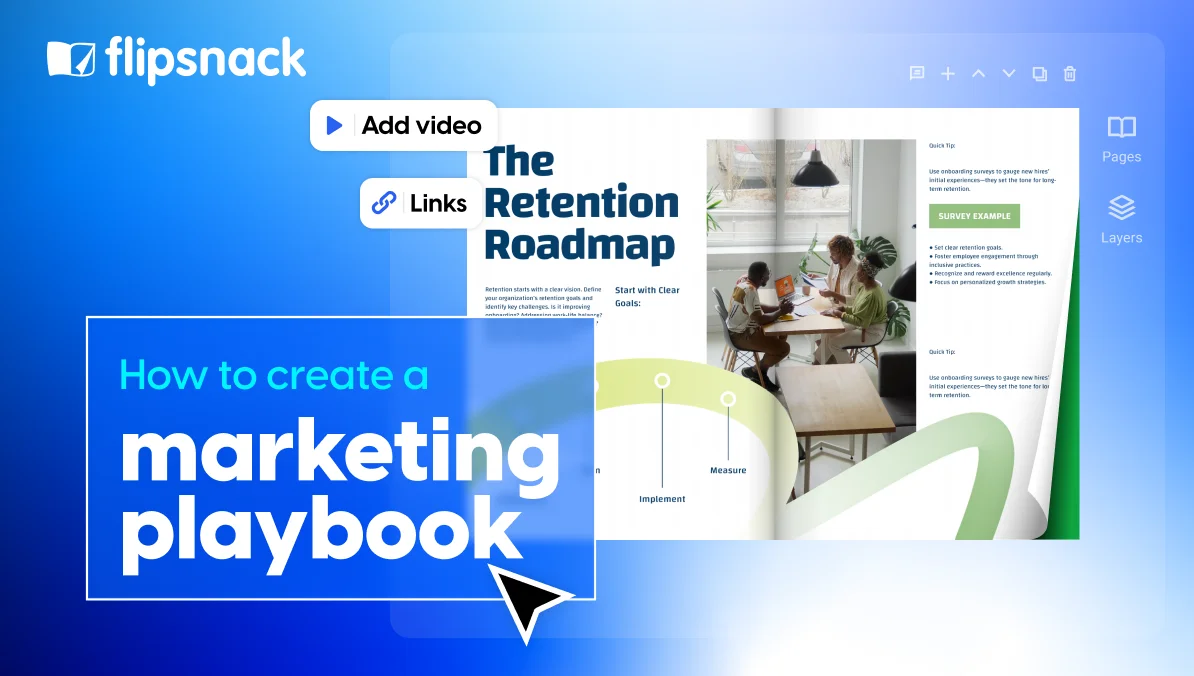
If your playbook is going to be a resource your team uses regularly it should be easy to navigate and engage with. An interactive format can let you add clickable navigation, videos, links, and other elements without changing the underlying content. Short walkthrough clips for those video slots are easy to make with an AI Avatar Generator like Higgsfield or Sora.
Then give the draft to someone who isn’t closely involved in creating it and ask them to use it for a real task. Pay attention to where they get stuck or need to ask for clarification. Those moments show you where the playbook needs more context, clearer instructions, or better navigation.
Step 6: Publish it and keep it updated
Choose a format and location that fits the way your team already works. That could be a shared document, knowledge hub, or interactive flipbook.
If you want to turn an existing PDF into an easy-to-update resource, you can upload it to Flipsnack and add features such as an interactive table of contents, videos, links, forms, and other interactive elements.
Make sure people can find specific information quickly and that updates are easy to communicate across the team. Then set a recurring date to review the playbook and update anything that has changed. Quarterly is a good starting point, while fast-moving teams may need more frequent reviews.
Marketing playbook examples you can learn from
Marketing playbooks can take very different forms depending on what a team needs to standardize. Some focus on brand and messaging, while others are built around a specific campaign, channel, or audience. Below, you’ll find examples from Flipsnack customers alongside marketing playbooks available online. We uploaded the online examples to Flipsnack and turned them into interactive flipbooks so you can browse them more easily.
Brighter – The Macalester College Campaign
Brighter campaign brings together the story, goals, and impact of the campaign in a visual publication. It gives readers a way to explore the campaign and learn more about the people and ideas behind it.
The Macalester College used Flipsnack to include an interactive table of contents that lets readers jump directly to the sections they want to explore, along with links to additional resources. The publication could also use short videos featuring volunteers and alumni to bring the campaign stories to life.
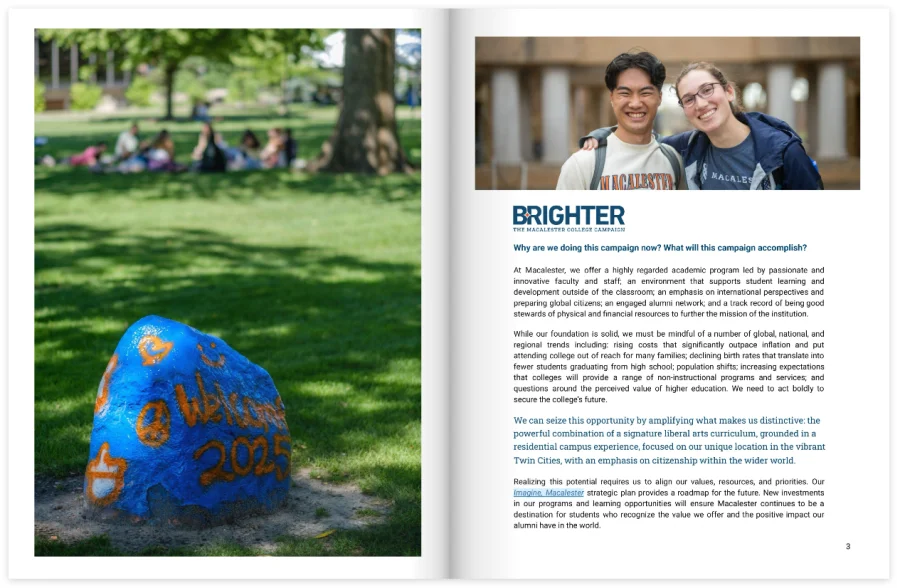
What to learn from it: Use interactive navigation and links to make a longer playbook easier to explore. For campaigns built around people and stories, consider adding video and visual content to make the information more engaging.
Microsoft Marketing with Purpose Playbook
Microsoft Advertising’s Marketing with Purpose playbook focuses on building trust through responsible, inclusive, and values-driven marketing. It brings together research, consumer insights, and practical guidance around areas such as inclusion, accessibility, privacy, and communicating brand values authentically.
The playbook could also become more interactive with interactive elements from Flipsnack, such as videos that explain key concepts, clickable links to supporting research and resources, and pop-up content that provides additional context. Interactive charts could also make research findings and consumer statistics easier to explore.
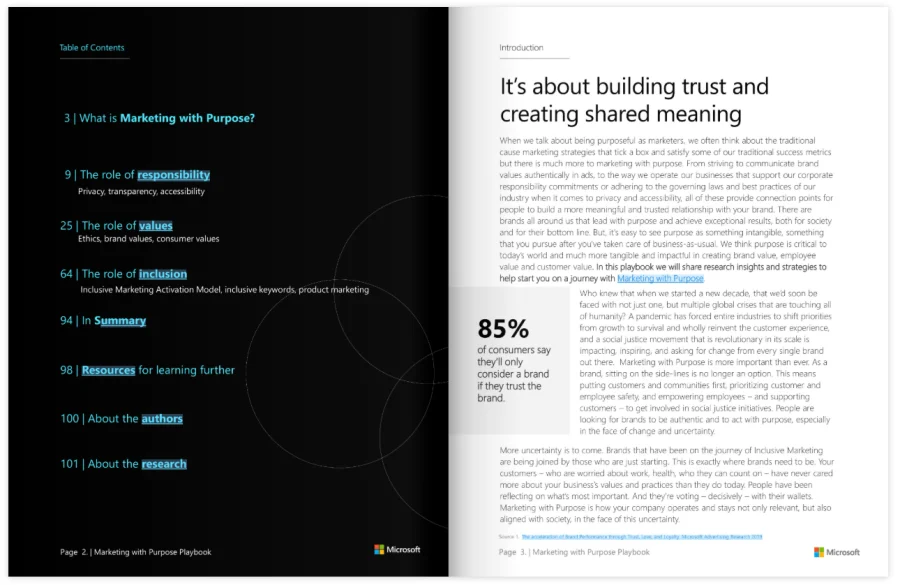
What to learn from it: Use research and clear principles to turn broad marketing values into practical guidelines. Your own playbook could include rules for how your team approaches topics such as inclusion, accessibility, customer trust, or brand responsibility.
Mosquito Authority Q2 Marketing Playbook
Mosquito Authority’s Q2 marketing playbook brings its marketing plans and activities together in one resource. It gives the team a central place to reference its plans, content, and marketing activities for the quarter.
They used Flipsnack to add an interactive table of contents, links to different pages on the Mosquito Authority website, and a clickable content calendar where team members can jump to individual posts. It could also include a home button on each page to make it easier to return to the table of contents. A short quiz near the end could help employees check how well they understand the goals and purpose of the playbook.
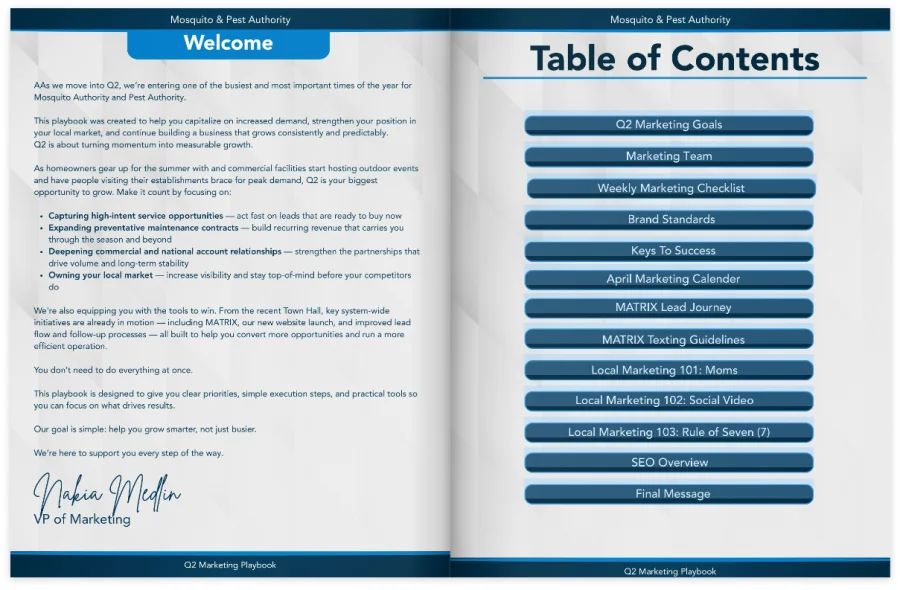
What to learn from it: If your playbook covers a lot of ongoing marketing activity, interactive calendars, links, and navigation can help your team move quickly between plans, resources, and specific pieces of content.
WEAT Clog Alert Campaign Playbook
The Water Environment Association of Texas created this playbook to help utilities roll out its Clog Alert awareness campaign. It covers the campaign goals, audience, branding, messaging, content, tactics, timelines, measurement, and ready-to-use assets. It also provides different guidance depending on whether a utility has dedicated communications staff.
Instead of simply explaining the strategy, it gives different teams what they need to put the campaign into practice, including customizable assets, a style guide, and a campaign checklist.
The playbook could make the resources even easier to use with clickable links to campaign assets, buttons that take readers directly to relevant sections, and pop-ups for additional instructions or examples. A photo slideshow could showcase campaign materials, while an interactive quiz could help teams check their understanding of the campaign guidelines before they start using them.
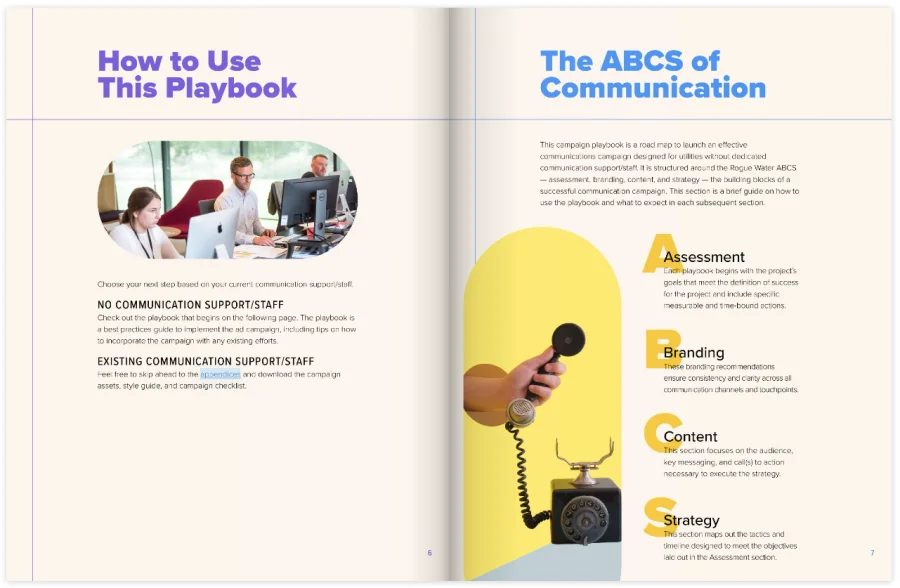
What to learn from it: Make your playbook usable, not just informative. Include templates, checklists, examples, assets, timelines, and clear instructions so someone can go from reading the strategy to executing it. Interactive elements can make those resources easier to find and give teams more ways to explore and apply the guidance.
Dental Practice Marketing Playbook
This dental practice marketing playbook brings together marketing guidance and strategies that dental practices can use to build their online presence and attract new patients. It covers different areas of marketing and gives readers a central resource for understanding the approach.
Henry Schein used Flipsnack to include a lead form to give readers access to the complete playbook. It could be made even more interactive with graphics that bring statistics to life, videos and AI living visuals. Links to the practice’s website and social media buttons could also give readers more ways to explore the brand and its content.
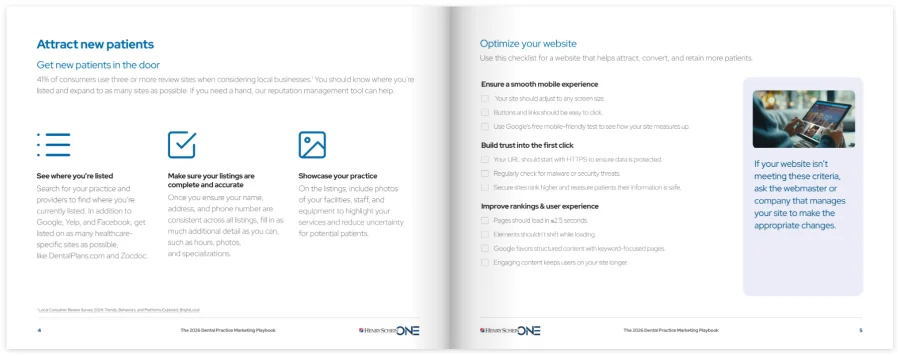
What you can learn from it: Use interactive elements to turn a text-heavy marketing guide into a more visual resource. Statistics, videos, social links, and other interactive content can help readers explore the ideas in your playbook and take the next step.
Get more from your marketing playbook with Flipsnack
Most playbooks fail for a boring reason. Nobody opens them. A dense PDF buried in a shared drive doesn’t get read. If your team can’t find the answer in under a minute, they’ll ask a colleague instead, and you’re back where you started.
Flipsnack can help you turn a static playbook into a living resource that’s easier to use, update, collaborate on, and track.
Standardization at scale
The bigger your team, the harder it is to keep everyone on the same page. If you have dozens or hundreds of people creating marketing materials across regions, channels, or agencies, you can’t catch every inconsistency by hand. You need a format that builds your brand standards, templates, and approved messaging into the document itself. That way, consistency doesn’t depend on someone remembering to double-check it.
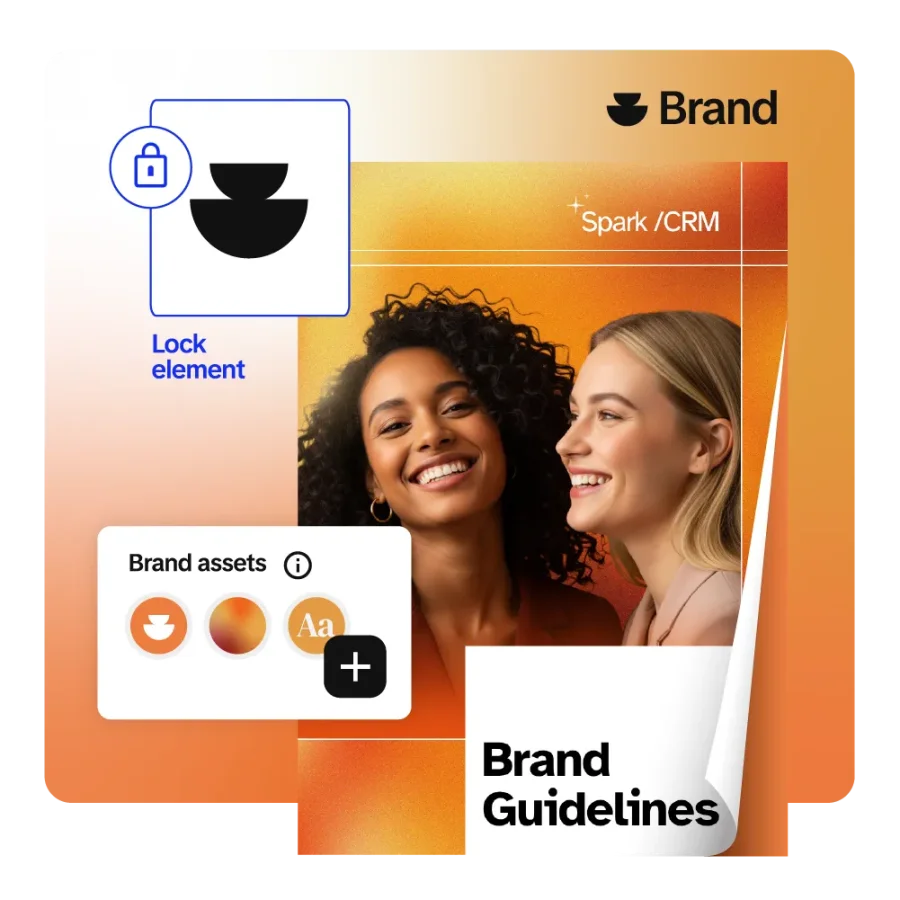
In Flipsnack, you can build your playbook using your brand kit. Fonts, colors, and logos stay locked in across every page, automatically. Templates and reusable sections mean new content added to the playbook looks and reads like the rest of it right away.
Keep information current
A playbook only works if people trust that it’s still accurate. A static file breaks that trust the moment something changes. There’s no way to know if the version someone downloaded three months ago still matches how the team works today.
A Sales Team Lead, ran into exactly this problem with printed and PDF resources before switching to Flipsnack:
“When we provide resources to individuals, if we provide them a piece of paper, anytime anything changes, it’s already out of date. And in using Flipsnack, I like that it’s always going to be current and up to date. But what I thought was the best is you can just pop pdfs in there. It’s so fast. It takes like 30 seconds. And then it’s great.”
When you update a Flipsnack playbook, the change goes live everywhere at once. Nobody works off a version that’s quietly gone stale.
Make procedures engaging
Procedural documents have a reputation problem. A long PDF full of policies and steps is exactly the kind of thing people skim once and never open again, even when the information inside really matters.
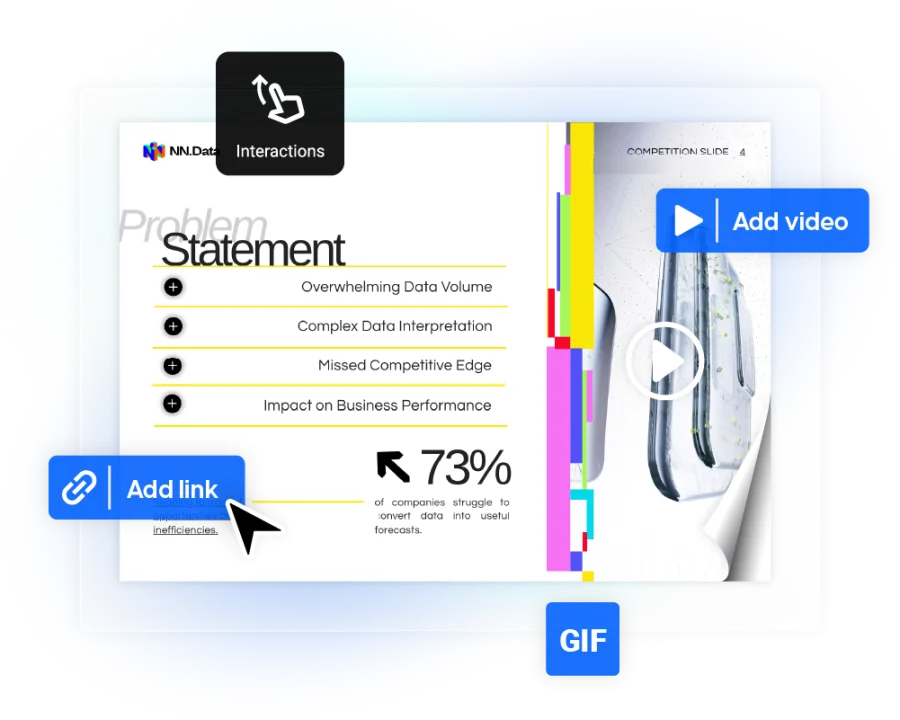
Flipsnack turns that same content into something that feels more like a magazine than a manual. You can add interactive elements like clickable tables of contents, embedded videos, quizzes, and links to related resources. People can move through the playbook and find what they need instead of scrolling through a wall of text.
Make collaboration part of the process
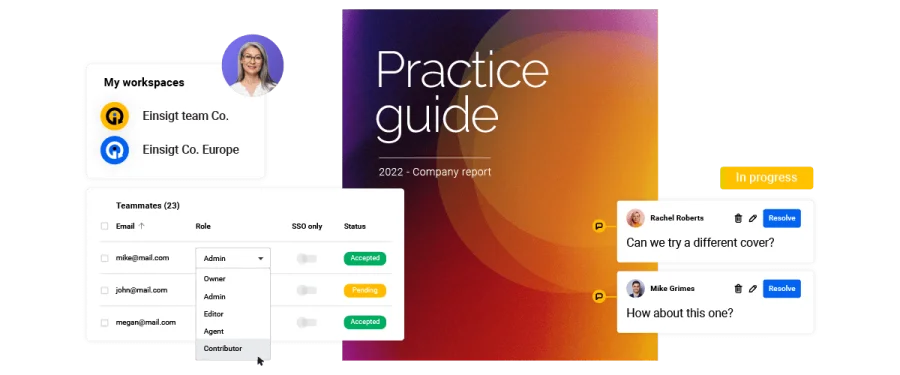
Your playbook can evolve with input from the people who use it. Team members can leave comments and feedback directly on the document, making it easier to discuss processes, suggest changes, and keep the content useful over time.
See whether your team actually uses it
You can also use Flipsnack’s built-in analytics to understand how your playbook is being used. See who opens it, which content they read, and how they engage with different sections. Having insights can help you identify the parts of your playbook that get the most attention and the areas that may need improvement.
Keep your marketing playbook useful and up to date
A marketing playbook turns scattered know-how into a system your whole team can run. It speeds up onboarding, keeps your messaging consistent, and makes your marketing repeatable instead of improvised.
None of that works if the playbook itself is a static document nobody wants to open. Treat it as a living resource: standardized enough that hundreds of people can create from it without breaking your brand, up to date so no one is working from an old version, and engaging enough that people actually return to it instead of asking a colleague.
Building it all at once is overwhelming so start with three sections: your goals and KPIs, your buyer personas, and your top two or three channels. Get those written and shared. Add processes, tools, and budget over the next few months.
Keep updating the playbook as your team and processes change. A playbook that grows with your team is worth far more than a perfect one that’s out of date by spring.
Ready to build yours? Create or upload your marketing playbook in Flipsnack and make sure your team always has the latest version of it.
FAQs
A marketing leader usually owns the playbook, such as a CMO, head of marketing, or marketing operations lead. In a smaller company, it might be the founder or first marketing hire. But it shouldn’t be written alone. The people who run each channel should document their own processes, since they know the details best. The playbook owner’s job is to pull it together, keep the format consistent. When something new appears marketers can leave comments in the playbook so the owner will know what to update.
A playbook should be long enough to cover the information your team actually needs without becoming difficult to navigate. If your playbook grows too big, consider breaking it into sections or modules and using a flipbook creator to make it easier to navigate. An interactive playbook in Flipsnack can include a clickable table of contents, links, videos, and other interactive elements, making a longer resource easier to navigate.
The basic structure is similar, but the focus differs. B2B playbooks often cover buyer personas, longer sales cycles, lead nurturing, account-based marketing, and marketing-to-sales handoffs, while B2C playbooks tend to focus more on brand, creative guidelines, social media, seasonal campaigns, and conversion optimization.
Yes. Flipsnack offers customizable playbook templates you can edit and share as interactive documents. A template saves you from staring at a blank page, but treat it as a starting point rather than a finished product. Keep the sections that match how your team works, delete the ones that don’t, and add anything specific to your industry or stage.