What Is a Digital Magazine? Definition, Features, and Uses
Published on: October 14, 2024
Last updated: August 6, 2026
Digital magazines have come a long way from clunky PDF replicas that nobody wanted to read on their phone. Today, they combine the storytelling depth of print with the interactivity of the web: video, animation, clickable elements, real-time analytics, and instant global distribution.
Whether you’re a publisher moving away from print, a marketer launching a brand magazine, or a business looking to share content in a format that stands out, this guide walks you through everything you need to know.
We cover what a digital magazine is, explore its key features and formats, compare digital and printed magazines, and show you how to create one with Flipsnack.
Table of contents
- What is a digital magazine?
- What features does a digital magazine have
- Types & formats of digital magazines
- Digital magazines vs. printed magazines
- Different ways to use digital magazines
- How to create a digital magazine
- Create a digital magazine with Flipsnack
- Bring your digital magazine ideas to life with Flipsnack
- FAQs on digital magazines
What is a digital magazine?
A digital magazine is a publication created and distributed in a digital format rather than as a physical, printed magazine. Also called an e-magazine, electronic magazine, online magazine, or digital publication, it can be read on devices such as computers, tablets, and smartphones.
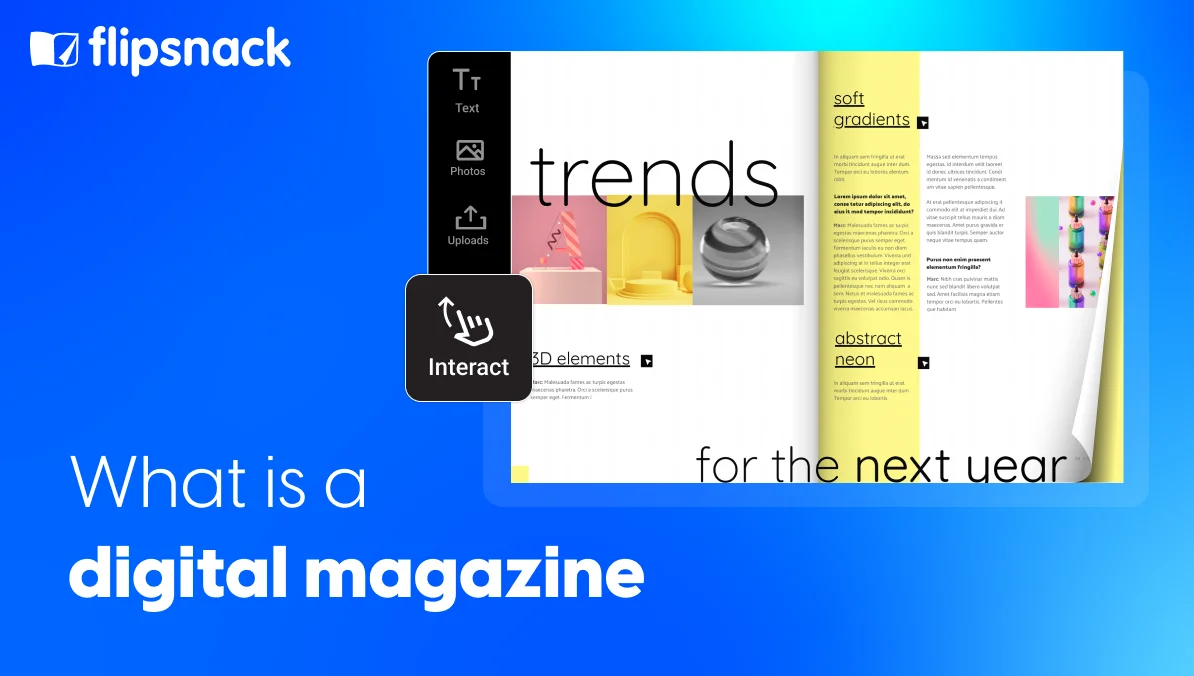
Digital magazines typically combine text and images with interactive or multimedia content. They can include videos, animations, audio clips, image galleries, and hyperlinks to offer a more dynamic and engaging experience.
A digital magazine can be created as a PDF, interactive PDF, digital flipbook, HTML5 publication, or another digital format. Some formats allow readers to flip through pages, zoom in on visuals, and click on embedded links, while others offer a more web-based, interactive reading experience.
Many publishers manage their magazines through a CMS or a dedicated digital publishing platform rather than building pages manually.
In short, a digital magazine brings together the storytelling power of print with the interactivity of the web, transforming how publishers connect with audiences online.
What features does a digital magazine have
What sets digital magazines apart from traditional formats is their mix of interactivity, multimedia, and measurable engagement. These features make e-magazines more dynamic and easier to adapt to how people read today. Below are the main digital magazine features every publisher should know.
Embedded multimedia (video, audio, animation)
A digital magazine can go far beyond static text and images. You can embed videos, audio clips, slideshows, or animations directly into pages to make stories come alive. For example, a travel magazine could include video tours, while an educational e-magazine might feature voice notes or short animations to explain complex ideas.
Interactive elements (links, hotspots, quizzes, polls)
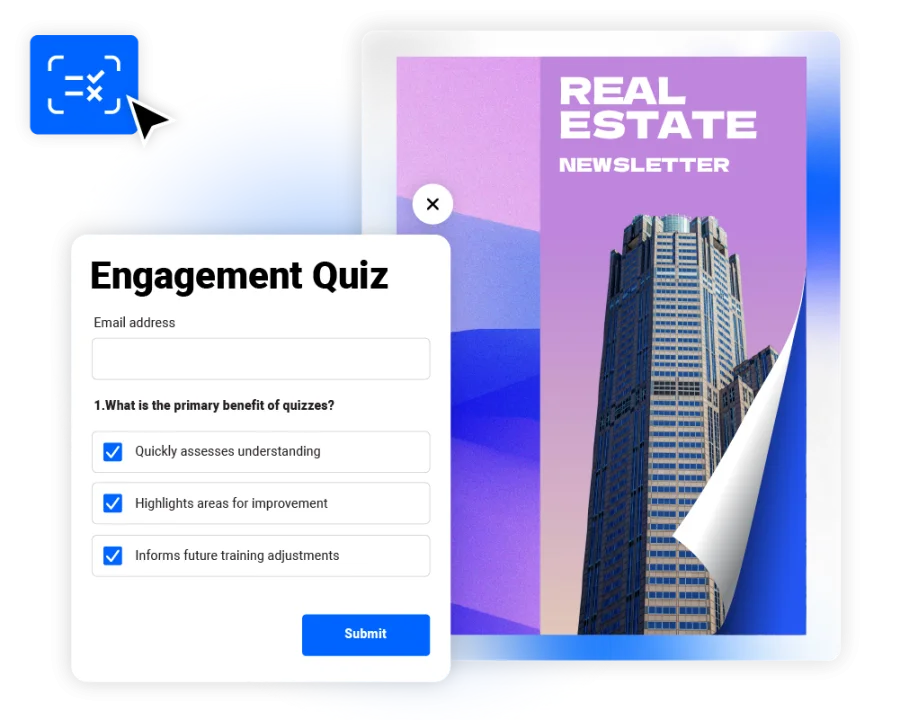
Interactive tools such as clickable links, hotspots, surveys, quizzes, and forms turn reading into an active experience. They let readers explore related content, test their knowledge, or share opinions. This type of engagement keeps users curious and connected to your content longer.
Navigation, search, indexing, and internal linking
Digital magazines make it easy to move around. Readers can use menus, links, or search bars to find what they want quickly. This improves accessibility and makes your content more user-friendly than printed issues, where readers must flip through pages manually.
💡Tip: With Flipsnack, you can add a table of contents to your magazine so that readers can jump to their preferred section.
Search engine optimization and discoverability
Digital magazines can also be optimized to help readers find them through search engines. Depending on the platform, you may be able to add descriptive titles, meta descriptions, and other metadata to your publication. Web-based, indexable formats can also make it easier for search engines to discover and understand your content.
Social sharing and embedding, and syndication
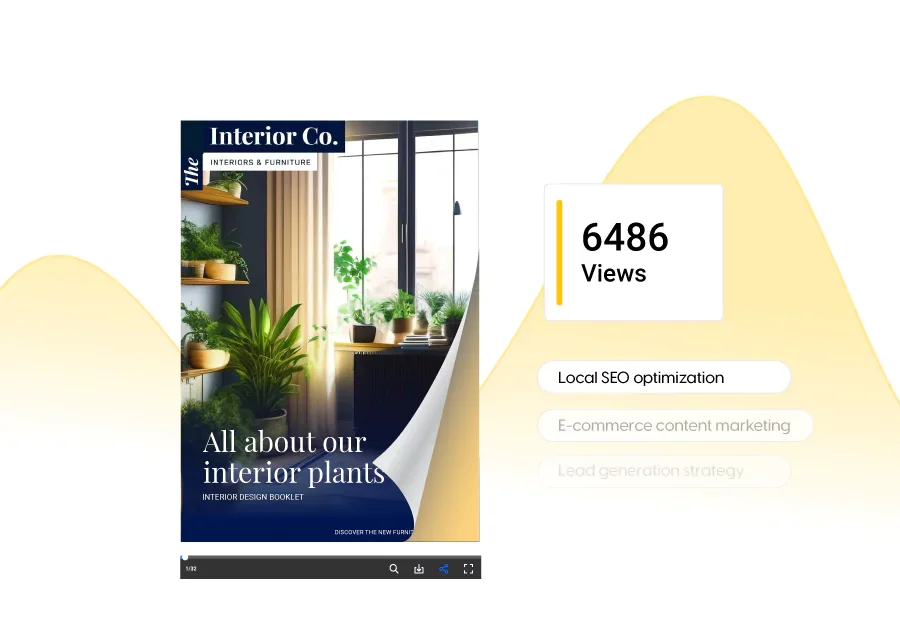
A key advantage of online magazines is how easy they are to share. Publishers can distribute them through direct links, social media, email, or QR codes, and embed them on websites and other digital platforms. This makes it easier to reach new audiences and give readers more ways to access your content.
Analytics and engagement tracking
Unlike print editions, digital magazines provide real-time analytics. You can see how many people viewed a page, how long they stayed, and what they clicked. These insights help you measure engagement and fine-tune future issues for better results.
Device adaptability and responsive design
Modern web magazines use responsive layouts that adjust to any screen. Whether a reader is on a phone, tablet, or desktop, the content displays perfectly. This ensures a smooth and consistent reading experience on all devices. Some platforms also let readers download publications for offline reading, making it easier to access content while traveling or in areas with limited internet access.
💡Tip: Activate the vertical scroll in Flipsnack to make sure your magazine displays perfectly on mobile devices.
Accessibility and inclusive design
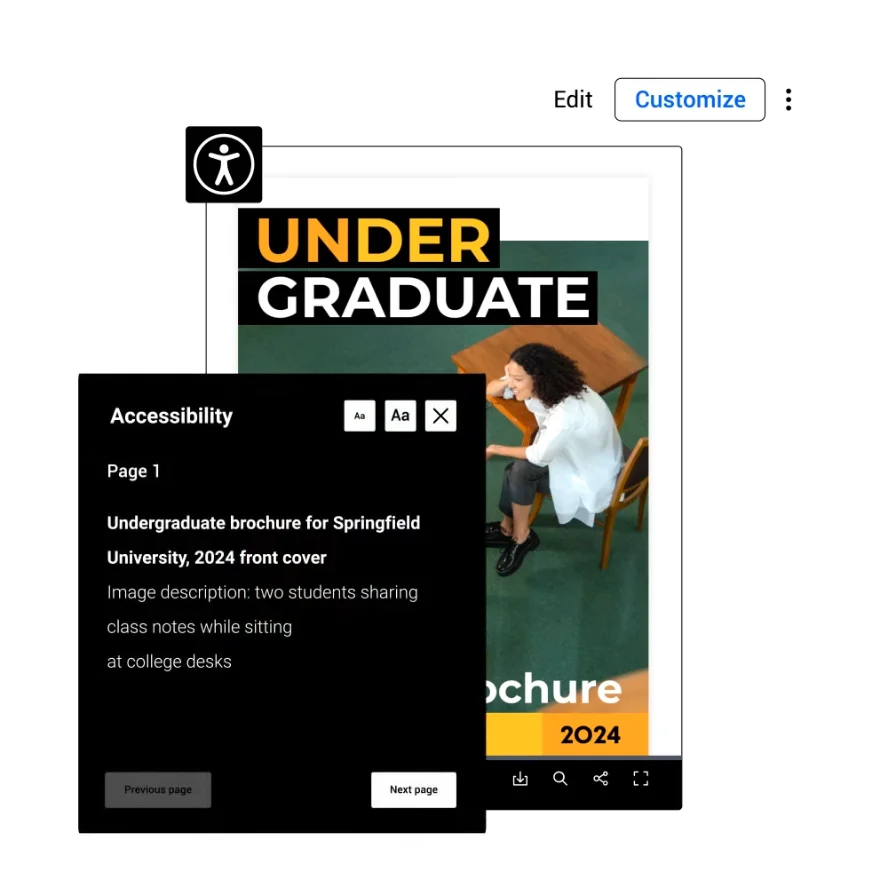
Beyond device adaptability, your magazine should also work for readers who rely on assistive technology. Features such as keyboard navigation, readable text, alternative text, and appropriate contrast can help make make your digital magazine accessible for readers with different needs.
Types & formats of digital magazines
Not all digital magazines are created the same. Depending on your publishing goals, design skills, and preferred level of interactivity, you can choose from several formats and technologies. Each offers unique features and reader experiences — from static, scrollable layouts to fully immersive multimedia storytelling.
Here’s a quick comparison of the main formats:
| Format | Interactivity | Mobile-friendly | Shows up in search | Best for |
| HTML5 web magazine | High | Yes | Yes | Publishers who want to be found online |
| Interactive PDF | Medium | Not always | No | Teams already designing in InDesign |
| Flipbook (page-flip) | Medium to high | Yes, on modern tools | Yes, if HTML5-based | Catalogs, lifestyle magazines, and marketing |
| App-based magazine | High | Yes, as a native app | No | Big publishers with a loyal audience |
| Multimedia magazine | Highest | Depends on the base format | Depends | Rich, media-heavy storytelling |
1. HTML5 / Responsive web magazines
An HTML5 digital magazine is one of the most flexible formats. HTML5 magazines are web-based publications designed to work across different devices. They can support responsive layouts, interactive content, and multimedia elements.
They are also SEO friendly, easily shareable, and accessible to a global audience, which makes it well-suited for brands and publishers aiming to grow online visibility.
Because they are built for the web, HTML5 publications can offer more flexibility than static documents.
Best for: Publishers who want mobile-optimized, interactive magazines optimized for performance and discoverability.
2. Interactive PDF magazines
An interactive PDF magazine looks like a traditional PDF but includes interactive elements such as hyperlinks, embedded videos, and clickable buttons. It is a good starting point for those who already design in InDesign or similar tools and want to make their files more engaging before publishing online or using them as source files in a flipbook maker such as Flipsnack.
Interactive PDFs come with some limitations. They are not always mobile-friendly, can still be heavy to load, and readers often need a PDF viewer that supports advanced media. PDFs can also be harder for search engines to index than HTML-based publications and may offer limited reader analytics.
For a richer online experience, tools such as Flipsnack can convert PDFs into HTML5-based flipbooks and add interactive features. This makes the publication easier to share and engage with across devices.
Best for: Designers who want to repurpose static PDFs into more engaging digital publications.
3. Flipbook-style magazines (page-flip animation)
A flipbook magazine replicates the familiar page-turning experience of print, while adding digital features such as clickable links, videos, animations, and interactive elements. It’s popular for marketing materials, product catalogs, and lifestyle publications.
Flipbooks can range from simple digital versions of printed magazines to rich, interactive experiences. Platforms such as Flipsnack can turn PDFs or design files into HTML5-based flipbooks that work across modern devices.
Flipbooks can be built using specialized platforms like Flipsnack that transform PDFs or design files into HTML5-based publications with page turn effects and dynamic navigation. In Flipsnack, the flipbook is the core format, and you decide whether it remains mostly static or becomes a rich multimedia magazine by how much interactive content you add.
Best for: Businesses and publishers seeking a balance between traditional design and digital innovation.
4. Hybrid or app-based magazines
Some publishers choose to distribute magazines through dedicated apps, offering readers offline access and push notifications for new issues. These hybrid magazines often blend HTML5 layouts with native app functionality, supporting subscriptions, multimedia content, and personalization.
However, developing and maintaining an app requires more time and resources than publishing a web-based magazine. App-based publications are usually a better fit for large publishers with established audiences and a strong reason to encourage readers to download an app.
Best for: Publishers that want full control over their brand and a loyal audience. Native apps can encourage repeat visits through subscriptions, offline reading, and personalized notifications. They also take more time and resources to build and maintain than a web-based magazine.
5. Multimedia magazines
A multimedia magazine goes beyond text and static visuals by integrating multiple media types such as video, audio, infographics, motion graphics, interactive charts, and other on-page interactions. These elements can make stories more engaging and help publishers present complex information in a more visual way.
“Multimedia magazine” describes the type of content and experience rather than a separate technical format. For example, you can turn a flipbook into a multimedia magazine by adding videos, audio, and interactive elements to its pages.
Best for: Creative publishers looking to deliver highly engaging, interactive storytelling experiences.
Digital magazines vs. printed magazines
While traditional print magazines have long been valued for their tactile feel and collectability, digital magazines have redefined how readers consume content in the modern era. The shift from print to digital represents a complete transformation in accessibility, interactivity, and sustainability.
Digital magazines can help publishers and brands reach wider audiences without the costs of printing, shipping, and storing physical copies. They can be shared instantly, making it easier to reach readers anywhere in the world.
Compared with printed magazines, digital magazines also offer several advantages:
- Lower distribution costs by eliminating printing and shipping expenses.
- Interactive experiences with videos, audio, animations, clickable links, and image galleries.
- Global reach through instant online sharing across devices and channels.
- Reader insights through analytics that track views, page engagement, and interactions.
Printed magazines, on the other hand, offer a physical reading experience that many readers still enjoy. They can feel more tangible and collectible, but their reach is often limited by physical distribution, and making changes usually means printing a new edition.
For many organizations, the choice does not have to be either-or. A publisher or brand can use both formats to reach different audiences, combining the tactile experience of print with the accessibility, interactivity, and measurable engagement of digital publishing.
Here’s how digital magazines compare with printed publications:
| Feature | Digital magazine | Printed magazine |
| Distribution | Shared through links, email, websites, social media, or QR codes | Distributed in person, by mail, or through retail |
| Accessibility | Available on computers, tablets, and smartphones | Requires access to a physical copy |
| Interactivity | Can include videos, audio, links, and animations | Mainly limited to printed text and images |
| Updates | Can be edited and republished online | Usually requires a new print run |
| Analytics | Reader activity can be tracked | Usually relies on circulation and readership data |
| Reach | Can be shared with audiences around the world | Depends on physical distribution |
| Production | No printing or shipping costs | Requires paper, printing, shipping, and storage |
Different ways to use digital magazines
Digital magazines can be used across industries, from publishing and marketing to education and internal communications. Whether you’re sharing stories, showcasing products, or keeping an audience informed, the digital format gives you more ways to combine content, visuals, and interactive elements.
Here are some of the most common ways organizations use digital magazines:
Editorial and lifestyle magazines
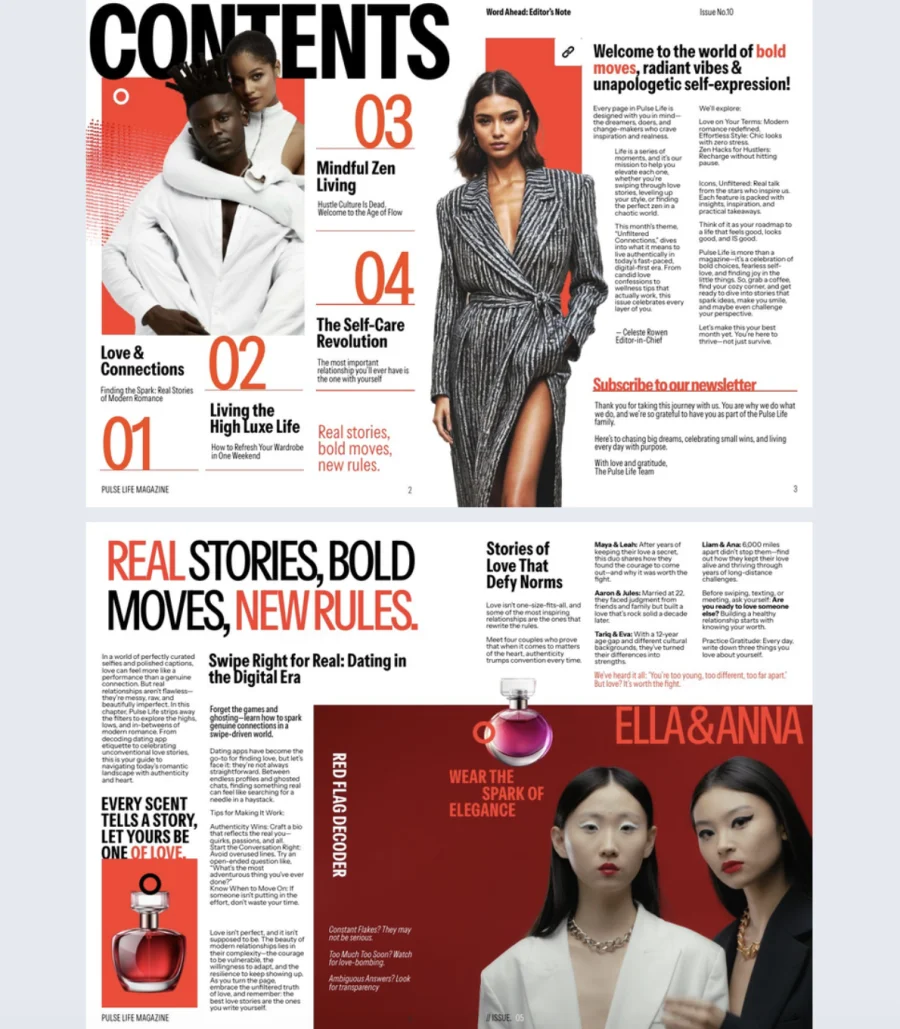
Publishers and marketers can create interactive digital editions of editorial, fashion, lifestyle, travel, or entertainment magazines and reach readers beyond traditional print distribution. Adding videos, image galleries, interactive graphics, and clickable links can turn familiar magazine content into a more engaging digital reading experience.

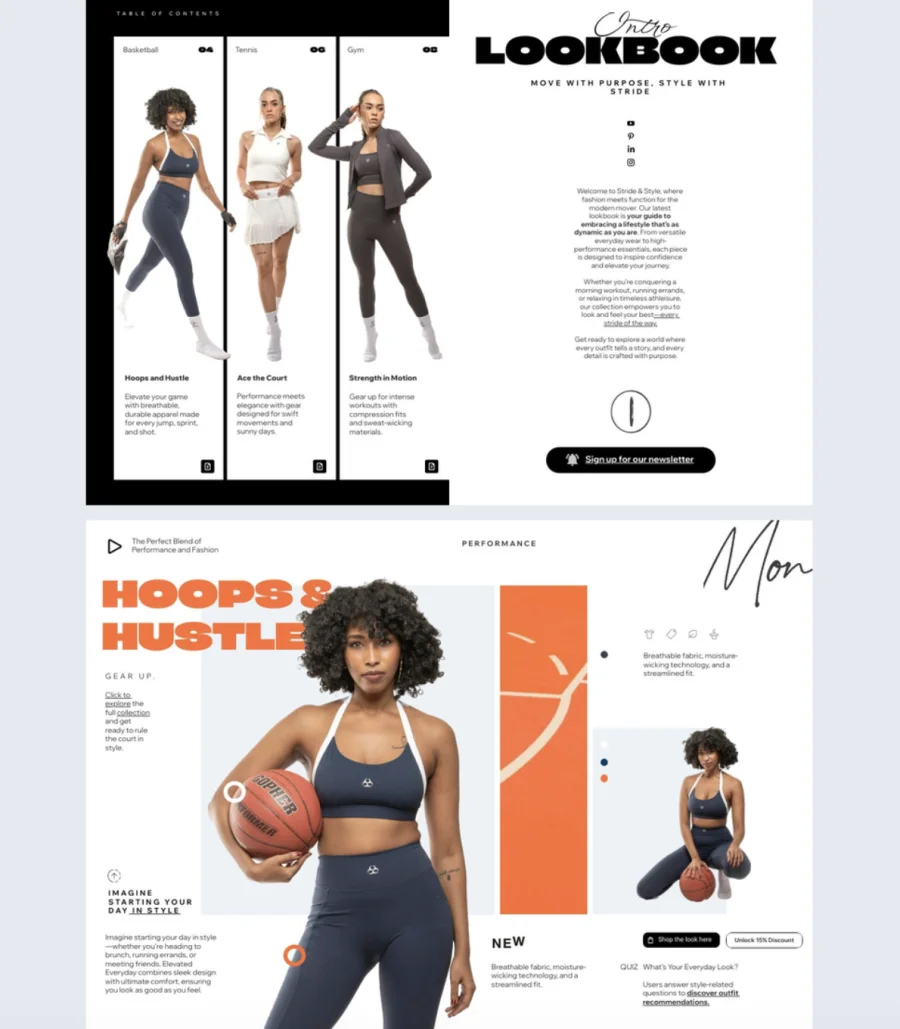
Product catalogs and lookbooks
Retail and ecommerce brands can use interactive digital magazines to showcase products, collections, and seasonal launches in a visually engaging format. Add clickable product links so readers can move from browsing an item in the catalog to exploring it on your website or making a purchase.
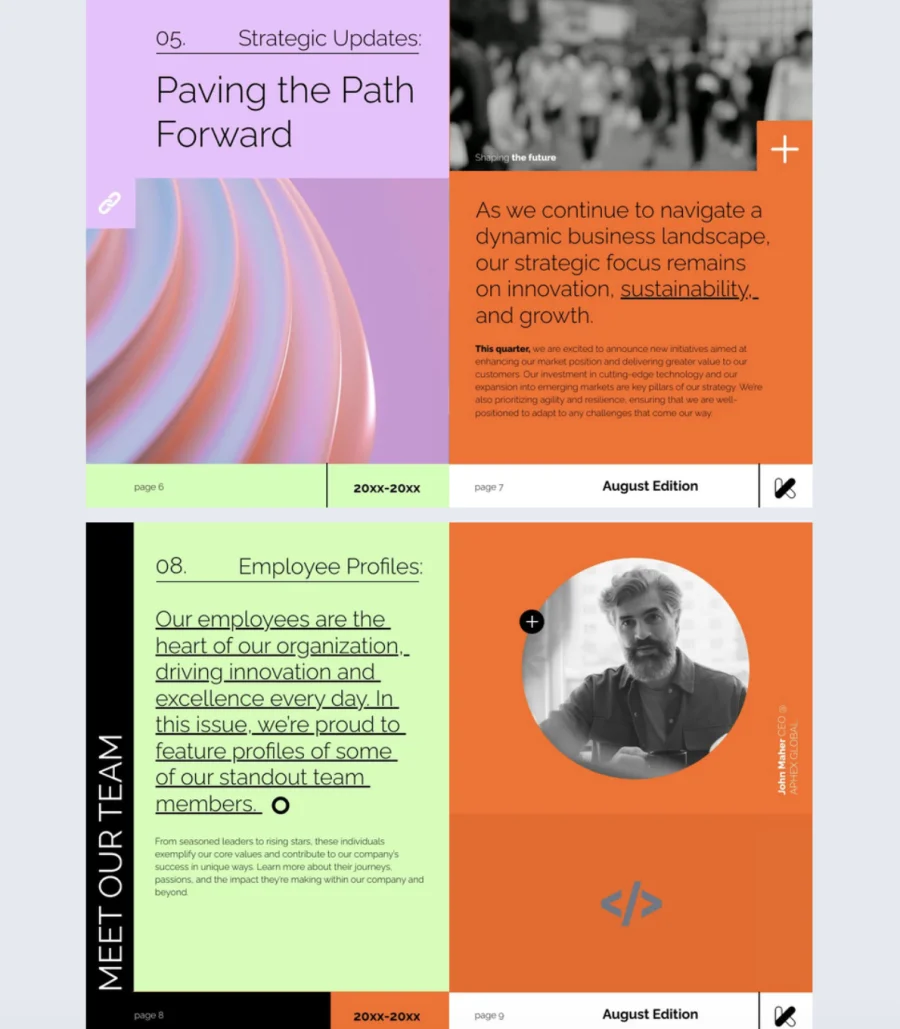
Corporate magazines
Companies can create corporate digital magazines to share company news, employee interviews, industry insights, and thought leadership with employees, clients, and other stakeholders. They offer a professional way to communicate important updates while giving teams more room for visual storytelling and interactive content.

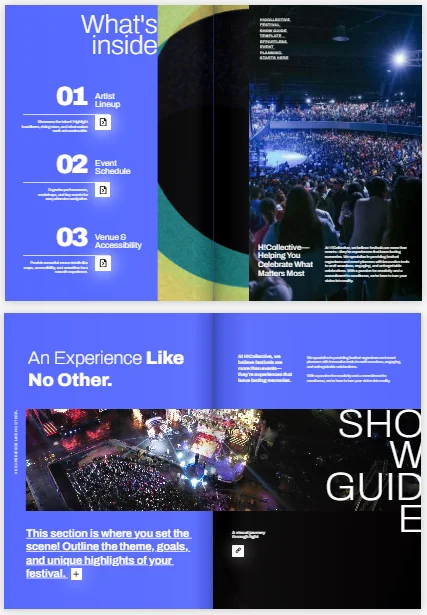
Event magazines
Organizers can create digital event magazines for conferences, trade shows, festivals, and other events. Use them to share schedules, speaker profiles, venue information, sponsor pages, and event highlights. After the event, the same publication can become a digital recap featuring photos, interviews, and key moments.
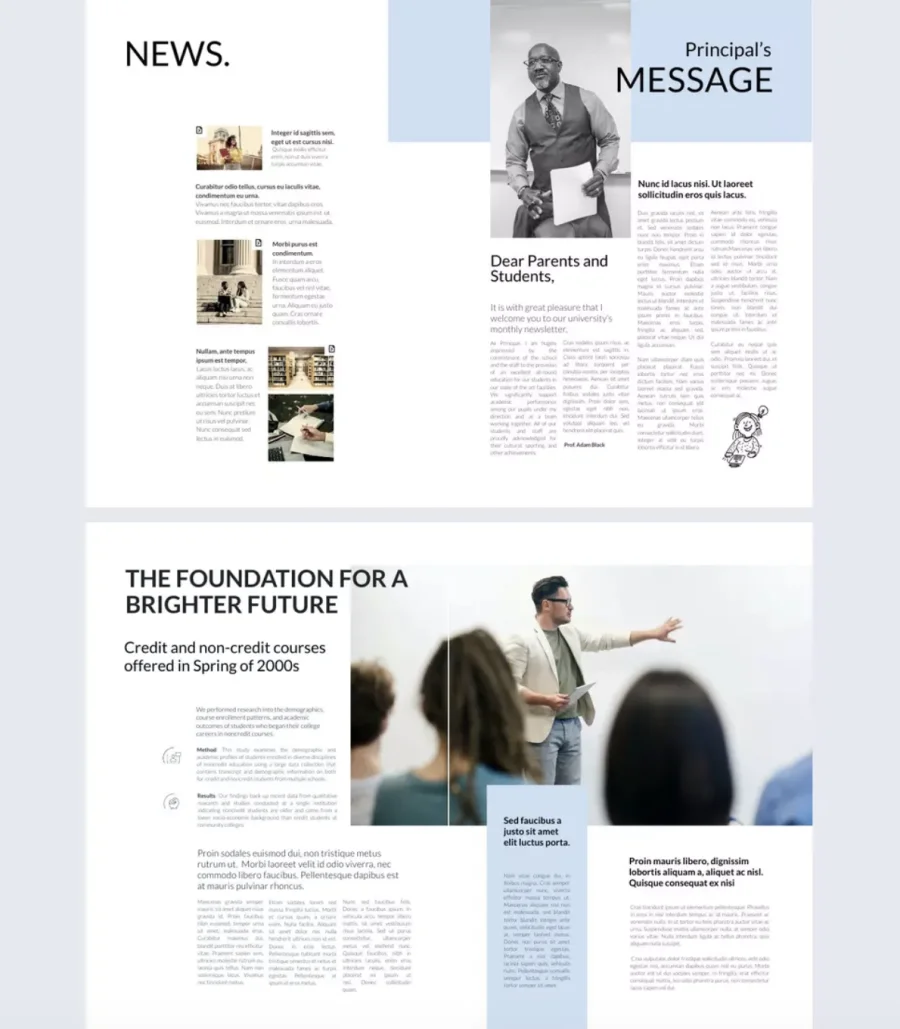
School and university magazines
Schools and universities can use online magazines guides for student publications, alumni magazines, campus news, research updates, and other educational content. Digital distribution makes it easy to share publications with students, parents, alumni, staff, and prospective students, while multimedia features can make stories and information more engaging.
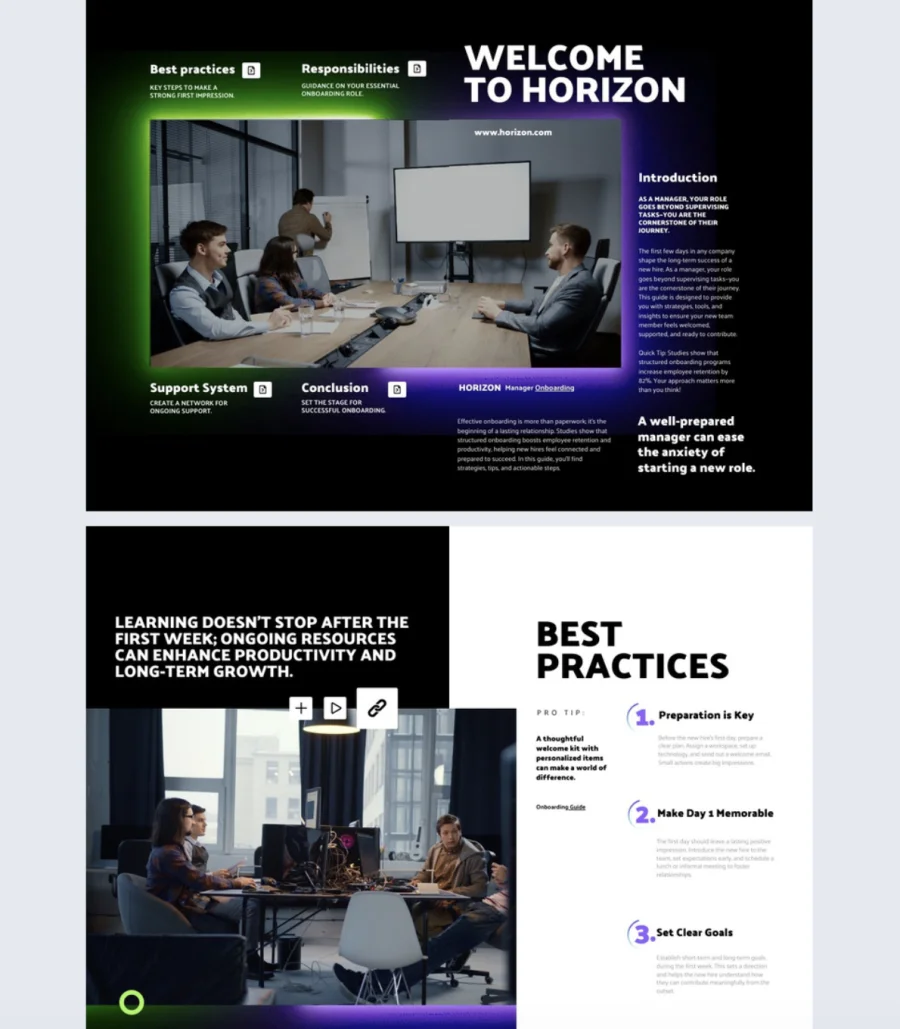
HR and onboarding magazines
HR and internal communications teams can use digital employee magazines to share company updates, stories, announcements, benefits information, and onboarding resources. Compared with a traditional email newsletter or static PDF, a digital magazine provides a more structured and engaging format that employees can access across devices.
How to create a digital magazine
Creating a digital magazine involves more than putting a printed publication online. You need to plan your content, choose the right format and software, design the publication, and make it easy for readers to access and explore.
Here’s a simple overview of how to create a digital magazine, no matter which tools or platform you choose.
1. Define your audience and goals
Start by deciding what you want your magazine to achieve. Are you creating it to educate, entertain, promote your products, share industry insights, or build brand awareness?
Think about who will read it and what they want to learn or discover. Then plan your content around their interests. Decide how often you’ll publish, what types of stories you’ll include, and whether your magazine will be free, gated, or paid.
💡 Tip: Flipsnack’s magazine templates are organized by industry — browsing them early can help you clarify the direction and scope of your magazine before you start creating content.
2. Plan and create your content
Create an editorial plan for your first issue and outline the articles, interviews, visuals, and other content you want to include.
Structure articles for digital reading. Shorter paragraphs, descriptive subheadings, and visual breaks that keep the pace moving. Aim for high readability — shorter sentences, active voice, and a reading level that matches your audience. Depending on your topic, you can also use infographics, videos, or other visual content to make complex ideas easier to understand. Consider adding an estimated reading time to each article so readers know what to expect before they start.
💡 Tip: Flipsnack’s Design Studio supports text editing directly inside the magazine layout, so writers and editors can review articles in context rather than working from a separate document.
3. Choose the right software
The tool you use will determine how fast you can produce issues, how interactive your magazine can be, and how much control you have over branding and distribution.
Here’s what to evaluate:
- ease of use
- interactivity features
- built-in analytics
- branding options
- distribution capabilities
- team collaboration tools
Different tools are suited to different needs. Some focus mainly on design, while others combine design, interactivity, publishing, distribution, and analytics in one platform. Choose a solution based on the features your team needs, your budget, and how you plan to publish and grow your magazine.
If you’re deciding between flipbook software and a native app for your digital magazine, consider the differences in setup, distribution, maintenance, and reader accessibility before choosing a solution.
Flipbook software vs native app for digital magazines
| Flipbook software | Native app | |
| Setup | No extensive app development required | Requires app development and technical resources |
| Accessibility | Readers can access the magazine directly in a browser | Readers typically need to download an app |
| Distribution | Share through links, email, social media, websites, and QR codes | Distributed through app stores or app-based channels |
| Interactivity | Supports videos, links, audio, animations, and other interactive features | Can support advanced interactive and native features |
| Updates | Update and republish content quickly | Updates may require app releases or content updates |
| Cost and maintenance | Generally simpler and more cost-effective to manage | Typically involves higher development and ongoing maintenance costs |
| Best for | Brands, publishers, and organizations that want an interactive web-based magazine | Large publishers with established audiences and dedicated app strategies |
For most publishers, brands, and organizations, flipbook software offers a practical middle ground between a static PDF and a fully developed native app. Readers can access the magazine without installing anything, while publishers can add interactive features, distribute content across multiple channels, and track engagement.
4. Design your magazine
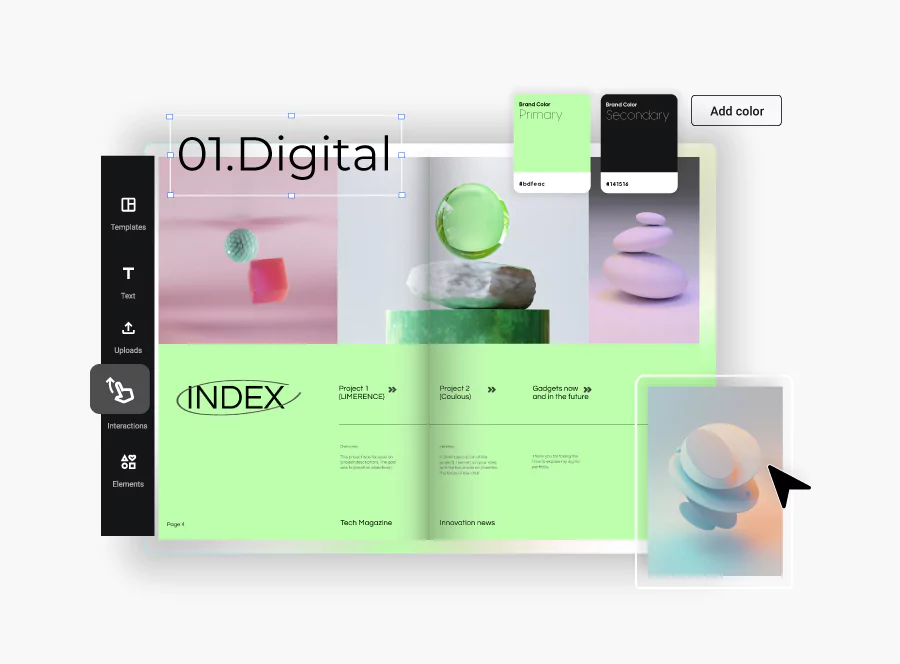
Create a consistent visual style that reflects your content and brand. Pay attention to your magazine cover, typography, colors, images, layout, and spacing. A few design principles will make the difference between an amateur layout and a professional publication.
- Cover: For your magazine cover, make sure to use high-impact photography, one main headline, a clear masthead, and no more than five supporting lines. A cluttered cover signals a cluttered magazine.
- Grid system: Set up a grid system early, whether a two-column or three-column layout with consistent gutters and margins that give your content room to breathe.
- Color palette: Choose one to three core colors and apply them consistently across headlines, backgrounds, and accent elements.
- Typography: Select your fonts and sizes early, then stick with them from cover to cover — and carry them into future issues.
- Graphic elements: Shapes, borders, icons, and page numbering should follow the same visual language throughout.
- Imagery: Source high-resolution images, whether original photography, stock photos, or vector graphics, and use icons sparingly for navigation or callouts. Keep a balanced image-to-text ratio so pages feel visual without sacrificing substance.
Use a clear visual hierarchy to guide readers through each page and keep a balance between text and visuals. If you’re creating a digital-first publication, make sure the design works well across different screen sizes.
5. Add interactive elements and optimize your publication
Embed videos, audio clips, GIFs, image galleries, slideshows, quizzes, and clickable hotspots to turn passive reading into an active experience. But don’t add media for the sake of it. Every interactive element should contribute to the story you’re telling.
Before publishing, check that your magazine works well on mobile devices, loads quickly, and is easy to navigate. If you want people to discover your magazine through search engines, use descriptive titles, searchable text, relevant metadata, and accessible content where possible.
6. Publish, share, and measure performance
Share your magazine through every distribution channel that makes sense for your audience: direct links, email newsletters, social media, website embeds, and QR codes for offline touchpoints. Build and segment your subscriber list so each issue reaches the readers most likely to engage.
Skip app store distribution; a web-based magazine is one click away on any device, no installation needed. Add UTM parameters to your sharing links so you can attribute traffic and conversions back to specific channels.
Also, use analytics to understand how readers interact with your magazine. Track metrics such as views, page engagement, clicks, and reading behavior, then use these insights to improve your next issue.
Create a digital magazine with Flipsnack
Once you know what an e-magazine is, and what to include in it, the next step is creating one with Flipsnack. Here’s how the process works from start to finish:
- Start your design
Start by uploading your existing PDF or creating a new publication. If you’re starting from scratch, you can use a template or build your design from the ground up.
- Add interactivity
Make your magazine more engaging by adding interactive elements. Drop in videos, audio, image galleries, quizzes, and clickable hotspots right on the page. Add a table of contents so readers can jump to any section in one click.
- Apply your branding
Adjust the look and feel of your publication to match your brand. Use the brand kit to lock in your colors, fonts, and logo.
- Optimize your publication
Optimize your publication for search and add relevant metadata to help readers discover your content online.
Save time by generating a meta title, meta description, and abstract based on your publication’s content. This makes optimizing your online magazine for search engines and AI-powered search experiences easier, even if you don’t have SEO expertise.
- Publish and share
When your magazine is ready, publish it online and share your online magazine with your audience. You can use a direct link, embed the publication on your website, or share it through email, social media, or QR codes.
- Track and improve
Use analytics to see how readers interact with your publication. Depending on your setup, you can track views, clicks, and other engagement data. This can help you understand what content works best and improve future issues.
If you prefer a visual walkthrough, watch our video tutorial to follow the steps and learn how to make a digital magazine from start to finish with Flipsnack.
Bring your digital magazine ideas to life with Flipsnack
Digital magazines have transformed how content is created and consumed. They give publishers the power to design interactive, visually rich, and accessible experiences that reach global audiences instantly. At the same time, they cut printing costs, reduce environmental impact, and provide valuable data on reader behavior.
Whether you’re an experienced publisher making the switch from print or a first-time creator, the right tools can help you bring your ideas to life. With Flipsnack, you can design, publish, and share interactive digital magazines that readers can access from any device.
Ready to create your own digital magazine? Start with Flipsnack and turn your content into an engaging digital experience.
FAQs on digital magazines
A digital magazine spread is the digital equivalent of a two-page layout in a traditional print magazine, designed to be viewed on a screen. It consists of multiple pages or a continuous layout that extends across two or more virtual pages, often designed with interactive features like videos, animations, links, and other multimedia elements.
Yes, most digital magazine software provides analytics, allowing you to track reader engagement, page views, and time spent on specific content.
HTML5 digital magazines are fully mobile-responsive, ensuring they work smoothly on smartphones, tablets, and desktops.
Yes, digital magazines offer multiple monetization options including advertisements, sponsored content, and subscription models, giving publishers flexibility in generating revenue.
To create a digital magazine, you can use Flipsnack. It offers customizable templates, drag-and-drop functionality, and the ability to embed videos, links, and other interactive elements, making it ideal for professional-looking digital publications.
Mostly size and structure. A digital zine is usually smaller and more personal. One person or a small group often makes it. A digital magazine tends to have a bigger team and a wider audience goal. It also runs on a set schedule. Under the hood, both can be built the same way. You can create either one in Flipsnack, whether you want a polished magazine or a small, independent zine.
A PDF is a fixed file. It doesn’t adjust to different screens. Search engines can’t read what’s inside it either. A flipbook adds a page-turn animation on top of a PDF or design file. That makes it feel more like a real magazine. A digital magazine is the broader term. It can be a flipbook, or a fully responsive HTML5 page with video, links, and analytics built in. With Flipsnack, you can turn a plain PDF into an interactive, mobile-friendly digital magazine in just a few clicks.
Most rules follow WCAG 2.1 AA, the main standard for web accessibility. That means alt text on every image, strong color contrast, and clear fonts. Video needs captions, audio needs a text version too, and pages should work with a keyboard alone. Flipsnack supports these accessibility standards with features such as a built-in accessibility toolbar, keyboard navigation, high-contrast mode, and AI-powered tools that can help generate alt text for images.